Jotform helps you quickly collect user feedback with the Like and Dislike widget, which adds simple buttons that let users rate their satisfaction with one click. The widget also counts how many times each option is selected, making it easier to measure overall feedback. You can choose from different themes to match your form’s design.
Here are a few ways to use it:
- Add Like and Dislike buttons to your form.
- Count how many times each option is selected.
- Give users a quick and simple way to share feedback.
- Measure satisfaction levels for services, products, or experiences.
Whether you’re creating a new form or updating an existing one, adding and setting up the Like and Dislike widget only takes a second—here’s what to do:
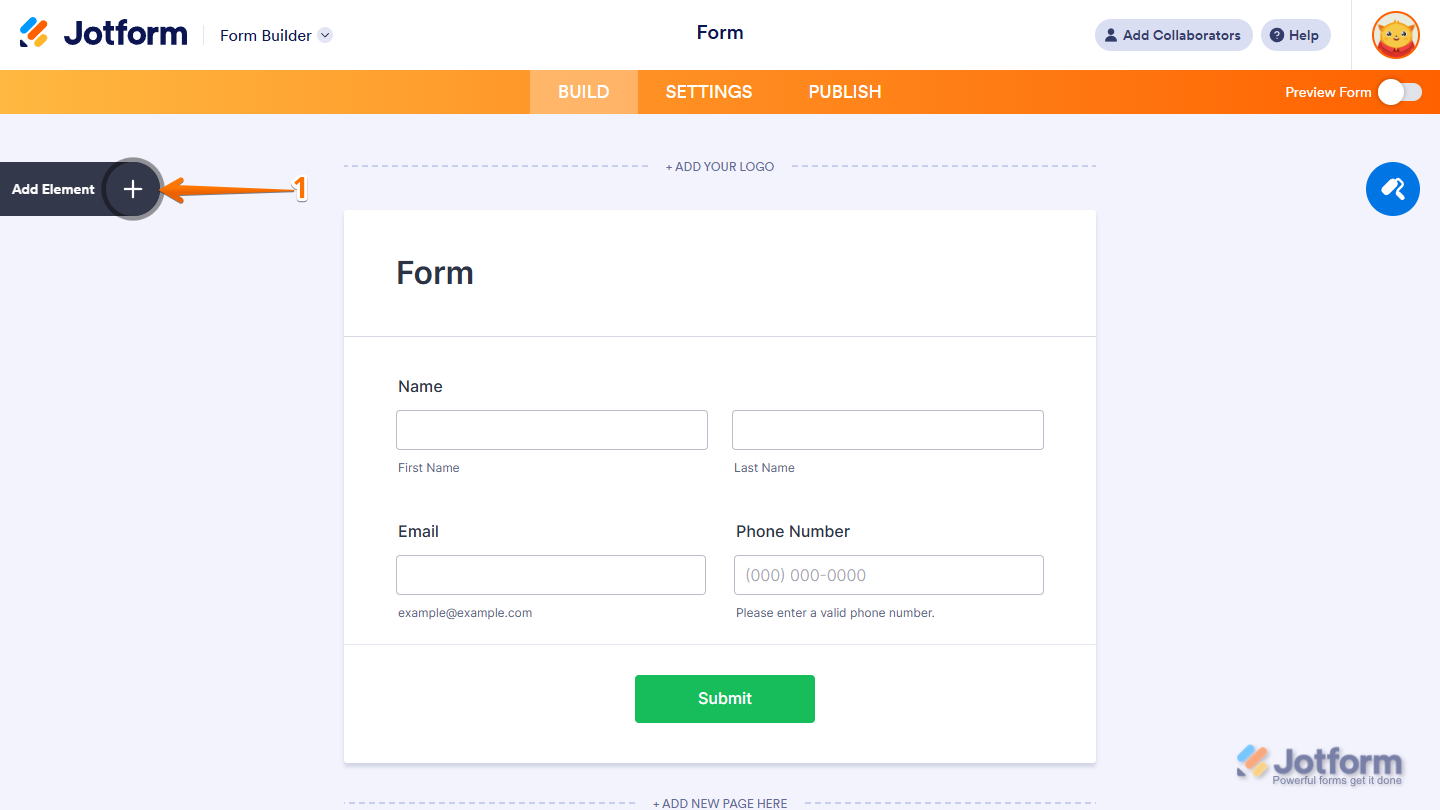
- In Form Builder, click on Add Element on the left side of the page.
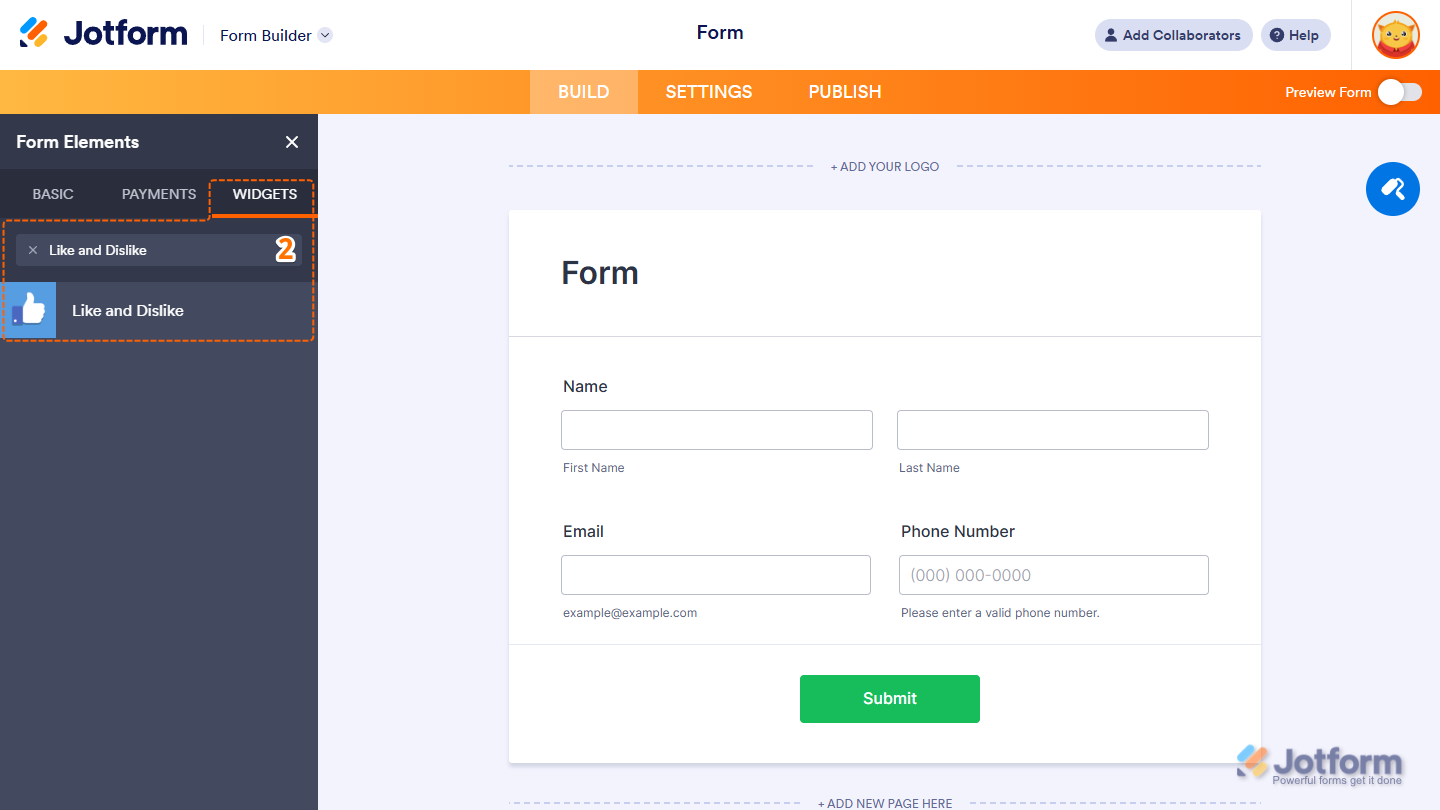
- Now, in the Form Elements menu, under the Widgets tab, search for Like and Dislike and click to add it to your form. Or, just drag and then drop it to where you want it to be on your form.
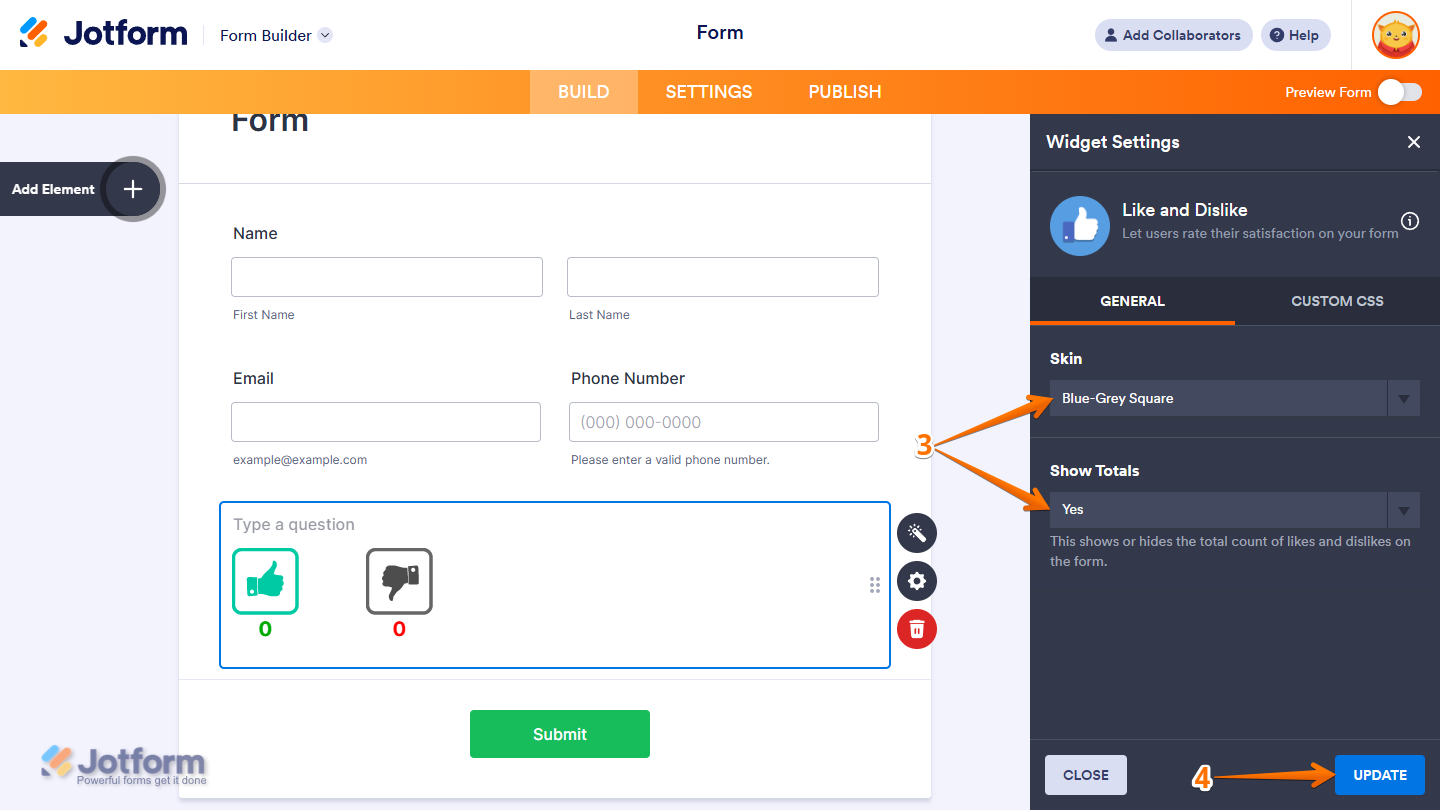
- Next, in the Widget Settings window that opens on the right side of the page, under the General tab, set up these things:
- Skin — Choose the visual style of the widget.
- Show Totals — Enable or disable the display of totals.
- Now, click on Update, and you’re done.
That’s it! You’ve successfully added and set up the Like and Dislike widget on your form. Wondering how it looks in action? Check out this Demo Form.
Note
- To style the widgets look and feel, you can inject custom CSS into the Custom CSS tab in the Widget Settings. To learn how it’s done, see our guide on How to Inject CSS Codes to Widgets.
- You can also configure the widget properties, like alignment, labels, size, visibility, and more, to control how it looks and behaves in your form. Check out our guide on How to Access and Configure the Question Properties of a Widget to learn more.

Send Comment: