Jotform makes it easy to embed videos directly into your form with the Vimeo widget, letting you add high-quality video content that plays smoothly inside your form so you can share instructions, showcase products, or provide helpful visuals without sending users to another page.
Here are a few ways to use it:
- Add tutorial or explainer videos to guide users through your form
- Showcase product demos or promotional videos in registrations or orders
- Provide visual instructions for applications, surveys, or training forms
- Keep users engaged while they complete longer forms
Whether you’re starting fresh or updating a form, adding and setting up the Vimeo widget takes only a few steps. Here’s a quick how-to:
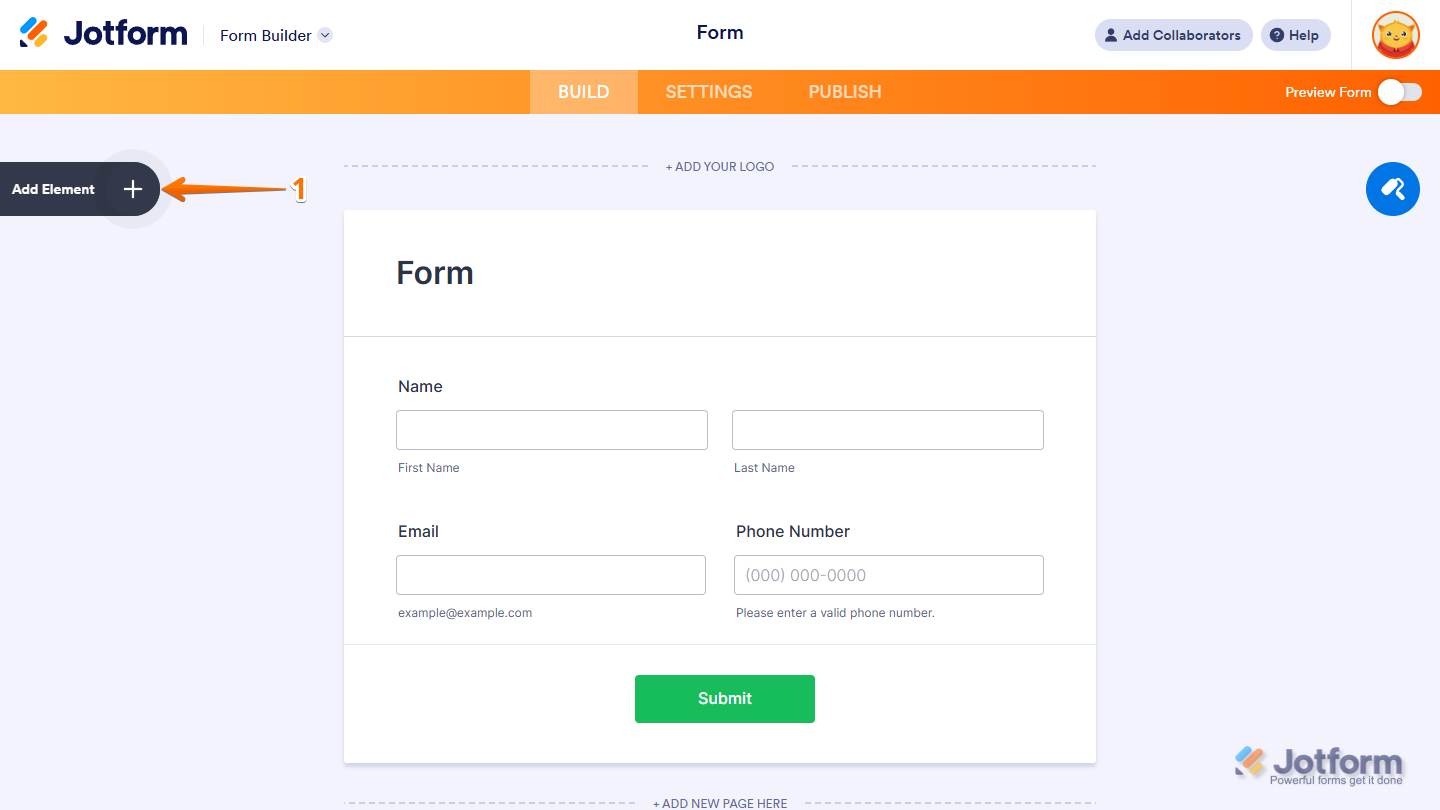
- In Form Builder, click on Add Element on the left side of the page.
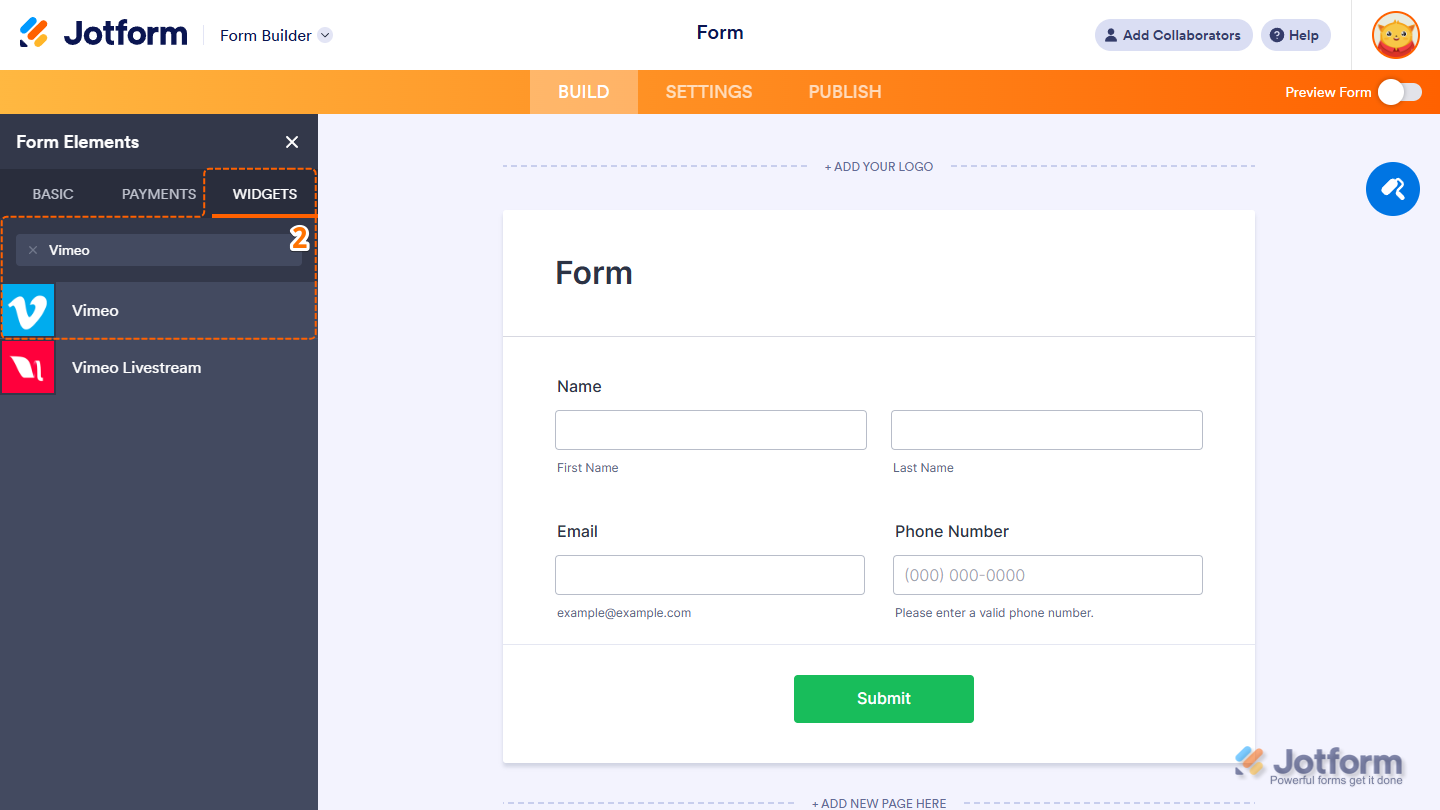
- Now, in the Form Elements menu, under the Widgets tab, search for Vimeo, and then click on it. Or, just drag and then drop it to where you want it to be on your form.
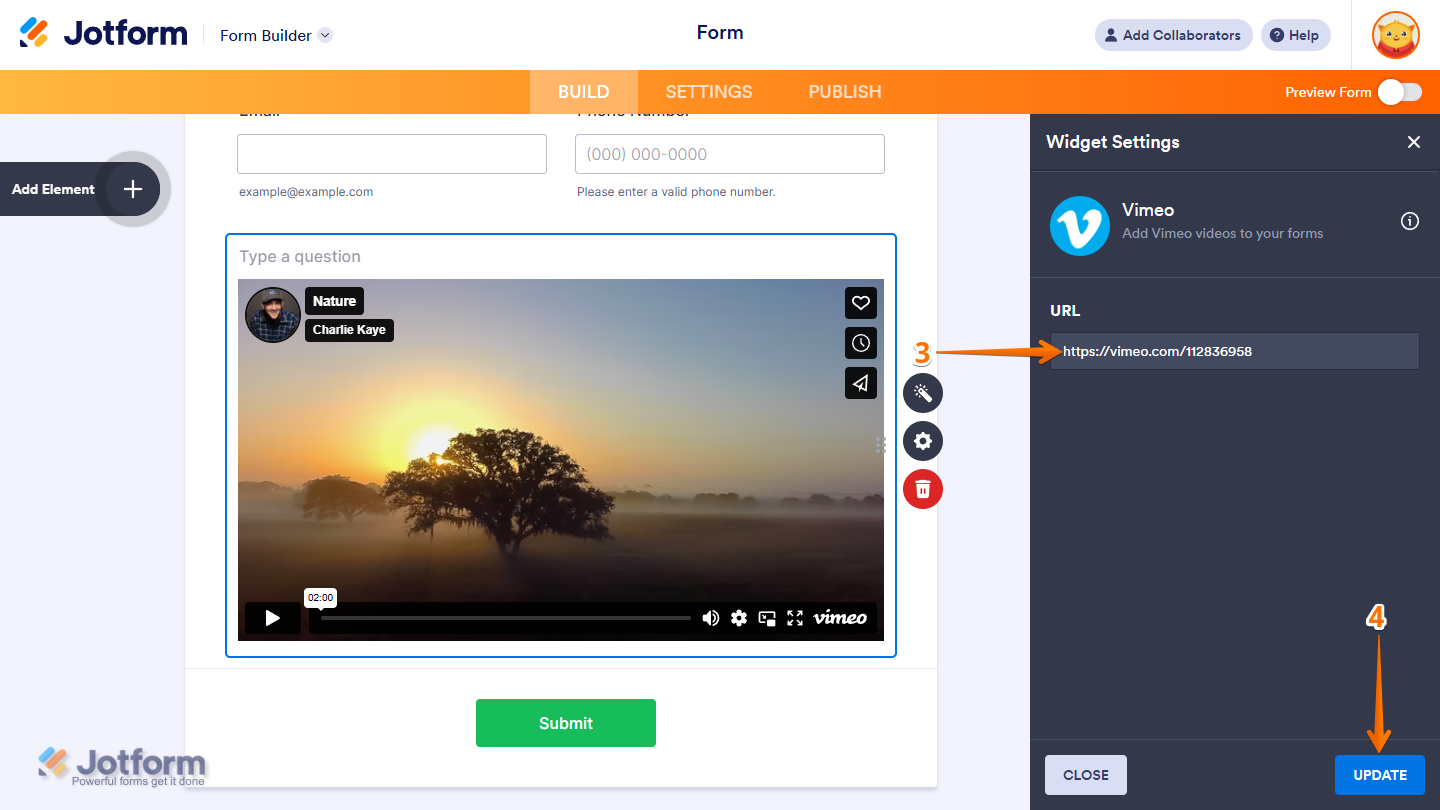
- Next, in the Widget Settings window that opens on the right side of the page, paste the Vimeo URL in the URL field. Looking for more info? This guide on How to Share My Video has what you need.
- Now, click on Update, and you’re all set.
That’s it! You’ve successfully added and set up the Vimeo widget on your form. Want to see how it works? Check out this live demo form.
Note
You can also configure the widget properties, like alignment, labels, size, visibility, and more, to control how it looks and behaves in your form. Check out our guide on How to Access and Configure the Question Properties of a Widget to learn more.

Send Comment: