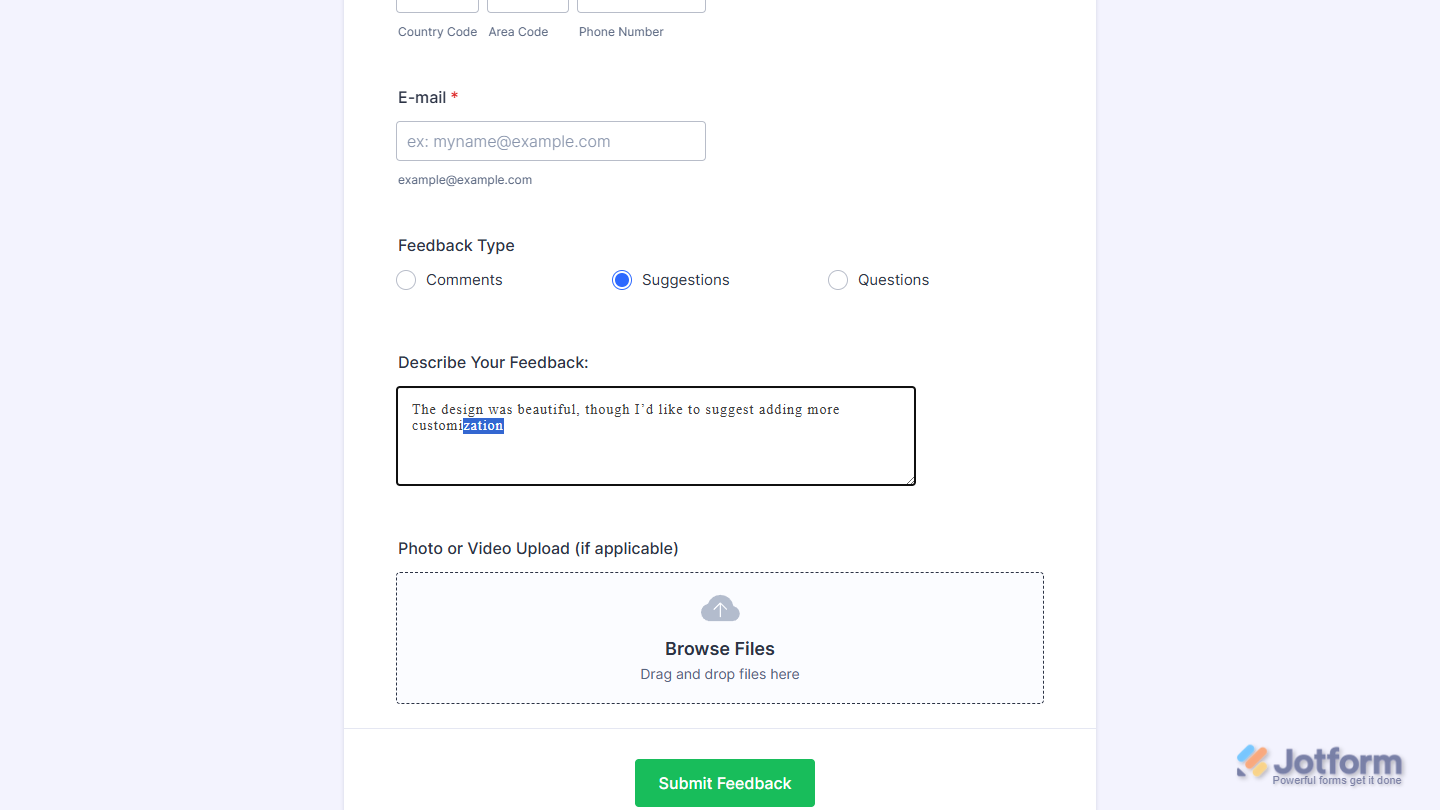
With Jotform, you can easily add smart, intuitive text prediction to your forms using the AutoJS widget. It streamlines the way users write long responses by suggesting and completing words as they type, helping them stay focused and finish their entries faster.
The AutoJS widget is especially helpful for forms that need detailed answers—like essays, explanations, or anything with higher word counts—because it reduces typing effort and keeps users from losing momentum. It’s a simple way to make long-form writing feel smoother, more natural, and a lot less time-consuming.
Here are a few ways to use it:
- Add a predictive text area to forms that require long or detailed responses.
- Make essay-style fields easier to complete on application, registration, or intake forms.
- Help users write faster on surveys, feedback forms, or any form with open-ended questions.
- Reduce typing effort on request, inquiry, or order forms that ask for explanations or descriptions.
- Support smoother, more guided writing for workflows that rely on long-form answers or narrative input.
Whether you’re creating a new form or updating an existing one, you can add the AutoJS widget in a few easy steps. Here’s how to do it:
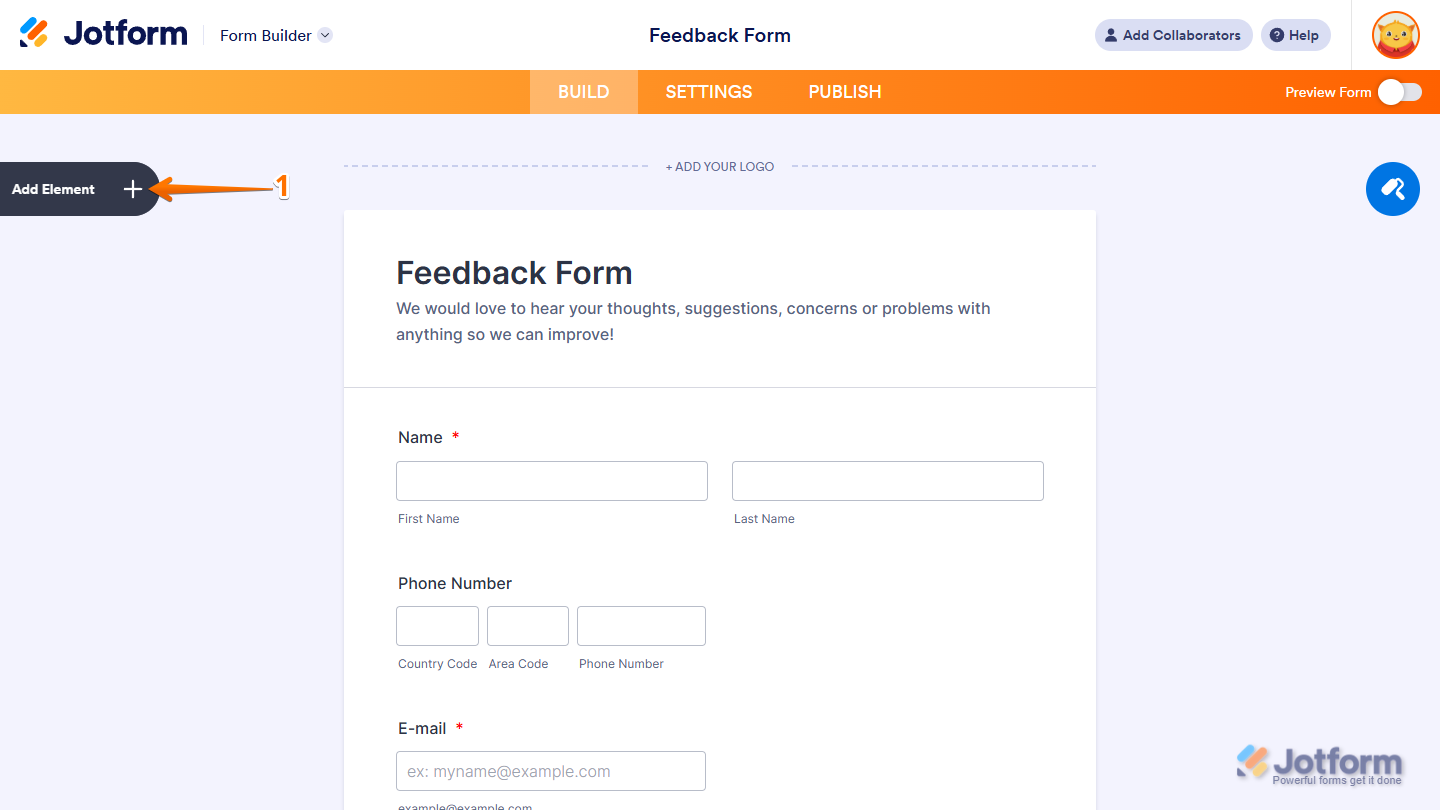
- In Form Builder, click on Add Element on the left side of the page.
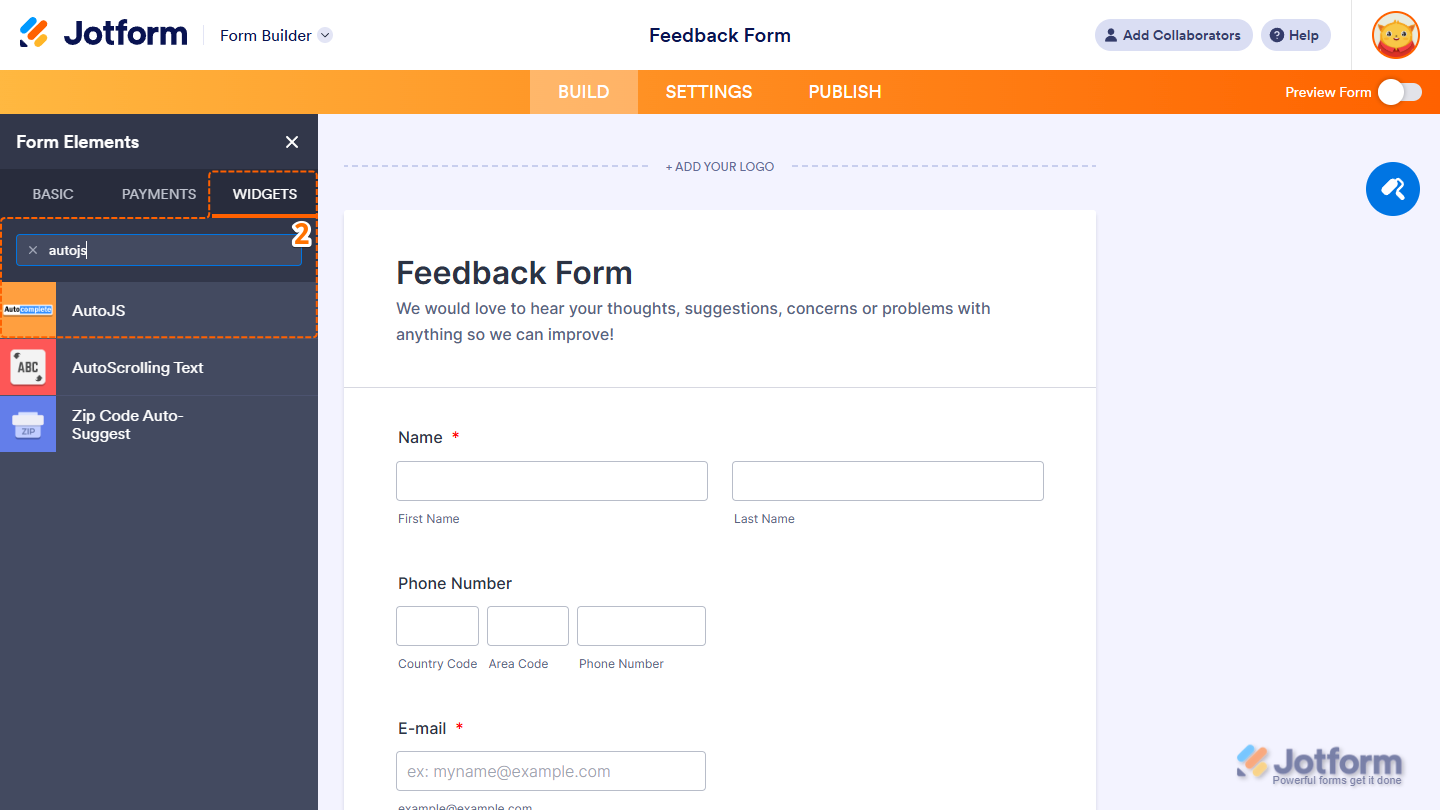
- Now, in the Form Elements menu, under the Widgets tab, search for AutoJS and click on it. Or, just drag and drop it to where you want it to be on your form.
That’s it! You’ve successfully added the AutoJS widget to your form.
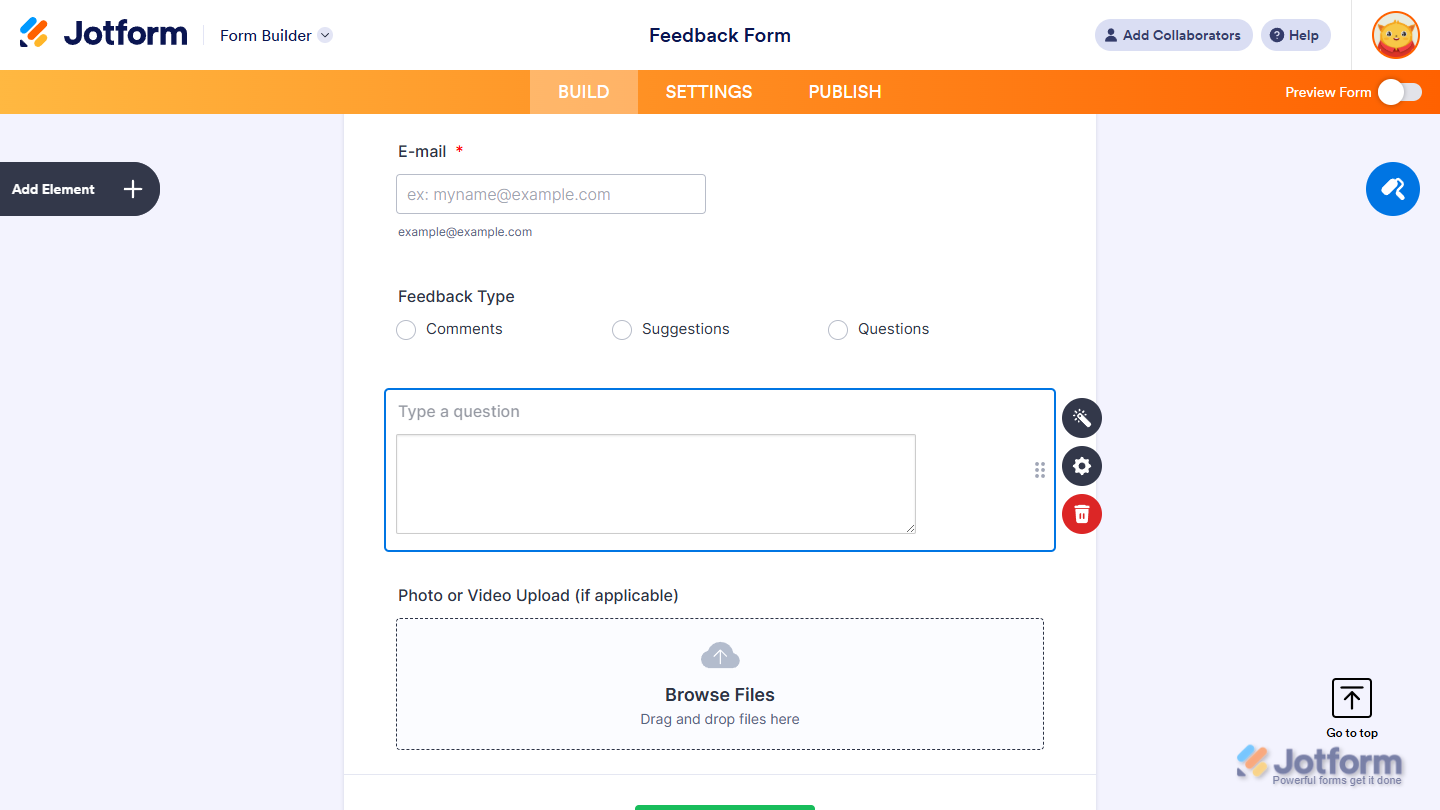
Now users can write longer responses more easily with smart text predictions, helping them complete entries faster while keeping the form experience smooth and effortless. Want to see how it works? Check out this live demo form. Want to see how it works? Check out this live demo form.
Notes
- For advanced styling of the AutoJS widget, you can add your own custom CSS code under the Custom CSS tab in the Widget Settings. Our guide on How to Inject CSS Codes to Widgets walks you through everything.
- You can also configure the widget properties, like alignment, labels, size, visibility, and more, to control how it looks and behaves on your form. Check out our guide on How to Access and Configure the Question Properties of a Widget to learn more.

Send Comment: