Age Verification Widget
Age Verification Widget Features for Website Access
Create a customizable website age gate for restricted products, mature content, events, and member areas. Set a minimum age, choose a verification method, control underage access, target specific pages, and style the popup without coding.
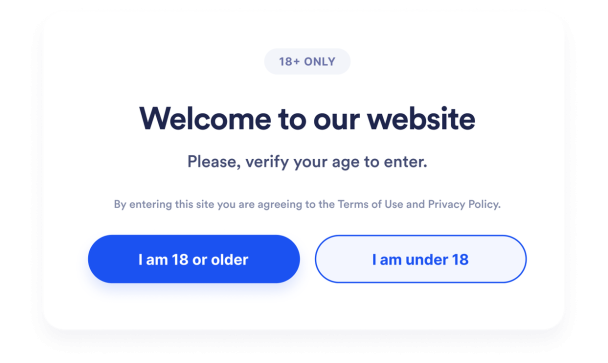

Choose the Right Age Verification Method
Create an age check that fits the level of confirmation your website needs. Set a minimum age from 5 to 100, then let visitors confirm their eligibility with yes-or-no buttons, a birth year, or a complete date of birth.
Age verification controls include:

Write Clear Age Gate Messages
Explain the age requirement before visitors continue to restricted website content. Customize the headline, caption, confirmation buttons, submit label, underage response, and supporting legal note, then add optional media that fits your brand or content.
Age gate content includes:

Control Underage Access and Page Targeting
Decide what happens after an age check and where the popup appears. Show a custom message or redirect underage visitors, display the age gate across your website or on selected URL patterns, and exclude pages that do not require verification.
Access and display rules include:

Match the Age Gate to Your Website
Keep the age verification popup consistent with your website design. Adjust its alignment, width, corner radius, overlay, background, text, buttons, and typography through the no-code builder, and control whether Jotform branding appears.
Age gate styling includes: