G2 Reviews Widget

Quote Slider for G2 Reviews

Showcase six illustrative five-star comments about team file-sharing software in a light, full-width quote slider. Each slide highlights one review with its full short comment, a portrait, reviewer name, five-star rating, and a G2 source badge.
Quote Slider for G2 Reviews

More G2 Reviews Styles

Dark G2 Reviews & Ratings Section524 Used

Dark G2 Reviews & Ratings Section

Present six illustrative G2 user reviews for team survey software in a dark, full-width section. A circular 5.0 rating summary sits beside the heading “Clear questions, shared understanding.”, above a carousel of author-first cards. Each card pairs a human portrait and fictional reviewer name with five stars and a complete short comment about survey questions, response summaries, sharing, drafts or exports. Visitors can browse with the carousel arrows or pagination. Each short comment is displayed in full. These are illustrative samples, not verified endorsements or measured productivity claims.

Waterfall Testimonials Page923 Used

Waterfall Testimonials Page

Present six illustrative G2 review samples for team invoicing software in alternating vertical waterfall columns. A centered G2 Reviews header introduces the heading “Clear billing, shared confidence.” and a five-star summary based on six reviews. Light Standard cards pair each full short comment with a human portrait, fictional reviewer name and five-star rating. Movement pauses on hover so visitors can read at their own pace. The sample comments cover invoice drafts, client records, everyday billing tasks and team handoffs; they are illustrative content, not verified endorsements.

Dark G2 Reviews Quote Slider411 Used

Dark G2 Reviews Quote Slider

This dark, full-width G2 review slider presents six illustrative reviews for a team time-tracking software product. Each slide features a prominent quote, a five-star rating, and the reviewer’s portrait and name, alongside a G2 source badge. The sample comments describe time logging, project labels, timers, navigation, weekly summaries, and entry notes. Designed for software teams that want to show user feedback on a product page, the widget lets visitors move between reviews using previous and next controls. Selecting a review opens its full text in a dialog. The displayed reviews are sample content for this template, not verified endorsements.

Dark G2 Reviews Carousel997 Used

Dark G2 Reviews Carousel

Dark G2 Reviews Carousel presents six sample CRM software reviews in a full-width, dark-themed carousel. Each card shows a reviewer portrait and name, five-star rating, and a short comment about contact notes, pipeline visibility, follow-ups, team handoffs, or everyday sales work. Illustrative workplace photos appear as card backgrounds; they are not product screenshots or evidence of real customer experiences. Use this layout on a CRM product or service page to give visitors a compact overview of the sample feedback. Visitors can move through the reviews with the carousel arrows and open a review for more detail. The heading and title frame the section around keeping useful context with every contact.

How to create a G2 Reviews widget

Customize your widget

Customize your widget

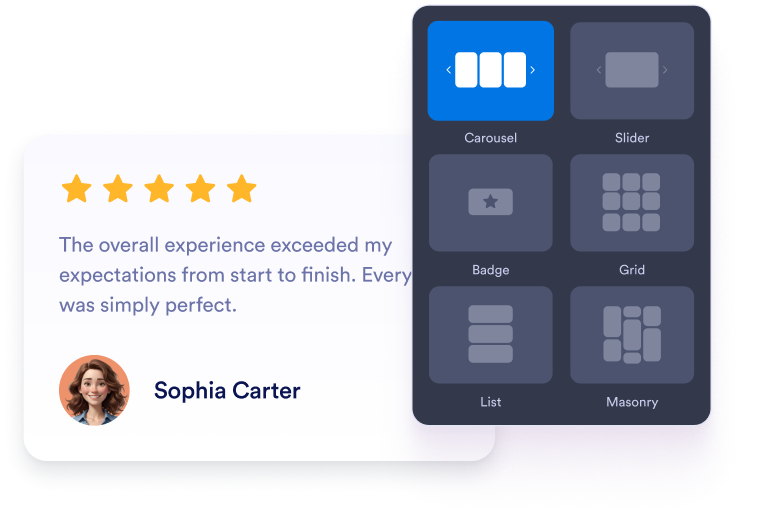
Choose your content, layout, colors, and behavior so the widget fits your website design.

Get the embed code

Get the embed code

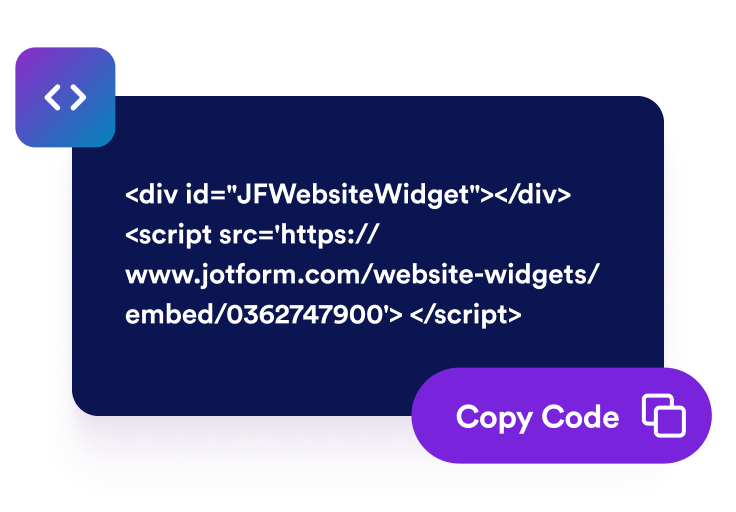
Copy the ready-to-use embed code generated by Jotform. No setup or coding required.

Embed it anywhere

Embed it anywhere

Paste the code into your website and publish. Your G2 reviews will appear right away.

Turn G2 review social proof into real software growth

Improve visibility and SEO

Fresh review content adds helpful user-generated text to your page, which supports trust signals and keeps your content active, fresh, and relevant.

Improve visibility and SEO

Feature standout G2 reviews with a slider

Highlight one short customer quote, reviewer name, star rating, and G2 source mark at a time in a polished card that feels easy to trust with the slider layout.

Feature standout G2 reviews with a slider

Display your G2 rating with review cards

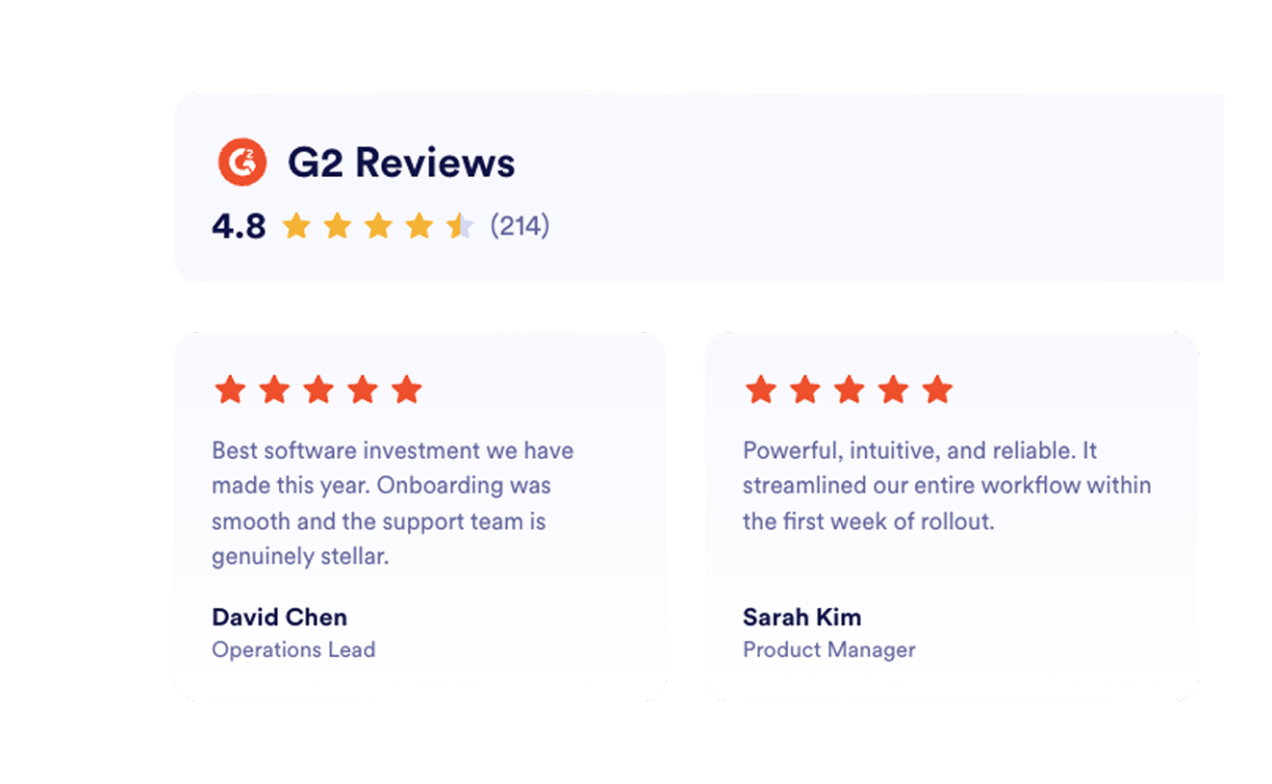
Pair your overall G2 score with concise customer quotes so buyers can scan ratings, review count, and social proof in one compact section.

Display your G2 rating with review cards

Highlight multiple customer stories

Use a masonry wall to show more than one positive experience while keeping the section visual, lightweight, and easy to read.

Highlight multiple customer stories

How to embed your G2 Reviews into WordPress

1Get your embed code

After customizing your Jotform website widget, click Try it on your website for free, and copy the generated embed code.

2Open the page editor

Go to the WordPress post or page where you want to display the widget, then add a new block.

3Add a Custom HTML block

Select Custom HTML and paste your Jotform website widget embed code into the HTML field.

4Update and view

Click Update or Publish, then open the page to check your embedded widget.

Why Jotform Website Widgets stand out

Jotform’s widgets make your website more interactive and increase conversions. There are many tools available, from star ratings and testimonial sliders to social proof popups and media embeds. Add widgets to your forms or landing pages to collect data, display proof, and capture leads — no coding required.

Embed widgets without coding

Add Jotform widgets to your website with a simple embed code. Customize the widget, preview how it looks, and paste it into any page that supports custom HTML or embed blocks, all without a developer.

Build more interactive pages

Use Jotform Website Widgets to collect leads, show customer feedback, display social proof, embed media, or add helpful web page tools. Each widget helps visitors interact with your business directly from your website.

Get support when you need it

If you need help setting up, customizing, embedding, or troubleshooting your widget, Jotform’s customer support team is available 24-7. You can move forward with confidence, knowing that help is there when you need it.

Where to use your G2 Reviews Widget

Add reviews to key pages where software buyers make decisions so real customer feedback can build trust and support every key action on your site.

Homepage social proof sections to build trust quickly with verified buyer feedback.

Product and feature pages to support capability claims with reviews that fit the use case shown.

Pricing pages to reduce customer hesitation near plan and purchase decisions.

Demo or trial signup pages to encourage visitors to take the next step with real customer stories beside the form.

Landing pages for ads to improve conversion rates from search, review, or comparison traffic.

Comparison and alternatives pages to reassure buyers with proof from existing customers.

Convert leads into paying customers with the Jotform Form Builder

Turn engagement into action with Jotform. Create powerful forms that capture leads, collect payments, and automate responses, all in one place. Every submission lands in your Jotform Inbox, where you can follow up or connect with your favorite apps.

Get Started — It’s Free!
Convert leads into customers

FAQ

  • How do I set up the G2 Reviews Widget?

    Open the G2 Reviews Widget in Jotform and paste your G2 product reviews link into the Source field. Choose a layout, customize the design, then click Continue to copy your embed code. Paste it into your website to publish your reviews.

  • Can I choose how my G2 reviews appear on the page?

  • Will the G2 Reviews Widget update automatically?

  • How much customization does the widget offer?

  • Will the widget look good on mobile?

  • Is the G2 Reviews Widget free?

  • Can I embed G2 reviews on WordPress, Webflow, or a SaaS website?

  • Is it safe to connect my G2 listing?

  • Can I use this widget with other Jotform tools or automations?