OpenStreetMap Widget for your website
Give visitors an interactive OpenStreetMap location finder they can use without leaving your page. Add one location or a searchable list, show hours, phone numbers, photos, categories, and ratings, and link each place to OpenStreetMap directions.
How to create a Open Street Map widget
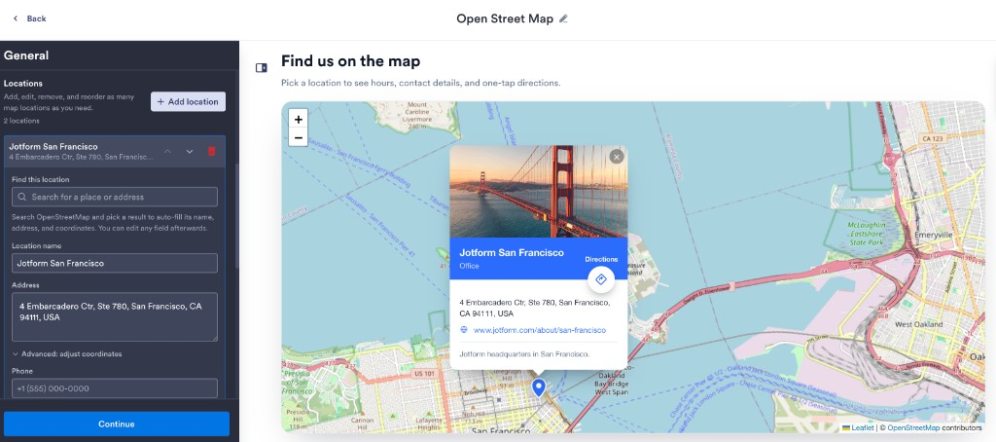
Add your locations
Enter each location's address, contact details, hours, category, description, rating, and optional image.
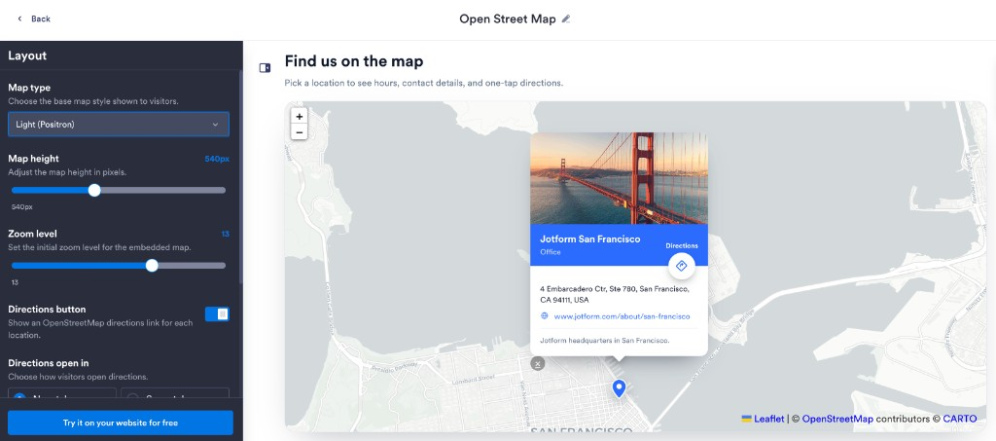
Choose the map experience
Use single- or multi-location mode, choose split or stacked layout, set the map style, height, zoom, panel position, colors, and visibility.

Embed it on your website
Paste the embed code into a custom HTML or embed block, then publish your page to display the website widget.
Help visitors find the right location faster
Put your locations in one clear view
Add the places visitors need to compare, each with its own address, contact details, hours, category, description, rating, and image.
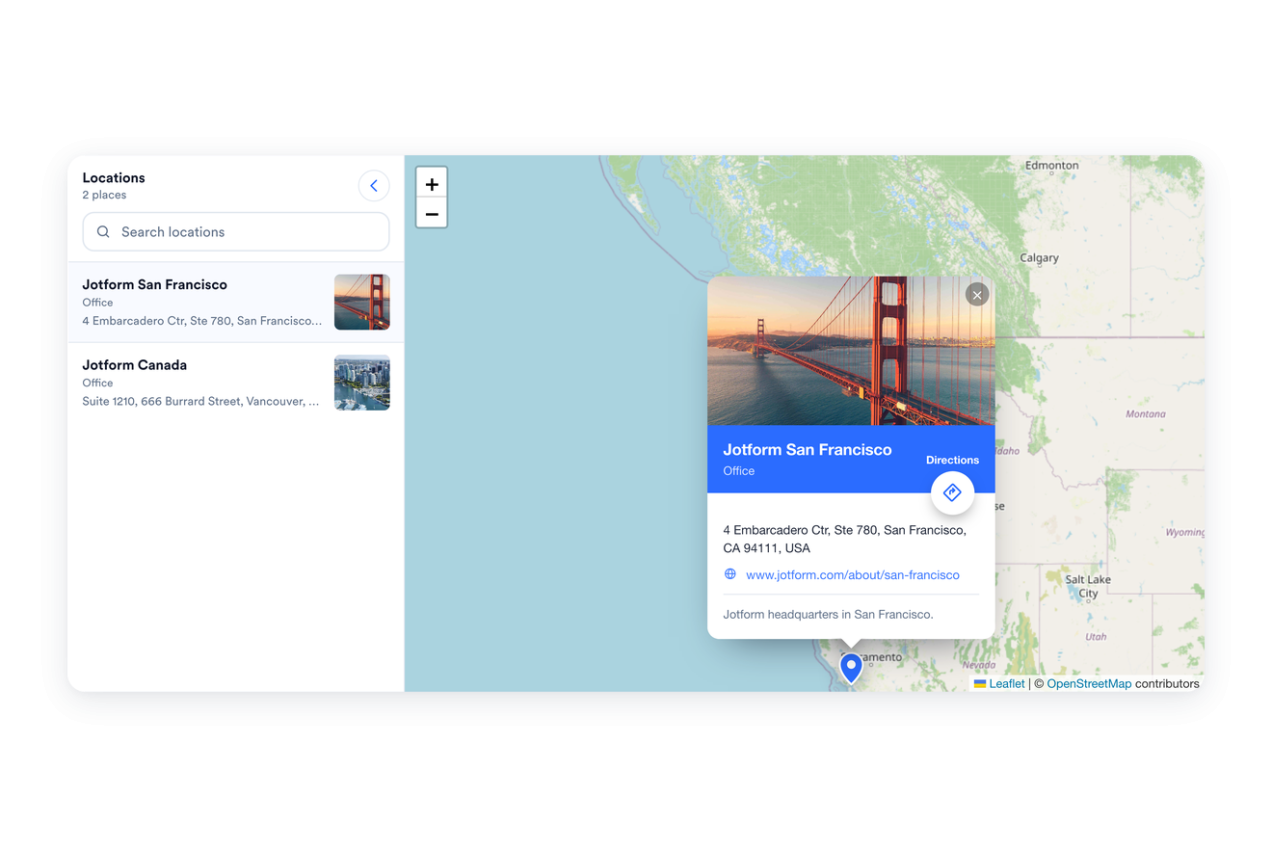
Help visitors narrow the list
A searchable side panel lets visitors filter by name, address, phone, hours, category, or description, then tap a result to recenter the map.
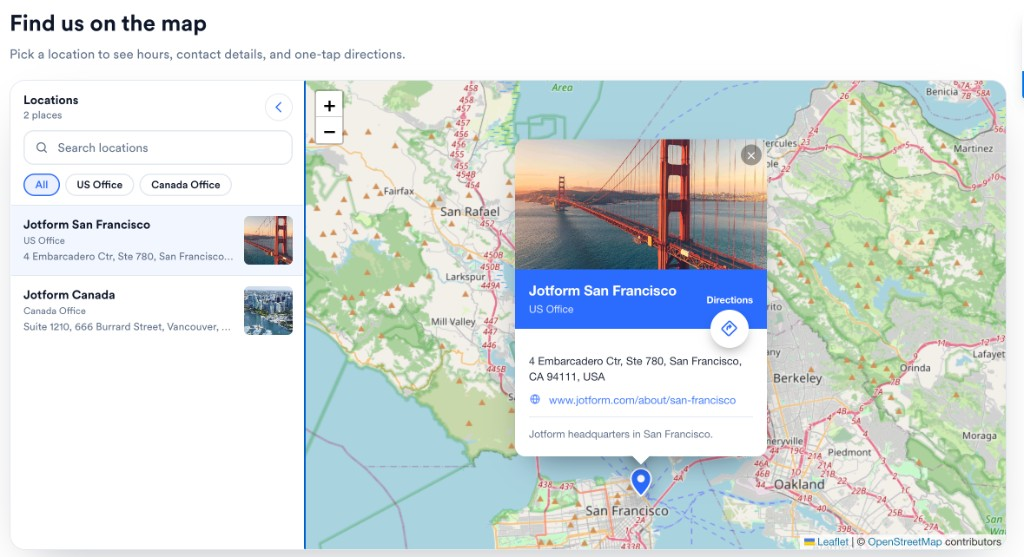
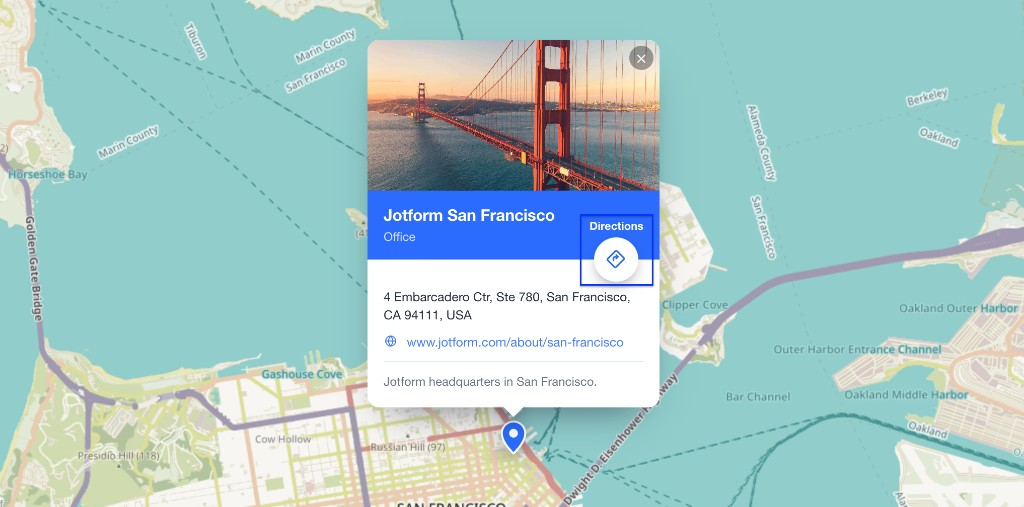
Make directions easy to open
Each location can include a directions link that opens OpenStreetMap with the selected destination already filled in.
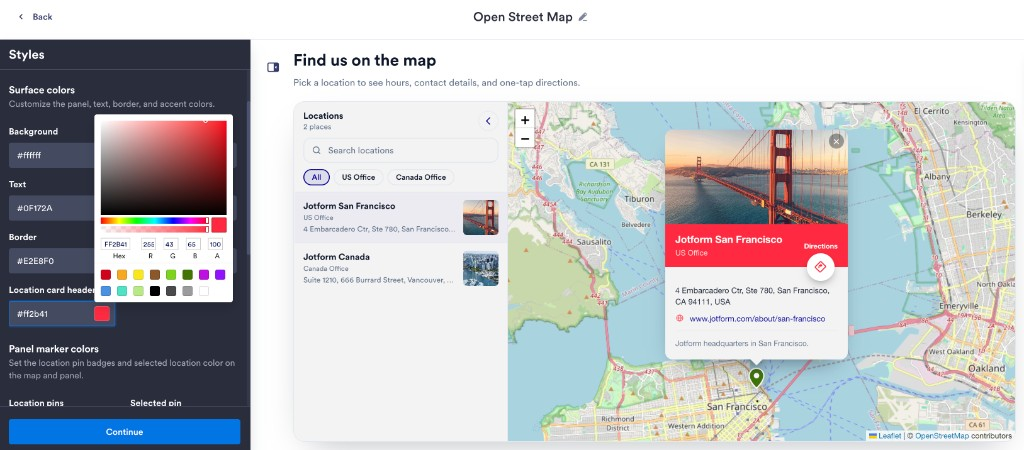
Match the map to your page
Choose light or dark widget styling, adjust panel and marker colors, select a base map style, set map height and zoom, and add scoped custom CSS.
Why Jotform Website Widgets stand out
Jotform’s widgets make your website more interactive and increase conversions. There are many tools available, from star ratings and testimonial sliders to social proof popups and media embeds. Add widgets to your forms or landing pages to collect data, display proof, and capture leads — no coding required.
Add Jotform widgets to your website with a simple embed code. Customize the widget, preview how it looks, and paste it into any page that supports custom HTML or embed blocks, all without a developer.
Use Jotform Website Widgets to collect leads, show customer feedback, display social proof, embed media, or add helpful web page tools. Each widget helps visitors interact with your business directly from your website.
If you need help setting up, customizing, embedding, or troubleshooting your widget, Jotform’s customer support team is available 24-7. You can move forward with confidence, knowing that help is there when you need it.
Where to use your OpenStreetMap Widget
Place the widget wherever visitors need to compare locations, confirm details, or open directions before they visit.
Contact pages pair your address, phone, hours, and directions link with an interactive map.
Store locator pages help shoppers compare branches, showrooms, pickup points, or service counters.
Event pages point attendees to venues, parking areas, entrances, or registration desks.
Hotel and travel pages show properties, nearby points of interest, transit stops, and service locations.
Restaurant pages list dining rooms, delivery hubs, or pickup counters with location-specific hours.
Campus and property pages map buildings, offices, units, or entrances so visitors arrive in the right place.
Convert leads into paying customers with the Jotform Form Builder
Turn engagement into action with Jotform. Create powerful forms that capture leads, collect payments, and automate responses, all in one place. Every submission lands in your Jotform Inbox, where you can follow up or connect with your favorite apps.
Get Started — It’s Free!
FAQ
What is an OpenStreetMap widget?
An OpenStreetMap widget is an embeddable website map that displays one location or a searchable list of locations with details, markers, and directions links.
How many locations can I add?
Can visitors get directions to a location?
Can visitors search or filter locations?
Can I change the map style?
Can I match the map to my brand?
Does the widget work on mobile?
Do I need to write any code?