Pricing Table Widget
Create Your Own Pricing Table in Seconds for Your Website
Build responsive pricing cards and comparison tables for subscriptions, packages, services, courses, products, and membership tiers. Edit every plan, price, feature, button, color, and layout in a no-code builder.
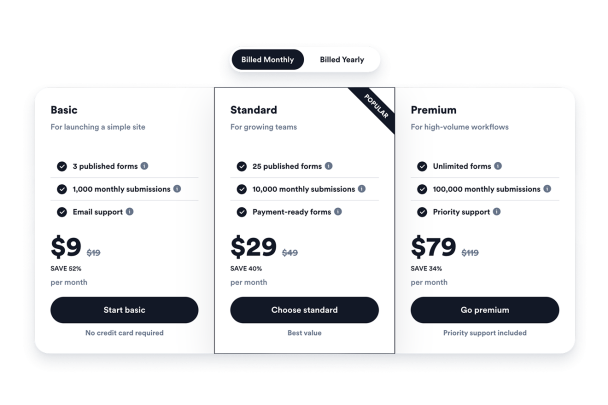

Create Multiple Tables and Billing Toggles
Add separate tables for monthly, yearly, tiered, package, or service pricing and choose which one appears first.
Table controls include:
Monthly pricingYearly pricingDefault tableTable toggleTable captions

Edit Every Plan Detail
Customize plan titles, captions, images, feature text, feature hints, prices, old prices, discounts, button text, button captions, links, and plan colors.
Plan fields include:
Plan titleFeature hintsOld priceDiscount textButton link

Switch Between Pricing Layouts
Use a pricing grid for plan cards, columns for aligned packages, comparison table mode for feature-by-feature evaluation, or carousel mode for compact sections.
Layouts include:
GridColumnsComparison tableCarousel