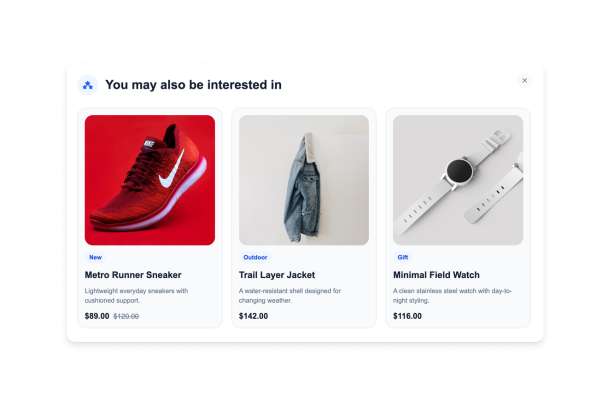

How to create a Product Recommendations widget
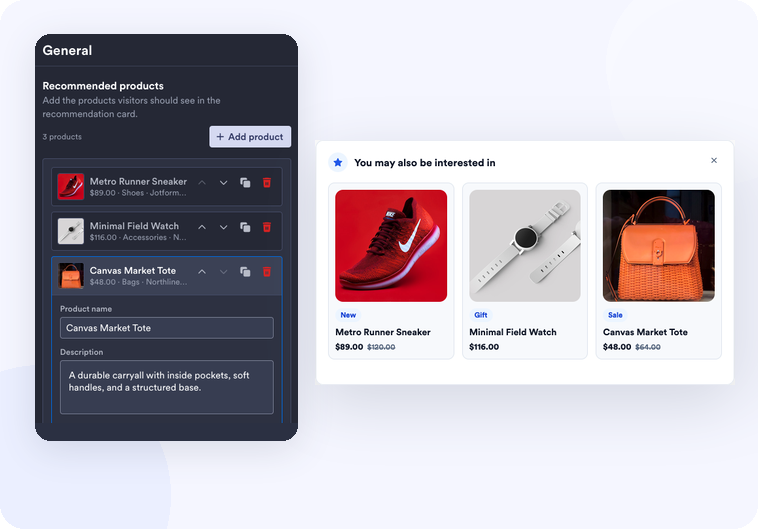
Add recommended products
Enter product names, images, prices, tags, descriptions, and links for the items you want visitors to discover.
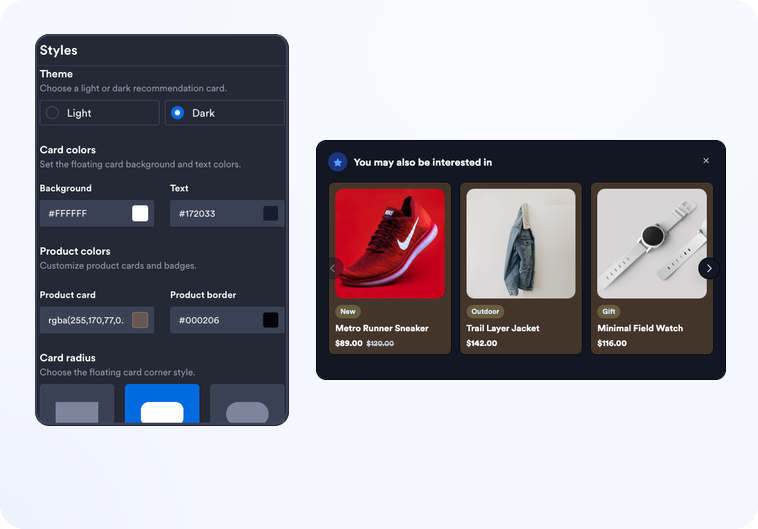
Customize the card
Choose a light or dark theme, adjust colors and rounded corners, set the card width, and decide how many products appear at once.

Embed it on your website
Paste the embed code into a custom HTML or embed block, then publish your page to display the website widget.
Show focused product suggestions without rebuilding your store
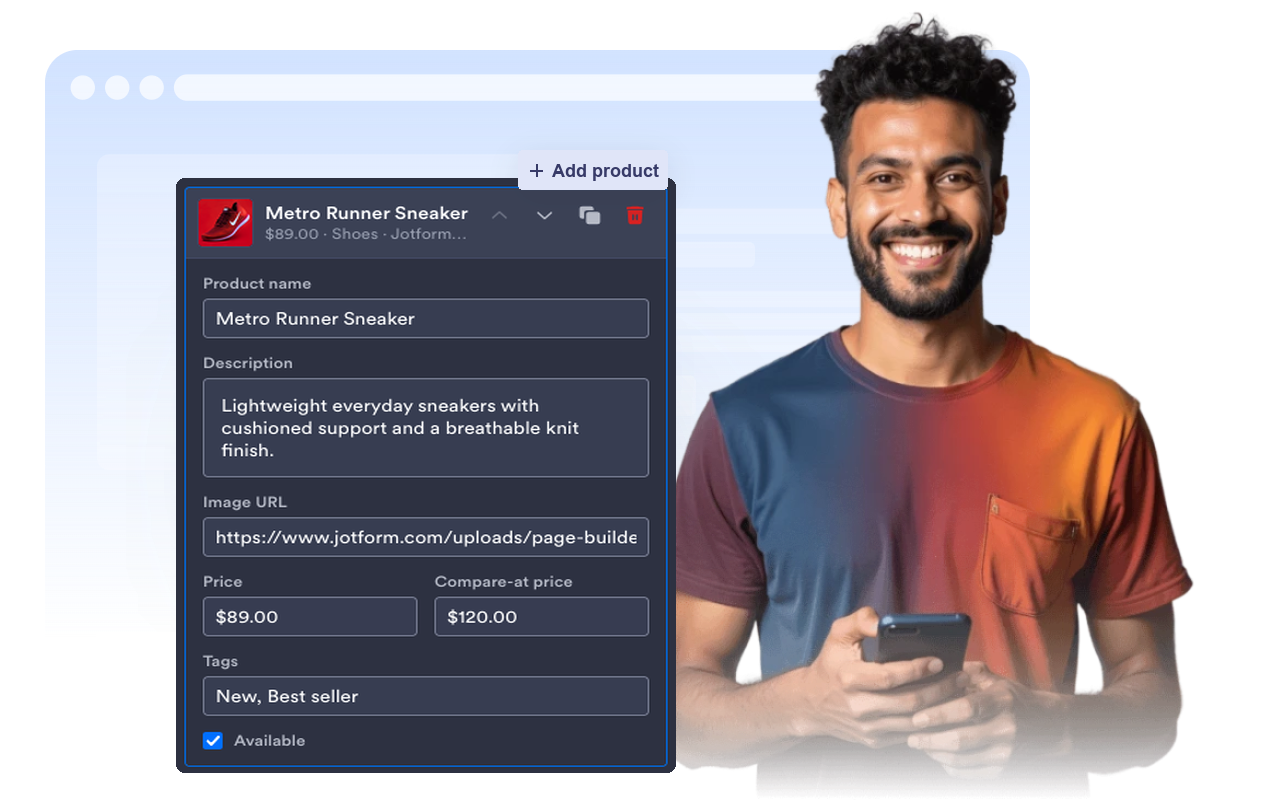
Create a curated product set
Add the products you want to recommend manually, including images, prices, descriptions, tags, and links. The widget is useful for campaigns, gift guides, related items, and featured collections.
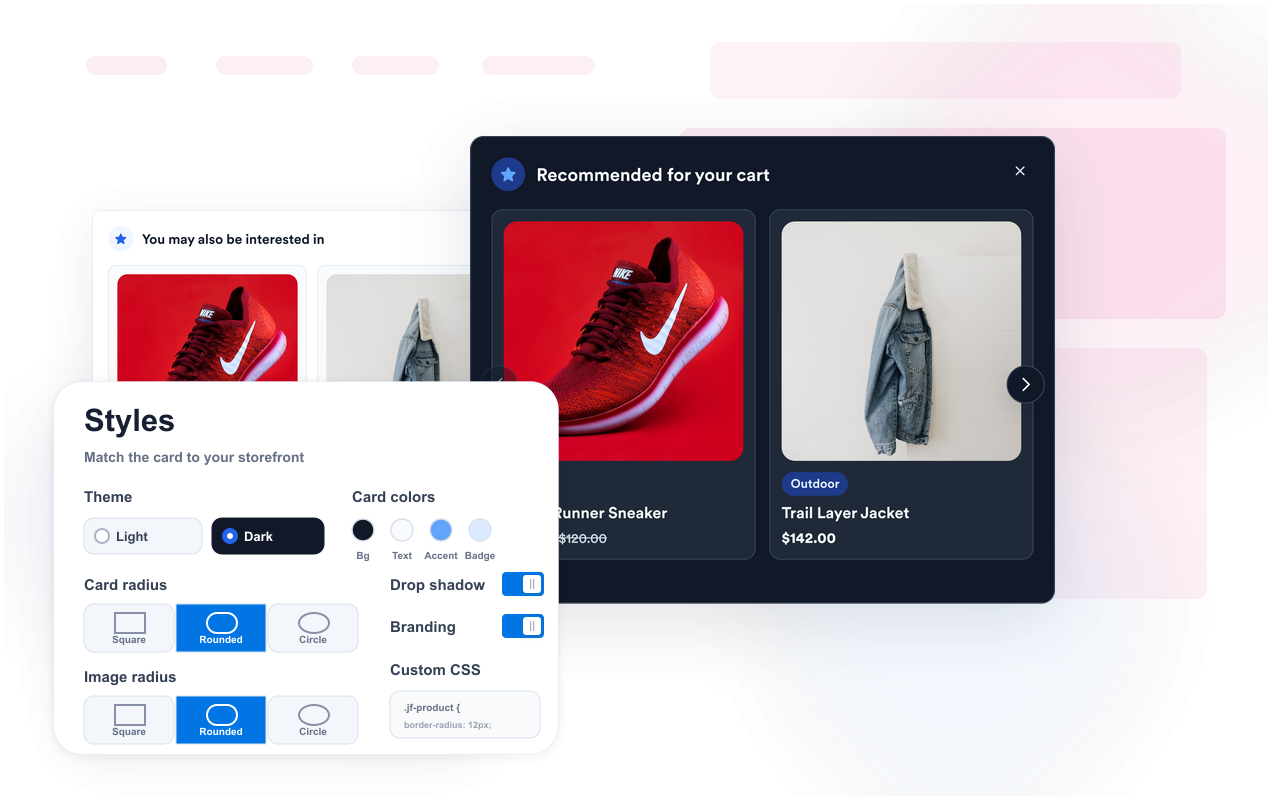
Match your storefront style
Use light or dark themes, color controls, image radius, card radius, shadow, branding, and custom CSS to make the recommendation card feel native to your site.
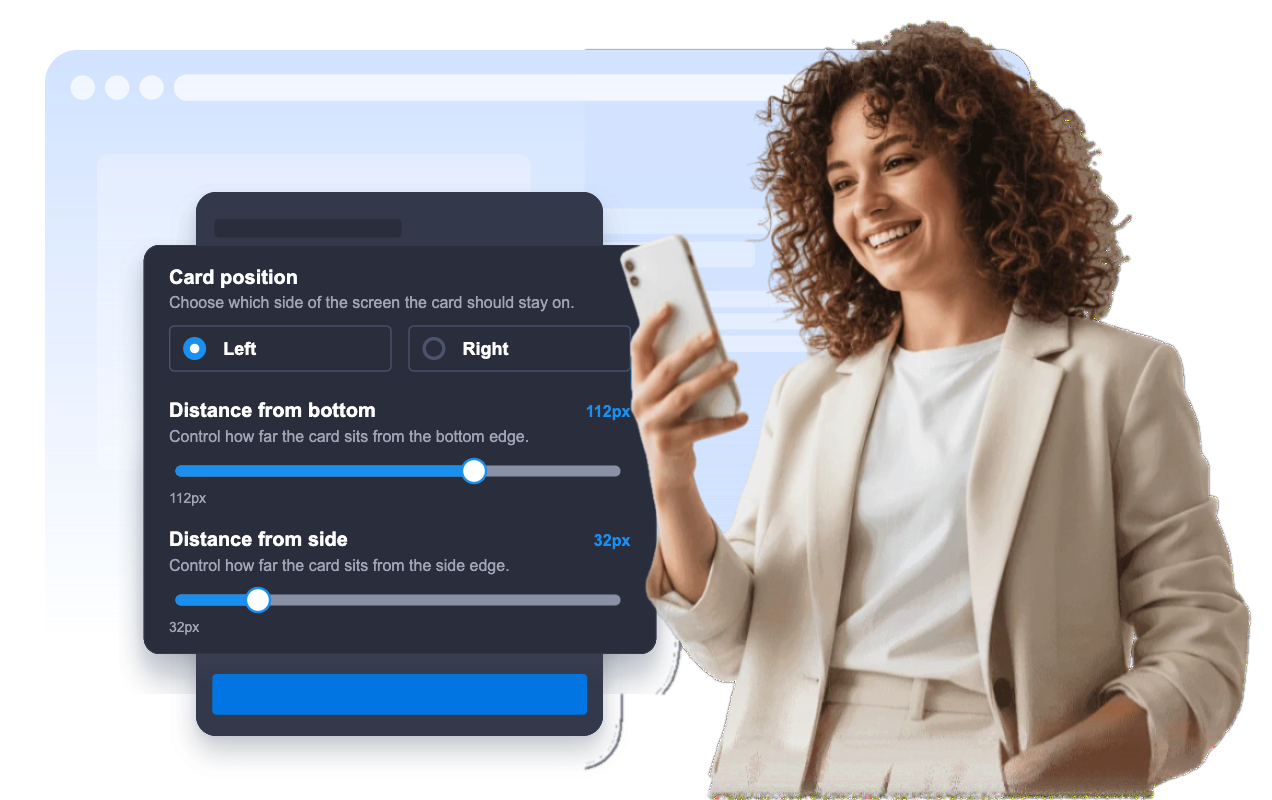
Place it where shoppers notice it
Keep recommendations fixed to the left or right side of the screen, tune desktop and mobile visibility, and control bottom and side offsets for your page layout.
Send visitors to product pages
Each recommendation can open the product link in a new tab and hide after close or click for the current session, keeping the experience helpful instead of repetitive.

Why Jotform Website Widgets stand out
Jotform’s widgets make your website more interactive and increase conversions. There are many tools available, from star ratings and testimonial sliders to social proof popups and media embeds. Add widgets to your forms or landing pages to collect data, display proof, and capture leads — no coding required.
Add Jotform widgets to your website with a simple embed code. Customize the widget, preview how it looks, and paste it into any page that supports custom HTML or embed blocks, all without a developer.
Use Jotform Website Widgets to collect leads, show customer feedback, display social proof, embed media, or add helpful web page tools. Each widget helps visitors interact with your business directly from your website.
If you need help setting up, customizing, embedding, or troubleshooting your widget, Jotform’s customer support team is available 24-7. You can move forward with confidence, knowing that help is there when you need it.
Where to use your Product Recommendations widget
Use the widget on pages where a small set of suggested products can help visitors continue shopping, compare options, or find a related item faster.
Product detail pages to suggest matching accessories, alternatives, bundles, or upgraded items.
Collection pages to highlight best sellers, new arrivals, or seasonal picks while visitors browse.
Cart and checkout-adjacent pages to show complementary products before visitors finish shopping.
Campaign landing pages to promote a short list of products tied to a sale, launch, or gift guide.
Blog posts and buying guides to connect editorial content with relevant product pages.
Small business storefronts that need a lightweight recommendation card without custom development.
Convert leads into paying customers with the Jotform Form Builder
Turn engagement into action with Jotform. Create powerful forms that capture leads, collect payments, and automate responses, all in one place. Every submission lands in your Jotform Inbox, where you can follow up or connect with your favorite apps.
Get Started — It’s Free!
FAQ
What is a Product Recommendations widget?
A Product Recommendations widget is a floating card that shows selected products with images, names, prices, badges, and links to product pages.
Can I choose which products appear?
Can I customize the design?
Does the widget support product links?
Can visitors close the recommendation card?
Does it work on mobile?
Does this widget automatically crawl my store?
Do I need to write code?