Social Feed Widget
Social Feed Widget Features for Websites
Display selected social posts, videos, blog updates, and RSS content in one responsive website feed with source tabs, layouts, post controls, popups, colors, and mobile-friendly styling.

Bring Multiple Feeds Together
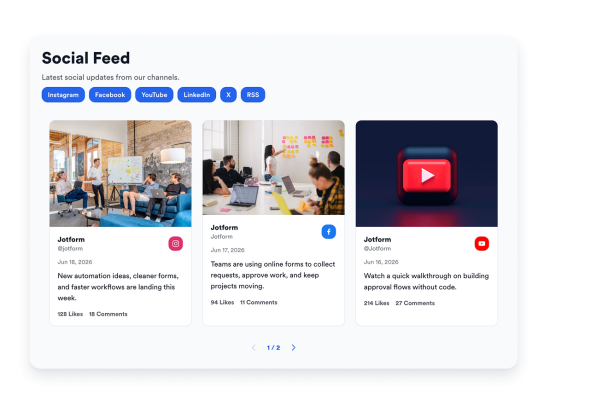
Create one embedded feed from supported public social and content sources. Display platform labels, author names, usernames, post dates, images, captions, links, likes, and comments so visitors can browse updates in one place.
Source labels include:

Fit Posts to Your Page
Choose grid, masonry, list, carousel, or slider layouts to match your page design and available space. Adjust columns, rows, spacing, item limits, source tabs, sorting, pagination, arrows, swipe navigation, and RTL display.
Layout controls include:

Control Each Post Preview
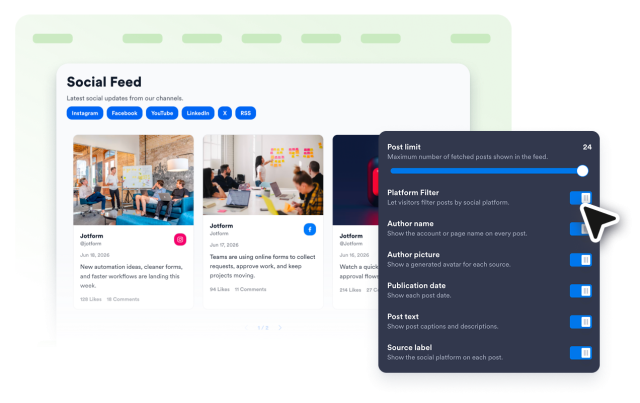
Decide how much context each feed card shows before visitors open a post. Show or hide author details, avatars, dates, captions, source badges, engagement counts, links, and popup detail views.
Post options include:
Match Feeds to Your Brand
Style your Social Feed Widget so it feels native to your website. Use light or dark themes, set accent colors, customize card and popup colors, tune text size and corner radius, style navigation, and add custom CSS.
Style options include: