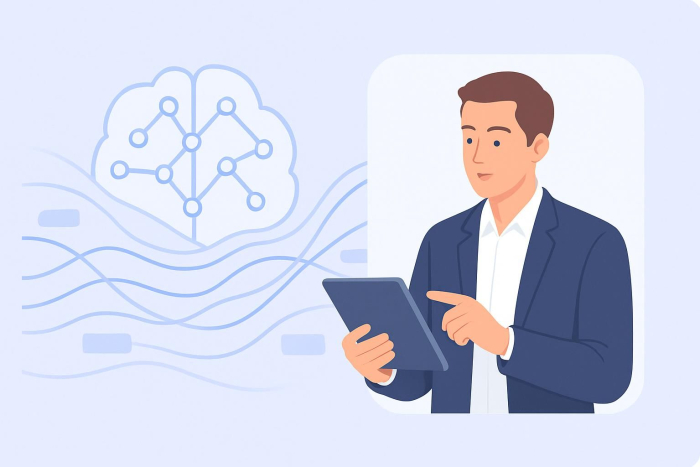
Salesforce uses AI through built-in, extensible features that help teams analyze data, personalize customer interactions, and automate everyday CRM work.
The platform has invested in AI for years, but it crossed a threshold in 2025. At that year’s Dreamforce AI event, Salesforce CEO Marc Benioff introduced Agentforce 360 as the foundation of what he called the “Agentic Enterprise.”
At the core of Salesforce’s AI stack is Einstein GPT, a tool used to generate insights and content; Agentforce customized agents that autonomously complete tasks; and conversational assistants that support you directly inside workflows.
Through AppExchange, Salesforce also supports external AI solutions, such as the Jotform Salesforce Agent, a no-code AI assistant that extends Salesforce automation.
In this article, we further outline how to use AI in Salesforce. Let’s get into it.
How is AI used in Salesforce?
AI is built into every Salesforce Cloud. The platform uses AI to do three tasks:
- Identify patterns in customer and pipeline data.
- Generate content and recommendations in context.
- Automate routine work that would otherwise require manual input.
This combination drives productivity and personalization across the platform. Here’s how that looks across Salesforce Clouds, Agentforce, and Einstein GPT.
In Sales Cloud, AI helps sellers prioritize their efforts and move deals forward with less guesswork.
Sales Cloud
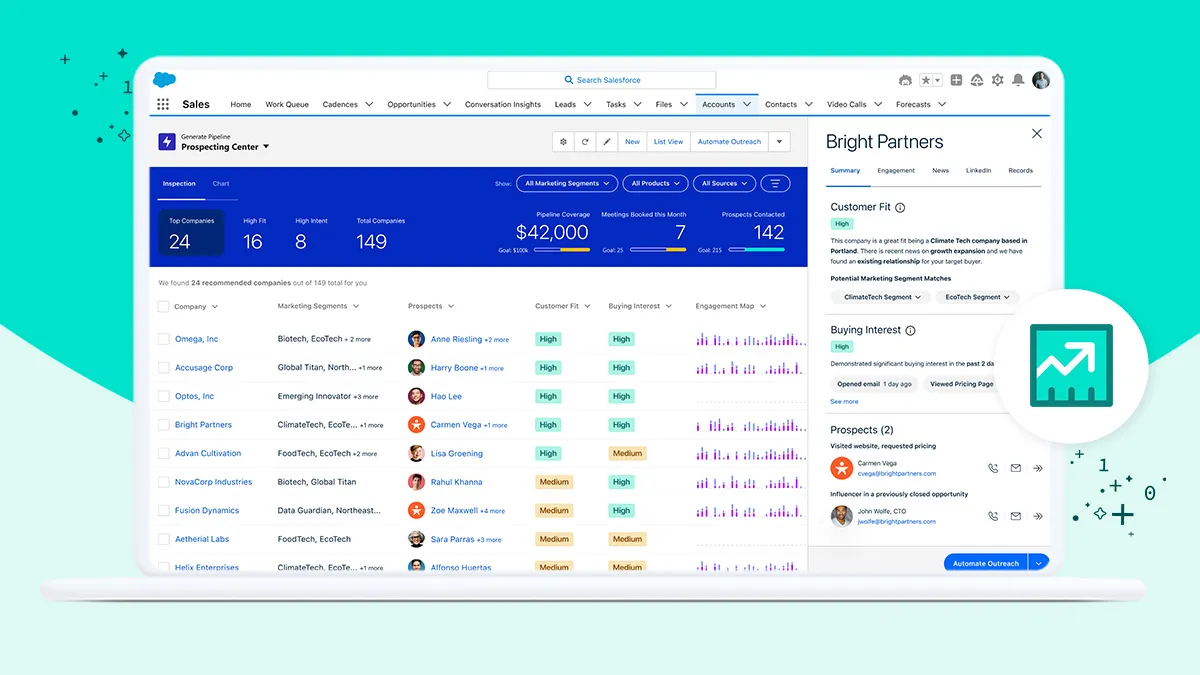
- AI uses lead and opportunity scoring to rank prospects based on patterns in historical CRM data.
- Deal forecasting shows risk signals and revenue trends earlier, helping managers spot stalled or slipping deals.
- Email drafting supports personalized outreach and follow-ups that reflect deal stage, account history, and recent activity.
Service Cloud
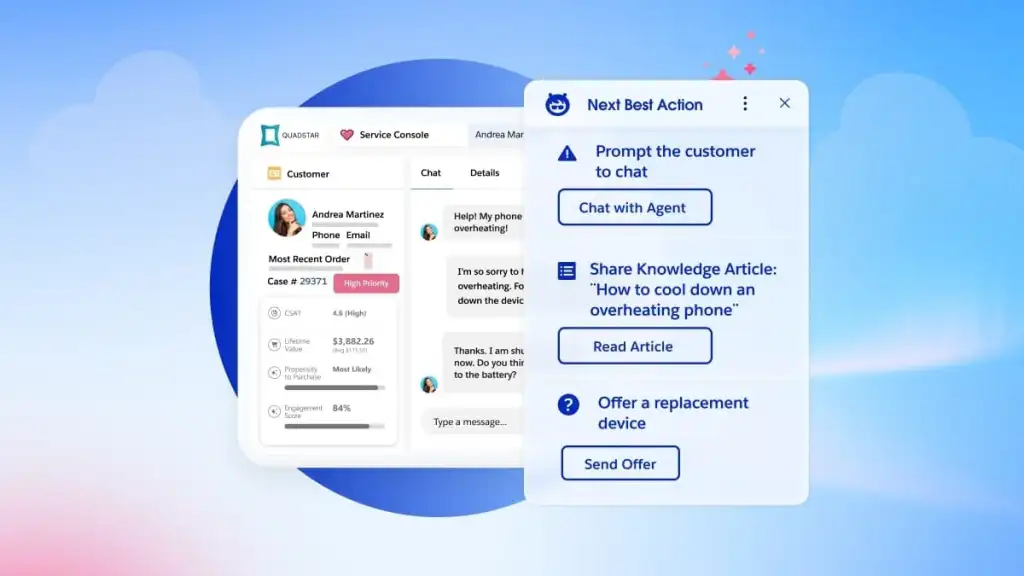
In Service Cloud, AI reduces resolution time and cognitive load for support teams.
- Smart replies suggest responses based on case context and past resolutions.
- Automatic case summaries capture the key points of long or ongoing conversations, easing handoffs and preventing duplicated efforts.
- Knowledge suggestions provide relevant, helpful articles while agents are actively handling a case.
These functions will be especially important as Salesforce moves away from session-based chats and toward persistent conversations (which will be asynchronous, so customers can continue them at any time).
⚒️ Platform update
Salesforce is retiring its legacy chat tools (including LiveAgent, Service Chat, and Embedded Chat), effective February 14, 2026. These are being replaced by Messaging for In-App and Web, a Hyperforce-based system designed for persistent, AI-enhanced conversations. The shift is a prerequisite for deploying scalable, Agentforce-powered service automation in Service Cloud.
Marketing Cloud
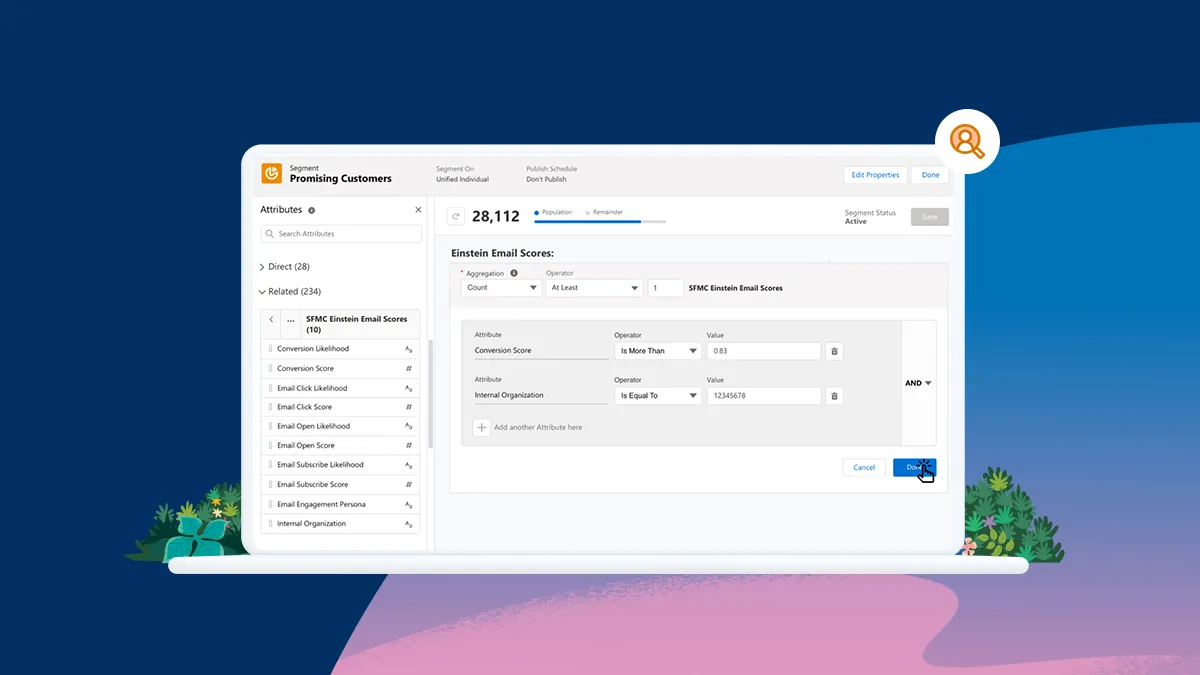
Marketing Cloud uses AI to help teams personalize and adjust campaigns at scale.
- Predictive journeys adapt messaging and timing based on actual customer behavior, not preset paths.
- AI content creation drafts subject lines, messages, and campaign copy, allowing teams to test and iterate faster.
- Audience insights help marketers refine targeting based on engagement and conversion signals.
Commerce Cloud
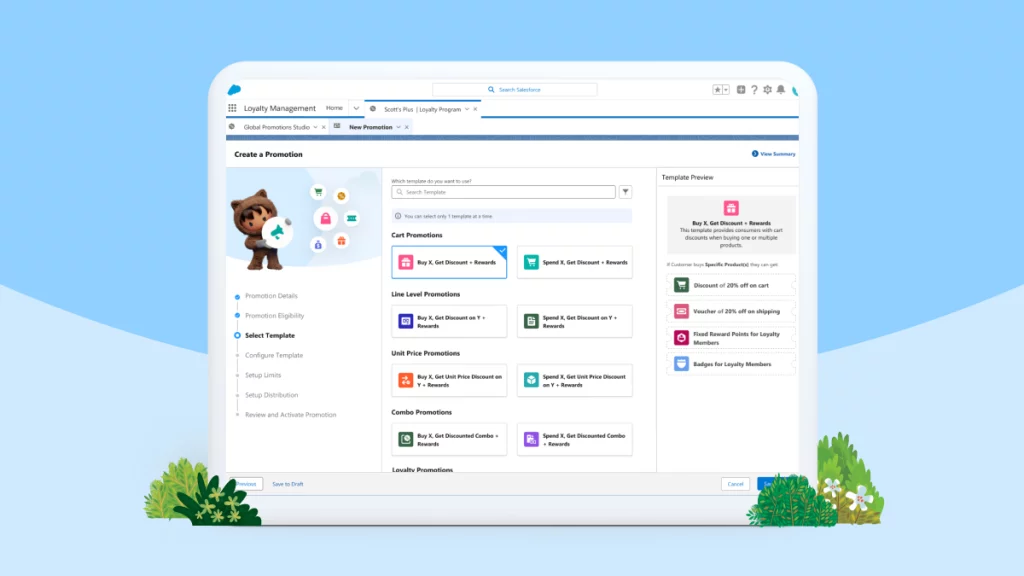
In Commerce Cloud, AI shows up most clearly in personalization and merchandising.
- Personalized product recommendations reflect browsing behavior, purchase history, and real-time signals.
- AI-drafted product content helps teams keep catalogs up-to-date without slowing releases.
- Merchandising insights highlight opportunities to improve conversion and average order value.
Agentforce
Beyond individual clouds, Agentforce enables teams to build native AI agents that automate tasks and workflows across Salesforce.
These agents can
- Route leads or cases
- Update records automatically
- Trigger follow-ups or escalations
- Handle routine requests without human input
Salesforce also extends AI into adjacent tools, such as Slack GPT (to set up AI-assisted collaboration and workflow triggers) and Tableau AI (to query about AI analytics and insights without code).
At the most advanced end of the platform’s offerings, Einstein GPT and Agentforce represent Salesforce’s core AI capabilities, powering content generation, analysis, and autonomous action across clouds.
Einstein GPT vs Agentforce
While they’re often mentioned together, Einstein GPT and Agentforce serve different Salesforce roles.
- Einstein GPT generates content and insights. It helps draft emails, summaries, replies, and recommendations using Salesforce data.
- Agentforce focuses on execution. It builds AI agents that plan and carry out tasks and workflows on their own.
 Einstein GPT |  Agentforce | |
|---|---|---|
| What’s the level of autonomy? | Custom | Custom |
| What’s it best used for? | Helping users think, write, and respond faster | Taking ownership of routine tasks across Salesforce |
| How is it triggered? | Typically user initiated (via prompts or in-workflow actions) | By events, rules, or conditions |
| Where does it run? | Inside Salesforce records and workflows | Across Salesforce workflows, objects, and integrations |
📚 Recommended reading
New to Salesforce? Check out “The ultimate Salesforce glossary” to familiarize yourself with essential terms and concepts.
How does AI work in Salesforce?
Salesforce’s AI is built on your data, AI models, interfaces that people and workflows interact with, and a trust layer that keeps everything secure and reliable.
At a high level, Salesforce AI is powered by four core components.
1. Data Cloud: The foundation
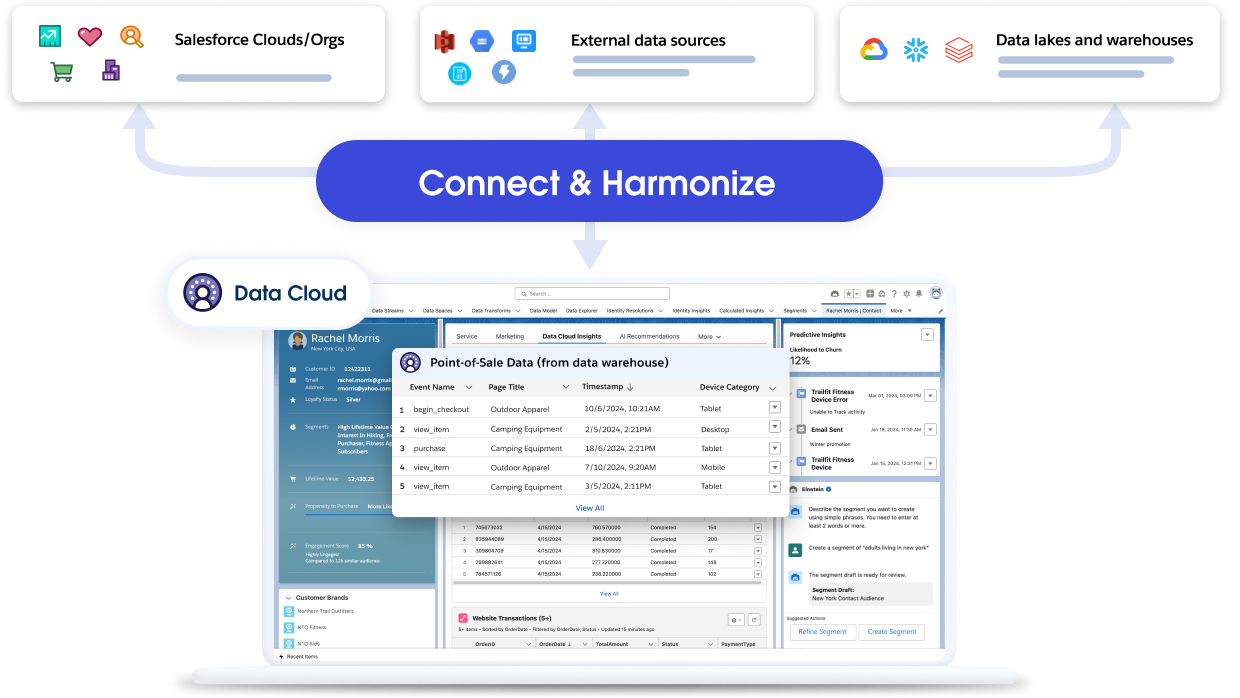
Salesforce’s AI starts with Data Cloud, which gathers customer data across your systems into one unified profile. This action harmonizes data, so generative and predictive models can use the right context to produce trustworthy results.
Think of Data Cloud as the single source of truth that feeds everything else.
2. AI models: Predictive and generative intelligence
On top of your data live the AI brains that analyze and create:
- Predictive analytics (Einstein) AI looks for patterns and forecasts likely outcomes (e.g., which leads will convert or which cases might escalate).
- Generative AI (Einstein GPT) builds on that by creating context-rich outputs (such as email drafts, case summaries, and recommendations) using your CRM data.
Einstein GPT infuses Salesforce’s proprietary AI models with generative AI technology (including OpenAI’s models) and real-time CRM data, so its outputs stay relevant to your business.
3. Interface layer: Copilot and Agentforce
This is where AI meets users and workflows.
- Agentforce Assistant (formerly Einstein Copilot) is the conversational interface that helps you get work done, for example, drafting a sales email or summarizing a support interaction.
- Agentforce goes beyond assistance: It builds autonomous AI agents that can proactively plan and execute multistep tasks. These agents don’t wait for you to ask them to do something. They can act on triggers and complete workflows on your behalf.
4. Trust layer: Security, privacy, and responsible AI
The Einstein Trust Layer makes sure that AI works safely with your data. It handles
- Dynamic grounding, so AI responses are rooted in your Salesforce data
- Data masking and privacy protections
- Audit trails and governance controls that track how AI is used and why it made certain decisions
Having a trust layer is crucial in enterprise environments, where compliance and access control are of the utmost importance.
How to extend Agentforce’s capabilities?
To make your agents even more useful, Salesforce provides Einstein 1 Studio, its low-code environment for configuring AI behavior. This is where admins and developers shape how AI responds, what actions it’s allowed to take, and how it connects to real workflows.
Einstein 1 Studio includes tools such as Prompt Builder and Agentforce Builder (previously branded as Copilot Builder).
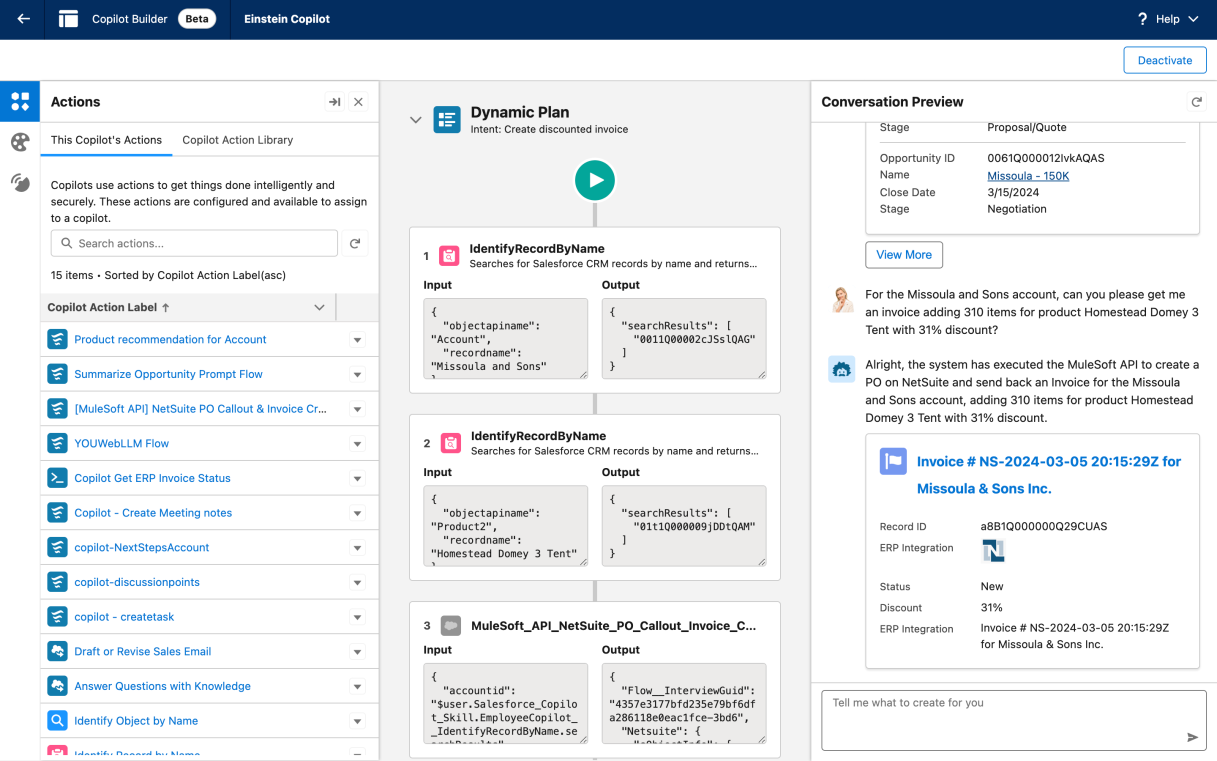
The most important thing to know is that you don’t have to start from scratch. Agentforce is designed to plug into the same building blocks your teams already use.
Agentforce agents can trigger business actions using familiar Salesforce tools, including
- Apex classes for custom logic
- Flows (including autolaunched flows) to orchestrate processes
- MuleSoft APIs to connect external systems
- External Services to call third parties
What are some real-life use cases of AI in Salesforce?
These two use cases show how AI helps with day-to-day operations.
Use case #1: Lead qualification and follow-up without manual routing
A new lead comes in from a website form or campaign.
In traditional workflows, someone has to review it, decide whether it’s worth pursuing, assign it, and remember to follow up.
But with Salesforce AI, that flow can run on its own. Einstein scores the lead based on historical conversion data. Agentforce then routes it to the right owner, updates the record, and triggers a follow-up task or email, all based on rules your team already uses.
Use case #2: Persistent customer support without repeated handoffs
A customer starts a support conversation that stretches on for days, across channels or agents.
Without AI, the context could get lost, and agents might spend time rereading the customer’s history or asking questions that have already been answered. Salesforce AI changes that dynamic. Einstein GPT generates rolling case summaries and suggests replies based on prior interactions. Agentforce can update the case status, route escalations, and trigger follow-ups automatically as conditions change, which is especially important as Salesforce shifts from LiveAgent to persistent Messaging for In-App and Web.
Your team members step in where judgment is needed, but the system handles continuity and coordination.
How to get started with AI in Salesforce?
This comparison table outlines the core tools and is followed by practical steps you can take to get up and running. We also include what you should know about pricing.
| Tool | Best for | Core features | Pricing |
|---|---|---|---|
 Jotform Salesforce Agent |
Upstream data capture and conversational intake |
|
|
Einstein GPT |
Generative insights and content |
|
|
Agentforce |
Autonomous task execution and workflow automation |
|
|
 Agentforce Assistant (formerly Einstein Copilot) |
In-workflow help |
|
|
7 quick steps to activate AI in Salesforce
- Prepare your data: Make sure customer records, leads, cases, for example, are consolidated and cleaned in Salesforce (or Data Cloud). Most teams should plan for one to two weeks of data cleanup, but if your records are less than 50 percent complete, plan for longer.
- Enable Einstein generative AI in Setup: In the Quick Find box, enter “Einstein Setup,” click Einstein Setup, and toggle Turn on Einstein.
- Configure the Einstein Trust Layer: This mandatory step ensures privacy, security, and compliance before using AI features.
- Enable Agentforce: In Setup, search for “Agentforce,” and turn on Agentforce Agents.
- Open Agentforce Builder: Build your first agent via the low-code builder interface. Define tasks, permissions, and the scope.
- Test and pilot: Before rollout, run tests with a subset of data or a pilot team to verify behavior and data handling.
- Monitor via the Command Center: Once live, use the Agentforce built-in monitoring dashboards to track usage, performance, and compliance metrics.
AI in Salesforce: Pricing
Salesforce AI offerings such as Einstein GPT and Agentforce are generally not sold as unlimited, flat-seat licenses. Instead, they are structured as a mix of usage-based pricing, add-on licenses, and credits or consumption models. So your costs will vary depending on how much you actually use AI and how you configure it in your organization.
- Agentforce for Service is officially listed at $125 per user, per month and includes a broad set of generative and predictive AI features.
- Salesforce’s pricing model now includes Flex Credits (credit packs, such as 100,000 credits for about $500) that fuel AI actions, priced effectively at about $0.10 per action, with the pricing based on how actions burn credits.
- Broader enterprise AI pricing may include higher-tier Agentforce bundles (e.g., in the $550 range), based on vendor reports.
💰Budget-considerate takeaway
You’ll need to forecast usage pretty accurately. Because parts of Salesforce AI are consumption based, costs can rise quickly if agents are triggered more often than expected.
What are some limitations and real-world considerations?
Salesforce’s AI is powerful, but it comes with constraints that are easy to underestimate if you focus only on its features.
- Your data quality will directly affect outcomes: Einstein GPT and Agentforce rely on existing CRM and Data Cloud records, so if your data is duplicated or inconsistently structured, AI outputs will reflect those gaps.
- Not every workflow should be autonomous: Agentforce can execute helpful tasks, but that doesn’t mean it should across the board. Sensitive or high-stakes workflows (including complex negotiations and escalated service cases) still require human oversight.
- The setup will still require administrative effort: Although Salesforce positions its AI tools as low-code, real deployments still involve configuring your setup, defining permissions, setting up Flows or actions, testing edge cases, and monitoring agent behavior over time.
- Comprehensive doesn’t equal Salesforce: Salesforce’s native AI tools are designed to work inside the CRM, but not every part of the customer journey starts there.
That’s where non-native AI tools can help.
How to use non-native AI tools in Salesforce: AppExchange
The Salesforce AppExchange marketplace hosts third-party apps and integrations. Teams can extend Salesforce with these tools, which handle data capture, enrichment, automation, and AI-driven workflows that it doesn’t always make sense to build natively.
In practice, teams often use AppExchange tools to solve problems upstream of Salesforce, before records ever hit their CRMs.
Enter Jotform Salesforce Agent
Jotform Salesforce Agent is a prime example of how non-native AI tools complement Salesforce’s built-in capabilities.
While Agentforce automates tasks inside Salesforce, Jotform Salesforce Agent works externally.
Here are the key distinctions:
- Agentforce automates what happens after data is in Salesforce.
- Jotform Salesforce Agent improves what happens before data enters Salesforce.
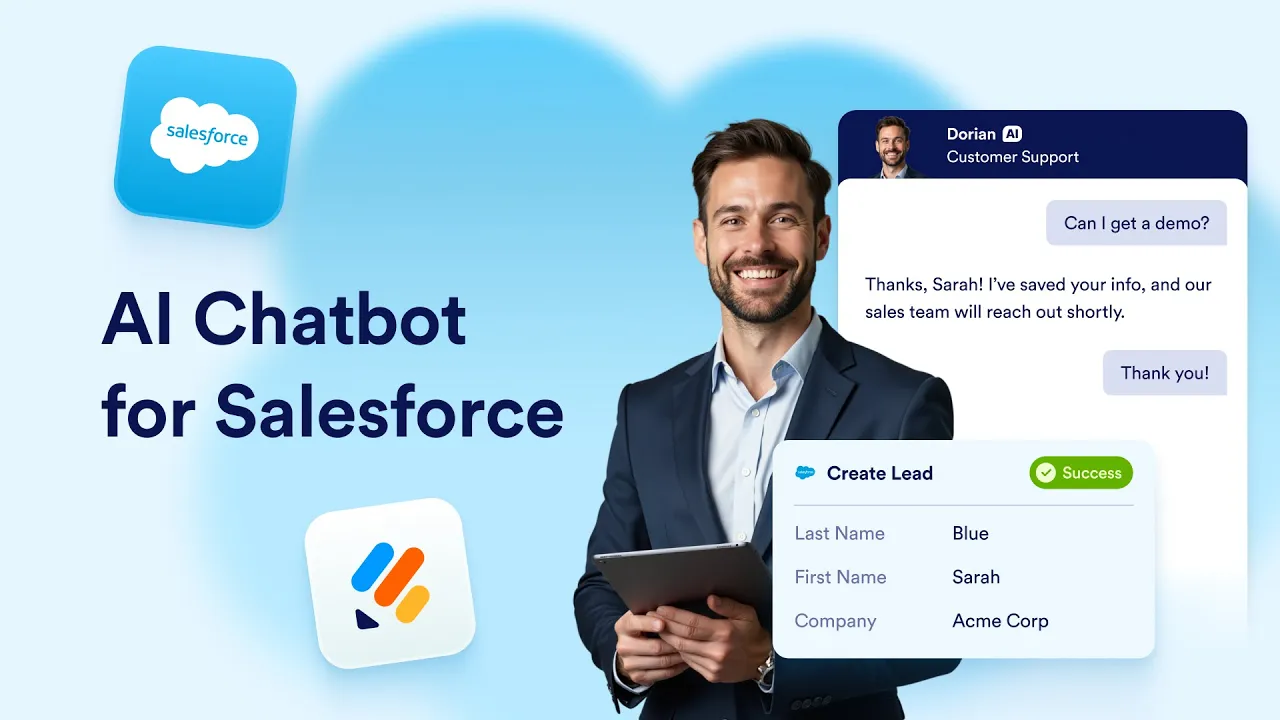

Jotform AI Agents is especially useful for teams that want Einstein-level automation without the developer setup or teams that struggle with messy intake data.
The Jotform Salesforce Agent is built to handle how intake really happens, not how we wish it happened:
- No-code deployment: Conversational workflows launched without touching Apex or complex Flows
- Salesforce sync maintained (automatically): Leads, contacts, opportunities, and cases created or updated in real time, as responses come in, not after someone remembers to import them
- Conversational workflows for customer-facing automation: Information collected through guided conversations that feel natural for users and are far less error prone than static forms of AI
- Collaboration with the Jotform tools you already use: Native integration with Forms, Tables, Workflows, and Reports to keep data structured and usable from the moment it’s captured
- Enterprise-ready controls: Support for custom branding, human takeover when needed, and multilingual experiences out of the box


Jotform Salesforce Agent pricing
There is a free plan to get started with the Jotform Salesforce Agent, with scalable paid tiers as usage grows.
Pricing is separate from Salesforce licenses, and this can make it easier to experiment or roll out conversational AI agent intake without committing to additional Salesforce AI credits up front.
Salesforce AI works best when it’s not working alone
Salesforce AI is no longer the problem. It’s mature and already embedded across the platform.
When bottlenecks occur with Salesforce, it’s because of everything that happens before the platform has the data.
Agentforce and Einstein GPT do their best work once records exist and workflows are defined. But AI can’t fix missing fields or messy handoffs. If bad data goes in, bad automation comes out.
That’s why the smartest Salesforce AI setups pair Salesforce’s downstream intelligence with upstream tools such as Jotform Salesforce Agent, so your data arrives complete and ready to be used.
👉 Start upstream with Jotform Salesforce Agent. Let Salesforce AI take it from there.
This article is for CRM users, digital transformation leaders, sales and service teams, and anyone who wants to understand how Salesforce’s AI tools like Einstein, Agentforce, and third-party integrations like Jotform’s Salesforce Agent can automate workflows and enhance customer engagement.
AI in Salesforce FAQs
Pretty much all of them. AI is now embedded across Sales Cloud, Service Cloud, Marketing Cloud, Commerce Cloud, Slack, Tableau, and the mobile app.
The underlying engines are
- Salesforce Einstein (for predictive insights)
- The Salesforce AI assistant (Agentforce Assistant), for generative content and guided workflows
- Agentforce (fully autonomous agents)
If you’re using Salesforce today, you’re using AI, even if you haven’t “turned on” the autonomous parts yet.
Salesforce is retiring legacy chat products (including LiveAgent, Salesforce Chat, and Embedded Chat) with a final date of February 14, 2026.








Send Comment: