
Top Instagram automation tools
As a digital native, I’ve had an Instagram account since the platform launched, so I’m no stranger to how it lets us stay connected. Through Instagram, I can keep in touch with friends who live abroad, connect with family I don’t see as often as I’d like, or send a friend the page of a local bakery I want to try. What I can’t do is be on there 24-7 to respond to every comment and DM.
Instagram is an important pillar of customer engagement. It’s the perfect place to share your product or service and interact with customers across the world. But there’s only so much a social media team can do in a day. Instagram automation tools help social teams post consistently, build optimized content calendars, and interact with customers after hours.
I tested some of the most popular Instagram automation tools and AI agents, evaluating how they can help social media teams publish content, track engagement, and reach the right audience. Interested to see what I thought? Keep reading to see how each tool stacked up.
 Jotform Instagram Agent |  NapoleonCat |  Hootsuite |  Iconosqueare |  Sprout Social |  SocialBee |  Meta Business Suite |  Later | |
|---|---|---|---|---|---|---|---|---|
| Best for | Influencers, creators, and businesses needing real-time, context-aware DM and comment automation without coding | Extensive Instagram community management | High-quality image generation | Small social teams with specific Instagram goals | Social media team collaboration and agencies | All-in-one image, copy, and strategy generation | Free post scheduling | Influencer and affiliate focused content management |
| Unique feature | Custom knowledge base for on-brand interactions | Strong competitor comparison reporting | Very customizable DM and comment moderation | Create an optimized posting plan based on your website | Ability to create and save multiple brand voices | SocialBee Copilot offers advanced strategy insights | Official management tool for Instagram | Provides hashtag and trend predictions |
| Cost | Free plan available; Bronze plan: $36/month or $34/month (annual) | Standard plan: $89/2 users/month or $79/2 users/month (annual) | Standard plan: $149/seat/month or $99/seat/month (annual) | Launch plan: $39/month or $33/month (annual) | Standard plan: $199/seat/month | Bootstrap plan: $29/month or $24.20/month (annual) | Free plan | Starter plan: $25/month or $18.75/month (annual) |
| G2 rating | 4.4/5 | 4.7/5 | 4.3/5 | 4.5/5 | 4.4/5 | 4.8/5 | N/A | 4.5/5 |
What to look for in an Instagram automation tool
If you’re not sure where to start in finding the right tool to help your social team succeed on Instagram, consider these areas:
- Policy compliance: Review how each tool treats its data to ensure your brand’s data is secure — and your customers’ data too.
- Automation features: Ask your social team which responsibilities they need the most support for, and find a tool that can automate this process.
- AI capabilities: Choose a tool that can use AI to help your team get more posts published or converse with your customers 24-7.
- Ease of setup: Test tools yourself to make sure they’re not too difficult to setup, navigate, and use.
- Integrations: Explore options for integrating the tool with other workflows, such as sending push notifications when there’s a new comment, so you can accomplish more in one tool.
Safe, effective tools provide real value to your customers and social media teams. Spammy tools are those that automate Instagram engagement through comments from fake accounts, allow you to buy followers, or perform similar actions, and these are more likely to hurt your brand. Look for tools that help your social media team work more effectively rather than drum up fake buzz.
How I tested Instagram automation tools
I took the time to use and explore each tool to test its unique features, quality of performance, and user-friendliness before deciding which tools earned a spot on my list. Except when otherwise noted, I tested these tools using a business Instagram account for a fake T-shirt company.
For the tools that could train models based on a website, I used the Jotform AI Agents page to test what the solution could glean from a complete website. I sourced images from Unsplash for any tool that wasn’t able to generate images.
I tested posting, content generation, comment moderation, and Instagram DM automation, depending on the features each solution offered. As I wrote each review, I kept in mind the essential Instagram automation factors we discussed above:
- Policy compliance:
- How does the tool protect user data and comply with Instagram policies?
- Are there protections so users don’t get flagged as spam?
- Automation features:
- What tasks can the tool automate?
- How easy is it to customize or set up automations?
- How hands-on do users need to be after setup?
- AI capabilities:
- What AI-powered features does it offer?
- How well do these features perform?
- How easy is it to train for DM replies?
- Ease of setup:
- What’s the setup process like?
- Are there any difficulties or learning curves?
- Integrations:
- What can users achieve with integration?
- Are there email integrations?
- Project management tool integrations?
1. Jotform Instagram Agent
Best for: Influencers, creators, and businesses needing real-time, context-aware DM and comment automation without coding
Unique feature: Custom knowledge base for on-brand interactions
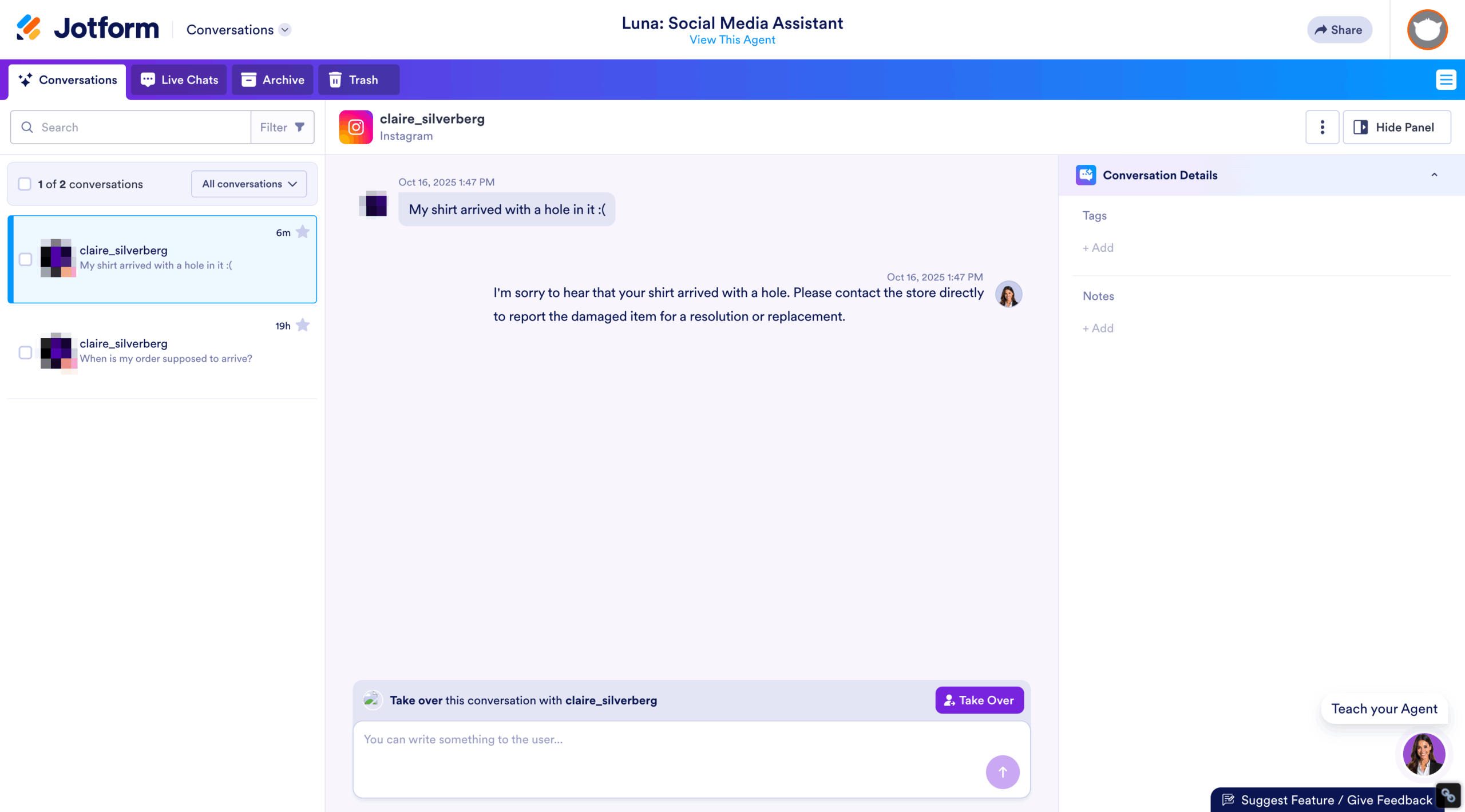
Jotform’s Instagram Agent was my favorite tool for comment, story reply, and DM engagement. It was the only tool I tested that lets users completely train their own AI. For example, I was able to upload a PDF of a T-shirt sizing chart so the agent could guide commenters on the right size for them.
I also chatted with the AI Agent, providing information and context that informed how it would interact with my audience via comments and DMs. This feature is vital to preserve brand messaging, giving me more control over how the agent communicates with customers, basing responses on information I provided rather than a third-party LLM without brand-specific context.

Because the tool operates hand in hand with other Jotform offerings, it can be connected to other AI Agents. This really sets Jotform apart because it means your Instagram agent can provide customer-specific information, like order updates, for a consistent customer experience across your website and social media.
Pros:
- AI-native, instant setup
- Instagram chatbot with brand voice consistency
- No Instagram business account required
- Integration with Jotform AI Agent ecosystem
Cons:
- For Instagram only
- Doesn’t post content or manage content calendars
- Not built to provide content strategy recommendations
Pricing:
- Free plan available
- Bronze plan:
- $36 per month
- $34 per month (annual)
G2 rating: 4.4/5
2. NapoleonCat

Best for: Extensive Instagram community management
Unique feature: Strong competitor comparison reporting
NapoleonCat’s biggest strength is its automation capabilities and community management tools. It features the most comprehensive comment moderation and direct message automation features of the tools I tested. I found this tool to be one of the more useful AI Instagram assistants because it has a wide breadth of capabilities and a lot of support that makes it easy to set up your account.
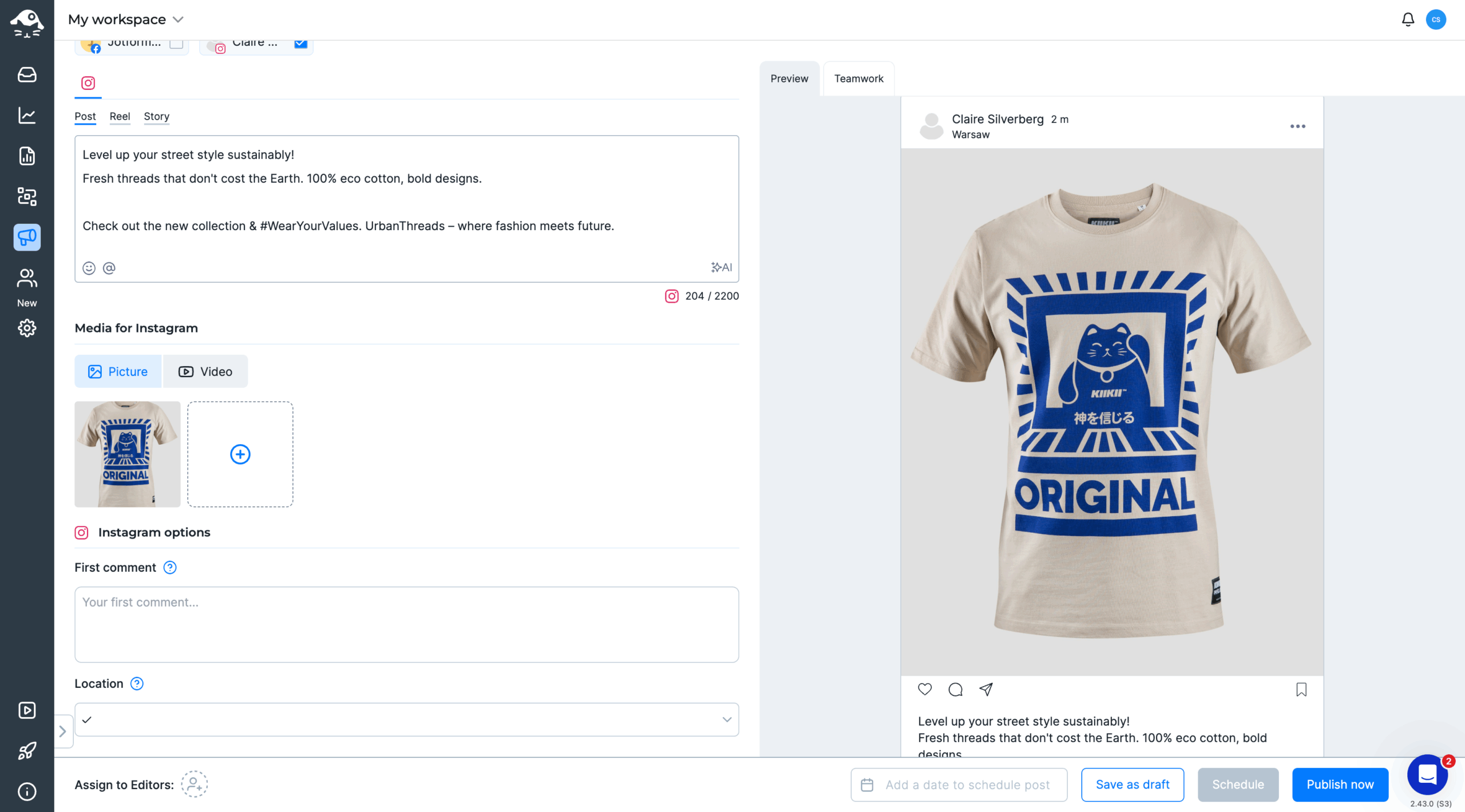
NapoleonCat’s AI assistant can generate post and caption copy, and I appreciated being able to toggle between different tones and caption lengths, as well as whether I wanted to include hashtags or emojis. Another feature I thought was a nice touch was the ability to track competitors’ performance for your reports, making it a great tool to implement and measure your team’s Instagram strategy.
Pros:
- Strong task automation for replying to comments and DMs
- Easy to set up comment moderation to reduce potential spam engagement
- Strong support for easy account setup
Cons:
- No image generation
- Connecting Instagram accounts was slightly more complicated than with other tools
- Very limited integrations
Pricing:
- Standard plan:
- $89 for 2 users per month
- $79 for 2 users per month (annual)
G2 rating: 4.7/5
3. Hootsuite
Best for: High-quality image generation
Unique feature: Very customizable DM and comment moderation
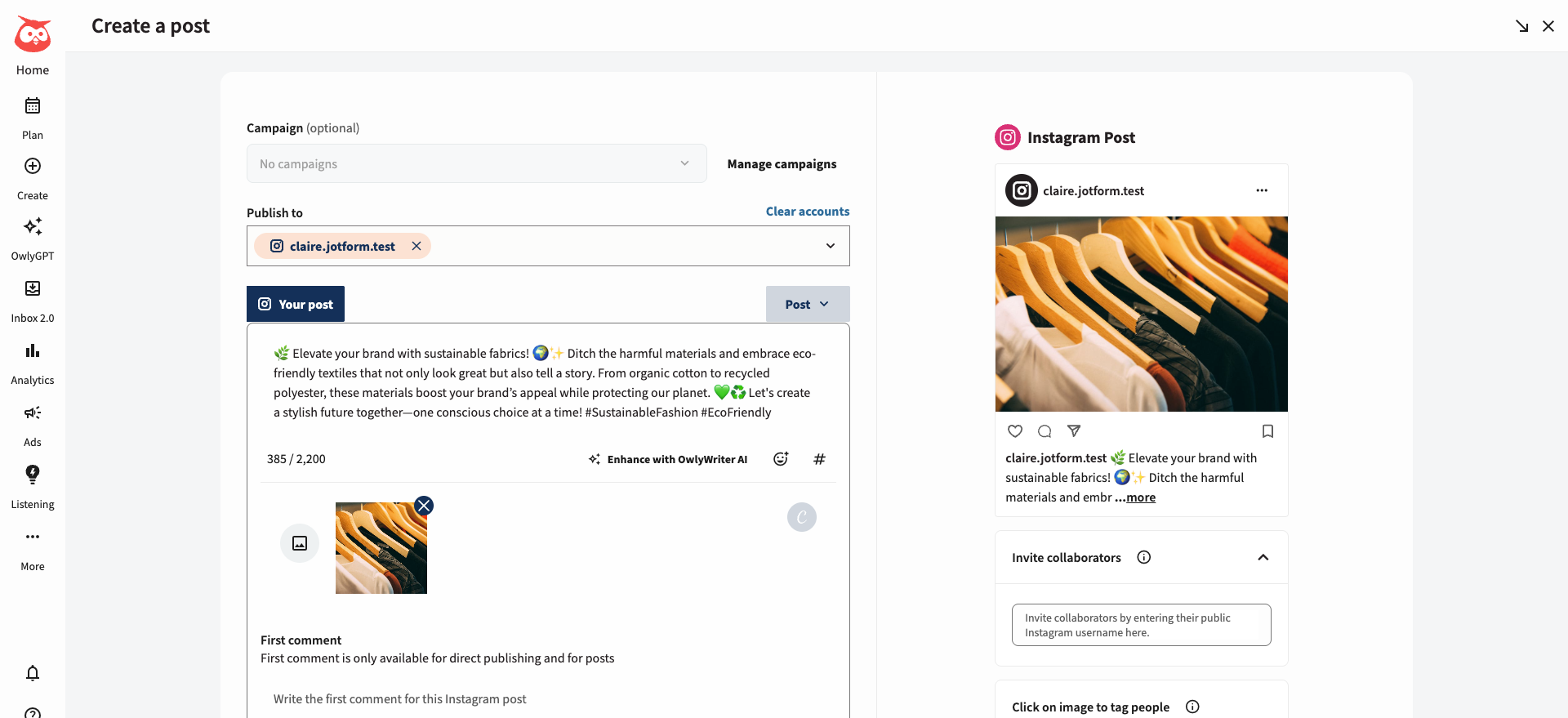
Hootsuite is a household name in the social media management space, so it’s no surprise it’s leading the charge as a triple threat with AI post copy, image, and strategy generation. Hootsuite had the best image generation I tested. AI notoriously struggles with words in images, but it didn’t generate designs with spelling errors or fake words.
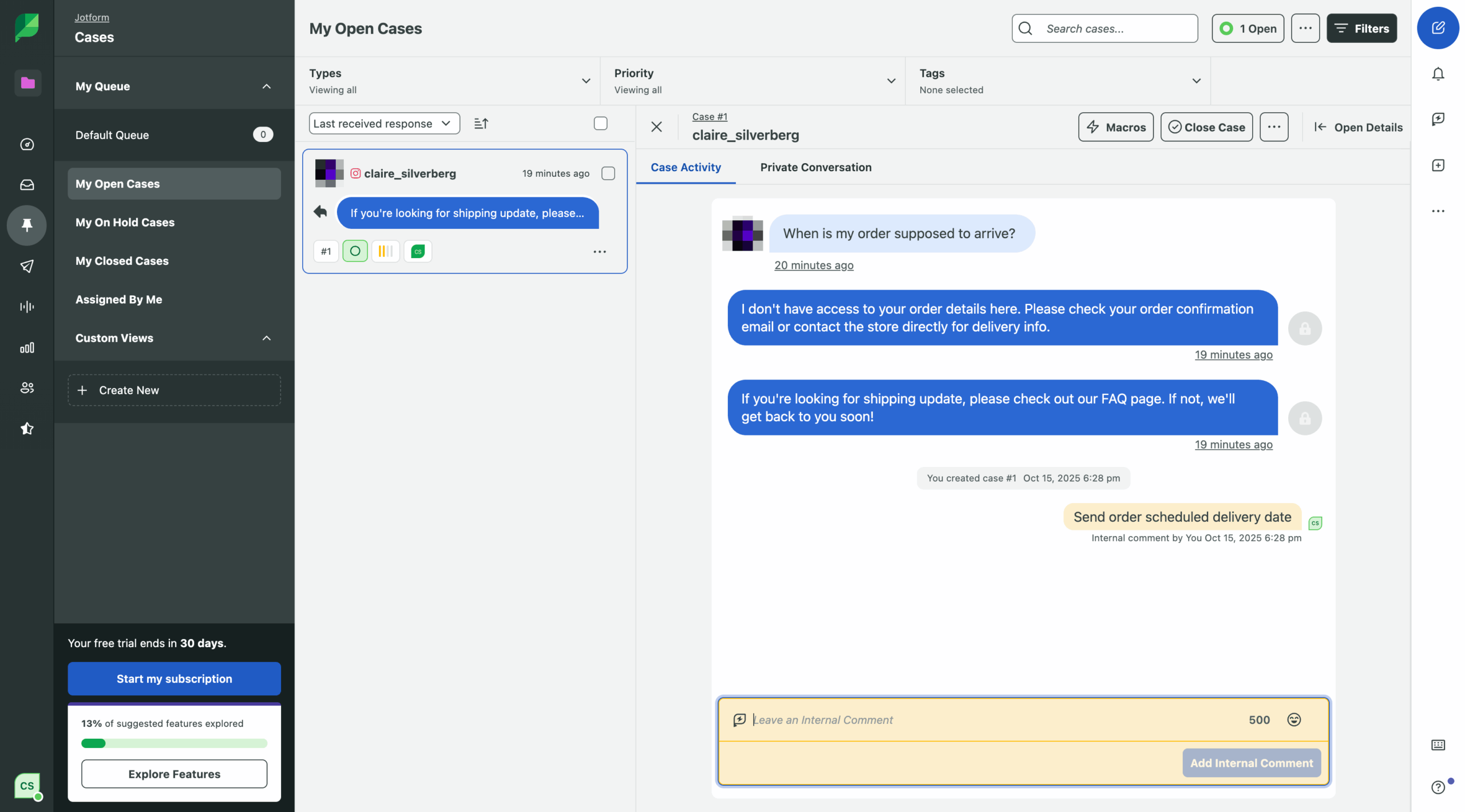
DM and comment automation worked differently on Hootsuite compared to other tools. On Hootsuite, you can set rules on a post-by-post basis but there doesn’t seem to be a way to apply general rules. But I liked how you could connect comment replies and DM responses within the same context. For example, I created a rule where Hootsuite would respond to commented questions via DM and reply to users to tell them to check their messages.
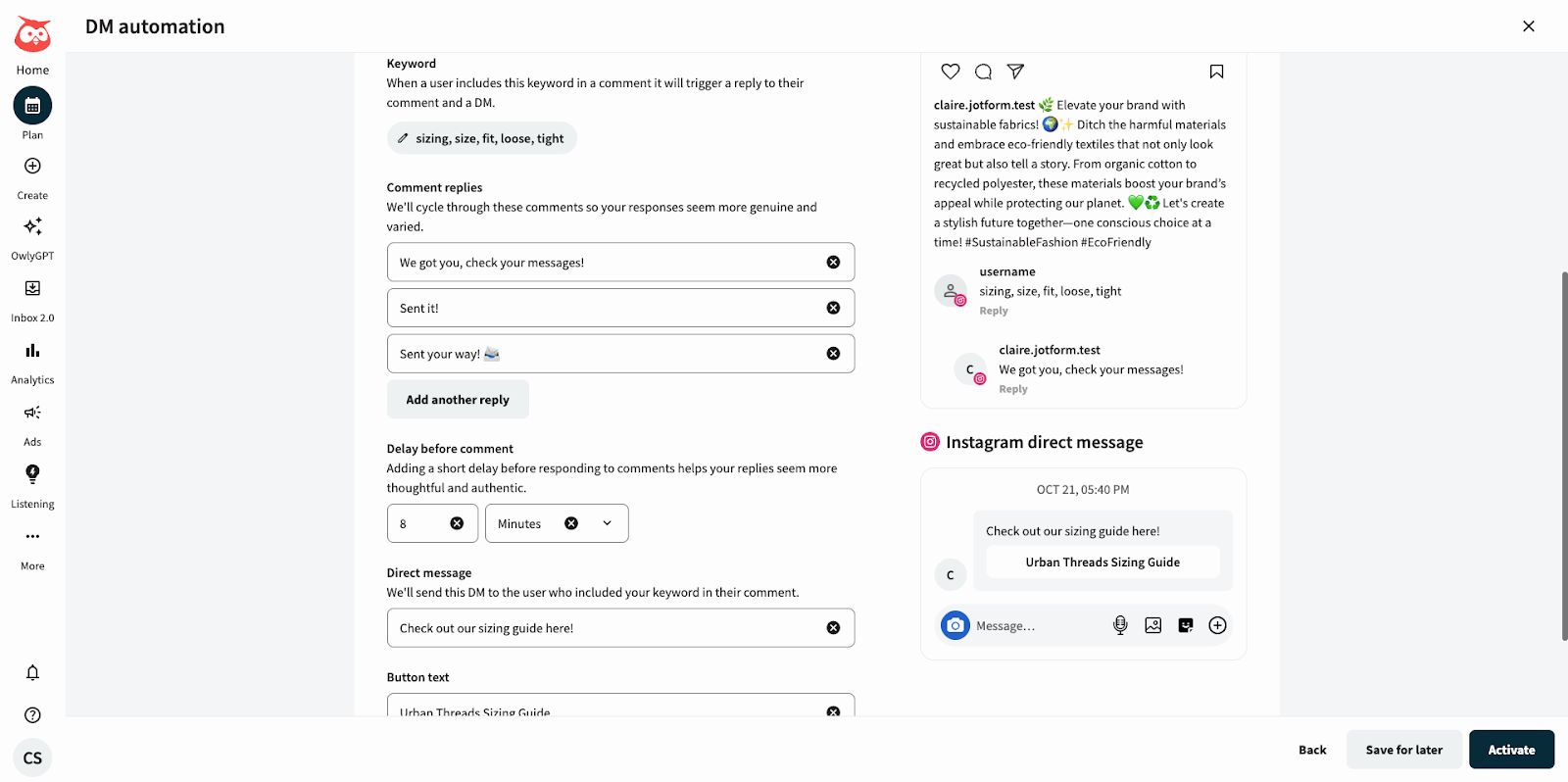
I also liked how you could rotate between different responses to the same question, making these interactions feel more organic. I found the post generation and drafting process to be seamless, with custom tags to help keep social teams organized internally.
Pros:
- Highly customizable DM and comment automation
- Pexel, Canva, and GIPHY integrations for images and GIFs
- Can generate error-free images with faces and words
Cons:
- DM and comment automation must be linked to a live or scheduled post
- Token-based AI usage limits generative requests
Pricing:
- Standard plan:
- $149 per seat per month
- $99 per seat per month (annual)
G2 rating: 4.3/5
4. Iconosquare
Best for: Small social teams with specific Instagram goals
Unique feature: Create an optimized posting plan based on your website
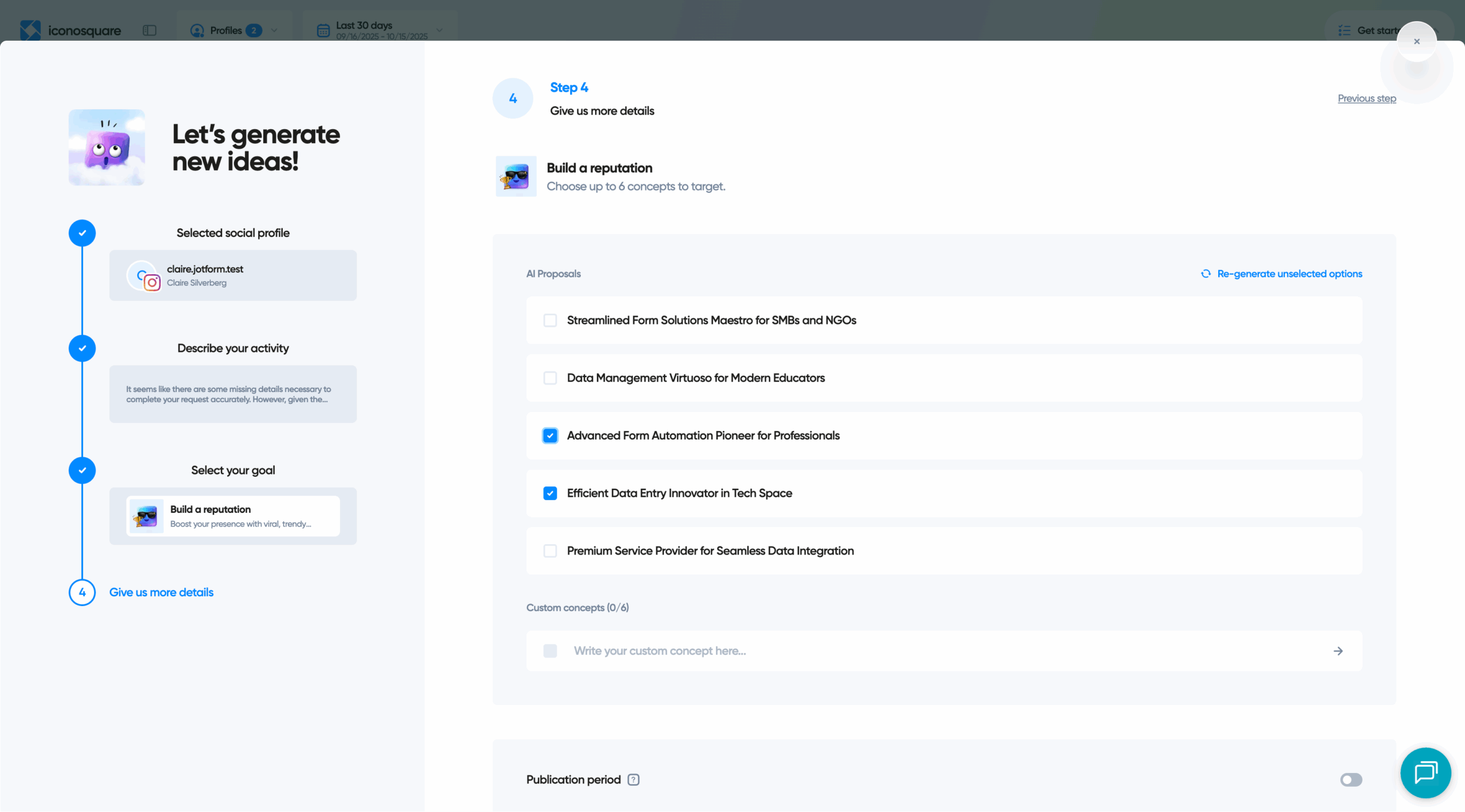
Iconosquare has the option to pull information from an existing website, so for this example, I acted as if I were scheduling Instagram posts for Jotform’s AI Agents. This wasn’t the only Instagram marketing automation tool I tested that can work off a website to train its AI, but I didn’t find this to be a common feature, despite its usefulness.
This solution is one of two tools (the other being Hootsuite) that can generate a content calendar and provide strategy suggestions. This tool would be great for small social media teams that need extra support creating focused Instagram campaigns — Iconosquare asks questions about your brand and goals to create an optimized Instagram posting plan with different types of content.

Iconosquare also has the standard option to generate captions from a simple prompt. With an Adobe Express account, you generate and edit images within Iconosquare, but otherwise, you’ll need to have any visual assets ready to go to publish them.
Pros:
- Generate a custom Instagram strategy from your website’s URL
- Compare competitor performance across multiple social media platforms
- Easy-to-access knowledge library for guidance and tips to use the tool
Cons:
- Lacks automation beyond post planning
- Can only edit or generate images with a paid Adobe Express account
Pricing:
- Launch plan:
- $39 per month
- $33 per month (annual)
G2 rating: 4.5/5
5. Sprout Social
Best for: Social media team collaboration and agencies
Unique feature: Ability to create and save multiple brand voices
Sprout Social excels at generating post copy and captions. You can prompt it to generate copy, describing the post topic, goals, and other information to help your brand find its voice.
Sprout Social would be great for social media managers juggling multiple accounts. It has an easy option to toggle between different brand voices when generating content and creates multiple drafts, making it ideal if you have to switch between different clients or different social media accounts.
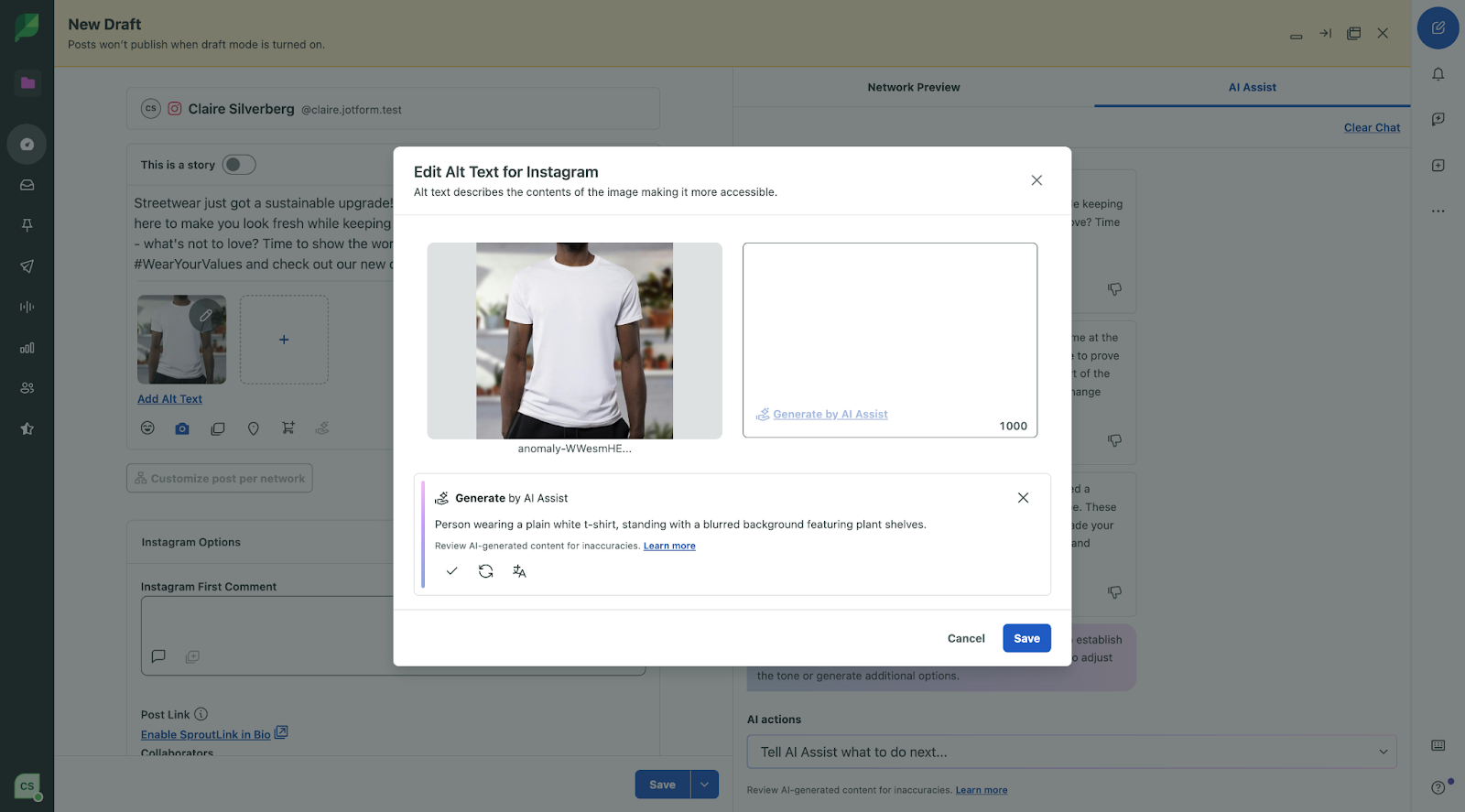
The tool doesn’t generate images, but it can generate alt-text for images, helping you create content that is more accessible for customers.
Pros:
- Asks users specific questions to generate custom post copy
- Approval workflows for easy team collaboration
- Generates alt text for photos
Cons:
- Doesn’t generate images
- More limited, simple performance reporting compared to other tools
- Can’t automate comments or DM replies
Pricing:
- Standard plan: $199 per seat per month
G2 rating: 4.4/5
6. SocialBee
Best for: All-in-one image, copy, and strategy generation
Unique feature: SocialBee Copilot offers advanced strategy insights
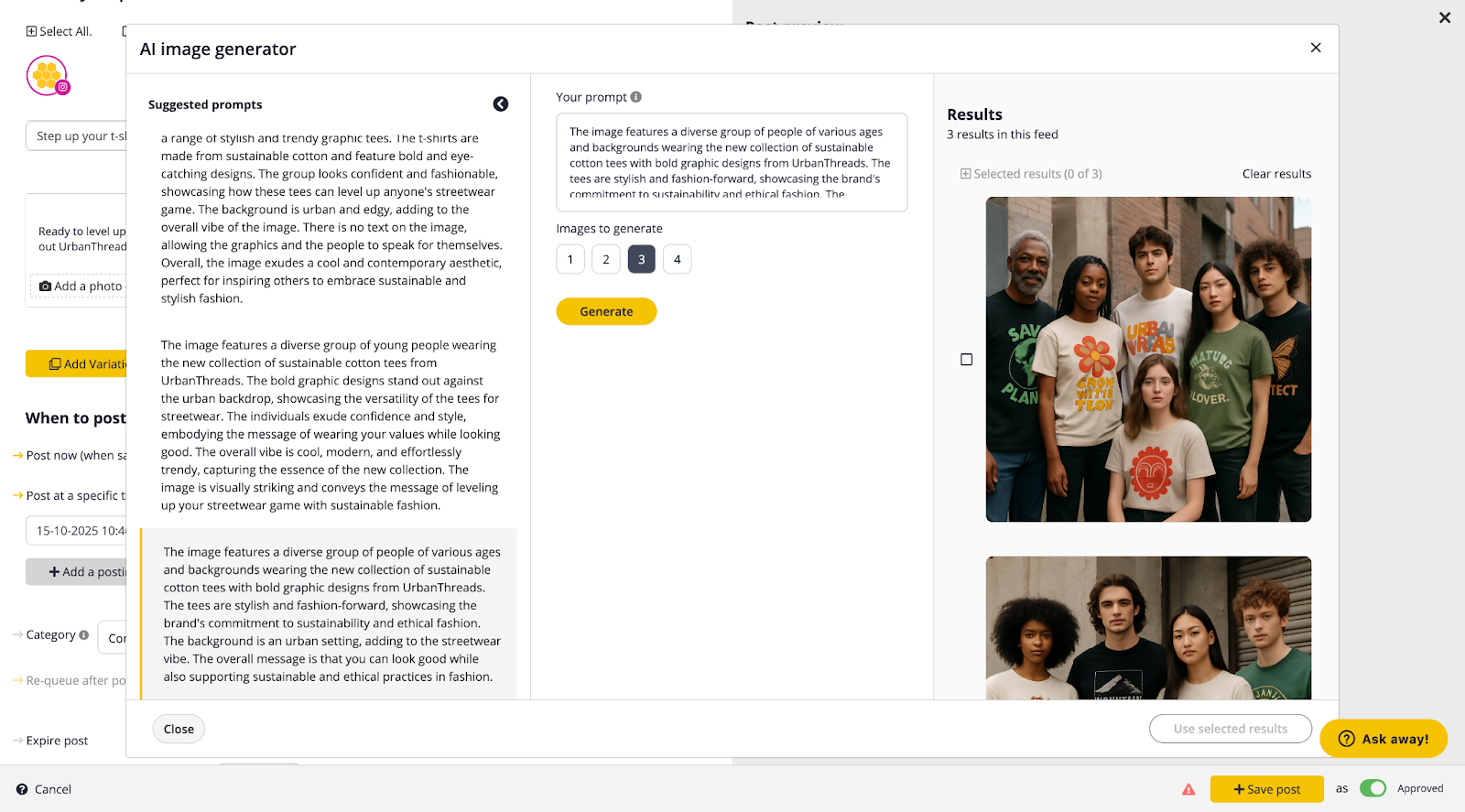
I see SocialBee working as a great social media tool for scrappy, smaller companies looking to jump-start their Instagram account. It can generate copy, images, and social strategy — in fact, it’s the only tool I tested that can do it all for posting. The biggest disadvantage is that SocialBee can’t help you with DM responses or comment moderation.
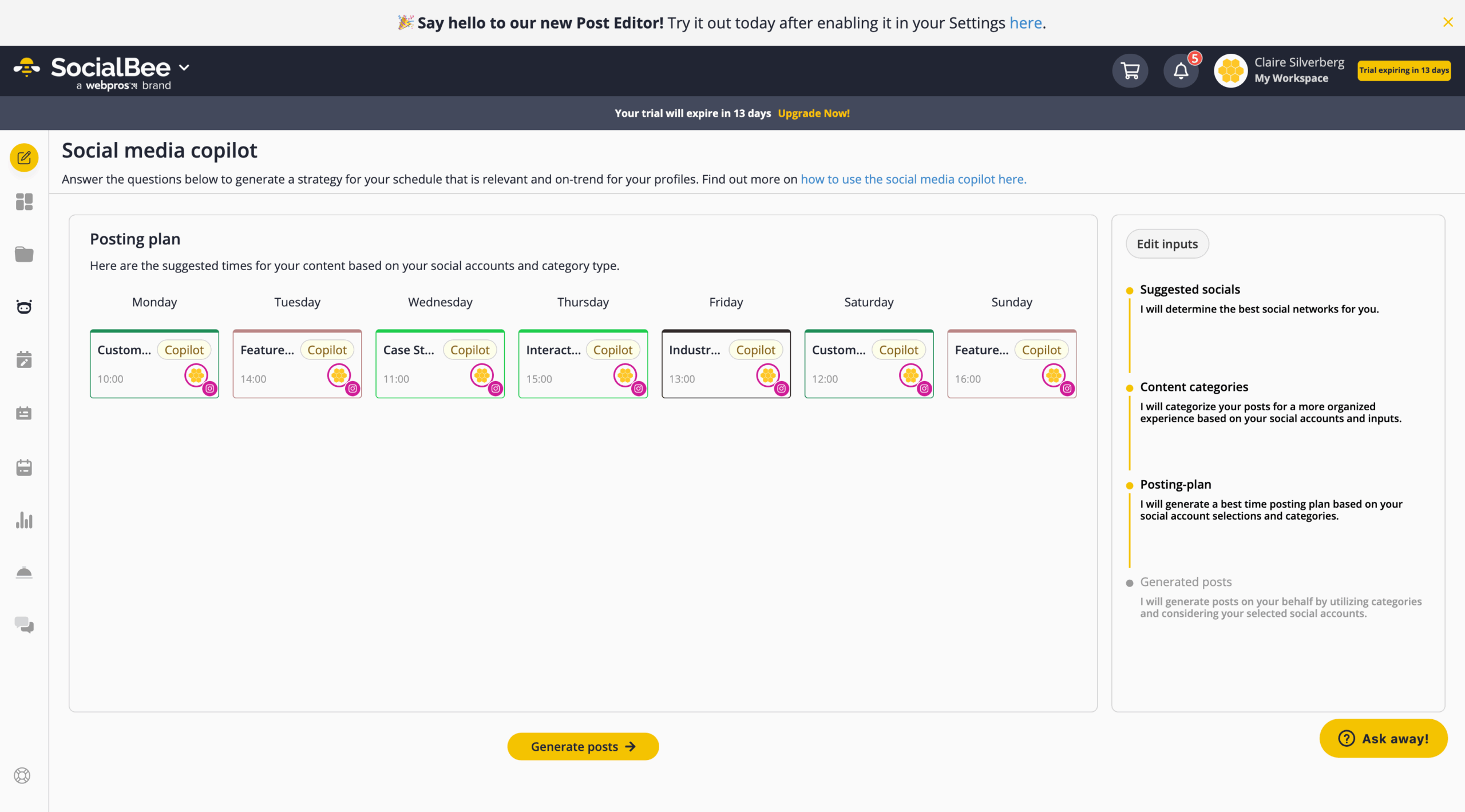
But if you’d rather manage your social community yourself while automating posting, then this tool checks all the boxes. SocialBee’s only weakness is the telltale signs of AI in some of the generated images, such as errors in printed copy and faces looking a little off when zoomed in.
Pros:
- Recommends the most important types of social accounts your business should create
- Optimizes posting schedule to the minute based on your industry, goals, and ideal customer
- Helpful setup process with short video tutorials
Cons:
- No DM or comment moderation capabilities
- Telltale signs that generated images are AI, like blurred words
- No available integrations
Pricing:
- Bootstrap plan:
- $29 per month
- $24.20 per month (annual)
G2 rating: 4.8/5
7. Meta Business Suite
Best for: Free post scheduling
Unique feature: Official management tool for Instagram
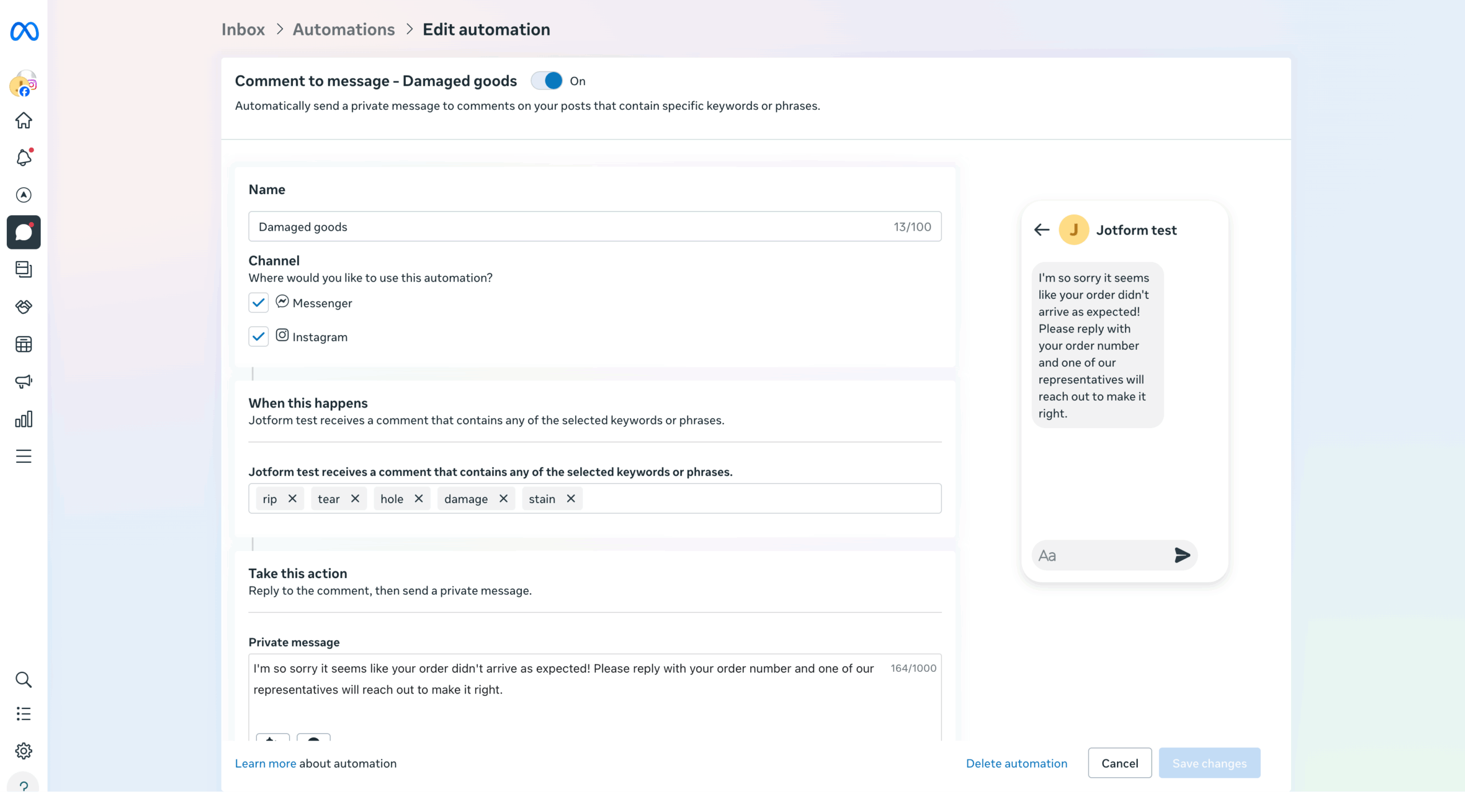
Meta Business Suite is the official management tool for professional Facebook and Instagram pages. Although this wasn’t my favorite social media automation tool, it’s free and offers other key features like ad management that aren’t available on any other tools I tested.
Maybe I caught this tool on an off day, but I encountered technical difficulties I can’t ignore: I tried drafting and scheduling posts several different times, and for each try, Meta Business Suite got stuck buffering. One of the posts went live in the end, but if this is a persistent issue, it could really affect social media teams. I also wasn’t able to get the DM response agent to work as well as I’d have liked.
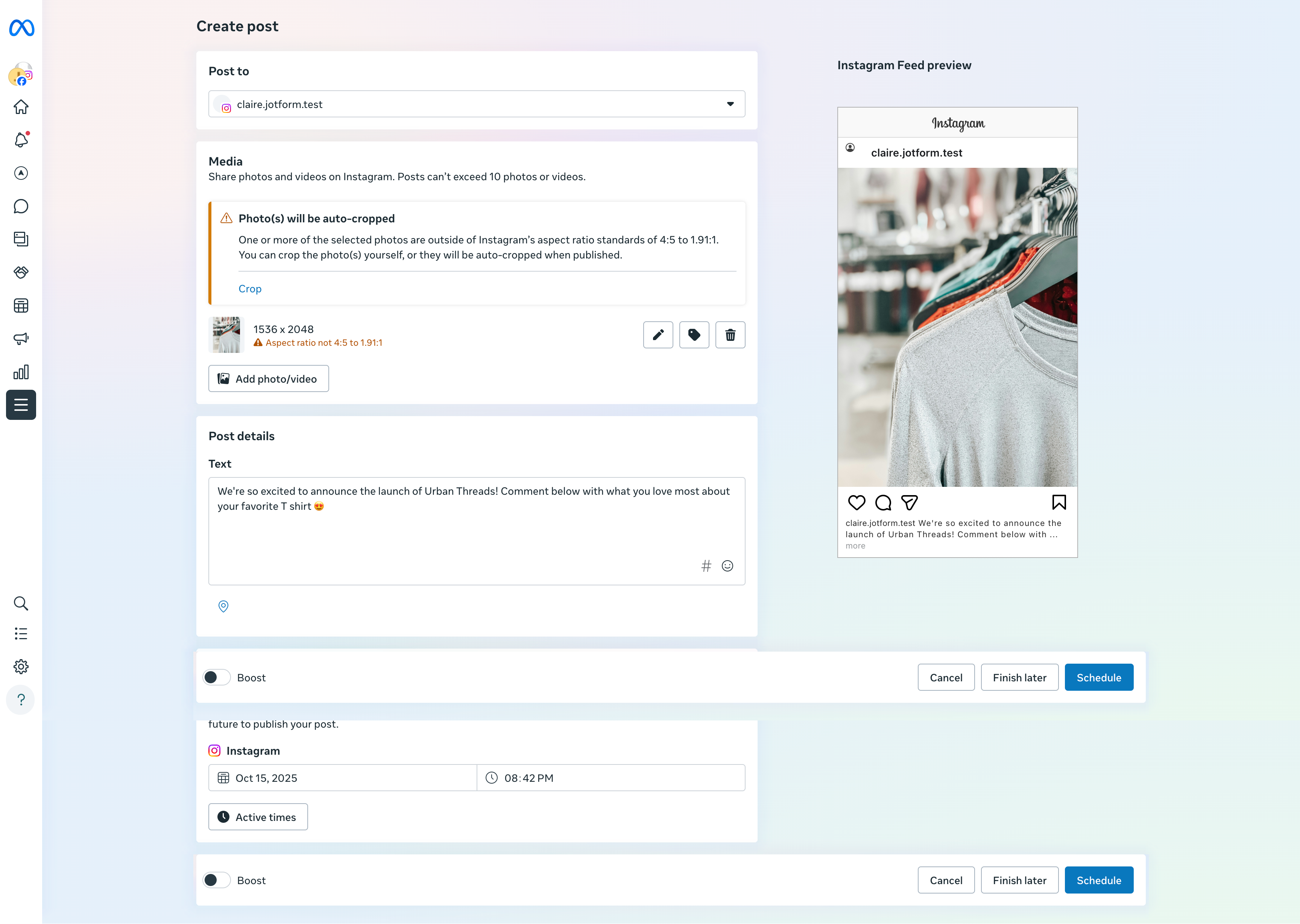
For example, I attempted to draft a post and walked away to eat lunch while the page saved to give it the benefit of the doubt — and sat back down to find the page still loading. However, this tool is free, comes from the same developers as Instagram, and published my post in the end, so it’s still in the running, even if it had an off day.
Pros:
- No risk of flagging content as spam
- Completely free tool
- Offers ad management and the ability to boost posts for a fee
Cons:
- Buffers when scheduling or saving drafted posts
- No AI support for content creation
- Limited comment and DM moderation capabilities
Pricing:
- Free plan
G2 rating: N/A
8. Later
Best for: Influencer- and affiliate-focused content management
Unique feature: Hashtag and trend predictions
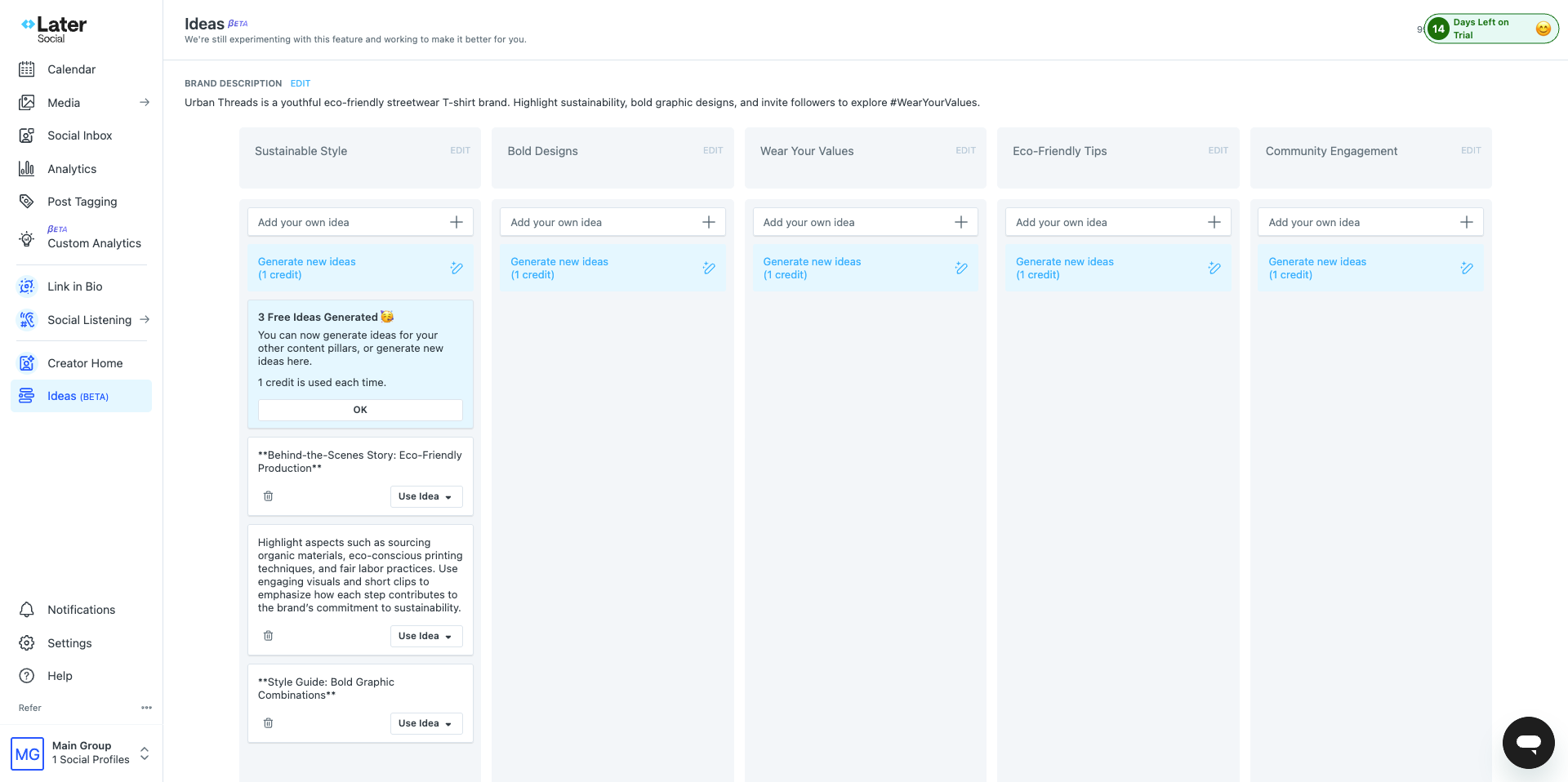
Later is an Instagram automation tool with a lot of potential. I found it very easy to set up, and it has some cool features, like hashtag and trend predictions. It’s also the only tool with a link in bio page creation. (Check out our other link in bio tool reviews.) My biggest gripe is with the functionality of its AI generation features. Later lets you know it uses a third-party provider for AI generation, but it’s not clear which provider, which could lead to potential privacy issues.
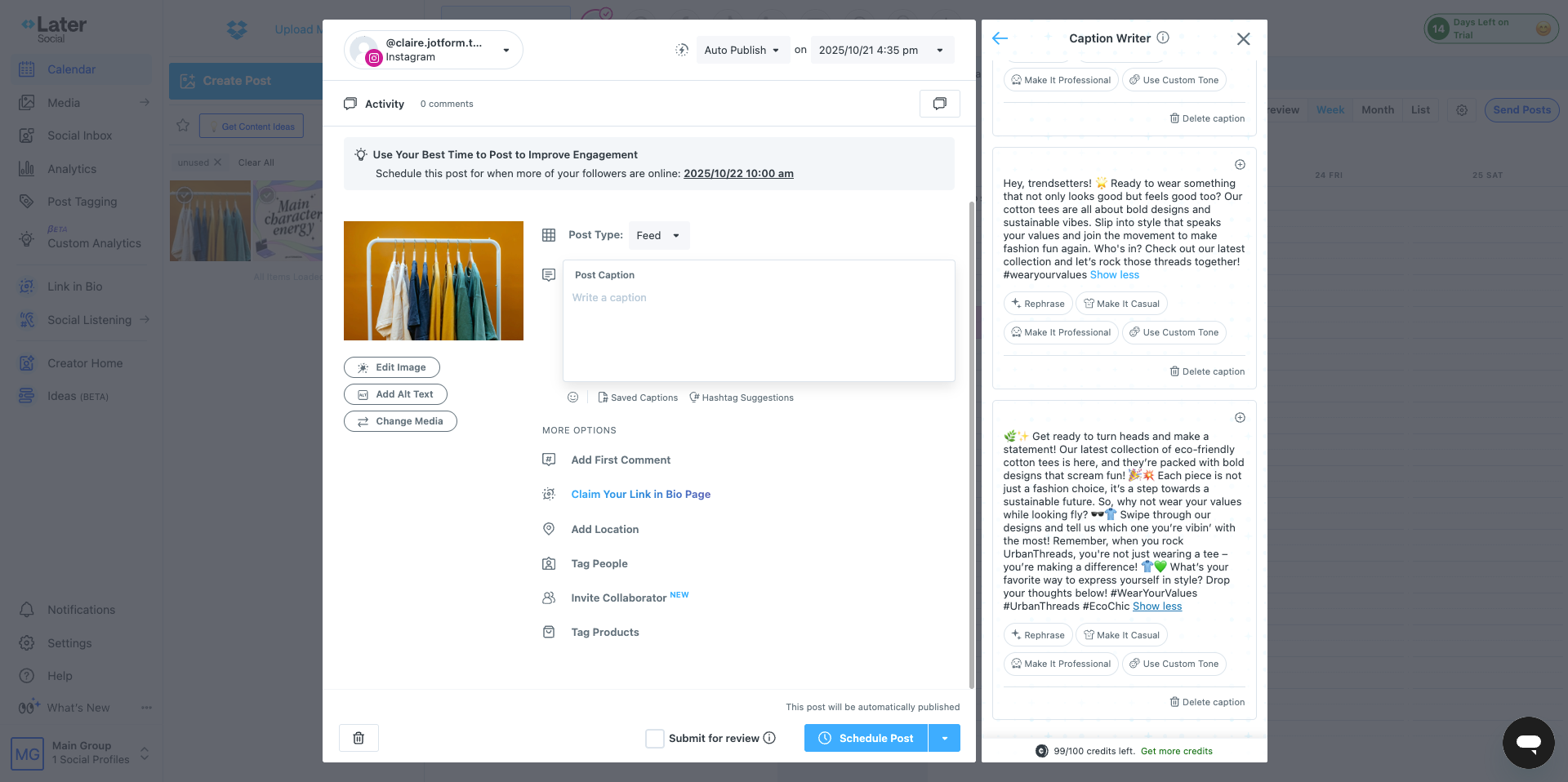
It also limits character count on your prompting with both captions and strategy. I especially see this becoming an issue if you want to use Later for help informing social strategy moves — 200 characters just isn’t enough to give adequate context about your brand. If you’re looking for a simple tool to draft content, schedule posts, and conduct reporting, then Later should suffice. But teams that rely on AI might be disappointed in its generation capabilities.
Pros:
- Create a link in bio page
- Extensive Instagram performance reporting
- Create and manage affiliate links for influencer management
Cons:
- Uses third-party AI for content generation
- Extremely limited AI prompting capabilities
- Generated captions and copy aren’t as high quality as other options
Pricing:
- Starter plan:
- $25 per month
- $18.75 per month (annual)
G2 rating: 4.5/5
Elevate your Instagram game with smart tools today
Instagram can be a tricky platform to master, between main feed, Reels, and story posting. These Instagram automation tools keep you consistent, whether you’re planning your posting in advance, connecting more consistently with your followers, or taking advantage of social media analytics tools.
Create authentic, branded experiences 24-7 with tools like Jotform Instagram Agents that you can train yourself for safer, authentic, and accurate customer engagement.
This article is for social media managers, digital marketers, content creators, and businesses who want to streamline Instagram engagement through safe, AI-powered automation tools that boost productivity without risking account compliance.
























Send Comment: