
The communication platform you choose affects how well your teams build and scale customer experiences. Your business communication tool should go beyond messaging and calls to fit into your broader customer operations and support automated customer journeys, especially through smooth integrations with critical systems such as Salesforce’s CRM.
Sendbird and Twilio are top choices for business communication tools. They provide infrastructure for product managers, developers, and CRM teams to power real-time customer interactions across channels. Sendbird focuses on in-app chat experiences with user interface (UI) kits and software development kits (SDKs), and Twilio provides globally available APIs for multichannel communication via Short Message Service (SMS), voice, WhatsApp, and email.
In this comparison of the two platforms, we’ll explore features, pricing, and Salesforce integrations. We’ll also show how Jotform Salesforce Agent offers a no-code alternative for teams that want seamless customer data and workflow automation using Salesforce.
Sendbird vs Twilio side-by-side comparison
 Sendbird |  Twilio | |
|---|---|---|
| Best for | Real-time chat in web or mobile apps | High-volume multichannel communication |
| Primary focus | In-app chat and engagement tools; | Business messaging via SMS, Multimedia Messaging Service (MMS), Rich Communication Services (RCS), and WhatsApp |
| Ease of setup | Easy to get started thanks to ready-made UI kits and chat components | More complex to set up. No UI kits; everything is API-driven |
| AI features | AI chat, moderation flows, auto-routing | Add-on or custom-built |
| Salesforce integration | No-code integration for basic AI chatbot. The full chat experience requires code-level operation with Apex programming | The pre-built Twilio for Salesforce package enables straightforward integration. Custom workflows and advanced logic require API-based integration |
| Pricing model | Based on monthly active users and features | Pay as you go, depending on the channel |
What is Sendbird?

Sendbird is an omnichannel communication platform. Its APIs and SDKs enable developers to embed chat, voice, and business messaging features into existing applications without building from scratch. The platform is well-known for its chat API, which offers rich in-app chat experiences that drive customer engagement, conversion, and retention.
- Best for: Sendbird is best for businesses that want to add real-time chat directly into mobile or web applications without building everything from scratch. It is ideal for marketplaces, telehealth platforms, on-demand services, and community-driven products where reliable chat is core to the user experience.
- Key features
- Chat API for in-app chat and messaging: Build all the features of a modern messenger, including conversation threads, read/delivery receipts, reactions, user mentions, and more, into your mobile app or website.
- SDKs and UI kits: Save time by using Sendbird’s developer tools and ready-made UI kits to build your chat app without developing features individually.
- Omnichannel AI agent: Sendbird’s conversational AI agent provides human-level support across all your customer engagement channels.
- Customer support desk: Its lightweight help desk solution offers pre-built chat support agents.
- Voice and video calling API: Make immersive one-to-one or group calls.
- One-way business messaging: Deliver smart notifications across major customer touchpoints.
- Limitations
- Limited customization for UI kits: Many users find Sendbird’s UI kits are basic and offer limited customization. Apart from the in-app chat experience, there are few options for deployment across email and SMS This forces developers to create complex functions from scratch.
- Steep learning curve: While Sendbird provides SDKs and UI kits, many users (especially non-technical users) still experience a learning curve when working with the API.
- Expensive at scale: Sendbird’s usage-based pricing and overage fees make it much more expensive as business scales and the user base grows.
- Pricing
- Sendbird charges separate fees for chat, business messaging, and calls. Pricing for chat is based on usage and features, with costs scaling with the number of monthly active users (MAUs). Here’s a breakdown:
- Free plan: No cost for 1,000 MAUs
- Starter: $349 per month (billed annually) for 5,000 MAUs, but overages may apply if you exceed your limit
- Pro: $499 per month for 5,000 MAUs, with access to everything in the starter package plus advanced features
- Enterprise: Custom pricing for millions of MAUs
- Sendbird charges separate fees for chat, business messaging, and calls. Pricing for chat is based on usage and features, with costs scaling with the number of monthly active users (MAUs). Here’s a breakdown:
What is Twilio?
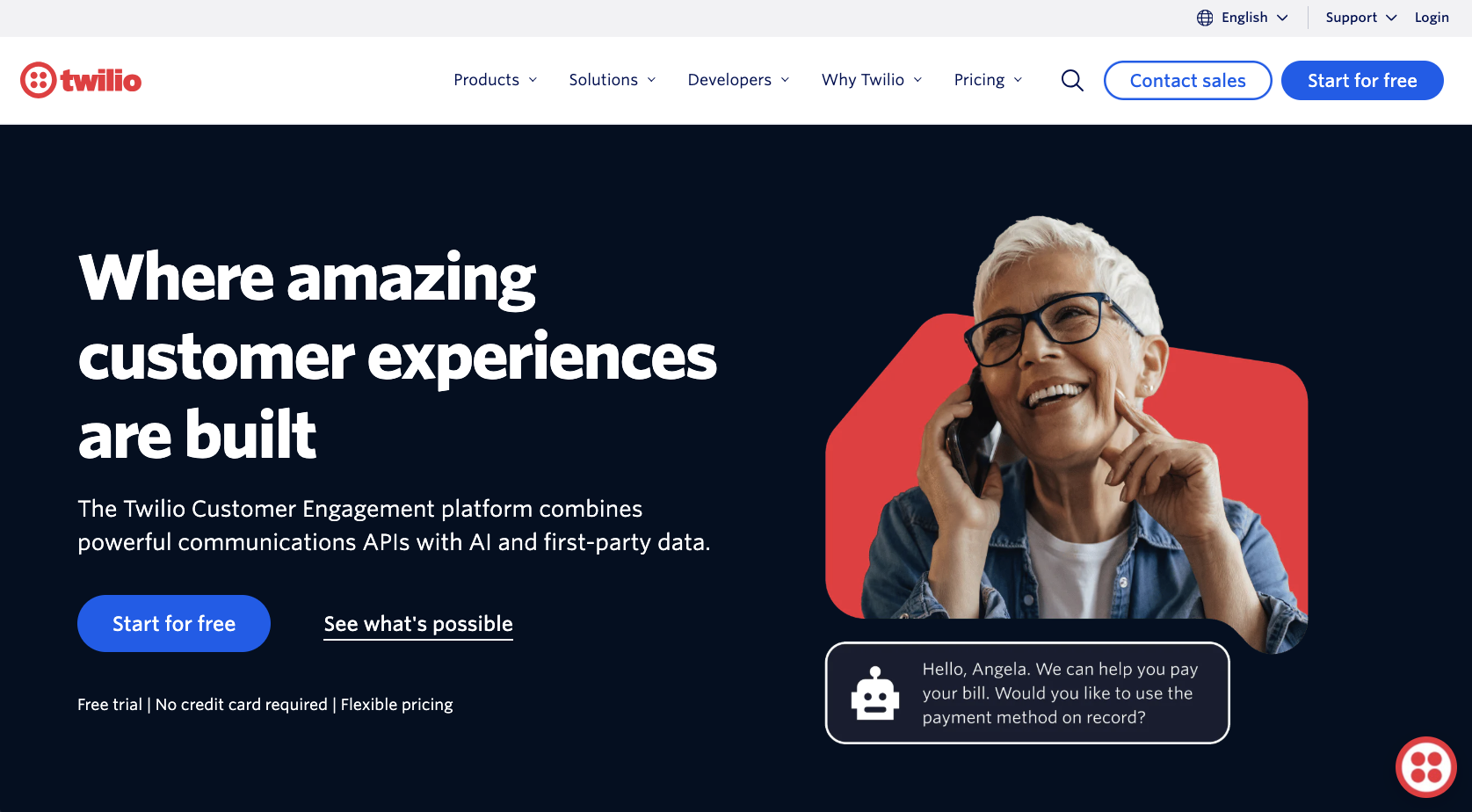
Twilio is a cloud communication platform that provides a suite of global APIs for developers to add multichannel communication features to existing applications. It enables voice, messaging, chat, video, and email functions at scale from a single platform.
Twilio is best known for its business messaging infrastructure, which global companies rely on for SMS, WhatsApp messaging, and authentication alerts.
- Best for: Twilio is best for teams that need to run high-volume SMS, voice, email, and video workflows with secure, global delivery. The platform is especially useful for SaaS products, customer support operations, e-commerce, and any business where scalable messaging across multiple channels is essential.
- Key features
- Business messaging APIs: For engaging customers via WhatsApp, SMS, MMS, and RCS with developer-friendly APIs
- Programmable voice API: For automated voice calls, call tracking, interactive voice response systems, and global conferencing
- SendGrid email API: For creating, delivering, and managing emails at scale
- Programmable contact center: With omnichannel customer service via Twilio Flex with integrated voice, chat, and SMS
- Global infrastructure: For supporting international customer engagement at lightning speed
- Clear documentation and stable SDKs: In multiple programming languages, including Java, Node.js, PHP, Python, Ruby, Go, and React Native
- Twilio Video: For building two-way video calls to connect with customers in real time
- Limitations
- Developer-heavy setup: Twilio is built for development teams, so most of its features require custom API work.
- Pricing complexity: Twilio charges separately for every product and channel. As you build features across channels, pricing can become complex and harder to estimate.
- Poor support: Many users, especially smaller accounts, report receiving no customer support when facing challenges.
- Pricing
- Twilio uses a pay-as-you-go pricing model, with different rates for SMS, WhatsApp, voice, email, and other APIs. Other Twilio products, such as Flex and SendGrid email, also follow their own tiered pricing structures. Enterprise implementations require custom pricing through Twilio’s sales team.
Sendbird vs Twilio: What’s the same?
Sendbird and Twilio overlap in key areas such as
- Developer-focused APIs: Both platforms offer flexible, customizable APIs for adding communication features to existing applications.
- Real-time messaging: Both tools are built to support real-time messaging: Sendbird through in-app chats and Twilio through SMS, WhatsApp, and cross-channel threads.
- Scalable infrastructure and global reach: Sendbird and Twilio both support high traffic, large user bases, and enterprise-level requirements. They’re also built to support communication across multiple regions (though Twilio’s reach is broader).
Despite these similarities, Sendbird and Twilio have very different strengths. Those unique capabilities can make one a better fit than the other depending on the communication experience you want to build.
Sendbird’s unique features
- Purpose-built for in-app chat: Sendbird’s moderation tools help you maintain a fun, safe social experience inside your app.
- Prebuilt UI components: Its UI kits help developers implement chat interfaces quickly without designing or coding front-end elements from scratch.
- Chat-first architecture: Sendbird is optimized for messaging between app users (user-to-user and user-to-support), not for SMS, WhatsApp, or email.
Twilio’s unique features
- Multichannel communication infrastructure: Twilio delivers true omnichannel communication covering SMS, MMS, voice, chat, video, WhatsApp, and email.
- Programmable contact center capabilities: With Twilio Flex, teams can build personalized, data-driven customer service experiences that integrate with CRMs, enterprise resource planning, and more.
- Deep flexibility for custom communication workflows: Twilio is highly programmable and offers granular API control, enabling developers to create workflows tailored to their exact communication needs.
💡 Did you know?
This Jotform Twilio integration makes managing incoming SMS and tracking form submissions seamless. Try it today.
Sendbird vs Twilio Salesforce integration
Twilio and Sendbird support integrations with CRMs and other external tools through their REST APIs and SDKs. They also offer dedicated, out-of-the-box integrations with Salesforce via the AppExchange. However, the level of configuration required and the actual features this enables differ, which can sometimes add unnecessary complexity for smaller teams. Let’s explore how.
Sendbird Salesforce Connector
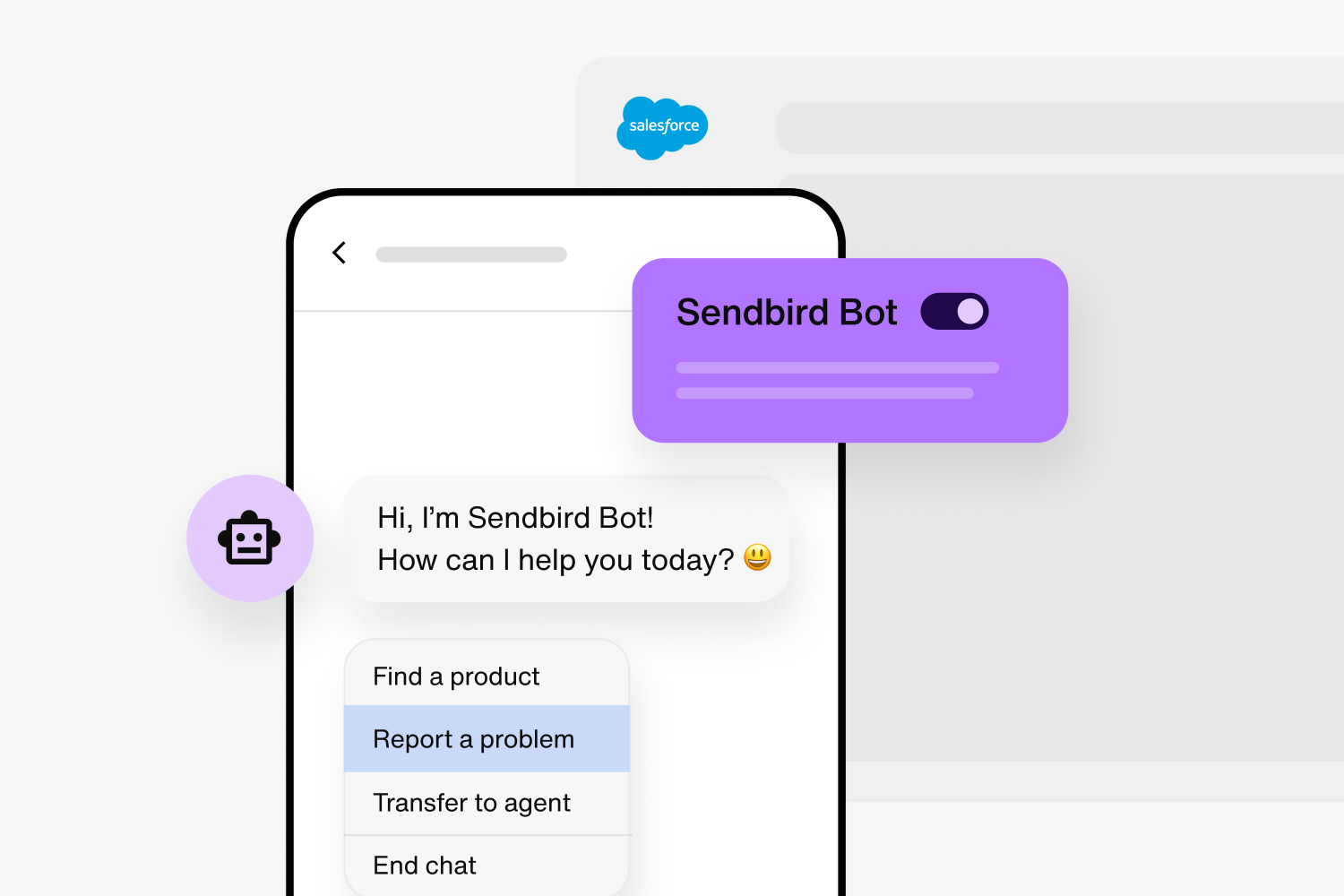
The Sendbird Salesforce Connector brings Sendbird’s AI support chatbot into Salesforce, which lets Salesforce agents interact with customers in real time. The chatbot can answer routine queries, generate case summaries, and proactively engage customers to enhance their satisfaction and the agent’s performance. But implementing and configuring both Sendbird Chat and Salesforce Service Cloud smoothly requires code-level work and familiarity with Apex programming.
Twilio for Salesforce
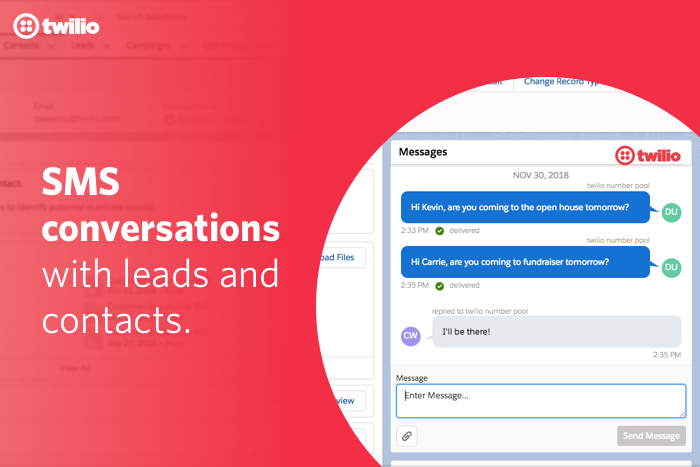
Twilio for Salesforce is a prepackaged app that lets you add text messaging to the Salesforce CRM. It works out of the box with your Salesforce data and allows you to message contacts one-on-one, send bulk messages to your list, and automate communication flows from inside Salesforce. However, this integration supports sending SMS only to contacts or leads within a campaign. If you need more Twilio capabilities or functionality, such as a Salesforce chat integration, you must use Apex code to customize the integration beyond the standard AppExchange package.
For small teams without heavy engineering resources, that kind of workflow can be challenging, not just during implementation but also every time you need to adjust your process. That’s where Jotform Salesforce Agent steps in as a more accessible alternative to Twilio and Sendbird It offers automation and chat within Salesforce through a fully no-code experience designed for CRM, product, and support teams. Keep reading to see the specific ways Jotform Salesforce integration can automate your process.
Jotform Salesforce Agent: The no-code way to automate Salesforce

Jotform Salesforce Agent makes it easy to connect all your business communications directly to your Salesforce account. With this integration, you can capture leads, sync customer data, automate conversations, and update CRM records instantly, and you don’t need to deal with complex APIs.
Once you activate an agent using the no-code Jotform AI Agents and specify its predefined skills, the agent can perform the following actions:
- Automatically route data from your Jotform straight into Salesforce’s CRM, with form fields accurately mapped to Salesforce objects
- Give customers 24-7 support whenever they need it by pulling information from your Salesforce knowledge base and FAQs
- Manage multichannel conversations across web, chat, and phone with humanlike responses and log each conversation in Salesforce
- Capture leads or opportunities from customer conversations and send them to the right team
- Track customer orders and give them real-time updates by pulling Salesforce records into conversations
- Create, update, and resolve support cases
- Escalate complex support issues to human agents
- Schedule appointments and manage calendars
- Send file attachments and PDF submissions to Salesforce and attach them to relevant records
- Support employees and human agents in real time by answering questions and guiding them through internal processes
- Learn from Salesforce articles, FAQs, and links to deliver on-brand, context-aware responses
Unlike Sendbird and Twilio, which charge a separate fee for their Salesforce integrations, Jotform Salesforce Agent is built into your monthly Jotform subscription (with applicable usage, user, or feature limits). Plus, the agent works seamlessly on Salesforce Experience Cloud so you can extend 24-7 automated engagement to your partners, employers, and customers using data from your CRM.
Sendbird vs Twilio: Which should you choose?
Choosing Sendbird or Twilio depends on the kind of customer experience you want to deliver and the level of technical complexity your team can support. If you’re still weighing options, here’s a simple guide to deciding between them:
- Choose Sendbird if
- All you need is in-app chat
- You’re comfortable managing some code-level configuration for Salesforce and other system integrations
- Choose Twilio if
- You need multichannel communication, deep customization, and programmable logic across channels
- You already have (or can afford) engineering resources to extend the Salesforce integration or build advanced capabilities
- But choose Jotform Salesforce Agent if
- You need no-code automation linked directly to Salesforce
- You care more about CRM data sync and conversational engagement than building chat infrastructure
- You prefer a tool that delivers all the benefits of Salesforce workflow automation without the complexity of APIs
Make the best choice for your Salesforce workflows
For teams that prioritize Salesforce-connected customer engagement, Jotform Salesforce Agent provides an AI-powered, no-code way to connect conversations, form data, and CRM updates without writing or maintaining custom code. It’s not a replacement for Sendbird or Twilio; instead, it fills the automation gap between your communication tools and Salesforce, automatically turning customer interactions into structured CRM insights.
Ready to keep your communication workflows tightly connected to your CRM? Create your Jotform Salesforce Agent for free or contact us for enterprise solutions.
This article is for product managers, SaaS developers, CRM strategists, and anyone who wants to compare Sendbird and Twilio to choose the right communication platform—especially for Salesforce-integrated workflows or no-code automation needs.












Send Comment: