
The two best options to build an e-commerce store today are a platform and a plug-in. Shopify, the platform, is the easiest way to start a store online in a few clicks without having to worry about development or security concerns. WooCommerce, the plug-in, is the cheapest way to start a store online — and the most flexible, thanks to its developer-friendly open-source code and access to the WordPress ecosystem of plug-ins and themes.
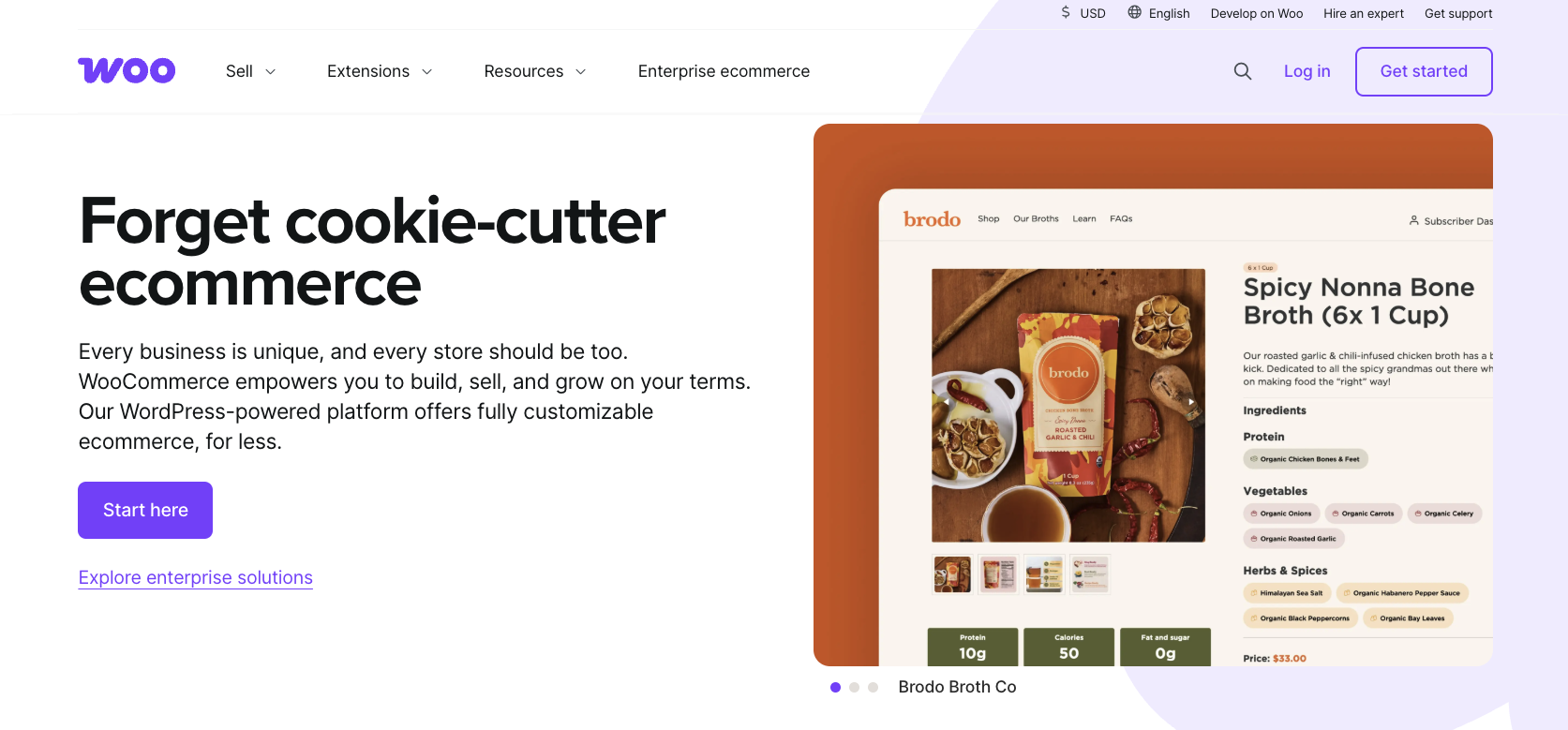
WooCommerce starts with a WordPress blog, with the focus on content and search engine optimization (SEO), then adds pages for product listings, checkout flows, return policies, and the other bits that make up a store. It’s built for adding a store onto an existing site, customizing a new store from scratch, and for optimizing costs with free software on your server. In fact, it comes with a lower cost overall, but a more involved setup process.
Shopify starts as an e-commerce platform, with the focus on product listings and order-related settings. It has options to sell directly on social media, in-person with a point-of-sale (POS) system, or on a Shopify-powered website. It’s designed to build a business wherever your customers want to shop, as well as build a website that represents your brand alongside. Shopify comes in at a higher price point than WooCommerce but has a far simpler setup process.

Before we get into the details, here’s how to choose between the two most popular tools to power your e-commerce store — at a glance.
 WooCommerce |  Shopify | |
|---|---|---|
| Best for | A self-hosted e-commerce store built into a WordPress blog | A hosted e-commerce store without managing servers or store software |
| Primary focus | Deeply customizing an e-commerce store that runs on your own server | Quickly launching an e-commerce store in a hosted platform that takes care of all the small details |
| Channels | Website, with optional extensions for retail POS and social media storefronts | Website, social media storefront, and POS channels built-in |
| Ticketing/help desk | Available with extensions | Available with extensions |
| Automation/artificial intelligence (AI) | Upcoming WooCommerce MCP features to connect stores with AI development and automation tools | Built-in Shopify Magic and Sidekick AI integrations to find Shopify settings, edit product photos, write email campaigns, and chat with customers |
| Knowledge base | Built-in, with WordPress blog posts categorized into a knowledge base | Free Shopify Knowledge Base app to add documentation to a store |
| Setup complexity | Simple with a hosted WooCommerce plan at WordPress.com, or advanced with self-hosted WooCommerce | Simple, requiring only a few clicks to set up a store |
| Pricing approach | Free open-source software for self-hosted stores; monthly subscription from $70 per month on WordPress.com | Monthly subscription from $25 per month for a hosted e-commerce store website, plus a 0.6–2 percent fee on all transactions processed with third-party payment providers |

WooCommerce vs Shopify: Which one should you choose?
WooCommerce is the free, flexible way to build a store — the best option if you’re already on WordPress and want maximum control. Shopify is the simple but more expensive way to build a store — the best option if you’re starting from scratch and want the fastest option.
Yet the differences can be more nuanced.
Shopify can be affordable, starting at $5 per month for a social media-powered store, and $25 per month for a basic e-commerce website. WooCommerce can also be simple to use, with hosting from WordPress.com and others that merge the convenience and security of a platform with WooCommerce’s flexibility but start at $70 per month, making it similarly priced to Shopify’s mid-tier plans.
Same for flexibility. WooCommerce gives you full access to your site’s code — perfect for developers, challenging for everyone else. Yet with a theme and plug-ins, you can do almost anything in WooCommerce without coding. Shopify’s platform abstracts the code away, yet it too includes developer-focused features including code-level access to themes and an API to code custom functionality or build headless Shopify into a custom-coded e-commerce website.
That said, defaults matter. The best e-commerce platform for your store often depends on what you most want out of an e-commerce platform. Shopify works best as a worry-free site with out-of-the-box defaults: a pre-made Shopify theme, Shopify Payments for payments, a website focused primarily on the purchasing experience, and a familiar, Shopify-style checkout that customers have likely encountered before. WooCommerce works best for customizing and choosing everything: custom hosting and themes, any payment processor you want, a website focused both on blog-style content alongside products, and a customized experience that feels uniquely like your brand.
And that’s where the real differences between WooCommerce and Shopify become clear.
Choose WooCommerce if you:
- Use WordPress for your content: WooCommerce runs inside of WordPress. If you have an existing WordPress blog, WooCommerce is your best option to build a store. It’s an equally good option if you’re experienced with WordPress or want to extensively blog about your products and use WordPress plug-ins, themes, and features to enhance your site. And if you’d like to include detailed, formatted product info, the WordPress editing tools on every product listing makes that easy to add.
- Value control and ownership of your site: Want to move your site to a different server, or back up your database on a schedule? Want to use different payment processors and pricing for customers in different countries? With WordPress and WooCommerce, that and more are possible. You own everything about your site, from the design to the place its data is stored. You do have to maintain the site, but you don’t have to worry about your account being suspended or listings not being approved. “After getting dozens of products deleted by Shopify a few days before Black Friday (because of a fraudulent targeted DMCA attack), I moved everything to WooCommerce and I’m quite happy,” said Reddit user @Multit4sker. Another user shared their key reason for choosing WooCommerce: “You can back up your WordPress/WooCommerce store and move it wherever you want.”
- Enjoy deeply customizing your e-commerce site: “WooCommerce gives you freedom to tweak,” says @bublay. Everything is customizable. You can add plug-ins and themes, turn features on or off, or adjust the underlying code behind the platform. While this comes at the expense of simplicity, it does mean that WooCommerce can be far more flexible than Shopify and other hosted e-commerce platforms.
- Need to optimize your e-commerce store’s costs: While hosted WooCommerce on WordPress.com can be as or more expensive than similar Shopify plans, WooCommerce can also be much cheaper than Shopify if you run it on your own server or hosting plan. WordPress and WooCommerce themselves are free, and a DigitalOcean virtual private server that can run WordPress and WooCommerce costs only $12 to $24 per month, for example. That, plus the added savings of no per-transaction fee on top of your payment processor, can add up to significant savings. If you need more features at scale, “you will need to pay 1–2k in plug-ins per year,” suggests @lnzlerobot. “But if you’re making sales, WooCommerce will be insanely cheaper than Shopify.”
Choose Shopify if you:
- Want a hosted site with minimal maintenance: With WooCommerce, you need to think about where to host your site, the server resources your site requires, backing up your database, scaling your database over time, and more. With Shopify, all of those concerns fade away. As @rmsroy says, “Shopify handles all the technical stuff for you, from security to hosting.” “It just works,” says another user. “I don’t have to worry about SSL, DB, updates, or plug-ins written by sub-par developers.”
- Need multichannel selling or a POS system: The cheapest Shopify plan is built for selling products on social media — perfect for when you have more Facebook and Instagram followers than website visitors. And for brick-and-mortar stores, Shopify’s built-in POS lets you leverage the same inventory to power kiosks and in-person sales while managing online orders at the same time. Both are possible in WooCommerce, but they require separate plug-ins and maintenance as opposed to being a core part of the platform.
- Don’t want to manage hosting or need developer skills: Shopify handles everything for you, from domains and security to databases and backups. You’ll never need to install updates or migrate data to a new server. In fact, once you’ve set up your account, there’s nothing else on the software side to think about. “No developers? Skip WooCommerce,” says @nelsonius1. “Shopify is great for non-tech users,” concurs another user. If you don’t have development skills or a tech person on your team, Shopify is the best option.
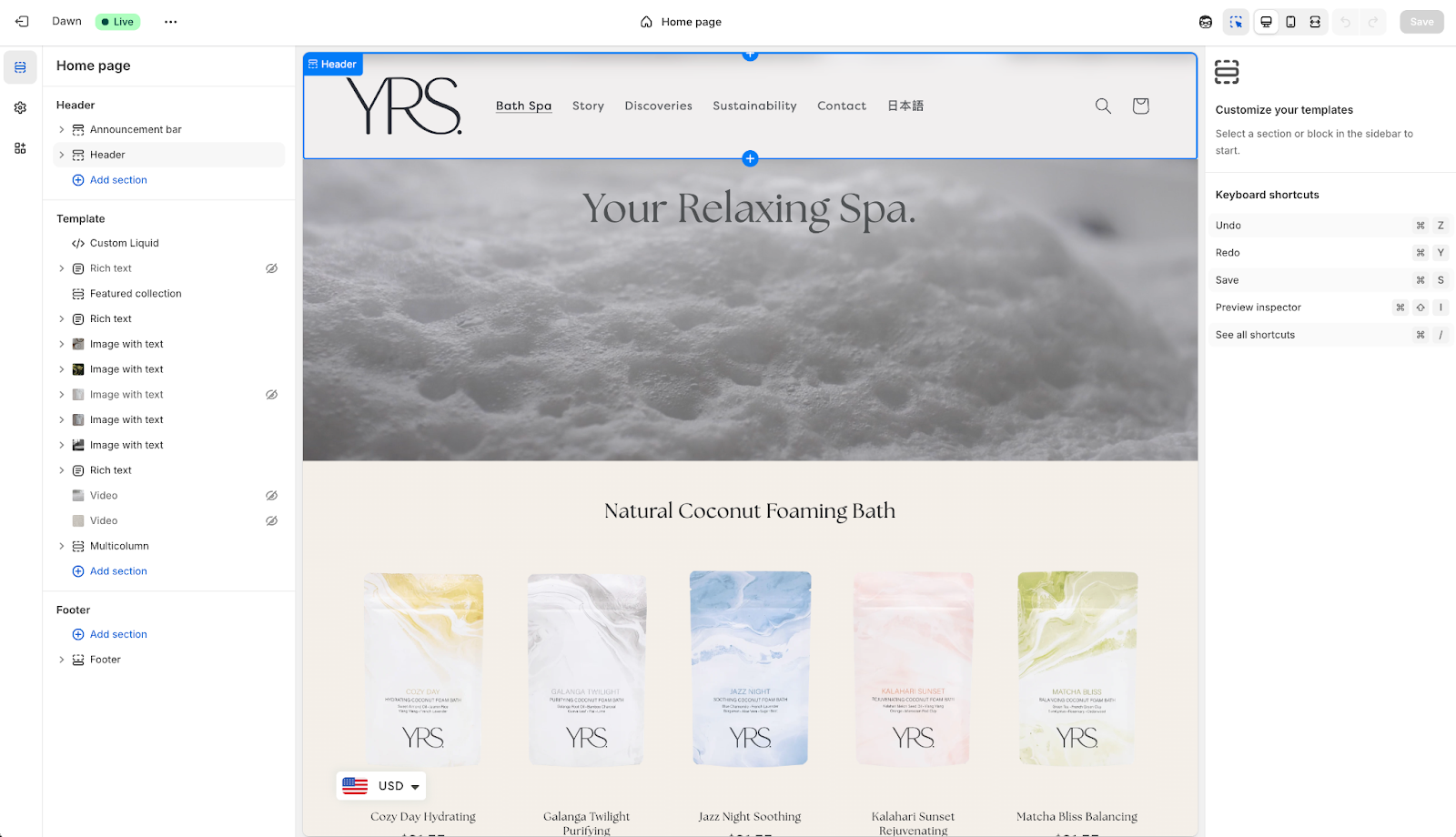
- Prefer a curated app ecosystem and standardization: It’s not like Shopify is entirely uncustomizable. There are over 800 add-ons in the Shopify App Store, from free extras maintained by the Shopify team to paid tools that build new functionality into your store. Each goes through a review process and runs inside the standard Shopify interface. And while you can tweak things in your site manually, Shopify’s core checkout flow and internal features always remain the same — making every Shopify site a consistent experience for sellers and shoppers alike.
WooCommerce vs Shopify: costs
WooCommerce is free, open-source software. You could run it on an in-house server for free, or on a hosting or VPS platform for $20 or so per month. With development skills, that could potentially be your entire outlay on your store.
For most stores, though, WooCommerce is not fully free. It’s “free to start,” says @rmsroy, ”but needs more setup work… You’ll need to pay for hosting, plug-ins, and maybe help from developers.” As long as you budget for that extra overhead, WooCommerce can be a cost-effective platform for an e-commerce store — but if the core reason for choosing it is that it’s free software, you’ll likely find the unexpected costs to add up over time. Or you can simplify things with a hosted WooCommerce store, from $70 per month with WordPress.com.
Shopify, on the other hand, is a paid monthly subscription. You’ll know from the start that your store will cost at least $25 per month, and that it can go up to hundreds or thousands of dollars per month at scale. If you’re using payment processing providers other than Shop Pay, Shopify will add an additional 0.6–2 percent payment fee on every sale. You’ll also still typically need to purchase Shopify themes or pay for a designer to customize existing templates, and you may want to purchase add-ons from the Shopify App Store for additional functionality.
WooCommerce vs Shopify: scalability
WooCommerce and Shopify can both scale to the largest store sizes needed, but each takes a different approach to taking your store to the next level. Shopify sites scale with your needs, whereas WooCommerce sites require you to monitor server resources and scale up your hosting accordingly.
With WooCommerce on a custom server, you’ll need to migrate to larger servers both as the data stored on your site grows and as your traffic increases. You can migrate some of the traffic load demand — for example on Black Friday and other high-sales days — with caching and CDN-services like Cloudflare, or you could use a larger server than required most days to cover busier periods. That lets you keep costs low to start with and scale up over time.
Shopify, on the other hand, can automatically scale to accommodate any traffic volume your store receives. All Shopify plans include unlimited pageviews and visitors, so even a small store on a lower-tier plan can handle massive Black Friday and pre-order traffic when needed.
As one user said, “When [two-hour] outages cost you real money, Shopify’s stability is well worth it.” But if you have an in-house tech team that is already focused on maintaining and scaling your sites, a WooCommerce site’s flexibility would be a better fit to scale with your existing resources.
A deeper look at WooCommerce
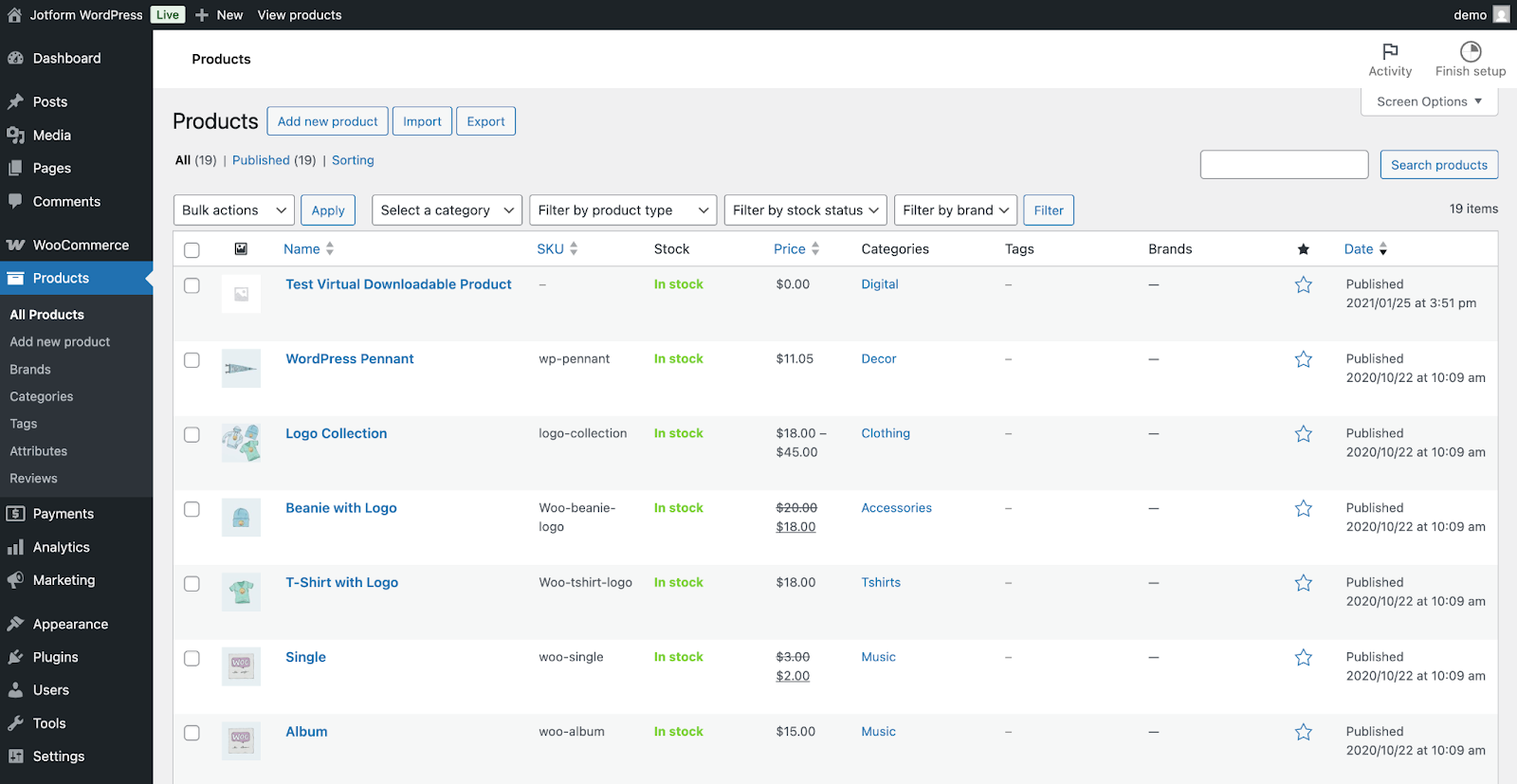
WooCommerce is a free, open-source plug-in designed to turn any WordPress blog into an e-commerce store. It’s one of the best Shopify alternatives and one of the cheapest ways to build and self-host a fully customized e-commerce store.
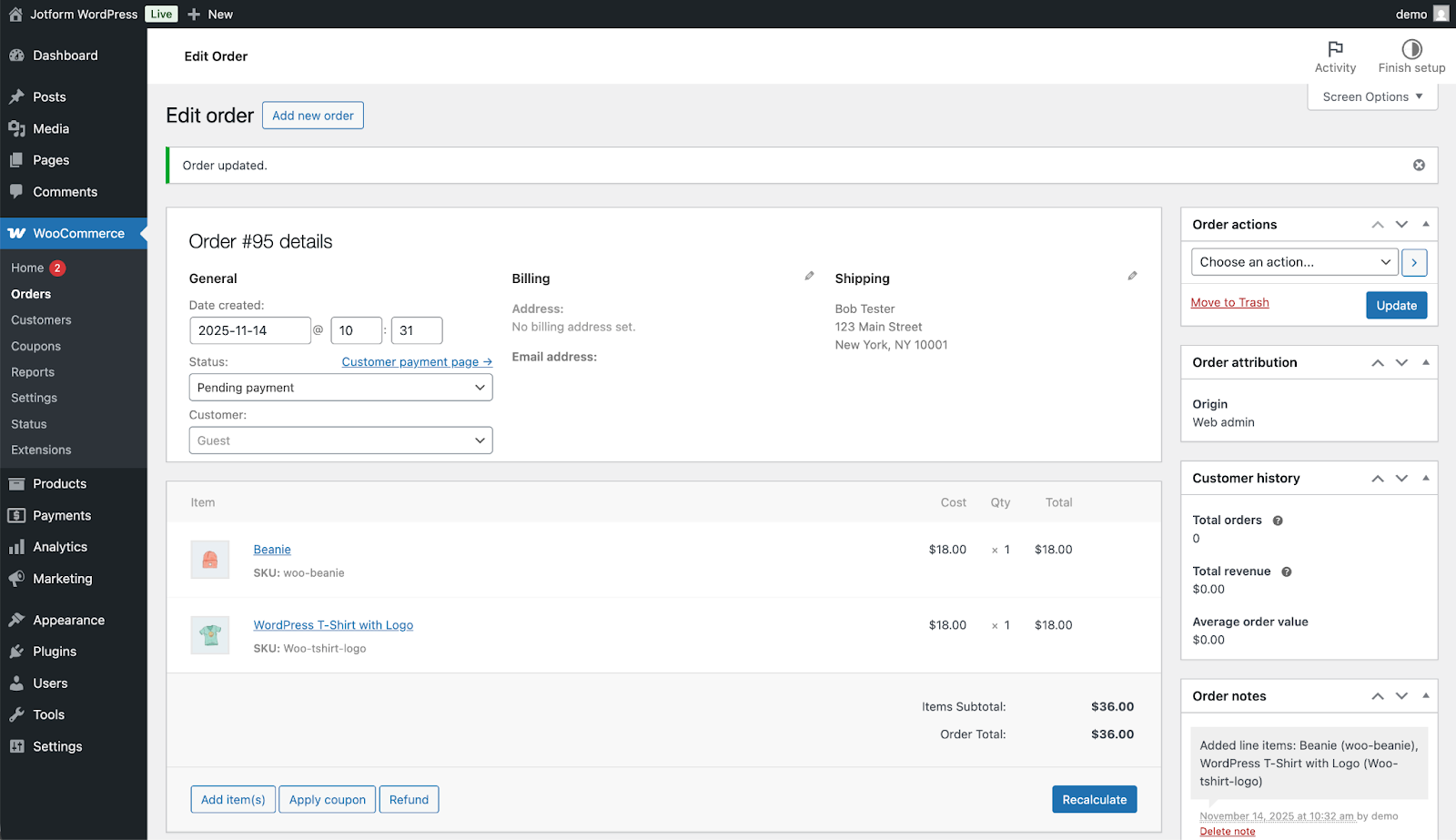
Every WooCommerce site works exactly like a WordPress blog. It uses the same database to store product listings and order details alongside blog posts and comments. The product editor looks exactly like WordPress’ blog post editor, with additional fields to add pricing, sale dates, inventory, shipping info, and other store-specific details.
What’s more, every WooCommerce site also benefits from the larger WordPress ecosystem. Most WordPress plug-ins work with WooCommerce sites, as can most WordPress themes with tweaks to add store-focused features. Any developer skills and experience with WordPress is transferable, too.
Ultimately, if you’re used to working with WordPress, WooCommerce is the flexible e-commerce platform that will fit best into your existing workflow.
WooCommerce key features
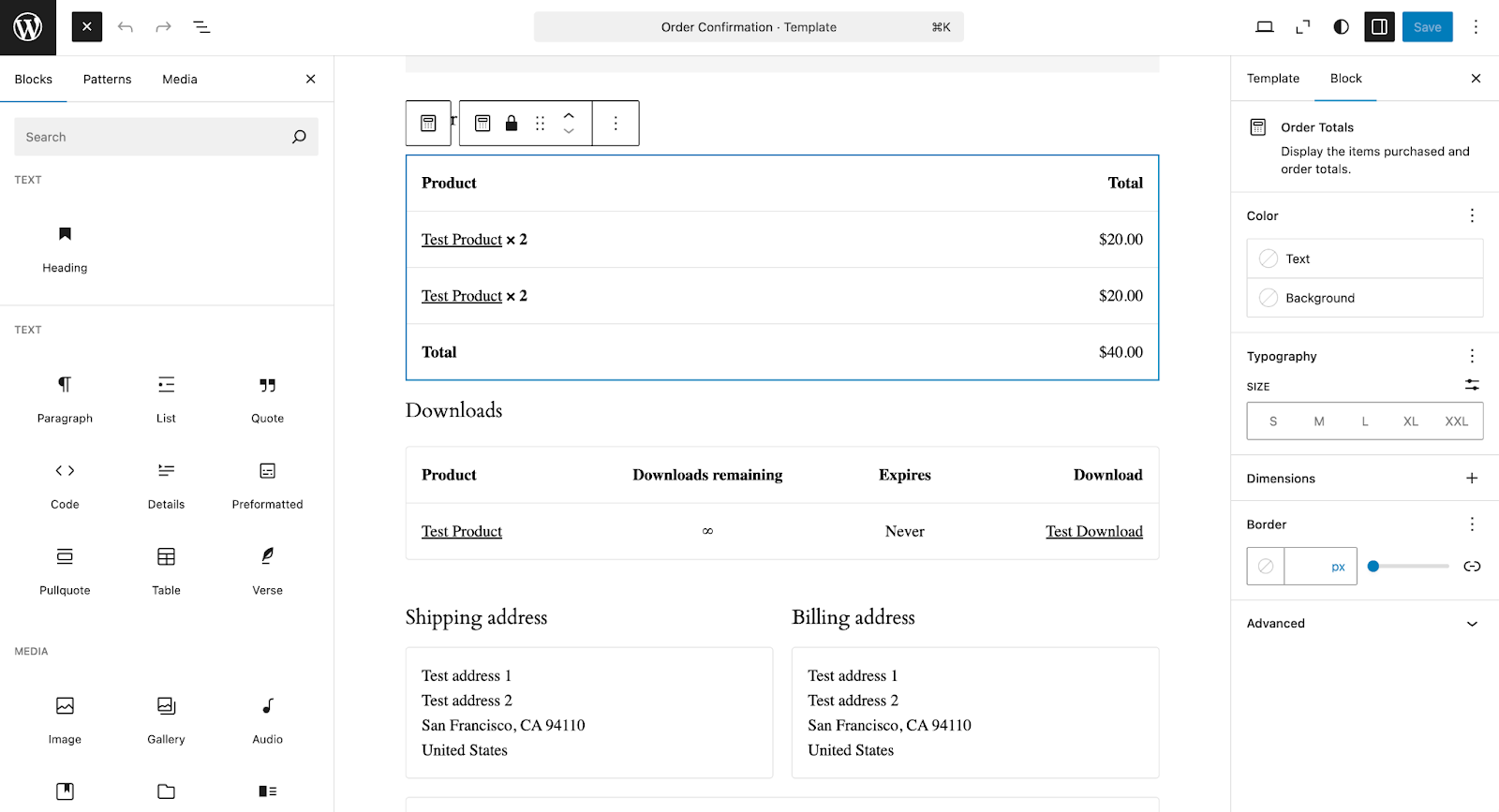
WooCommerce’s core differentiation is its open-source, self-hosted roots. It’s the most flexible way to build an e-commerce store, with tools that let you edit anything on your own — or dig into code if you need more.
- Drag-and-drop store design: Whether starting with a WooCommerce-focused theme or using an existing WordPress template, you can use the same drag-and-drop tools to customize your website and make it look the way you want. WooCommerce adds a number of e-commerce-specific pages, from cart, checkout, and confirmation pages to product listings and search results. Plus, you can add WooCommerce elements, including your cart, a featured products list, and more to any page on your site — even standard WordPress blog posts.
- Product listings inside of WordPress: If you’ve used WordPress to write blog posts, you’ll already know how to create product listings and manage orders inside of WooCommerce. WooCommerce adds five new tabs — WooCommerce, Products, Payments, Analytics, and Marketing — to the WordPress sidebar, helping you manage every part of your store alongside your WordPress content. Each editor reuses familiar WordPress designs so you can easily write a full blog post of details about every product, answering common questions and aiding your site’s ranking on search engines and AI chat.
- Self-hosted e-commerce: WooCommerce works on any WordPress server, giving you the flexibility to run your site on an in-house server, host it on a virtual private server (VPS), or use WordPress.com’s hosted WordPress to take care of the server administration for you. And you can always move your site around as needed, or export your product and order listings, so you’re not locked into a single platform.
- Unlimited customization: With complete access to your site’s code and the database that stores every post and product detail, WooCommerce opens possibilities to build anything you want into your store. You can, for example, add custom post types and taxonomies in your WordPress database for unique ways to sort products. You could also code additional steps into your checkout process, or remove all extraneous features for a one-page shopping and checkout experience that skips the cart entirely. You could even build a digital-only store, with courses or other downloadable content, by pairing WordPress content tools with WooCommerce payment and checkout tools. Whatever you dream up, you can build in WooCommerce.
WooCommerce pricing
The WooCommerce plug-in and the WordPress software it runs on top of are fully free. If you already have a server or have WordPress running on a VPS or other hosting platform, you can add WooCommerce to your site and start an e-commerce store without spending a dime.
If you’re starting from scratch, though, there are a variety of options to host your WordPress and WooCommerce website. A VPS such as one from DigitalOcean, where you manage both the operating system and your site software, starts at $12 per month for a server that can support WordPress. A fully managed WordPress host like Pressable, where the operating system and WordPress software are managed for you, starts at $25 per month. And WordPress.com’s own WooCommerce hosting, from the team that built WooCommerce, starts at $70 per month including premium themes and priority support.
On top of that, you may need to purchase a theme to customize your website design, typically for a one-time fee. You may also need WordPress plug-ins, with one-off or yearly pricing. And to accept payments, you’ll need to use a payment processor like Stripe, with processing fees starting at 2.8 percent plus 30¢ per transaction.
How WooCommerce connects with Jotform
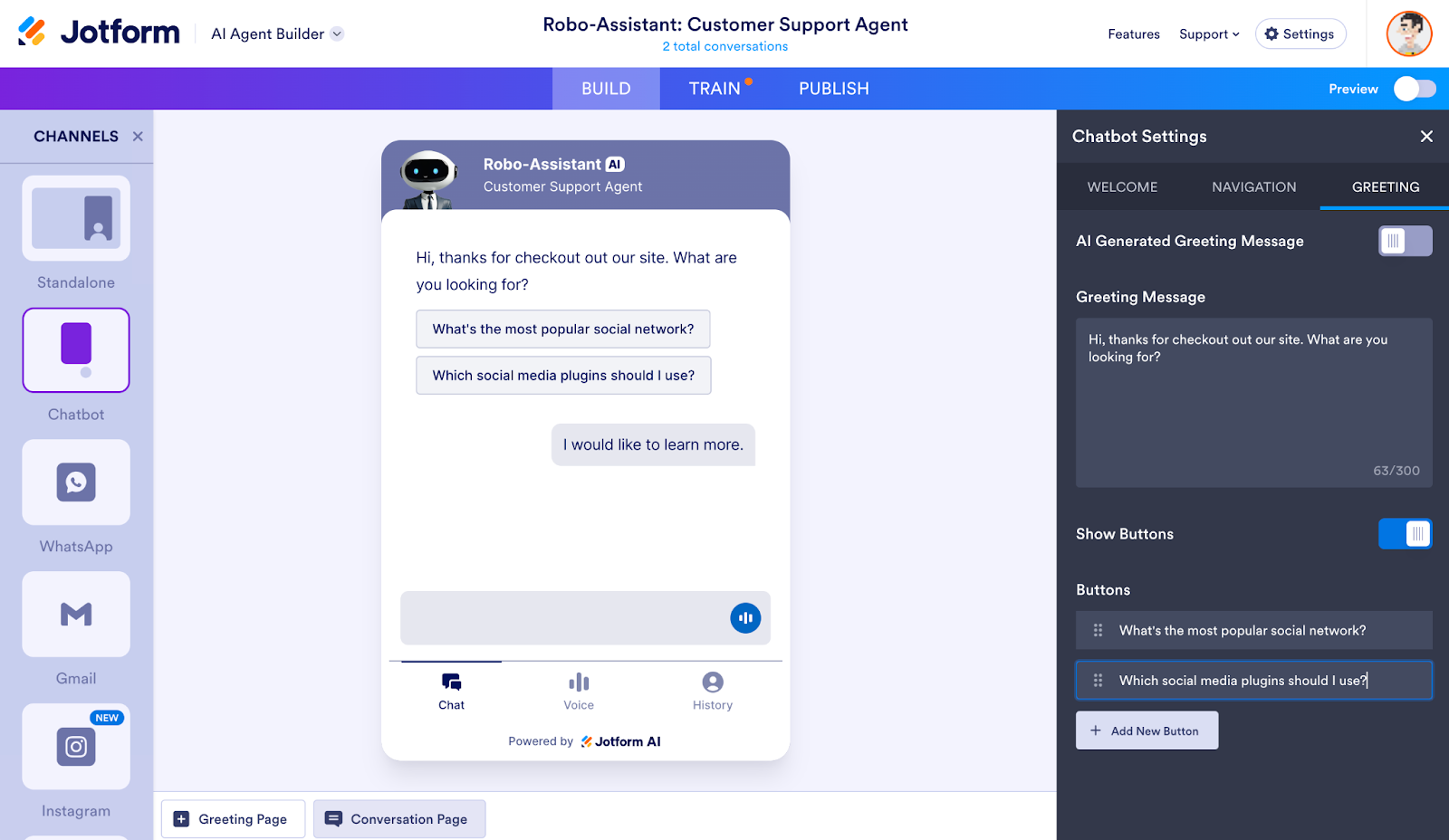
One of WooCommerce’s best features is that every WordPress plug-in works on WooCommerce stores. That makes it easy to add additional features, including AI customer support with a chatbot powered by Jotform.
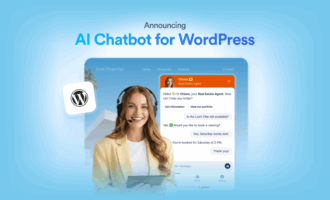
With Jotform’s AI Chatbot for WordPress plug-in, you can train a bot on the content from your WooCommerce site without having to write a single line of code. The bot will first read through the content on your WordPress blog posts and WooCommerce product listings, then use that to answer customer questions. It can even share products based on customer queries to drive sales. If customers ask anything that the AI agent can’t answer, it’ll email you so you can add the answer to the training data and ensure it can handle the query on its own the next time.
Jotform’s AI Chatbot has additional e-commerce-focused features that are automatically enabled on sites with WooCommerce. The bot can access orders and customer data, leaving the private data stored on your site, and route them through Jotform’s servers as needed to generate responses. That lets it handle many of the customer support queries around tracking numbers, return policies, product availability, and more that otherwise would require a human response.
With Jotform’s AI Chatbot supercharging your WooCommerce site, you get the best self-hosted, customizable e-commerce features paired with powerful automation tools — keeping your site running and your customers happy even when you’re away.
A deeper look at Shopify
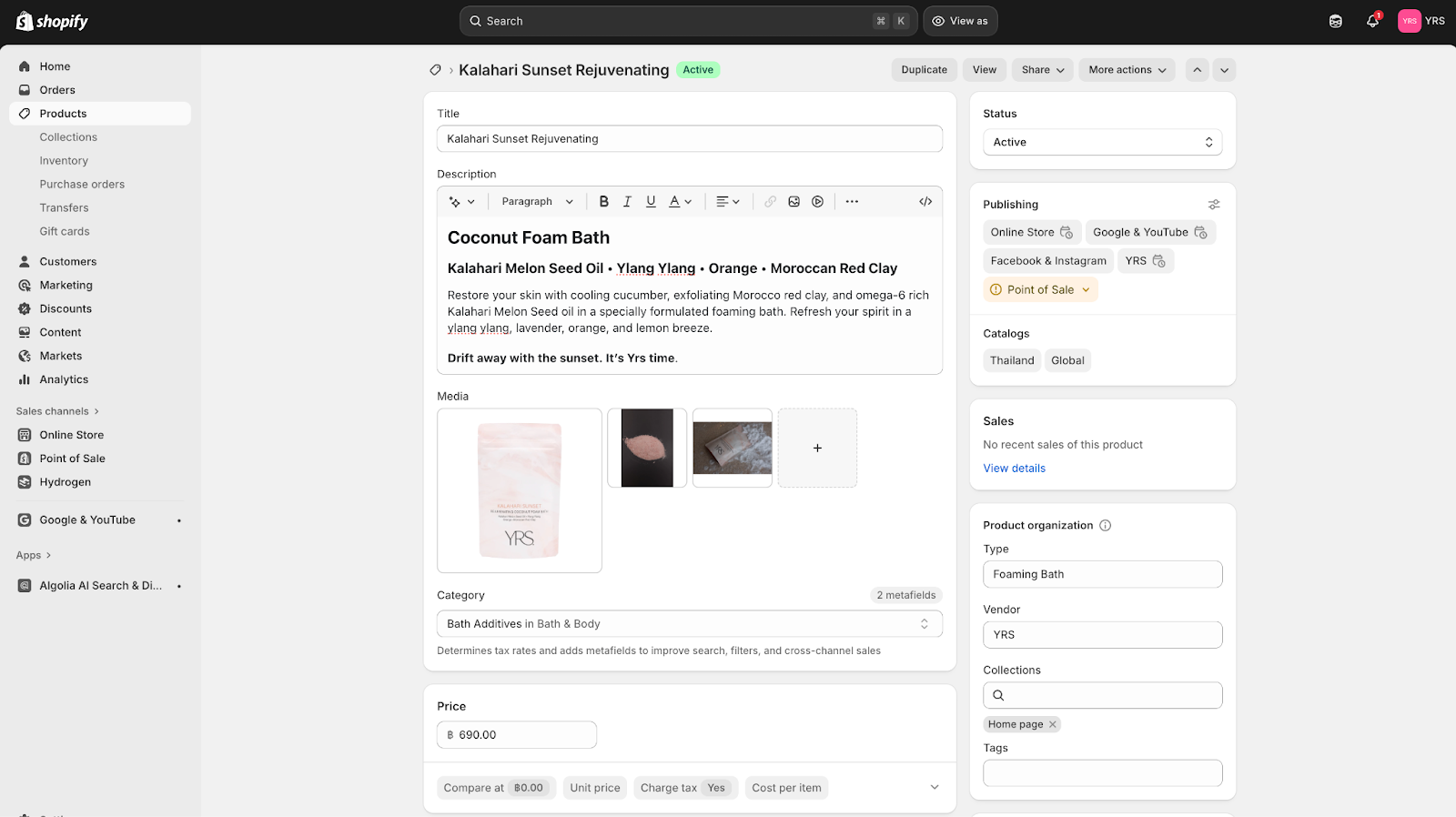
Shopify is a hosted e-commerce platform for omnichannel sales, where you can build an e-commerce website, share product listings on social media, and sell them in-person from a POS system — all from the same platform. It’s the most popular WooCommerce alternative for people who want a simple, hosted e-commerce site.
Instead of worrying about which hosting service to use and how to back up and secure your e-commerce site, you can focus on your products, customers, and the settings and marketing that go into selling on Shopify. It’s the best way to quickly build an e-commerce site and start an online business.
Shopify key features
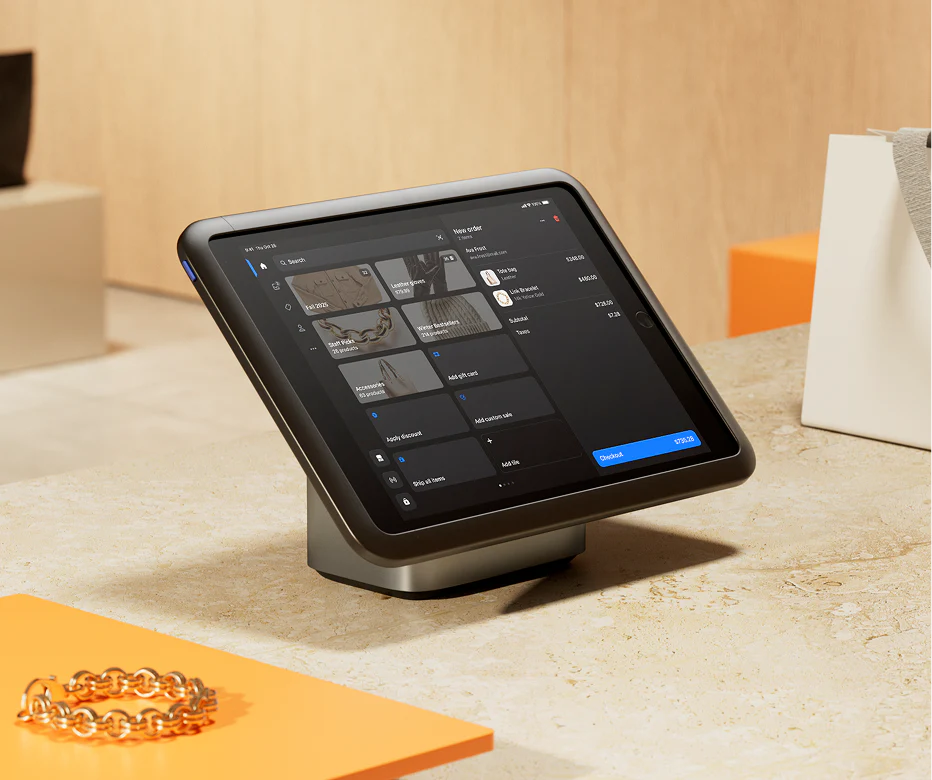
Shopify includes most of the features you need to run your business online, straight out of the box. Start by listing your product details, choose how to sell them, and then customize your website to look the way you want. It’s the simplest way to start an online store — with enough features to build as advanced of an e-commerce site as you’d like.
- Omnichannel commerce: One of the key Shopify advantages is that it supports selling on more than just your website. Everything starts with product listings, where you add the details about your inventory. Products, orders, and customer data are all stored together, making it quick to prepare shipments and process returns. Then you can choose how to sell your products, with an e-commerce website being just one of the options alongside in-store and social media sales. You can even sync product listings from Shopify to other retailers like Amazon and Walmart, to reach customers where they shop. No matter where customers come from, you’ll see their orders in the same Shopify dashboard for straightforward management.
- Built-in payment processing: In the U.S., U.K., and 37 other countries, Shopify Payments lets you accept credit, debit card, Apple Pay, and Google Pay payments right inside your Shopify store — no additional payment processing platform needed — for 2.4–2.9 percent plus 30¢ per transaction. It includes instant payouts for sellers and one-tap checkout for customers. That’s yet another way Shopify makes e-commerce immediately simple. If preferred, you can also integrate Stripe, PayPal, and other payment processing providers, but you’ll need to pay both their fee and Shopify’s third-party payment processing fee.
- Order-focused tools: Shopify is built for e-commerce from the ground up. That makes it harder to publish blog posts and documentation compared to a WordPress site, but it makes it much easier to handle the sales-side of the equation. Shopify includes built-in abandoned cart tools, monitors orders for fraud, and offers options to track inventory across multiple locations and advanced discount logic.
- Customer accounts: Want to keep customers coming back? Shopify’s website builder includes accounts where customers can log in to track their orders, repurchase favorite items, and manage returns and customer support queries. You can prompt users to leave reviews to boost sales, or keep them coming back with subscriptions and loyalty programs. And since the same software powers Shopify’s site and POS, you’ll be able to reward repeat customers regardless of whether they shop in-person or online.
Shopify pricing
All Shopify plans require a monthly subscription, from the $5 per month Starter plan to a $2,300 per month Plus plan. Each plan includes the core Shopify order management features, and all but the Starter plan include omnichannel selling with an e-commerce website, social selling, and POS device support. All also support unlimited site traffic, product listings, and orders.
Shopify’s current pricing plans include:
- Starter ($5 per month) for Shopify inventory and order management features and social selling.
- Basic ($25 per month) for an e-commerce website and POS support, with 10 inventory locations, 24-7 chat support, and a 2 percent fee on third-party payment processing.
- Grow ($65 per month) for Basic features plus five staff accounts and a 1 percent fee on third-party payment processing.
- Advanced ($399 per month) for Grow features plus local storefronts, 15 staff accounts, enhanced support, and a 0.6 percent fee on third-party payment processing.
- Plus (from $2,300 per month with a three-year plan) for Advanced features plus competitive payment rates, 200 inventory locations, unlimited staff accounts, fully customizable checkout, and wholesale tools.
All plans other than Plus offer a $1 per month trial for the first three months, and a 25 percent discount on annual plans that are billed once a year.
How Shopify connects with Jotform
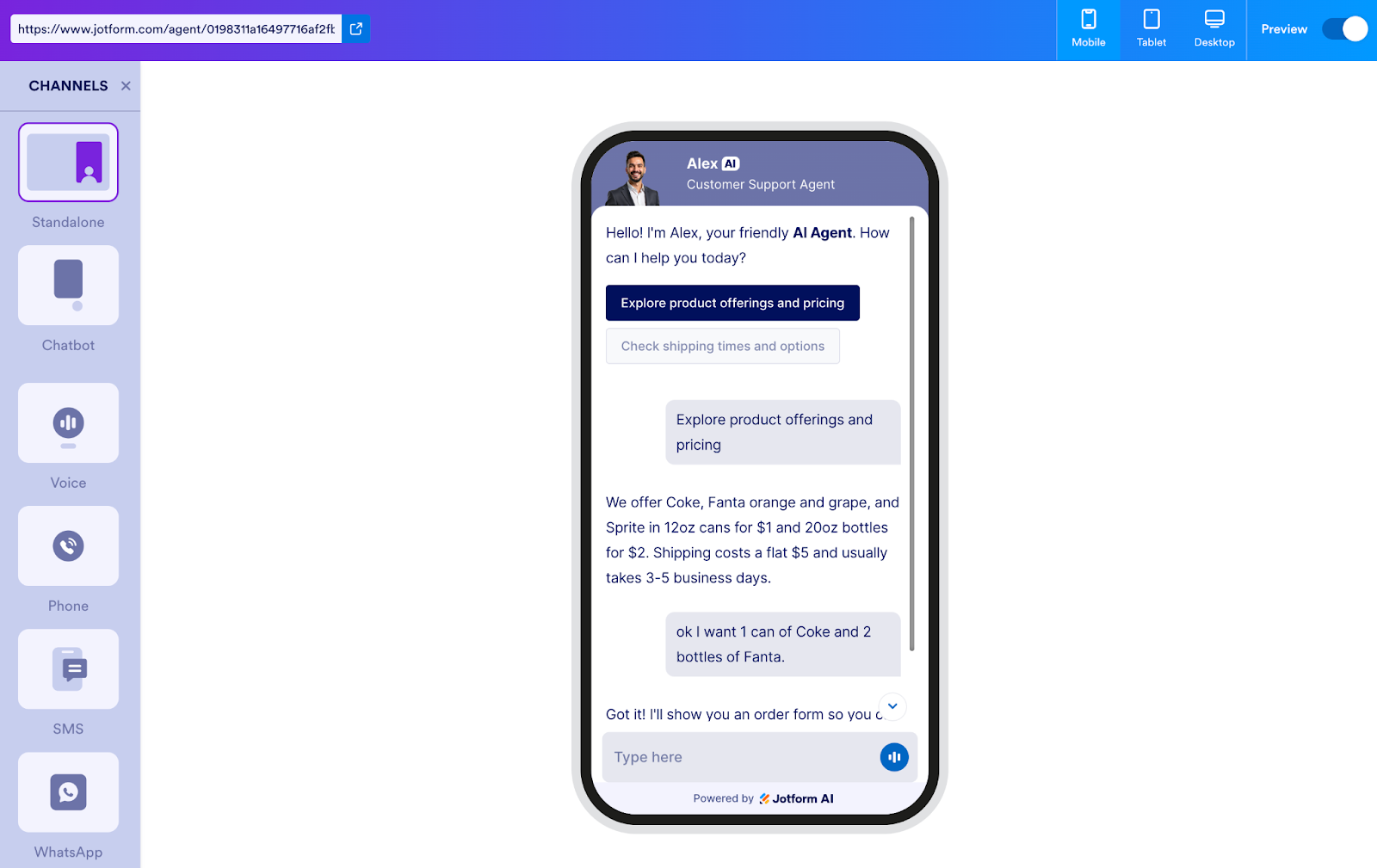
Shopify comes with most of the e-commerce features you need built-in, but for everything else there’s the Shopify App Store with extensions you can add to your site. Jotform offers two core tools to simplify the way you sell products and work with customers through your Shopify store.
First, with the core Jotform Shopify integration, you can build and embed forms to let customers contact your team, send in support requests, fill out surveys about products, and more. You can even use a Jotform form to build custom checkout forms, perhaps to let customers add measurements, logos, and other details to their orders.
Second, with Jotform’s AI Agent for Shopify, you can build a customer support bot that’s trained on your Shopify store data — no coding required. It can both train on your Shopify store details to answer questions about products and access real-time order status to assist with shipping and order completion inquiries. It can even pull in details from forms to guide customers through a process — from entering their custom order details all the way through to making payments — all inside of an AI chatbot.
It’s the best way to drive sales on your Shopify site and assist customers 24-7, without needing to constantly watch your Shopify store.
WooCommerce and Shopify’s key similarities and differences
In many ways, you can’t go wrong with either Shopify or WooCommerce. Both power thousands of e-commerce stores of all sizes today.
Odds are, you’ve already bought something online from a Shopify and WooCommerce store. They’re both used by well-known brands and small startups alike. WooCommerce powers online retail for the Polestar electric car brand, Hidden Valley Ranch dressing, Mint Mobile, and more, while Shopify is used by Mattel, Dollar Shave Club, Staples, Tommy Hilfiger, and others.
Both Shopify and WooCommerce include the tools you need to list products, manage inventory, build a responsive e-commerce website, customize your store with a theme and design that fits your branding, add features with plug-ins, and accept orders and payments from customers. Both let you internationalize your store with local pricing, payment, and shipping options. Both are affordable when starting out, and they can scale to handle any level of traffic and order volume as your business grows. And both work with Jotform to gather data about customers in forms and answer questions automatically in AI-powered chatbot conversations.
The differences between Shopify and WooCommerce come in their focus and flexibility.
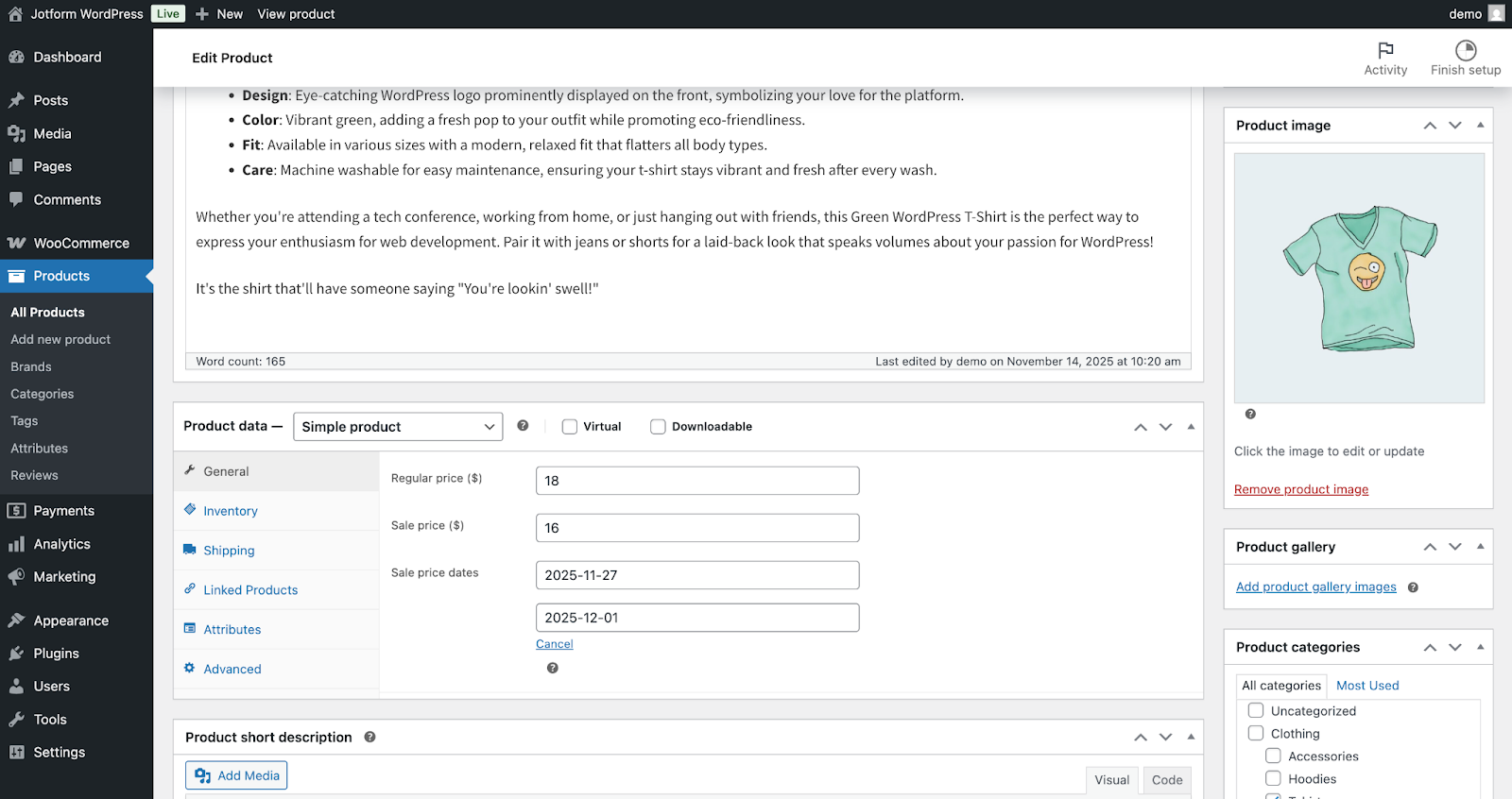
WooCommerce’s strengths come from its flexibility. It’s free, open-source software that you can run on any server and tweak however you want. You could change the core code behind your site, customize the checkout flow, or build entirely new functionality into the e-commerce platform. That makes it best for any store with more specific needs. It’s easier to internationalize a WooCommerce site, too, with local pricing, payment processing, and translated content for each region. Even if you’re not a developer, the deep ecosystem of WooCommerce and WordPress themes and plug-ins makes anything possible with a WooCommerce site.
Search engine optimization is another key benefit for WooCommerce. By being built into WordPress, WooCommerce comes with all of the blogging and SEO features that power over 43 percent of websites — everything from NASA to the New York Times. That makes it easy to build an audience for your store with a WordPress blog, and then convert that traffic into customers with your WooCommerce checkout flows.
On the other hand, Shopify’s strengths come from building on a trusted platform. It leaves nothing to chance, and keeps you or a malicious actor from breaking your site. You don’t have to worry about a DDOS attack or forgetting to back up your site, nor do you need to scale up to a larger database or server over time. You don’t need to install updates or ensure your server’s operating system is up to date, either. Shopify’s platform handles everything for you. That gives you an e-commerce store that grows with your business, worry-free.
Shopify is also built as a store platform first, website second. You can manage product listings in Shopify and sell them on Facebook, YouTube, Pinterest, TikTok, and more with a $5 per month Shopify Starter plan. You can also up your plan and sell in-person with a POS system, powering a brick-and-mortar store with the same listings behind your e-commerce business. While WooCommerce offers similar features through plug-ins, Shopify including those features built-in makes it a better choice if you’re selling products outside of your website.
The final verdict: WooCommerce or Shopify?
The best e-commerce tool for your store, in many ways, depends on how much time you want to invest in your store’s software versus in your business itself.
Pick WooCommerce for
- Flexibility in customizing your store
- Savings, with free software and cheap hosting where costs scale as you grow
- Optionality to use any plug-in, payment processing service, and more
Pick Shopify for
- Simplicity, with a hosted e-commerce platform that handles security and updates automatically
- Speed in starting a site in a few clicks
- Scalability, with every plan offering unlimited traffic and product listings
Either option can be a great way to build an online business and scale it over time, with the unique balance of customization on WooCommerce’s side versus the stability and simplicity of Shopify. Then comes the real work of building your online business and bringing in customers for your products. Jotform can help you there — give it a try for free today.
This article is for store owners, ecommerce managers, founders, and WordPress-savvy marketers choosing between a hosted platform (Shopify) and a self-hosted WordPress plugin (WooCommerce).






















Send Comment: