# Jotform Canva AI Agents: Automate Support & Boost Sales

# Canva AI Agents

## AI Chatbot for Canva

Turn your Canva designs into an interactive experience. Embed the Jotform AI Chatbot, match it to your design, and chat with visitors instantly with no coding needed.

[Get the App — It’s Free!](https://link.jotform.com/jIK4UE5BIk)

![Image 1: Girl using Canva on tablet](https://cdn.jotfor.ms/image/r/aHR0cHM6Ly9jZG4uam90Zm9yLm1zL3AvYWkvY2FudmEtYWdlbnQvYXNzZXRzL2ltZy1taW4vaG9tZXBhZ2UvaGVyby9naXJsLnBuZw==/girl.png?w=766&t=1)

## Upgrade your Canva designs with the **Jotform AI Chatbot**

Respond instantly and guide every visitor effortlessly. Your chatbot keeps your designs active and engaging all the time.

🕊️ Nonprofit Organization

🏥 Healthcare

📅 Event Organization

📚 Education

[View Demo](https://themarineconservationalsociety.my.canva.site/)

[View Demo](https://hercaremedical.my.canva.site/)

[View Demo](https://www.canva.com/design/DAG9oyzA7U8/kYkREjhv9Kscu4kVtIAwng/view)

[View Demo](https://www.canva.com/design/DAG9ju6rk0I/SB3t3EYlXmssZWfSjJu3PA/view)

## Set up your **AI Chatbot** in minutes

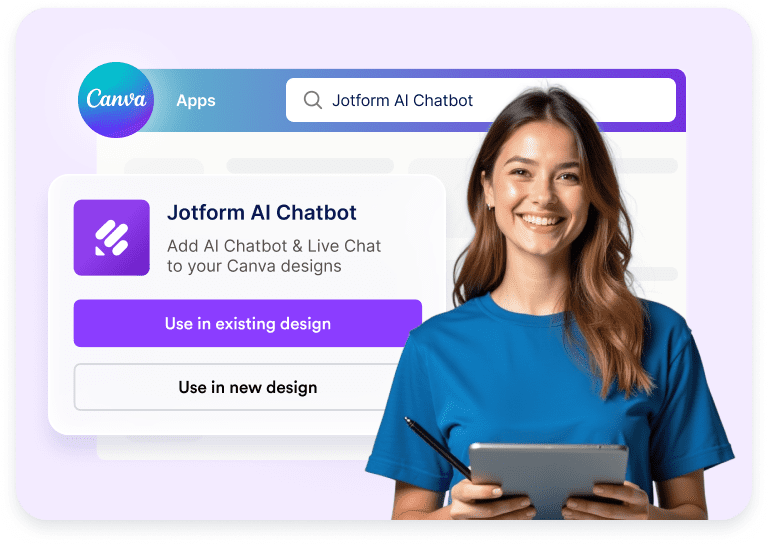
![Image 2: Jotform AI Chatbot selected in Canva Apps with use options](https://cdn.jotfor.ms/image/r/aHR0cHM6Ly9jZG4uam90Zm9yLm1zL3AvYWkvY2FudmEtYWdlbnQvYXNzZXRzL2ltZy1taW4vaG9tZXBhZ2UvaG93LTEucG5n/how-1.png?w=40&t=1)

### Connect

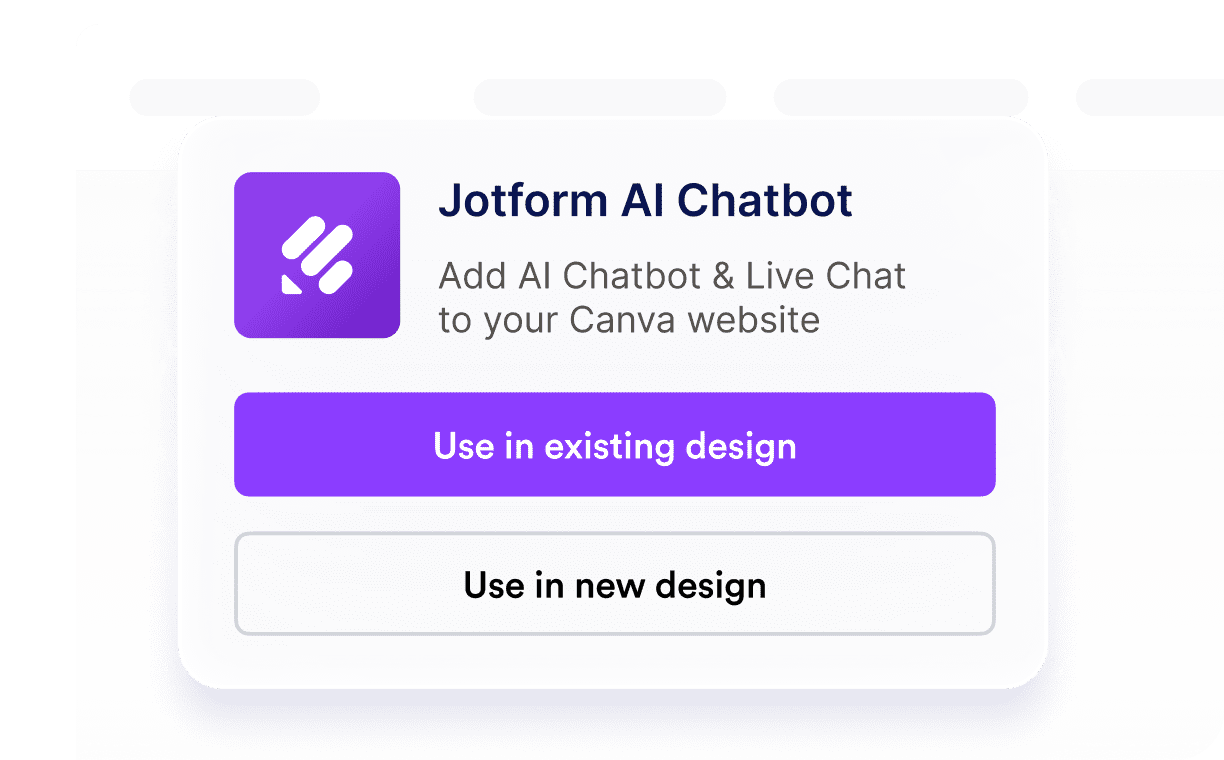
Open the Jotform AI Chatbot in Canva and choose to use it in an existing or new design.

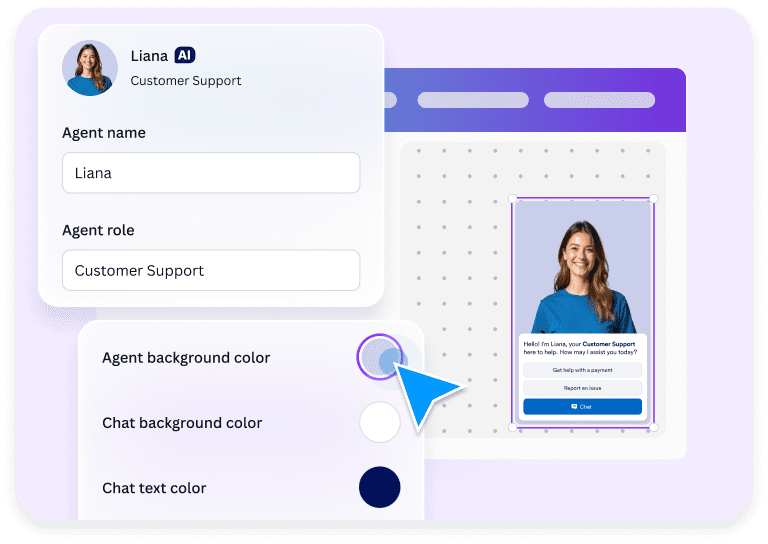
![Image 3: AI chatbot agent setup with role and chat color customization](https://cdn.jotfor.ms/image/r/aHR0cHM6Ly9jZG4uam90Zm9yLm1zL3AvYWkvY2FudmEtYWdlbnQvYXNzZXRzL2ltZy1taW4vaG9tZXBhZ2UvaG93LTIucG5n/how-2.png?w=40&t=1)

### Customize

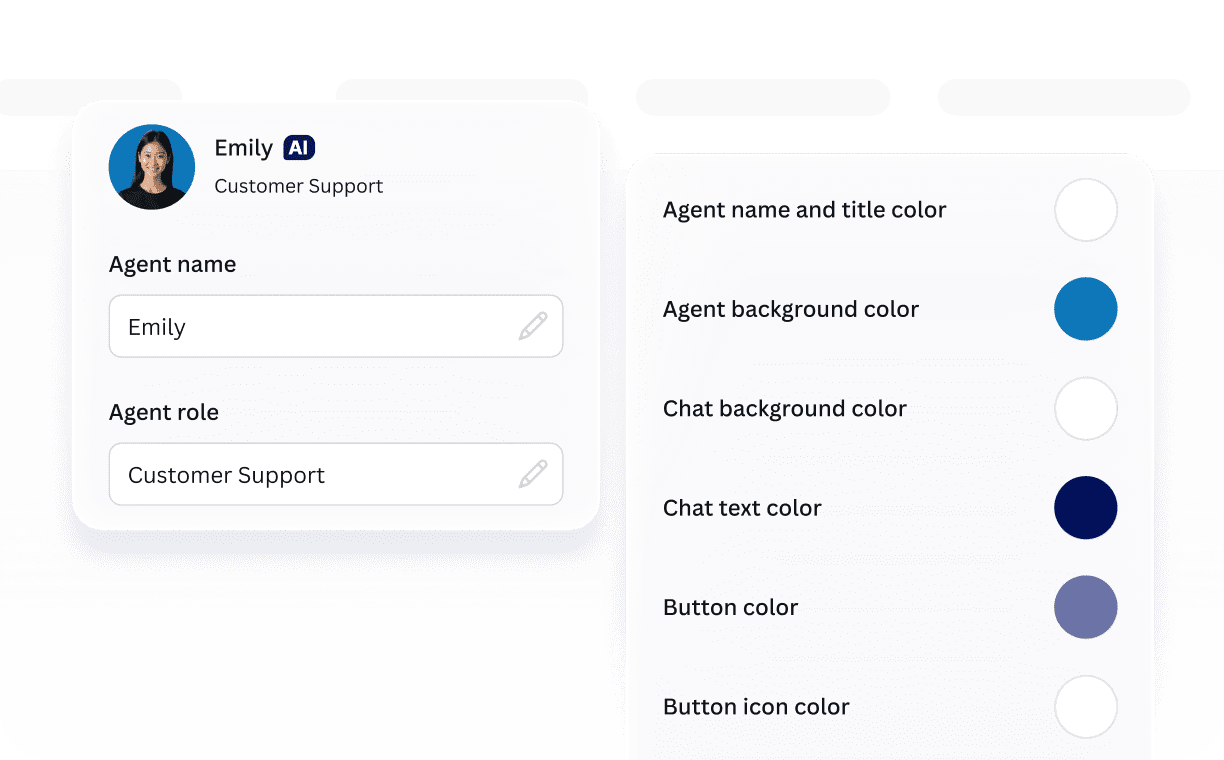
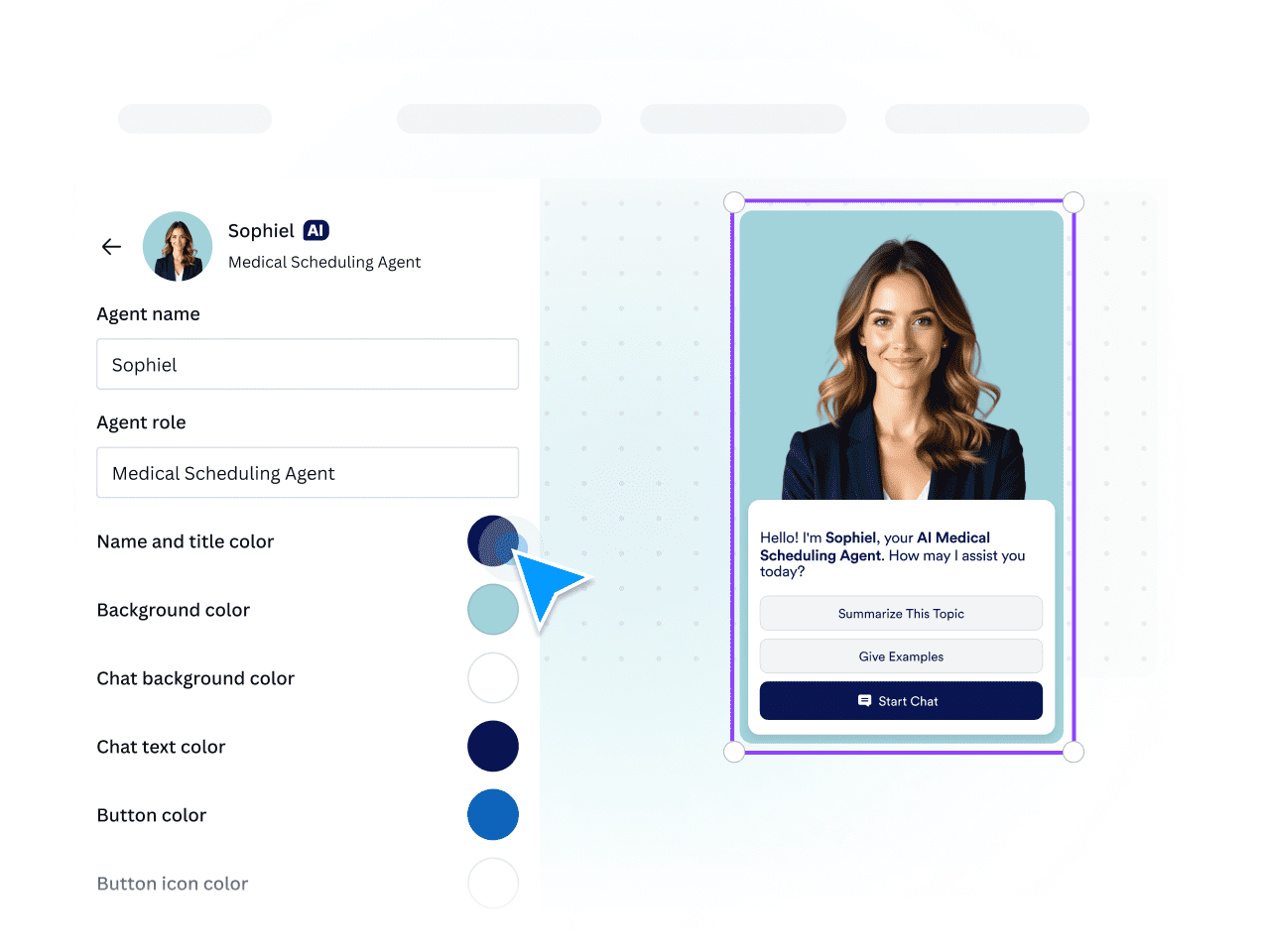
Customize your chatbot’s name, role, and color options, such as background and button, to match your design.

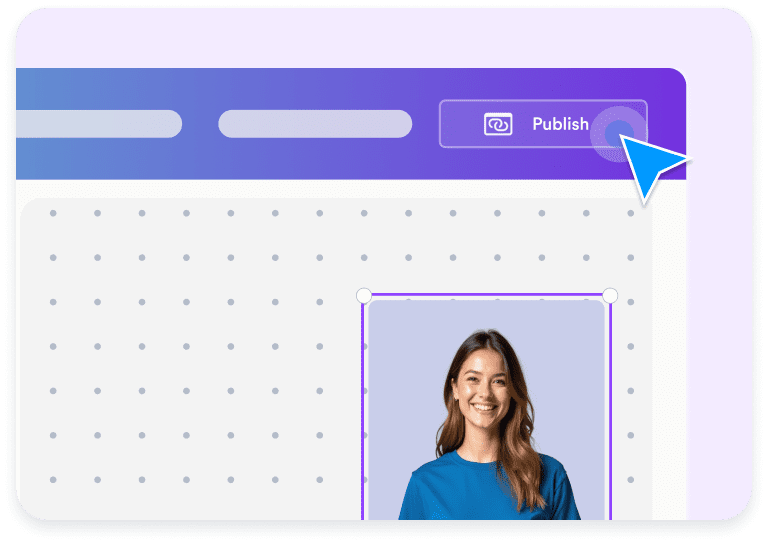
![Image 4: AI chatbot added to a Canva design with publish action](https://cdn.jotfor.ms/image/r/aHR0cHM6Ly9jZG4uam90Zm9yLm1zL3AvYWkvY2FudmEtYWdlbnQvYXNzZXRzL2ltZy1taW4vaG9tZXBhZ2UvaG93LTMucG5n/how-3.png?w=40&t=1)

### Publish

Publish your chatbot instantly and let visitors start chatting for questions, support, or feedback.

## Make Canva designs interactive with your **AI Chatbot**

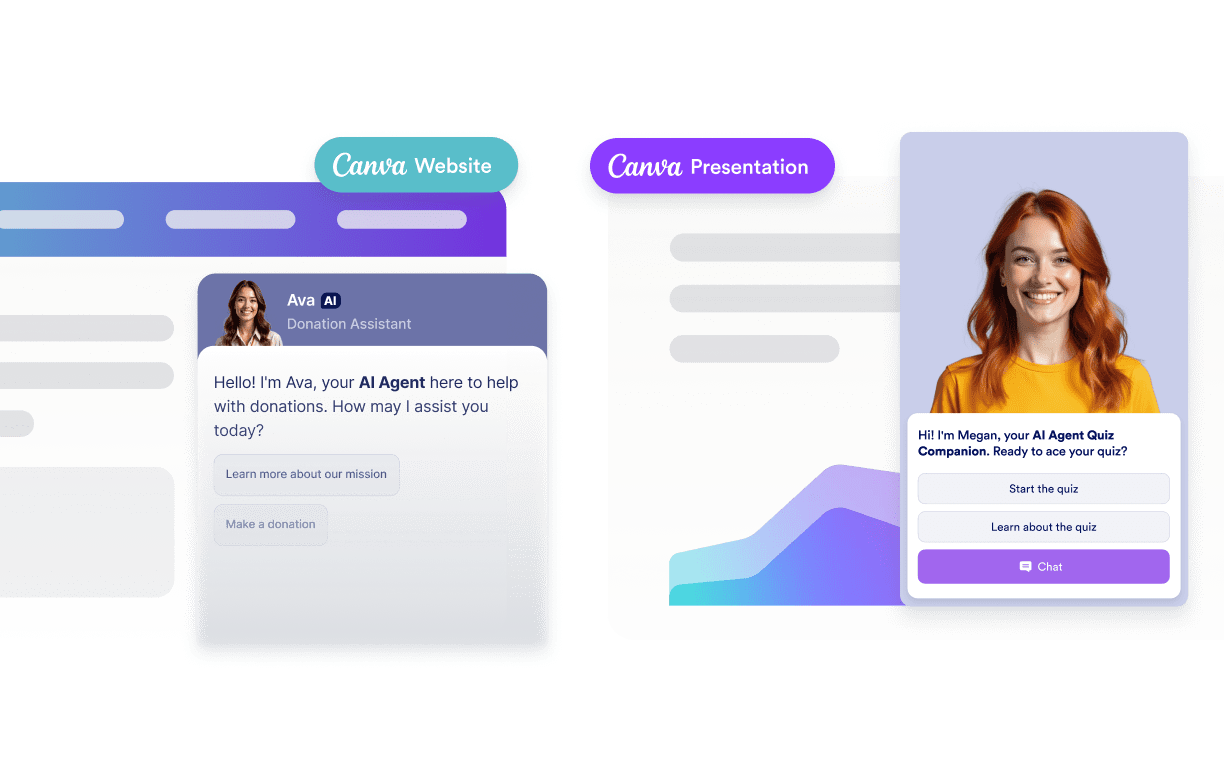
Turn any Canva design into an interactive space where visitors can ask questions, get instant answers, and stay engaged — all powered by Jotform’s AI technology.

### Quick setup

Open the app in Canva, add your chatbot, customize it to fit your design, and publish in just a few minutes with no coding required.
![Image 5: Jotform AI Chatbot options for adding chat to a Canva website](https://cdn.jotfor.ms/image/r/aHR0cHM6Ly9jZG4uam90Zm9yLm1zL3AvYWkvY2FudmEtYWdlbnQvYXNzZXRzL2ltZy1taW4vaG9tZXBhZ2UvZmVhdHVyZXMvZmVhdHVyZS0xLnBuZw==/feature-1.png?w=40&t=1)

### Customizable design

Style the chatbot to match your Canva design by customizing elements like the agent name, role, and color.
![Image 6: AI agent profile and chat appearance customization settings](https://cdn.jotfor.ms/image/r/aHR0cHM6Ly9jZG4uam90Zm9yLm1zL3AvYWkvY2FudmEtYWdlbnQvYXNzZXRzL2ltZy1taW4vaG9tZXBhZ2UvZmVhdHVyZXMvZmVhdHVyZS0yLnBuZw==/feature-2.png?w=40&t=1)

### Auto-train

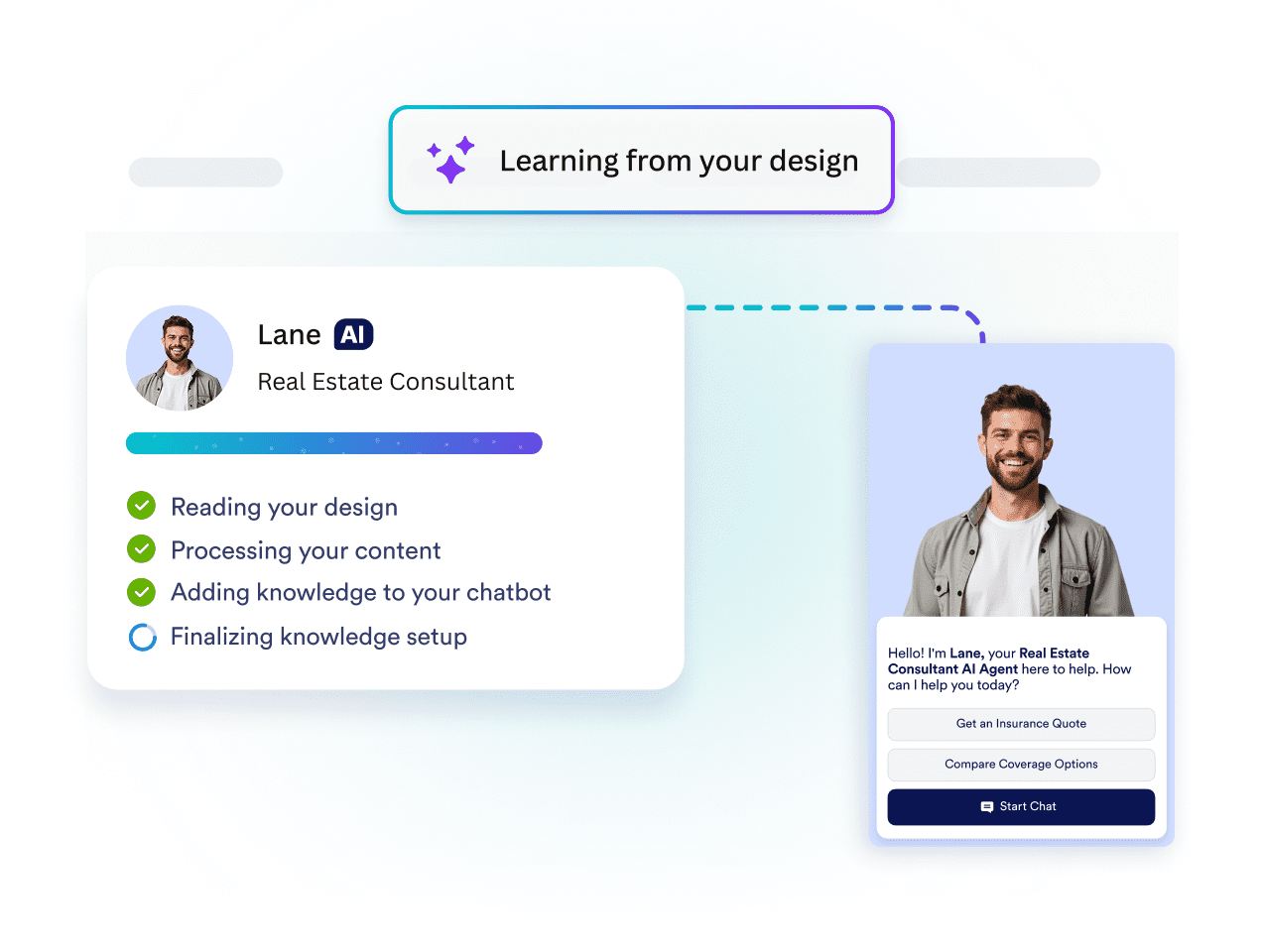
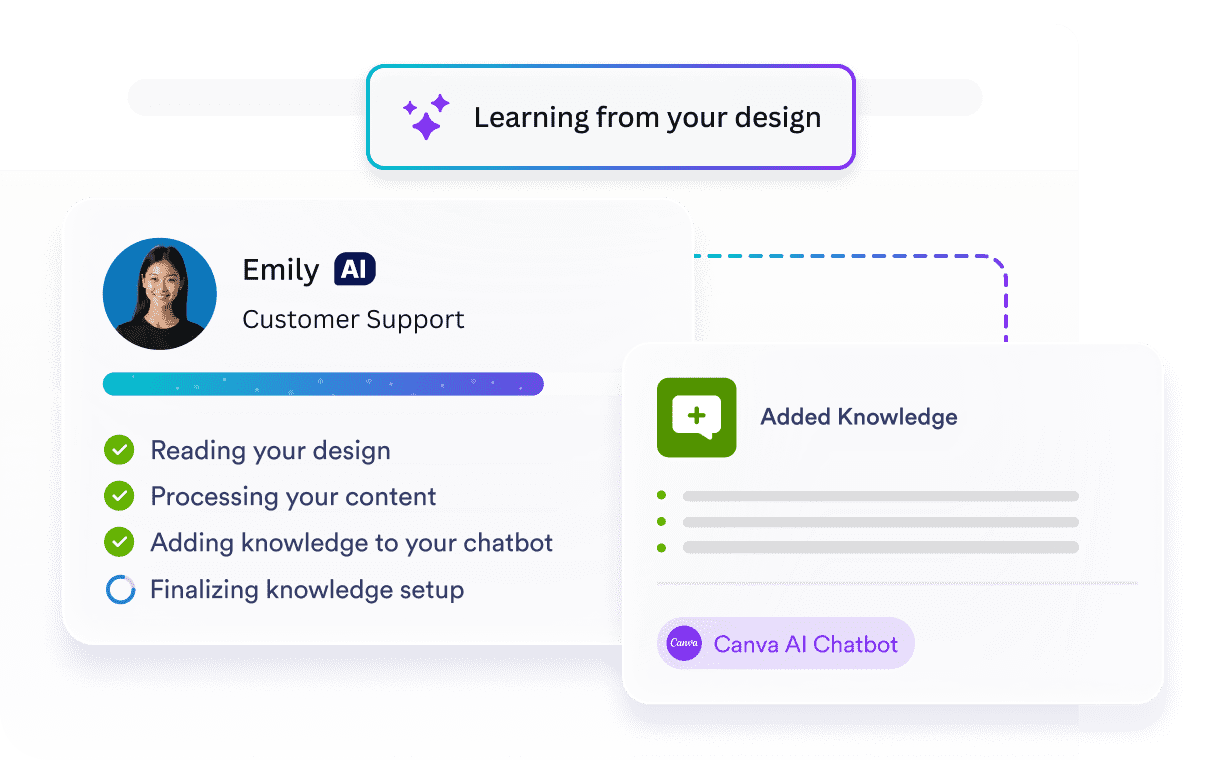
Your chatbot automatically learns from your design, and uses its content as knowledge to deliver accurate answers.
![Image 7: AI chatbot learning from a website design and adding knowledge](https://cdn.jotfor.ms/image/r/aHR0cHM6Ly9jZG4uam90Zm9yLm1zL3AvYWkvY2FudmEtYWdlbnQvYXNzZXRzL2ltZy1taW4vaG9tZXBhZ2UvZmVhdHVyZXMvZmVhdHVyZS0zLnBuZw==/feature-3.png?w=40&t=1)

### Always active

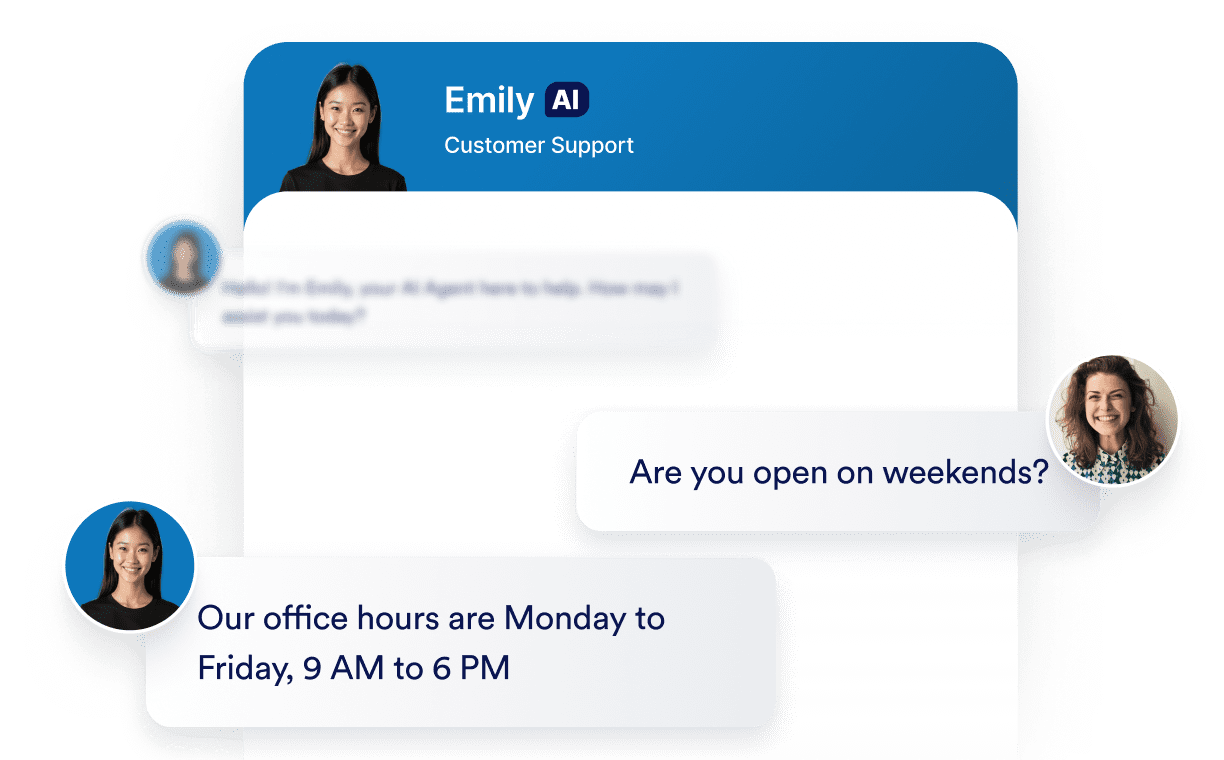
Your AI Chatbot stays online 24-7, answering questions and keeping visitors engaged.
![Image 8: AI customer support chatbot answering a business hours question](https://cdn.jotfor.ms/image/r/aHR0cHM6Ly9jZG4uam90Zm9yLm1zL3AvYWkvY2FudmEtYWdlbnQvYXNzZXRzL2ltZy1taW4vaG9tZXBhZ2UvZmVhdHVyZXMvZmVhdHVyZS00LnBuZw==/feature-4.png?w=40&t=1)

### Enliven your designs

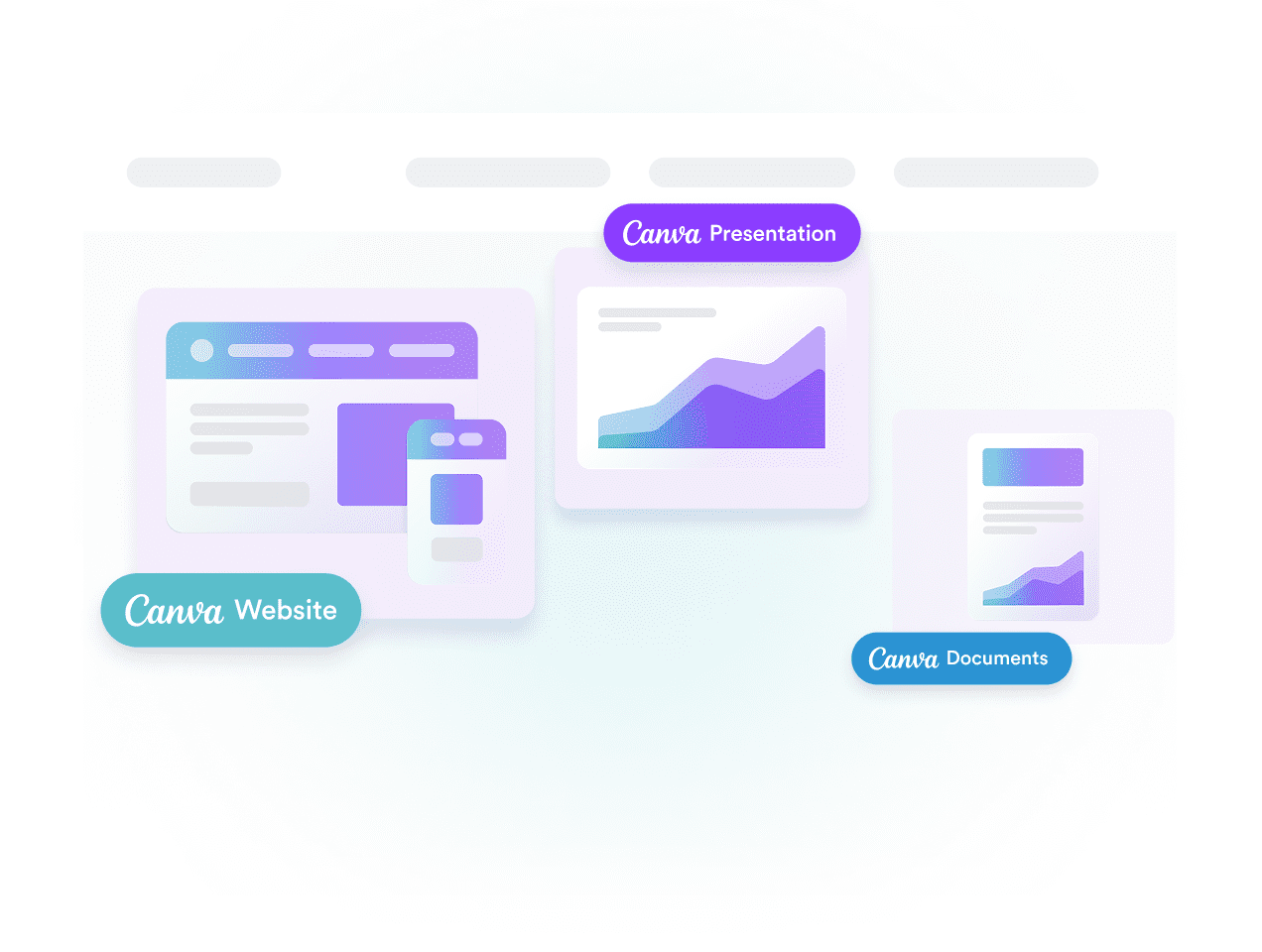
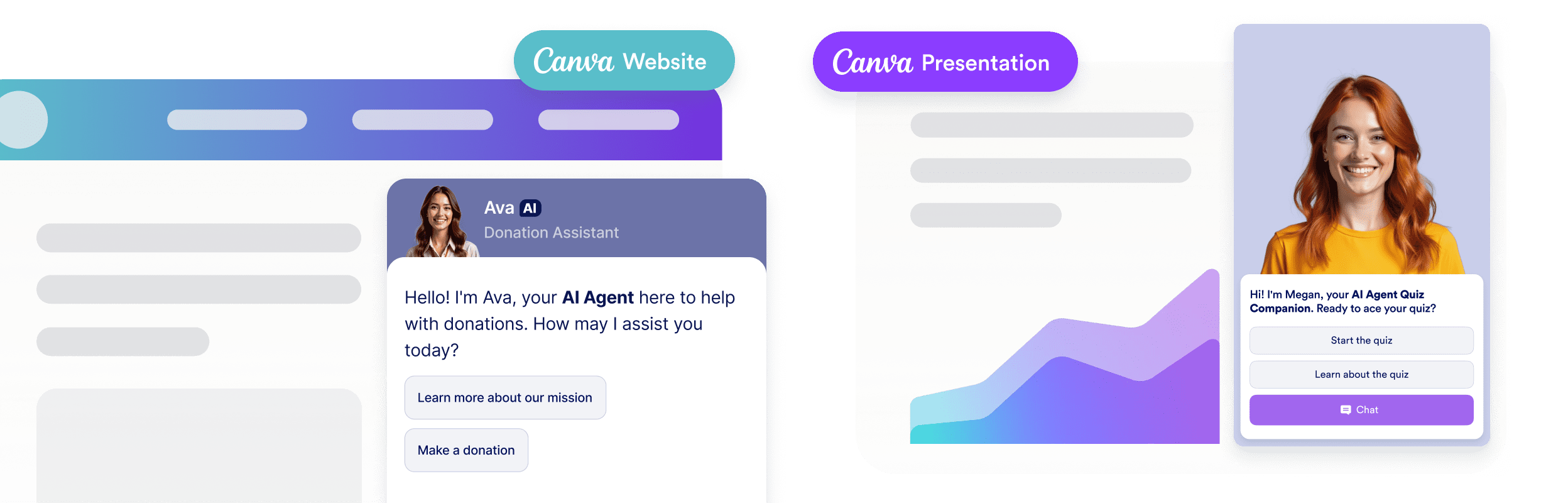
Your AI Chatbot easily integrates into Canva designs like websites, presentations, and portfolios creating interactive and engaging experiences across your projects.

![Image 9: AI chatbot embedded in Canva website and presentation layouts](https://cdn.jotfor.ms/image/r/aHR0cHM6Ly9jZG4uam90Zm9yLm1zL3AvYWkvY2FudmEtYWdlbnQvYXNzZXRzL2ltZy1taW4vaG9tZXBhZ2UvZmVhdHVyZXMvZmVhdHVyZS01LnBuZw==/feature-5.png?w=40&t=1)![Image 10: AI chatbot embedded in Canva website and presentation layouts](https://cdn.jotfor.ms/image/r/aHR0cHM6Ly9jZG4uam90Zm9yLm1zL3AvYWkvY2FudmEtYWdlbnQvYXNzZXRzL2ltZy1taW4vaG9tZXBhZ2UvZmVhdHVyZXMvZmVhdHVyZS01LW1vYmlsZS5wbmc=/feature-5-mobile.png?w=40&t=1)

## Add tools that do more

Automate tasks effortlessly — manage orders, send updates, answer questions, and more in just a few clicks.

[Get the App — It’s Free!](https://link.jotform.com/jIK4UE5BIk)

Show list of items Allow your agent to provide a list of helpful links.

Send Slack messages Stay updated in real time with automated Slack alerts from your AI Agent.

Show images Use images to show steps, offers, or campaign graphics, promotions, or troubleshooting.

Set appointment in Google Calendar Let your AI agent manage customer reservations based on your availability.

Send email notifications Allow your agent to compose and send emails as needed.

Find in website Set up your agent to search your site and deliver helpful content to customers.

Get consent Enable your AI agent to request customer consent during conversations.

Forms Allow your agent complete forms to gather customer feedback and data.

Show list of items Allow your agent to provide a list of helpful links.

Send Slack messages Stay updated in real time with automated Slack alerts from your AI Agent.

Show images Use images to show steps, offers, or campaign graphics, promotions, or troubleshooting.

Set appointment in Google Calendar Let your AI agent manage customer reservations based on your availability.

Send email notifications Allow your agent to compose and send emails as needed.

Find in website Set up your agent to search your site and deliver helpful content to customers.

Get consent Enable your AI agent to request customer consent during conversations.

Forms Allow your agent complete forms to gather customer feedback and data.

Trigger workflow Automatically launch workflows the moment a customer completes a purchase.

Take photo Let customers snap and send photos directly in the chat.

Set appointment Let your agent schedule customer appointments based on your availability.

Show video Bring your storefront to life with smart, in-chat video responses.

Send to Google Drive Allow your agent to collect documents, images or videos and send it to Google Drive.

![Image 11: Google Maps Icon](https://cdn.jotfor.ms/p/ai/canva-agent/assets/img-min/homepage/maps-icon.svg)

Show location Allow your agent to display your store location using Google Maps.

Ask for information Allow your agent to collect information, values, or data from customers during chat.

Show checklist Allow your agent to display a checklist and guide customers through each step.

Trigger workflow Automatically launch workflows the moment a customer completes a purchase.

Take photo Let customers snap and send photos directly in the chat.

Set appointment Let your agent schedule customer appointments based on your availability.

Show video Bring your storefront to life with smart, in-chat video responses.

Send to Google Drive Allow your agent to collect documents, images or videos and send it to Google Drive.

![Image 12: Google Maps Icon](https://cdn.jotfor.ms/p/ai/canva-agent/assets/img-min/homepage/maps-icon.svg)

Show location Allow your agent to display your store location using Google Maps.

Ask for information Allow your agent to collect information, values, or data from customers during chat.

Show checklist Allow your agent to display a checklist and guide customers through each step.

Show list of items

Send Slack messages

Show images

Set appointment in Google Calendar

Send email notifications

Find in website

Show list of items

Send Slack messages

Get consent

Forms

Trigger workflow

Take photo

Set appointment

Get consent

Forms

Get consent

Forms

Trigger workflow

Take photo

Show video

Send to Google Drive

![Image 13: Google Maps Icon](https://cdn.jotfor.ms/p/ai/canva-agent/assets/img-min/homepage/maps-icon.svg)

Show location

Ask for information

Show checklist

Show video

Send to Google Drive

Show video

Send to Google Drive

## Create Easily. Engage Instantly.

*   ### Automatically Adapts to Your Design

  ![Image 14: AI chatbot learning from a website design and setting up real estate knowledge](https://cdn.jotfor.ms/image/r/aHR0cHM6Ly9jZG4uam90Zm9yLm1zL3AvYWkvY2FudmEtYWdlbnQvYXNzZXRzL2ltZy1taW4vaG9tZXBhZ2UvYWNjb3JkaW9uLzEucG5n/1.png?w=40&t=1) The agent learns from the Canva asset where it is placed and adopts its look and feel. This creates a seamless experience for your audience since the chatbot matches the design and understands the content it appears alongside.  
*   ### Edit and Customize Anytime

  ![Image 15: AI medical scheduling agent profile and chat appearance customization](https://cdn.jotfor.ms/image/r/aHR0cHM6Ly9jZG4uam90Zm9yLm1zL3AvYWkvY2FudmEtYWdlbnQvYXNzZXRzL2ltZy1taW4vaG9tZXBhZ2UvYWNjb3JkaW9uLzIucG5n/2.png?w=40&t=1) Update agent names, roles, colors, and behavior to match your brand and design without leaving Canva.  
*   ### Works Across Canva Formats

  ![Image 16: AI chatbot support across Canva websites, presentations, and documents](https://cdn.jotfor.ms/image/r/aHR0cHM6Ly9jZG4uam90Zm9yLm1zL3AvYWkvY2FudmEtYWdlbnQvYXNzZXRzL2ltZy1taW4vaG9tZXBhZ2UvYWNjb3JkaW9uLzMucG5nP3Y9MQ==/3.png?w=40&t=1) Use it with Canva websites, presentations, and documents. Wherever you publish your design, your AI agent is ready to help your audience right inside the asset.  
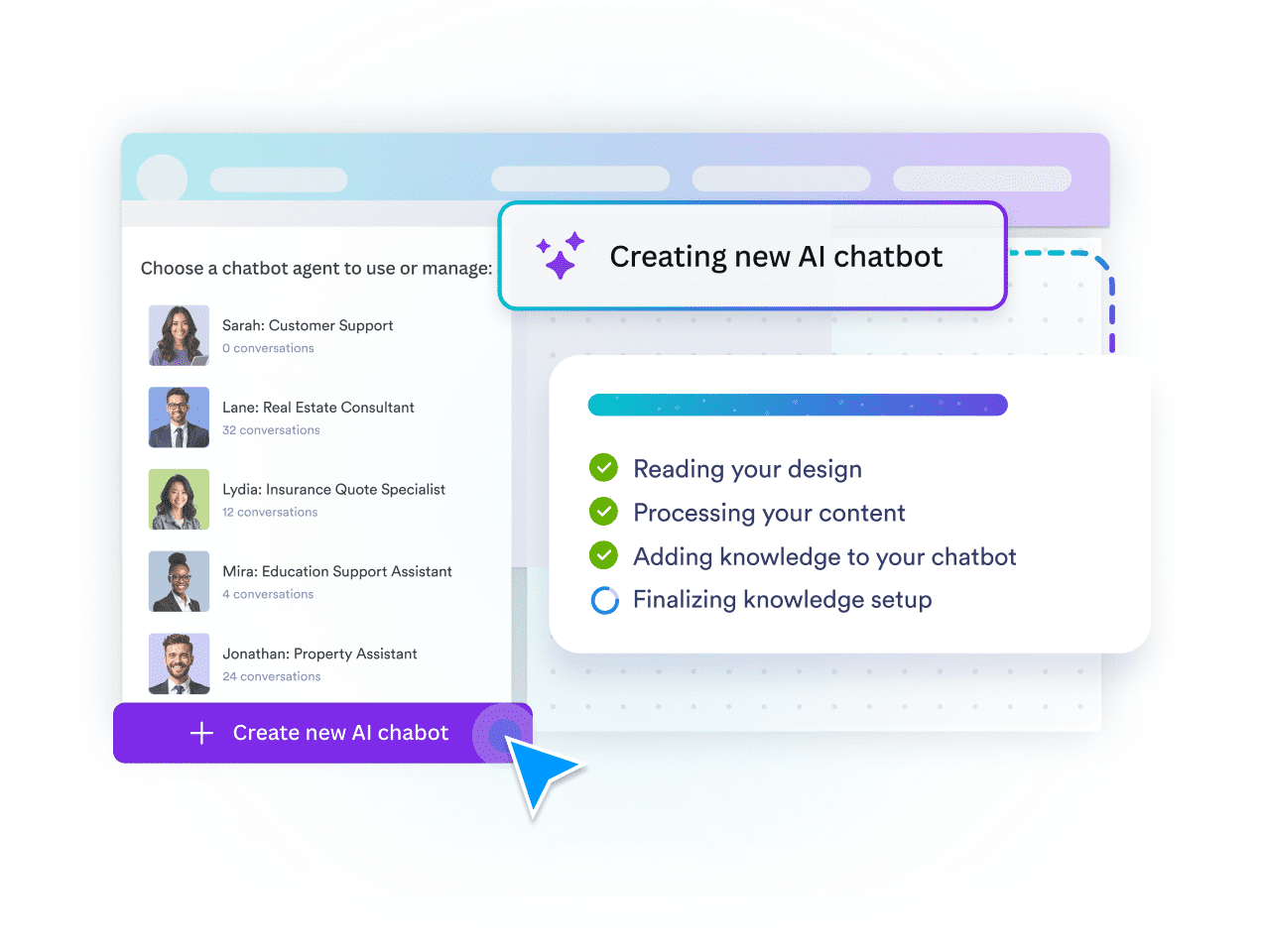
*   ### Create or Pick an AI Chatbot

  ![Image 17: Creating a new AI chatbot from a list of existing agents and design content](https://cdn.jotfor.ms/image/r/aHR0cHM6Ly9jZG4uam90Zm9yLm1zL3AvYWkvY2FudmEtYWdlbnQvYXNzZXRzL2ltZy1taW4vaG9tZXBhZ2UvYWNjb3JkaW9uLzQucG5n/4.png?w=40&t=1) Jotform AI Chatbot for Canva helps you select or build AI agents to handle conversations, shape responses, and run automations inside your designs.  
*   [View all features](https://www.jotform.com/ai/canva-agent/features/)  

## Ready to make your Canva designs interactive?

[Get the App — It’s Free!](https://link.jotform.com/jIK4UE5BIk)

## Introducing Jotform AI Chatbot for Canva

![Image 18: Announcing Jotform AI Chatbot for Canva](https://cdn.jotfor.ms/image/r/aHR0cHM6Ly9jZG4uam90Zm9yLm1zL3AvYWkvY2FudmEtYWdlbnQvYXNzZXRzL2ltZy1taW4vaG9tZXBhZ2UveXQtdGh1bWJuYWlsLmpwZw==/yt-thumbnail.jpg?w=40&t=1)

## Discover Jotform AI Canva Agent

[Check out the Press Kit](https://www.jotform.com/ai/canva-agent/media/)[Get the App — It’s Free!](https://link.jotform.com/jIK4UE5BIk)[Watch the Webinar](https://www.jotform.com/ai/canva-agent/webinar/)

## FAQ

*    
### What is the Jotform AI Chatbot for Canva? The Jotform AI Chatbot for Canva is an app that lets Canva users add an interactive live chat and chatbot experience to their designs. It brings Jotform’s AI-powered conversational features directly into Canva, allowing users to create and customize interactions without any coding.   
*    
### How do I install and start using Jotform AI Chatbot for Canva? Start by searching the Jotform AI Chatbot in the Canva Apps Marketplace, then click **Use in existing design** or **Use in new design**. Next, click **Connect** to log into your Jotform account or create a free account, then follow the on-screen steps to set up the app. Once connected, you can create or select an AI agent and embed it directly into your Canva design to add a live chat and chatbot experience.   
*    
### Do I need a Jotform account to use the app? You can create and try a chatbot as a guest without a Jotform account. However, to access advanced settings such as adding knowledge, and to manage data or customize the chatbot further, you’ll need to log into a Jotform account. You can easily sign in with your existing account or create a new one for free.   
*    
### Can I embed my existing AI Agents into my Canva designs? Yes. You can log into your Jotform account within the Canva app and choose from a listing of your existing AI Agents to embed directly into your Canva design.   
*    
### How do I embed an AI Chatbot into my Canva design? You can embed an AI Chatbot into your Canva design by opening the Jotform AI Chatbot app in Canva. Once the app is open, click **Create** to generate a new chatbot, or log in to select one from your existing agents. The chatbot will then appear directly on your Canva design, where you can adjust its appearance and position before publishing.   
*    
### Will my Jotform AI Chatbot work on all Canva designs? The Jotform AI Chatbot operates only on published online designs. It is not supported in offline or static Canva projects.   
*    
### Can I access the conversations initiated through my Canva design? Where can I view them? Yes. You can view all conversations started through your Canva design. They are available in the Conversations section of the Jotform AI Agent Builder.   
*    
### How can I customize an AI Chatbot for my brand? You can customize the Jotform AI Chatbot directly within Canva by editing basic visual elements such as buttons, chat background, text color, and the agent’s avatar to match your design. For advanced customization, such as adding knowledge, creating actions, and defining chatbot behavior, use the Jotform AI Agent Builder.   
*    
### How do I train my AI Chatbot? Training your AI Chatbot is simple and flexible. You can train it using methods such as URL crawling, document uploads, direct text input, and custom Q&As. When you create a new chatbot in Canva, it also automatically learns from the content in your design and adds it as knowledge.   
*    
### Can the AI Chatbot automatically learn from my Canva design? Yes. If you create a new chatbot in the Canva app, it can automatically use your design content as its knowledge source. If you add an existing agent, it will not pull knowledge from the Canva design.   

View More