Deadlines are a powerful motivator, especially for customers. Nothing inspires action like knowing there are “Only 12 hours left to save!” or “Just two days left to sign up!” Whether you call it urgency, FOMO, or keeping up with the Joneses, psychologically, it works.
Give your deadlines a little extra oomph with a WordPress countdown timer. This widget appears on your site and counts down the seconds until your event starts or ends. It’s perfect for sales, product launches, and other time-sensitive events.
There are hundreds of countdown timer plug-ins for WordPress, but they’re not all created equal. Here’s what to look for in a timer and how to choose the best one for your business site.
How countdown timers work in WordPress
A WordPress event timer plug-in displays a real-time countdown on your website. You can use it for any event with a firm start or end date, such as
- Event registrations
- Product launches
- Sales
- Webinars
Some timers appear in headers, while others are blocks or widgets that you can place anywhere on your site. You could also use a pop-up timer as an attention-grabber.
Functions vary slightly by timer. An evergreen countdown WordPress plug-in triggers a timer for every new visitor, starting the second they open your site. A fixed-date countdown has the same deadline for everyone. You can also set recurring or daily timers for short-term events.
What to look for in a WordPress countdown timer plug-in
All WordPress timers have the same basic function: You input a deadline, and they count down to zero. But there are a few features to consider when comparing plug-ins, including
- Timer type: The most basic timers count down to a fixed time, like 11:59 p.m. (EST). They work best for one-time events with set deadlines, such as the opening of a new store or the end of a Black Friday sale. For a more personalized shopping experience, a dynamic evergreen timer starts when every visitor lands on your site. Many timers also have recurring countdowns for periodic sales or events.
- Placement flexibility: Some plug-ins let you copy and paste a WordPress countdown shortcode anywhere on your page, even in the middle of text. Others use blocks or widgets that you can drag and drop into place. Shortcodes offer the most flexibility, while blocks are more beginner-friendly.
- Visual customization: The last thing you want is a timer that clashes with your thoughtfully designed website. An angry red timer, for instance, could make your cozy bookstore site feel like it’s counting down to a nuclear launch, not an author event. Look for a plug-in that lets you customize the timer’s color, font, and other visual elements.
- Mobile responsiveness: Search engine algorithms typically rank mobile-friendly sites higher in search results. Optimize your site by choosing a responsive timer that automatically adjusts to various screen sizes.
- Free vs premium features: Some plug-ins require users to pay for more advanced or convenient features. Always read the fine print to make sure you can access everything you need.
- Maintenance: Let’s face it: The WordPress plug-in store can feel like a graveyard filled with abandoned or barely functional apps. Before you download an app, check its support page to see if the developer is still actively addressing user concerns.
- Performance: A bulky plug-in can slow down your site, which could annoy customers. Consider installing your top choices one at a time, and then use a tool like PageSpeed Insights to test how each affects your site’s performance. It will help you avoid anything too clunky.
Take the time to read user reviews, too. One or two bad reviews for a plug-in aren’t necessarily a red flag (no tool is perfect), but be wary if you see a lot of similar complaints.
The 4 best countdown timer plug-ins for WordPress
The best WordPress plug-ins fit your business’s needs and are easy to set up. Here are four great options for countdown timers.
1. HurryTimer
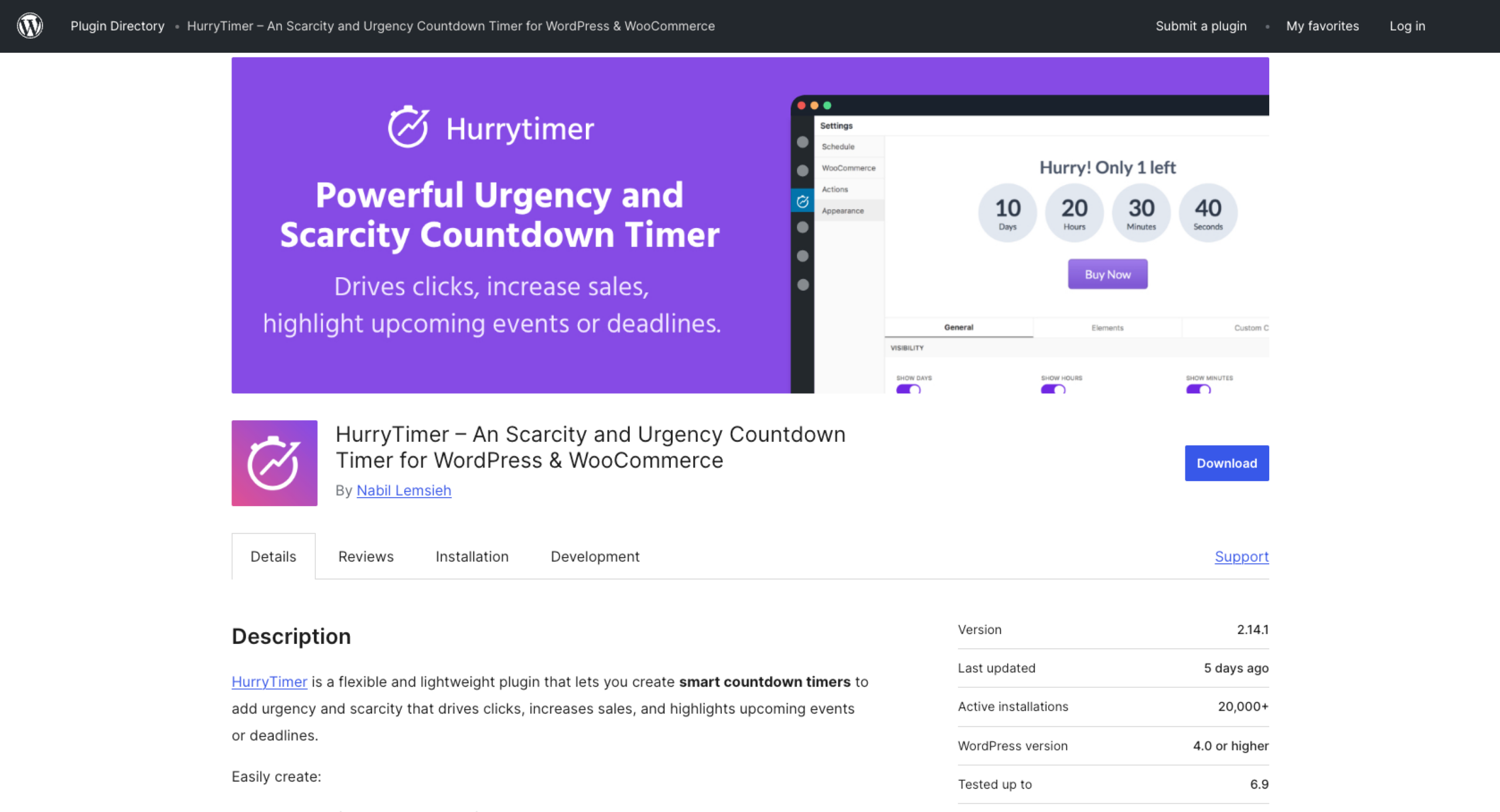
HurryTimer is a flexible, multipurpose countdown timer for WordPress and WooCommerce sites. It allows you to create evergreen and fixed timers and embed them anywhere on your site.
This plug-in’s powerful e-commerce features make it one of the best countdown timer plug-ins. For example, you can display a timer on WooCommerce product pages based on specific conditions, such as how many items you have left in stock. It’s perfect for creating urgency for fast-selling products and limited-time sales.
Other features include
- Easy placement: HurryTimer automatically generates shortcodes for every timer. You can copy and paste these snippets anywhere on your page, including in sidebars and footers.
- Builder compatibility: This plug-in works with all major page builders, including Gutenberg and Elementor.
- Expiration messages: Choose what happens when the countdown reaches zero. For example, it could automatically restart or disappear from the page. Or it might display a message like, “This flash sale is over, but check back next month for more deals!”
- Design customization: Adjust the timer’s background and font colors, text size, spacing, and more. The live design customizer lets you see your changes instantly.
- Responsive developer: The creator regularly updates HurryTimer and replies to many posts in the support forum.
HurryTimer has a free version with basic features, including
- Evergreen and fixed countdown timers
- Campaign scheduling
- CTA buttons
- Expiration actions, such as hiding the Add to Cart button when a sale ends
HurryTimer Pro starts at $39 a year and offers more sophisticated features than the free version. For example, it comes with an advanced designer for more control over the timer’s appearance. It also lets you build recurring campaigns and add multiple expiration actions.
2. Thrive Ultimatum
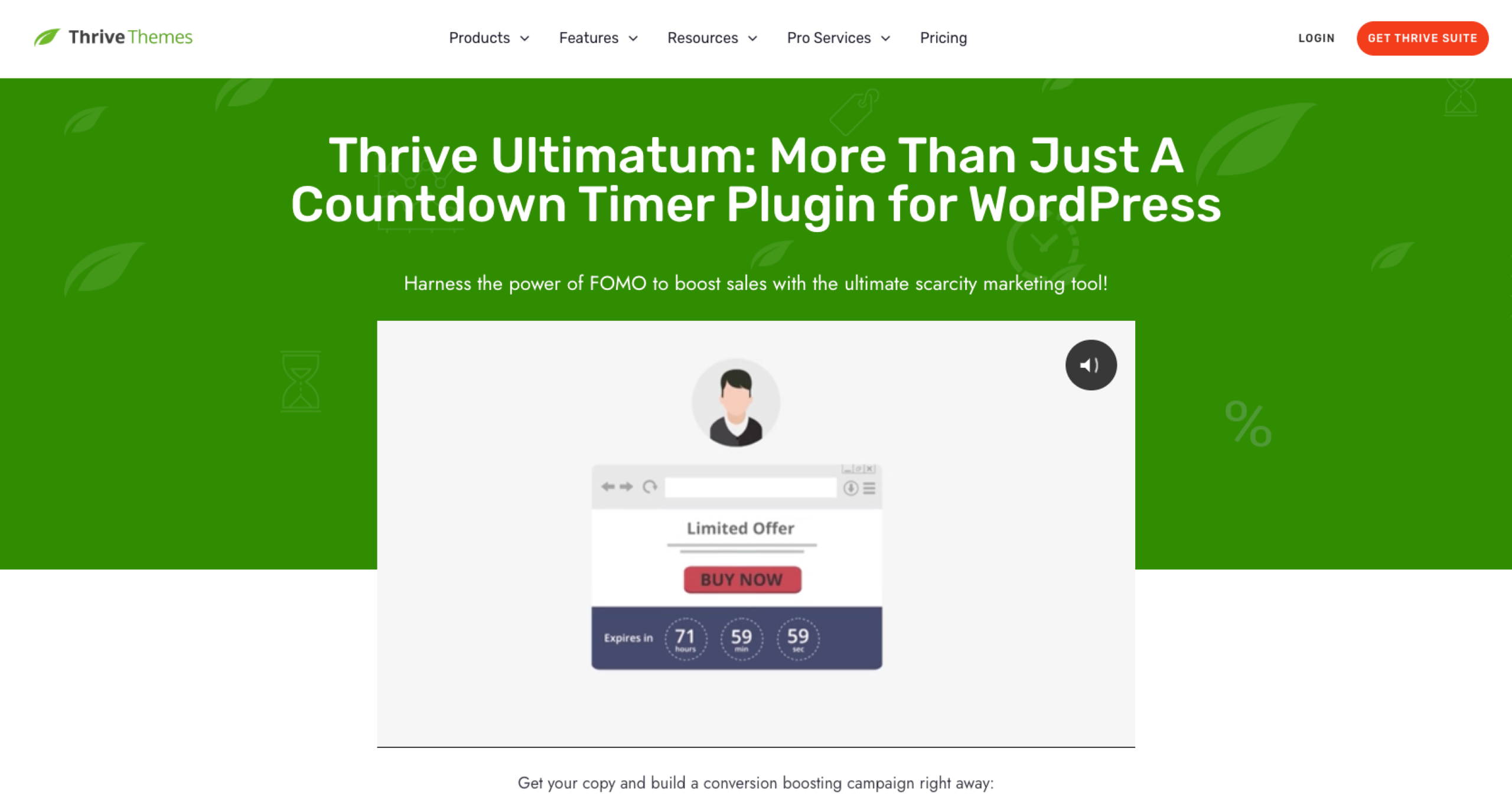
Designed for marketers, Thrive Ultimatum lets you create time-based scarcity campaigns using fixed, evergreen, and recurring timers. Its advanced user tracking tools make it easy to “lock down” special offers for individual customers.
Thrive Ultimatum’s features include
- Flexible placement: Easily add timers to your site using shortcodes, drag-and-drop blocks, or pinned ribbons that appear at the top or bottom of pages.
- Drag-and-drop visual editor: Tweak the countdown timer’s appearance with an intuitive editor. You can change everything from colors to background images.
- Professional templates: Use pre-built templates to quickly create stylish countdown timers and widgets.
- Mobile-friendly designs
- Responsive support team
The Thrive Ultimatum plug-in costs $199 a year. There isn’t a free version, but the developer occasionally offers discounts.
3. Countdown Timer Ultimate
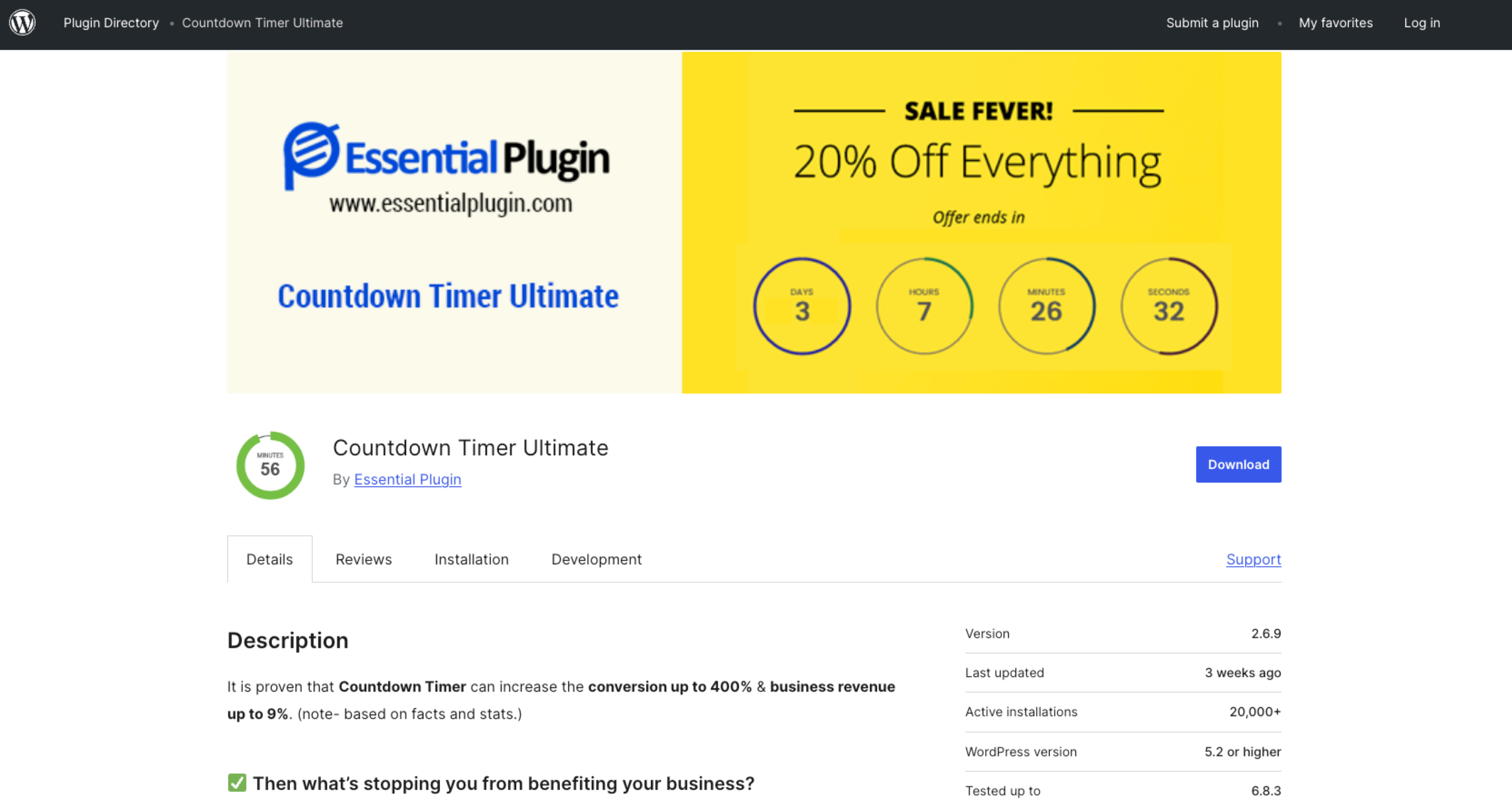
Countdown Timer Ultimate lets you add fixed timers to your site. Its simplicity makes it one of the best free WordPress countdown timers, especially for beginners.
Some of this plug-in’s features include
- Simple placement: Use shortcodes to add a timer anywhere on your page. This plug-in is also compatible with all major block builders, such as Elementor and SiteOrigin.
- Basic customization: Change the timer’s font color and size to match your brand. You can also add animations.
- Active developer: The creator frequently updates the plug-in and provides support in the forum.
The free plan offers unlimited timers and design customization. Countdown Timer Ultimate also has a paid plan starting at $99 a year, which includes additional customization options and pre-built designs.
4. OptinMonster
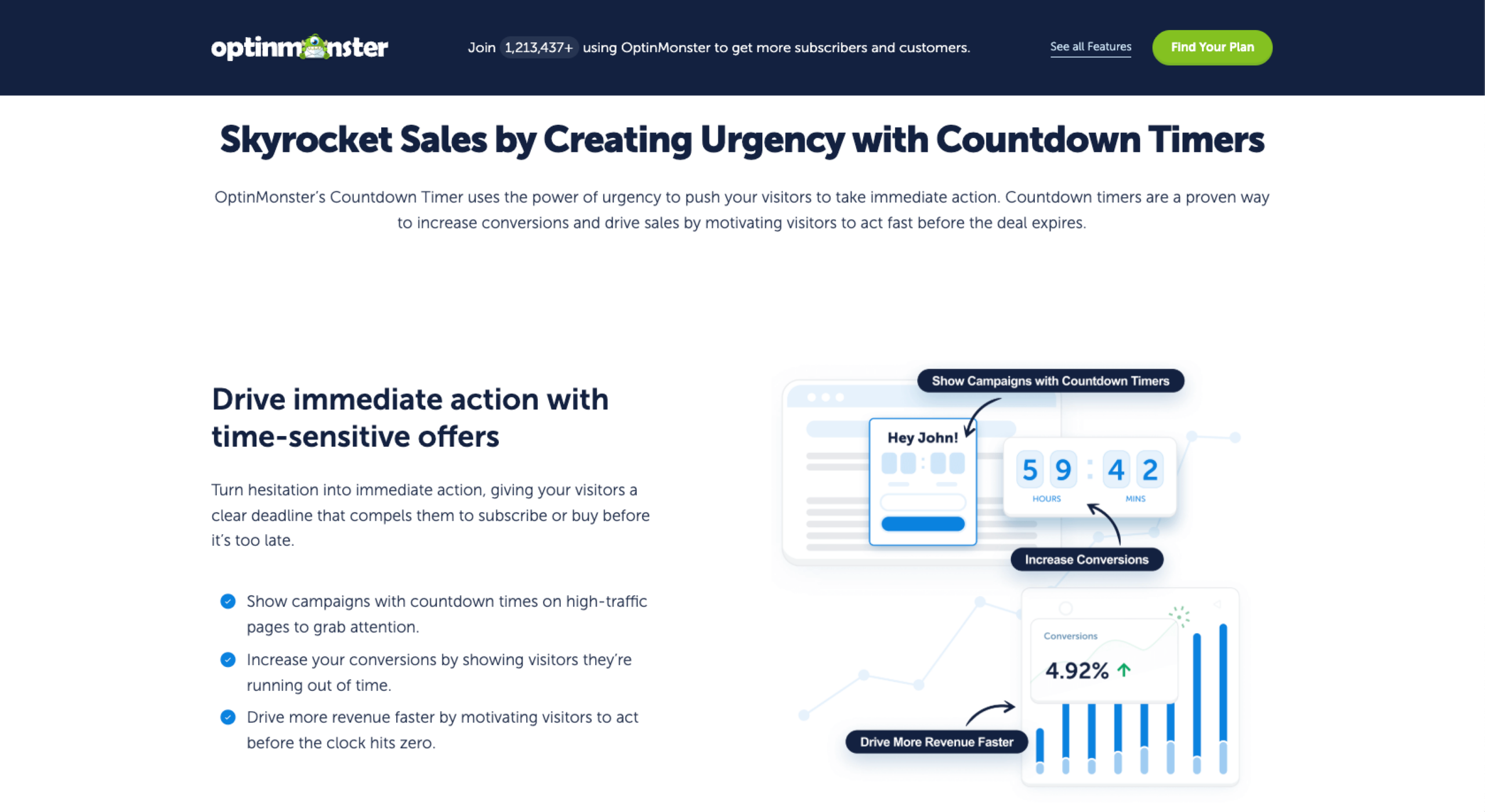
OptinMonster is a lead generation plug-in designed to help businesses increase conversions. It lets you design both fixed and evergreen timers to “turn hesitation into immediate action.” Plus, its Exit-Intent Technology can display last-minute offers to visitors just before they click away from your page, capturing more sales.
Other features include
- Drag-and-drop builder: Add timers to your site in seconds with simple, no-code blocks.
- Multiple location options: You can insert timers in your site’s content or create countdown popups.
- Strategic discounts: OptinMonster can automatically create time-sensitive cross-selling and upselling offers before customers check out. For example, you could offer a 50 percent discount on a related product if the shopper purchases in the next hour.
- Full customization: This plug-in gives you complete control over every element of the timer.
- Frequent updates: The OptinMonster team actively maintains the platform and offers customer support through email for all plans.
OptinMonster’s countdown timer is part of its larger suite of sales tools. It’s included in the suite’s Pro plan ($348 per year) or Growth plan ($588 per year). While this might seem pricey, you’ll get access to additional features, including campaign management and revenue attribution tools. Each is a solid option for growing businesses that want to boost revenue.
How to add a countdown timer in WordPress (quick walkthrough)
Most WordPress countdown timers are relatively easy to set up, even for evergreen campaigns. Here’s how you can use HurryTimer to add a countdown to your site:
- Within your WordPress site, open the plug-ins menu and click Add New. Search for HurryTimer and install it.
- Open HurryTimer and select Add New Timer. Choose between an evergreen or a one-time countdown.
- Set the countdown logic by entering a period for evergreen mode (such as five days after the first visit) or a deadline for a one-time timer. You can also select an expiration action for the end of the countdown.
- Style the timer with the live design customizer.
- Copy and paste the shortcode onto your page.
Add engagement after the timer with Jotform AI Chatbot plug-in

While a countdown is great for inspiring FOMO, some customers need a little extra push to take action. Consider pairing your countdown timer with the Jotform AI Chatbot plug-in to create even more urgency.
This tool lets you create custom, multilingual chatbots and add them to your WordPress site without coding. These friendly AI assistants can help guide visitors to forms and checkouts. For example, a chatbot could answer questions about shipping. Or it could invite a hesitant shopper to fill out a form to schedule a consultation with your sales team.
A chatbot can also provide personalized follow-up once the timer expires. For example, it might say, “Sorry, this holiday sale has ended. Would you like to join our mailing list to learn about upcoming promotions?” Small interactions like these can help you build long-term relationships beyond time-sensitive sales.
Pick the right timer for your page goal
When customers land on your site, you sometimes have mere seconds to motivate them before they click away. A WordPress countdown timer can help you create a sense of urgency and get visitors to take action.
The best countdown timers are easy to install and don’t disrupt the user experience. Get started by picking a plug-in with timer logic that matches your goal. For standard sales that apply to all customers, look for a fixed timer. Evergreen countdowns are a great option for lead generation and personalized offers.
Most of all, remember that the timer is just a tool. You still need to build trust with your audience with clear CTAs and genuinely valuable offers. And don’t be afraid to experiment with various campaigns and designs until you see results.
This guide is for WordPress site owners, marketers, and small dev teams seeking to use countdown timers to create ethical urgency that lifts conversions.

























Send Comment: