• BUILDERS

        • AI Form BuilderAI Form Builder
        • AI App BuilderAI App Builder
        • AI Data AssistantAI Data Assistant
      • CONNECTORS

        • ChatGPTChatGPT
          • Jotform Forms
          • Jotform Sign
          • Jotform Apps
        • ClaudeClaude
          • Jotform Forms
          • Jotform Sign
          • Jotform Apps
        • MCP ServerMCP Server
Connect Now
  • Benefits
  • Apps
  • Features
  • Use Cases
    • Webinar
    • Media
    • Help Guide
    • FAQ
  • Connect Now

Design Apps

Give your app a professional look directly inside ChatGPT by describing your preferred style and letting AI turn your prompts into designs tailored to your needs.
Dialog start
Jotform App Builder ChatGPT
Design Apps Category
Create Images for Your App
Connect Now
Example form design

Create Images for Your App

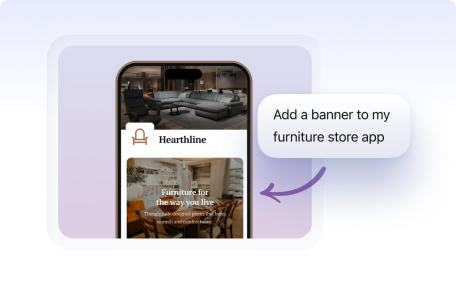
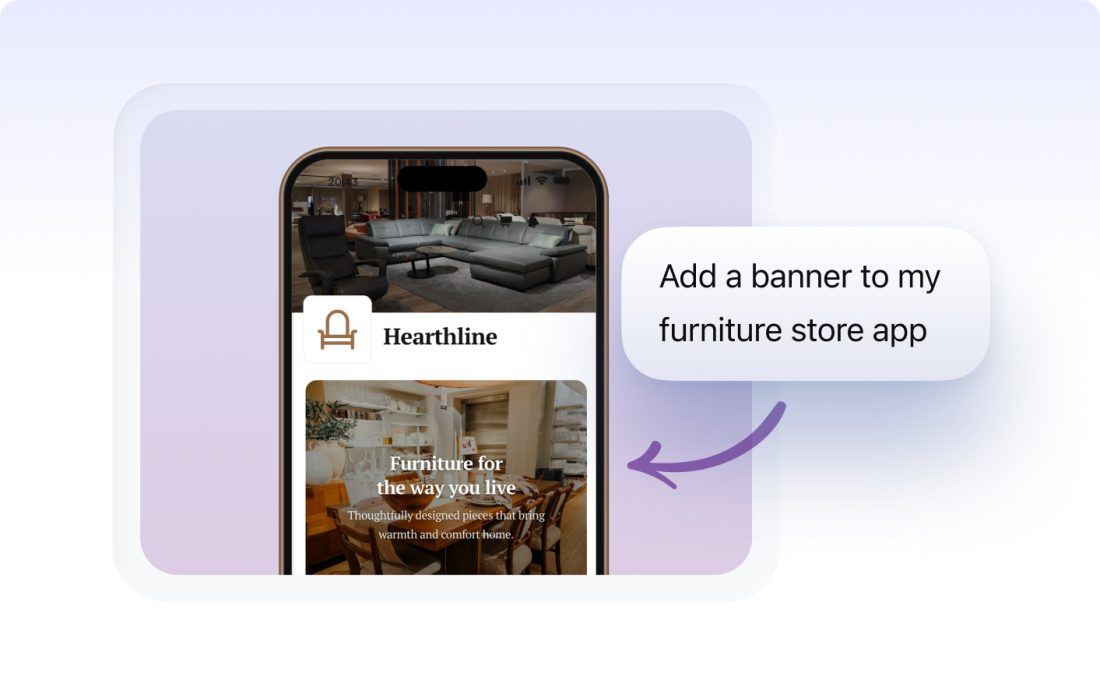
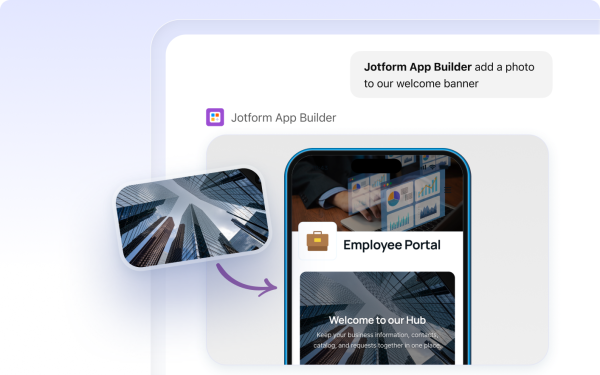
Create custom images for your app with Jotform Apps in ChatGPT. Describe the visuals you need for banners, cards, product lists, or sections, including the style and colors you want to use.

Simply describe the visual you need, and the AI will create images for banners, cards, product lists, and app sections.

Describe the Images You Want for Your App

Give your app a personal touch with AI-generated images. Use Jotform Apps in ChatGPT to describe custom visuals that reflect your brand and help make your app’s content more engaging.

Create Banners and Card Images for Your App

Create a welcoming banner for an employee portal or themed card images for an event app. Describe your idea, colors, and style in ChatGPT to generate visuals tailored to your app’s purpose.
Example form design

Frequently Asked Questions

Have questions about this feature? Explore the FAQs below for quick answers.

To create custom images, describe the visual you need directly in ChatGPT. For instance, say 'Create a summer camp banner with tents, trees, and a sunny sky.' Jotform AI App Builder will interpret your request and generate the image accordingly.

Jotform AI App Builder can generate banners, cards, product lists, and app section visuals. These images are created based on your specific descriptions and branding requirements.

Yes, the Jotform AI App Builder is designed to generate images that align with your brand style. You simply describe the style you want, and the AI will create images that reflect your brand's aesthetics.
Related Features

Add App Logo

Jotform App Builder ChatGPT

Add App Logo

Match Your Brand

Jotform App Builder ChatGPT

Match Your Brand

Adapt Your Website Design

Jotform App Builder ChatGPT

Adapt Your Website Design

Design Your App Appearance

Jotform App Builder ChatGPT

Design Your App Appearance

Dialog end
Jotform LogoJotform Icon
Jotform App Builder ChatGPT
Design Apps Category

Features

Design Your App Appearance Thumbnail Image
Learn More: Design Your App Appearance

Design Your App Appearance

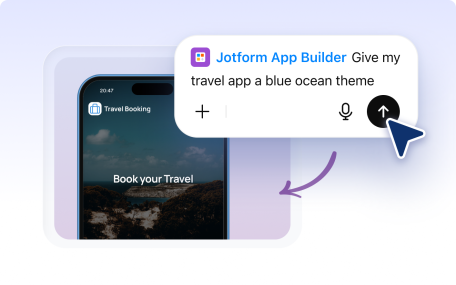
Customize your app’s appearance with Jotform Apps in ChatGPT. Describe your preferred colors, fonts, layout, and branding to create a consistent look.

Match Your Brand Thumbnail Image
Learn More: Match Your Brand

Match Your Brand

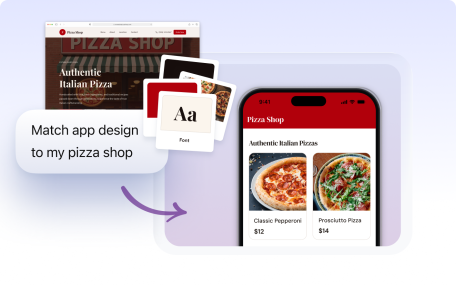
Upload an image to inspire your design. App Builder extracts colors from your files to create a perfectly coordinated look, allowing you to build beautiful branded apps with zero effort.

Adapt Your Website Design Thumbnail Image
Learn More: Adapt Your Website Design

Adapt Your Website Design

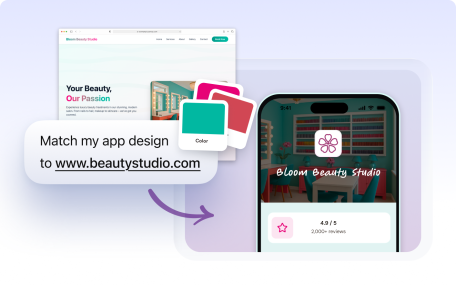
Bring your website’s style to your app with Jotform Apps in ChatGPT. Share your website URL and ask the AI to adapt its branding for a familiar visual experience.

Add App Logo Thumbnail Image
Learn More: Add App Logo

Add App Logo

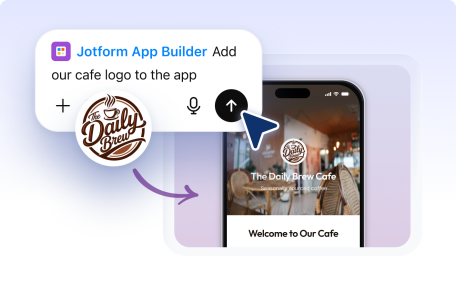
Add or update your app logo with Jotform Apps in ChatGPT. Share the image URL and ask the AI to use it as your logo.

Create Images for Your App Thumbnail Image
Learn More: Create Images for Your App

Create Images for Your App

Create custom images for your app with Jotform Apps in ChatGPT. Describe the visuals you need for banners, cards, product lists, or sections, including the style and colors you want to use.

CATEGORIES
  • Introduction10
  • FeaturesCreate Apps 5
  • FeaturesEdit Apps 4
  • FeaturesDesign Apps 5
  • FeaturesEdit App Settings 3
  • FeaturesAdd App Actions 2
  • FeaturesCreate Widgets 4
  • FeaturesConnect Jotform Products 3
  • FeaturesShare Apps 3
  • FeaturesEnterprise 3
  • FeaturesSecurity 4

Jotform

  • Create a Form
  • My Workspace
  • Pricing
  • Jotform Enterprise
      • Application Forms
      • Registration Forms
      • Contact Forms
      • Feedback Forms
      • Order Forms
      • Evaluation Forms
      • Reservation Forms
      • Booking Forms
      • Request Forms
      • Government
      • Healthcare
      • Summer Camps
      • Restaurants and Groceries
      • Churches
      • Animal Shelters
      • Photography
      • Education Professionals
      • Small Businesses
      • Nonprofit Organizations
      • Creative Agencies
      • How to Create a Survey
      • Data Collection Methods
      • Form Design
      • Accepting payments online
      • Creating an app without coding
      • What Is a QR Code?
      • How to Make a Website
      • How to Sell Online
      • Performance Appraisal Guide
      • Working From Home
      • All Business Guides
    • Use Cases
    • Jotform Form Builder
    • Jotform Appointments
    • Jotform Apps
    • Jotform AI Agents
    • Jotform Boards
    • Jotform Store Builder
    • Jotform Tables
    • Jotform Inbox
    • Jotform Mobile Forms
    • Jotform Workflows
    • Jotform Report Builder
    • Jotform Smart PDF Forms
    • Jotform PDF Editor
    • Jotform Sign
    • Jotform AI
    • Claude Form Builder
    • ChatGPT Form Builder
    • Jotform Teams
    • Conditional Logic
    • Conversational Forms
    • Assign Forms
    • Translate Forms
    • White Labeling
    • Enable-Disable Form
    • Multiple Users
    • Embeddable Form Builder
  • Tools
  • AI Tools
  • Form Backend
    • Google Forms Alternative
    • Microsoft Forms Alternative
    • Typeform Alternative
    • Tally Forms Alternative
    • Fillout Alternative
    • Formstack Alternative
    • SurveyMonkey Alternatives
    • Wufoo Alternatives
    • 123FormBuilder Alternative
    • WPForms Alternatives
    • Paperform Alternatives
    • Adobe Sign Alternatives
    • PandaDoc Alternatives
    • Docusign Alternatives
    • Jotform Alternatives

Marketplace

    • Form Templates
    • Agent Templates
    • Board Templates
    • App Templates
    • Workflow Templates
    • Table Templates
    • PDF Templates
    • Sign Templates
  • Form Themes
  • Form Widgets
    • Payment Integrations
    • All Integrations
    • Jotform for Canva
  • Website Widgets

Support

  • Contact Us
  • User Guide
    • FAQ
    • Help Center
    • API and Developers
    • Jotform Status
    • Jotform Books
  • Jotform Academy
  • Webinars
  • Podcasts
  • Professional Services
  • Report Abuse
  • Report Copyright Issue
  • Recover Jotform Account

Company

  • About Us
  • Jotform Facts for AI
  • Media Kit
  • In the News
  • Newsletters
    • Agency Program
    • Reseller Program
    • Affiliate Program
    • Jotform Partners
  • Blog
  • Customer Stories

Enterprise

  • Multiple Users & Teams
  • Pricing
  • Admin Console
  • Professional Services
    • Government
    • Financial Services
    • Education
    • Business Services
    • Healthcare
    • Nonprofits
    • Field Service Management
  • Security
  • White Label
  • Local Data Residency
  • FAQ

Apps & Platforms

Jotform is the easiest online form builder with powerful forms that get it done, trusted by over 40 million users worldwide, featuring 20,000+ form templates, 150+ integrations, and drag-and-drop functionality that streamline data collection, payments, and workflows, engineered for businesses requiring professional forms without coding.

4 Embarcadero Center, Suite 780, San Francisco CA 94111

© 2026 Jotform Inc. The name "Jotform" and the Jotform logo are registered trademarks of Jotform Inc.

  • Terms & Conditions
  • Privacy Policy
  • Security
  • Accessibility Statement
  • Anti-Slavery Policy