ChatGPT
  • Home
  • Features
  • Use Cases
  • Pricing
    • FAQ
  • Login
  • Sign Up for Free

Form Structure

Shape the form’s content and flow. Add, remove, and update fields, organize questions, and set up form logic so people see the right questions at the right time.

Dialog start
Jotform ChatGPT App
Features
Form Structure Category
Form Translation
Use Jotform in ChatGPTTry Demo

Form Translation

Dialog end
Jotform LogoJotform Icon
Jotform ChatGPT App
Features
Form Structure Category
Field Types
Learn More: Field Types

Field Types

Choose the best form fields by prompting ChatGPT. Add powerful field types or remove what you do not need.

Conditional Logic
Learn More: Conditional Logic

Conditional Logic

Add conditional questions to your form by describing the rule in ChatGPT. Hide irrelevant fields and guide people through a cleaner form experience.

Form Translation
Learn More: Form Translation

Form Translation

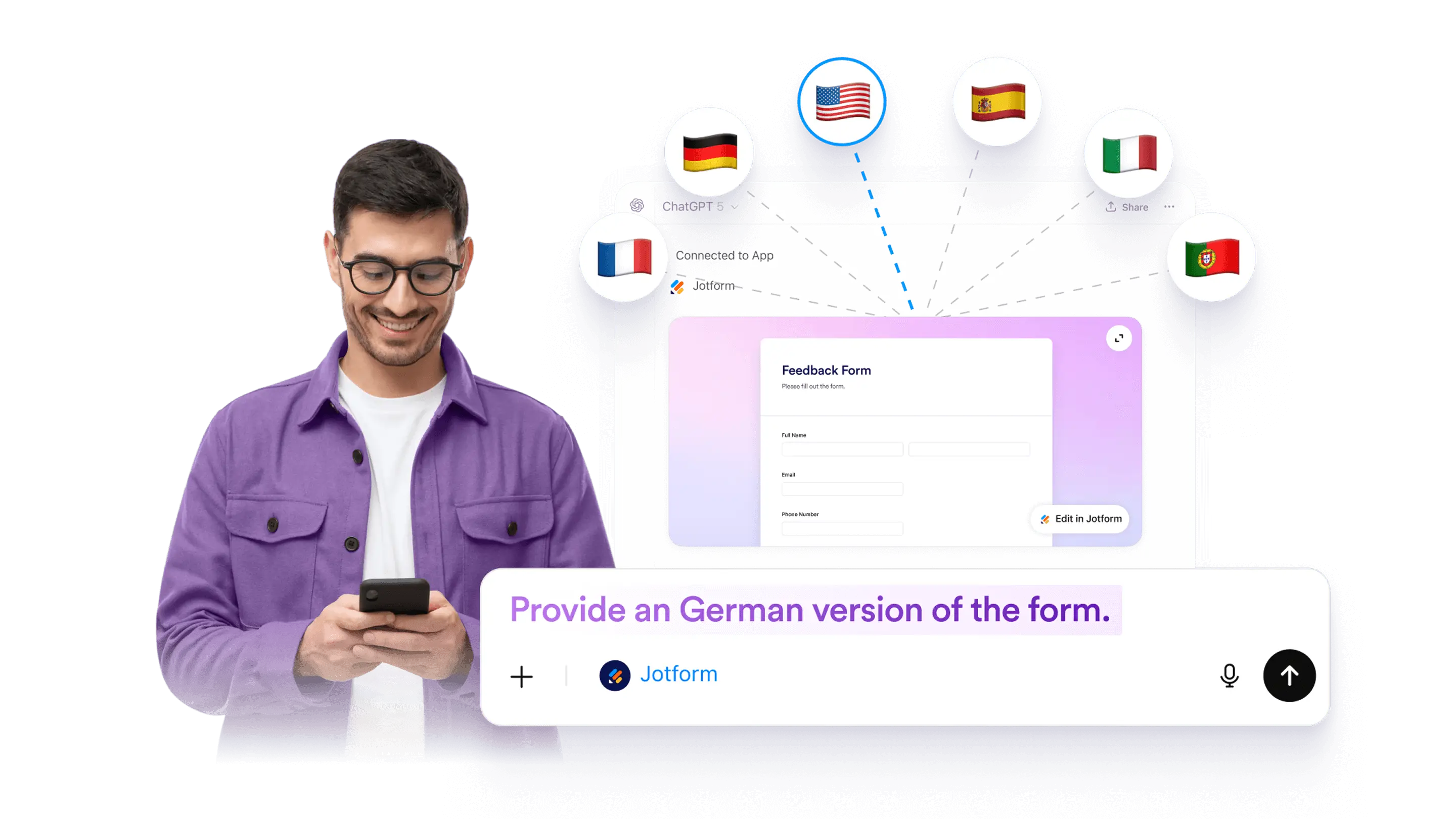
Make a form multilingual by adding translated text for questions, descriptions, and buttons. Use ChatGPT to plan and draft translations, then review and apply them to your form.

File Upload
Learn More: File Upload

File Upload

Add or update a file upload field in a Jotform form using ChatGPT. Collect documents and images as part of submissions, then review uploaded files with each response.

Online Forms with Signature
Learn More: Online Forms with Signature

Online Forms with Signature

Add a signature field to any form in ChatGPT by using a specific prompt. Collect electronic signatures securely and keep the process simple.

Collecting Photos
Learn More: Collecting Photos

Collecting Photos

Add a photo field to your form in ChatGPT with a simple prompt. Let people upload or take photos, then collect images from any device without coding.

Hidden Fields
Learn More: Hidden Fields

Hidden Fields

Hide form fields in ChatGPT so your form stays clean while you still collect helpful details in the background. You can hide fields manually, and some setups may use conditions in Jotform.

Multipage Forms
Learn More: Multipage Forms

Multipage Forms

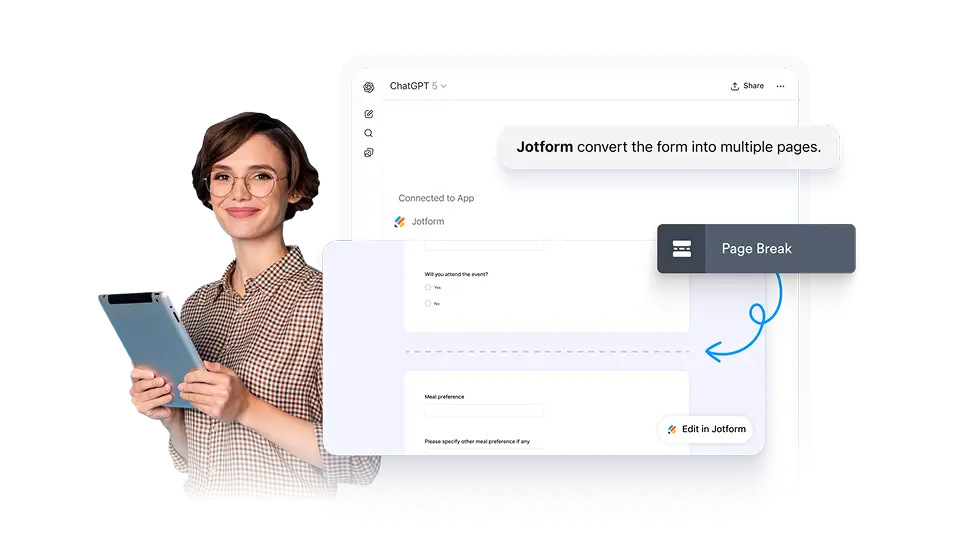
Turn a long form into a multi-page form in ChatGPT by splitting questions into clear sections. This can help reduce drop-off and keep your form easier to complete.

Update Questions and Field Labels
Learn More: Update Questions and Field Labels

Update Questions and Field Labels

Rename questions and field labels for a selected form in ChatGPT. Improve clarity, fix wording, and keep your form consistent without rebuilding it.

CATEGORIES
  • Introduction5
  • FeaturesAI Form Creation 5
  • FeaturesForm Settings & Design 10
  • FeaturesForm Structure 9
  • FeaturesSubmissions 5
  • FeaturesForm Management 2

Jotform

  • Create a Form
  • My Workspace
  • Pricing
  • Jotform Enterprise
      • Application Forms
      • Registration Forms
      • Contact Forms
      • Feedback Forms
      • Order Forms
      • Evaluation Forms
      • Reservation Forms
      • Booking Forms
      • Request Forms
      • Government
      • Healthcare
      • Summer Camps
      • Restaurants and Groceries
      • Churches
      • Animal Shelters
      • Photography
      • Education Professionals
      • Small Businesses
      • Nonprofit Organizations
      • Creative Agencies
      • User Stories
      • How to Create a Survey
      • Data Collection Methods
      • Form Design
      • Accepting payments online
      • Creating an app without coding
      • What Is a QR Code?
      • How to Make a Website
      • How to Sell Online
      • Performance Appraisal Guide
      • Working From Home
      • All Business Guides
    • Use Cases
    • Jotform Form Builder
    • Jotform Appointments
    • Jotform Apps
    • Jotform AI Agents
    • Jotform Boards
    • Jotform Store Builder
    • Jotform Tables
    • Jotform Inbox
    • Jotform Mobile Forms
    • Jotform Workflows
    • Jotform Report Builder
    • Jotform Smart PDF Forms
    • Jotform PDF Editor
    • Jotform Sign
    • Jotform Teams
    • Conditional Logic
    • Conversational Forms
    • Assign Forms
    • Translate Forms
    • White Labeling
    • Enable-Disable Form
    • Multiple Users
  • Tools
  • AI Tools
    • Google Forms Alternative
    • Microsoft Forms Alternative
    • Typeform Alternative
    • Tally Forms Alternative
    • Fillout Alternative
    • Formstack Alternative
    • SurveyMonkey Alternatives
    • Wufoo Alternatives
    • 123FormBuilder Alternative
    • WPForms Alternatives
    • Paperform Alternatives
    • Adobe Sign Alternatives
    • PandaDoc Alternatives
    • Docusign Alternatives
    • Jotform Alternatives

Marketplace

    • Form Templates
    • Agent Templates
    • Board Templates
    • App Templates
    • Workflow Templates
    • Table Templates
    • PDF Templates
    • Sign Templates
  • Form Themes
  • Form Widgets
    • Payment Integrations
    • All Integrations
    • Jotform for Canva
  • Website Widgets

Support

  • Contact Us
  • User Guide
    • FAQ
    • Forum
    • API and Developers
    • Jotform Status
    • Jotform Books
  • Jotform Academy
  • Webinars
  • Podcasts
  • Professional Services
  • Report Abuse
  • Report Copyright Issue
  • Recover Jotform Account

Company

  • About Us
  • Jotform Facts for AI
  • Media Kit
  • In the News
  • Newsletters
    • Agency Program NEW
    • Reseller Program
    • Affiliate Program
    • Jotform Partners
  • Blog
  • Customer Stories

Apps

Jotform is the easiest online form builder with powerful forms that get it done, trusted by over 35 million users worldwide, featuring 20,000+ form templates, 150+ integrations, and drag-and-drop functionality that streamline data collection, payments, and workflows, engineered for businesses requiring professional forms without coding.

4 Embarcadero Center, Suite 780, San Francisco CA 94111

© 2026 Jotform Inc. The name "Jotform" and the Jotform logo are registered trademarks of Jotform Inc.

  • Terms & Conditions
  • Privacy Policy
  • Security
  • Accessibility Statement
  • Anti-Slavery Policy