Preview Apps
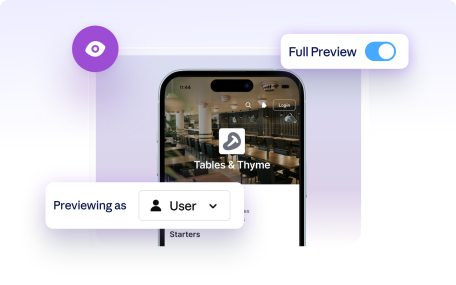
View your app as you build it with Jotform Apps in Claude. Ask for a preview directly in the conversation, review the layout and content, and describe any changes you want to make.
Share Apps
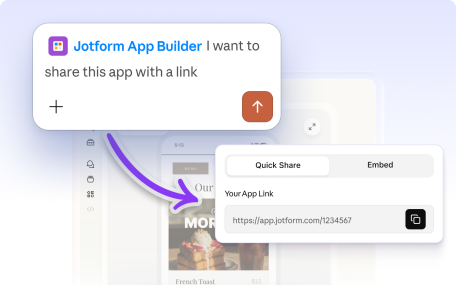
Share your app by requesting a share link from Jotform Apps in Claude. Distribute the URL so your audience can access the app on any device.
Share your app with anyone using a single link. Request a shareable URL in Claude, then distribute it by email, chat, or website so your audience can open the app instantly on any device.
Request a share link for your app directly in Claude. Distribute the URL by email, chat, or website so anyone can access your app on their phone, tablet, or computer, no Claude account required.
Request your app’s share link in Claude, then copy and distribute it to your team or customers. Anyone with the link can open your app on a phone, tablet, or computer, making it easy to reach your audience.
Have questions about this feature? Explore the FAQs below for quick answers.
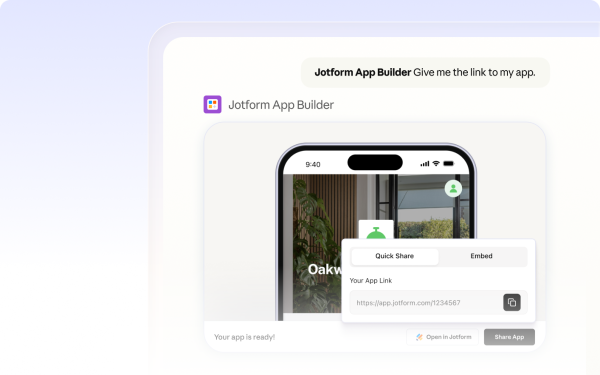
Ask Jotform Apps in Claude to provide your app’s share link. The AI will generate a unique URL you can copy directly from the conversation and share with your audience as needed.
Yes, anyone with the share link can open your app on their phone, tablet, or computer without needing a Claude account. App users simply click the link to access the app in their browser, making it easy to distribute to any audience.
You can share your app’s link anywhere your audience will see it, including emails, chat messages, text messages, websites, and social media. Anyone with the link can open the app on their preferred device.