Field IDs and unique names in Jotform are identifiers for the different fields in your form. They are automatically generated and can be used for referencing values and customizing appearance with CSS.


Finding the Field’s Unique Name
A field’s unique name can be used to reference its value in other places like in email alerts, on the Thank You page, or in other fields. It can also be used to prepopulate a form field.
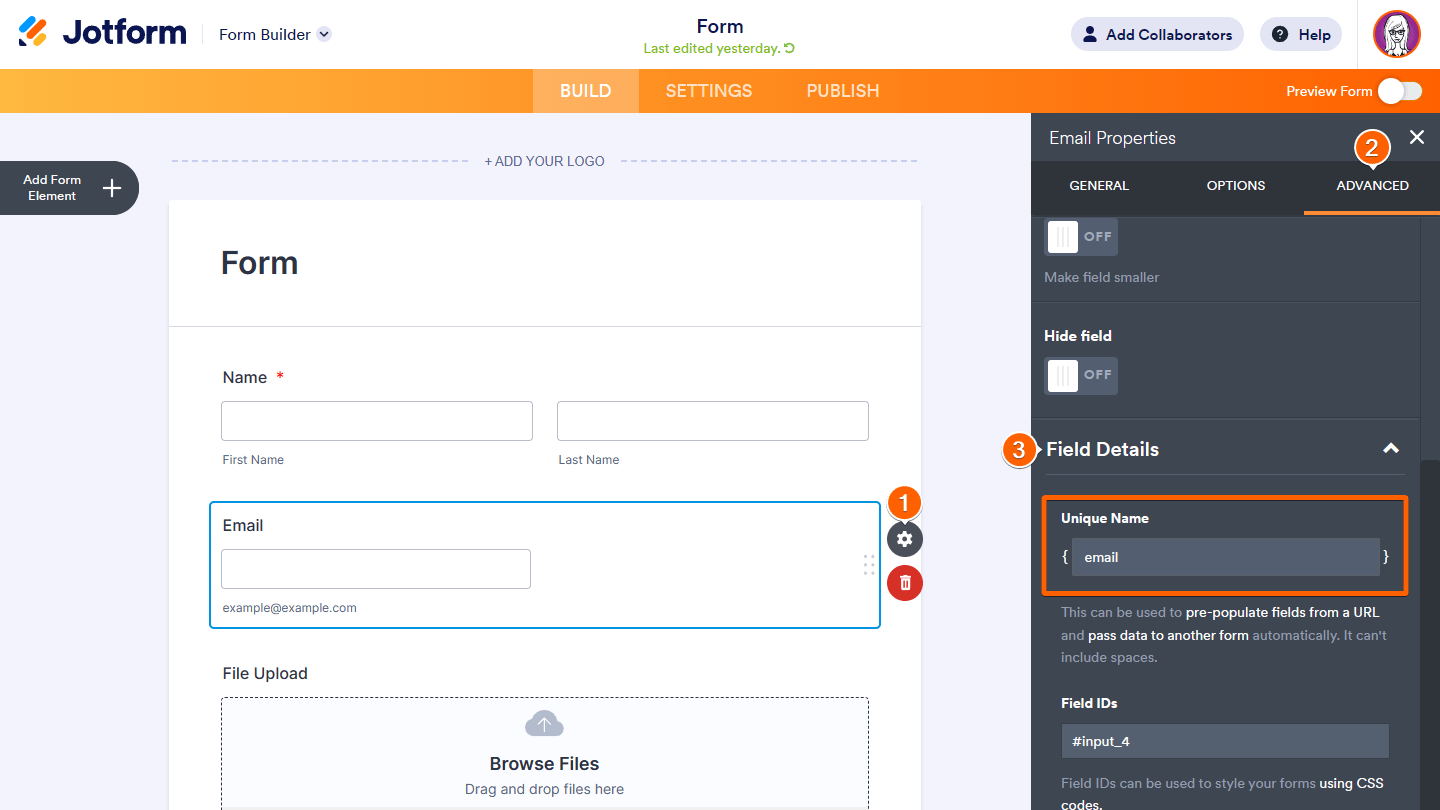
To get a field’s unique name
- In the Form Builder, select the form element’s gear icon to open properties.
- In the properties panel, go to Advanced at the top.
- Scroll down to the bottom and expand Field Details.
- Copy the value in the Unique Name field.
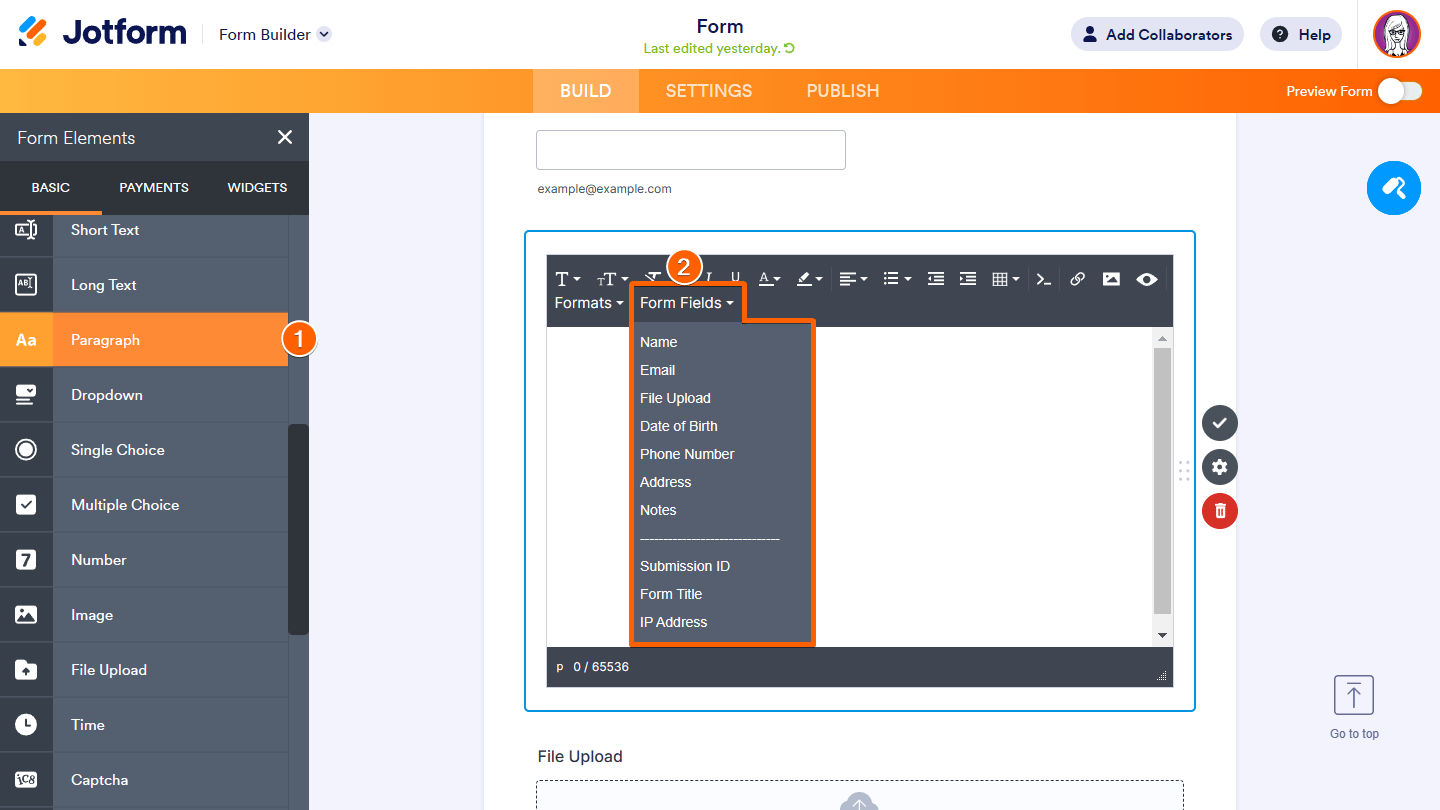
For form elements that don’t have the Field Details section, you can use the Form Fields tool in the Paragraph element.
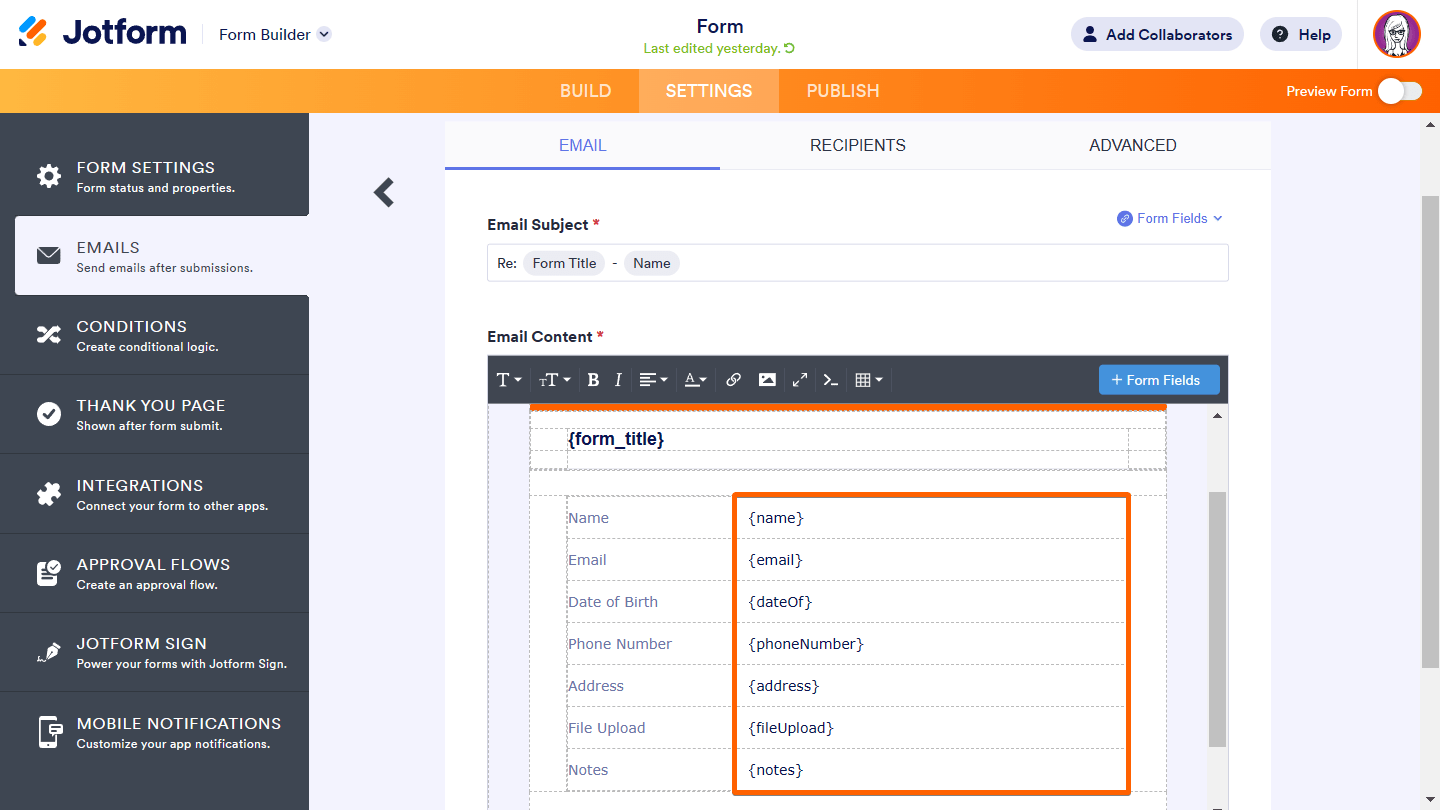
The fields’ unique names can also be found in your form’s default email alerts. To learn more, see How to Access Your Email Alerts.
Once you have your fields’ unique names, you can use them to display their corresponding values in Paragraph elements, email alerts, or on the Thank You page.


Finding the Field’s IDs
Customizing the appearance of your fields using CSS is a common task in Jotform where you need the field IDs to apply your custom CSS codes.
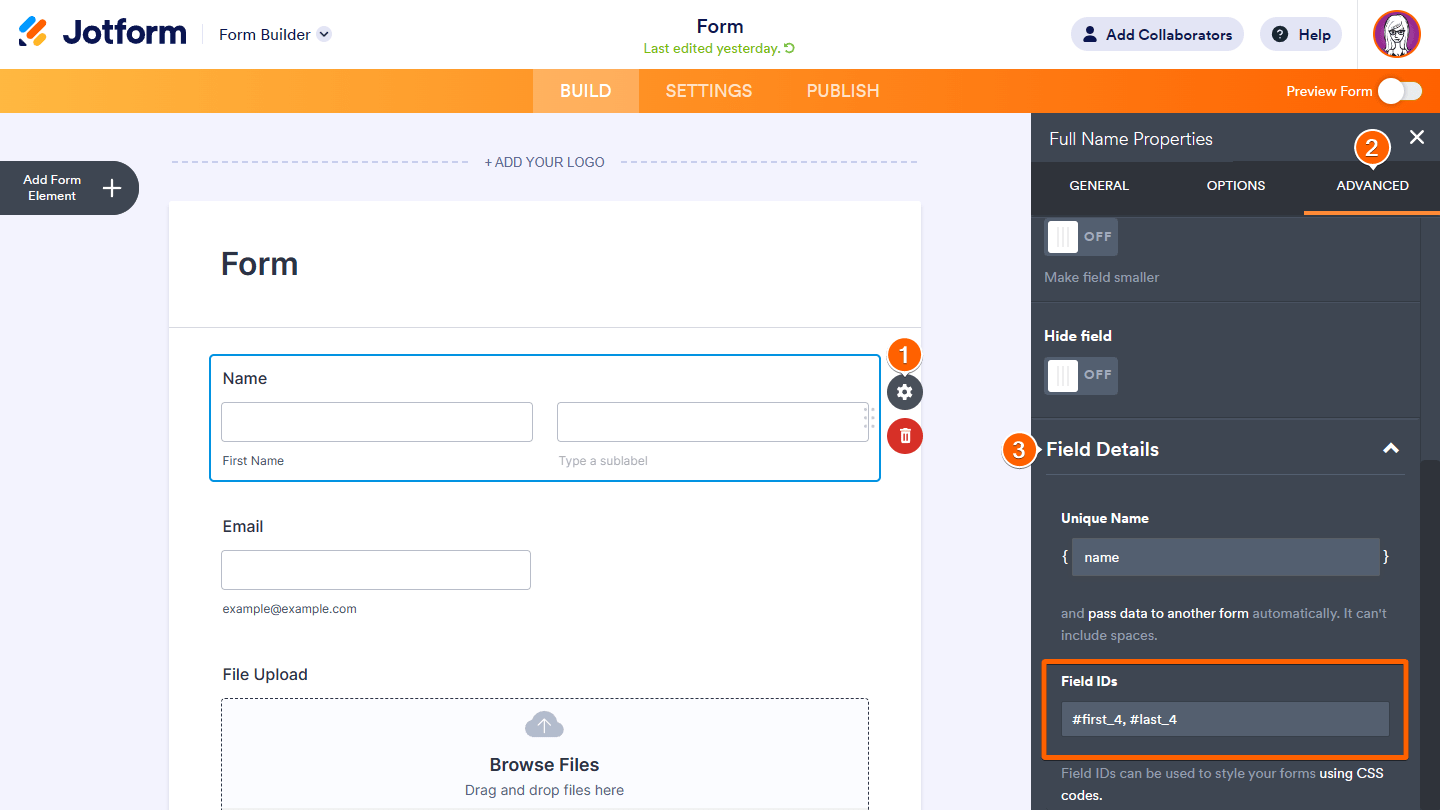
To get a field’s IDs
- In the Form Builder, select the form element’s gear icon to open properties.
- In the properties panel, go to Advanced at the top.
- Scroll down to the bottom and expand Field Details.
- Copy the value in the Field IDs field.

Send Comment:
44 Comments:
May 31, 2024
Why do comments mention the API? These unique names a NOT returned by the GET API.
April 22, 2021
kindly explain how to get MORE THaN ONE aUTORESPONDER EMaILS TO DIFFERENT PEOPLE aCCORDING TO THEIR NEEDS IN JUST ONE FORM
January 20, 2021
I am having the same issue with passing forward each field into my database. I cannot figure out the unique field names?
September 21, 2020
So is the format like this {name:first_3} ?
August 11, 2020
What id is this
August 5, 2020
My 'field ID's' don't exist. Not showing.
July 23, 2020
Is there a way to get field name and ID in batch? I have 7 pages on the form so it will take me a long time to document them one by one
April 30, 2020
Very interesting post. Thank you
April 20, 2020
Prepopulating forms using spread sheet. I clone one form and used the data from the first for to prepopulate. But the name field not prepopulating.All other prepolated using spreadsheet widget. Kindly advice
April 11, 2020
Can I get a picture of my photo id
April 5, 2020
It's really good to SEE some field data and ID...
But when we need to FIND among dozens of fields which is a specific one (as listed in e-mail form), we need to perform 3 steps for each field (select, Advanced, Details).
A FIND textbox would be great to locate an specific field...
February 6, 2020
How do I use this information when importing data. Currently, the entire name goes into the last name field.
August 28, 2019
Is there a way to manipulate/edit all the form field IDs in one place, other than the email section or each field's Advanced tab? This would be extra helpful as an additional feature.
June 9, 2019
It starts with: In the form builder... how do I get there?!
May 21, 2019
gostaria de saber se tem como na opção nome, tirar a etiqueta de sobrenome.
April 9, 2019
I can't find my ID's for images or regular text fields?
December 23, 2018
I feel like it takes several emails for you to understand what I;m actually telling you, clearly. I told you I used the unique id and it wasn't working. I know where to find it, the issue is, it is NOT WORKING! I am putting that into the notification email as a field and when I recieve the email, it is BLANK!
December 1, 2018
It seems the Unique Name "name" will only prepopulate the "First Name". How do I prepopulate "Last Name"?
August 22, 2018
I want to make my own image
February 26, 2018
I can locate the Unique ID under the advanced properties section of the widget settings, but cannot see the field Id's listed anywhere. So, for my "configurable list" type questions, where a respondent must populate multiple fields in one question, I cannot pull the answers into the URL in order to be passed to my 2nd form.
January 31, 2018
Hm. Yes. I already found out how to identify the field ID's.... The problem is however, this doesn't work for the star rating field :-(. Do you guys have another way to approach the field ID 's? CSS coding is worthless without proper field ID's.....
November 30, 2017
i do not see field details on the advanced tab i see only the headings: Shrink, Move to A New Line, Hide Field. I am unable to scroll any further down
August 29, 2017
Hi, is there a way to find the ID of an upload field so that i can give the person the link
April 26, 2017
How does the keyboard shortcut for getting all the field names work on a mac? Shift+Cmd+I doesn't seems to be working for me.
April 6, 2017
Fine