Pipedrive is a sales management tool designed to help small sales teams manage intricate or lengthy sales processes. By integrating your form with Pipedrive, you can create new deals, contacts, or activities in Pipedrive from submitted form data, ensuring that leads are quickly and accurately captured.


To integrate your form with Pipedrive
- In the Form Builder, go to Settings at the top.
- Select Integrations on the left.
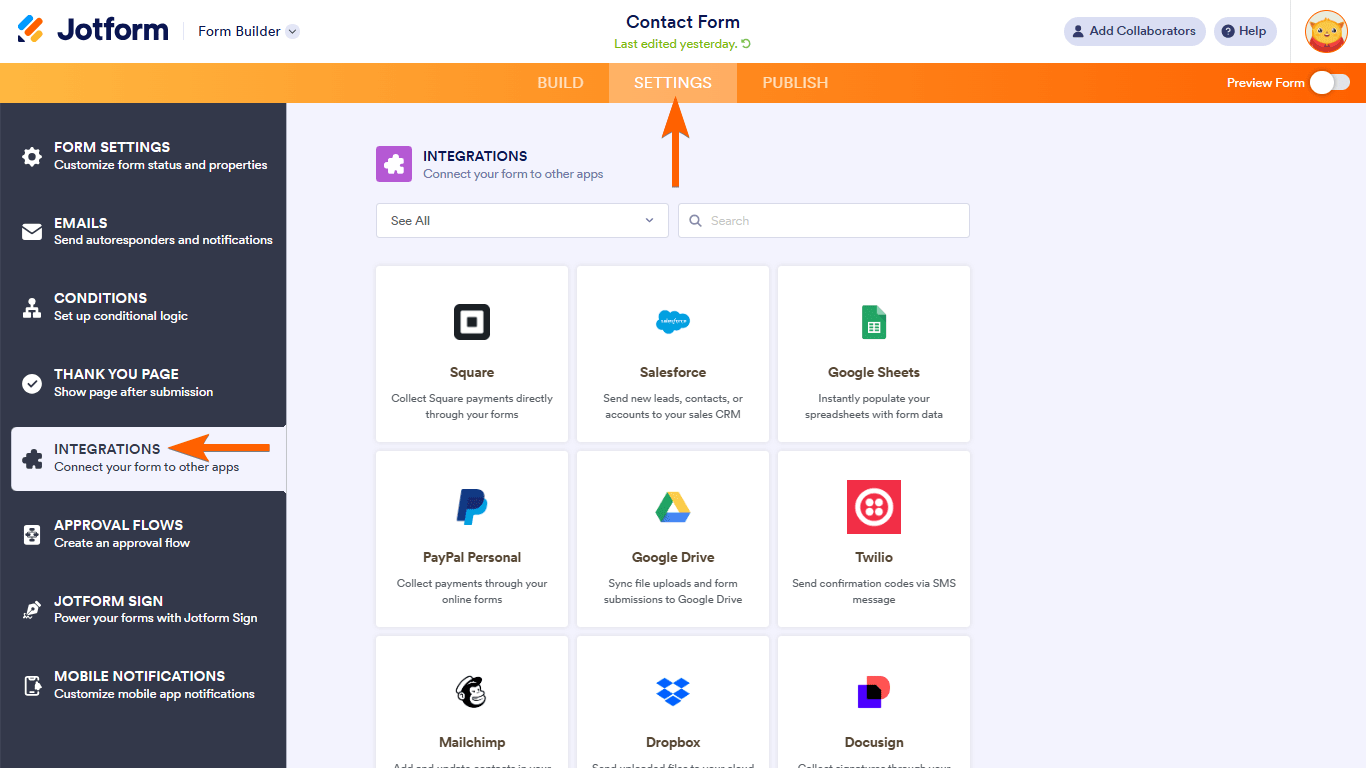
- Search and select Pipedrive.

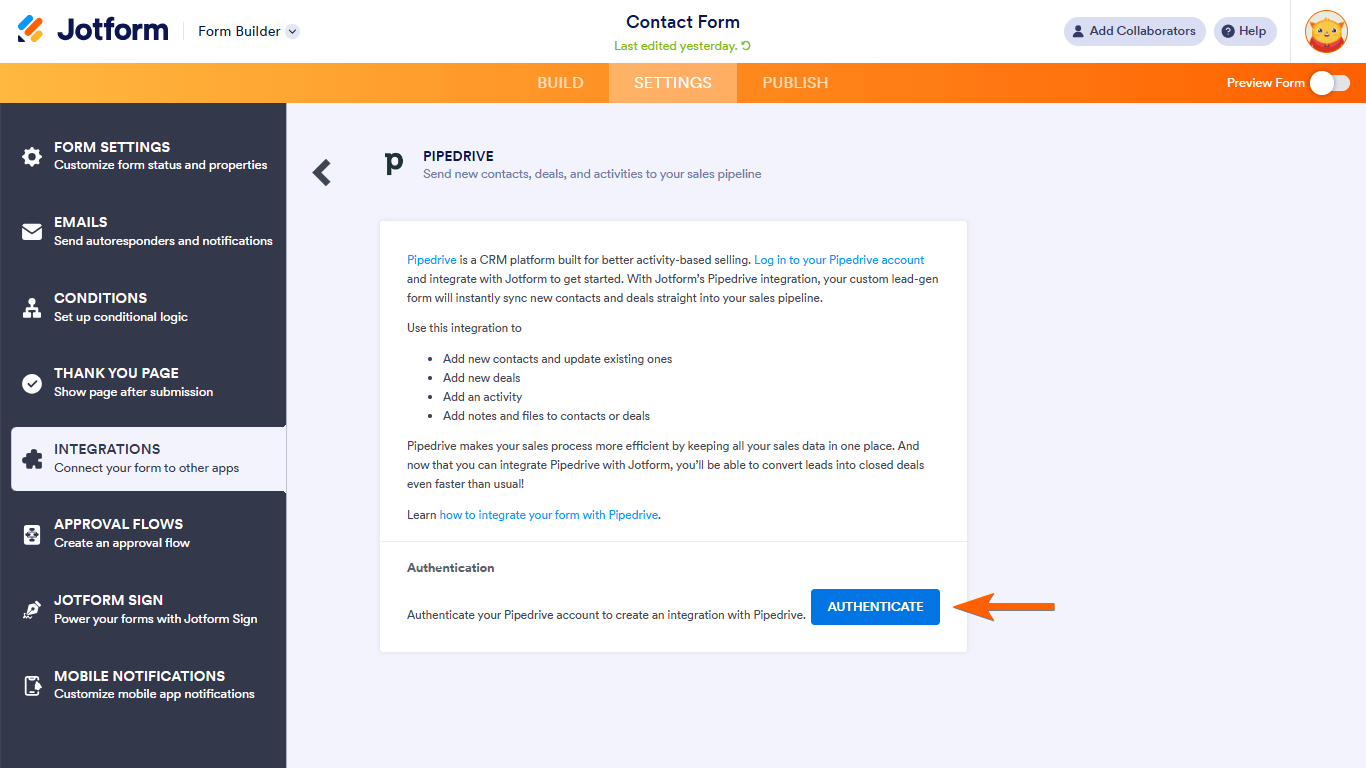
- Authenticate your Pipedrive account.
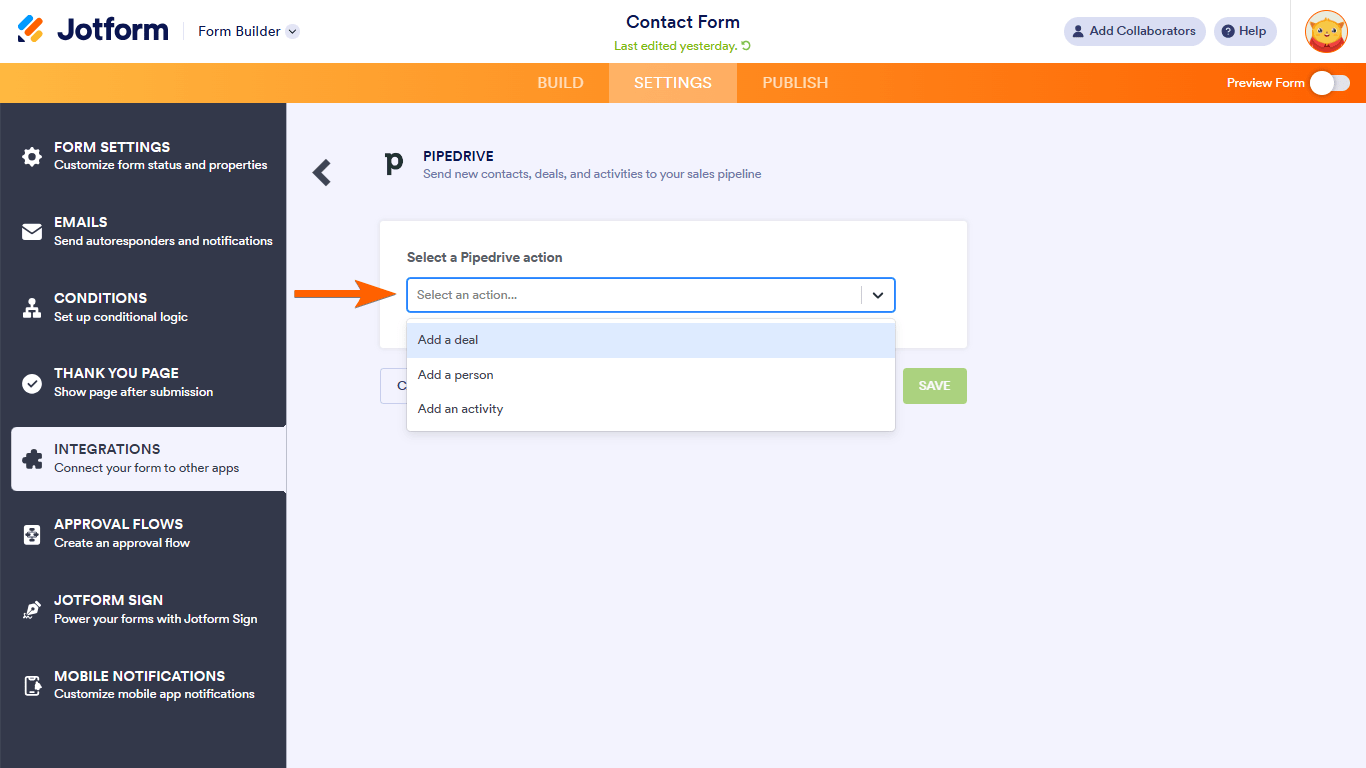
- Choose a Pipedrive action and configure related settings.
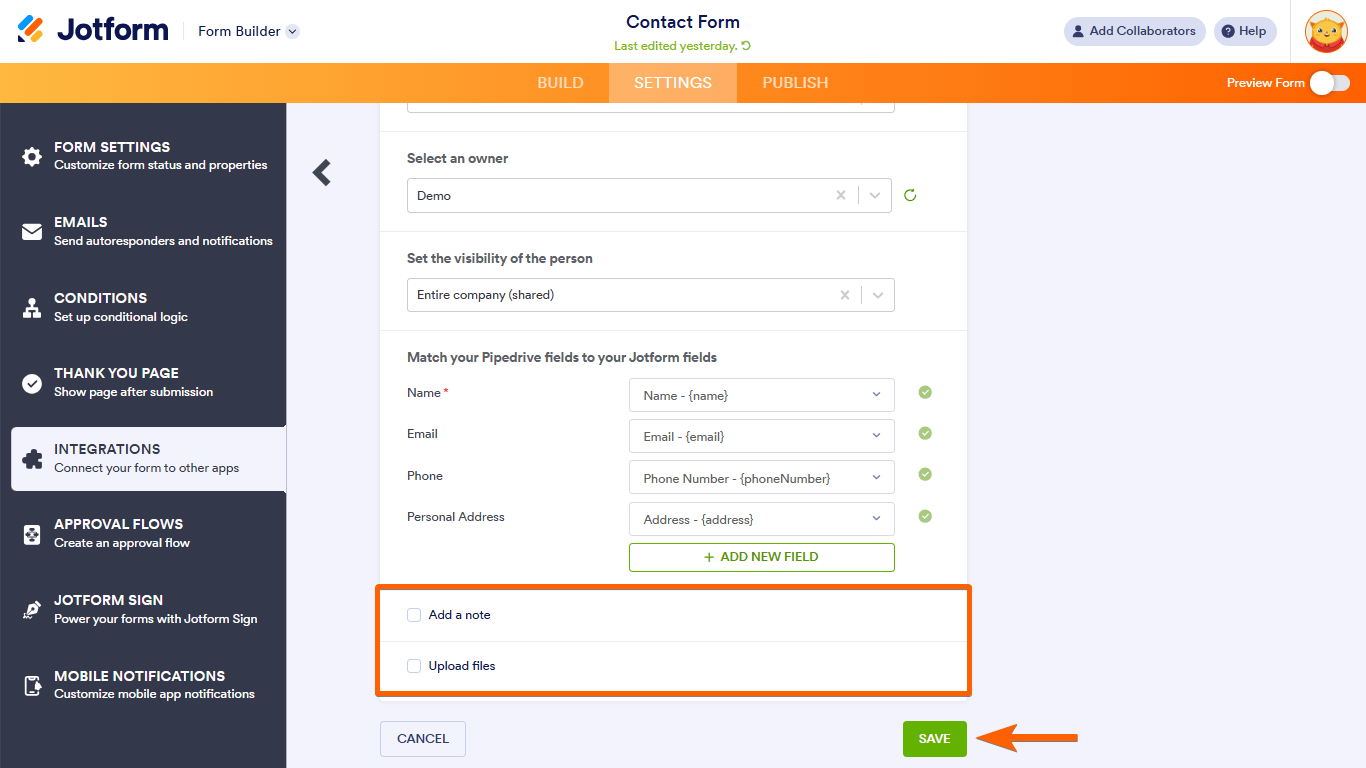
- Map your Pipedrive workspace fields to your form fields.
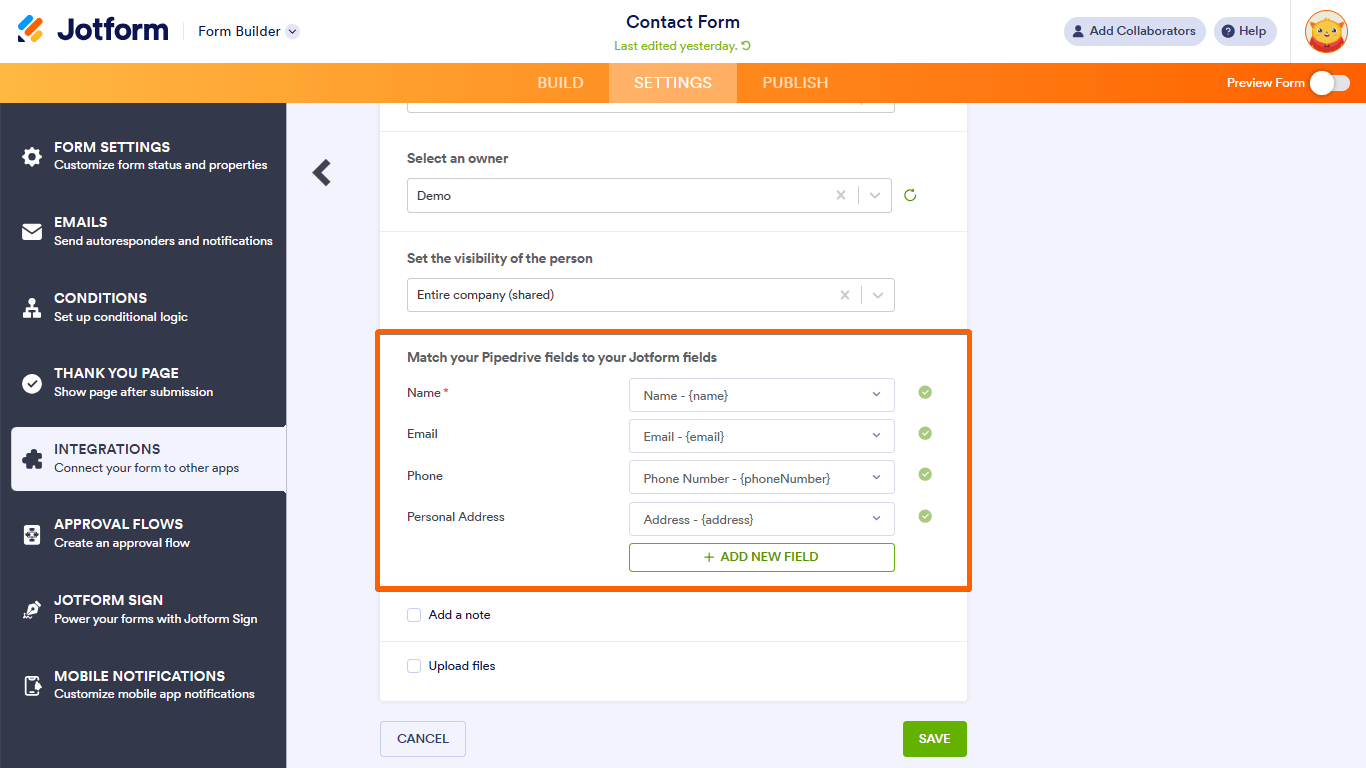
- Include notes and upload files if needed, then save your settings.

Send Comment:
26 Comments:
August 27, 2025
Hello, before I could integrate all, telephone numbers also, right now I have a problem and the phone numbers are not synchronised, it the fields it doesn't appear the option to selecto the phone number. Before it was possible, can you solve this please?
April 29, 2025
Hi. I have 2 Pipedrive accounts linked to Jotform. I want to remove 1 of them completely how do I do this?
April 28, 2025
Hi-I setup this connection but it's not working. Please advise.
October 19, 2023
Is it possible to initiate a form-fill request (with prefill) from within Pipedrive, such as in a Deal or Person (or Project) record?
September 7, 2023
Currently I have an integration via Make to introduce data from Jotform to Pipedrive. I'd really like to change it to be directly linked but so far it seems like I can't use logic that creates several deals for one person based on their answer in the form? Like if they answer we have 3 cars, it creates 3 deals for the same person.
Also, as this form answers are updates to the leads information and their conversion into deals, I need these deals to be assigned to the same person as the lead was. In Make it's done by email mapping, is it possible to have these functionalities in the direct integration?
August 7, 2023
Do you need any particular level of either (or both) jotform and pipedrive to make this level of integration work?
June 7, 2023
Currently, I'm assuming that the pipedrive record is matched based on the email address. Can I create a hidden field and pass the pipedrive ID to it in Jotform and use it to hook and update the record in pipedrive? If updating the email were desired, that would break the integration/connection, I'd assume, currently.
March 18, 2023
From one submission, can you add a contact and a lead from one form submission?
March 18, 2023
How does it handle duplicates when adding contacts?
December 30, 2022
can I add old applications from the form through integration to CRM pipedrive?
December 15, 2022
Another option to integrate Jotform and Pipedrive data is to use Skyvia. It is a no code SaaS.
August 20, 2021
Hi there, does this automatically add deals if the name is spelt the same? For example if there is already a record in pipedrive for "Test" and then the form tried to add another record will this create a new contact or add it? Thanks, Matt.
March 1, 2021
you had only one deal i.e. Car Deals and your jotform details attached with the car's deal. but if I have so many deals in Pipedrive, how jotform details filled by the host will sync with the same respective deal?
September 30, 2020
Im trying to link my pipedrive with jotform...
Name, surname and telephone went well
but i have some created fields on the deal and when i choose to connect, even tough there say its connected the pipedrive doesnt show me this information when done with the forms
August 13, 2020
Hi,
The integration works fine, excepte for when I try to setup an Activity integration. I get the date and time from the Appointment element and have tried matching it to the due date field with partial success. It captures the date, but not the times. This means I will create an appointment in Pipedrive for that date but with no time. I have tried changing the time format from AM/PM to 24h, but this has not changed the results.
Can you assist?
The page in reference is in developement, so if it is not available at the time of your review, please ask me for the new address. The button that calls the jotform is the white one " PRENONS RENDEZ_VOUS".
Thank you
August 11, 2020
you note above that
With the integration, you can use submitted form data from Jotform to
5. Upload files to your workspace
This instruction is not included in the integration instruction. Is this function available?
August 4, 2020
Has the Pipedrive integration been removed? I was trying to make it work last night and now it doesn't show up as an option at all.....?
June 11, 2020
Hi,
I want to know if it is possible to create a new organization contact with your app or only person contact?
Thanks
May 19, 2020
Can i get the information in pipe drive to go and fill out a form to send to other staff such as work orders
March 25, 2020
The fields are all marked as “required” and won’t allow null values even though the important fields are turned off in Pipedrive.
March 24, 2020
The "deal" integration does not work, even after adding a (unecessary) form field "deal title", it keep telling me "Deal title is required! (Can't be NULL)".
February 25, 2020
how did you get the "Deal Title" setup as a form field? can't see that as a field used in the video, but it's added as a field to integrate into pipedrive. I can't find a Deal Title field when i try to integrate into pipedrive.
February 18, 2020
When creating deal, activity and contact at the same time, I can not link them with each other.
With the same settings, however, it works, when I click on "TEST INTEGRATION" one by one on each "Action".
Which leads me to think that for instance when creating an activity, the "to-be-linked" Contact can not be found, as the creation of the contact is part of the same API call.
October 13, 2019
Echoing what others have said. When I go to find Pipedrive in the intergrations tab nothing comes up.
October 7, 2019
When will this integration be available? I'm still not seeing it as an option.