Collect responses wherever you are using the Jotform Mobile Forms app. It allows you to view and complete your forms, including any forms assigned to you, even when you do not have an internet connection. Any submissions made while offline are safely stored on your device and will automatically sync once your device reconnects to the internet. This means you can continue collecting responses in the field, during events, or in locations with limited connectivity.
To get started, download and install Jotform Mobile Forms on your device from your app store. After installing the app, sign in to your Jotform account to access your forms and start collecting responses right away. You can also download specific forms to your device so they remain available for offline use whenever you need them.
Enabling Offline Forms in Jotform Mobile Forms
Collecting responses without an internet connection becomes quick and easy when you enable offline forms in Jotform Mobile Forms. You can set it up in just a few simple steps:
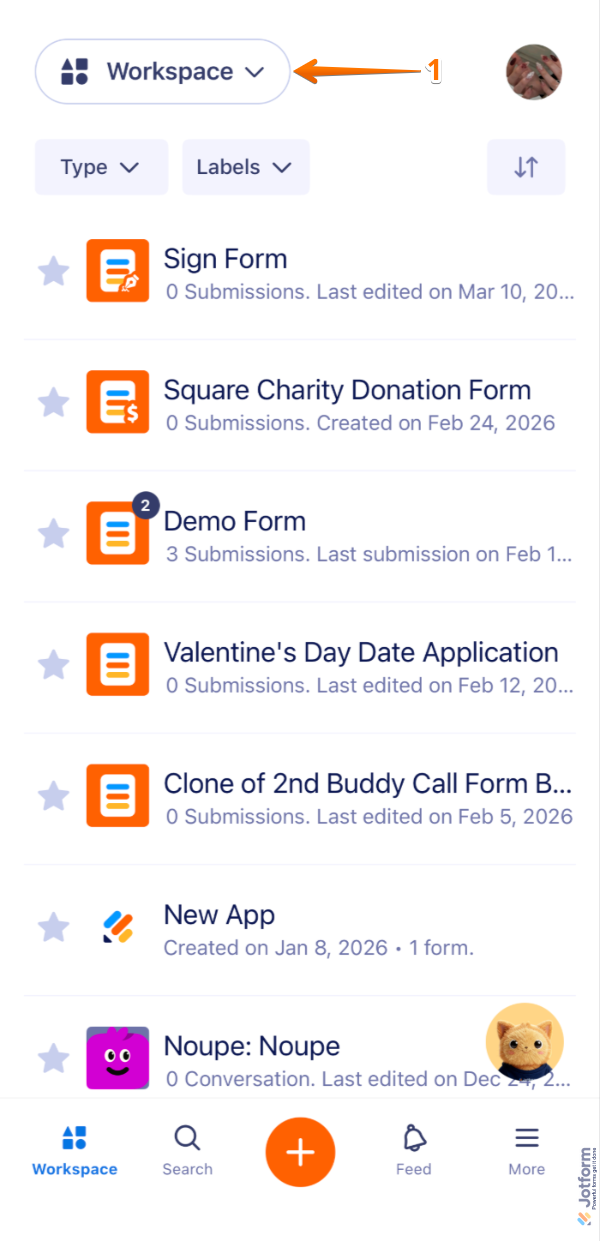
- In your Jotform Mobile App, tap on Workspace in the upper-left corner of the screen.
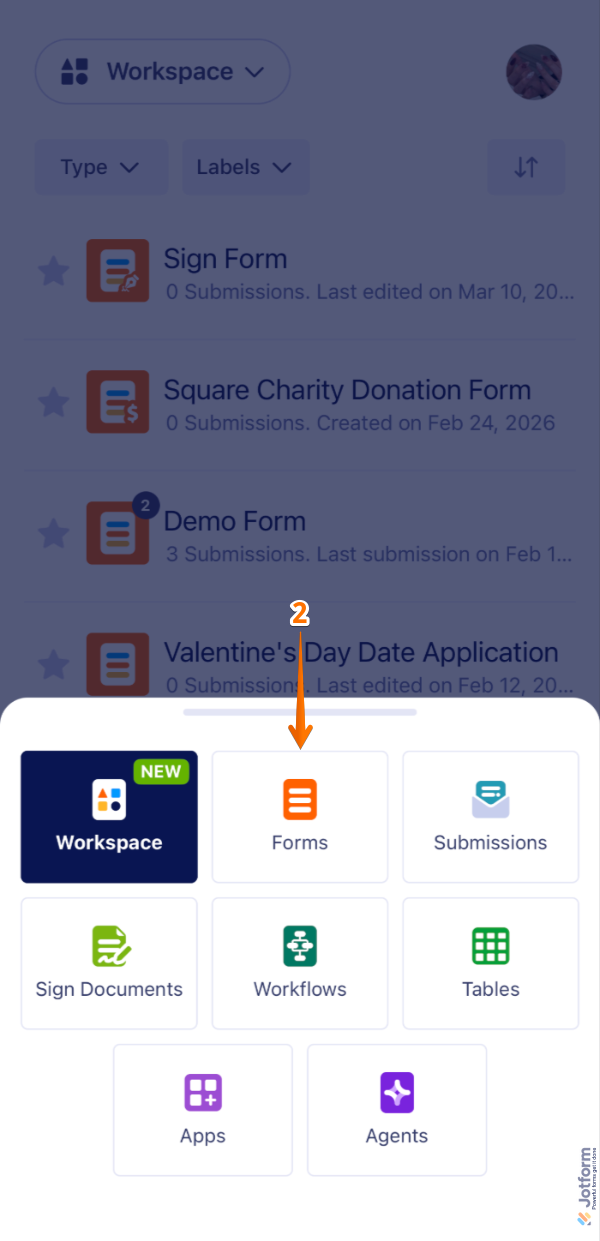
- Then, in the menu that comes up, tap on Forms.
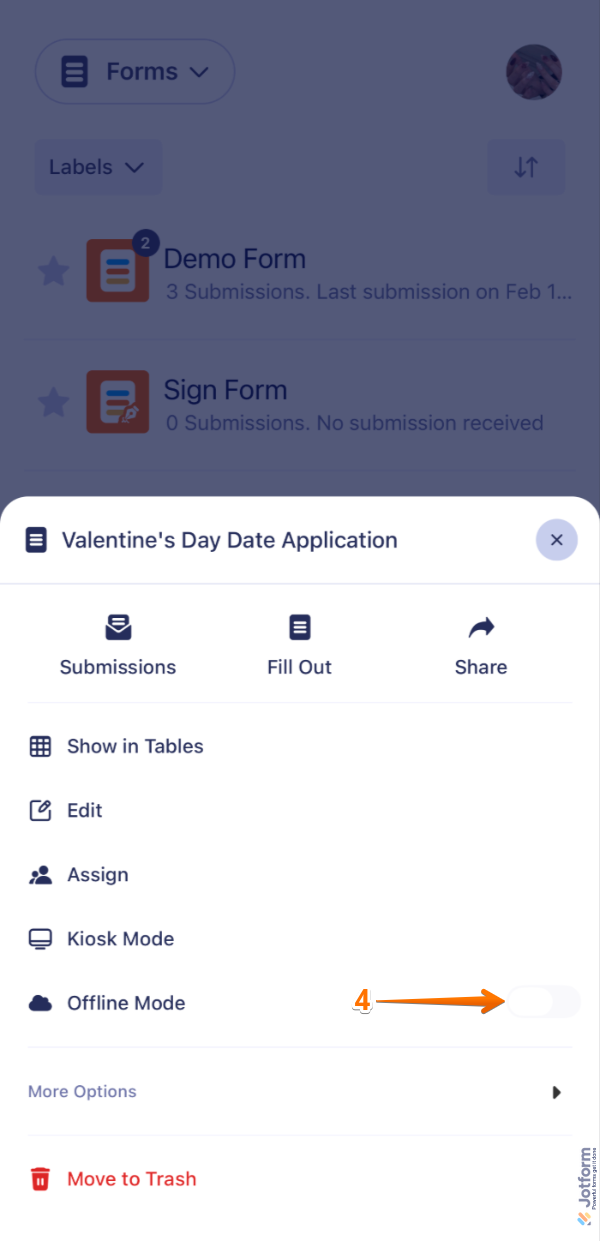
- Next, tap on the form you want to use offline.

- Now, toggle on the Offline Mode option.
If you’ve already enabled at least one form for offline use, you can enable additional forms using another method. Here’s how to get going:
- In your Jotform Mobile App, tap on your Profile in the upper-right corner of the screen.

- Then, tap on Offline Forms.
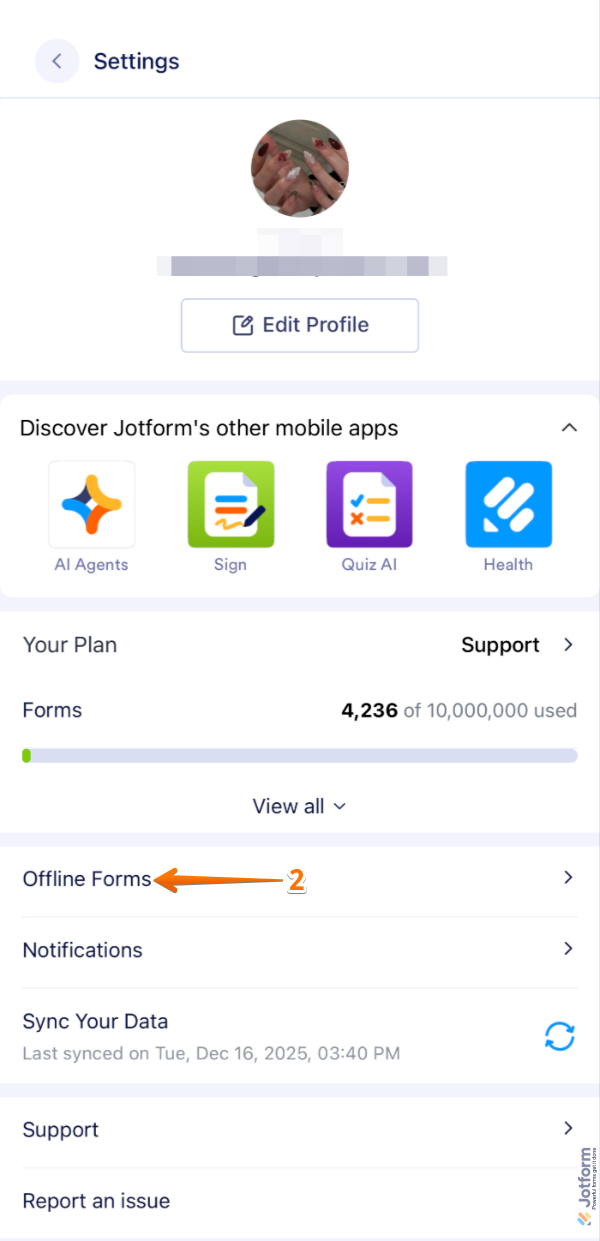
- Now, toggle on the form you want to use offline.
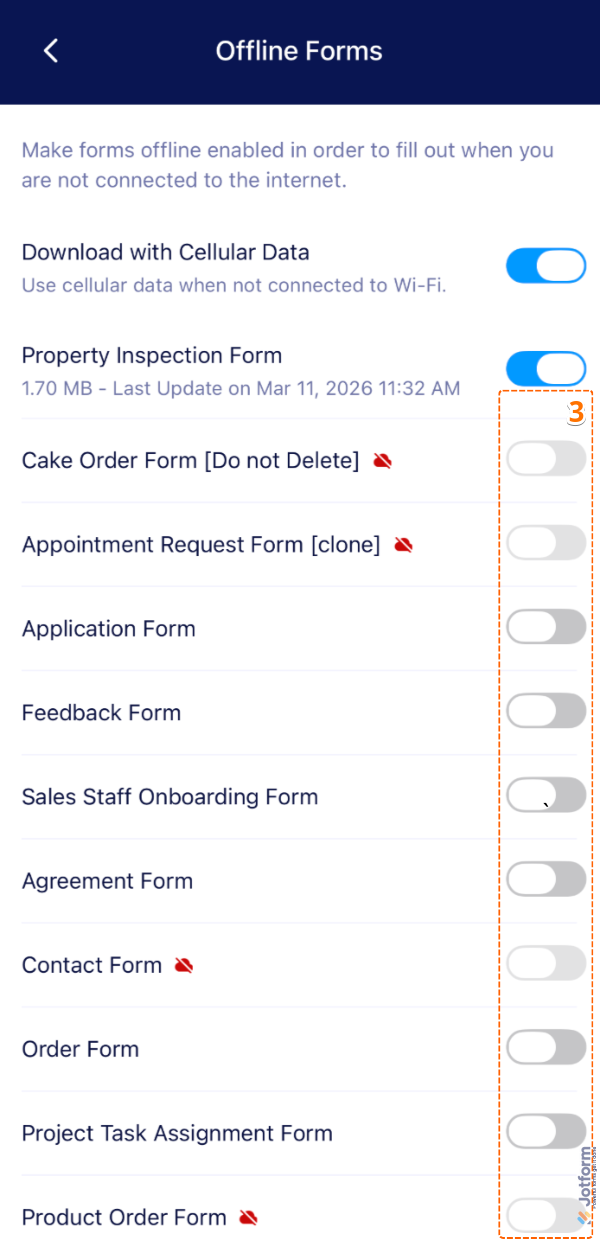
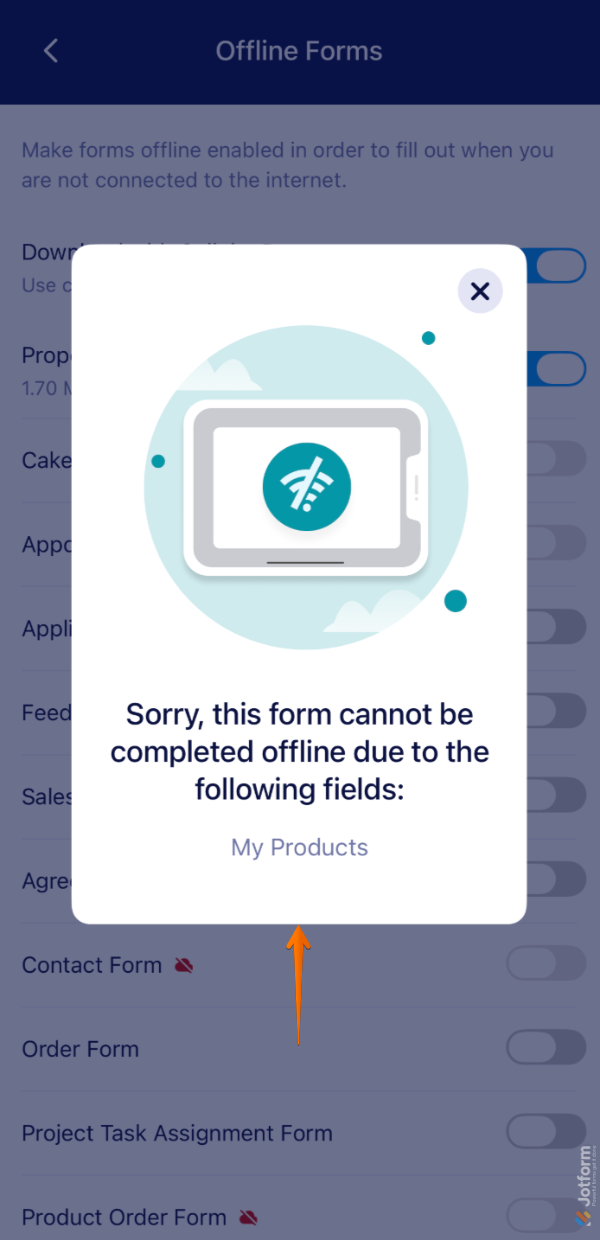
Forms Not Available in Offline Mode
Some form elements and widgets need an internet connection to work properly. If your form isn’t available for offline use, the app will show a warning message to let you know.
Note
The amount of offline data you can store depends on the available storage space on your mobile device. If your device is running low on space, the app will automatically disable the offline form that contains the most data. Don’t worry—you won’t lose any important information, and you can still access all your forms from a computer.
Keep in mind that the Submission Date is recorded based on the sync date. If you want to capture the actual date a form was submitted, you’ll need to use a workaround with the Date Picker element. Check out our guide on How to Get the Actual Submission Date on Offline Forms to learn more. Also, take a peek at our guide on How to Use Kiosk Mode in Jotform Mobile Forms to learn more.

Send Comment:
12 Comments:
March 25, 2026
what old use
December 31, 2025
Very good
June 8, 2025
How can I get texting with no you toob on android mp3player
Now because I fell of a swing by not holding on
March 17, 2025
Кому могу обратиться по поводу этого приложение .и кто поможет заполнят нам форме jotform
February 5, 2025
Is there a way to turn a jotform into a PDF form to be used offline?
April 20, 2024
Is there anyway to use forms offline on a laptop running windows 11?
February 28, 2024
Nice information
February 1, 2024
Question:
If I set the forms as available "offline".
If I go back to the link to complete, it will automatically work? Or do I need to log in from Jotform Mobile App to have offline feature available?
September 20, 2023
I have an Amazon fire tablet 7 (12th gen). I have 241 emails from a jotform that I made and I got them all offline. How do I download the csv of all the submissions without syncing?
My tablet can’t handle the syncing and it’s not working well so I’d rather just grab all the date stored on my tablet.
Thank you
January 23, 2023
Hello!
Is it possible to have a deep link to open a form in the app?
We want to have an offline form that would open in the app accessible via a url with a prefilled parameter.
So, we want to have a url like sorta like which will open up jot form app instead of the browser with id field prefilled.
Thanks
August 25, 2022
Can someone who is offline and not a registered Jotform user fill out one of our forms if we send it to them before they are offline?
November 3, 2021
My mobile forms may take up to an hour to complete and my workers have lost the form data because they accidentally closed the app or clicked out of the form. Is the ways to save partially completed forms, so they don't lose data by accident?