

Formulir K-12

Kuis Kosakata
Kuis Kosakata adalah templat formulir yang dirancang untuk menguji pengetahuan kosakata siswa dan mencatat hasil kuis mereka.
Buka Kategori:Formulir Pendidikan
Formulir Aplikasi Pendaftaran Sekolah
Formulir Pendaftaran Sekolah adalah dokumen yang digunakan oleh siswa atau orang tua saat mendaftar ke sekolah. Formulir ini penting karena memverifikasi informasi penting tentang siswa baru, termasuk latar belakang, perilaku, sikap, dan kondisi kesehatan saat ini. Templat Pendaftaran Sekolah ini berisi kolom-kolom yang meminta nama siswa, usia, jenis kelamin, kontak, alamat, tingkat kelas, dan nama sekolah yang terakhir dihadiri. Templat ini juga meminta informasi orang tua atau wali agar dapat dihubungi jika diperlukan, terutama dalam situasi darurat. templat formulir ini juga meminta riwayat kesehatan siswa, termasuk alergi, pengobatan, riwayat operasi sebelumnya, rawat inap sebelumnya, atau kondisi medis yang perlu diketahui oleh pihak sekolah. Templat formulir ini juga memiliki bagian untuk rincian imunisasi dan vaksinasi. Bagian ini memverifikasi apakah siswa telah menerima vaksin tertentu atau belum. Templat ini menggunakan alat Tanda Tangan untuk menangkap tanda tangan digital dari orang tua atau wali.
Buka Kategori:Formulir Pendidikan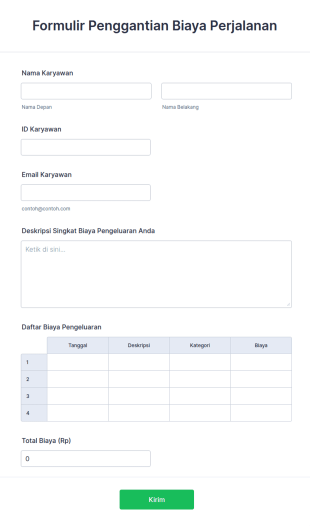
Formulir Reimbursement Biaya Perjalanan
Formulir reimbursement biaya perjalanan digunakan oleh organisasi untuk mengganti biaya perjalanan karyawan.
Buka Kategori:Formulir Bisnis
Pengumpulan Informasi Siswa
Formulir Pengumpulan Informasi Siswa adalah dokumen yang digunakan oleh guru untuk mengumpulkan data tentang siswa mereka. Kumpulkan informasi yang Anda butuhkan dari siswa yang mendaftar ke sekolah, kelas, atau program. Apakah Anda seorang guru sekolah atau bekerja untuk sekolah, dapatkan templat Pengumpulan Informasi Siswa online untuk tetap mengikuti informasi siswa Anda! Cukup sesuaikan templat ini sesuai kebutuhan Anda menggunakan Pembangun Formulir gratis kami, lalu bagikan kepada siswa Anda dengan menugaskannya melalui perangkat lunak manajemen kelas Anda atau dengan membagikannya melalui tautan. Semudah itu! Sinkronkan Templat Pengumpulan Informasi Siswa ini dengan akun Anda lainnya menggunakan lebih dari 100 integrasi aplikasi yang kuat dari Jotform, seperti Google Drive atau Dropbox, untuk menjadi lebih efisien dan menjaga data Anda tetap teratur. Anda bahkan dapat menambahkan logo Anda dan mewakili sekolah Anda dengan gaya melalui tema templat yang dapat disesuaikan. Dengan Templat Pengumpulan Informasi Siswa gratis dari Jotform, Anda akan siap untuk tahun ajaran baru ini.
Buka Kategori:Formulir PendidikanTentang Formulir K-12
Baik jika Anda perlu mengumpulkan informasi siswa, evaluasi guru, atau permintaan transkrip — buatlah seluruh proses tersebut cepat dan mudah dengan Formulir K-12 gratis. Templat siap pakai Jotform memungkinkan Anda mengumpulkan informasi penting dengan aman seperti rincian kontak, tanda tangan elektronik, dan unggahan file dari perangkat apa pun. Mulailah dengan memilih templat yang paling sesuai untuk Anda, lalu buat perubahan dengan cepat untuk menyesuaikan dengan kebutuhan spesifik Anda. Bagikan formulir Anda dengan mengirimkan undangan, termasuk tautan di buletin email, atau dengan menyematkan dengan mudah di portal online dengan kode semat salin-tempel sederhana.
Sesuaikan Formulir K-12 ini dalam hitungan detik dengan pembuat formulir intuitif Jotform. Cukup seret dan lepas untuk menambahkan logo sekolah Anda, memperbarui kolom formulir, memilih font dan warna, memasang widget dan integrasi, dan banyak lagi — semuanya tanpa pengkodean apa pun. Tanggapan yang dikumpulkan melalui formulir Anda disimpan dengan aman di akun Jotform Anda, yang dapat Anda akses dan kelola dari perangkat apa pun. Bebas kertas dan sederhanakan proses pengumpulan data sekolah Anda dengan Formulir K-12 kami yang sepenuhnya dapat disesuaikan.
Why Use K-12 Forms?
- K-12 Forms offer unparalleled accuracy in data collection, reducing the likelihood of errors that commonly occur with manual data entry. By automating the data entry process, schools can ensure that information is recorded correctly and efficiently.
- Speed is another critical advantage, as these forms allow for rapid dissemination and collection of information. This is particularly useful during peak times, such as enrollment periods, where timely data handling is crucial.
- Professional data handling is ensured through secure data management practices. Jotform provides robust security measures that protect sensitive student and staff information, maintaining privacy and compliance with educational regulations.
- The ease of use in creating and deploying these forms means that even those with minimal technical skills can design professional-grade forms. The intuitive design interface allows educators to focus on form content rather than technical complexities.
- K-12 Forms can be integrated with over 100 third-party applications, such as Google Sheets and Salesforce, facilitating seamless data flow between systems. This integration capability enables schools to manage data across multiple platforms efficiently.
Common Problems Solved by K-12 Forms
- One of the most common issues in educational institutions is the cumbersome nature of paperwork. K-12 Forms replace traditional paper forms, drastically reducing the physical space required for storage and the time needed for processing.
- Manual data entry is prone to human error, which can lead to inaccuracies in student records. By utilizing digital forms, schools can automate data entry, ensuring that records are accurate and up-to-date.
- Lost data is a significant concern, especially with paper-based systems. Digital forms offer a secure and reliable way to store and back up data, minimizing the risk of information loss.
- Communication barriers between parents and schools can hinder effective engagement. K-12 Forms facilitate better communication by allowing parents to easily submit feedback, consent, and other necessary information online.
- Processing times for approvals and administrative tasks can be lengthy. With features such as approval workflows, K-12 Forms streamline these processes, allowing for quicker decision-making and action.
Matching Use Cases to Features
- The Drag-and-Drop Form Builder is perfect for creating customized forms quickly and efficiently, allowing educators to tailor forms to specific needs without requiring technical expertise.
- Conditional Logic can be employed to simplify complex forms by showing or hiding fields based on user responses, making forms more intuitive and easier to complete.
- Electronic Signatures (Jotform Sign) are ideal for consent forms, enabling parents and guardians to sign documents digitally, thus speeding up the approval process.
- Integrating with 30+ Payment Gateways, such as PayPal and Stripe, allows schools to collect payments for events, fees, or donations directly through the forms, enhancing convenience for both the institution and the payers.
- The Report Builder feature empowers schools to analyze data collected through forms, generating insights that can inform strategic decisions and improve educational outcomes.
- Jotform's Approval Workflows streamline processes that require multiple sign-offs, such as administrative approvals, by automating the routing and notification of pending tasks.
- Secure Data Management with Jotform Tables ensures that all collected data is stored safely and can be accessed easily by authorized personnel, reducing the risk of data breaches.
How to Create a K-12 Form
- Begin by browsing the Template List for a suitable K-12s template or start from scratch with a blank form to meet specific needs.
- Customize your form's design and fields using the intuitive Drag-and-Drop Form Builder, which requires no coding knowledge.
- Once your form is ready, publish and share it via Direct Link, Email, or Website Embed to ensure it reaches the intended audience efficiently.
Top Use Cases for K-12 Forms
- For Managers: K-12 Forms are invaluable for managers looking to streamline administrative processes and enhance operational efficiency. By digitizing workflows, managers can reduce the workload associated with manual paperwork, freeing up time to focus on strategic initiatives. Furthermore, the centralized data management offered by Jotform enables managers to access real-time data, facilitating informed decision-making.
- For Teams: Teams within educational institutions benefit significantly from the collaborative capabilities of K-12 Forms. The integration with third-party applications allows teams to share and analyze data seamlessly, fostering a more connected and informed working environment. Additionally, the use of approval workflows ensures that team members can efficiently manage tasks that require multiple levels of authorization.
- For Customers: For parents and students, the use of K-12 Forms translates to a more engaging and efficient interaction with the school. Parents can easily submit necessary information, such as enrollment details or consent forms, online, reducing the need for physical visits to the school. Students benefit from streamlined processes that free up administrative resources, allowing schools to focus more on delivering quality education.
Summarizing K-12 Forms
K-12 Forms provide a comprehensive solution for educational institutions looking to enhance their operational efficiency and data management capabilities. By embracing digital forms, schools can streamline administrative processes, reduce the risk of data loss, and improve communication with parents and students. Jotform's robust features, such as conditional logic and secure data management, ensure that these forms are not only easy to use but also highly effective in meeting the unique needs of the K-12 education sector.
Tanya Jawab
1) Is it free to create K-12 Forms on Jotform?
Formulir K-12 adalah dokumen digital yang digunakan oleh sekolah untuk mengumpulkan informasi terkait siswa, orang tua, staf, dan kegiatan sekolah dalam sistem pendidikan dari taman kanak-kanak hingga kelas 12.
2. Mengapa formulir IT penting bagi organisasi?
Absolutely, Jotform employs industry-standard security measures to protect both forms and submitted data, ensuring compliance with privacy regulations.
3) Do I need coding knowledge to build a K-12 Form?
No, Jotform's Drag-and-Drop Form Builder is designed for ease of use, allowing you to create forms without any coding experience.
4. Apakah ada berbagai jenis formulir IT?
Yes, Jotform integrates with over 30 payment gateways, enabling you to collect payments directly through your K-12 Forms.
5. Siapa yang harus menggunakan formulir IT?
Indeed, Jotform's forms are mobile-friendly and can be accessed, completed, and submitted on any mobile device.
6. Bagaimana formulir IT meningkatkan efisiensi alur kerja?
Mereka mengonsolidasikan pengumpulan data, mengotomatiskan notifikasi, dan menyediakan cara terstruktur untuk melacak partisipasi influencer, kiriman, dan hasil.
7. Apakah formulir K-12 dapat disesuaikan untuk tingkat kelas atau sekolah yang berbeda?
Tentu saja. Setiap formulir dapat disesuaikan dengan tingkat kelas tertentu, kebijakan sekolah, atau persyaratan acara yang unik.
8) How can K-12 Forms improve parent-teacher communication?
K-12 Forms facilitate efficient communication by allowing parents to easily provide feedback, submit forms, and engage with the school online, reducing the need for in-person interactions.