

Formulir Pendidikan
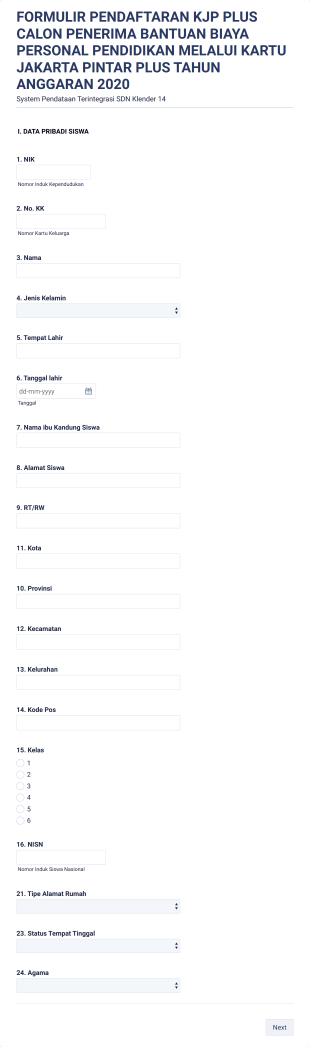
Formulir Biaya Pendaftaran Kandidat
A Formulir Biaya Pendaftaran Kandidat adalah template formulir yang memudahkan Anda dalam mengumpulkan biaya pendaftaran dari calon karyawan. Solusi efisien untuk mengelola proses pendaftaran dengan mudah dan cepat. Segera gunakan template ini untuk mempermudah bisnis Anda!
Buka Kategori:Formulir Perbankan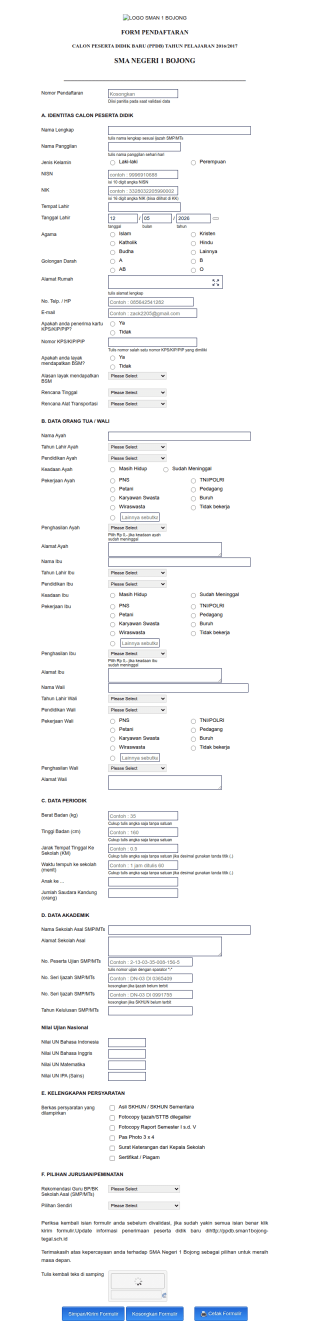
Formulir Ppdb Sma Negeri 1 Bojong
A Formulir Ppdb Sma Negeri 1 Bojong adalah template formulir yang dirancang untuk proses pendaftaran siswa di SMA Negeri 1 Bojong. Mudah diisi dan membantu mengatasi masalah pengumpulan informasi dengan cepat dan efisien.
Buka Kategori:Formulir Pendidikan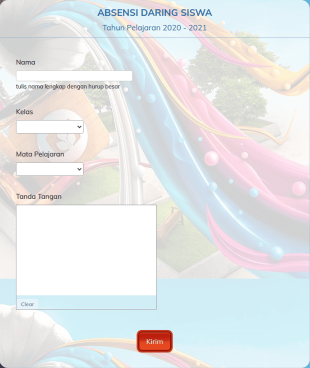

IQ Test In Indonesian
Here is an IQ test that works with a countdown.
Buka Kategori:Formulir Pendidikan

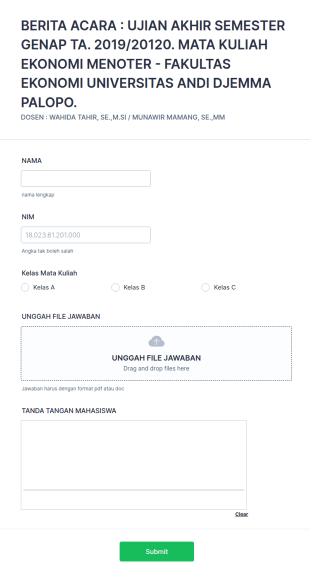
Berita Acara
UJIAN AKHIR SEMESTER GENAP TA. 2019/20120. MATA KULIAH EKONOMI MENOTER - FAKULTAS EKONOMI UNIVERSITAS ANDI DJEMMA PALOPO.
Buka Kategori:Formulir Periklanan
Filmmaking Workshop Registration Form In Indonesian
A filmmaking workshop registration form gathering registrants' personal and contact details and information regarding their filmmaking experience.
Buka Kategori:Formulir Pendidikan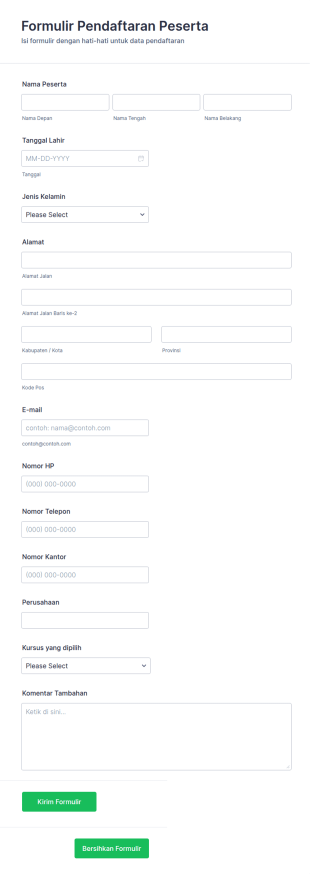
Formulir Pendaftaran Kursus
Templat Formulir Pendaftaran Kursus ini dapat digunakan oleh sekolah / institusi mana pun untuk menerima pendaftaran pada berbagai program kursus yang ditawarkan kepada pesertanya. Formulir ini hanya mengumpulkan informasi utama yang diperlukan dari peserta seperti nama, tanggal lahir, dan alamat mereka untuk memudahkan pendaftaran dan pemrosesan data. Kursus juga disorot dalam templat formulir ini yang memungkinkan peserta untuk mencari dan memilih. Templat Formulir Pendaftaran ini dilengkapi dengan area teks di mana peserta dapat mengirimkan komentar mereka tentang proses pendaftaran atau mengajukan pertanyaan tentang pendaftaran. Formulir pendaftaran kursus ini dapat disesuaikan untuk jenis kegiatan pelatihan atau kelas khusus. Gunakan Pembuat Formulir seret dan lepas kami untuk mengubah Formulir Pendaftaran Kursus sesuai dengan kebutuhan Anda. Anda juga dapat menyinkronkan kiriman tanggapan dan unggahan ke akun Anda yang lain secara otomatis dengan 100+ integrasi formulir gratis kami, seperti Google Drive, Dropbox, Slack, dan banyak lainnya. Salin formulir ini dan gunakan segera di Jotform!
Buka Kategori:Formulir Pendidikan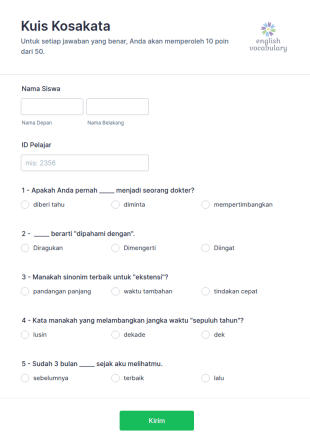
Kuis Kosakata
Kuis Kosakata adalah templat formulir yang dirancang untuk menguji pengetahuan kosakata siswa dan mencatat hasil kuis mereka.
Buka Kategori:Formulir Pendidikan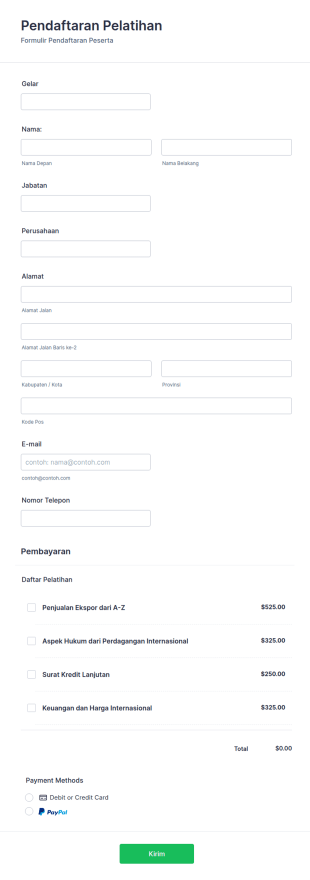
Formulir Pendaftaran Pelatihan
Formulir Pendaftaran Pelatihan ini mengumpulkan informasi yang diperlukan untuk mendaftar ke pelatihan. Gunakan formulir ini untuk mendaftarkan peserta dan siswa yang mencari pelatihan tambahan dan layanan pendidikan. Integrasikan formulir ini dengan salah satu dari 20+ pemroses pembayaran Jotform yang tersedia termasuk Square, PayPal, Stripe, dan banyak lagi. Formulir pendaftaran pelatihan ini dapat disesuaikan untuk jenis kegiatan kursus atau kelas khusus, yang memungkinkan Anda untuk mengumpulkan semua informasi yang Anda butuhkan dari pihak yang dapat dihubungi, penawaran pelatihan, durasi, informasi kartu kredit untuk pembayaran, dan banyak lagi. Gunakan Pembuat Formulir seret dan lepas kami untuk mengubah Formulir Pendaftaran Pelatihan sesuai dengan kebutuhan Anda. Anda juga dapat menyinkronkan kiriman tanggapan dan unggahan ke akun Anda yang lain secara otomatis dengan 100+ integrasi formulir gratis kami, seperti Google Drive, Dropbox, Slack, dan banyak lainnya. Salin formulir ini dan gunakan segera di Jotform!
Buka Kategori:Formulir Pendidikan
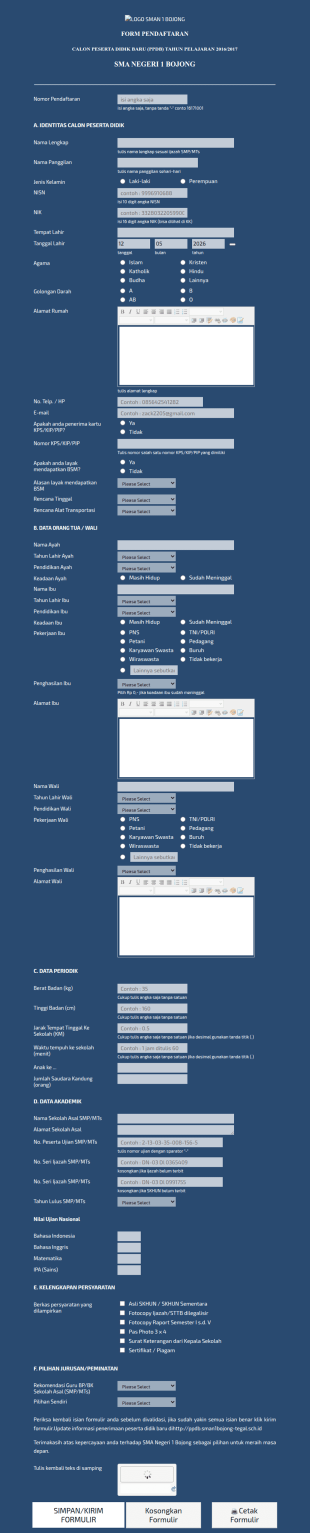
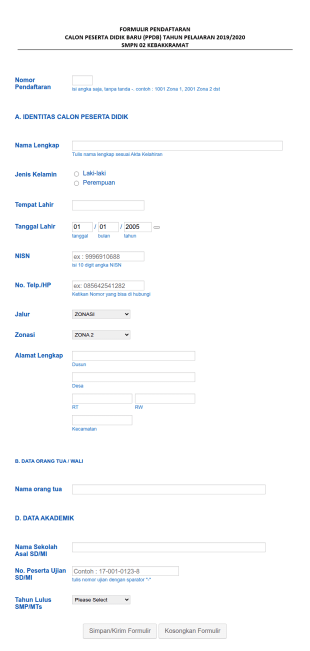
Formulir Ppdb Sma Negeri 1 Bojong 2
formulir ppdb sma negeri 1 bojong tahun pelajaran 2016/2017
Buka Kategori:Formulir Pendidikan

Ppdb Dapodik 2021/2022
Formulir Penerimaan Peserta Didik baru sesuai dengan format Dapodik
Buka Kategori:Formulir Pendidikan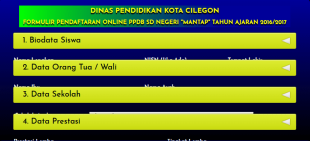
Ppdb Sdn Mantap Cilegon Tahun 2016 2017 Gelombang I
Formulir ini dapat menjadi referensi bagi semua dalam PELAYANAN MASYARAKAT dalam Proses Pendaftaran Online Penerimaan Siswa Baru
Buka Kategori:Formulir Pendidikan


Kuis Kosakata
Kuis Kosakata adalah templat formulir yang dirancang untuk menguji pengetahuan kosakata siswa dan mencatat hasil kuis mereka.

Formulir Aplikasi Pendaftaran Sekolah
Formulir Pendaftaran Sekolah adalah dokumen yang digunakan oleh siswa atau orang tua saat mendaftar ke sekolah. Formulir ini penting karena memverifikasi informasi penting tentang siswa baru, termasuk latar belakang, perilaku, sikap, dan kondisi kesehatan saat ini. Templat Pendaftaran Sekolah ini berisi kolom-kolom yang meminta nama siswa, usia, jenis kelamin, kontak, alamat, tingkat kelas, dan nama sekolah yang terakhir dihadiri. Templat ini juga meminta informasi orang tua atau wali agar dapat dihubungi jika diperlukan, terutama dalam situasi darurat. templat formulir ini juga meminta riwayat kesehatan siswa, termasuk alergi, pengobatan, riwayat operasi sebelumnya, rawat inap sebelumnya, atau kondisi medis yang perlu diketahui oleh pihak sekolah. Templat formulir ini juga memiliki bagian untuk rincian imunisasi dan vaksinasi. Bagian ini memverifikasi apakah siswa telah menerima vaksin tertentu atau belum. Templat ini menggunakan alat Tanda Tangan untuk menangkap tanda tangan digital dari orang tua atau wali.
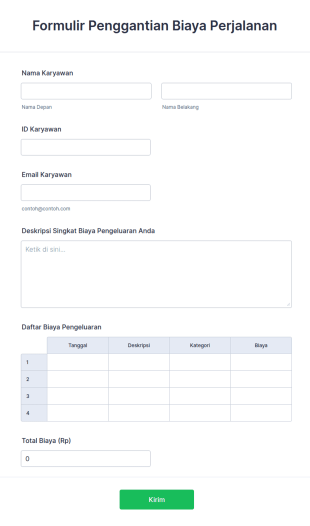
Formulir Reimbursement Biaya Perjalanan
Formulir reimbursement biaya perjalanan digunakan oleh organisasi untuk mengganti biaya perjalanan karyawan.

Pengumpulan Informasi Siswa
Formulir Pengumpulan Informasi Siswa adalah dokumen yang digunakan oleh guru untuk mengumpulkan data tentang siswa mereka. Kumpulkan informasi yang Anda butuhkan dari siswa yang mendaftar ke sekolah, kelas, atau program. Apakah Anda seorang guru sekolah atau bekerja untuk sekolah, dapatkan templat Pengumpulan Informasi Siswa online untuk tetap mengikuti informasi siswa Anda! Cukup sesuaikan templat ini sesuai kebutuhan Anda menggunakan Pembangun Formulir gratis kami, lalu bagikan kepada siswa Anda dengan menugaskannya melalui perangkat lunak manajemen kelas Anda atau dengan membagikannya melalui tautan. Semudah itu! Sinkronkan Templat Pengumpulan Informasi Siswa ini dengan akun Anda lainnya menggunakan lebih dari 100 integrasi aplikasi yang kuat dari Jotform, seperti Google Drive atau Dropbox, untuk menjadi lebih efisien dan menjaga data Anda tetap teratur. Anda bahkan dapat menambahkan logo Anda dan mewakili sekolah Anda dengan gaya melalui tema templat yang dapat disesuaikan. Dengan Templat Pengumpulan Informasi Siswa gratis dari Jotform, Anda akan siap untuk tahun ajaran baru ini.
Tentang Formulir Pendidikan
Formulir Pendidikan adalah formulir digital khusus yang dirancang untuk menyederhanakan berbagai proses di dalam lembaga pendidikan dan organisasi terkait. Baik itu mengelola pendaftaran siswa, mengumpulkan umpan balik dari fakultas, atau mengatur kegiatan ekstrakurikuler, Formulir Pendidikan berfungsi sebagai solusi serbaguna untuk menangani berbagai tugas. Formulir ini merupakan bagian integral dari operasional harian sekolah, universitas, dan pusat pelatihan, di mana formulir ini memfasilitasi pengumpulan, pemrosesan, dan analisis data penting. Dengan mendigitalisasi alur kerja berbasis kertas tradisional, Formulir Pendidikan meningkatkan efisiensi, mengurangi beban administratif, dan meningkatkan manajemen keseluruhan operasional pendidikan.
Jotform merupakan platform pembuatan formulir online terkemuka untuk membuat dan mengelola Formulir Pendidikan. Dengan interface yang ramah pengguna, Jotform memungkinkan kustomisasi dan otomatisasi proses pengumpulan data dengan mudah, memastikan bahwa lembaga pendidikan dapat menyesuaikan formulir untuk memenuhi kebutuhan spesifik. Kemampuan platform yang tangguh ini meluas ke manajemen data terpusat melalui Tabel Jotform, di mana semua informasi yang dikumpulkan disimpan dan diorganisir dengan aman. Sentralisasi ini tidak hanya membantu dalam pengambilan data yang efisien tetapi juga mendukung pelaporan dan analisis komprehensif, memungkinkan pendidik untuk membuat keputusan yang tepat berdasarkan wawasan data yang akurat.
Why Use Education Form?
- Education Form offer unmatched accuracy in data collection, ensuring that information is captured correctly the first time. This precision eliminates the common errors associated with manual data entry, fostering reliability and trust in the data collected.
- Speed is a significant advantage of using Education Form, as they allow for rapid data gathering and processing. This expedites administrative tasks, freeing up valuable time for educators and staff to focus on more mission-critical activities.
- Professional data handling is facilitated by digital forms, which ensure that sensitive information, such as student records and feedback, is managed securely and in compliance with privacy regulations. This is particularly crucial in maintaining the integrity and confidentiality of educational data.
- The versatility of Education Form means they can be tailored to fit a wide variety of educational scenarios, from enrollment applications to event registrations. This adaptability supports diverse educational needs and ensures that forms are perfectly aligned with institutional goals.
- Automation features in Education Form reduce manual intervention, enabling educators to set up automatic notifications, approvals, and data transfers. This streamlining of processes leads to increased operational efficiency and reduced administrative overhead.
Common Problems Solved by Education Form
- One of the most significant issues in education is the reliance on paper-based systems, which are prone to errors and inefficiencies. Education Form digitize these processes, eliminating the risk of lost paperwork and ensuring that data is always accessible.
- Manual data entry is another common pain point that is effectively addressed by Education Form. By automating data collection and processing, these forms minimize human error and reduce the time spent on repetitive tasks.
- Data loss is a critical concern for educational institutions, especially when handling sensitive information. Education Form provide a secure platform for data collection and storage, thereby safeguarding against accidental loss or breaches.
- Education Form are designed to simplify complex processes, such as course registrations and feedback collection, by providing a streamlined, user-friendly interface. This simplification reduces the cognitive load on users and enhances the overall experience.
- Limited accessibility of traditional paper forms is resolved through the use of digital forms, which can be accessed anywhere and at any time, ensuring that all stakeholders have the necessary access to complete and submit forms promptly.
Matching Use Cases to Features
- The Drag-and-Drop Form Builder is ideal for customizing Education Form to fit specific needs, such as creating unique enrollment forms that capture all necessary student information. This feature allows for quick adjustments and updates, ensuring that forms remain relevant and effective.
- Conditional Logic enables the creation of dynamic forms that adapt based on user inputs, such as displaying additional fields for students who select specific courses or programs. This adaptability enhances user experience and ensures that all necessary data is collected.
- The integration with over 30 Payment Gateways, including Stripe and PayPal, allows educational institutions to collect fees directly through forms. This feature streamlines the payment process, reducing administrative tasks associated with handling financial transactions.
- Electronic Signatures, facilitated by Jotform Sign, are crucial for obtaining necessary approvals and consents, such as parental permission for field trips. This feature ensures that all legal and compliance requirements are met with ease.
- The PDF Editor automatically generates professional PDF documents from form submissions, such as transcripts or certificates, ensuring that data is presented in a formal and consistent manner.
- Jotform's Report Builder offers the ability to create comprehensive reports based on collected data, such as analyzing feedback from course evaluations to inform curriculum improvements.
- With offline data collection capabilities, Jotform Mobile Forms ensures that data can be gathered even without an internet connection, critical for field activities or remote educational settings.
How to Create a Educations Form
- Begin by browsing the Template List for an Educations template or opt to start from a blank form.
- Customize the design and fields using the Drag-and-Drop Form Builder, tailoring the form to meet specific educational requirements.
- Once your form is ready, publish it and share it via Direct Link, Email, or Website Embed to reach your intended audience.
Top Use Cases for Education Form
- For Managers: Education Form are invaluable for managers who oversee the administrative functions of educational institutions. These forms streamline processes such as staff evaluations, budget approvals, and strategic planning, all while capturing vital data that informs decision-making. The ability to automate notifications and approvals further enhances managerial efficiency, allowing leaders to focus on broader institutional goals.
- For Teams: Educational teams, including faculty and administrative staff, benefit significantly from the use of Education Form. They facilitate collaboration through shared access to forms and data, enabling teams to coordinate activities like curriculum development, event planning, and student assessments. With integrated features like conditional logic and third-party integrations, teams can work more effectively and cohesively.
- For Customers: Students and parents, as primary customers of educational institutions, experience improved interactions through Education Form. These forms simplify processes such as course enrollment, fee payment, and feedback submission, providing a seamless user experience. The convenience of digital forms ensures that customers can engage with educational services anytime, anywhere, enhancing overall satisfaction.
Summarizing Education Form
Formulir Pendidikan merupakan solusi transformatif bagi sektor pendidikan, menyediakan metode yang efisien, andal, dan aman untuk mengelola data dan menyederhanakan proses. Dengan memanfaatkan kemampuan pembuat formulir online Jotform, lembaga pendidikan dapat meningkatkan efisiensi operasional, mengurangi beban administratif, dan meningkatkan akurasi data. Integrasi fitur-fitur seperti gerbang pembayaran, tanda tangan elektronik, dan pembuatan PDF otomatis semakin menegaskan nilai Formulir Pendidikan dalam memodernisasi alur kerja pendidikan.
Tanya Jawab
1) Apakah membuat Formulir Pendidikan di Jotform gratis?
Ya, Jotform menawarkan paket gratis yang memungkinkan pengguna untuk membuat dan berbagi Formulir Pendidikan, meskipun ada batasan jumlah formulir dan tanggapan.
2. Mengapa formulir IT penting bagi organisasi?
Tentu saja. Jotform memprioritaskan keamanan data, menggunakan enkripsi dan kepatuhan terhadap standar privasi untuk melindungi semua informasi yang dikirimkan.
3) Apakah saya memerlukan pengetahuan pemrograman untuk membuat formulir Pendidikan?
Tidak diperlukan pengetahuan pemrograman. Pembuat Formulir Seret-dan-Lepas Jotform memungkinkan siapa pun untuk membuat formulir profesional dengan mudah.
4. Apakah ada berbagai jenis formulir IT?
Ya, Jotform mendukung integrasi dengan lebih dari 30 gerbang pembayaran, memungkinkan pengumpulan pembayaran langsung melalui formulir Anda.
5. Siapa yang harus menggunakan formulir IT?
Ya, formulir Jotform ramah seluler dan dapat diakses serta dikirimkan melalui ponsel pintar atau tablet apa pun.
6. Bagaimana formulir IT meningkatkan efisiensi alur kerja?
Benar sekali. Editor PDF Jotform memungkinkan Anda untuk secara otomatis mengkonversi tanggapan menjadi dokumen PDF yang terstruktur dengan baik.
7) Bagaimana Formulir Pendidikan dapat meningkatkan keterlibatan siswa?
Formulir Pendidikan menyederhanakan proses komunikasi dan umpan balik, sehingga memudahkan siswa untuk berinteraksi dengan konten dan layanan pendidikan, dan dengan demikian meningkatkan keterlibatan.
8) Dapatkah Formulir Pendidikan terintegrasi dengan sistem informasi siswa kami yang sudah ada?
Ya, Jotform menawarkan lebih dari 100 integrasi pihak ketiga, memungkinkan konektivitas tanpa hambatan dengan berbagai sistem informasi siswa dan perangkat lunak pendidikan lainnya.