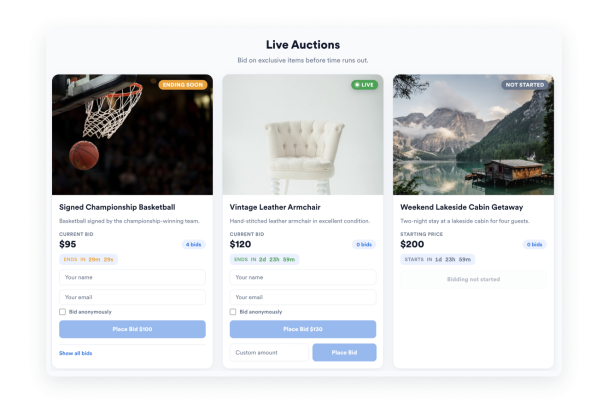

How to create a Auction widget
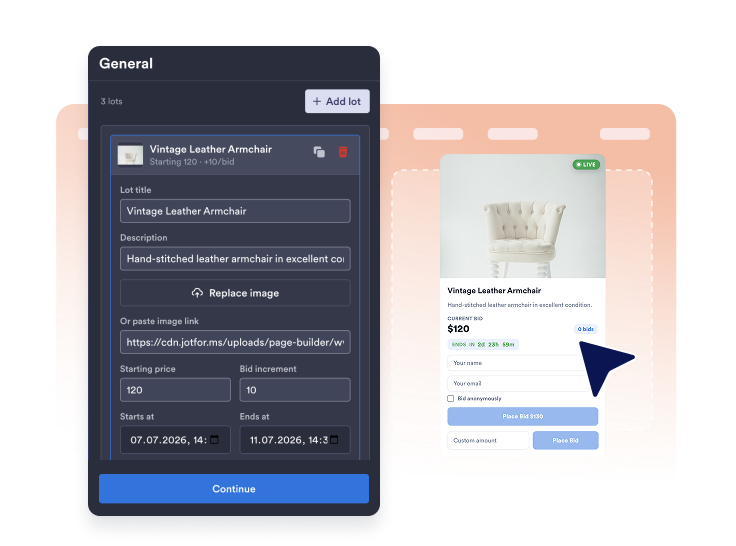
Add your auction lots
Add lots with titles, descriptions, images, starting prices, and bid increments.
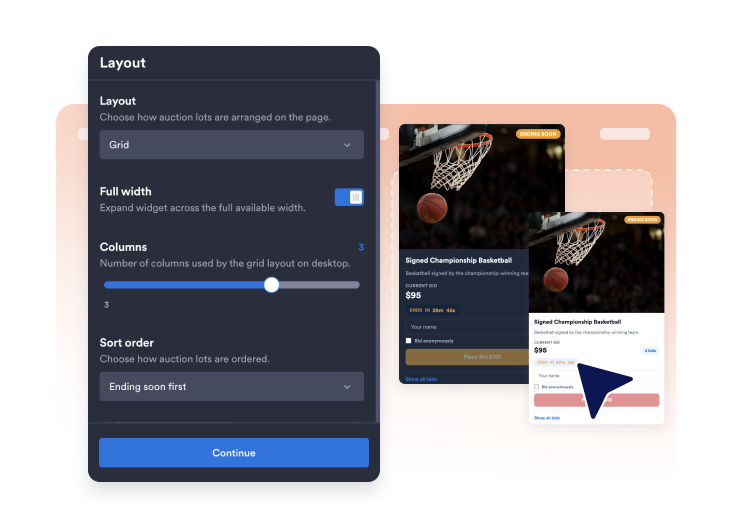
Set layouts and colors
Set a layout, customize styles, colors, and appearance settings to create the look you want.

Get the embed code
Copy the automatically generated embed code and paste it anywhere on your website.
Run a self-service auction section without custom code
Showcase auction lots
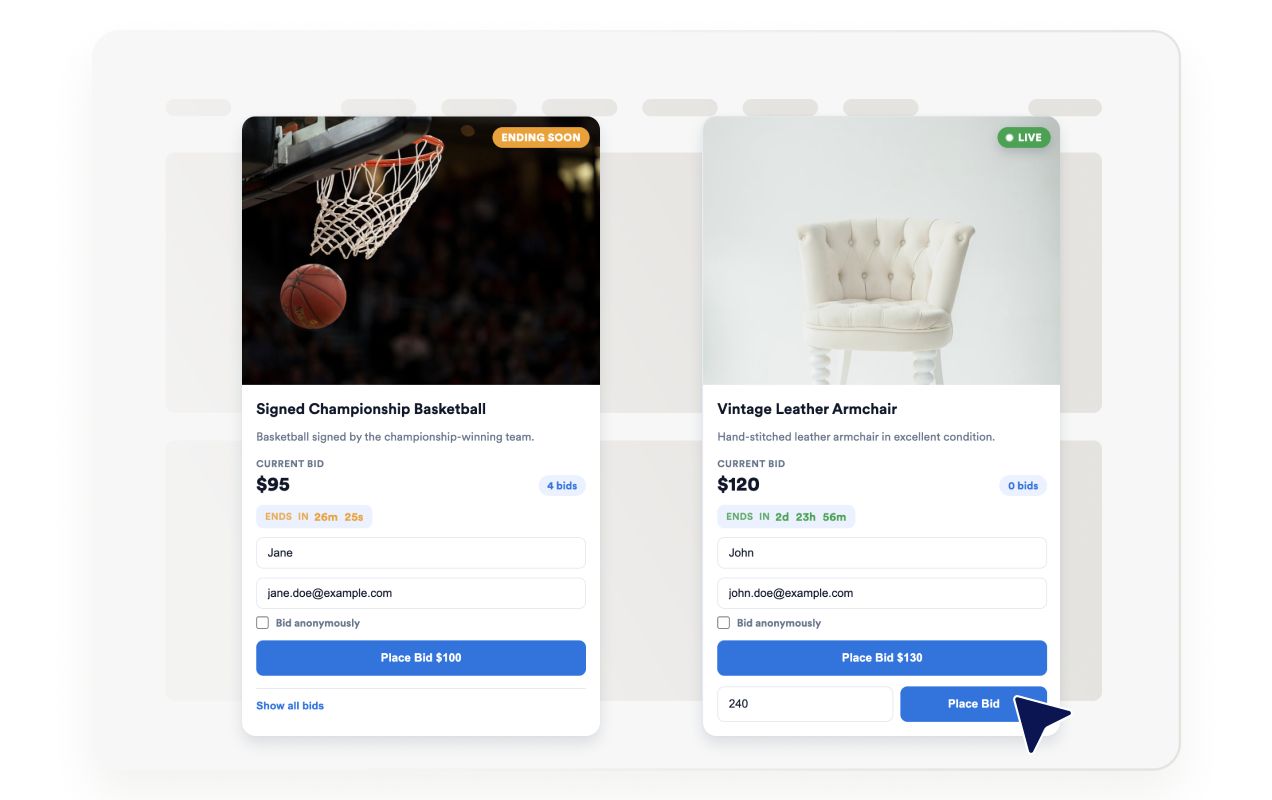
Create and manage auction lots with starting prices, bid increments, auction schedules, silent auction settings, custom bidding, and detailed item information.
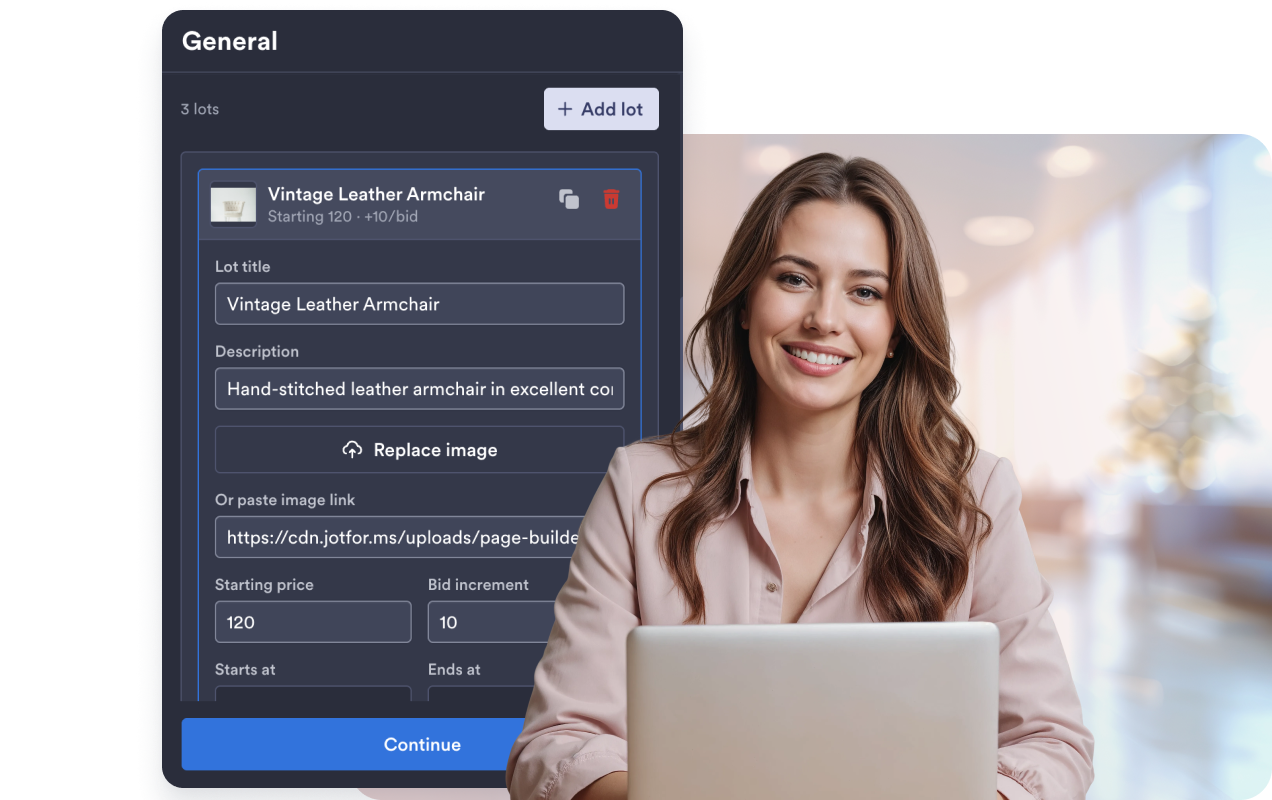
Configure bidding options
Set up increment and custom bidding options for each lot, allowing visitors to place the next available bid or enter a custom bid amount.
Show live countdowns
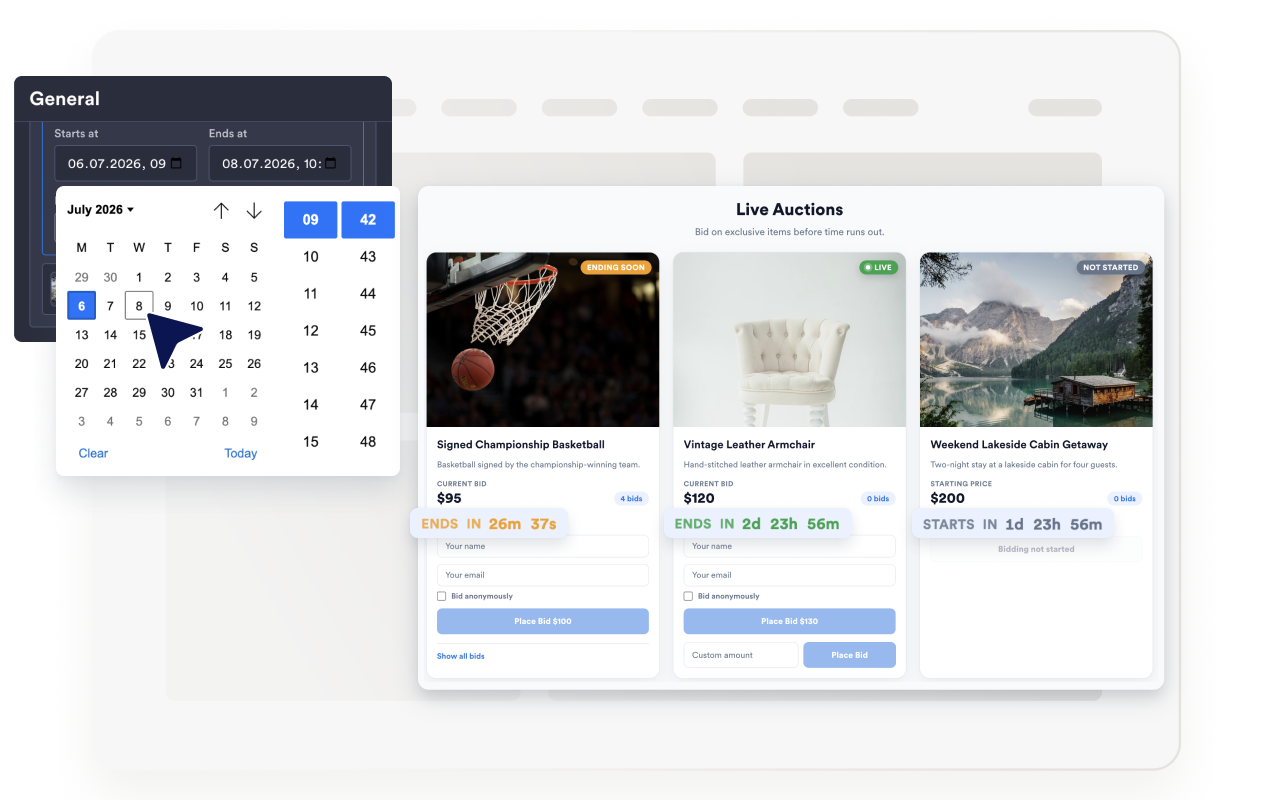
Set start and end times to display a live countdown and automatically update each lot’s status from Not Started to Live, Ending Soon, and Closed.
Match your website style
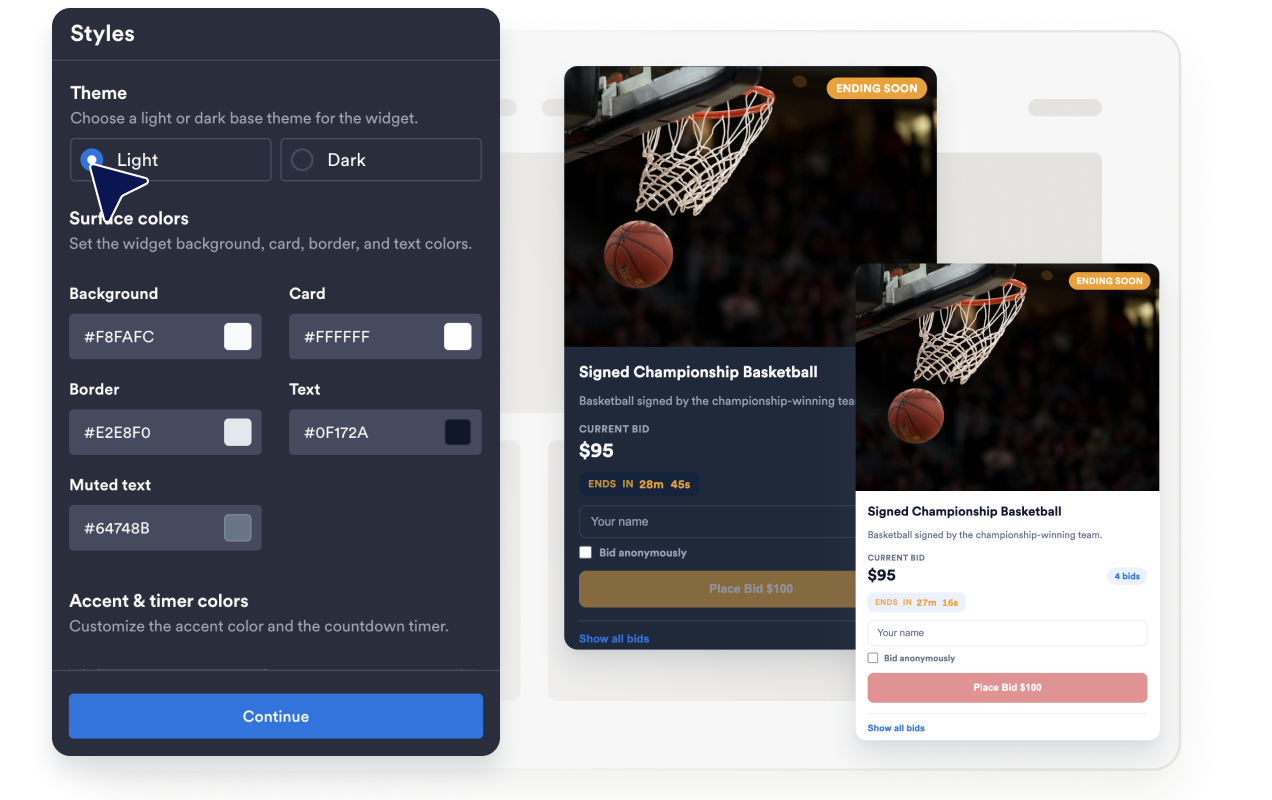
Choose a layout and light or dark theme, customize colors, corner radius, buttons, timers, and status styles, and control branding to match your website.
Why Jotform Website Widgets stand out
Jotform’s widgets make your website more interactive and increase conversions. There are many tools available, from star ratings and testimonial sliders to social proof popups and media embeds. Add widgets to your forms or landing pages to collect data, display proof, and capture leads — no coding required.
Add Jotform widgets to your website with a simple embed code. Customize the widget, preview how it looks, and paste it into any page that supports custom HTML or embed blocks, all without a developer.
Use Jotform Website Widgets to collect leads, show customer feedback, display social proof, embed media, or add helpful web page tools. Each widget helps visitors interact with your business directly from your website.
If you need help setting up, customizing, embedding, or troubleshooting your widget, Jotform’s customer support team is available 24-7. You can move forward with confidence, knowing that help is there when you need it.
Where to use your Auction widget
Add the widget anywhere visitors browse items, place bids, or enter custom bid amounts before an auction closes.
Charity and fundraising pages to run silent or open bidding on donated items.
Estate sale and liquidation pages to list lots with starting prices and flexible bidding options.
Collectibles and hobby sites to auction limited or one-off items with a countdown.
Community and club websites to run fundraiser auctions for events and programs.
Small business promo pages to auction limited inventory with increment and custom bidding.
Event landing pages to run a live-style bidding section during a campaign window.
Convert leads into paying customers with the Jotform Form Builder
Turn engagement into action with Jotform. Create powerful forms that capture leads, collect payments, and automate responses, all in one place. Every submission lands in your Jotform Inbox, where you can follow up or connect with your favorite apps.
Get Started — It’s Free!
FAQ
What is an Auction House widget?
An Auction House widget is an embeddable website section that displays auction lots with images, prices, bid increments, buyout pricing, and countdown timers.
Can visitors place bids on my website?
Are bids shared across every visitor in real time?
How can I reduce fraudulent bidding?
Can the same bidder keep increasing their own bid?
Should I verify winning bids?
Can I run a silent auction?
Can I customize the design?
Does it work on mobile?
Do I need to write code?