Tumblr Feed Widget
Tumblr Feed Widget Features for Websites
Display public Tumblr posts on your website with customizable sources, responsive layouts, post cards, popup behavior, links, colors, and Tumblr-style feed controls.
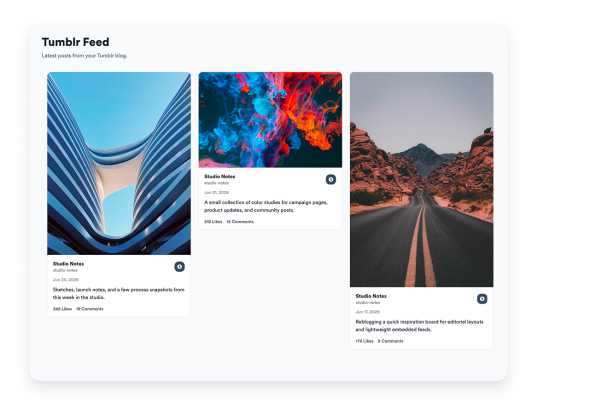

Connect your Tumblr source
Add a public Tumblr source to bring blog posts, visuals, captions, links, inspiration boards, campaign content, or community updates into an embedded website feed.

Fit posts to your layout
Choose grid, masonry, list, carousel, or slider layouts to match your page design and available space. Use compact layouts for side sections or expanded layouts for portfolios, blogs, and campaign pages.

Show the right post details
Control how much context each Tumblr post preview includes. Show or hide author names, dates, captions, source labels, action counts, links, and popup details before visitors open the original content.
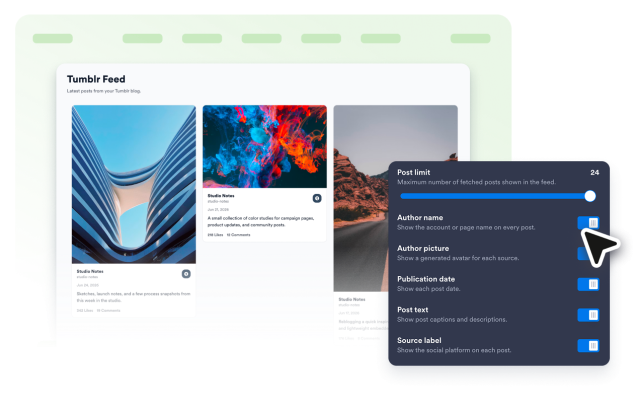
Match feeds to your brand
Style your Tumblr Feed Widget so it fits naturally into your website. Customize themes, Tumblr-style accents, card colors, navigation arrows, pagination, and custom CSS.