
Top 5 WooCommerce AI plug-ins
- Jotform AI Chatbot for WordPress: Best all-in-one AI-native assistant
- Elementor’s Website Builder: Best drag-and-drop editor on the market
- Yoast WooCommerce SEO: Best e-commerce SEO plug-in
- LinkWhisper: Best for optimized site structure and internal links
- Tidio + Lyro AI: Best for AI-powered live chat and customer support
WordPress and WooCommerce are brilliant e-commerce solutions for small businesses — they’re free and can power a store with all the essentials. WooCommerce’s AI plug-ins and WordPress’s modular functionality make it a highly customizable platform.
As an open-source solution, WordPress lets developers create and build solutions to their own problems. Often, they sell these solutions as plug-ins on the WordPress directory. When you use a plug-in, you’re putting its functionality on your site.
WordPress powers nearly half of all websites. It’s truly a tried and tested content management system (CMS), and by now, I’m sure there’s a plug-in for every problem you could ever have.
In this article, I’ve researched five of the best WooCommerce AI plug-ins, so you can save yourself sifting through over 60,000 plug-ins and trying to find the right solution for you.
What is AI, and how does it integrate with WooCommerce?
There are so many ways you can integrate AI plug-ins with WooCommerce.
Here are some examples:
- WooCommerce catalog sync allows for real-time updates for products, stock levels, and pricing across your store. This function also enables AI-powered product recommendations and natural language understanding, which helps AI systems — such as chatbots — provide context-aware responses. These responses enable shoppers to discover products and receive instant answers to their questions.
- Cart recovery and automated upsell flows let you re-engage shoppers who abandon their carts and increase the average order value through AI-driven upsells.
- Branding, customization, and multilingual support match your store’s look and feel. They also communicate in a customer’s preferred language.
- Analytics, reporting, and customer data integration track interactions, performance, and AI-driven insights to optimize results.
What makes a great WooCommerce AI plug-in?
Before I get into what makes a great WooCommerce AI plug-in, I want to straighten up what a plug-in is.
WooCommerce is a plug-in. In my opinion, it is the plug-in if you’re going to have an e-commerce store on WordPress, but there are alternatives to WooCommerce.
WordPress is a CMS. WooCommerce enables e-commerce functionality on your WordPress website. This lets you enhance your WooCommerce store with other plug-ins that extend its features, automate tasks, or improve performance.
Here are some signs of a great WooCommerce AI Plug-in:
- Seamless installation and WordPress and WooCommerce compatibility. Check that your AI plug-ins are compatible, easy to set up, lightweight, and work with your existing theme and plug-ins.
- Affordable pricing tiers for scaling. Check prices that suit you now and will continue to suit you in the future. For example, Tidio gets very expensive with unmanaged costs and billings per conversation, whereas Jotform’s AI chatbot for WordPress is a managed cost.
- Plug-in reputation is essential. Anyone can create plug-ins for WordPress because the CMS is open source. Use the WordPress Directory to check reviews and plug-in credibility.
- Scalable features mean the plug-in scales with you and your business, meeting later goals. For example, you might only need one web agent now, but in the future, you could be serving customers across multiple chat widgets, such as Messenger, WhatsApp, and email. You’d need multichannel support functionality to achieve this goal.
Best 5 WooCommerce AI plug-ins for 2026
Comparison Table
 Jotform AI Chatbot for WordPress |  Elementor's Website Builder |  Yoast WooCommerce SEO |  LinkWhisper |  Tidio + Lyro AI | |
|---|---|---|---|---|---|
| Best for | All-in-one AI-native assistant | Drag-and-drop website editing | Managing e-commerce SEO | Optimized site structure and internal links | AI-powered live chat and customer support |
| Unique feature | No code chatbot solution with human takeover functionality | AI Site Planner helps create an informative brief in minutes using natural language | Generative AI writes product titles and meta descriptions | AI-driven link suggestions identify semantically related phrases and optimized anchor text opportunities | AI-powered support enables your customers to access answers to their questions 24-7 |
| Pricing | Try for free or start from $34/month, billed annually | Starts from $7.99/month, billed annually | Try for free or start from $9.90/month, or $14.90 for Yoast WooCommerce SEO, billed annually | Starts from $97/year per license | Starts from $56.17/month, billed annually |
| Try It Now |
1. Jotform AI Chatbot for WordPress: Best all-in-one AI-native assistant

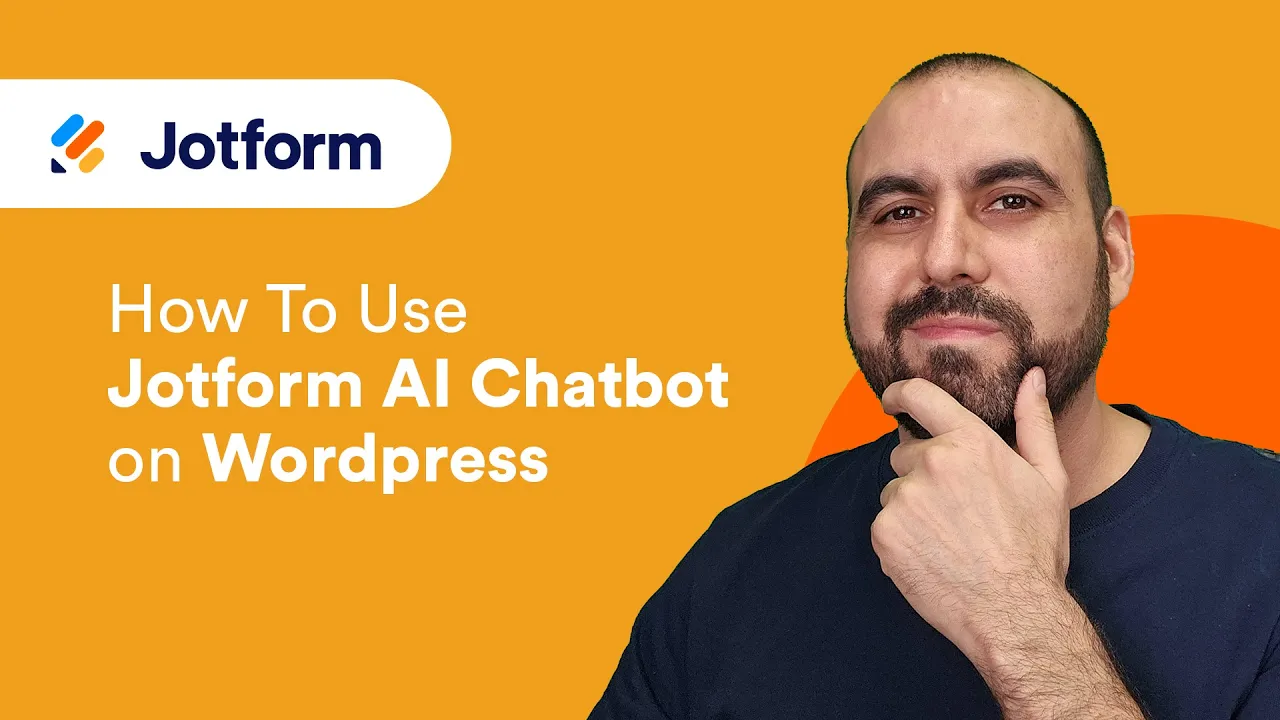
The Jotform AI Chatbot plug-in allows you to easily create and train custom chatbots to handle queries, guide users, and share information.
It offers seamless embedding on any WordPress site without coding. From experience, it’s easy to use. I wrote about how I use and set up Jotform on my WordPress site here.
Jotform’s chatbots enhance user engagement through interactive conversations. You can customize chatbot personas, tones, and styles to align with your brand identity.

Key features:
- No-code integration: You can install directly from the WordPress Plug-in Directory and connect with Jotform in minutes.
- WooCommerce integration lets your chatbot support your online store like a hired team member. With your store and customer data, the chatbot answers product questions, assists with order tracking, reduces cart abandonment, and drives more completed purchases.
- Advanced customization and training through a range of inputs, including videos, content, knowledge bases, and more. You can tailor responses, tone, and appearance with the chatbot wizard, using your data and insights for personalized interactions.
- Auto train: The plug-in automatically crawls your website content and trains the chatbot without any manual setup. That way, your chatbot is always giving up-to-date answers. Every time you update your pages, add a new page, blog post, or FAQ, the chatbot stays in sync and instantly learns from the latest information.
- Human handover for complex queries is a key feature of Jotform’s AI chatbot, allowing conversations to be smoothly passed to a live agent when the AI reaches its limits.
Pros:
- Jotform has many resources to help you with your AI chatbot, including a complete guide on how to use Jotform’s AI chatbot on WordPress and over 7,000 AI chatbot templates. Here’s the e-commerce chatbot agent and Jotform WordPress AI chatbot you’ll be most interested in.
- Instant responses: Provide quick and accurate answers to FAQs, ensuring users receive the information they need immediately.
- Multilingual support: Communicate with users in their preferred language to expand global reach.
- WooCommerce integration: Jotform’s WooCommerce Integration makes using Jotform products on your e-commerce store easy.
Cons:
- The free package isn’t white label, so it’ll be Jotform-branded. This has never bothered me, but if you want to remove it, you just need the Bronze package.
Plans/Pricing:
- Free package up to five agents.
- Bronze: $34 per month, billed annually
- Silver: $39 per month, billed annually
- Gold: $99 per user per month, billed annually
Ratings: 4.7/5 with over 3,500 reviews. See Jotform’s G2.
2. Elementor’s Website Builder: Best drag-and-drop editor on the market

If you want complete control over every page on your website, then a modular website builder like Elementor is key. I’m not always a fan of block builders because they encourage a little too much creative control, but if you adhere to brand style guides and maintain brand consistency, they can be really good.
I’ve tried a few, but Elementor’s WooCommerce builder comes up top!
Key features:
- AI Site Planner creates an informative brief in minutes. You tell Elementor’s AI what you want in natural language, and the AI does the rest. It asks the necessary questions to create an excellent brief, then generates it for you.
- Image AI lets you request an image using natural language, and Elementor’s AI creates it for you.
Pros:
- A reputable plug-in: Over 10 million users have downloaded it.
- The drag-and-drop editor is easy to use, allowing anyone to build pages without any coding skills.
Cons
- Too much design control can be negative if you don’t maintain consistent design choices across the site. Brand consistency is key.
Plans/Pricing:
- Shop Essential $7.99 per month, billed annually
- Shop Advanced $9.99 per month, billed annually
If you want to bolt on Elementor AI, prices are:
- AI Starter $3.99 per month, billed annually.
- AI Power $8.25 per month, billed annually
- AI Copilot $15.99 per month, billed annually
Ratings: 4.5 out of 5 stars and over 7,000 reviews. See Elementor’s reviews on the WordPress Plug-in Directory.
3. Yoast WooCommerce SEO: Best e-commerce SEO plug-in

Yoast is one of my favorite plug-ins. It’s useful for SEO, and its AI features help you produce product titles, metadata, and product descriptions in seconds.
I’ve always used the free version, but most days I’m “in the trenches” of SEO and prefer not to rely too much on tools like Yoast. That said, if you are new to SEO and want to establish the foundations of an SEO strategy for e-commerce websites, Yoast is a great option.
Key features:
- Generative AI can suggest and write e-commerce product titles and meta descriptions to help optimize your site in seconds.
- Product-specific SEO analysis helps you craft unique, high-performing product descriptions and optimize every product page for better visibility.
- Yoast makes adding schema and structured data to your website easy, so your site can show up in Google with features like review stars. These will encourage click-through rates and sales. The following screenshot shows a listing in Google search engine results pages (SERPs) that is enhanced with review stars, price, in-stock status, and delivery information. All of this is achievable with Yoast.

Pros:
- With Yoast’s WooCommerce SEO package, you get e-commerce features as well as Yoast SEO Premium, Local SEO, Video SEO, and News SEO.
- Seamless integration with WooCommerce. Yoast offers a dedicated package for use with WooCommerce.
- Affordable solution that meets foundational SEO requirements for e-commerce stores.
Cons:
- Over-reliance can become an issue for store managers who don’t develop their SEO knowledge. The plug-in is good, but it can’t do everything.
- The Yoast WooCommerce SEO is more expensive than Yoast SEO Premium. If you want to save money, opt for the premium package.
Plans/Pricing:
- Free
- Yoast SEO Premium $9.90 per month, billed annually at $118.80 (ex. VAT)
- Yoast WooCommerce SEO is $14.90 per month, billed annually at $178.80 (ex. VAT)
Ratings: 4.8 out of 5 stars with over 26,000 reviews. See Yoast’s reviews on the WordPress Plug-in Directory.
4. LinkWhisper – Best for optimized site structure and internal links

LinkWhisper is an AI-powered internal linking plug-in that makes building a strong site structure effortless. Once installed, it automatically scans your content and suggests relevant internal links based on context and keyword usage.
For example, if you add a new product to your website, you can search for related keywords, then automatically add a link to that text with the click of a button. It saves time, and the AI finds semantically related phrases, so you don’t end up linking with the same anchor text all the time.
Key features:
- AI-driven link suggestions: Identifies semantically related phrases and anchor text opportunities you might otherwise miss.
- Auto-linking rules: Set rules by keyword and URL to automatically insert links as you publish new content. Warning: Always review the recommendations!
- Internal Links Report: Track inbound, outbound, and orphaned pages to maintain an SEO-friendly site structure.
Pros:
- It saves hours of manual link building with accurate AI recommendations.
- It improves SEO by strengthening internal linking and authority flow.
- It helps vary anchor text naturally for a more balanced link profile.
Cons:
- The auto-linking feature can occasionally place links in awkward spots if not reviewed manually.
- Best suited for medium to large content sites rather than very small ones. If your site is very small, you might as well manage it yourself.
Plans/Pricing:
LinkWhisper prices are charged based on the number of websites you’re installing it on.
- 1 site $97 per year per license
- 3 sites $66 per year per license
- 10 sites $30 per year per license
Ratings: LinkWhisper is well-known in the SEO industry, and I love it; however, it only has 17 reviews on G2 with a rating of 4.5/5.
5. Tidio + Lyro AI: Best for AI-powered live chat and customer support

Tidio is one of the most popular AI plug-ins for WordPress. It’s a live chat and help desk plug-in suitable for use with WooCommerce.
It helps small businesses manage customer messages across multiple channels, including live chat, Messenger, Instagram, and email. Like Jotform, you can manage all channels available on Tidio from a single dashboard.
Lyro AI is Tidio’s built-in conversational AI assistant that uses natural language processing. Together, Tidio and Lyro create a powerful hybrid solution combining human support and AI automation for smoother, faster customer service.
Key features:
- WooCommerce integration enables the plug-in to access details such as customer cart information and order history. The plug-in can then pull these into chat conversations to provide context-aware responses.
- AI-powered support enables your customers to access answers to their questions 24-7. The chatbot is trained on your store’s knowledge base, so customers can access relevant and accurate information at any time of day.
- A multichannel inbox enables the management of live chat across multiple channels from a single dashboard.
Pros:
- Product recommendations help upsell to customers using the live chat feature.
- Live chat is available on both mobile and desktop devices, so you can monitor and reply to messages at any time.
- Live visitor tracking can start live chat conversations automatically, based on user behavior or location.
Cons:
- Tidio’s live chat is quite heavily criticized for being expensive. It is complicated with scaling options for the number of conversations per month.
Plans/Pricing:
Tidio and Lyro AI pricing is complicated, but here’s the breakdown:
- Lyro AI Agent $32.50 per month, 50 AI conversations, billed annually
- Flows $24.17 per month, from 2,000 visitors reached, billed annually
Pricing for the customer service suite:
- Starter $24.17 per month, 100 conversations, billed annually
- Growth $49.17 per month, 250 conversations, billed annually
- Plus $749.00 per month, 250 custom conversations, billed annually
Ratings: 4.8 out of 5 stars and 393 reviews. See Tidio reviews on the WordPress Directory here.
How to choose the best WooCommerce AI plug-in for you
Any WordPress AI plug-in you choose should be genuinely useful to your business. Look for AI solutions that integrate seamlessly with your WooCommerce setup (any of the plug-ins mentioned in this article are compatible) and ensure the plug-in helps you work smarter. It’s tempting to try everything with AI, but integrating and using AI takes time — make sure you have both the desire and the need for AI capabilities before investing in them.
Get started with a free AI WooCommerce plug-in
AI plug-ins are essential for keeping WooCommerce stores competitive in 2025. The best one for you depends on what you’re trying to achieve, whether that’s improving customer support, automating routine tasks, boosting sales, or gaining better insights through analytics.
If you’re just getting started, the Jotform AI Chatbot for WordPress is a great place to begin. It’s an AI-native, no-code solution that integrates easily with WooCommerce and scales as your store grows.
Once you get started with the AI Chatbot for WordPress, you will likely see the benefits of Jotform products that can help manage your business across other departments. These benefits include messenger chatbots and Gmail agents.
In other words: Jotform products will scale with you, as much as you want them to.
Try experimenting with a few plug-ins and keep an eye on key metrics, such as conversions and customer satisfaction; that’s where you’ll see the real power of AI at work.
Frequently asked questions about WooCommerce AI plug-ins
AI WordPress plug-ins for businesses help you offer smarter, faster, and more personalized shopping experiences. They reduce cart abandonment, improve customer service, and provide you valuable insights into shopper behavior. All of this is key to staying competitive in 2025 and beyond — because you know your competitors will be using AI. Some of the plug-ins listed in this article have tens of millions of active installations. You can also find WordPress plug-ins for resellers and WordPress plug-ins to help with invoices.
Not at all. All WordPress AI plug-ins listed in this article are designed for WordPress users and offer no-code setup, drag-and-drop builders, and quick integrations, allowing anyone to get started easily.
This article is for eCommerce entrepreneurs, WordPress site owners, WooCommerce store managers, and anyone who wants to use AI plugins to boost sales, personalize shopping experiences, and streamline customer support in their online stores.























Send Comment: