
Top 10 WordPress ticketing systems
If your website is powered by WordPress, there’s no shortage of plug-ins available to help simplify and improve support for your customers. A good, scalable ticketing system can streamline support workflows, boost customer satisfaction, and reduce response times.
But the sheer number of WordPress ticketing systems can make it hard to find the one that’s right for you.
In this post, we’ll explore 10 top WordPress ticketing systems, so you can choose the one that’s best for you, your team, and your customers.
What is a WordPress ticketing system?
A WordPress ticketing system is a plug-in that integrates help desk and customer support functions into your WordPress website, allowing you to manage all of these requests from a centralized location.
With the ticketing system integrated into WordPress, it’s easier to track, prioritize, and resolve customer issues. A WordPress support ticketing system can also help you automate repetitive tasks, such as sending generic responses or assigning tickets to specific staff agents.
The main difference between a standalone help desk and a WordPress-based system is that the WordPress system is fully integrated into your website. Customers can submit support tickets without leaving your site, which improves the customer experience and makes it more likely that customers will seek help when they need it.
A fully integrated ticketing system offers many other benefits:
- Improved customer satisfaction: Having a centralized location for all your customer support requests helps ensure nothing falls through the cracks and results in faster response times and a better overall experience for customers.
- Reduced response times: Automating repetitive tasks and triaging and prioritizing tickets frees your team to focus on more complex issues.
- Streamlined workflows: A ticketing system can help you create and manage support workflows, ensuring all tickets are handled consistently and efficiently.
- Higher agent productivity: By giving staff agents the tools they need to work efficiently, such as a ticketing system, you’ll boost their productivity.
Key features to look for in a WordPress ticketing plug-in
Your ticketing system for WordPress should have the features your team needs. While these features will vary based on your company, industry, team size, and other factors, a few key features are must-haves:
- Ticket automation: A good ticketing system will allow you to automate repetitive tasks.
- Email piping: This feature allows you to convert emails to support tickets. It’s a great way to manage customer support requests that come in through different channels.
- Ticket prioritization: A good ticketing system will also triage and prioritize tickets based on urgency, so the most important tickets are always handled first.
- Agent roles: If you have a team of support agents, you’ll want the capability to assign different roles and permissions to each, so you can control who has access to customer information.
- Performance analytics: Detailed performance analytics can track team performance and identify areas for improvement.
- Generic replies: Stocking generic replies can save your support team valuable time.
- File attachments: You should be able to attach a variety of file types (screenshots, log files, or other important information) to support tickets.
- Integration options: Your ticketing system needs to talk to other software tools your team uses, such as your CRM, email marketing platform, and Slack.
- Front-end submission vs backend ticket management: Some ticketing systems allow you to manage tickets only from the back end of your WordPress site. Others allow you to manage tickets from both the front end and the back end. Whatever your needs, it’s important to consider what each system can support.
- Mobile responsiveness and customization options: A good ticketing system is mobile responsive and allows you to customize the look and feel of your support portal to match your brand and provide a cohesive customer experience.
Top 10 WordPress ticketing systems
Now that you know what to look for in a ticketing system for WordPress, let’s talk about the 10 best options available.
1. Jotform AI Chatbot for WordPress Websites: Best for 24-7 no-code AI chat support

With Jotform’s AI Chatbot for WordPress plug-in, you can easily create and train custom chatbots to handle queries, guide users, and share information. You can embed the chatbot on any WordPress site without writing a single line of code, instantly enhancing user engagement.
You can customize the chatbot’s responses, persona, tone, and appearance to align with your brand. Plus, it automatically crawls, trains on, and stays in sync with content across your website, from product pages and blog posts to help articles and FAQs.
Visitors will always get the most accurate, up-to-date answer, and the chatbot will save you hours of maintenance while delivering a fast, consistent, and effective support experience.


Use cases: E-commerce stores handling order requests, SaaS companies needing scalable support, agencies managing client feedback and requests
Key features
- No-code integration: Install directly from the WordPress Plugin Directory, and connect with Jotform in minutes, with zero coding.
- WooCommerce integration: Online stores can answer product questions, assist with order tracking, reduce cart abandonment, and drive more completed purchases.
- Advanced customization & automatic training: Tailor responses, tone, and appearance with the chatbot wizard, using your own data and insights for more personalized interactions.
- Instant responses: Provide quick and accurate answers to FAQs.
- Multilingual support: Communicate with users in their preferred language, regardless of your staff agent’s language, to expand your support team’s global reach.
Pricing: Jotform offers a free plan with limited features. Paid plans start at $34 per month.
Pro Tip
Jotform also offers a WordPress plug-in for online forms. It enables you to build custom forms and embed them on your WordPress site. You can choose from over 20,000 free form templates, build with Jotform’s easy drag-and-drop form builder, embed it on your WordPress website, and start accepting form submissions instantly.
2. Tidio: Best for AI & natural language processing chat support

Best known for its live chat and AI chatbot plug-in for WordPress, Tidio is actually an all-in-one support plug-in that includes a ticketing system.
With Tidio, you can manage all your customer support requests from a centralized location. You can also use Tidio to automate your support workflows, provide 24-7 chat support, and track your team’s performance.
Use cases: Small to medium-sized businesses that want to provide 24-7 support with AI
Key features
- Live chat and chatbot functionality
- Shared inbox for all customer communications
- AI and natural language processing chatbots
- Analytics and metrics dashboards
- Apps for iOS, Android, and desktop
Pricing: Tidio offers a free plan that includes access to the WordPress plug-in; paid plans start at $24.17 per month.
3. Zendesk: Best for live chat functionality

Zendesk offers one of the most robust WordPress plug-ins. If you embed the Zendesk Support for WordPress widget on your WordPress website, customers can search your knowledge base, chat with an agent, or submit a ticket.
The plug-in then organizes support tickets from your WordPress site in the same place it stores tickets from across other support channels you use.
Use cases: Businesses that need a comprehensive customer service solution
Key features
- Built-in issue ticket tracking
- Omnichannel support
- Knowledge base and community forum
- Powerful data analytics and survey tools
- Over 1,000 integrations
Pricing: Plans start at $19 per agent, per month.
4. SupportCandy: Best for integration support

SupportCandy was built exclusively for WordPress. Customer support tickets and queries are handled within your WordPress dashboard, though a premium extension allows you to add email piping.
Tickets include a holistic and comprehensive view of the customer’s history, and you can assign permissions for staff agents and customers.
Use cases: Businesses that provide most of their support via a WordPress-powered site
Key features
- Ticket manager for diversified ticket configuration
- Knowledge base integrations
- Intuitive and user-friendly dashboard interface
- Unlimited tickets and agents
- Email piping and Service-Level Agreement management
Pricing: A license for one site starts at $39.50 per year (or $124 for lifetime access).
5. LiveAgent: Best for social media integrations
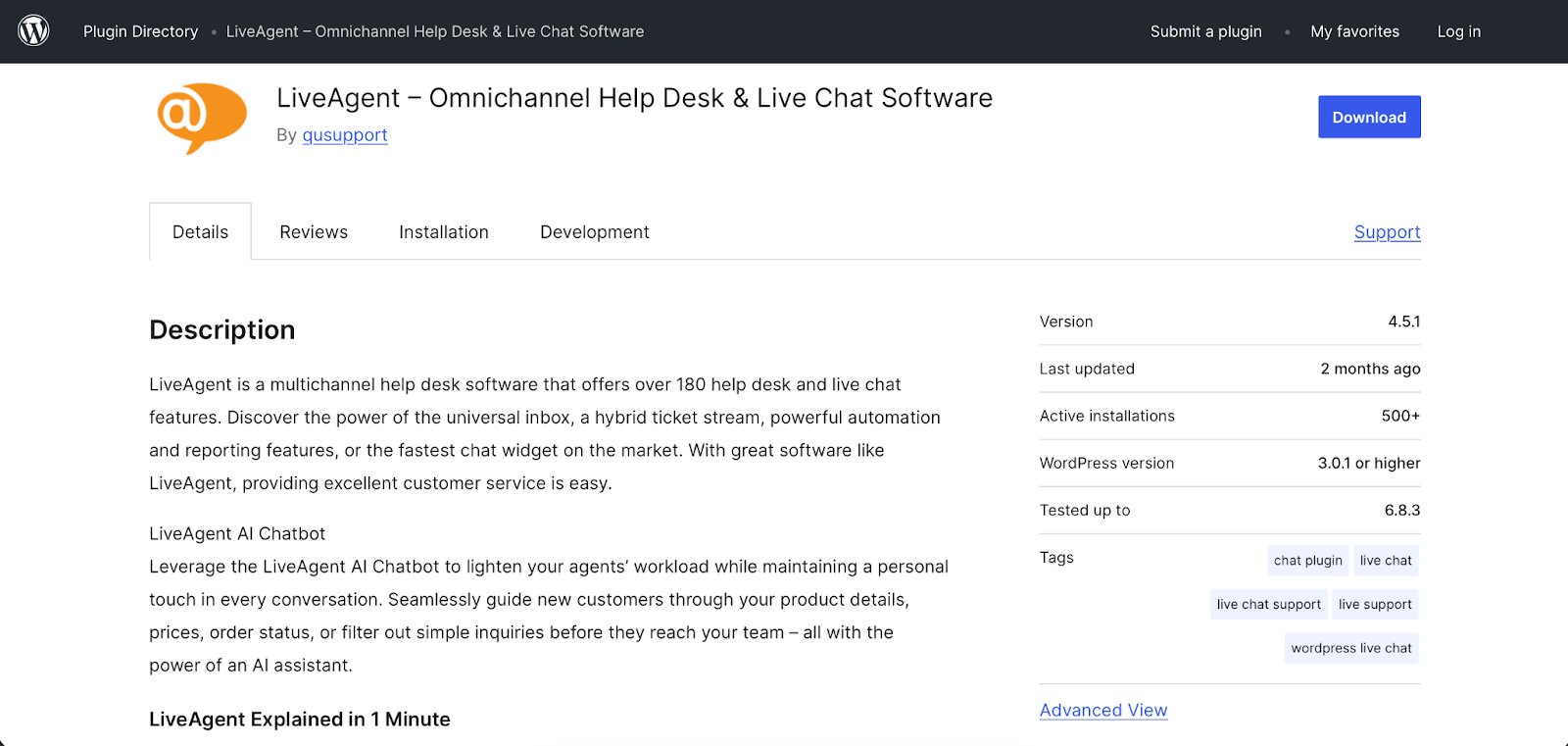
LiveAgent centralizes tickets from multiple channels, including WordPress and various social media sites, in one inbox. The plug-in’s unique “hybrid ticket stream” combines emails, chat messages, phone calls, and social media messages regarding the same problem to create a single view of the customer’s issue.
Use cases: Businesses with a heavy social media presence
Key features
- One inbox for all customer communication
- Hybrid ticket stream
- Live chat and call center
- Customer portal with knowledge base and forum
- Reporting and analytics tools
Pricing: The free plan has limited features; paid plans start at $15 per staff agent, per month.
6. Awesome Support: Best for reliable email notifications
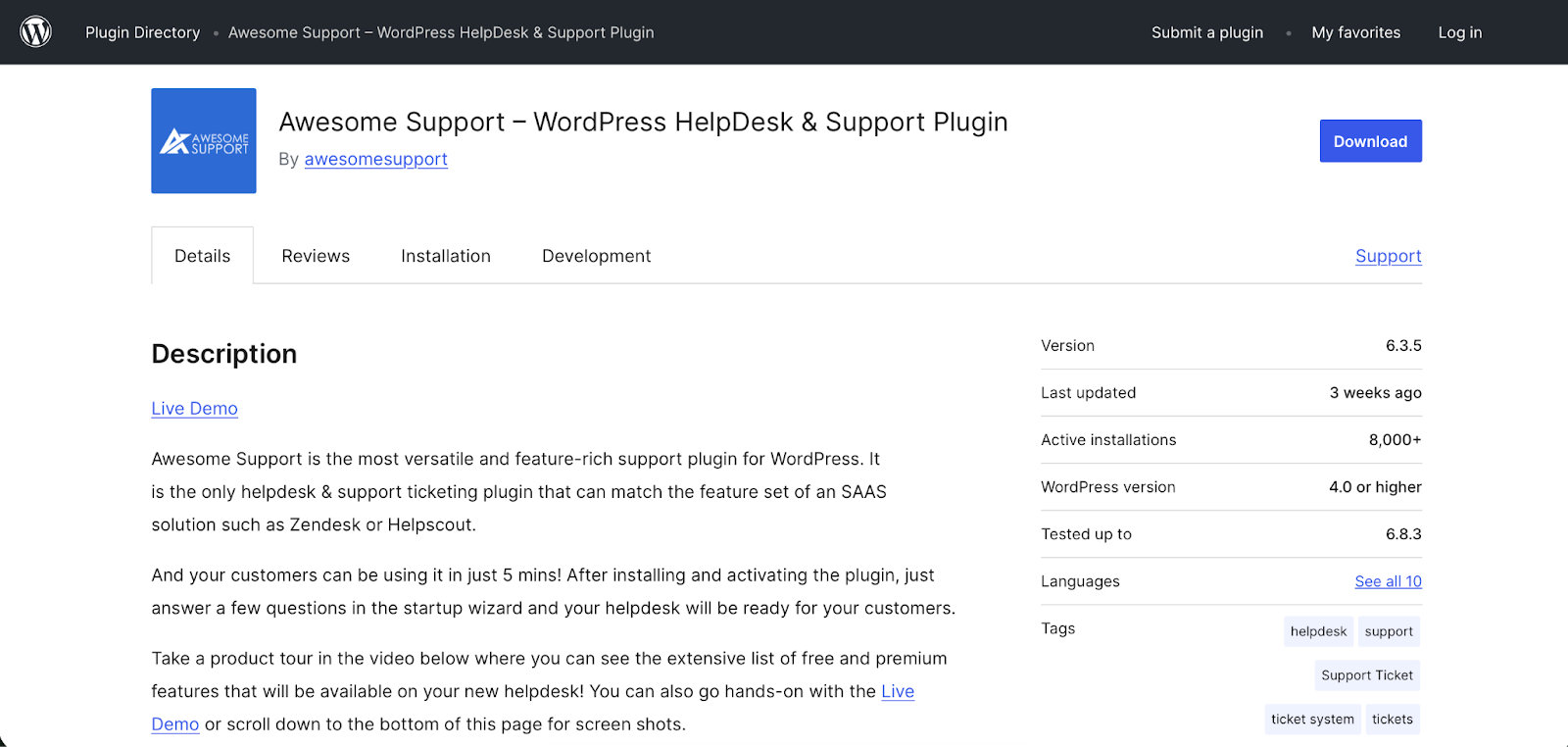
Awesome Support is a versatile and feature-rich support plug-in tailor-made for WordPress.
The basic plug-in is simple enough for small businesses and easy to use because it’s hosted within the WordPress dashboard. In addition, extensions including advanced analytics, paid support, and time tracking make it suitable for larger organizations.
Use cases: Businesses of all sizes that need a highly customizable help desk solution
Key features
- Automatic agent assignment
- Paid support
- Customizable email notifications
- Time tracking and reporting
- Premium add-ons (over 28)
Pricing: A free plan is available; paid bundles start at $149 per year.
7. Help Scout: Best for collaborative support

Help Scout’s WordPress plug-in is simpler than most, and it allows you to bring the Help Scout Beacon (a messaging and self-service widget) onto your WordPress-powered website.
With Beacon on WordPress, you can provide customers with 24-7 support and offer in-context support wherever they are on your site.
Use cases: Larger businesses that want to provide collaborative and self-service support on their WordPress site
Key features
- Shared inbox for all customer communication
- Beacon messaging and self-service widget
- Knowledge base and live chat
- Reporting and analytics tools
- Mobile apps for iOS and Android
Pricing: A free plan is available; paid plans start at $50 per month for up to 100 contacts.
8. Freshdesk: Best for an automated ticketing system
Freshdesk offers AI agent support that emphasizes collaboration among your staff and AI agents. Its WordPress plug-in enables you to embed the Freshdesk help widget into any WordPress site. AI agents can resolve routine questions and loop in human collaborators for more complex tickets.
Use cases: Businesses that need a scalable and customizable WordPress help desk solution
Key features
- Omnichannel support
- Automated ticketing system
- AI agent support
- Knowledge base and community forum
- Reporting and analytics tools
Pricing: There is a limited free plan; paid plans start at $15 per staff agent, per month.
9. JS Help Desk: Best for open-source ticketing

The JS Help Desk plug-in was built for WordPress and includes extensive features, even in the free version. There’s nothing fancy here, but a well-rounded set of features and one of the most generous free plans (not to mention superscalable paid upgrades) make it a strong contender for businesses of all sizes.
Use cases: Businesses of all sizes looking for a cost-effective solution with open-source ticketing
Key features
- Unlimited tickets
- Front-end ticket creation for users and guests
- AI-powered reply suggestions
- Customizable email templates and notifications
- Over 180 configuration options and more than 12 custom fields
Pricing: A free plan is available; paid plans start at $49 per year.
10. HelpCrunch: Best for omnichannel support

HelpCrunch is an all-in-one customer communication platform. While its primary features are live chat and email marketing, its robust ticketing system makes it a great option for businesses looking for a unified solution. A shared inbox contains all customer communication, even from less popular sources such as Telegram and Viber, while detailed profiles give your team a comprehensive customer history.
Use cases: Businesses that want to combine live chat, email marketing, and a ticketing system into a single platform
Key features
- Shared inbox for managing all customer communication
- Live chat, chatbot, and knowledge base
- Email automation and marketing campaigns
- Customizable popups for lead generation
- Detailed customer profiles and analytics
Pricing: Plans start at $10 per month.
How to choose the right WordPress ticketing system for your business
When you’re ready to find the best WordPress ticketing system for your business, consider these factors:
- Plug-in cost: WordPress ticketing systems can range in price from free to several hundred dollars per year.
- Scalability: If you expect your business to grow, you’ll want a ticketing system that can scale with you on everything from ticket volume to additional support agents and channels.
- Ease of setup: If you’re not a technical person, choose a plug-in that is easy to install and configure, with minimal (or no) coding required.
- Support: When things go wrong, can you get help from the plug-in developer?
- Compatibility: Make sure that any plug-in you consider is compatible with your WordPress theme, page builder, and e-commerce plug-in. Most ticketing systems will list compatibility details on their website.
- Existing workflow gaps: Take some time to identify any gaps in your current support workflow, and look for a ticketing system that can help you fill them.
Another factor to consider is whether you’re better off with a plug-in or a more comprehensive solution. If you’re just starting out, a WordPress ticketing plug-in is a great option in lieu of an all-in-one help desk suite. Plug-ins are typically more cost-effective, easier to set up, and simpler to use.
As your business grows, you can decide whether it’s worth upgrading to a more comprehensive support solution. Keep in mind that many full-fledged customer support platforms (e.g., Zendesk and Help Scout) offer a native platform and WordPress plug-in.
Choosing the right ticketing system for WordPress
The right ticketing system can turn customer support from a liability into an asset, one that supercharges customer loyalty and lifetime value.
WordPress support plug-ins create a seamless and efficient experience for your customers and your support team, streamlining workflows, reducing response times, and providing valuable insight into customer needs.
Most of the tools in this article offer a free plan, or at least a free trial, so you can test-drive before committing to a paid plan.
By evaluating your options based on your business size, team structure, and budget, you can find a solution that not only meets your current needs but also is ready to scale with you as you grow.
Jotform’s AI Chatbot for WordPress is a scalable, no-code plug-in. With its intuitive form builder and extensive library of pre-built customer service templates (such as service requests or IT ticket forms), you can easily create and customize forms to match the look and feel of your WordPress website.
FAQs about WordPress ticketing systems
When choosing a WordPress ticketing plug-in, look for features such as
- File attachments
- Ticket automation
- Email piping
- Ticket prioritization
- Agent roles
- Performance analytics
- Generic replies
- Jotform AI Chatbot for WordPress
- Tidio
- Zendesk
- SupportCandy
- LiveAgent
- Awesome Support
- Help Scout
- Freshdesk
- JS Help Desk
- HelpCrunch
When choosing a ticketing system for your WordPress site, consider cost, scalability, ease of setup, support, and compatibility with your WordPress theme, page builder, and e-commerce plug-in. Above all, look at how a new plug-in can fit into, and improve upon, your existing support workflow.
This article is for WordPress site owners, support leads, and eCommerce managers seeking a scalable ticketing system to streamline workflows, boost satisfaction, and cut response times.
























Send Comment: