
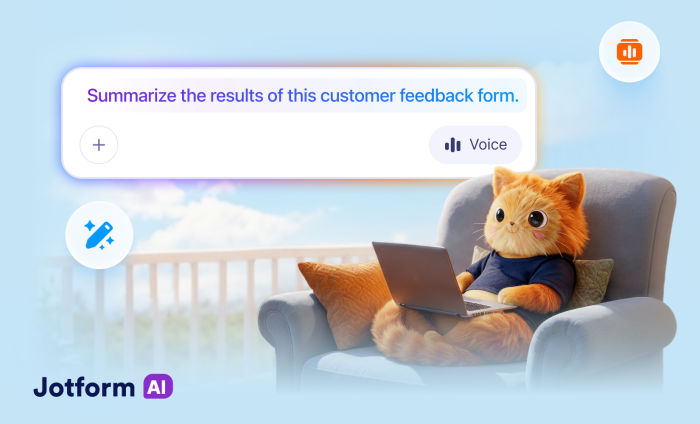

Jotform has evolved from a simple drag-and-drop form builder into a powerful global platform packed with advanced features, integrations, and automation. But unlocking its full potential came with a learning curve that took substantial time and manual setup.
Jotform AI changes that. Instead of building forms and workflows field by field, you can simply describe what you need and let our AI interface handle the rest.
Jotform AI builds every form with best practices in mind, so you can feel confident that your form will perform smoothly. From generating forms to configuring conditional logic and refining workflows, it acts as an intelligent assistant that helps you build faster, think smarter, and automate more.
With hundreds of powerful capabilities now available right at your fingertips (no coding required 😉), getting started can feel overwhelming. To help, we’ve outlined six practical use cases and tasks you can automate with Jotform AI to inspire ideas for your own workflows.
1. Create a complete marketing lead generation workflow
Capturing leads often requires more than just a form. You need to collect necessary information, organize submissions, and follow up with potential customers. With Jotform AI, you can build that entire workflow with a single prompt.
For example, you might say:
Create a marketing lead generation form for a software company and organize submissions in a table.
Jotform AI will generate a form with relevant fields such as name, email, company, and inquiry details. It can also structure the data so leads are organized and easy to track, and set up follow-up tasks with interested prospects based on their responses and using conditional logic.
2. Turn PDFs into a quiz for students
Educators spend hours converting lesson materials into quizzes and assessments. This tedious process can be streamlined with Jotform AI in a matter of seconds. For example, a U.S. history teacher might upload a document like the Constitution and use this prompt:
Create a 10-question multiple-choice quiz for my sixth grade class based on the Constitution.
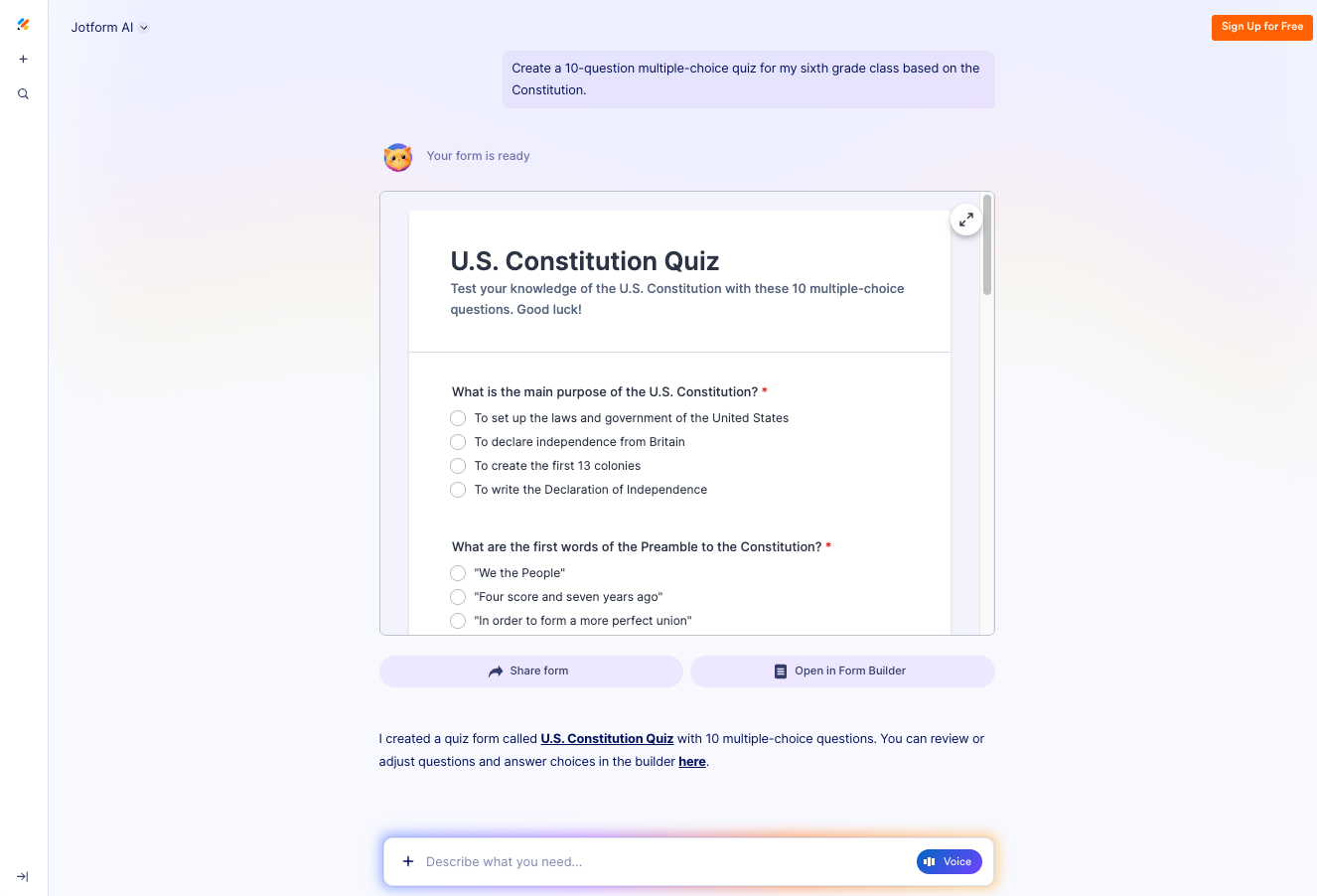
Jotform AI can generate questions from the material, organize them into a structured quiz, and format the form so students can easily complete it online. This allows educators to quickly turn learning materials into assessments without starting from scratch.
3. Test high-traffic forms to ensure they perform seamlessly at scale
Imagine a research team preparing to send out a mental health survey to 10,000 people. Before distributing the survey, the team needs to be absolutely sure everything works flawlessly — that every question flows correctly, logic jumps behave as expected, and submissions are recorded properly. Manually testing all of this would take hours.
To automate this process, the researchers could ask Jotform AI to do this:
Make sure this form is working properly and the conditional logic is set up correctly.
Jotform AI reviews the form structure, tests conditional logic, and simulates real user behavior. It even generates multiple realistic test submissions, allowing the team to see exactly how responses will be captured and stored. This helps them quickly identify issues like broken logic paths, missing fields, or confusing questions, so they’re confident when they’re ready to share the survey.
4. Build complex forms with advanced logic
Many organizations need forms that can intelligently adapt based on user input. The possibilities for conditional logic are extensive, from tailoring questions for different user types to dynamically calculating values in real time.
To take advantage of our conditional logic capabilities without doing the manual setup, you could prompt Jotform AI like this:
Create a volunteer signup form with conditional questions based on user preferences.
Jotform AI would generate the form and apply the necessary logic so that it dynamically adjusts as responses come in. This removes much of the learning curve for setting up conditional logic, making it easy to build advanced, responsive forms without manually configuring complex rules.
5. Turn any form into an interactive experience
Sometimes a traditional form layout can feel overwhelming, especially for longer surveys or onboarding flows. Jotform AI can help redesign the experience.
For example, you might ask:
Convert this classic form into a card style layout.
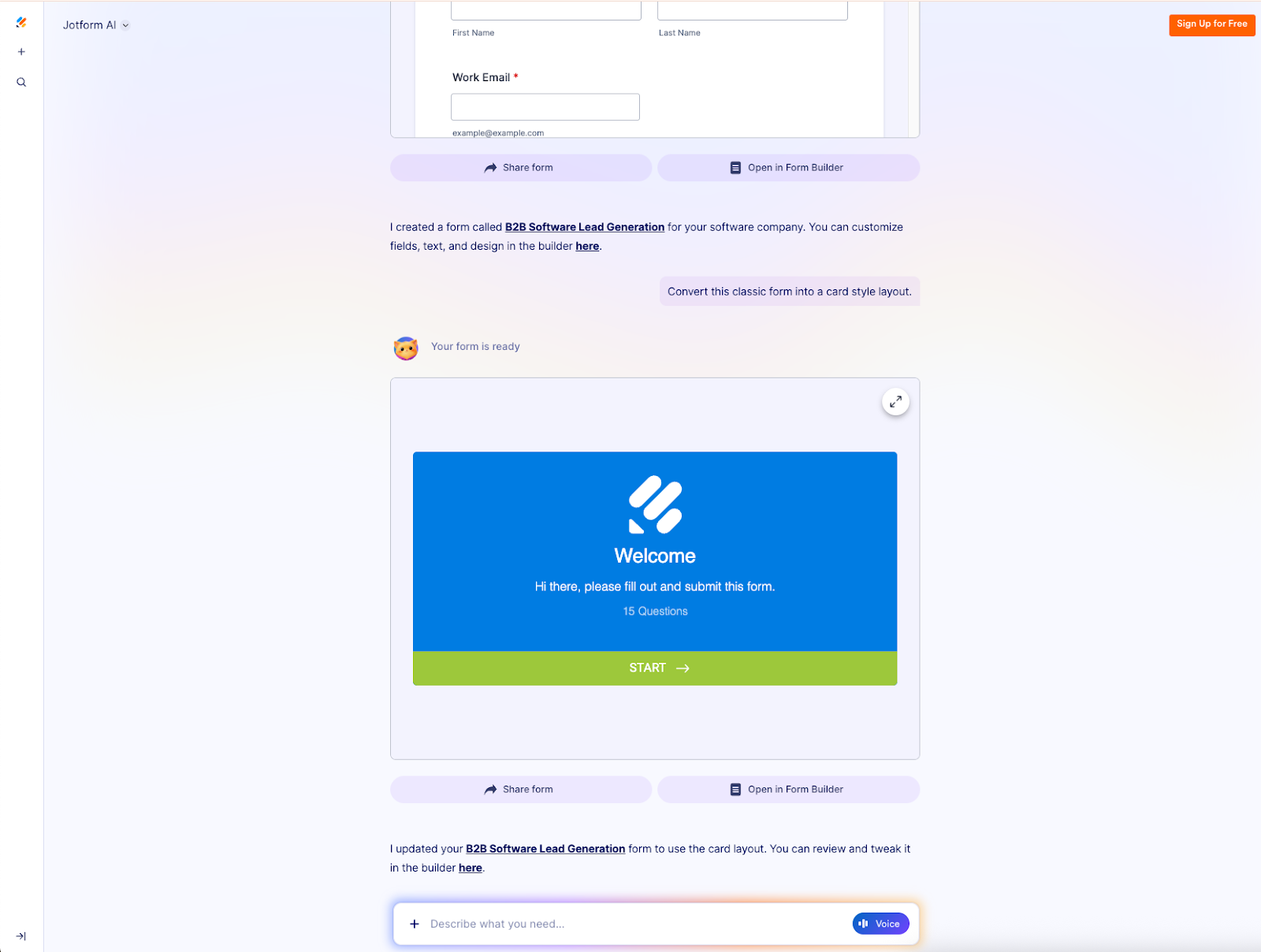
Jotform’s AI capabilities will reorganize the form into a step-by-step presentation format, showing one question at a time to improve engagement and completion rates. If you desire a more complex design, it may even suggest leveraging one of Jotform’s third-party integrations, like Canva, and provide instructions to set up the integration.
6. Edit and improve forms without rebuilding them
Updating forms often requires navigating multiple settings and editing fields manually. With AI Form Copilot inside the Form Builder, you can request any refinements to modify your form until it’s exactly what you envisioned.
For example, you could use this prompt:
Change the form background and font to blue and red to match our brand.
The AI will update the form instantly, allowing users to make complex edits conversationally and refine questions, workflows, and functionalities without doing the work.
Let’s recap: why is Jotform AI so groundbreaking?
Jotform AI represents a breakthrough in how artificial intelligence reshapes form building. Tasks that once required manual effort can now be accomplished in seconds through simple conversation.
This launch redefines what is possible for people of any technical background, making advanced form creation faster, smarter, and more accessible than ever. We can’t wait to see how our users leverage Jotform AI: the possibilities are truly endless!






































































































Send Comment:
1 Comment:
April 6, 2026
I am very excited to join to your team and I have A very effort of data base and alot of customers and knowledge of the process from the beginning to end
That make the steps very Easy to me and alot of relationships to the employees that can help us to grow up and be Able to make our company wide enough to invest the world