Do you want to create personalized or automatic responses to your friend? If so, it’s easy. Let’s do it:


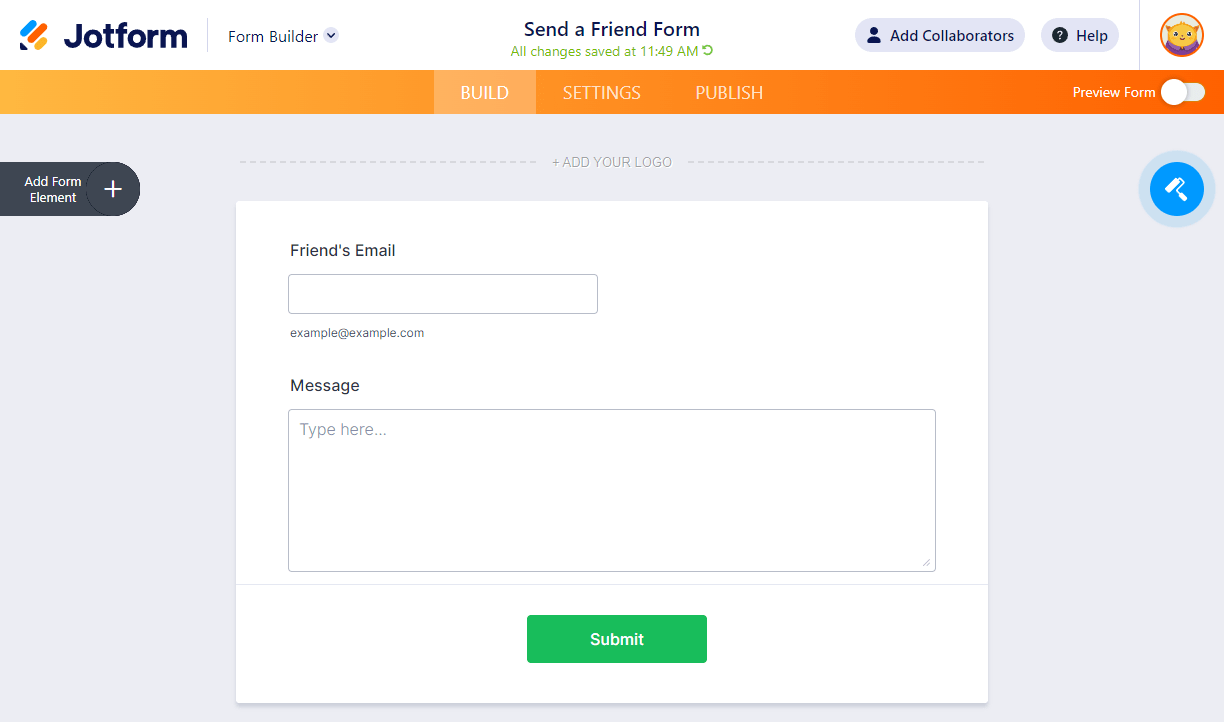
- Create a form and add the Email and Long Text Entry fields.
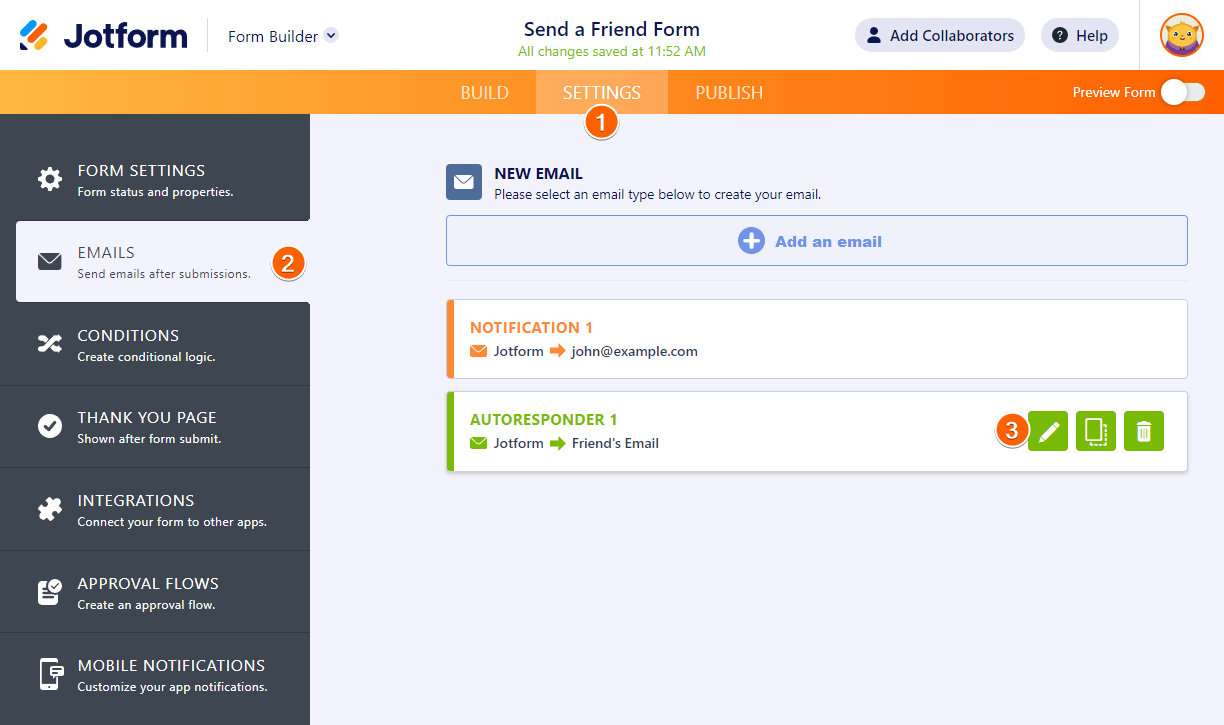
- In the Form Builder, go to the Settings tab.
- Click Emails on the left of the settings tab.
- Edit the autoresponder email from the list of email templates. Hover to the template, and click the Edit (pencil icon).
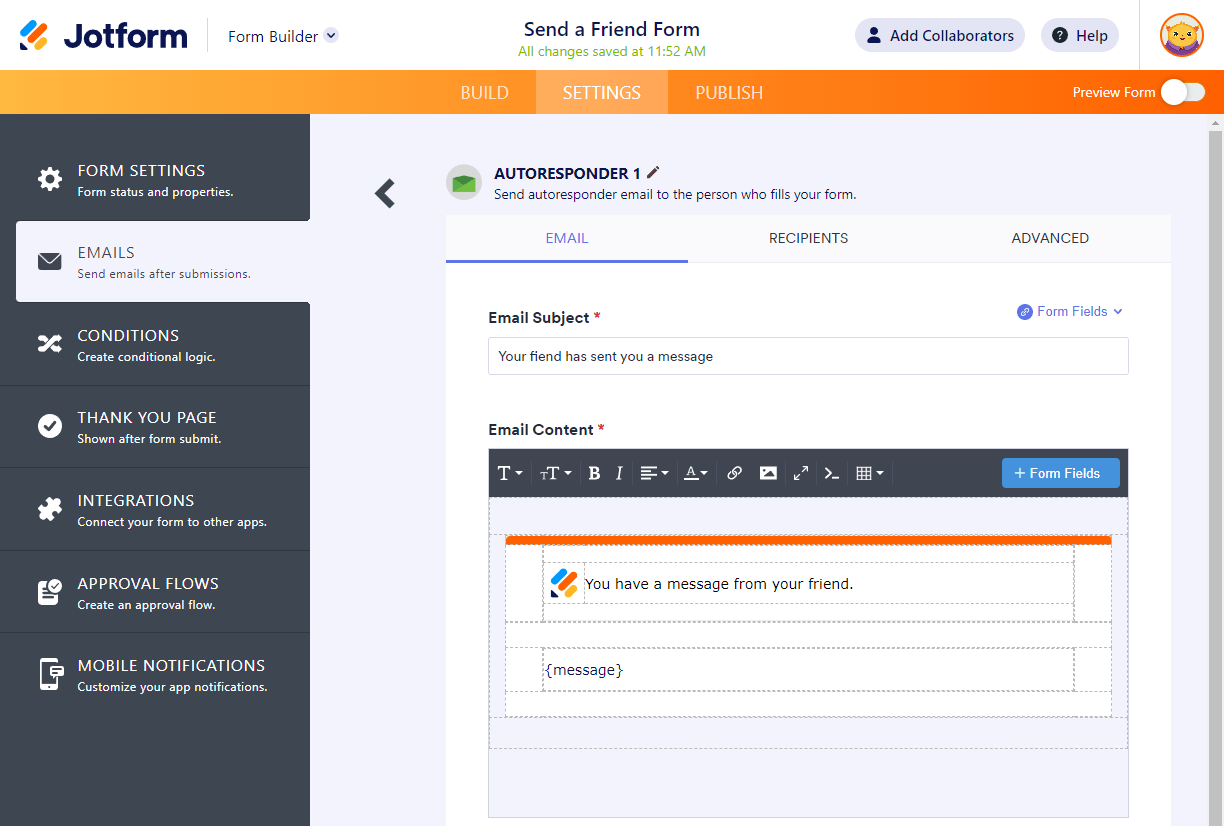
- In the Email tab, you can edit the Subject and Body of the email. You can set up both, as shown in the image below.
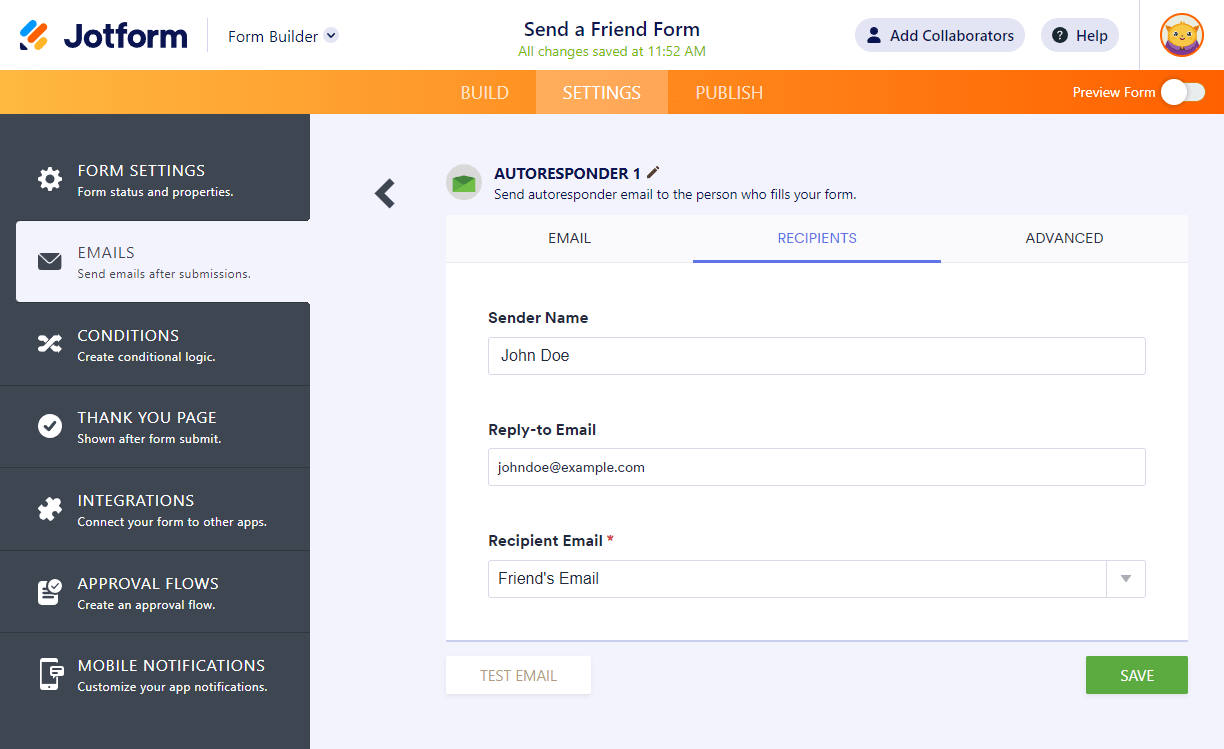
- Under the Recipient tab, provide the Sender and Recipient Details.
- Sender Name: Enter the name you wish to show as the sender.
- Reply-to Email: You can use a different email address in this section. When your friend hits the reply button, the Reply-to Email will be the recipient’s email.
- Recipient E-mail: Located at the lower right part of the Sender & Recipient details. You should select the Friend’s Email field from your form.
- Under the Advanced tab, you’ll find noreply@jotform.com as the default Sender Email. You can switch this to noreply@formresponse.com. You can add a custom sender email if you want to.
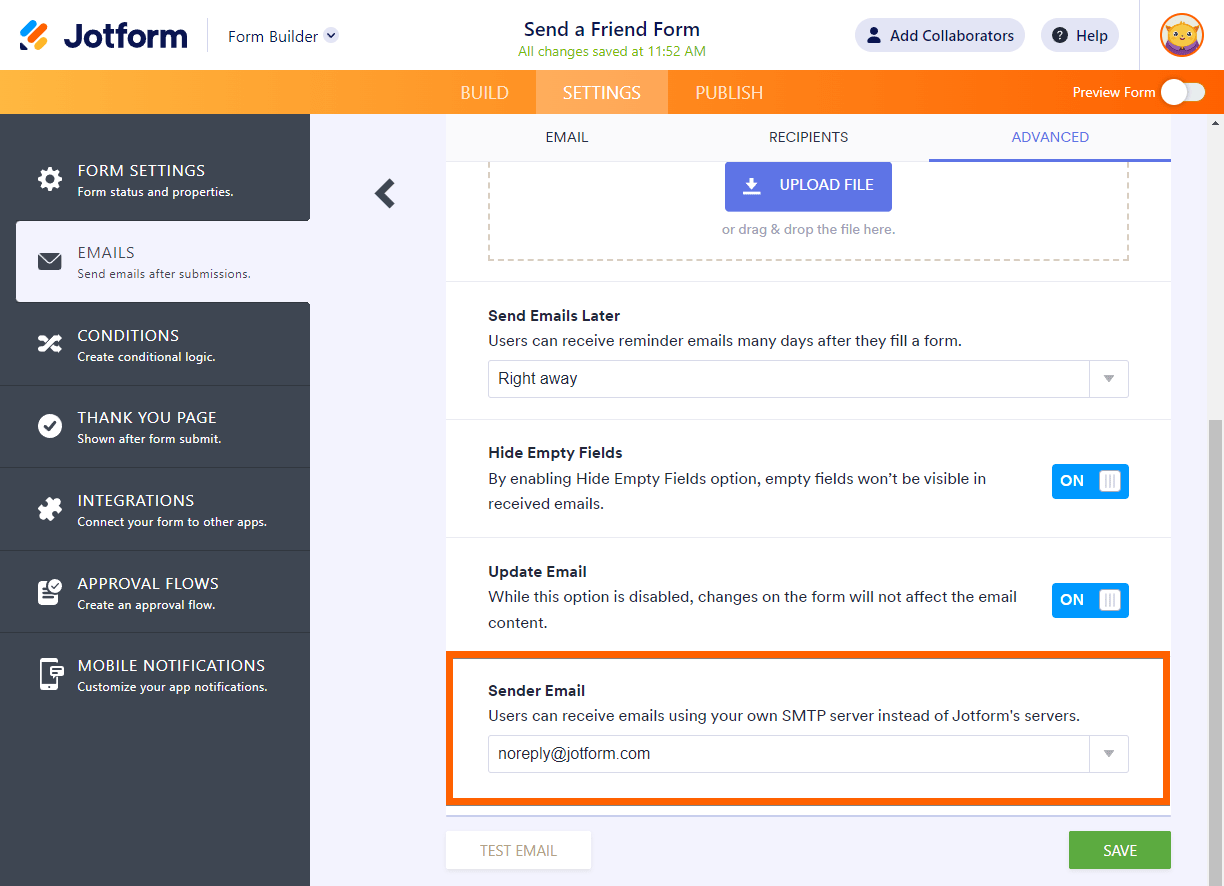
- Finally, save the changes by clicking the Save button at the bottom of the email editor.

Send Comment:
15 Comments:
May 12, 2022
c'est extrêmement compliqué lors de la lecture sur l'ordinateur d'un ami britannique.j'ai adoré quand mon ami l'a traduit, cependant
September 8, 2021
How can I just send any one person a form via text message and have them be able to fill and submit?
March 26, 2018
是用心去
January 1, 2018
Is there any way I can accept multiple emails, separated by the comma from the user?
November 22, 2017
阿斯达是大势所大所多
February 16, 2017
I'd like user can choose where the form sending to by selecting between 2 or 3 submit buttons.
I want to put 3 submit button on the form and assign different emails to each button.
How can I dot it ?
February 16, 2017
Having trouble viewing auto email on a mobile phone due to size of screen. Any way to change the setting to be mobile friendly?
October 22, 2015
What if I want to be able to send to more than one friend at a time?
January 27, 2015
In "migration of web form tool", what kind og URL do you expect? The embedcode from our formscentral account?, or the URL where the form resides in our website? Best regards.
January 26, 2015
I just imported my forms using the tool, Waiting for them to show up. If this actually works, I will be thrilled. The thought of recreating my wheels was giving me serious heart flutters!
January 23, 2015
very happy and impressed
December 17, 2013
I guess I made amistake with my tell a friend form, becuse the given friends did't recive any email when I test it. What could be the problem?
October 9, 2012
Just what i was looking for - Perfect :)
April 17, 2012
Looks like using this approach I'd have to create a "tell a friend" form for each event or promotion. Is there any "tell a friend" forms that are smart enough to pull in (or ask you to enter) the URL that you'd like to pass along?
December 26, 2011
Thank you very much this guide