Jotform AI doesn’t just help you create forms—it takes care of everything that comes after, too. Beyond generating fully functional forms in seconds, it can configure your form settings and enhance your form’s design to match your needs effortlessly.
More than that, Jotform AI acts as your all-in-one assistant throughout the entire process. Instead of manually navigating through menus and settings, you can ask it to access the integrations you need. It helps you get started right away—eliminating extra steps and making your workflow faster, smoother, and more efficient.
Accessing an integration using Jotform AI is straightforward. Here’s what to do:
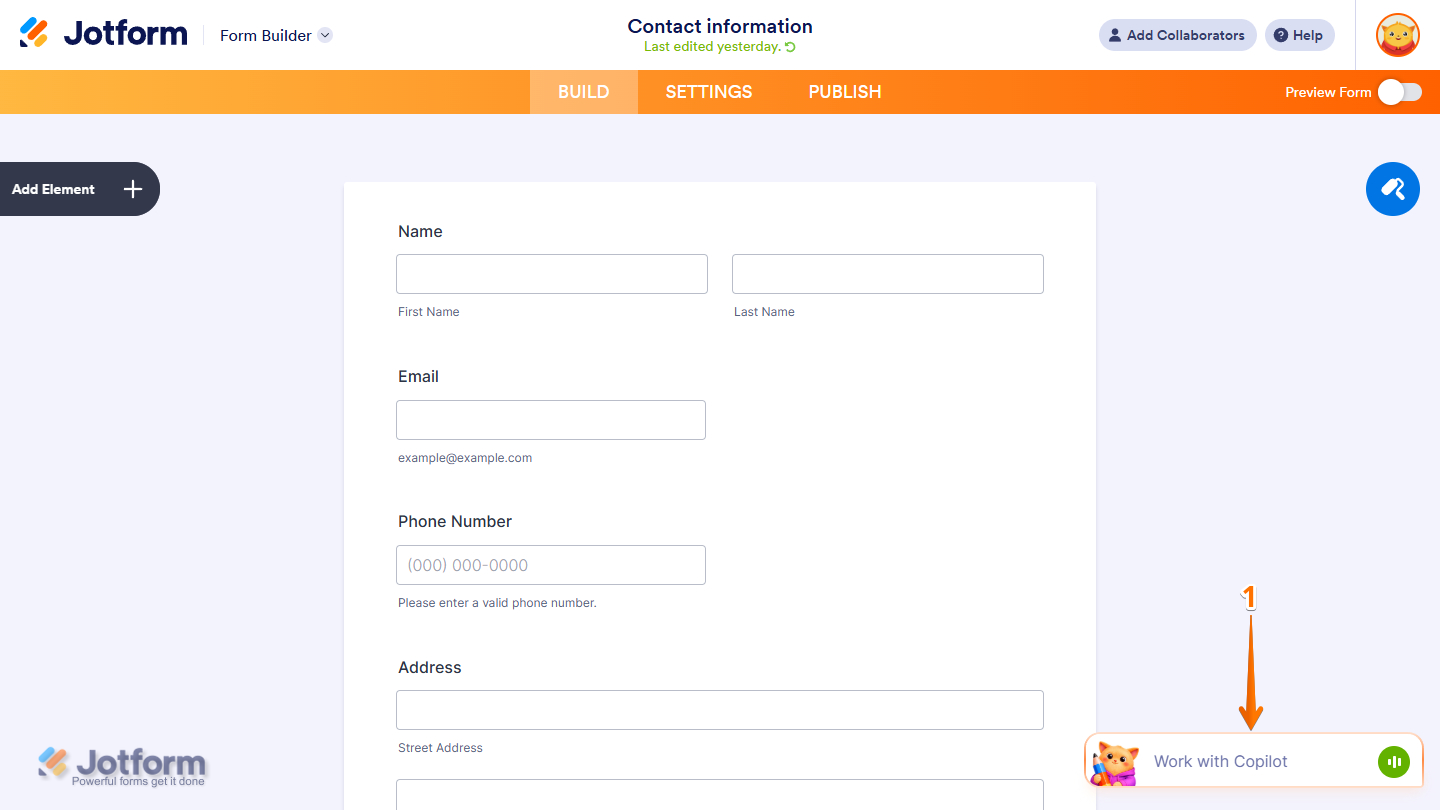
- In Form Builder, click on the Jotform AI Chatbot in the bottom-right corner of the screen.
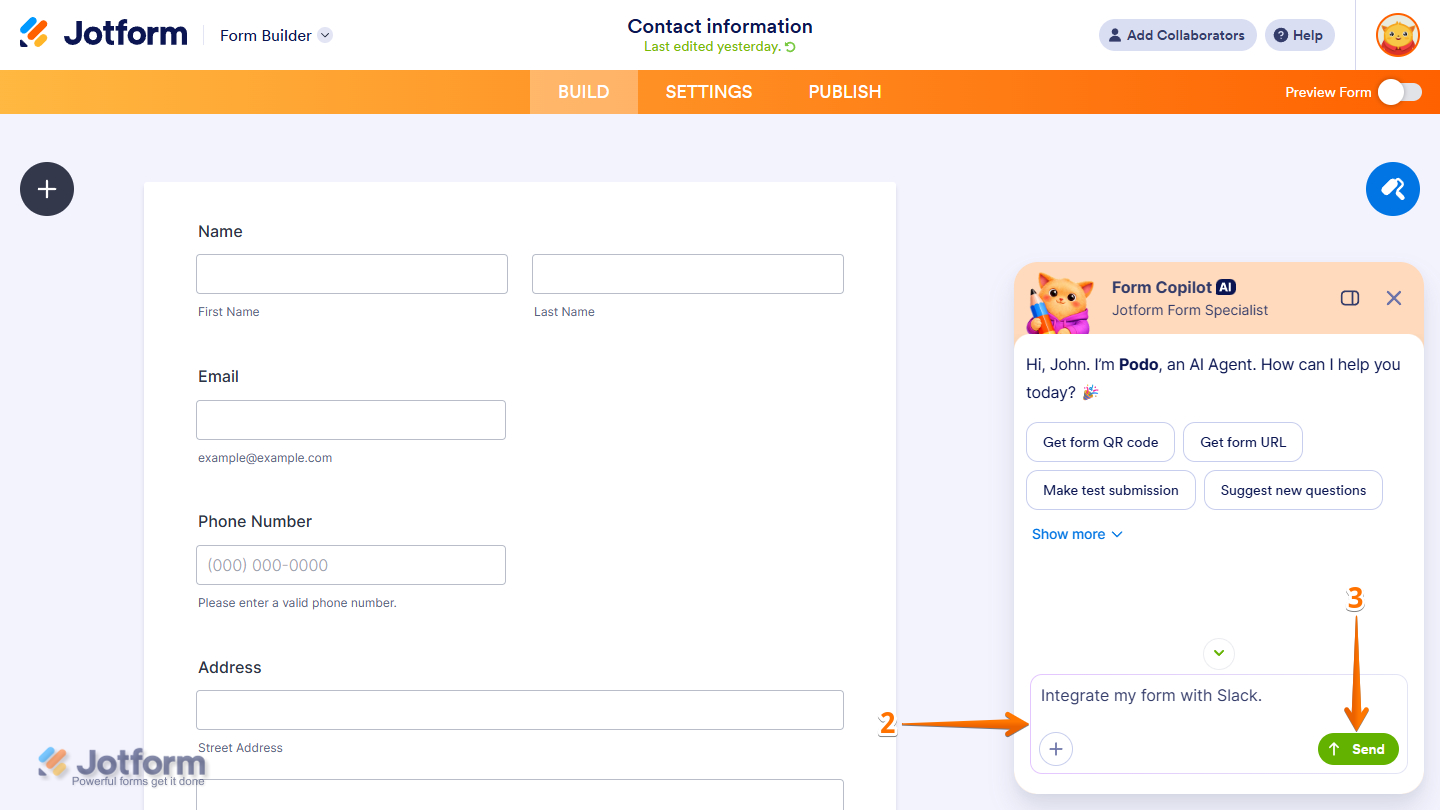
- Then, in the Chat window, enter your prompt with the integration name. Here are a few prompts you can try:
- Integrate my form with Slack.
- Open Google Sheets integration.
- Go to Zoho CRM integration
- Next, click on Send. Jotform AI will now start thinking and processing your request.
- Now, click on the Connect Your Form to Slack button.
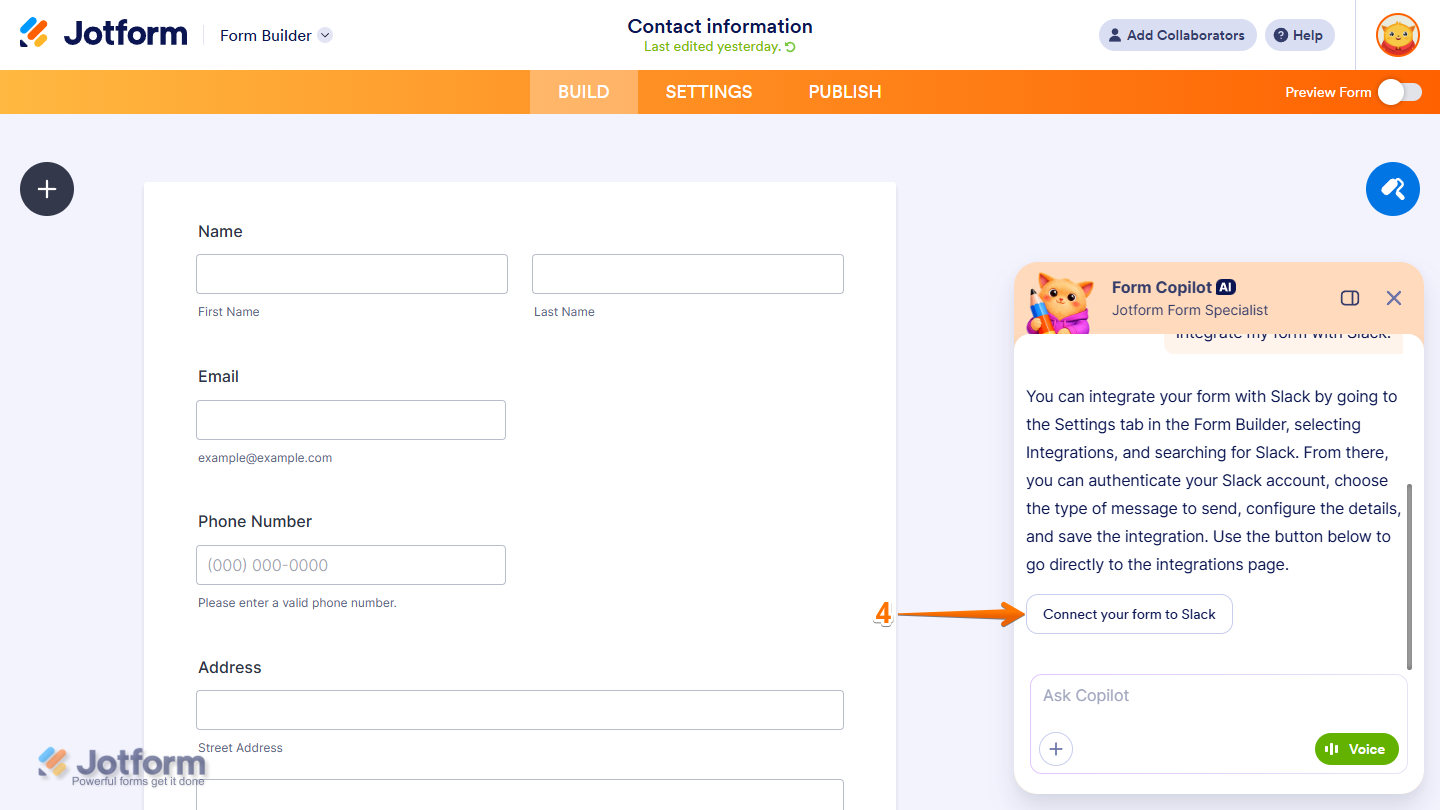
That’s it! Your form now opens the integration page, where you can select the next step and complete the integration.


Send Comment: