# Zapier Forms Alternative | Jotform

**VS**

# Zapier forms alternative: 

 Make your form the workflow with Jotform

Jotform turns every submission into work that moves forward. Your form can guide users, validate inputs, collect payments, and route approvals before anything hits your tools. Then you automate what happens next with cleaner data. Need a Zapier Forms alternative? Jotform makes your form the workflow.

[Get Started Now](https://www.jotform.com/workspace/new?assetCreationType=form)

## Side-by-Side Comparison

| FEATURES |  | Zapier Forms |
| --- | --- | --- |
| Entry-level Price | [FREE](https://www.jotform.com/pricing/) | Zapier Forms FREE |
| Conditional Logic | [Yes](https://www.jotform.com/help/57-smart-forms-conditional-logic-for-online-forms/) | Zapier Forms Yes |
| Appointment Scheduling | [Jotform Appointments](https://www.jotform.com/products/appointments/) | Zapier Forms via integrations |
| Templates | [20,000+](https://www.jotform.com/form-templates/?classic) | Zapier Forms 150+ |
| Integrations | [150+](https://www.jotform.com/integrations/) | Zapier Forms Zap connections |
| Form Translation | [130+ Languages](https://www.jotform.com/features/translate-forms/) | Zapier Forms via integrations |
| Reminder Email | [One Time and Repetitive Reminders](https://www.jotform.com/features/reminder-emails/) | Zapier Forms via workflow |
| Autoresponder Email | [Yes](https://www.jotform.com/features/autoresponder-emails/) | Zapier Forms via workflow |
| Save & Continue Later | [Yes](https://www.jotform.com/features/save-and-continue/) | Zapier Forms Yes |
| Thank You Page | [Yes](https://www.jotform.com/features/thank-you-page/) | Zapier Forms Manually |
| Result & Analysis | [Jotform Report Builder](https://www.jotform.com/products/report-builder/) | Zapier Forms via workflow |
| Form Submission Management | [Jotform Tables](https://www.jotform.com/products/tables/), [Jotform Inbox](https://www.jotform.com/features/inbox/), and [Jotform Boards](https://www.jotform.com/products/boards/features/) | Zapier Forms Zapier Tables |
| Export Submission Data | [via PDF, Excel, and CSV](https://www.jotform.com/features/export-submission-data/) | Zapier Forms CSV |
| AI Agents | [Jotform AI Agents](https://www.jotform.com/ai/agents/) | Zapier Forms Zapier AI Agent |
| Electronic Signature | [Jotform Sign](https://www.jotform.com/products/sign/) | Zapier Forms |
| Email Customization | [Yes](https://www.jotform.com/help/430-how-to-edit-the-email-template-for-notifications-and-autoresponders/) | Zapier Forms Limited |
| PDF Creation | [Jotform PDF Editor](https://www.jotform.com/products/pdf-editor/) | Zapier Forms |
| Workflow | [Jotform Workflows](https://www.jotform.com/products/workflows/) | Zapier Forms Zaps |
| Payment Gateways | [40+ Payment Gateways](https://www.jotform.com/features/payment-gateways/) | Zapier Forms Only Stripe |
| Recurring Donations & Subscriptions | [Yes](https://www.jotform.com/features/search?q=recurring) | Zapier Forms |
| Mobile App | [Jotform Mobile App](https://www.jotform.com/products/mobile-forms/) | Zapier Forms |
| Offline Mode | [Yes](https://www.jotform.com/features/offline-forms/) | Zapier Forms |
| Kiosk Mode | [Yes](https://www.jotform.com/features/kiosk-mode/) | Zapier Forms |
| Encrypted Forms | [Yes](https://www.jotform.com/features/encrypted-forms/) | Zapier Forms Yes |
| Two-Factor Authentication (2FA) | [Yes](https://www.jotform.com/features/two-factor-authentication/) | Zapier Forms Yes |
| reCAPTCHA | [Yes](https://www.jotform.com/features/enable-google-recaptcha/) | Zapier Forms Yes |
| White Labeling | [Available on Enterprise Plan](https://www.jotform.com/enterprise/white-label/) | Zapier Forms Available on Team and Enterprise Plans |
| Single Sign-On | [Available on Enterprise Plan](https://www.jotform.com/enterprise/single-sign-on/) | Zapier Forms |
| PCI Compliance | [Available](https://www.jotform.com/features/pci-compliant-forms/) | Zapier Forms |
| GDPR Compliance | [Available](https://www.jotform.com/gdpr-compliance/) | Zapier Forms Available |
| HIPAA Compliance | [Available on Gold and Enterprise Plans](https://www.jotform.com/features/hipaa-compliance/) | Zapier Forms |
| SOC 2 Compliance | [Available on Enterprise Plan](https://www.jotform.com/enterprise/soc-2-compliance/) | Zapier Forms Yes |
| [Get Started Now](https://www.jotform.com/workspace/new?assetCreationType=form) |

If you see any incorrect, incomplete or inaccurate information, please request correction by filling out the form below.

[Request Correction](https://form.jotform.com/211112788657965?siteUrl=https://www.jotform.com/jotform-vs-zapier-forms/)

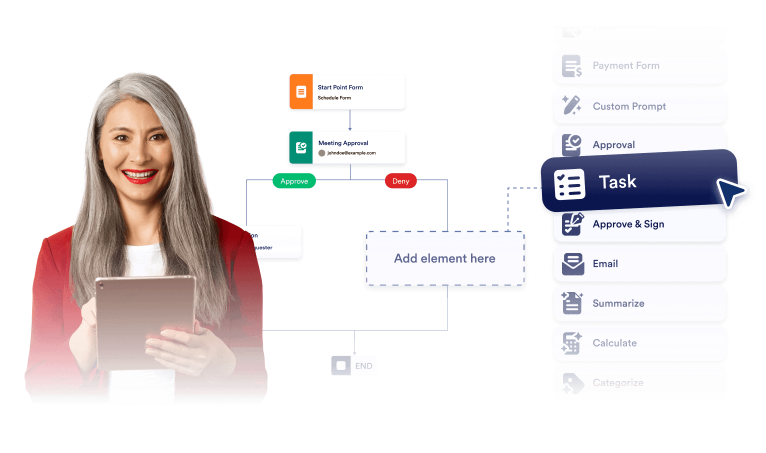
## Two ways to move work forward

Some teams use a trigger-first form and handle logic after submission. Others need the workflow to start earlier with branching, validation, payments, or approvals. Jotform supports both, so you can build the workflow in the form and still automate the handoff.
![Image 1: Two ways to move work forward](https://cdn.jotfor.ms/image/r/aHR0cHM6Ly9jZG4uam90Zm9yLm1zL3Avam90Zm9ybS12cy16YXBpZXItZm9ybXMvYXNzZXRzL2ltZy1taW4vYmVuZWZpdHMtMS5wbmc=/benefits-1.png?w=40&t=1)

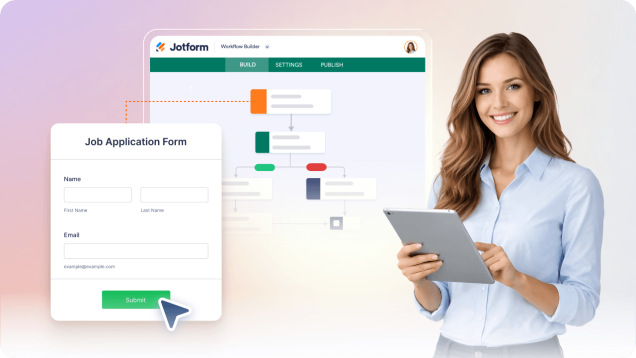
## Build fast without rebuilding automations

Launch a simple form in minutes. As your process evolves, add conditional logic, calculations, required uploads, approvals, payments, and follow-ups. You expand the same form instead of rebuilding a web of automation steps each time requirements change.

![Image 2: Build fast without rebuilding automations](https://cdn.jotfor.ms/image/r/aHR0cHM6Ly9jZG4uam90Zm9yLm1zL3Avam90Zm9ybS12cy16YXBpZXItZm9ybXMvYXNzZXRzL2ltZy1taW4vYmVuZWZpdHMtMi5wbmc=/benefits-2.png?w=40&t=1)

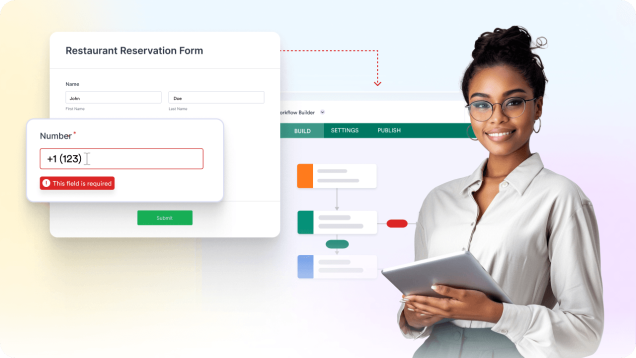
## Cleaner submissions make every workflow better

Automation runs no matter what users submit. Jotform reduces broken workflows by guiding users, validating fields, and requiring only what applies. You get fewer wrong requests and fewer incomplete entries, so your workflow starts with cleaner data.
![Image 3: Cleaner submissions make every workflow better](https://cdn.jotfor.ms/image/r/aHR0cHM6Ly9jZG4uam90Zm9yLm1zL3Avam90Zm9ybS12cy16YXBpZXItZm9ybXMvYXNzZXRzL2ltZy1taW4vYmVuZWZpdHMtMy5wbmc=/benefits-3.png?w=40&t=1)

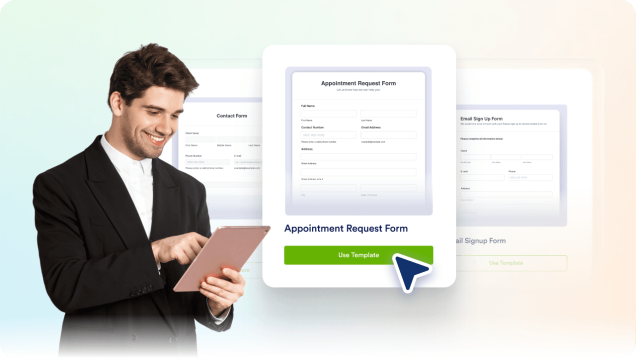
## 20,000+ form templates that save build time

Jotform includes thousands of templates for common business cases. You start with a structure that already fits your goal. Then you edit fields, adjust design, and publish.
![Image 4: 20,000+ form templates that save build time](https://cdn.jotfor.ms/image/r/aHR0cHM6Ly9jZG4uam90Zm9yLm1zL3Avam90Zm9ybS12cy16YXBpZXItZm9ybXMvYXNzZXRzL2ltZy1taW4vYmVuZWZpdHMtNC5wbmc=/benefits-4.png?w=40&t=1)

## Built for automation-first workflows

![Image 5: Keep the routing logic easy to update](https://cdn.jotfor.ms/image/r/aHR0cHM6Ly9jZG4uam90Zm9yLm1zL3Avam90Zm9ybS12cy16YXBpZXItZm9ybXMvYXNzZXRzL2ltZy1taW4vZmVhdHVyZS0xLnBuZw==/feature-1.png?w=40&t=1)

### Keep the routing logic easy to update

When routing rules change, updating automations can get messy. Jotform lets you adjust routing, required fields, and paths directly in the form, so workflow changes stay simple and contained.
![Image 6: Payments and approvals before work starts](https://cdn.jotfor.ms/image/r/aHR0cHM6Ly9jZG4uam90Zm9yLm1zL3Avam90Zm9ybS12cy16YXBpZXItZm9ybXMvYXNzZXRzL2ltZy1taW4vZmVhdHVyZS0yLnBuZw==/feature-2.png?w=40&t=1)

### Payments and approvals before work starts

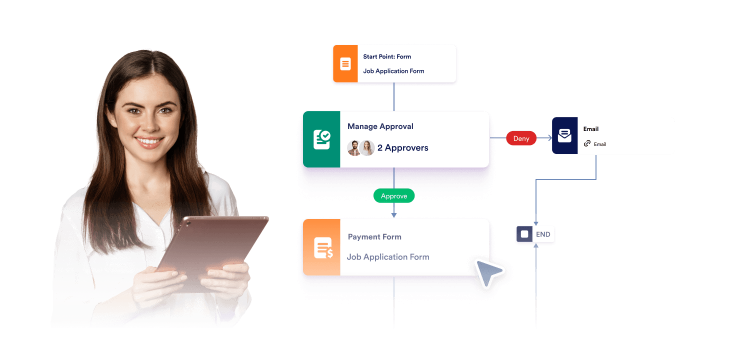
Some workflows should not trigger an action until a payment or approval happens. Jotform handles both within the form experience, so downstream automation runs only after the request is ready.
![Image 7: Better UX reduces operational load](https://cdn.jotfor.ms/image/r/aHR0cHM6Ly9jZG4uam90Zm9yLm1zL3Avam90Zm9ybS12cy16YXBpZXItZm9ybXMvYXNzZXRzL2ltZy1taW4vZmVhdHVyZS0zLnBuZw==/feature-3.png?w=40&t=1)

### Better UX reduces operational load

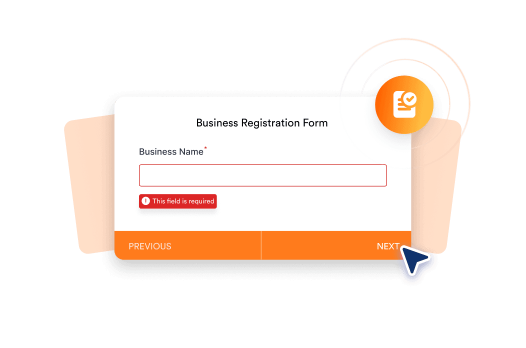
Clear form UX is not just about design. It reduces incomplete submissions and follow-up questions. Jotform’s layouts help users complete tasks correctly, reducing support and ops overhead.
![Image 8: Your form is the workflow](https://cdn.jotfor.ms/image/r/aHR0cHM6Ly9jZG4uam90Zm9yLm1zL3Avam90Zm9ybS12cy16YXBpZXItZm9ybXMvYXNzZXRzL2ltZy1taW4vZmVhdHVyZS00LnBuZw==/feature-4.png?w=40&t=1)

### Your form is the workflow

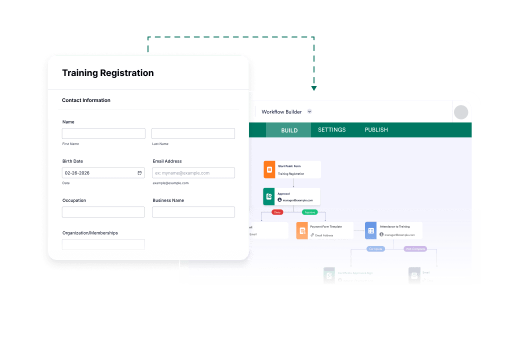
With Jotform, the form handles decisions, validation, approvals, and payments. By the time automation starts, the work is already structured and complete. That’s how workflows move faster with fewer fixes.

![Image 9: Submission tracking without extra systems](https://cdn.jotfor.ms/image/r/aHR0cHM6Ly9jZG4uam90Zm9yLm1zL3Avam90Zm9ybS12cy16YXBpZXItZm9ybXMvYXNzZXRzL2ltZy1taW4vZmVhdHVyZS01LnBuZw==/feature-5.png?w=40&t=1)

### Submission tracking without extra systems

Jotform includes built-in submission views that let teams review, assign, and track work in one place. You keep visibility without forcing every request into another system just to stay organized.

## FAQ

*    
### What makes Jotform a strong Zapier Forms alternative? Jotform is a strong Zapier Forms alternative because it improves data quality before automation runs. You can guide users, validate inputs, and control routing inside the form, then send clean submissions into your workflows.   
*    
### How does Jotform reduce automation errors? Jotform reduces automation errors by preventing incomplete or incorrect submissions. Conditional logic, required fields, and real-time validation ensure only clean data enters your workflow   
*    
### Does adding logic to forms slow down workflows? No. Form-level logic runs before submission and does not slow automation. In practice, workflows often run faster because submissions arrive complete and require fewer follow-up steps.   
*    
### Why is form-level logic important for workflows? Form-level logic keeps routing and validation within the form rather than across multiple automation steps. This makes updates easier and reduces the number of conditions you must maintain in your automations.   
*    
### Can Jotform work with existing automation tools? Yes. Jotform works with existing automation tools. You can connect submissions to your current workflows while improving the input layer that feeds them.   
*    
### Why does cleaner input improve automation? Automation runs regardless of input quality. Cleaner submissions reduce broken workflows, incorrect task creation, and manual cleanup. Jotform helps ensure better data before automation begins.   
*    
### Is Jotform better for growing workflows? Jotform is better for growing workflows because you can update logic, routing, and validation within the form without rebuilding automation steps whenever your process changes.   
*    
### Does Jotform support workflows beyond the form? Yes. Jotform Workflows can manage steps after submission when needed. Many teams combine form-level logic with workflows so automation starts from clean, complete input.   

View More

## Make your form the workflow.

Jotform works with your existing workflows and helps prevent broken submissions before they start. Start free and switch at your own pace.

[Get Started Now](https://www.jotform.com/workspace/new?assetCreationType=form)