# Jotform Boards vs. Asana: The Ultimate Task Management Showdown

**VS**![Image 1: Asana Logo](https://cdn.jotfor.ms/p/products/boards/assets/img-min/vs/asana-logo.png)

# Jotform Boards vs. Asana

Unlock seamless form integration, customizable AI avatars, dynamic task responses, and multi-channel support—all at a competitive price. Jotform's AI agents empower your team to deliver faster, smarter, and more personalized customer interactions than Agentforce. Choose Jotform for powerful, flexible automation that fits your needs.

[Create Your Board - It’s Free](https://www.jotform.com/workspace/new?assetCreationType=board)[Migrate Boards to Jotform](https://www.jotform.com/workspace/new?assetCreationType=board&wizardInitialView=BoardMigrationWizard&selectedIntegration=asana)

| FEATURES |  | Asana |
| --- | --- | --- |
| Entry-Level Price | [FREE](https://www.jotform.com/products/boards/pricing/) | Asana FREE |
| Kanban View | [Yes](https://www.jotform.com/products/boards/kanban-software/) | Asana Yes |
| Form Submissions to Tasks | [Yes, it’s free](https://www.jotform.com/products/boards/use-cases/form-submissions-to-tasks/) | Asana Yes, but paid |
| Multiple Forms Connection | [Yes, it’s free](https://www.jotform.com/products/boards/use-cases/form-submissions-to-tasks/) | Asana Yes, but paid |
| AI Conversations to Tasks | [Yes](https://www.jotform.com/products/boards/use-cases/ai-conversations-to-tasks/) | Asana |
| Orders to Tasks | [Yes](https://www.jotform.com/products/boards/use-cases/orders-to-tasks/) | Asana Only Stripe |
| E-Signatures to Tasks | [Yes](https://www.jotform.com/products/boards/use-cases/e-signatures-to-tasks/) | Asana via Integrations |
| Workflows to Tasks | [Yes](https://www.jotform.com/products/boards/use-cases/workflows-to-tasks/) | Asana Yes |
| Templates | [1,000+](https://www.jotform.com/board-templates/) | Asana 140+ |
| Task Assignee | [Multiple](https://www.jotform.com/help/how-to-assign-a-task-to-someone-in-jotform-boards/) | Asana Single |
| Priority Indicator | Yes | Asana Yes |
| Due Date | Yes | Asana Yes |
| Task Description | Yes | Asana Yes |
| Custom Fields | Yes | Asana Yes |
| Custom Task Groups | [Yes](https://www.jotform.com/help/how-to-group-tasks-in-jotform-boards-using-tags/) | Asana Yes |
| Custom Background | [Yes](https://www.jotform.com/help/how-to-personalize-jotform-boards/) | Asana |
| Custom Color Theme | [Yes](https://www.jotform.com/help/how-to-personalize-jotform-boards/) | Asana |
| Searching & Filtering | Yes | Asana Yes |
| Task Collaboration | Yes | Asana Yes |
| Add Comments to Tasks | Yes | Asana Yes |
| Activity Log | Yes | Asana Yes |
| Mobile | Yes | Asana Yes |
| Team Management | [Jotform Teams](https://www.jotform.com/enterprise/teams/) | Asana Tier-based available |
| White Labeling | Available on [Enterprise](https://www.jotform.com/enterprise/) | Asana Tier-based available |
| Two-Factor Authentication (2FA) | [Available](https://www.jotform.com/features/two-factor-authentication/) | Asana Available |
| Single Sign-On (SSO) | Available on [Enterprise](https://www.jotform.com/enterprise/) | Asana Tier-based available |
| GDPR Compliance | [Available](https://www.jotform.com/gdpr-compliance/) | Asana Available |
| HIPAA Compliance | Available on [Gold and Enterprise](https://www.jotform.com/products/boards/pricing/) | Asana Tier-based available |
| SOC 2 Type II | Available on [Enterprise](https://www.jotform.com/enterprise/) | Asana Tier-based available |
| [Create Your Board - It’s Free](https://www.jotform.com/workspace/new?assetCreationType=board) |

If you see any incorrect, incomplete or inaccurate information, please request correction by filling out the form below.

[Request Correction](https://form.jotform.com/211112788657965?siteUrl=https://www.jotform.com/products/boards/vs/asana/)

![Image 2: Seamless Task Management with Kanban View](https://cdn.jotfor.ms/image/r/aHR0cHM6Ly9jZG4uam90Zm9yLm1zL3AvcHJvZHVjdHMvYm9hcmRzL2Fzc2V0cy9pbWctbWluL3ZzL2ZlYXR1cmUtMS5wbmc=/feature-1.png?w=40&t=1)
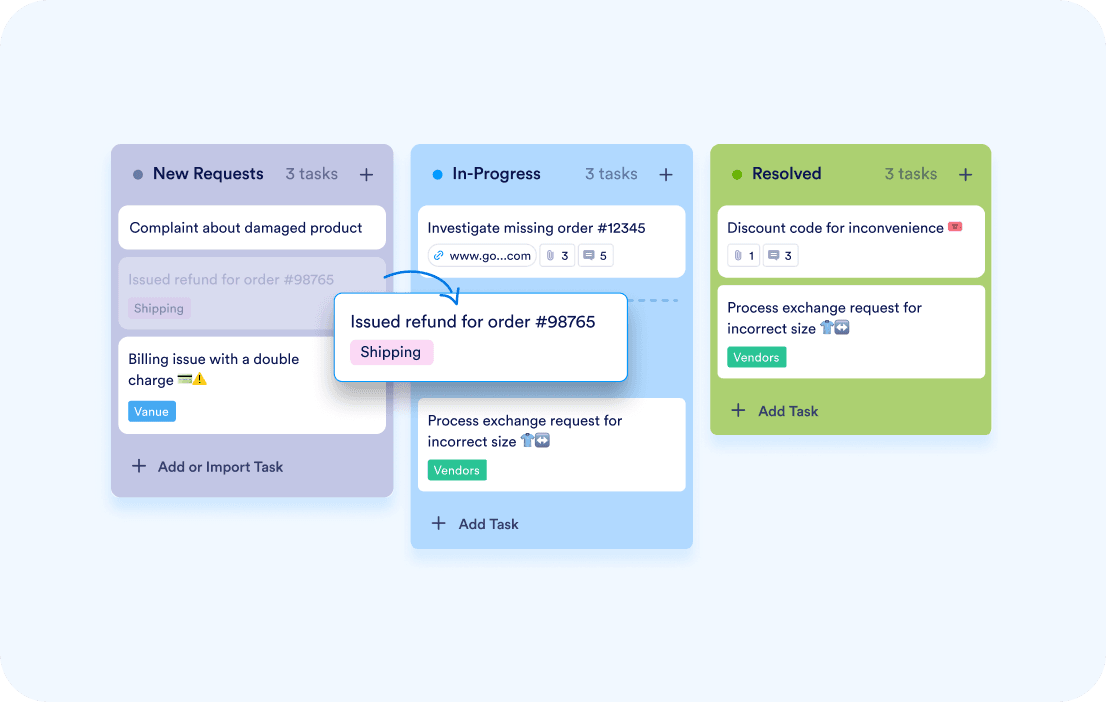
### Task Management with Kanban View

Jotform Boards offers a visual Kanban board with drag-and-drop functionality for easy task management. Customizable task layouts let users add priorities, due dates, and tags to fit their workflow.
![Image 3: Effortless Form-to-Task Automation](https://cdn.jotfor.ms/image/r/aHR0cHM6Ly9jZG4uam90Zm9yLm1zL3AvcHJvZHVjdHMvYm9hcmRzL2Fzc2V0cy9pbWctbWluL3ZzL2ZlYXR1cmUtMi5wbmc=/feature-2.png?w=40&t=1)
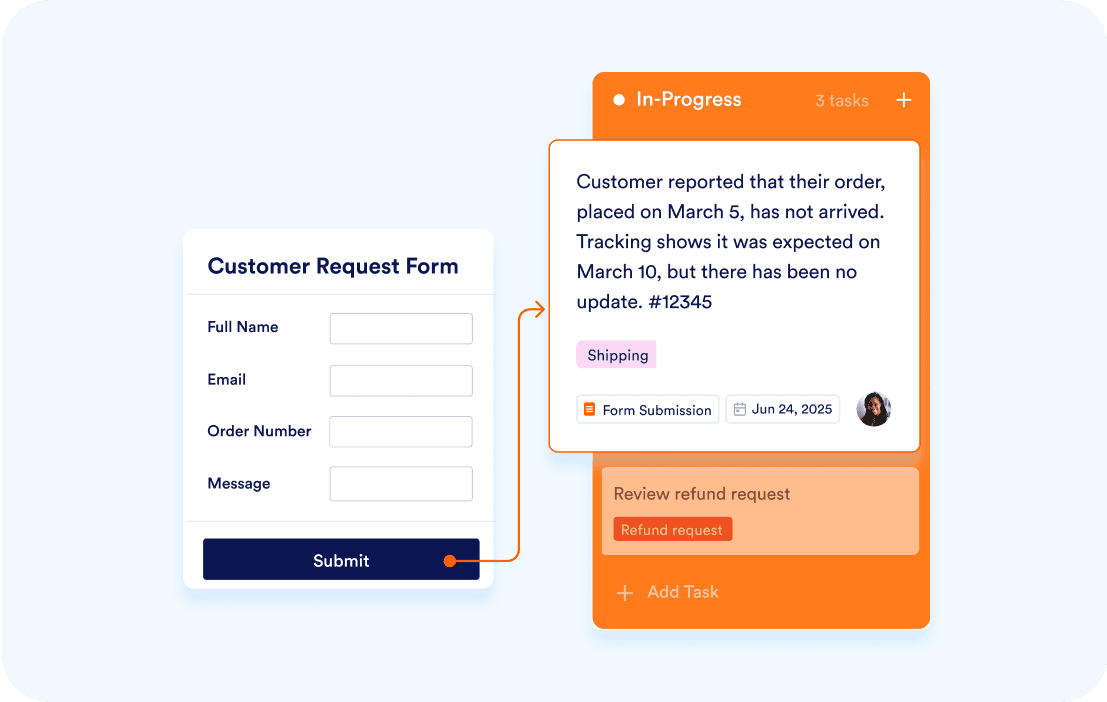
### Effortless Form-to-Task Automation

Connect your Jotform forms directly to Jotform Boards to automatically turn form submissions into actionable tasks. Eliminate manual data entry, reduce errors, and speed up workflow execution.
![Image 4: Enhanced Team Collaboration](https://cdn.jotfor.ms/image/r/aHR0cHM6Ly9jZG4uam90Zm9yLm1zL3AvcHJvZHVjdHMvYm9hcmRzL2Fzc2V0cy9pbWctbWluL3ZzL2ZlYXR1cmUtMy5wbmc=/feature-3.png?w=40&t=1)
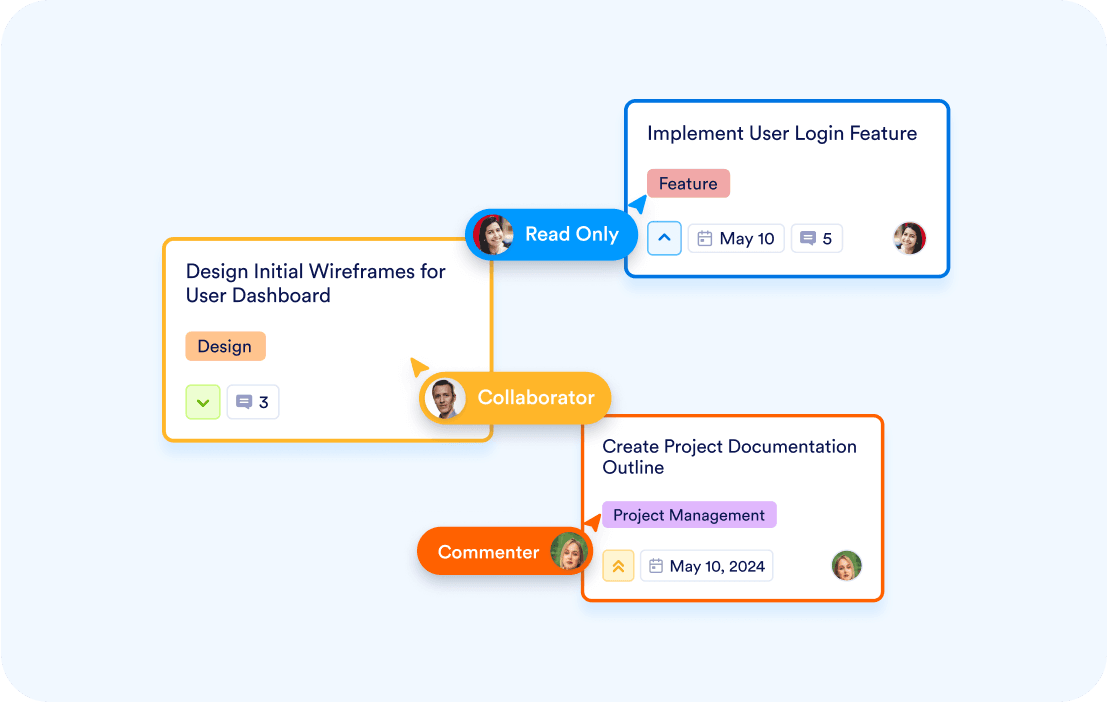
### Enhanced Team Collaboration

Work seamlessly with teammates by sharing boards, assigning tasks, and leaving comments for clear communication. The built-in activity log ensures transparency and accountability, making teamwork more productive.

## 1,000+ Jotform Boards Templates

Get started quickly with Jotform Boards’ extensive library of customizable templates. Whether you’re managing projects, tracking leads, or organizing events, our templates provide the perfect foundation for your workflow—saving you time and effort.

[Create Your Board - _It’s Free!_](https://www.jotform.com/workspace/new?assetCreationType=board&wizardInitialView=UseTemplate)

## FAQ

*    
### What is Jotform Boards, and how does it compare to Asana? Jotform Boards is a task management tool that combines Kanban boards with form integrations, allowing users to automate task creation and manage workflows efficiently. Unlike Asana, Jotform Boards offers seamless form-to-task automation, customizable boards, and a more intuitive user experience.   
*    
### How does Jotform Boards handle task automation compared to Asana? Jotform Boards automates tasks by connecting forms to boards, turning submissions into tasks instantly. Asana requires manual data entry or third-party integrations for similar functionality, making Jotform Boards a more efficient choice.   
*    
### Can I customize Jotform Boards like I can with Asana? Yes, Jotform Boards offers customization options. You can edit board groups, add or remove fields, and customize the board’s theme to match your branding or preferences.   
*    
### How is Jotform Boards for team collaboration? Jotform Boards centralizes collaboration with features like task assignments, comments, and activity logs.   
*    
### How does Jotform Boards’ mobile experience compare to Asana? Jotform Boards is mobile-responsive, offering a smooth and intuitive experience for on-the-go task management.   
*    
### Can I connect forms to Jotform Boards? Yes, Jotform Boards allows you to connect forms and automatically turn submissions into tasks. Asana requires third-party integrations or manual input for similar functionality, which can be time-consuming.   
*    
### Does Jotform Boards offer templates? Yes, Jotform Boards provides over 1,000 customizable templates to help you get started quickly. Asana also offers templates, but Jotform Boards’ templates are more flexible and tailored to a wider range of industries.   
*    
### Is Jotform Boards more affordable than Asana? Jotform Boards offers competitive pricing with more features included in its plans compared to Asana. This makes it a cost-effective choice for businesses looking for powerful task management tools.   
*    
### Can I use Jotform Boards for client-facing projects? Yes, Jotform Boards is perfect for client-facing projects. You can share boards, assign tasks, and collaborate with clients directly.   
*    
### How does Jotform Boards’ Kanban functionality compare to Asana? Jotform Boards offers an intuitive and customizable Kanban experience with drag-and-drop functionality, customizable fields, and visual themes.   
*    
### Is Jotform Boards suitable for large enterprises? Yes, Jotform Boards is scalable and can handle the needs of large enterprises. Its flexibility, customization options, and automation capabilities make it a powerful alternative to Asana for businesses of all sizes.   
*    
### How does Jotform Boards handle task prioritization compared to Asana? Jotform Boards allows you to set priorities, due dates, and tags for tasks, ensuring critical tasks are addressed first. Asana offers similar features, but Jotform Boards’ visual Kanban interface makes prioritization more intuitive.   
*    
### Can I use Jotform Boards for personal projects like I can with Asana? Yes, Jotform Boards is versatile enough for personal use. Whether you’re managing household tasks or planning events, Jotform Boards’ customizable features make it a great choice for personal and professional projects.   

View More