

ChatGPT now supports apps inside the ChatGPT interface, allowing users to complete real tasks without switching tools. Instead of copying prompts between platforms, you can create forms, design visuals, analyze data, or explore content in one continuous conversation.
With the introduction of ChatGPT apps, AI is no longer just something you “ask.” It’s something you actively use to get work done. These apps extend ChatGPT with actions, integrations, and workflows that feel more like software than suggestions. For individuals and teams, this means less context-switching and more momentum.
In this guide, we’ll break down what ChatGPT apps are, how they work, and which ChatGPT-powered apps are worth exploring, especially if you’re focused on productivity, business workflows, or creative tasks.
What are apps in ChatGPT?
Apps in ChatGPT are interactive tools that run inside the ChatGPT interface, helping you create, learn, and take action without leaving the conversation. Instead of switching between platforms, you can use apps through natural language right in the chat.
ChatGPT Business, Enterprise, and Edu users can preview these apps, which respond to conversational prompts but also go beyond text. They can display interactive elements such as forms, playlists, maps, or presentations directly inside ChatGPT, making common tasks more hands-on and efficient.
You can access apps in two ways: by calling an app by name in your message or by accepting ChatGPT’s suggestions when an app fits your current task. The first time you use an app, ChatGPT clearly explains which data may be shared before connecting.
ChatGPT apps don’t fully replace stand-alone tools, but they change how you interact with them. By bringing familiar services into the flow of conversation, apps reduce context switching and make it easier to move from idea to action as you work.
6 best ChatGPT apps for business and developers
Not every app inside ChatGPT is built the same way. Some focus on automation and others on insights, and some act as bridges to powerful external platforms. In this article, we discuss six standout ChatGPT-powered apps and alternatives that are especially useful for business users, developers, and productivity-focused teams.
1. Jotform ChatGPT App
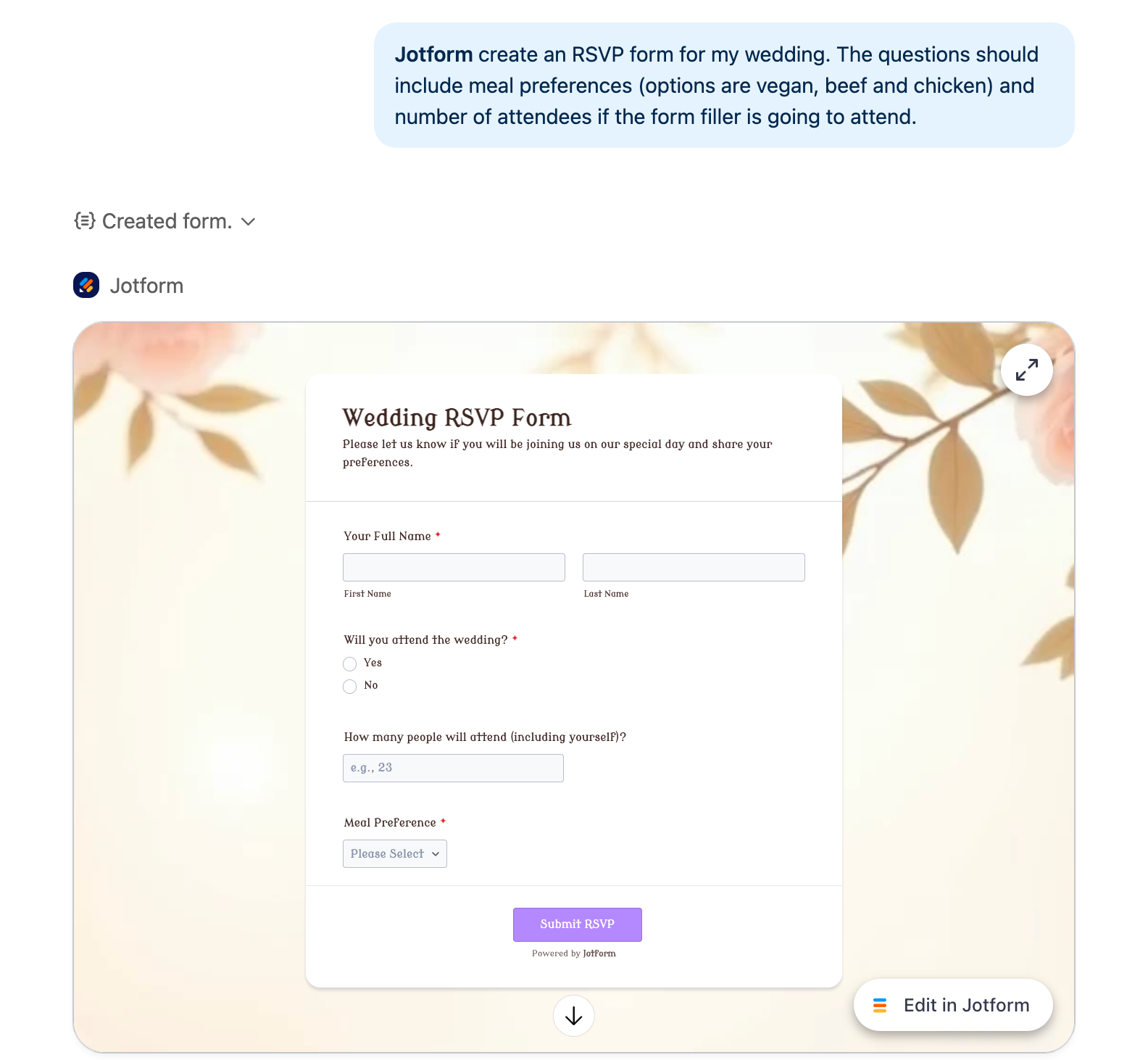
Jotform ChatGPT App brings form creation and data analysis into a single conversational experience. Working natively in ChatGPT allows users to collect, explore, and interpret form data without switching tools.
- Best for: Data collection, forms, and workflow automation
- Key features
- The Jotform ChatGPT App lets you create and manage forms using natural language.
- You can ask ChatGPT to build a registration form, list your existing surveys, or analyze submissions all within the same conversation.
- The experience is designed to be interactive and action-oriented rather than transactional.
- Pros
- Native form creation from prompts
- Real-time access to existing forms and submissions
- Well-suited for business workflows and internal processes
- Cons
- Advanced customization is better handled in the full Jotform interface.
Jotform also has a built-in AI that lets you generate forms, set up conditional logic, and match your brand, all through conversation.
Build faster with Jotform AIDescribe what you need, and let Jotform AI build it for you instantly.
Get Started Now
2. Canva ChatGPT App
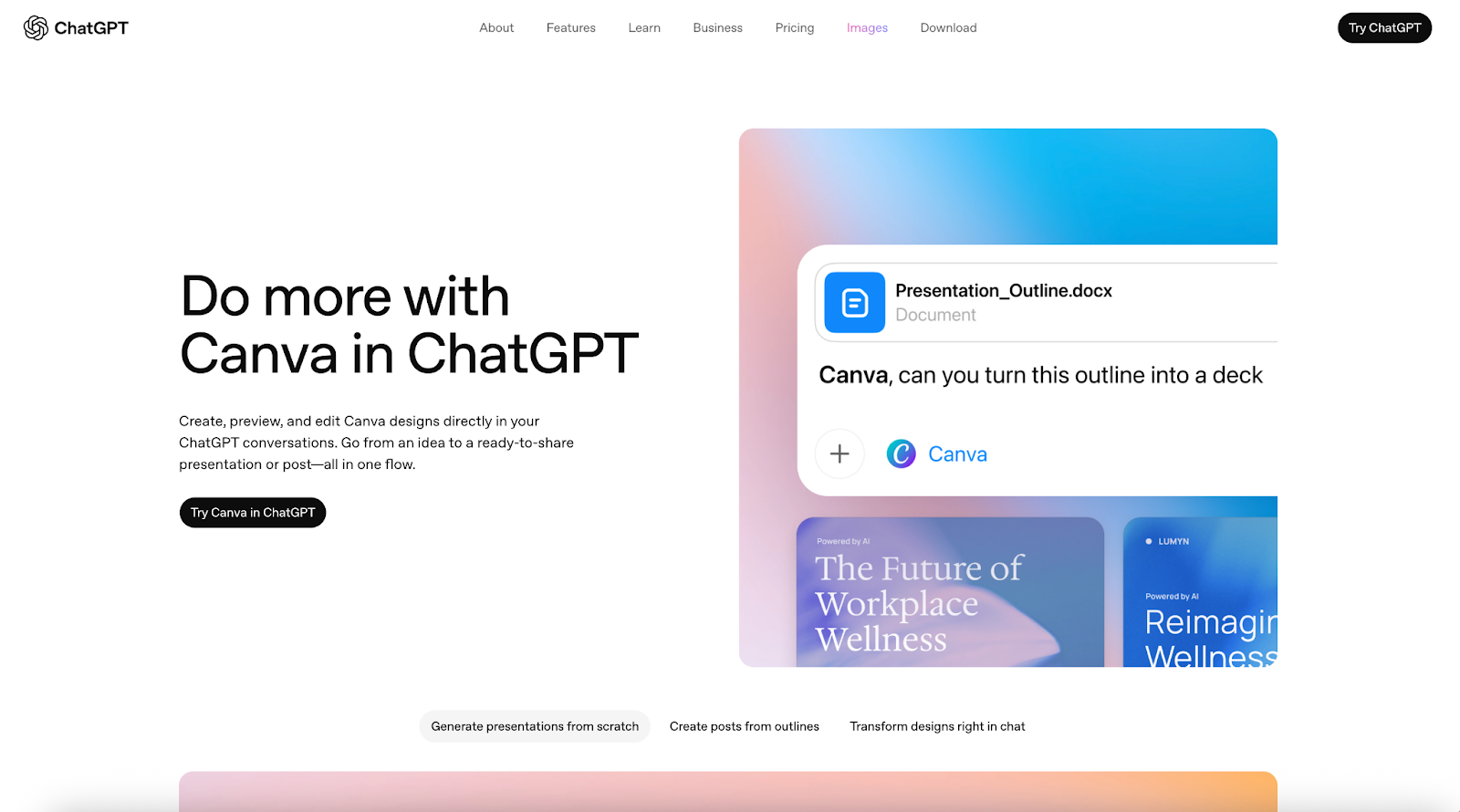
Canva in ChatGPT lets users create, preview, and edit designs within ChatGPT. It enables a smooth transition from ideas to ready-to-share visuals by keeping the entire creative process inside a single conversational flow.
- Best for: Visual design, presentations, and social media content creation
- Key features
- The Canva ChatGPT app allows users to generate designs from natural language prompts, such as presentations, invitations, or social media posts.
- Designs can be previewed in ChatGPT and refined through conversation by adjusting text, layout, or tone.
- Once ready, designs can be opened in Canva for collaboration or sharing.
- Pros
- Turns ideas into designs without leaving ChatGPT
- Supports live preview and conversational editing
- Enables fast content creation from briefs or outlines
- Cons
- Full collaboration and fine-tuning happen in Canva’s main interface.
3. Expedia ChatGPT App
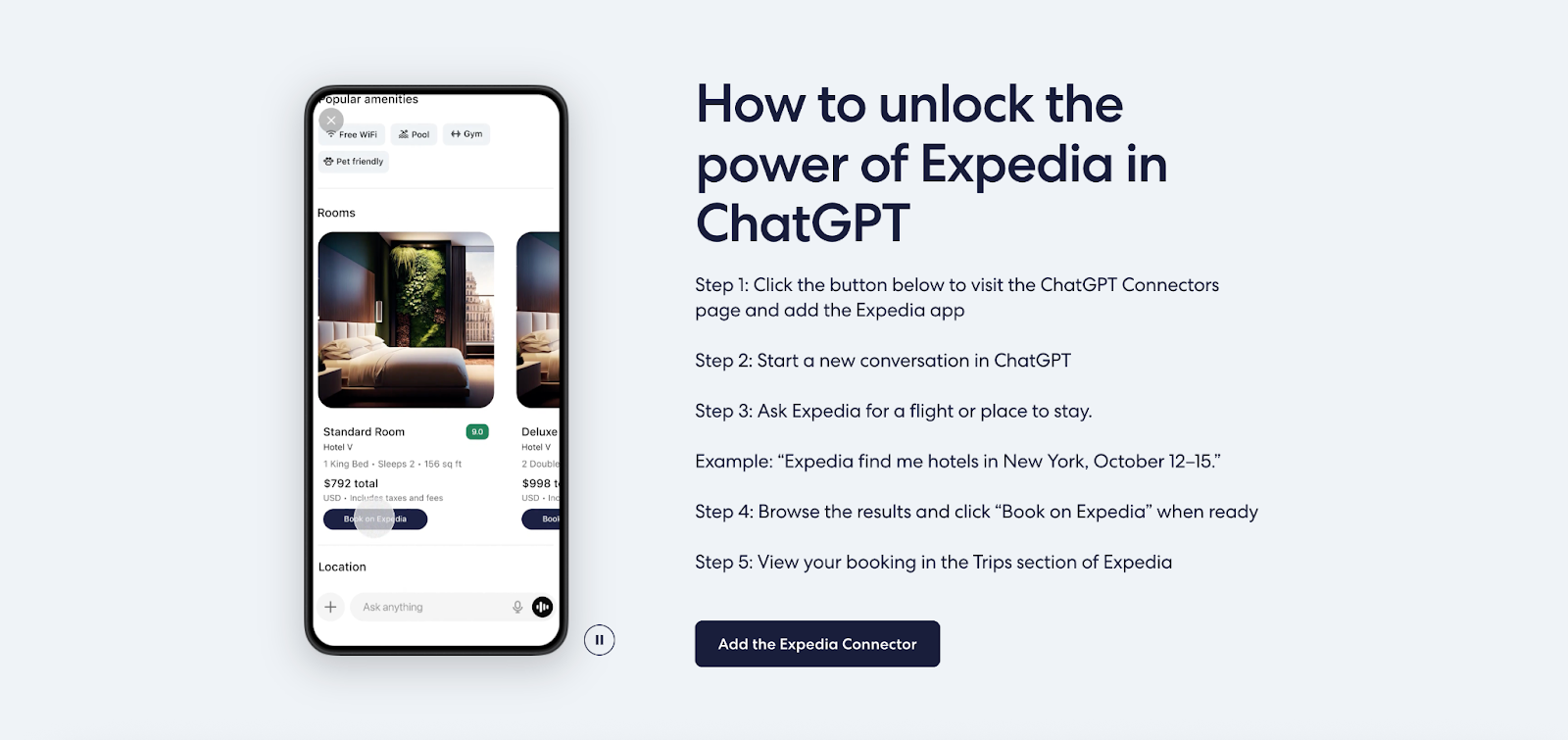
The Expedia ChatGPT App lets users plan trips through natural conversation, exploring flights and lodging options inside ChatGPT. This app focuses on discovery and comparison, then seamlessly hands off to Expedia to complete the booking.
- Best for: Travel planning, flight and hotel discovery
- Key features
- The Expedia ChatGPT app allows users to search for flights and hotels using natural language, such as requesting hotels near a specific location or for specific travel dates.
- Results are displayed dynamically inside the chat, including pricing, availability, and rich visuals.
- Once users find a suitable option, they can continue to Expedia to finalize their booking without restarting the process.
- Pros
- Enables travel planning directly from a conversation
- Shows real-time pricing and availability inside ChatGPT
- Reduces manual filtering and endless scrolling
- Cons
- Booking and payment are completed on Expedia, not in chat.
4. Figma ChatGPT App
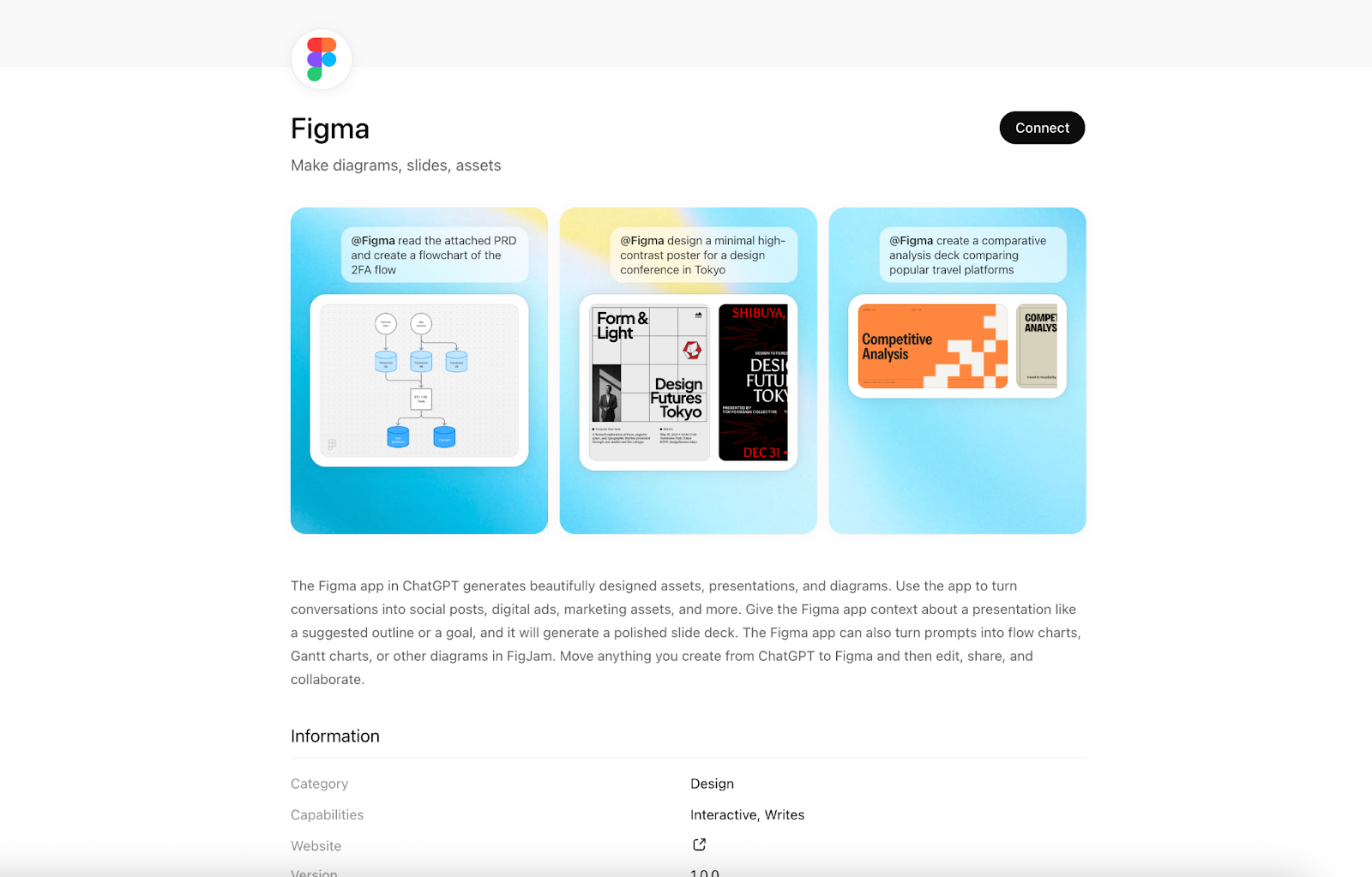
The Figma ChatGPT App helps users turn conversations into visual diagrams by generating FigJam boards directly from chat. It bridges early ideas and collaborative artifacts by transforming text, sketches, and documents into structured, editable diagrams.
- Best for: Diagramming, visual thinking, and collaborative planning
- Key features
- The Figma ChatGPT app can recommend and generate AI-powered FigJam diagrams based on conversational context.
- Users can create flow charts, Gantt charts, sequence diagrams, and state diagrams or upload sketches, photos, PDFs, and documents to guide the output.
- Diagrams are created as FigJam files that teams can review, iterate on, and collaborate on.
- Pros
- Turns conversations, sketches, and documents into visual diagrams
- Supports collaborative workflows through FigJam
- Helps teams move quickly from idea to structured artifact
- Cons
- The app is limited to diagramming use cases rather than full design execution.
5. Zillow ChatGPT App
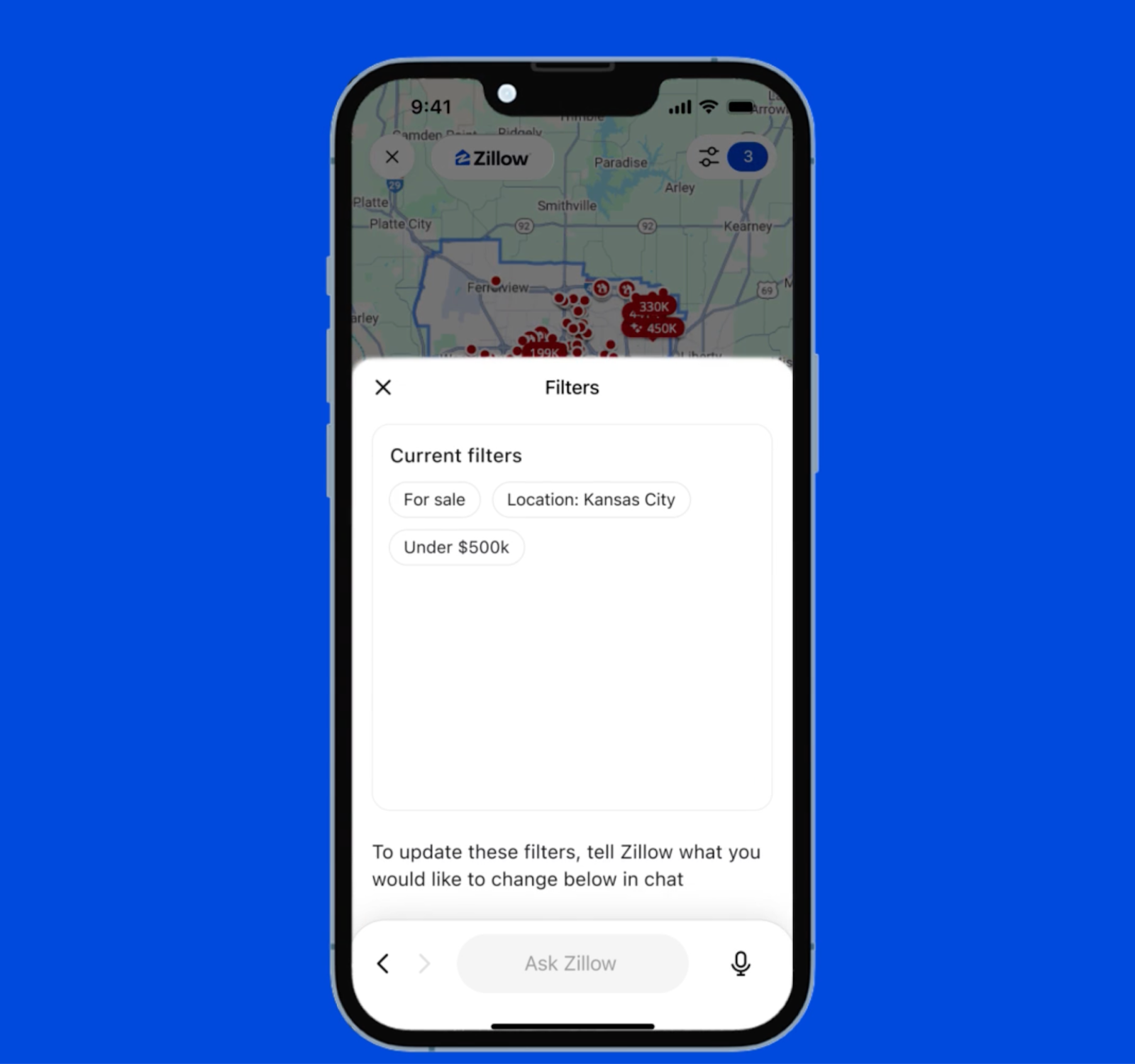
The Zillow ChatGPT App brings real estate searches into natural conversation, allowing users to explore homes, rentals, and affordability inside ChatGPT. It combines real-time listings with maps, photos, and pricing, then guides users to Zillow to take the next steps.
- Best for: Real estate searches, housing research, and affordability exploration
- Key features
- The Zillow ChatGPT app surfaces real, up-to-date home and rental listings when users ask housing-related questions.
- Listings appear with photos, maps, pricing, and key property details, reflecting Zillow’s familiar experience.
- When users are ready to act, they are seamlessly directed to Zillow to schedule tours, connect with agents, or explore financing options.
- Pros
- Brings real estate discovery into conversational search
- Shows live listings with visual and pricing details
- Maintains Zillow’s trusted data and fair housing safeguards
- Cons
- Transactions and agent interactions take place on Zillow’s website.
- Transactions and agent interactions take place on Zillow’s website.
6. Spotify ChatGPT App
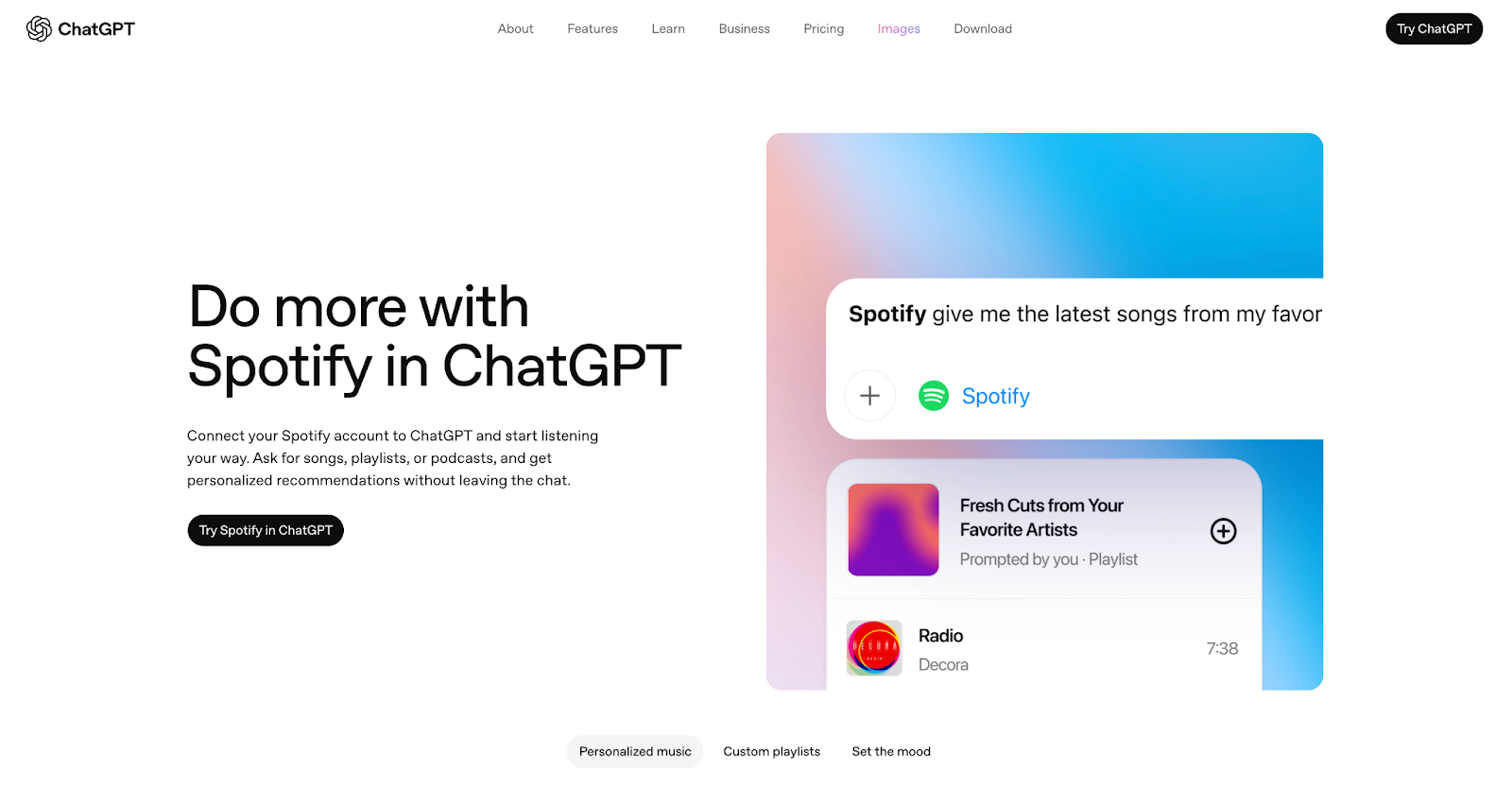
The Spotify ChatGPT App lets users discover music and podcasts through natural conversation. By connecting a Spotify account, users can get personalized recommendations and build playlists in ChatGPT, then continue listening in Spotify.
- Best for: Music discovery, playlist creation, and mood-based listening
- Key features
- The Spotify ChatGPT app allows users to request songs, playlists, or podcast recommendations using everyday language.
- Recommendations can be refined through conversation based on mood, genre, or activity.
- Once a playlist or selection is ready, users can open it in Spotify to start listening seamlessly.
- Pros
- Personalized music and podcast discovery through chat
- Easy playlist creation based on mood or activity
- Smooth handoff from ChatGPT to Spotify
- Cons
- Audio playback is not available inside ChatGPT.
How to choose the right ChatGPT app
The right ChatGPT app depends on the task you want to complete, rather than the app category itself. Start by identifying whether you need to create something, analyze data, explore options, or discover content, then choose the app that supports that workflow inside chat.
Instead of enabling many apps at once, focus on relevance and permission scope. Some apps connect to accounts or data sources, so it’s worth understanding what kind of access you’re granting and whether you’ll use the app regularly. Using a few well-matched apps usually leads to a smoother experience.
It also helps to distinguish between apps built for action and those built for exploration. Apps like Jotform are designed to execute tasks and analyze real data, while others, such as Zillow or Spotify, focus on discovery and recommendations. Choosing an app based on your desired outcome keeps ChatGPT fast, focused, and useful.
Using ChatGPT apps in your workflow
ChatGPT apps expand what ChatGPT can do by turning conversations into actions, visuals, and real workflows. Instead of stopping at answers, you can now create forms, design assets, analyze data, plan trips, or explore content all within a single chat.
If you’re getting started, begin with one app that supports a task you already do often, such as collecting data, designing presentations, or researching options. As you grow more comfortable with the process, you can add apps that complement your workflows and let ChatGPT work more like a connected workspace than a stand-alone chatbot.
This article is for anyone exploring ChatGPT apps and looking for practical ways to use them for productivity, business workflows, development tasks, or creative work, without constantly switching between tools and conversations.

























































































Send Comment: