

Top 10 ChatGPT productivity apps
- Jotform: Best for AI-powered form workflows
- Adobe Acrobat: Best for working with PDFs without leaving ChatGPT
- Agentforce Sales: Best for conversational CRM workflows
- Airtable: Best for browsing and updating structured data in chat
- Lovable: Best for rapid app prototyping from natural language
- Coursera: Best for learning previews inside ChatGPT
- HubSpot: Best for getting CRM messaging help inside ChatGPT
- Canva: Best for turning chat prompts into on-brand visuals
- Asana: Best for getting real work context into AI conversations
- Slack ChatGPT App: Best for turning team conversations into searchable insights
A ChatGPT productivity app typically refers to one of two things:
- A custom GPT built inside ChatGPT for a specific workflow (e.g., writing assistant, meeting summarizer, research analyst)
- A connected integration that brings other workplace tools into ChatGPT
This guide is about the second one. We’re talking about the integrations that live in your chat window, the ones that let you pull information into ChatGPT without leaving your workspace.
OpenAI’s directory has over 60 of these now, depending on where you are and what plan you’re on. That means ChatGPT is becoming less of a novelty chatbot and more of the center of your workflow — pulling from, and pushing to, the tools you already use daily.
Let’s see which ones will really save you time.
How do ChatGPT productivity apps work?
A standalone ChatGPT is just a chat interface, while a custom GPT is a prompt template. But productivity app integrations are your actual work tools connected to AI — so you can pull live data from Salesforce, Jotform, or Slack and act on it immediately, all inside ChatGPT.
You enable them in the Apps tab, authenticate them with your provider, and ChatGPT can then read and write to your supported stack.
How I selected this list of the top ChatGPT productivity tools
The ChatGPT App Store broadly organizes integrations into three buckets: Featured, Lifestyle, and Productivity. I focused on the Productivity section, obviously.
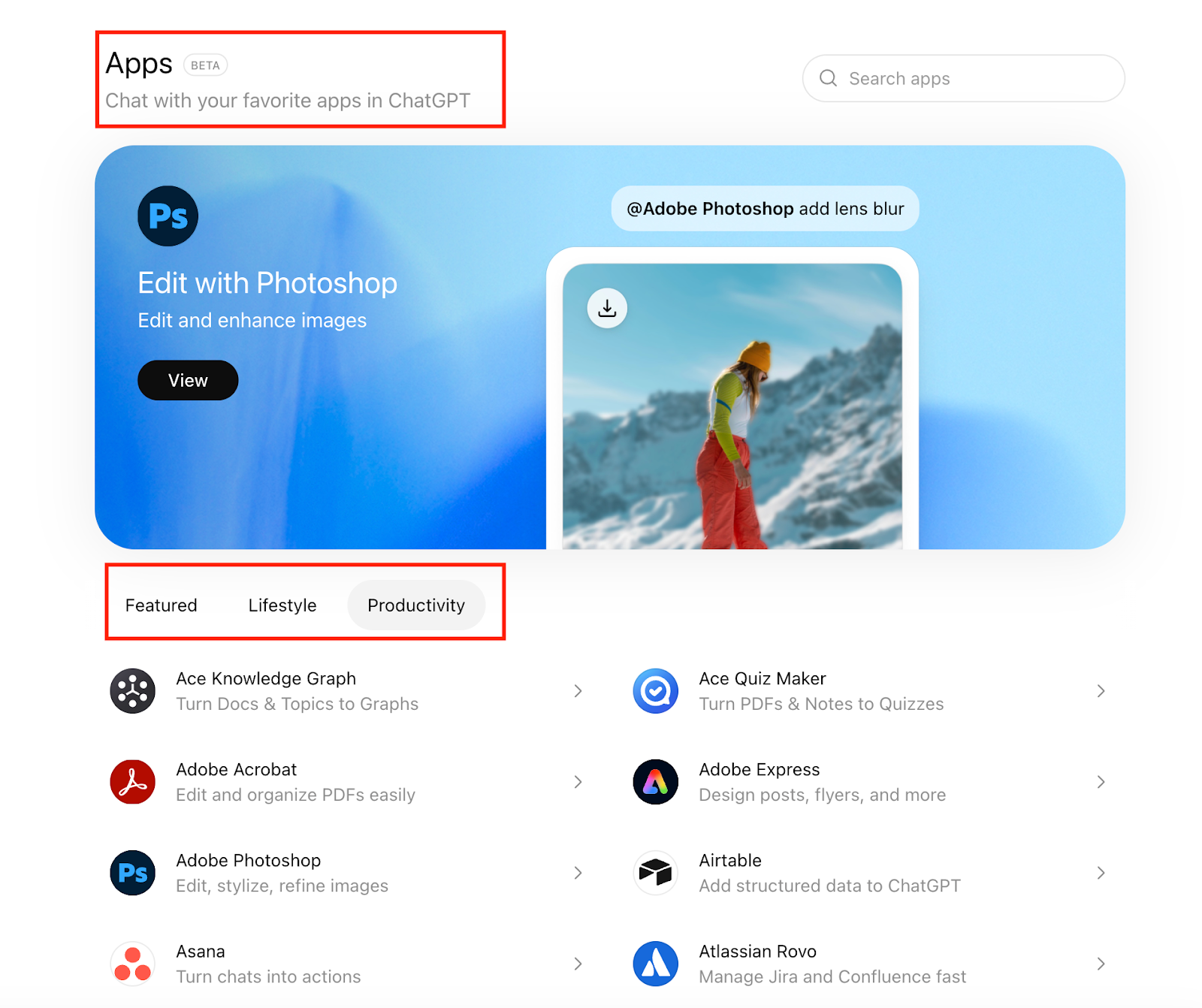
But being featured in OpenAI’s directory doesn’t mean much if the tool isn’t a solid player in its own right.
A widely referenced Harvard Business Review study found that knowledge workers toggle between applications and websites nearly 1,200 times per day, spending almost four hours per week just re-orienting themselves after switching tools. This is what’s come to be known as the toggle tax.
So, I evaluated the AI productivity apps against three key qualifying questions to do one thing: kill the toggle tax.
- Is it genuinely native to ChatGPT? Can you flip it on inside the Apps tab and start using it in your chat window?
- Is the connector stable and officially supported? Is it managed and maintained by the company behind the tool? Is the documentation clear? Does it behave predictably?
- Does it reduce toggle tax? Does it eliminate tab-switching, copy-pasting, and repetitive manual work?
That’s the filter. If it didn’t make work smoother, it didn’t make this list.
The top 10 ChatGPT productivity apps
As you go through the list, keep this note on pricing in mind: integrations in the ChatGPT Apps directory don’t charge a separate fee. Instead, access depends on
- Your existing subscription with the app provider (e.g., Jotform, Slack, Canva, etc.)
- Your ChatGPT plan level, since some app functionality is tied to paid ChatGPT tiers
So, when I list pricing below, I’m referring to the tool’s standard subscription plans, not an additional cost to use it inside ChatGPT.
1. Jotform ChatGPT App: Best for AI-powered form workflows
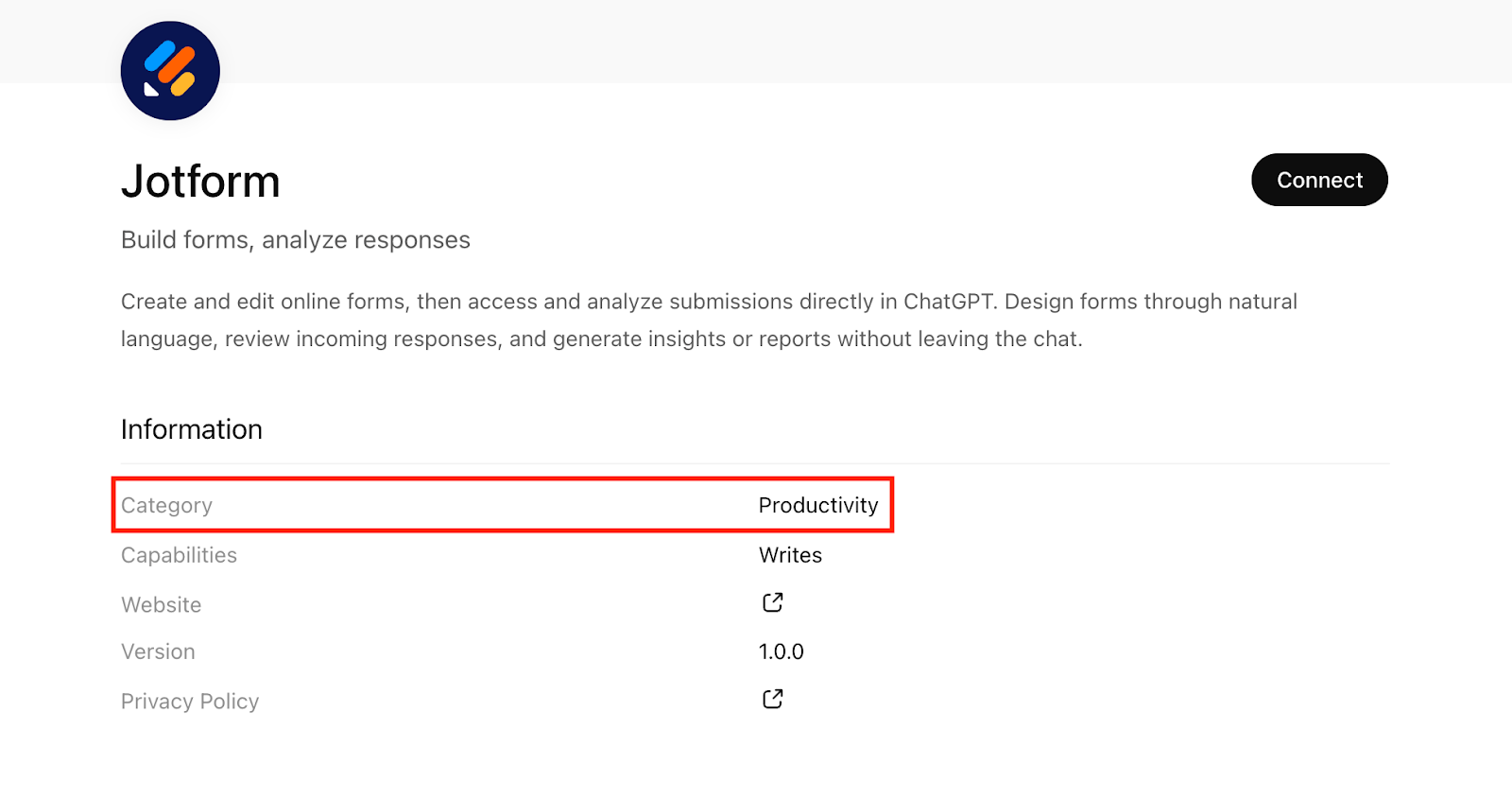
Of course this tool was going to feature, but when around 900 million people use ChatGPT weekly and 35 million rely on Jotform, it’s not a stretch to say the two were always going to meet in the same workspace. This integration is exactly that.
The Jotform ChatGPT App is a native integration listed under the Productivity section inside ChatGPT’s Apps tab. You enable it directly within ChatGPT and it connects your Jotform data so you can interact with live form submissions inside your chat window.
- Developer: Jotform, Inc.
- Best for: AI-powered form workflows
- Key features
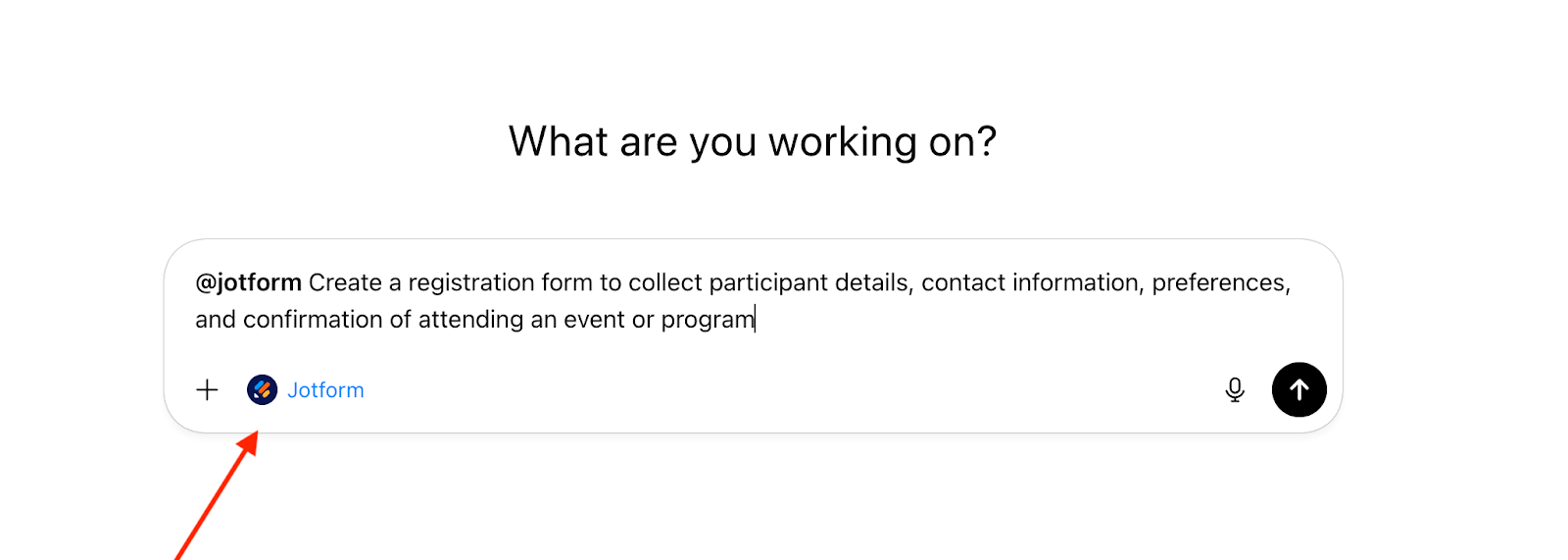
- Create AI-powered forms: Type in @Jotform, describe what you need in plain language and get a ready-to-use form instantly
- Manage form settings: Configure options like submission limits, notifications, and response behavior by prompt
- Summarize and analyze responses: Ask ChatGPT to identify trends, extract insights, or highlight key responses
- Create multipage forms: Break long forms into clear sections directly inside ChatGPT to reduce overwhelm and improve completion rates, especially for registrations, applications, and intake workflows
- Set up conditional logic by prompt: Tell ChatGPT what should happen based on an answer, and it can show/hide/skip questions so that the form stays short and relevant
- Pros
- You don’t have to leave ChatGPT to act on form submissions — summaries, insights, and follow-ups happen in the same space you interact with AI
- The integration speeds up initial design and refinement without opening a separate builder user interface
- Cons
- If your Jotform subscription limits advanced form capabilities, the integration inherits those limits
- If your forms aren’t well organized, natural language prompts may surface inaccurate results
- Plans/pricing
- Jotform offers a free Starter plan, and paid plans start at $34 per month (billed annually)
- Higher tiers include increased submission limits, storage, and advanced features
If your workflow calls for more, Jotform AI extends that same conversational approach natively inside Jotform, handling everything from form generation to conditional logic and brand design without leaving the platform.
Build faster with Jotform AIDescribe what you need, and let Jotform AI build it for you instantly.
Get Started Now
2. Adobe Acrobat for ChatGPT: Best for working with PDFs without leaving ChatGPT
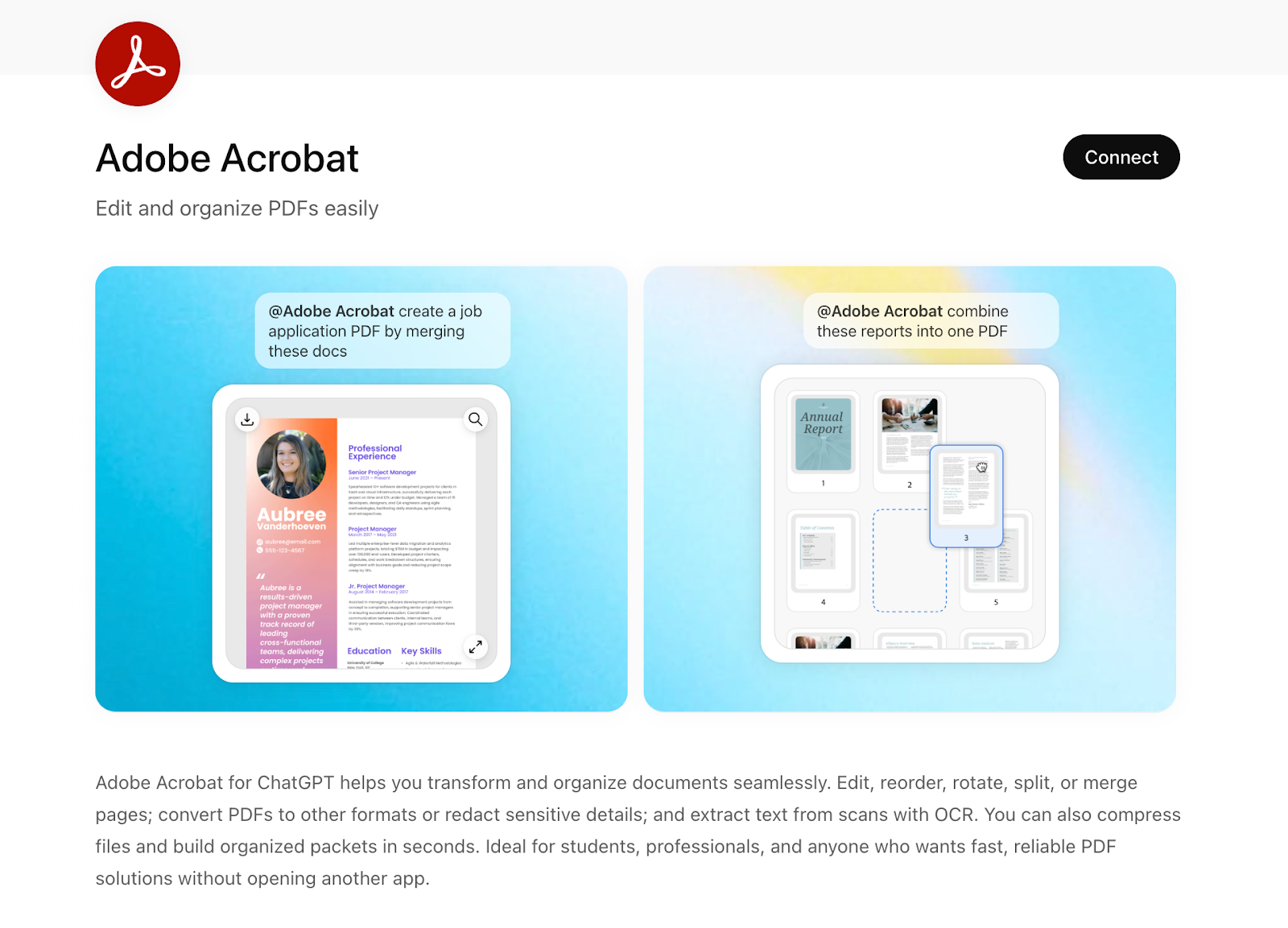
This is Adobe’s official extension that brings core Acrobat capabilities into your chat workflow, so you don’t have to toggle back and forth between apps when working with PDFs.
- Developer: Adobe
- Best for: Working with PDFs without leaving ChatGPT
- Key features
- Review PDFs with AI: Automatically flag key terms, identify potential risks, and suggest redline edits directly in the chat
- Redact sensitive content: Remove confidential information accurately where needed
- Merge, split, and reorder pages: Combine multiple files, break them apart, or rearrange pages to organize documents
- Pros
- Built-in optical character recognition (OCR) makes sure that scanned or image-based PDFs can be converted into searchable text that ChatGPT can analyze
- Adobe has integrated its Acrobat Studio audio engine into the ChatGPT interface, allowing you to consume dense documents without reading a single line
- Cons
- Performance can depend on document complexity — very large files or highly graphical layouts may process more slowly
- Deep PDF editing and advanced formatting may still be easier in the standalone app
- Plans/pricing
- Plans start at $14.99 per month for Acrobat Standard and $19.99 per month for Acrobat Pro (billed annually)
3. Agentforce Sales App in ChatGPT: Best for conversational CRM workflows
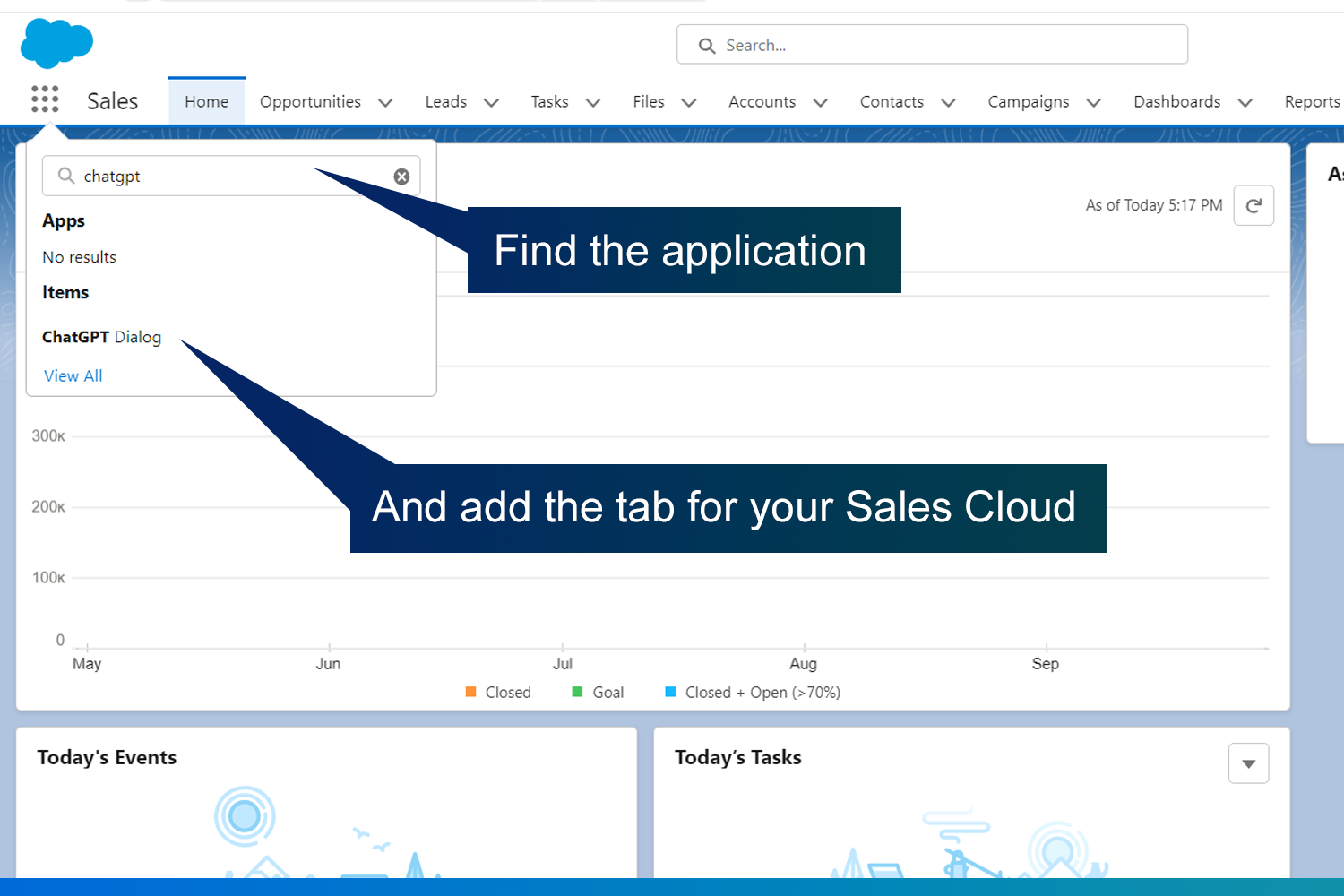
The Agentforce Sales App brings enterprise customer relationship management (CRM) workflows directly into your ChatGPT workspace by connecting Salesforce’s AI sales-acceleration platform to conversational AI.
- Developer: Salesforce
- Best for: Conversational CRM workflows
- Key features
- Live CRM querying and insights: Ask for your uncontacted leads, pipeline status, account history, or opportunity details and get a live, interactive list pulled directly from Salesforce without searching separate dashboards
- Priority deal recommendations: Combine internal CRM signals (e.g., lead scores, pipeline health) with broader context (e.g., market news, external trends) to surface high-impact leads or accounts
- Direct CRM updates from chat: Update opportunity stages, reassign tasks, or mark deals as closed won via simple natural-language prompts in ChatGPT
- Pros
- Live, accurate CRM context — pulls data directly from Salesforce rather than relying on pasted or static information
- Security-aligned for enterprise use — uses Salesforce’s Trust Layer to respect user permissions and governance
- Cons
- The integration isn’t a standalone CRM — it requires the proper Salesforce edition and Agentforce add-ons
- Admin configuration and permission mapping may require Salesforce administrator support
- Plans/pricing
- Salesforce’s Agentforce pricing varies by how you license and scale, but typical structures include usage-based pricing at $500 per 100k credits and conversation-based pricing at $2 per conversation
4. Airtable for ChatGPT: Best for browsing and updating structured data in chat
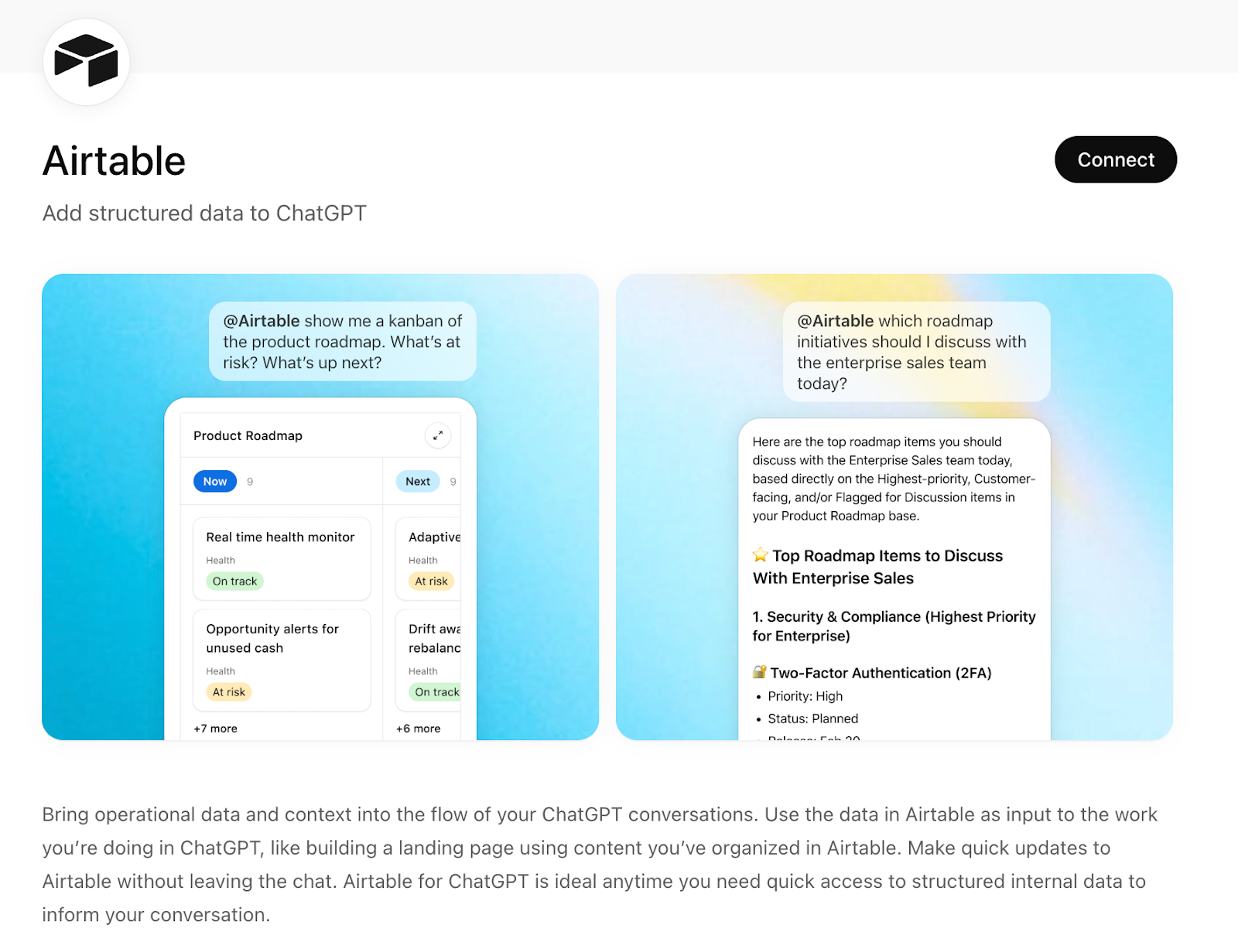
The Airtable for ChatGPT integration brings your structured database content right into your ChatGPT conversations.
- Developer: Airtable
- Best for: Browsing and updating structured data in chat
- Key features
- Reference Airtable data in chat: Pull information from your bases (e.g., product roadmaps, customer feedback, project records) directly into a conversation to inform decisions or draft content
- Analyze operational context: Let ChatGPT use structured Airtable data to identify patterns, trends, or insights without manual export
- Reference multiple views or bases: Select the specific bases or workspace you want ChatGPT to access and use them dynamically in prompts
- Pros
- Updates are easy — editing or fixing Airtable records alongside conversation removes a layer of switching between apps
- You don’t need to export or copy entries before analysis — ChatGPT can reference them live
- Cons
- You need edit access or higher in the Airtable base you connect for in-chat updates to work
- If most of your work isn’t organized in Airtable tables, you’ll see fewer benefits
- Plans/pricing
- Airtable offers a free plan with core features, and paid plans typically start at $20 per user per month (billed annually)
5. Lovable ChatGPT App: Best for rapid app prototyping from natural language
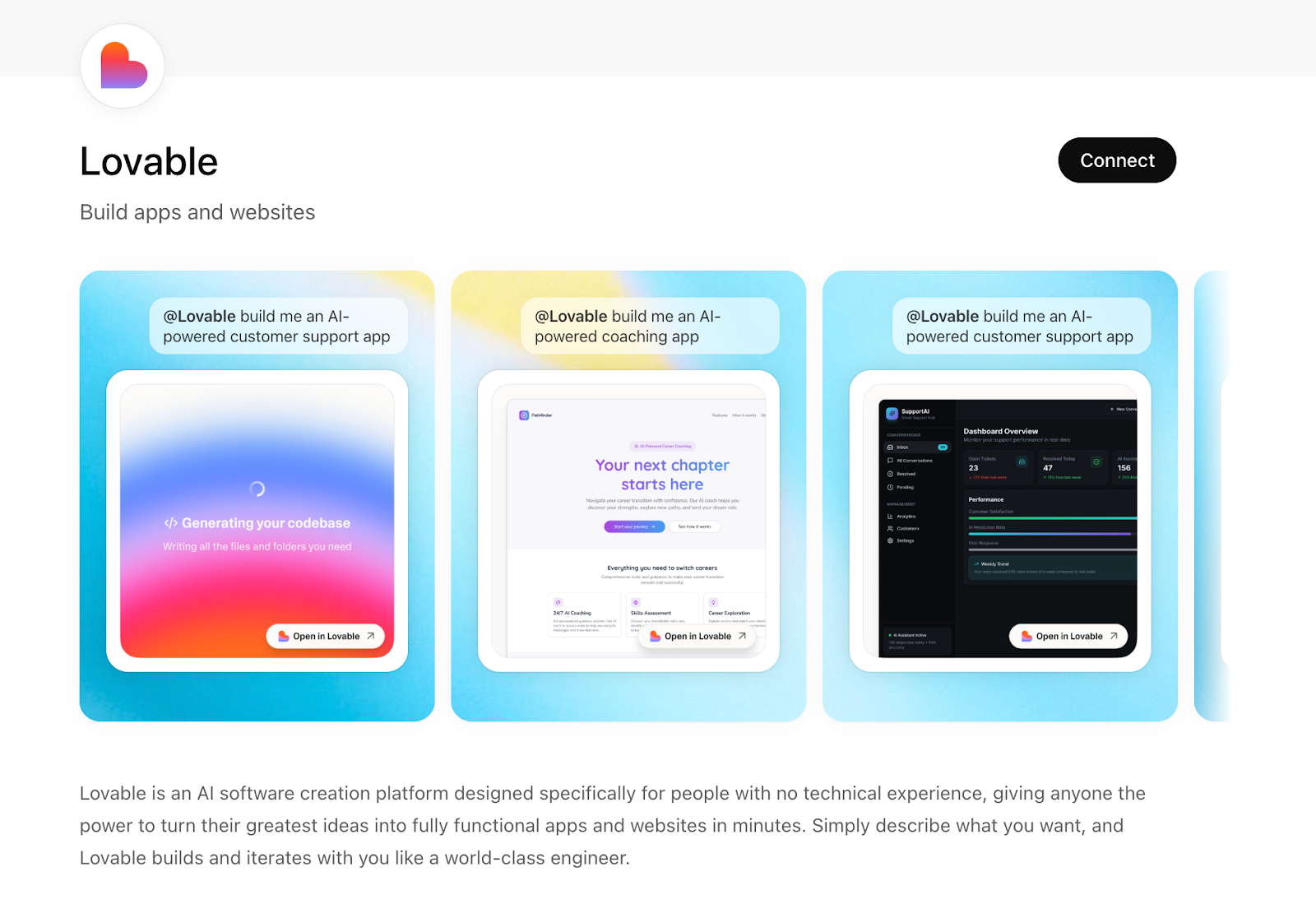
The Lovable integration in ChatGPT lets you turn natural language conversation into an initial app or website project, then pick up the build inside Lovable’s platform.
Pro Tip
Want to learn more? We’ve also tested the best apps for vibe coding and AI-assisted prototyping.
- Developer: Lovable
- Best for: Rapid app prototyping from natural language
- Key features
- Turn conversations into app projects: Tag @Lovable in ChatGPT to convert your brainstorms and requirements into a working project scaffold
- Create interactive prototypes quickly: Use your outlined ideas to generate prototypes you can refine without starting from scratch
- Build full-stack apps from prompts: Generate front-end and back-end code for web apps or tools directly from chat
- Pros
- You don’t need separate design or builder tools — your conversation becomes the spec for vibe coding
- Great for early-stage ideation, and especially useful if you want to quickly test ideas or iterate on product thinking
- Cons
- The app jumpstarts projects, but you’ll typically need the Lovable platform to finish and deploy
- The better your instructions, the better the generated output — messy prompts can produce rough scaffolds
- Plans/pricing
- Lovable offers a free tier with limited daily credits, and paid plans generally start at around $21 per month depending on features (billed annualy)
6. Coursera ChatGPT App: Best for learning previews inside ChatGPT
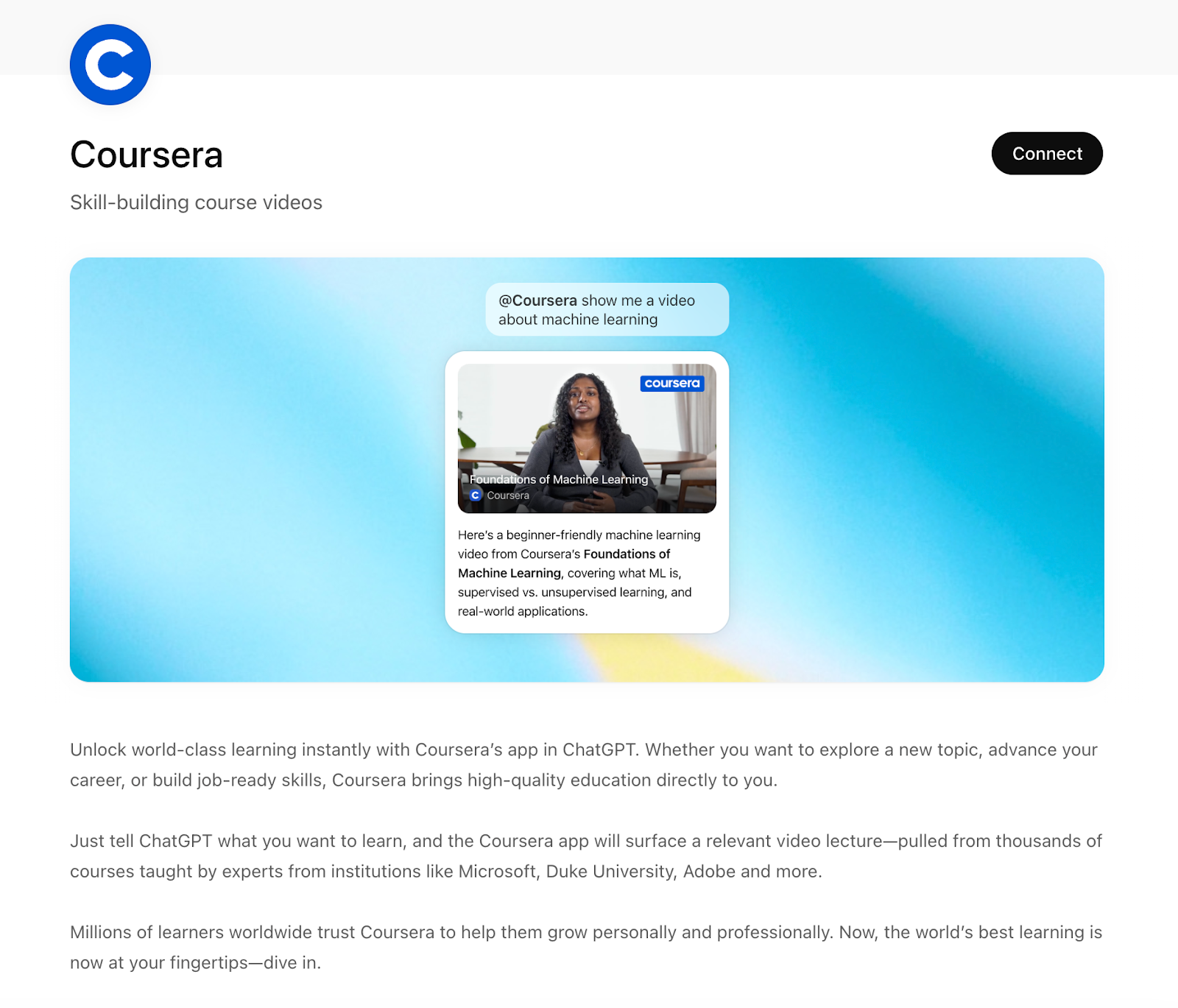
The Coursera ChatGPT App connects ChatGPT directly to Coursera’s catalog of online courses and lecture content.
- Developer: Coursera
- Best for: Learning previews inside ChatGPT
- Key features
- Launch lecture videos inside ChatGPT: Play relevant snippets or full lectures directly in your chat window
- Explore topics instantly: Ask for course recommendations on a subject and get relevant options from Coursera’s catalog
- Filter results by goal: Surface courses tailored to objectives like career switching or skill sharpening
- Pros
- Because ChatGPT can interpret your exact query, recommendations often feel more personalized than generic search results
- For people using ChatGPT as part of research or skill development, having course links and lecture content display inline is highly efficient
- Cons
- Even though previews and suggestions are convenient, you need a Coursera account and course access to complete most content
- Not all lessons are playable directly — some require redirection to the full platform
- Plans/pricing
- Coursera offers free access to some lectures and course previews via the ChatGPT integration
- Full course access varies — most individual courses range from $49–$99
7. HubSpot for ChatGPT: Best for getting CRM messaging help inside ChatGPT
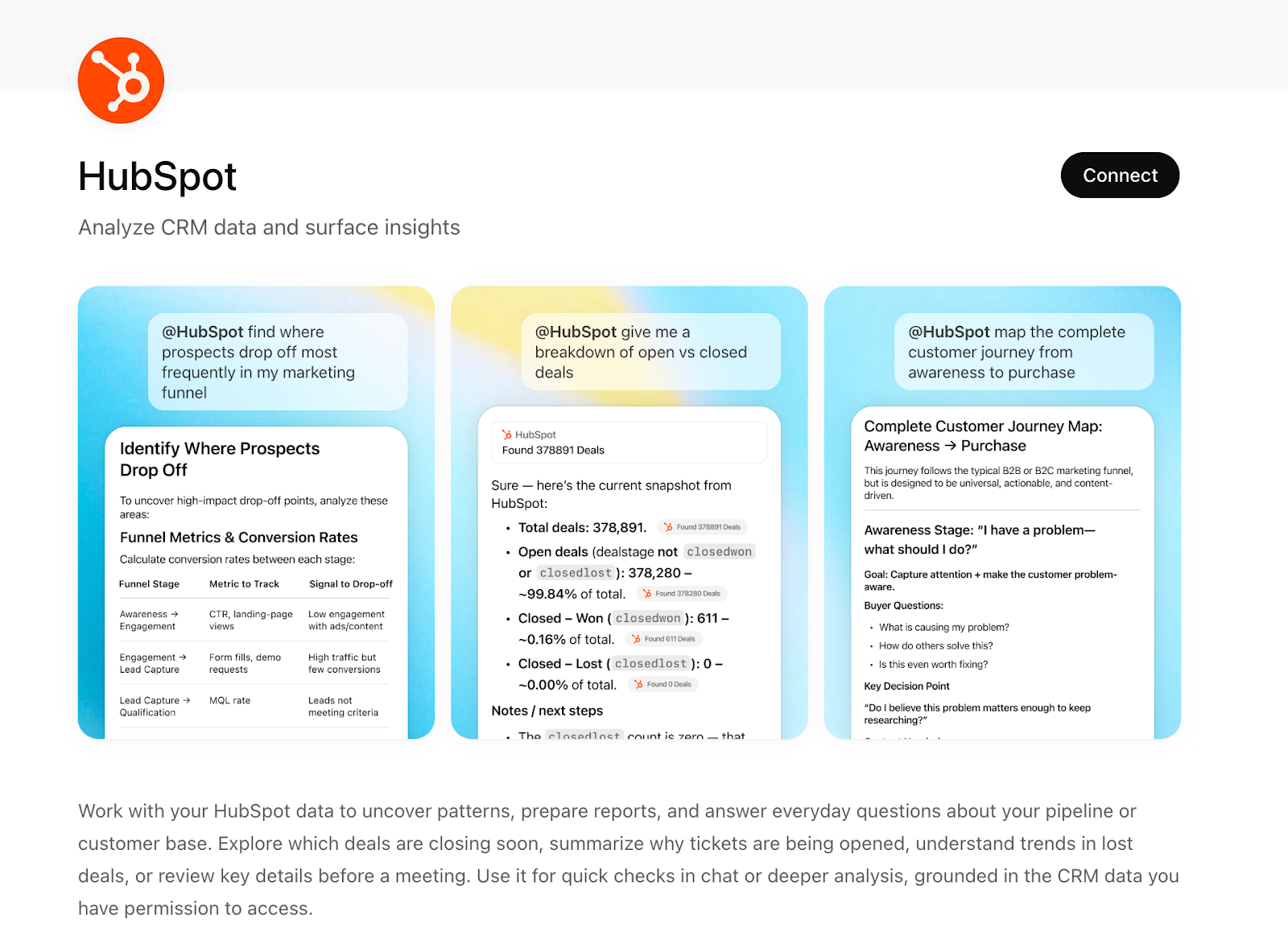
While Agentforce centers on transactional actions and deal prioritization, the HubSpot for ChatGPT integration brings live CRM context, messaging support, and workflow capabilities from HubSpot directly into your ChatGPT workspace.
- Developer: Hubspot
- Best for: Getting CRM messaging help inside ChatGPT
- Key features
- Retrieve CRM records in chat: Ask for contacts, companies, deals, or tickets and get structured responses pulled directly from your HubSpot database
- Generate summaries of CRM data: Get concise insights on deals, contact histories, or pipeline trends without manual reporting
- Get contextual prompts from workflow triggers: Use CRM events (e.g., new lead) to generate suggested next steps or automated follow-ups
- Pros
- Summarizing pipeline or customer history without manual reporting saves time on meetings and preparation
- Sales and support teams can pull CRM context directly into AI workflows without jumping between windows
- Cons
- While you can view and update key fields, deeper CRM activities (e.g., complex automations, dashboards) still require the HubSpot UI
- You need the correct CRM permissions for retrieval and updates — restricted roles may limit what you can do
- Plans/pricing
- HubSpot’s CRM offers a free tier that includes core contact and deal management
- Paid plans that extend features like automation, analytics, and sales tools start at $9 per seat per month
8. Canva for ChatGPT: Best for turning chat prompts into on-brand visuals
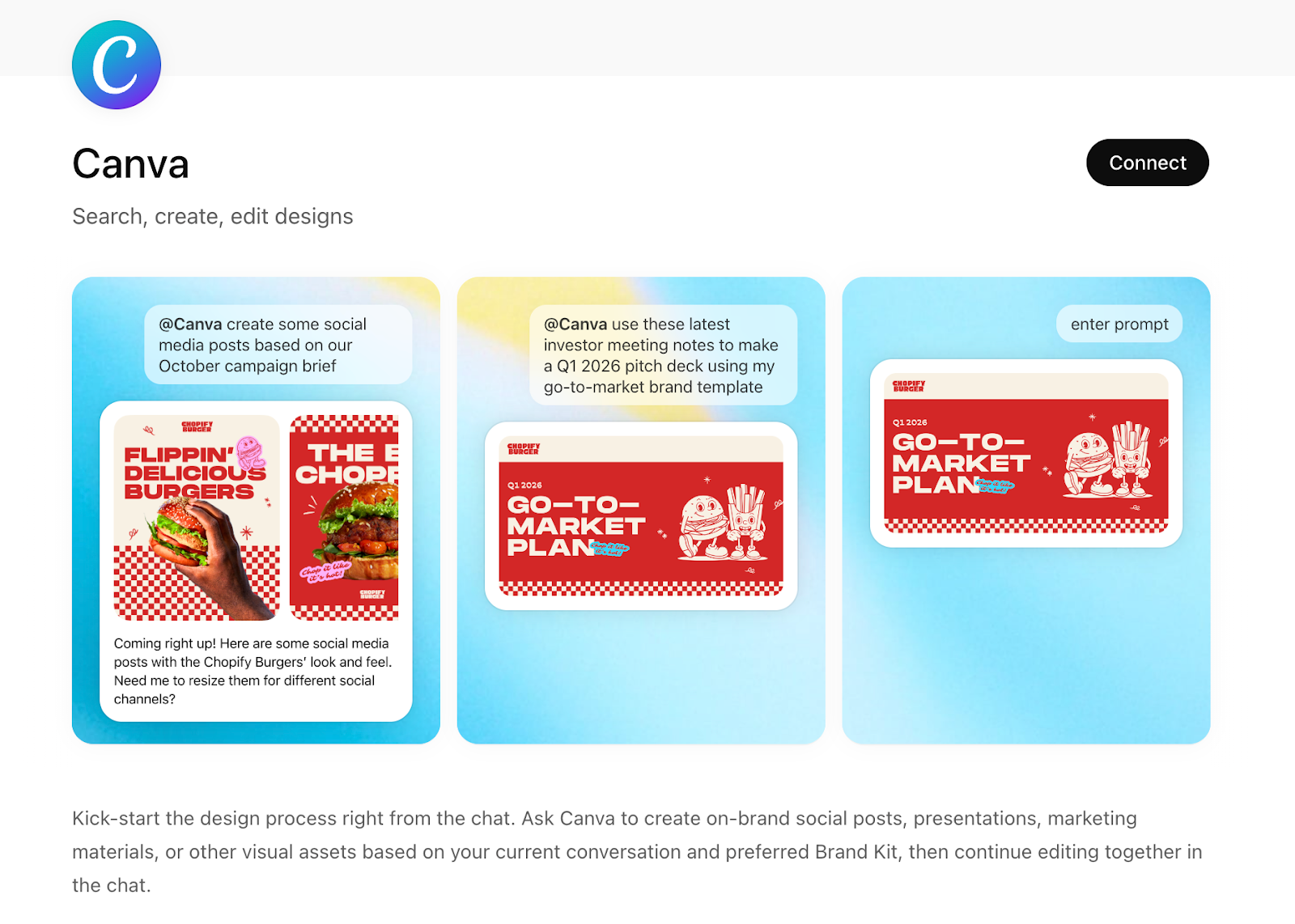
The Canva ChatGPT App lets you search, create, and edit designs directly from your chat window — then continue refining them collaboratively. Unlike pure text-based integrations, this one actively bridges conversation and visual output.
- Developer: Canva
- Best for: Turning chat prompts into on-brand visuals
- Key features
- Create designs from prompts: Use @Canva to generate social posts, presentations, pitch decks, and marketing materials based on your current conversation
- Build with your Brand Kit: Generate assets using your existing brand templates, colors, and styles
- Search Canva content: Find templates, layouts, and design elements without leaving ChatGPT
- Pros
- You can go from idea to structured brief to visual draft without switching tools
- The integration is great for campaign posts and other quick-turn marketing assets
- Cons
- Best for Canva users — if you don’t already use Canva, this won’t replace a full design stack
- Complex layout adjustments require moving into the full editor
- Plans/pricing
- Canva offers a free plan, and Canva Pro starts at $12.99 per month (billed annually)
- Canva Teams and Enterprise plans are priced higher depending on seat count and features
9. Asana App in ChatGPT: Best for getting real work context into AI conversations
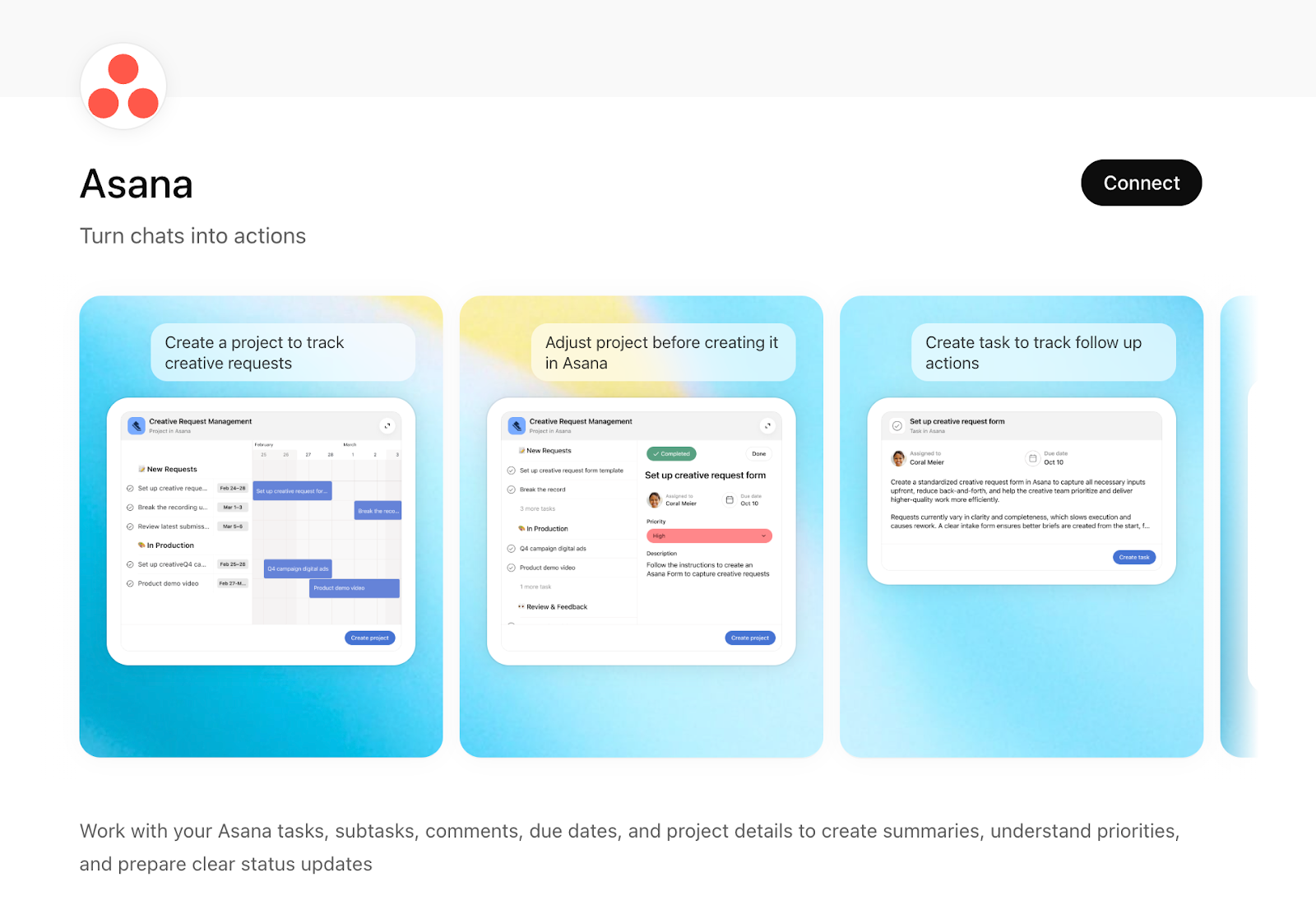
The Asana for ChatGPT integration lets ChatGPT securely access your team’s Asana content — including projects, tasks, comments, and due dates — so you can ask questions, generate summaries, and get insights based on real project data without leaving your chat workspace.
- Developer: Asana, Inc.
- Best for: Getting real work context into AI conversations
- Key features
- Get relevant content in responses: Once connected, ChatGPT automatically pulls in relevant Asana content when it’s useful for your prompt
- Summarize tasks and projects: Turn raw project data into concise summaries, status highlights, and progress overviews
- Get an insight into priorities and blockers: Ask for high-level views of what’s due, what’s overdue, and what might be a risk — all based on live Asana data
- Pros
- You don’t have to manually paste task lists or project boards — ChatGPT sees your work and answers in context
- Blocks that once took a spreadsheet or meeting can be summarized with a prompt
- Cons
- The current “synced connector” lets ChatGPT read and reference data, but doesn’t yet support full task creation or updates inside ChatGPT
- To access richer context, your Asana account needs appropriate permissions
- Plans/pricing
- Asana’s pricing includes a free tier with basic task and project management, paid plans start at $10.99 per user per month (billed annually)
10. Slack ChatGPT App: Best for turning team conversations into searchable insights
The Slack ChatGPT App brings conversational AI directly into Slack so you can summarize threads, generate responses, extract key points, and pull insights from messages without switching to a separate tool.
- Developer: OpenAI
- Best for: Turning team conversations into searchable insights
- Key features
- Draft replies or posts: Ask ChatGPT to help write clearer or more polished responses directly within Slack
- Gather background before meetings: Get quick recaps on relevant discussions or topics pulled from current or past Slack activity
- Search Slack content in natural language: ChatGPT can search across your accessible Slack messages and files using keyword or semantic search
- Pros
- Semantic search helps find relevant messages even when you don’t remember keywords
- Drafting replies and clarifying messages inside Slack speeds up team collaboration
- Cons
- Some capabilities, like semantic search, may require specific Slack plan tiers
- The integration enhances search and writing support, but it doesn’t replace automated workflows or scripted bots
- Plans/pricing
- Slack offers a free plan with limited message history and features, paid plans start at approximately $7.25 per user per month (billed annually)
Before you close this tab, do this…
- Open ChatGPT.
- Click into the Apps tab.
- Turn on one integration you already pay for.
Then ask it something specific, like
- “Summarize my overdue tasks.”
- “Show me uncontacted leads.”
- “Analyze last week’s form submissions.”
- “Pull the thread where we decided on pricing.”
If it saves you even five minutes, you’re already ahead of the toggle tax.
Best ChatGPT productivity apps FAQs
The best ChatGPT app depends on your specific bottleneck, but the top-rated ChatGPT workflow tools currently lead in three areas:
- For data and forms: The Jotform ChatGPT App is the gold standard for turning conversations into actionable data collection.
- For CRM and sales: Agentforce (Salesforce) and HubSpot are the premier choices for keeping customer data synced without tab-switching.
- For project tracking: Asana and Airtable are the essential AI task automation apps for teams that need to query live project statuses using natural language.
The best tool is the one that minimizes your toggle tax — that is, the time lost when jumping between different programs. For most professionals, productivity software with a ChatGPT integration offers the highest ROI.
A prime example is the Jotform ChatGPT App, which allows you to build complex forms, analyze submission data, and trigger follow-up workflows without ever leaving your chat.
This article is for professionals and teams who want to reduce tab-switching by connecting the workplace tools they already use to ChatGPT, so they can pull live data, take action, and keep work moving inside one chat window.

































































































Send Comment: