




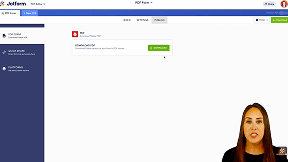
Can I create a fillable PDF online?
Yes. You can upload an existing PDF or start from scratch using Jotform’s browser-based PDF Editor.
Jotform’s Fillable PDF Form Creator helps you turn static PDF files into fillable forms that people can complete digitally. You can add text fields, dropdowns, signatures, and other inputs, then collect responses online or download completed PDFs.
You can either convert an existing PDF into a fillable form or create a new fillable PDF from scratch.
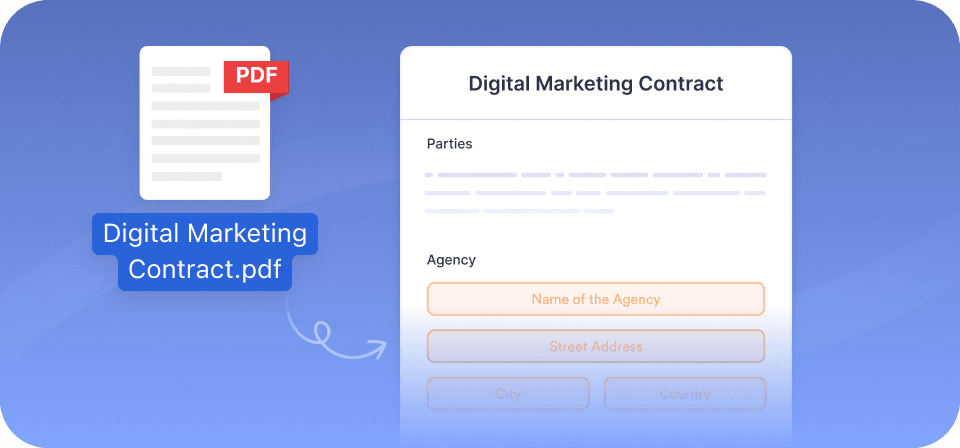
Users can complete and save fillable PDFs on desktop and mobile devices with PDF reader support. Fillable PDFs created with Jotform work with standard PDF reader software, including:
| FEATURES | Fillable PDF | Web Form |
|---|---|---|
| Preserves PDF layout | Fillable PDF Yes | Web Form No |
| Can be filled offline | Fillable PDF Yes | Web Form No (unless using Mobile Forms offline mode) |
| Online submission | Fillable PDF Yes | Web Form Yes |
| Mobile-first experience | Fillable PDF Mixed (depends on PDF viewer) | Web Form Yes |
| Logic and advanced form features | Fillable PDF | Web Form Yes |
| Best use cases | Fillable PDF Contracts, applications, offline workflows | Web Form Surveys, registrations, data collection |
Fillable PDFs are used when teams need structured documents that keep a fixed layout while allowing people to enter information digitally. Below are common scenarios where fillable PDFs are a practical choice.

Use fillable PDFs for onboarding documents, policy acknowledgments, and internal requests. They maintain consistent layouts, making it easier to collect completed files and signatures

Run engagement and pulse surveys to understand what’s working and what needs attention. Use consistent questions to compare results over time.

Legal teams use fillable PDFs for documents that require a fixed structure. Users can complete the required fields and add signatures while maintaining consistent formatting.

Schools use fillable PDFs for registration, permission slips, and evaluations. These documents can be completed digitally, saved, and returned without the need for printing.

Fillable PDFs help finance teams collect applications and internal approvals in a consistent format. Completed PDFs are easier to organize, share, and store.

Operations teams use fillable PDFs for requests, checklists, and repeatable paperwork. A consistent PDF format helps people fill out forms correctly and supports accurate record-keeping.
This short walkthrough shows how to upload a PDF, add fillable fields, and share the completed document. The video uses the same PDF Editor described above.
Note: Exact timing may vary slightly depending on playback.
Yes. You can upload an existing PDF or start from scratch using Jotform’s browser-based PDF Editor.
Yes. You can add electronic signature fields directly to the PDF.
Yes. Users can complete the PDF offline and submit it online when connected
You can upload scanned PDFs, but the quality of the document affects text recognition.
Yes. You can upload an existing PDF or start from scratch using Jotform’s browser-based PDF Editor.
Yes. You can add electronic signature fields directly to the PDF.
Yes. Users can complete the PDF offline and submit it online when connected
You can upload scanned PDFs, but the quality of the document affects text recognition.
A fillable PDF is a PDF document that includes interactive fields, allowing users to complete it on a computer, tablet, or phone. These fields can consist of text inputs, checkboxes, dropdown menus, date fields, and signature fields. Fillable PDFs are commonly used for applications, contracts, intake forms, and other documents where consistency in layout and formatting is essential.
Unlike printable PDFs that require handwriting, scanning, and manual storage, fillable PDFs enable users to enter information digitally while preserving the original document design. This makes forms easier to complete, helps reduce errors caused by handwriting, and facilitates storage and record-keeping. When configured for online submission, completed PDFs are collected directly in your Jotform account. Fillable PDFs are best suited for documents that require a fixed layout and consistent formatting, as they may not support the same level of dynamic logic as fully online forms.
Once a fillable PDF is completed, there are several ways to handle it, depending on how you intend to share it.
If the PDF is shared for offline use, users can fill it out and save the completed file on their device. The file can then be emailed or uploaded back to you.
If online submission is enabled, completed PDFs are submitted directly to your Jotform account. You can view submissions, download completed PDFs, share them with teammates, or store them in connected services such as cloud storage tools.
Fillable PDFs created with Jotform support:
Some advanced features available in online forms may not behave the same way in fillable PDFs.
While fillable forms and PDF documents are both online documents that are used for similar purposes, there are quite a few differences between them. It’s key to understand those differences so you can choose the type of online document that works best for your specific needs.
Generally speaking, a PDF is a static electronic file format that’s usually uneditable without special software. Most PDFs can only be opened with a PDF viewer and cannot be edited or filled in once they have been created. The only way to edit a PDF that has been sent to you is to download it and edit it in another software program, or by printing it out and filling it in by hand — which isn’t the most efficient way to use an online document. You generally can’t add extra features to PDFs or integrate them with other programs to enhance user experience either.
On the other hand, fillable PDFs are great tools to collect data from users through a web browser — no intermediary software required. Fillable PDF forms are easy to access and can be filled out directly online, without having to print them out or use additional software to edit them. Also, fillable PDF forms can integrate with other tools and widgets online to enhance the user experience.
If you’re looking for an advanced fillable PDF form tool, with a variety of customization options, we recommend Jotform’s fillable PDF forms.