Jotform’s Dino Game widget helps you add a fun, interactive dinosaur runner game to your website. Visitors can jump over obstacles, beat high scores, and enjoy a classic arcade-style game without leaving your page.
Whether you’re creating a landing page, portfolio, community website, or promotional campaign, you can customize the game’s appearance and settings to match your website. Once everything is set up, simply copy the embed code and add the widget to your website.
To embed a Dino Game on your website, you’ll first need to configure the Dino Game widget and copy its embed code. Here’s how to get going:
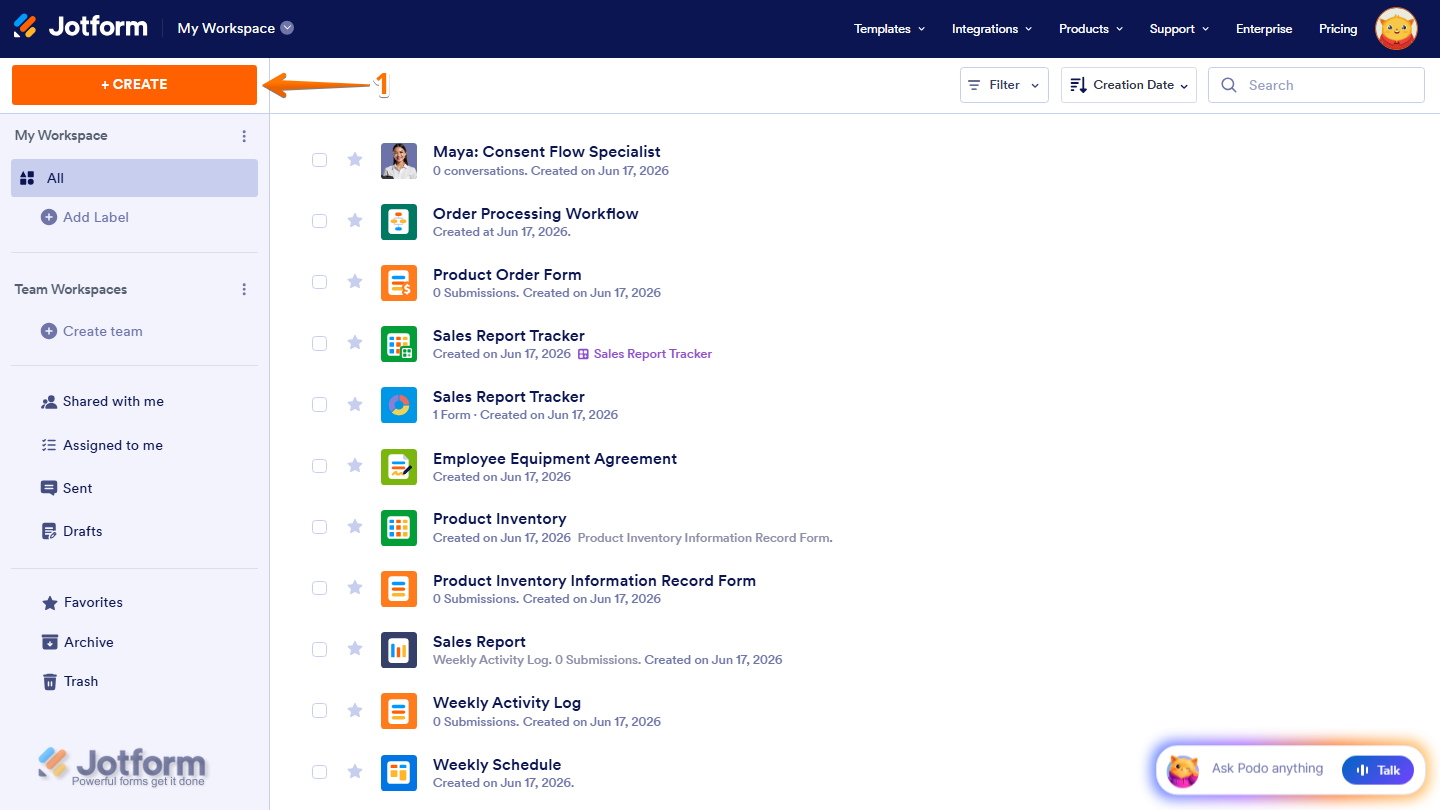
- On the top-left side of your Workspace page, click on Create.
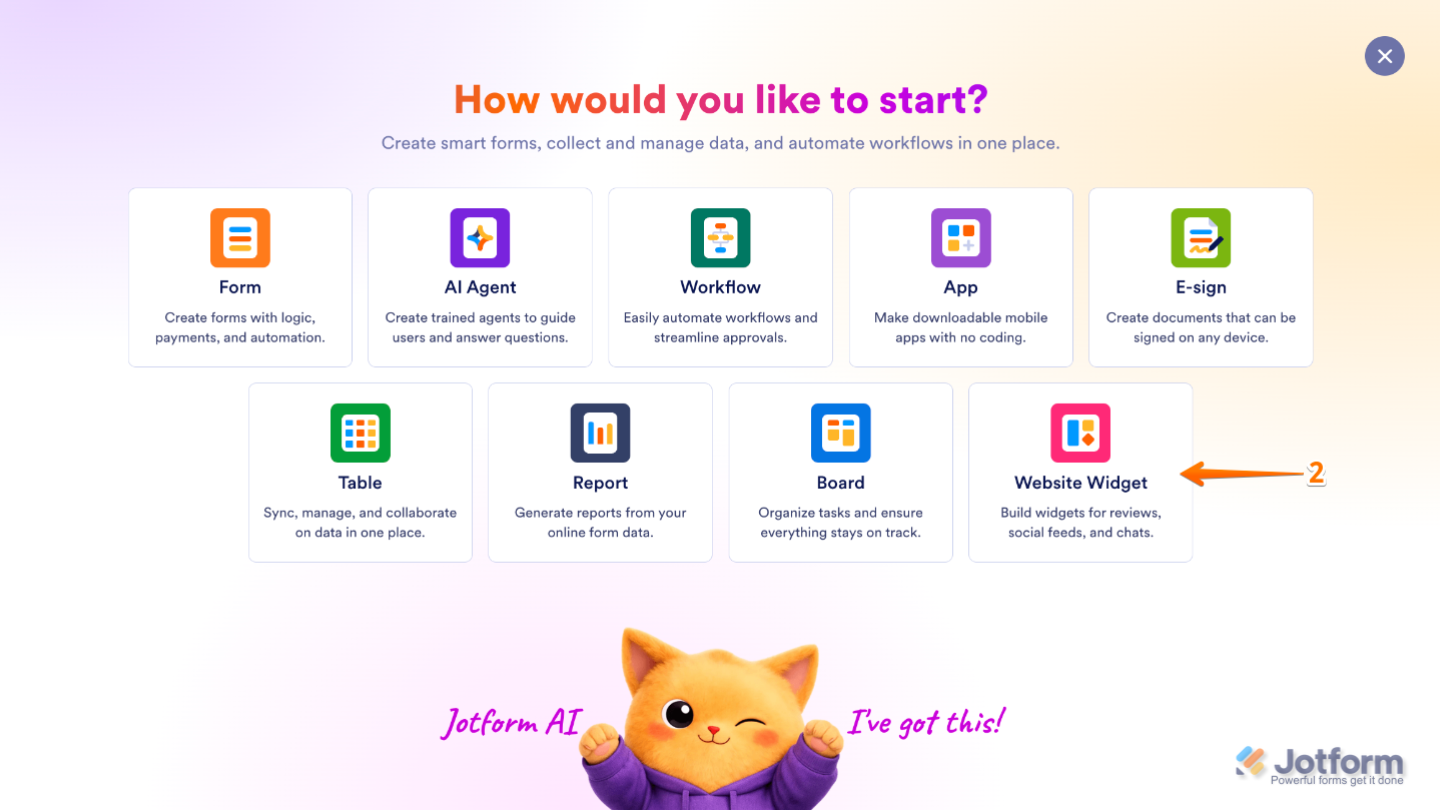
- Then, in the menu that opens up, select Website Widget.
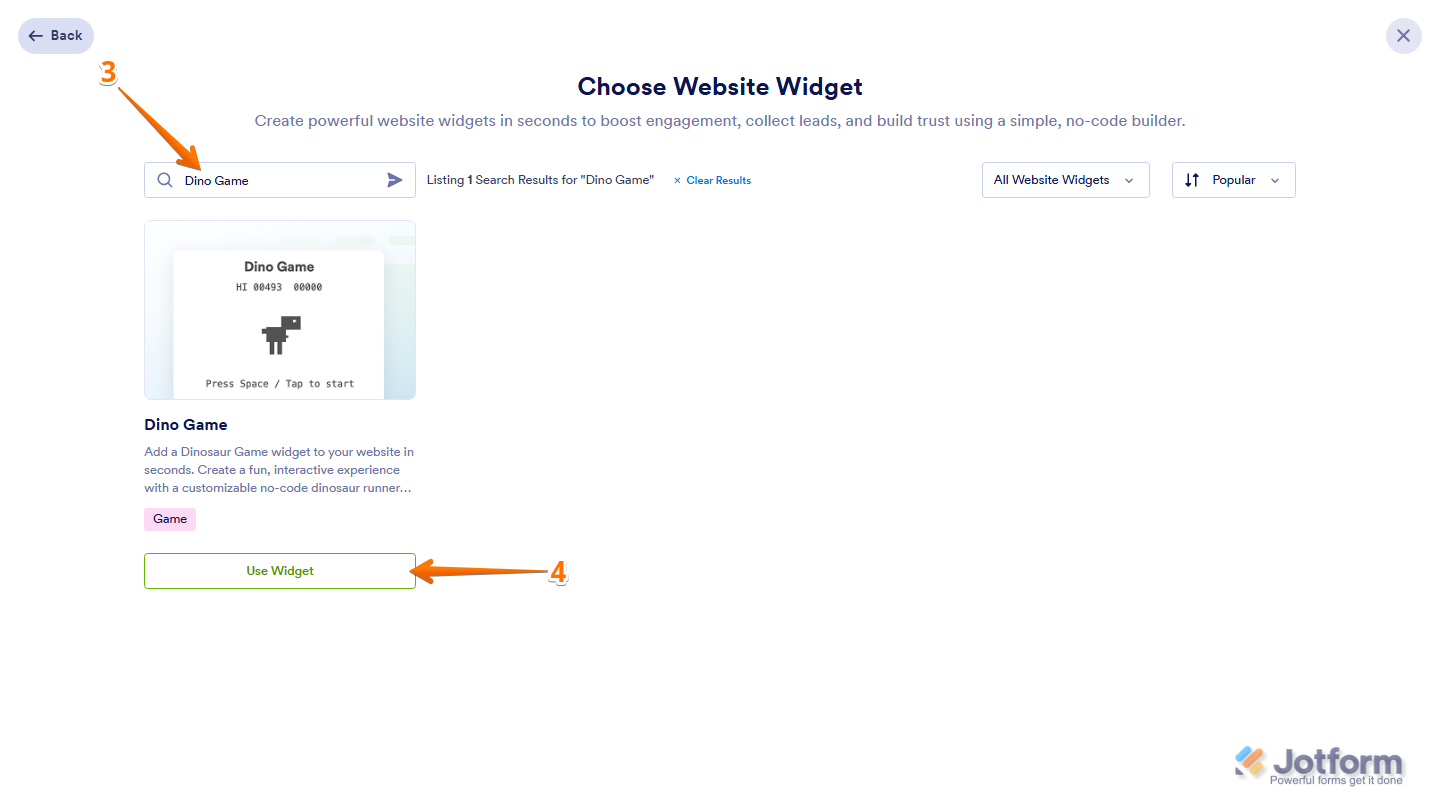
- Next, in the Search bar in the upper-left corner of Choose Website Widget, enter Dino Game.
- Now, in the search results, click on Use Widget.
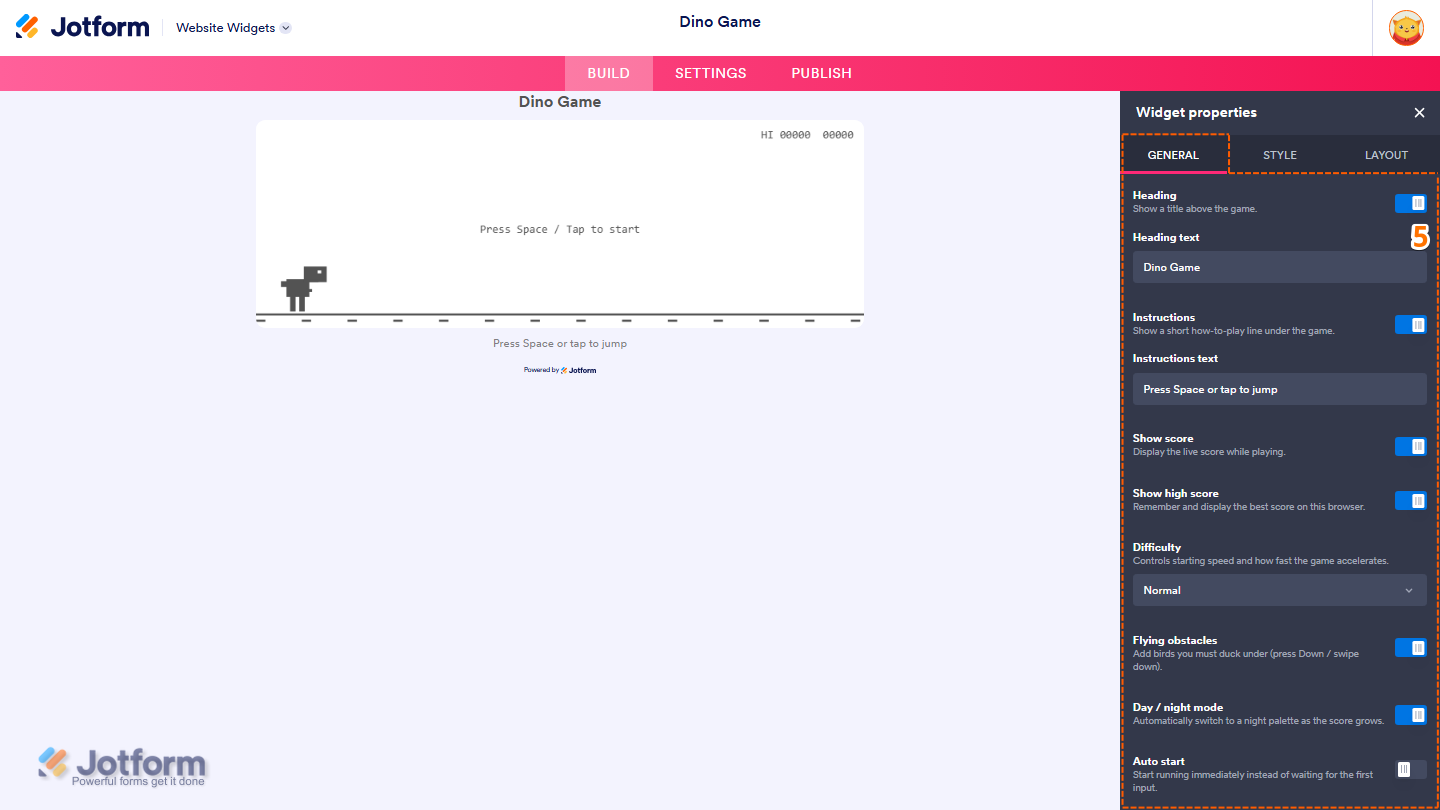
- Then, in the Widget Properties menu that opens on the right side of Website Widgets, under the General tab, set up these things:
- Heading — Leave this enabled to display a title above the game, or toggle it off to hide it.
- Heading Text — This is only available when Heading is enabled. Delete the default heading in the input box and enter the title you want to display above the game.
- Instructions — Keep this on to display a short how-to-play line below the game, or toggle it off to hide it.
- Instructions Text — Replace the default instructions in the input box with the text you want to display below the game.
- Show Score — Enable this option to display the live score while playing, or toggle it off to hide it.
- Show High Score — Leave this enabled to remember and display the highest score achieved in the current browser, or toggle it off to disable it.
- Difficulty — Select the game difficulty from the Dropdown menu.
- Flying Obstacles — Turn this on to add flying obstacles that players must duck under, or toggle it off to disable them.
- Day / Night Mode — Leave this enabled to automatically switch to a night theme as the score increases, or toggle it off to keep the same theme throughout the game.
- Auto Start — Enable this option to start the game immediately instead of waiting for the player’s first input, or toggle it off to require manual input before starting.
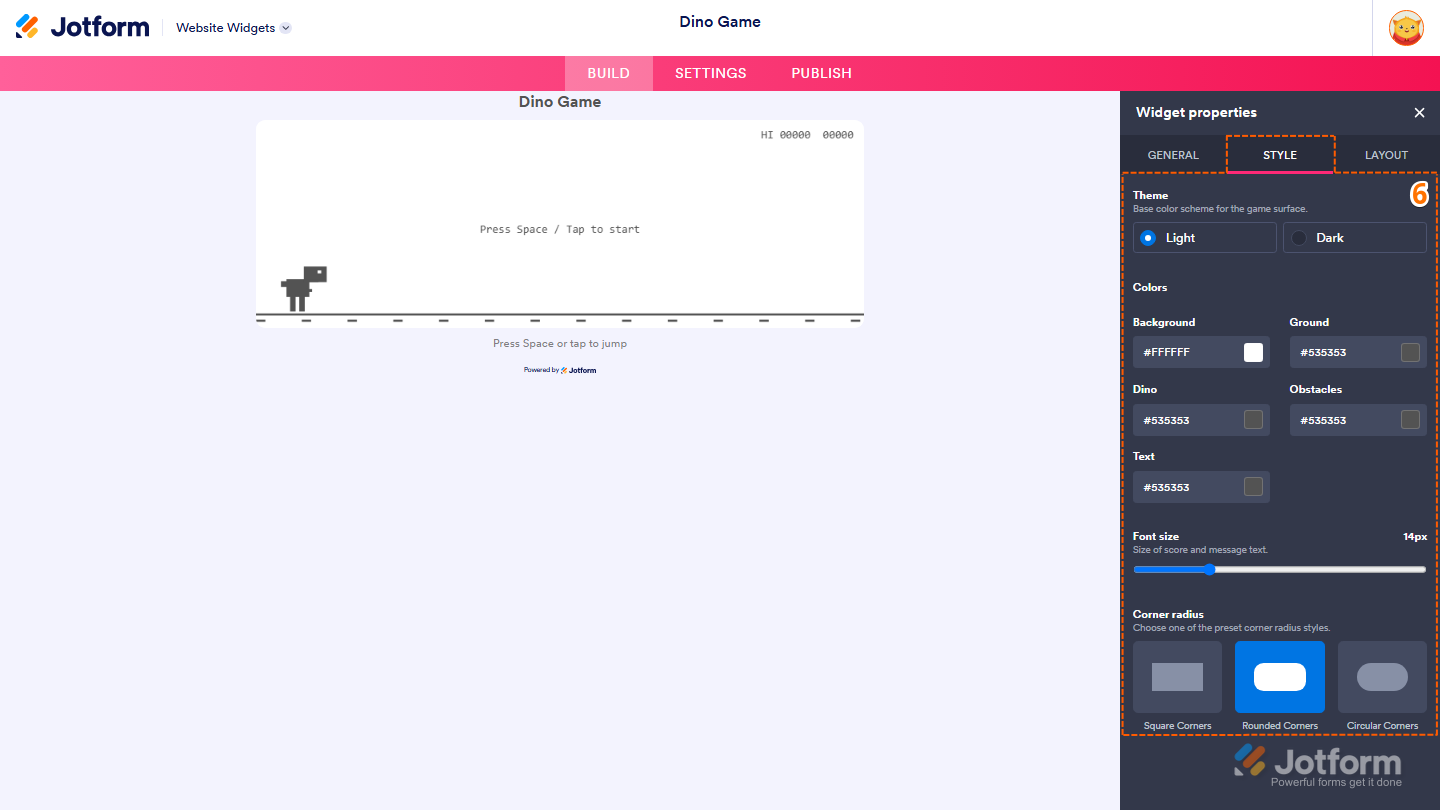
- Now, under the Style tab, customize these properties:
- Theme — Select Light to display the game with a light color scheme, or select Dark to display it with a dark color scheme.
- Colors — Customize the game’s colors using these properties:
- Background — Customize the game background color by entering a hex code in the input box or selecting one from the color box.
- Ground — Choose the color of the ground by entering a hex code or clicking on the color box.
- Dino — Use the input box or color box to customize the dinosaur’s color.
- Obstacles — Change the color of obstacles by entering a hex code in the input box or selecting one from the color box.
- Text — Specify the color of the score and game text by entering a hex code or choosing one from the color box.
- Font size — Click on and hold the slider handle, then drag it to adjust the size of the score and game text.
- Corner radius — Select one of the following options to choose the corner radius style:
- Square Corners — Displays sharp corners throughout the game.
- Rounded Corners — Displays rounded corners throughout the game.
- Circular Corners — Displays fully rounded corners throughout the game.
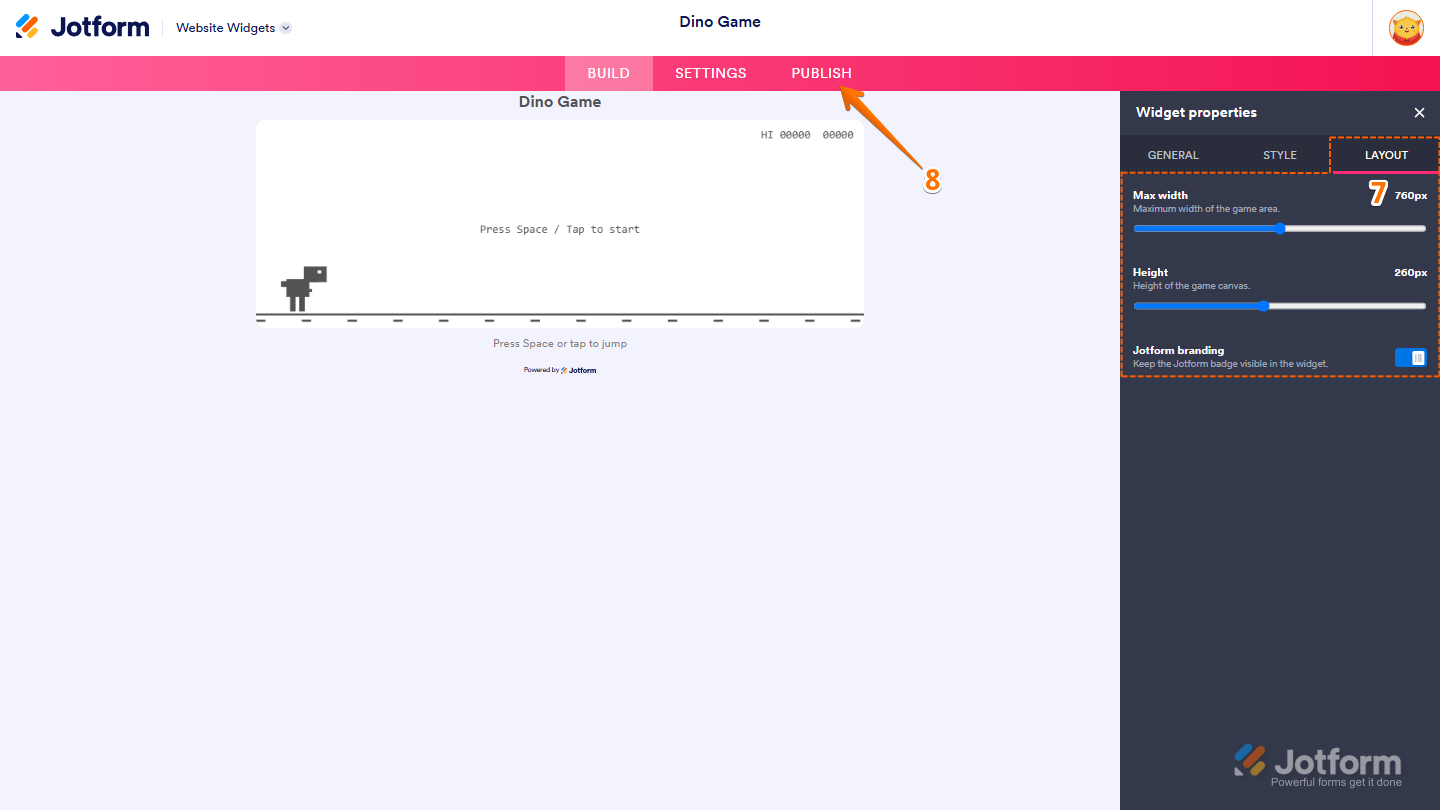
- Next, under the Layout tab, configure these properties:
- Max Width — Click on and hold the slider handle, then drag it to adjust the maximum width of the game area.
- Height — Click on and hold the slider handle, then drag it to adjust the height of the game canvas.
- Jotform Branding — Leave this enabled to keep the Jotform badge visible in the widget, or toggle it off to hide it.
- Once you’ve finished configuring the widget, in the pink navigation bar on the top of the page, click on Publish.
Note
You’ll be asked to log in to your Jotform account or sign up for one. Once you’ve done that, you’ll be able to get the embed code for your widget.
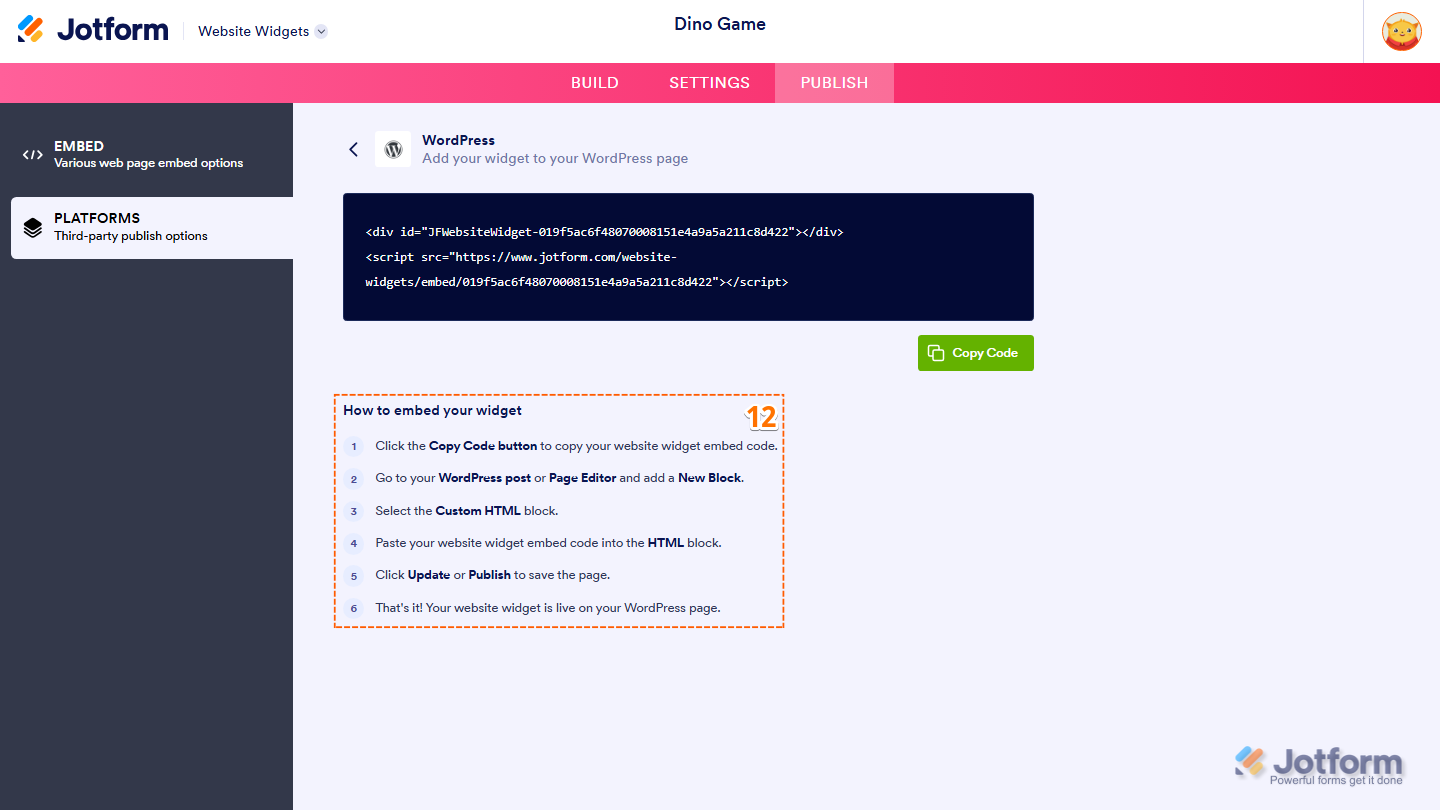
- Then, in the Embed section, click on Copy Code, and, if you already know how, paste that into the Embed section on your platform, and you’re good to go.
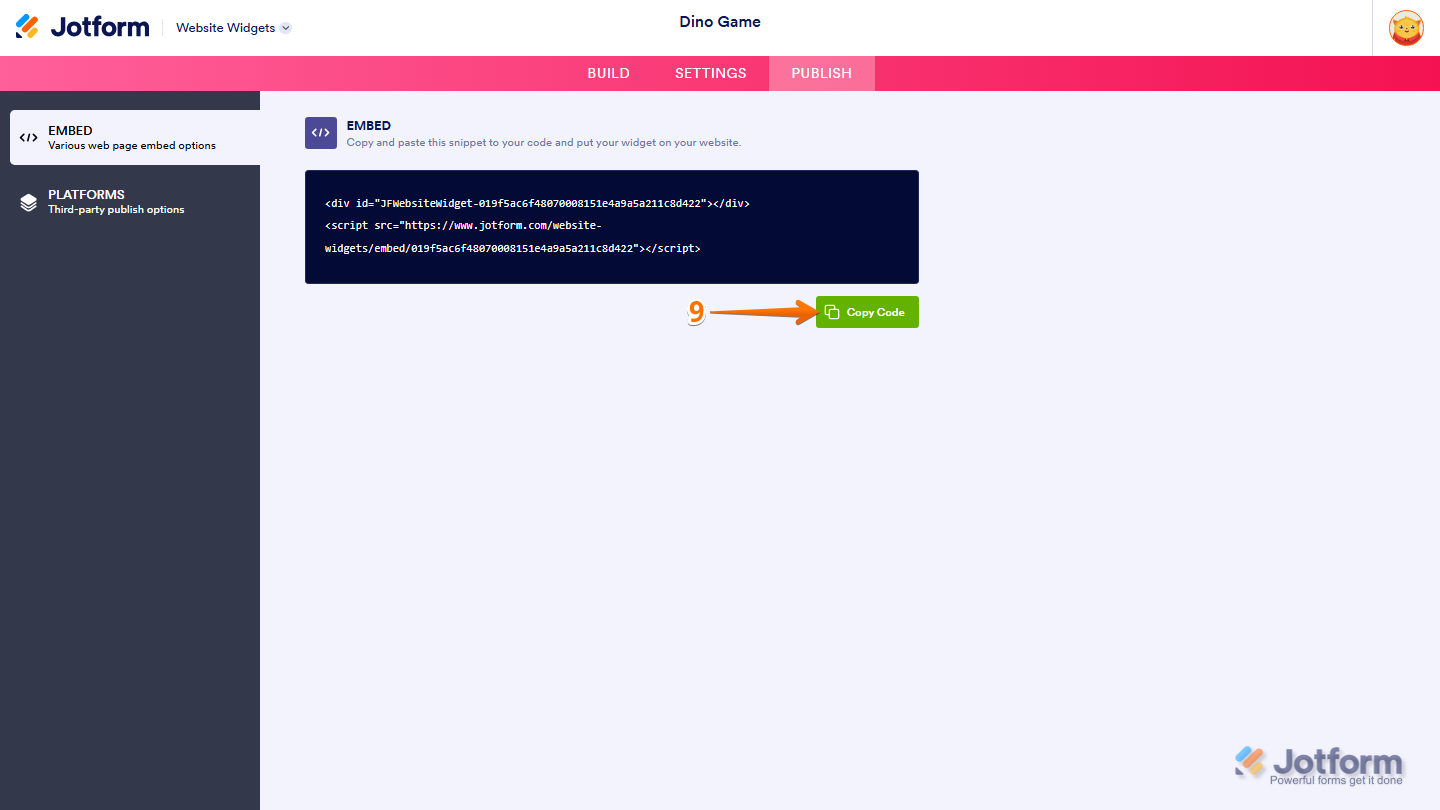
- To view embedding instructions for your widget, click on Platforms in the menu on the left side of the page.
- Next, in the Platforms section on the right, select the platform you want to view embedding instructions for. Or, use the Search bar at the top of the section to find it easily.
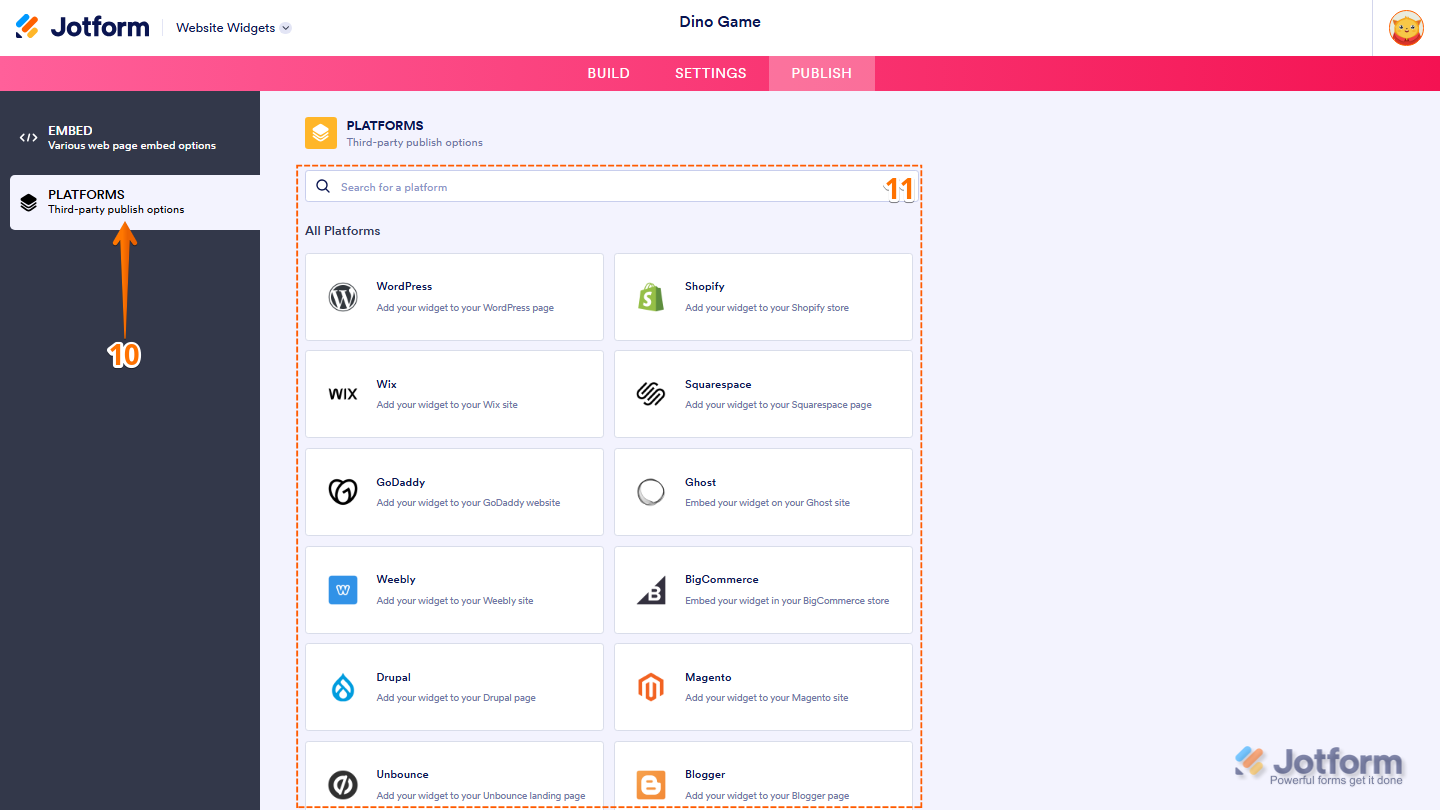
- Then, follow the steps in the How to Embed Your Widget section to add it to your website.
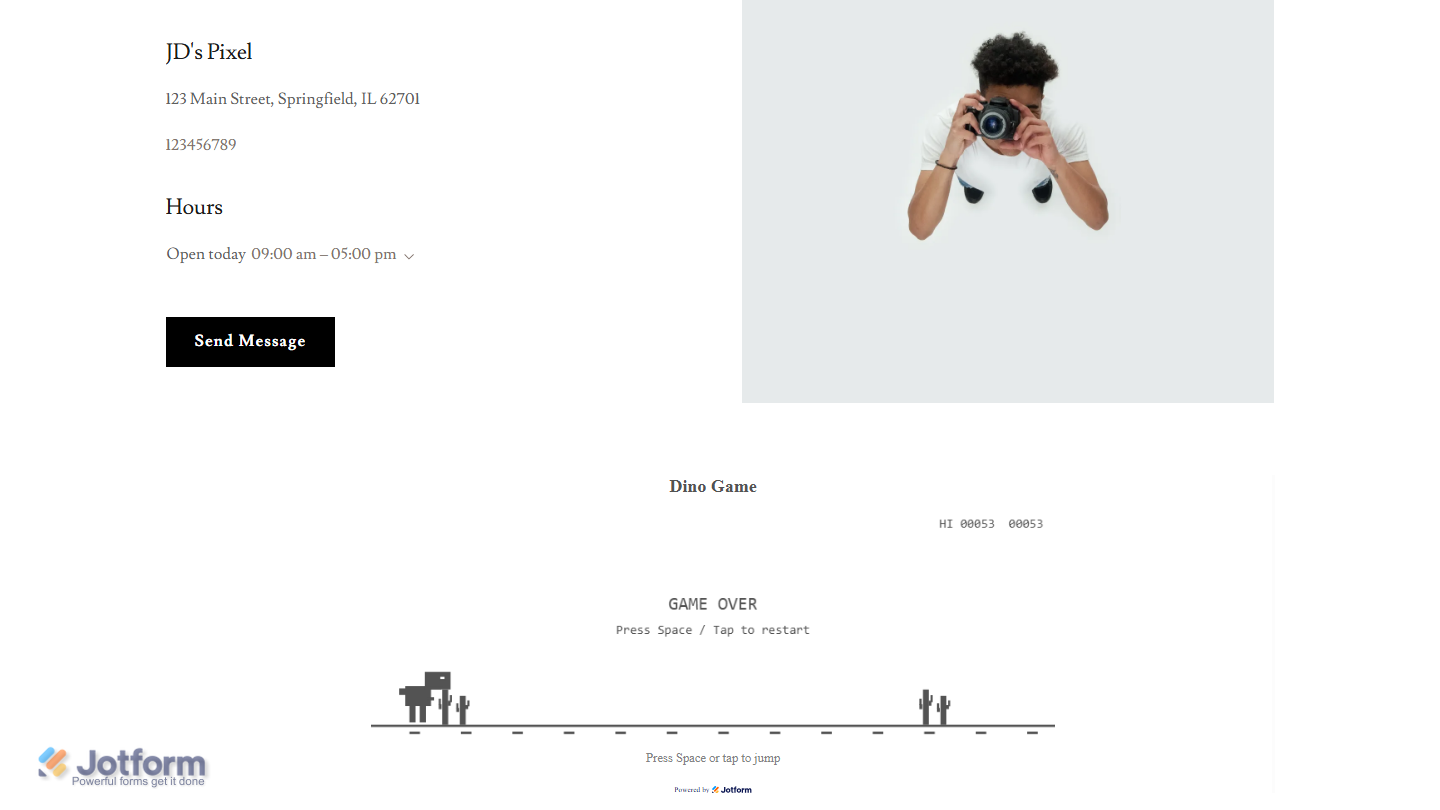
That’s it! Your Dino Game widget will appear on your website just as you set it up. Take a look at the screenshot below to see how it’ll look:
Note
You can manage the website widgets you’ve created at any time from your account. For a full breakdown of how to do it, head over to our guide on How to Manage Website Widgets.


Send Comment: