Made a change and want to go back, or curious to try a different approach? With Jotform AI App Builder, you can instantly undo your most recent action and continue building with confidence. There’s no need to start over, just revert the latest change and keep experimenting until your app looks and works exactly the way you want.
Notes
- The Undo icon is only available during your current app-building session. If you close the AI App Builder page, the icon will disappear, and the undo history will be cleared. But you can always ask Podo AI to revert your latest change to a previous version whenever needed.
- Also, the undo works specifically for modification requests. It lets you quickly roll back changes and return to the version generated from your original prompt.
Undoing Changes Using the Undo Icon
Whether you’re trying out a new layout or simply made a quick mistake, the undo feature in Jotform AI App Builder makes it easy to go back. This is how it’s done:
- In App Builder, in the App Copilot AI menu on the left side of the page, click on Undo just below the last prompt you want to revert.
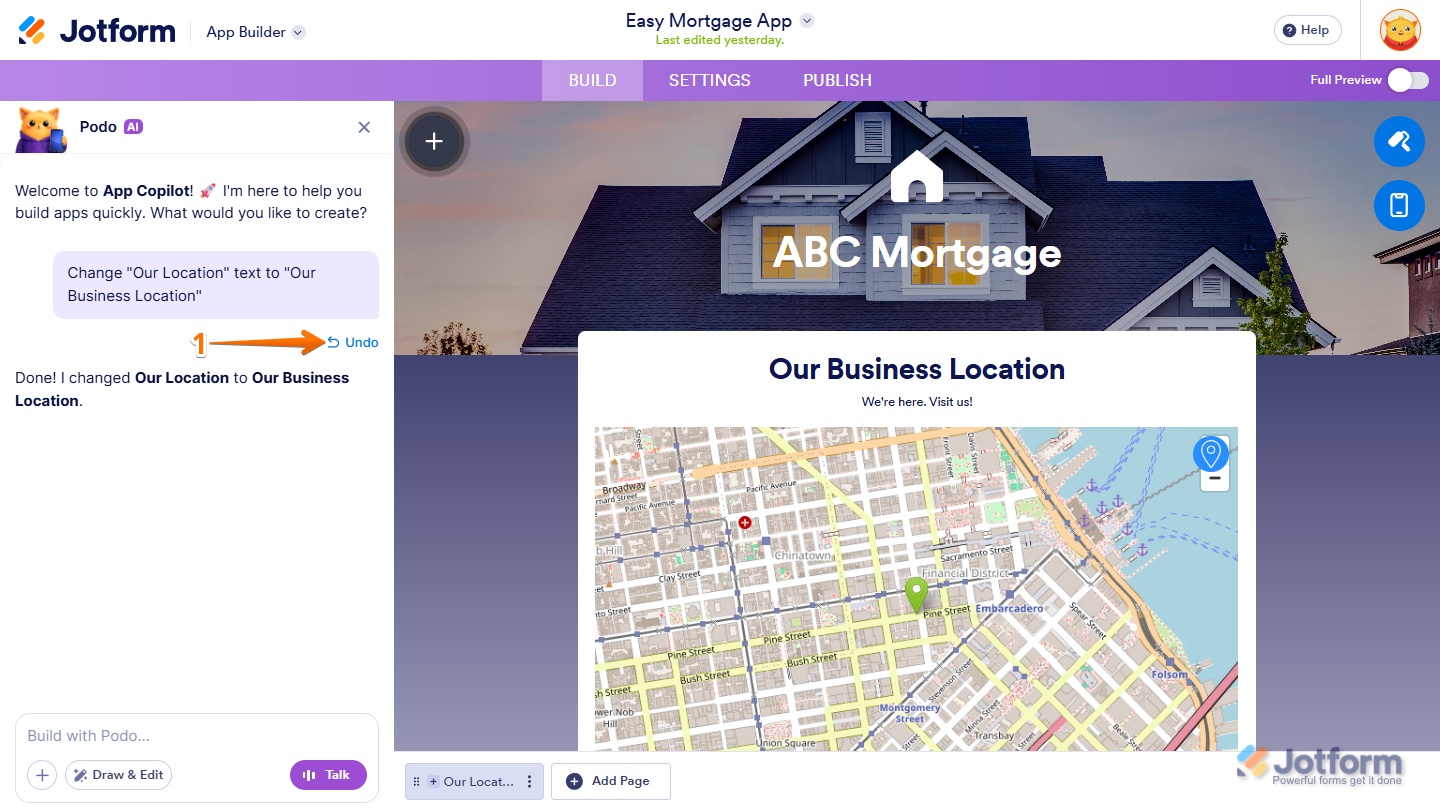
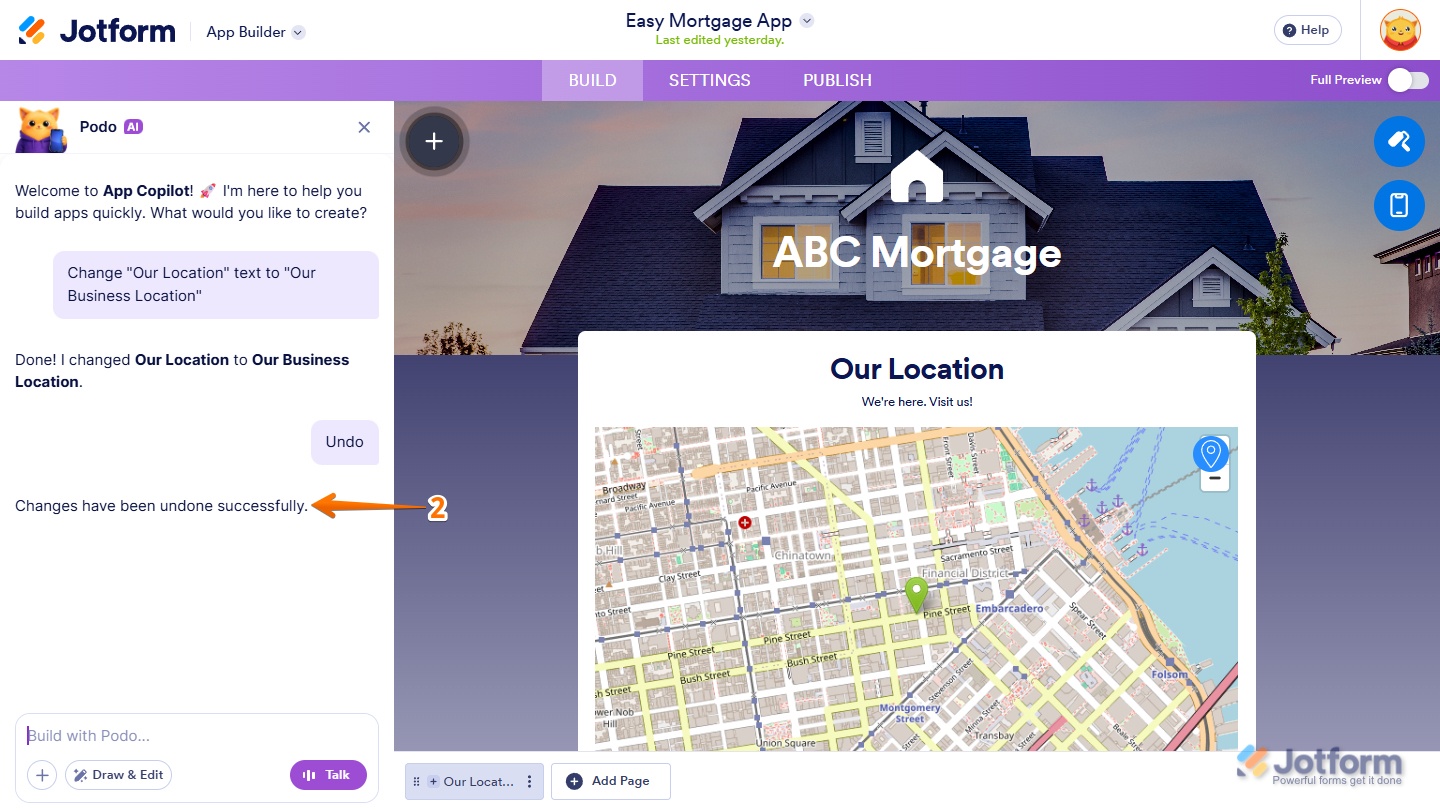
- Now, App Copilot AI will undo the change and confirm it in the conversation.
Undoing Changes by Sending an Undo Prompt
As mentioned in the note above, the Undo icon disappears when you reload the Jotform AI App Builder page. But you can still revert the latest change at any time by simply sending an undo prompt to Podo AI. Here’s what to do:
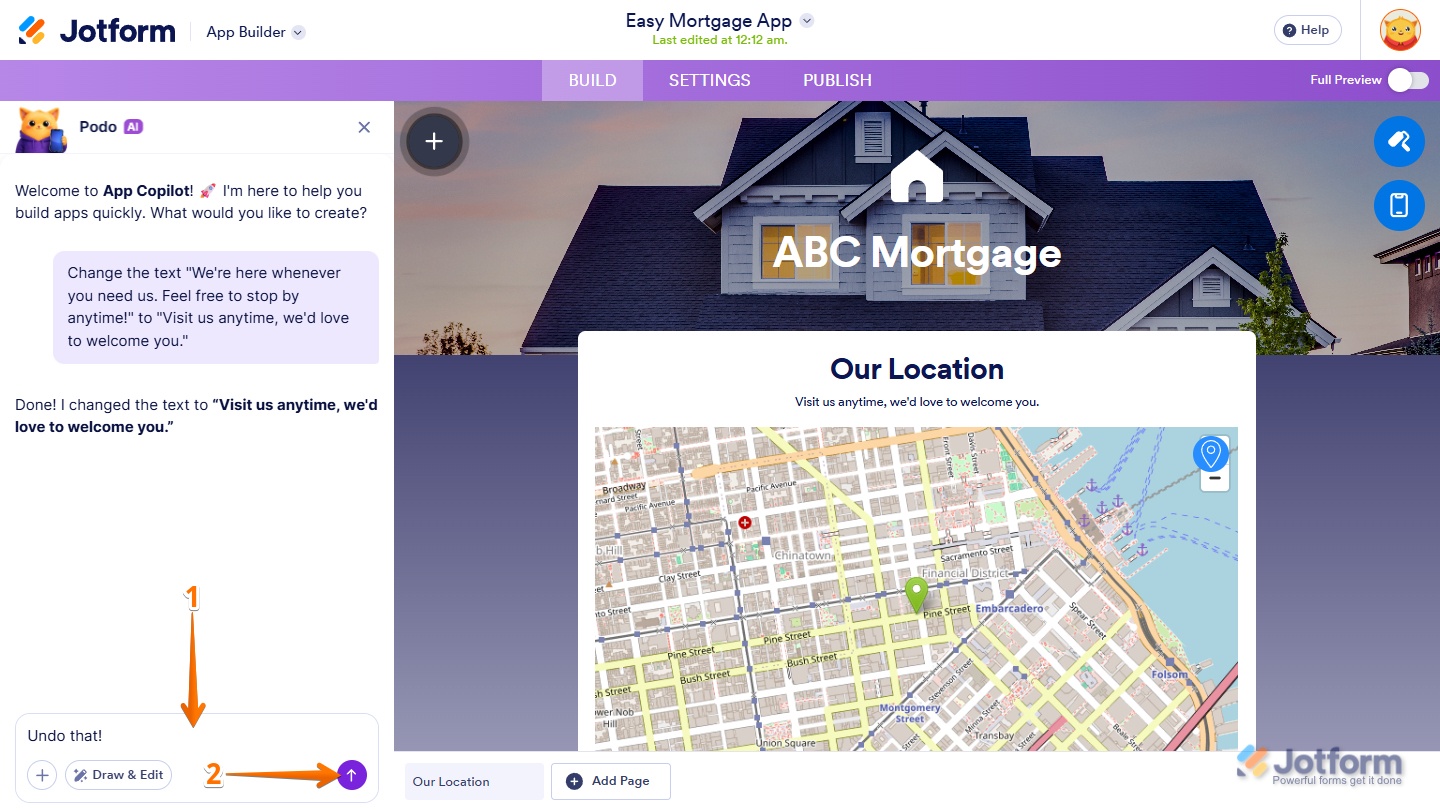
- In App Builder, in the App Copilot AI menu on the left side of the page, enter your undo prompt in the App Copilot AI chatbox. Here are simple and direct undo prompts you can use:
- Undo the last change.
- Undo that.
- Undo my request
- Next, press the Enter key on your keyboard or click on the Upward Arrow icon on the right side of the App Copilot AI chatbox to send your undo request.
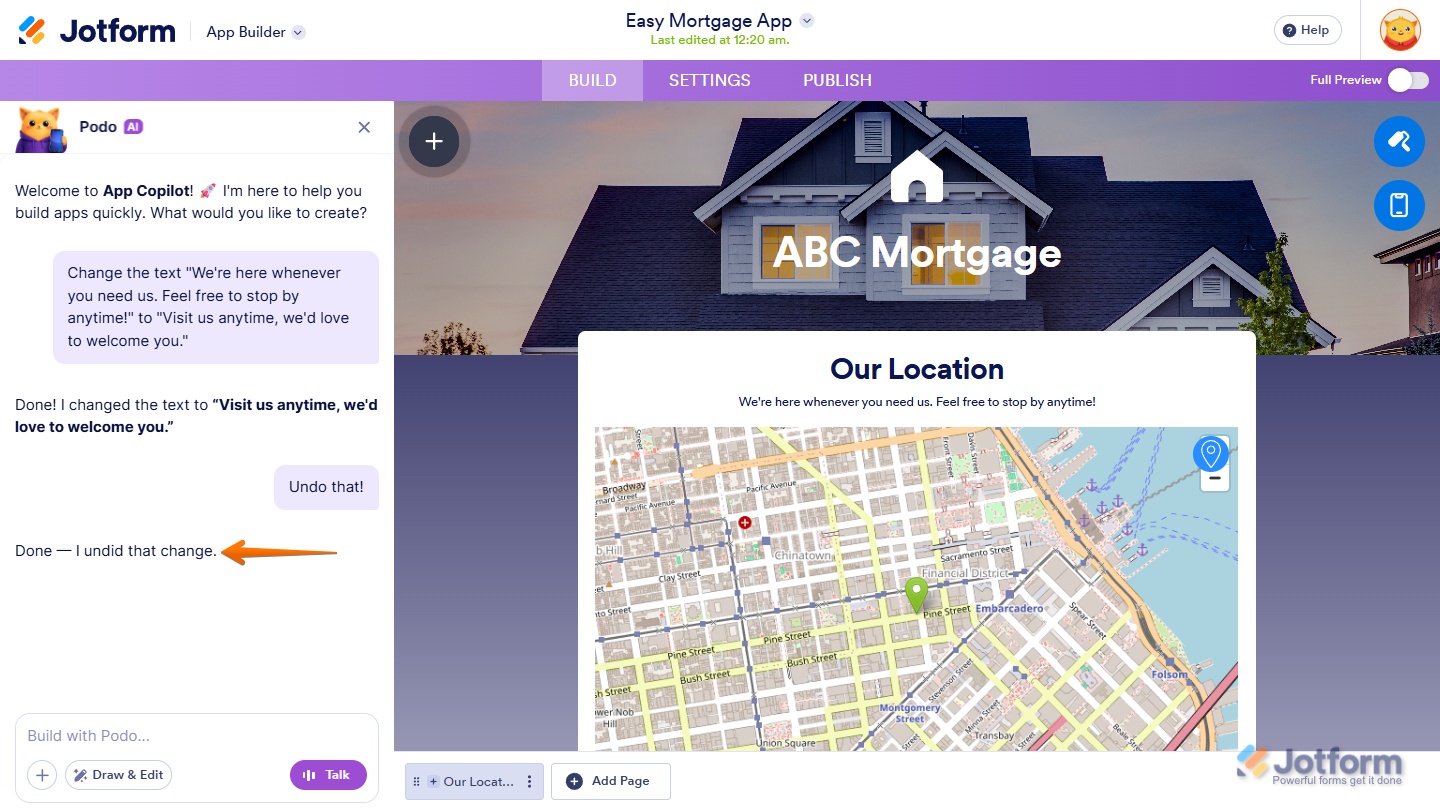
- Now, App Copilot AII will undo the change and confirm it in the conversation.
That’s it! You now know how to quickly undo modification requests in App Copilot AI, making it easy to experiment with changes and revert them whenever needed.

Send Comment: