Free App Builder for Small Businesses
Jotform’s app builder for small business lets you create a branded, mobile-ready business app without coding using 800+ customizable templates and drag-and-drop tools. You can collect online orders, payments, appointments, and registrations in one place and share the app via links or social media to reach more customers. The app works on any device so users can access or download it instantly.
შაბლონები
Explore Free Small Business Templates
Explore Jotform’s 800+ ready-made app templates to find the perfect template for your business. Customize the look and feel of your app in seconds with our no-code app builder.
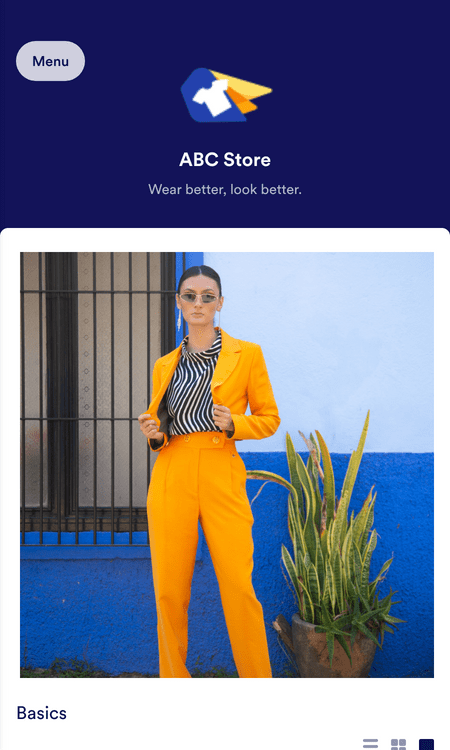
Ecommerce App Template

ტანსაცმლის მაღაზიის აპლიკაცია
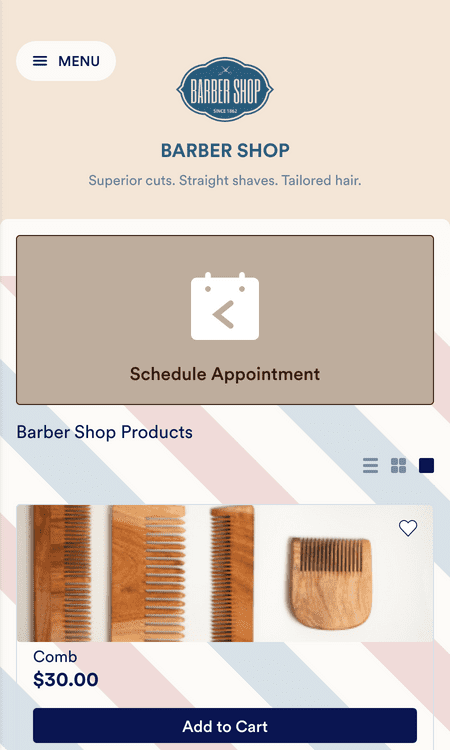
Barber Shop App
Benefits
Run your Business with Jotform Store Builder
Build an App for Any Industry
Start with a ready-made template and customize the app with drag-and-drop tools, so the app matches how the business works. Add a logo, fonts, and colors to reflect the brand, then include forms and pages people can use on mobile. If the business needs approvals or signed confirmations, add e-signatures inside the same app experience.
Share & Embed
Share the app with a link, email invitation, or social media post so customers can open it right away. Embed the app on a website using copy-paste code, so the app is accessible from a page customers already visit. Use QR codes on receipts, flyers, or business cards so people can reach the app without typing a URL.
Create Custom URLs
Rename the app in the Jotform dashboard to create a URL that matches the business name. Use custom links for individual forms inside the app, so staff can share the exact form customers need. This reduces confusion because the link can take people directly to the right action.
შეაგროვეთ ონლაინ გადახდები
Collect payments directly in the app by connecting one of Jotform’s 40+ payment integrations, including PayPal, Stripe, Square, and Google Pay. Use the same payment flow to take order payments, registration fees, or donations. Jotform does not charge additional transaction fees beyond the payment provider.
მართეთ თქვენი მონაცემები
Store submissions in a Jotform account automatically, so the business does not have to move data manually after each form is submitted. Review and manage submissions in Jotform Tables, which can display data as a spreadsheet, calendar, or cards. This makes it easier to track requests and follow up because the data stays organized in one place.
Engage Customers Instantly
Send push notifications from the app to share updates with customers in real time. Use notifications for product launches, flash sales, or important changes, so customers see the message on their devices. This helps the business stay top of mind because the update does not rely on customers checking email or social feeds.
სარეკომენდაციო წერილები
What our users say about Jotform
Create a No-Code App for Your Small Business
Need to create an app for your small business but don’t know where to start? In this video, we’ll show you how to choose from over 800 templates or create your own app from scratch with just a few clicks.