# Jotform Smart PDF Forms: Convert PDF to HTML Web Forms
###### Smart PDF Forms
# Convert your PDF to HTML Web Forms
Filling out PDF forms shouldn’t be complicated. Turn your PDF forms into powerful online forms that are easy to fill out from any device with Jotform Smart PDF Forms — and give your users a seamless online form-filling experience.
[**TRY NOW** - It’s Free!](https://www.jotform.com/build#importPDF?tdf=1)
## Make your PDF forms interactive
Tired of waiting for users to print, fill out, scan, and send your PDF forms manually? Turn your PDF forms into mobile-friendly online forms without any coding to get submissions instantly.
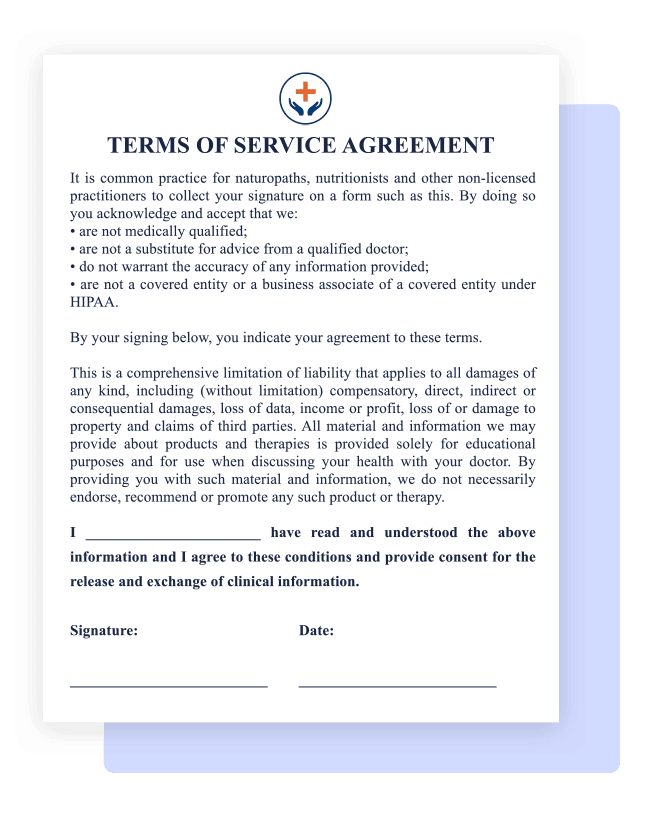
**1**
UPLOAD your PDF form
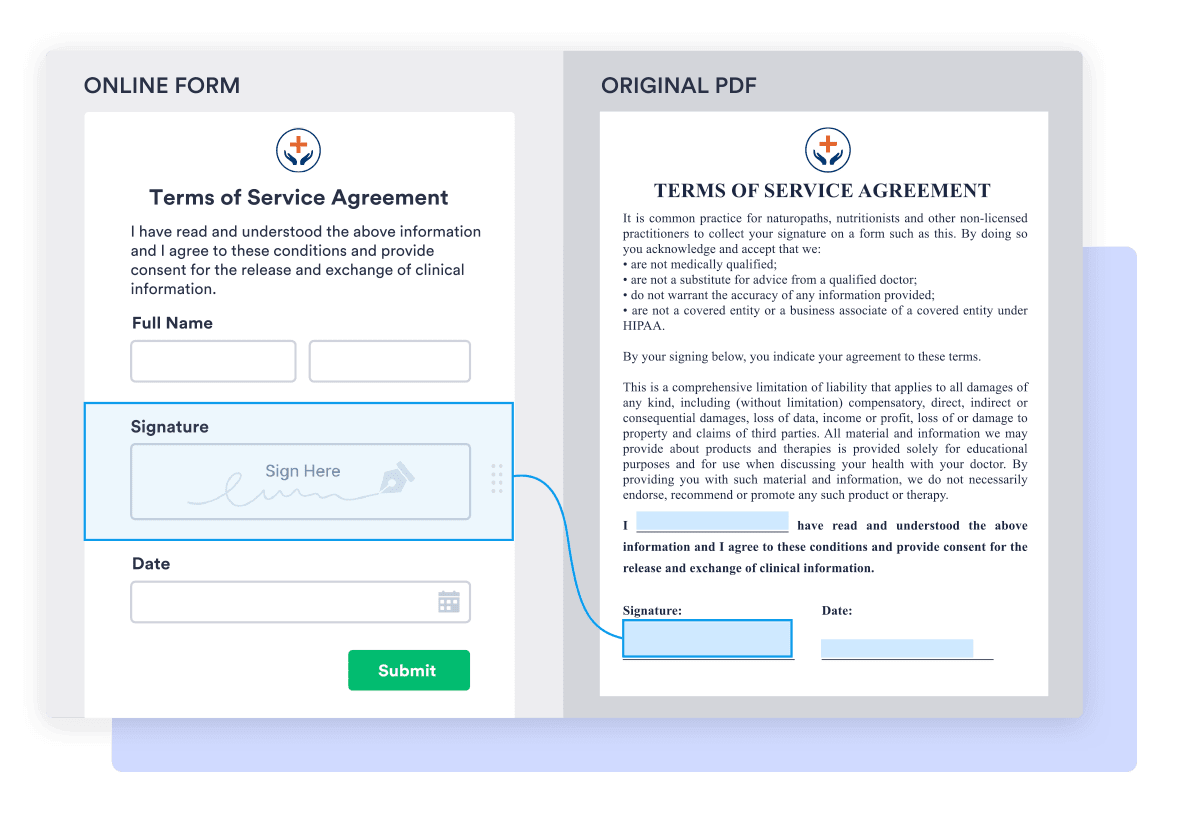
**2**
CONVERT to HTML web form
**3**
COLLECT responses from others
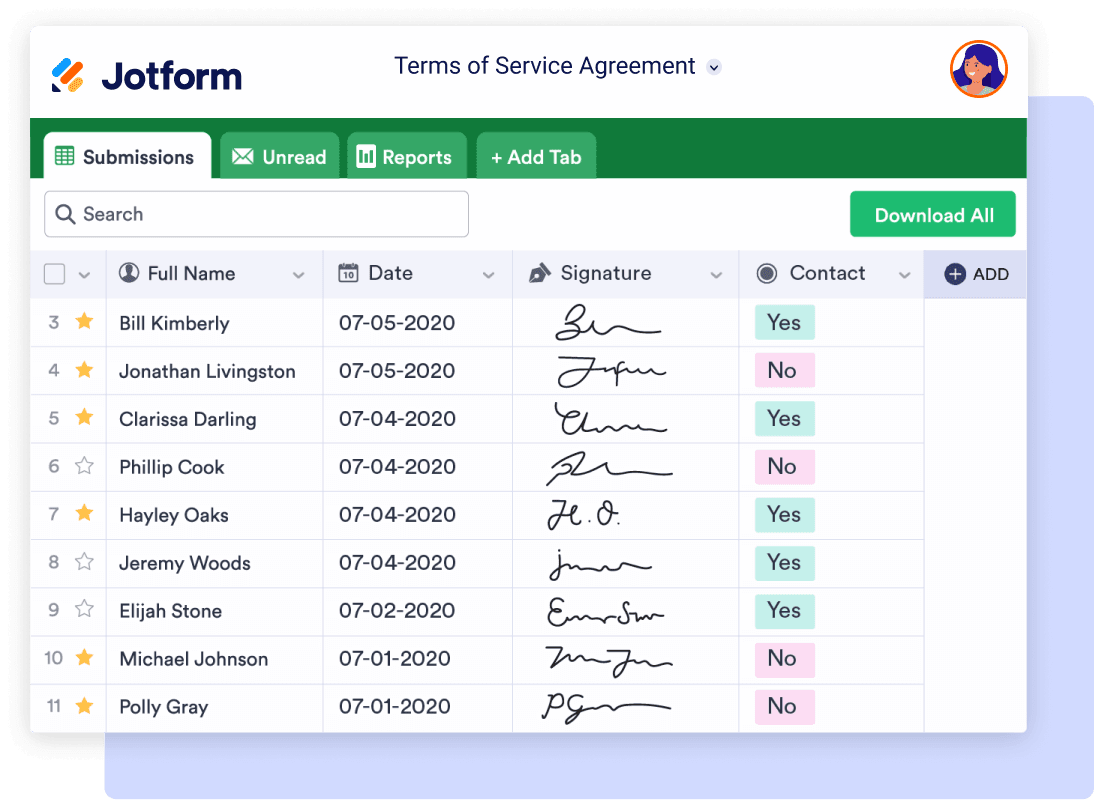
**4**
MANAGE all responses in one place
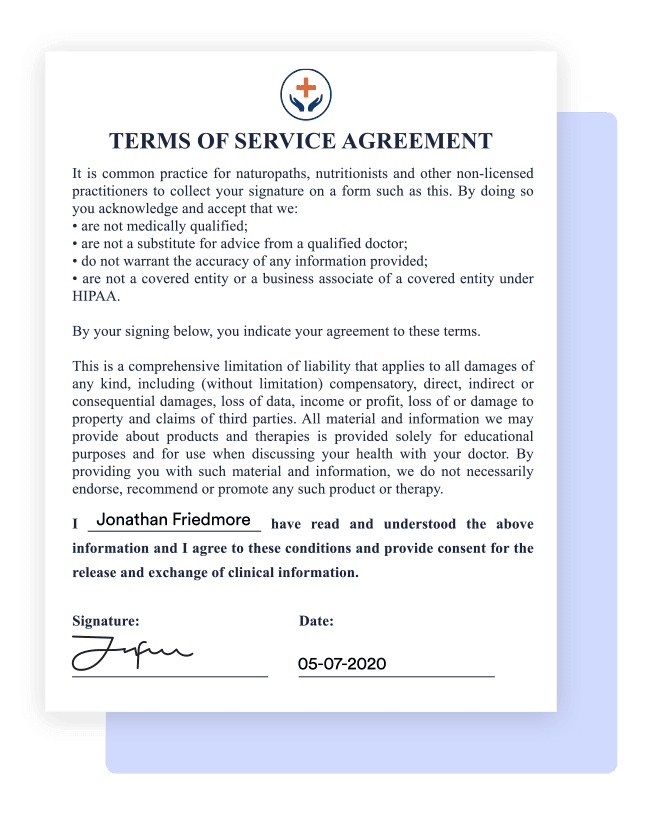
**5**
KEEP your original PDF layout
## Receive responses instantly
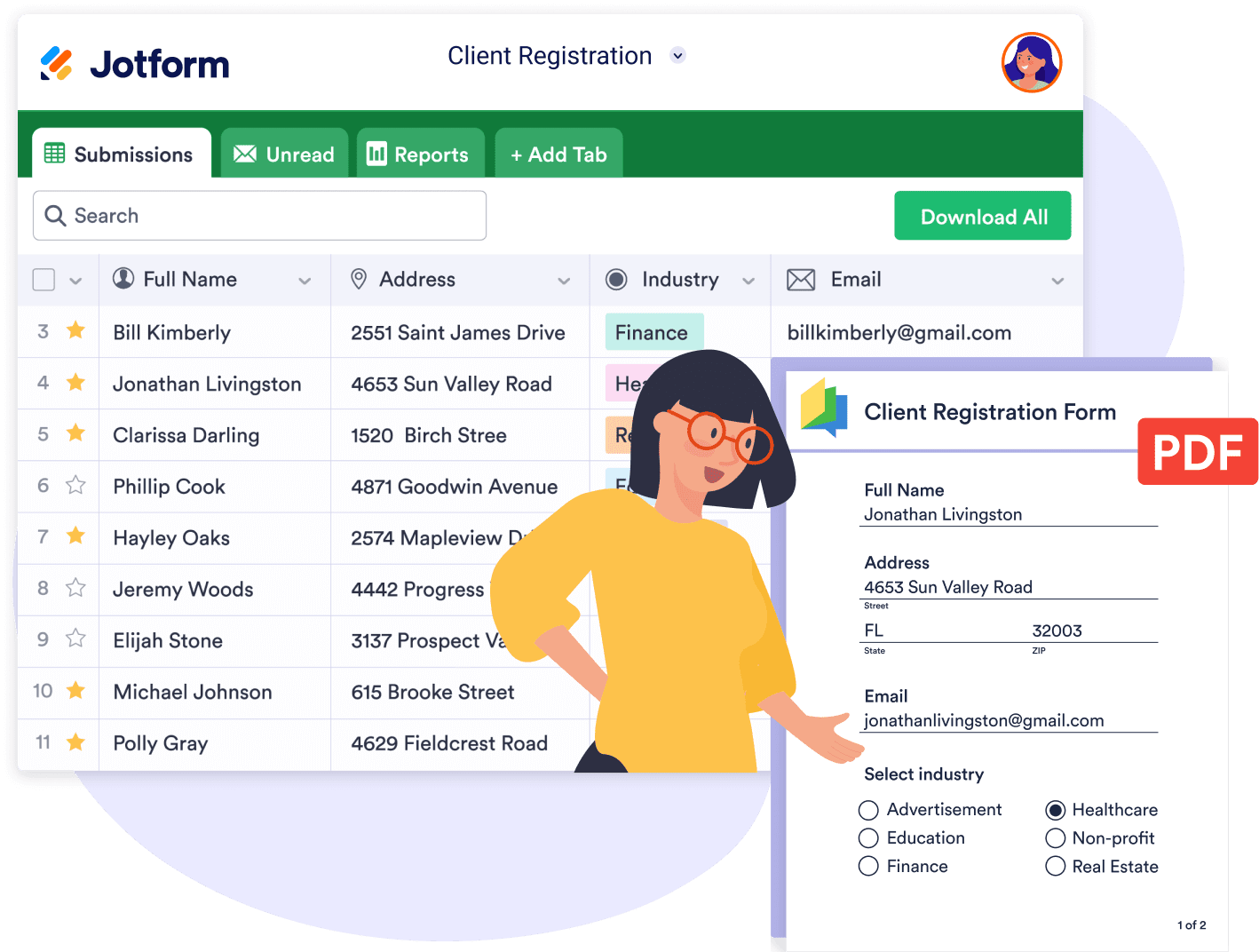
* Keep submission data in one secure place where you can easily search, filter, and download responses.
* Save responses as PDFs in the original PDF form layout.
* Download and store collected data securely.

## Speed up the process for users
Increase conversion rates with advanced form features that simplify your form design, like conditional logic.
## Share in seconds
Embed your online form in your website, or send the form link directly to the people you work with.

## Works on any device
Provide an easier form-filling experience with mobile-friendly forms that work seamlessly on any computer, smartphone, or tablet.

## Receive, store, and share completed PDFs
* Get notified via email whenever you receive a new form submission. Jotform will automatically generate a filled-in PDF document using your original PDF layout and send it directly to your inbox.
* Send completed PDFs to recipients through autoresponder emails.
* Automatically sync PDFs to cloud services such as Google Drive, Dropbox, and Box.
## Power up your PDFs with Jotform Smart PDF Forms
Collect PDF responses with all the advanced features of online forms
| | Traditional PDF Forms | Jotform Smart PDF Forms |
| --- | --- | --- |
| BUSINESS AUTOMATION BENEFITS |
| Retain original PDF layout | Yes | Yes |
| Download data as Excel and CSV | No | Yes |
| Search and filter responses | No | Yes |
| Send PDFs as emails automatically | No | Yes |
| [Send PDF to other services](https://www.jotform.com/integrations/category/file-sharing-and-storage) [Google Drive](https://www.jotform.com/integrations/google-drive)[Box](https://www.jotform.com/integrations/box)[Dropbox](https://www.jotform.com/integrations/dropbox) | No | Yes |
| ONLINE FORM BENEFITS |
| Conditional logic | No | Yes |
| Input validation to minimize incorrect data entry | No | Yes |
| Smooth form filling experience | No | Yes |
| Mobile-friendly | No | Yes |
| Fill PDF with API | No | Yes |
| [Integrations](https://www.jotform.com/integrations/) [Sheets](https://www.jotform.com/integrations/google-sheets)[Mailchimp](https://www.jotform.com/integrations/mailchimp)[Calendar](https://www.jotform.com/integrations/google-calendar) [100+ more](https://www.jotform.com/integrations/) | No | Yes |
| [Payment processing](https://www.jotform.com/integrations/category/payment-processing) [Paypal](https://www.jotform.com/integrations/paypal-business)[Stripe](https://www.jotform.com/integrations/stripe)[Square](https://www.jotform.com/integrations/square) [40+ more](https://www.jotform.com/integrations/category/payment-processing) | No | Yes |
## Transform your PDF forms into online forms in seconds
See for yourself how easy it is to turn your PDF form into a professional online form without altering the original PDF’s layout.
**Registrations****Agreements****Consent Forms****Applications**
[Try Demo ](https://form.jotform.com/202325323127948 "Registrations")[Try Demo ](https://form.jotform.com/202324862219957 "Agreements")[Try Demo ](https://form.jotform.com/202325066520949 "Consent Forms")[Try Demo ](https://form.jotform.com/202325108399960 "Applications")
[See More Examples](https://www.jotform.com/products/smart-pdf-forms/examples/)
###### TESTIMONIALS
## What our users say about Jotform Smart PDF Forms
“The Smart PDF Forms feature is unlike anything I’ve ever seen on any other form builder. It allows my business to convert a collection of confusing boxes into a user-friendly text box form for my clients. The information goes directly into the PDF and once completed a copy goes to our clients and another to us. The unique form link is also something we find very useful. It allows up to have customers access our form directly from our website. I couldn’t be happier with Jotform and it can only get better.”

Jose Perez
CEO of Loften
“Jotform has been a game-changer for us. We utilize Jotform for a myriad of different forms for different divisions of our company where multiple paper forms are condensed into one Jotform. Before in a paper form system, the user would have to enter their information separately on each form, we have streamlined all of those entries and signatures down to a handful of required fields and it fills in each form accordingly.”

Matt Abbott
Marketing Manager
“Jotform offers capabilities that are not available on other platforms at a price that is fair for nonprofits and smaller operations. Jotform is an indispensable service at our organization offering features that no other services can.”

Sam Sipe
Sailing Coach
Turn your PDFs into powerful web forms
[**TRY NOW** - It’s Free!](https://www.jotform.com/build#importPDF?tdf=1)[Check Out Media Kit](https://www.jotform.com/products/smart-pdf-forms/media/)
## Smart PDF Forms FAQ
*
### What is an interactive PDF form? An interactive PDF form allows users to interact with the form, including viewing videos and GIFs and completing form fields.
*
### How do you make smart PDF forms? To make smart PDF forms, log into your Jotform account and go to the My Forms page. Click the Create Form button and then Import Form. Upload the form you’d like to convert into a smart PDF. You’ll then be taken into the Smart PDF Forms builder where you can adjust or add anything to your PDF.
*
### How do you edit smart PDF forms? To edit your smart PDF form, simply click on the PDF form you’d like to adjust and click the Edit button.
*
### What is Jotform Smart PDF Forms? Jotform Smart PDF Forms is a tool that converts your existing PDF forms into easy-to-fill online forms.
*
### How do I convert my PDF form to an online form? To turn your PDF into a fillable online form, open [My Forms](https://www.jotform.com/workspace/) and click the **Create Form** button on the top left. Select **Import Form** and then **Import PDF Form** to upload your PDF.
*
### What pricing plans include Jotform Smart PDF Forms? Jotform Smart PDF Forms is available on every Jotform plan. Whether you use our full-featured free plan or upgrade your account for additional storage or HIPAA compliance, you’ll be able to turn PDF forms into online forms with ease.
*
### How do I customize my new online form? After you’ve successfully uploaded your PDF, Jotform Smart PDF Forms will take you to the **Build** step, where you can see the original PDF form and new online form side by side.
In the **Build** step, you can make adjustments to both your online form and your PDF form. Connect fields between the two formats, add new fields to your online form, or delete problematic fields to make sure your forms match.
*
### How do I connect form fields to PDF fields? When uploading your PDF form, some fields on your PDF may not be detected by Jotform Smart PDF Forms. But don’t worry — it’s easy to manually adjust field connections.
When you add a new field to your online form, you’ll automatically have the option to add a corresponding field to the PDF, which will be connected to your online form by default. You can add these fields from the **Form Elements** menu, just as you would with other online forms.
*
### Can I edit my PDF form with Jotform? Jotform Smart PDF Forms allows you to add, move, resize, and delete PDF fields. You cannot, however, edit the text or images on the PDF.
*
### Why do I need to connect online form fields to PDF form fields? Jotform’s online forms aren’t designed to look like PDF forms, which is why your online form may not look exactly like your original PDF form after the conversion. But by connecting the online form fields to your PDF form fields, you can automatically view form submissions in your original PDF — creating a seamless way to transfer data between the two formats.
*
### How can I disable the PDF viewer? If you would like to disable the PDF view and only see the online form, you can turn off the PDF connection. Simply click on **PDF Connection Settings** in the top right corner of your PDF, then click on the **Settings** option to turn off your PDF connection.
*
### How can I email my PDF submissions? Once you receive form submissions, you’ll have the option to save them as PDFs in the layout of your original PDF form. You can then send these PDFs as email attachments either manually or automatically via notifications and autoresponders. To set these up, click the **Settings** tab at the top of the page and select the **Emails** option.
*
### Can I make changes to my PDF without changing the online form? Jotform does not allow you to update your original PDF document, so you can only make edits using other editing tools such as Adobe Acrobat Pro. However, you can replace your PDF form without affecting its online form. To replace your PDF, click the **Upload** button at the top left and select the **Update PDF** option.
*
### Can I turn my read-only PDF into a fillable PDF? No. With Jotform Smart PDF Forms, you can only convert PDF forms into online forms.
*
### Can accounts that enable HIPAA compliance use Jotform Smart PDF Forms? Yes. [Gold](https://www.jotform.com/pricing/) and [Enterprise](https://www.jotform.com/enterprise/) accounts can use Jotform Smart PDF Forms to turn PDFs into [HIPAA-friendly](https://www.jotform.com/hipaa/) healthcare forms and send PDF copies of medical records via autoresponder emails.
*
### Is Jotform Smart PDF Forms available for Enterprise accounts? Yes, Enterprise users can use Jotform Smart PDF Forms to turn contracts, business agreements, and other PDF forms into mobile-optimized online forms. [Contact our Enterprise sales team](https://www.jotform.com/enterprise/contact-sales/) for more information.
*
### Can users preview my PDF while filling out the form? Yes. You can enable the [Preview PDF](https://www.jotform.com/help/874-how-does-the-pdf-connection-works-with-smart-pdf-forms/) feature to allow users to preview their filled-in PDF document. And if you’d like to send them their filled-in PDFs after they submit the form, [set up an autoresponder](https://www.jotform.com/help/26-setting-up-an-autoresponder-email/) to send the PDFs to them automatically.
*
### How many PDFs can I convert? As many as you’d like — there is no limit on how many PDFs you can convert. You are only limited by the number of form submissions your [Jotform plan](https://www.jotform.com/pricing/) allows you to collect.
*
### Can I use Jotform Smart PDF Forms for HIPAA compliance? Yes. Once you’ve signed a [BAA](https://www.jotform.com/hipaa/baa/) and added forms with HIPAA compliance features, any information you collect through Jotform’s online forms or PDF forms will remain HIPAA friendly.
*
### Can I store my PDF data in Jotform? Yes. Once you’ve converted your PDF into an online form, all the data you collect will be securely stored in your Jotform account.
*
### Can I get notified instantly when I receive a response? Yes! With our free [Jotform Mobile Forms app](https://www.jotform.com/products/mobile-forms/), you can set up push notifications to get notified instantly on your smartphone or tablet about each new submission you receive.
View More