

Laboratory Forms
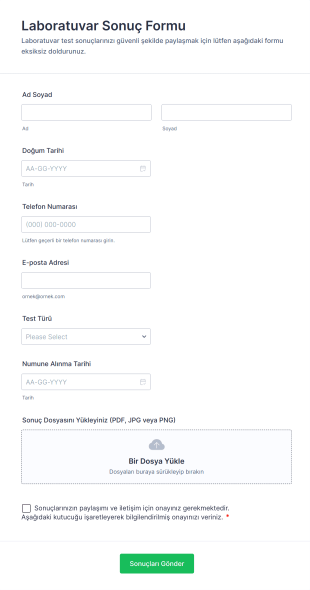
Laboratuvar Sonuç Formu
Laboratuvar Sonuç Formu, laboratuvarlar, klinikler ve sağlık merkezleri için test sonuçlarını dosya yükleyerek güvenli biçimde iletme ve hasta iletişim bilgilerini toplama sürecini düzenlemeye yardımcı olur.
Go to Category:Laboratory Forms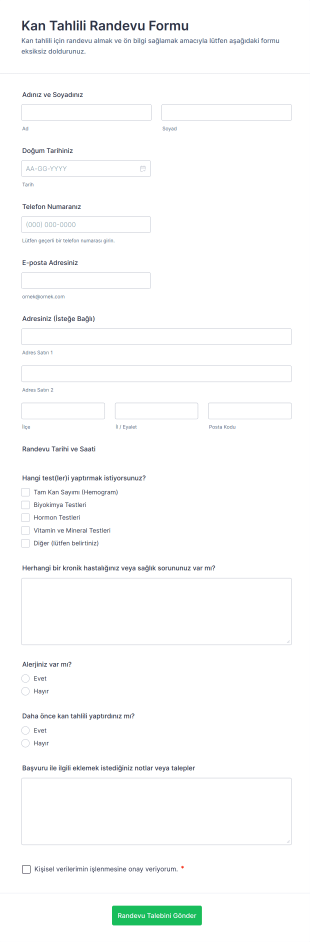
Kan Tahlili Randevu Formu
Kan Tahlili Randevu Formu, laboratuvarlar ve sağlık merkezleri için online randevu taleplerini toplamak, başvuruları düzenlemek ve veri toplama sürecini Jotform üzerinden yönetmek isteyen ekipler için idealdir.
Go to Category:Randevu Formları
Kan Alımı Rıza Formu
Kan Alma Onam Formu, kan alma işlemi öncesi bilgilendirme ve gönüllü onayı dijital olarak toplamanıza yardımcı olur ve sağlık kuruluşlarında veri toplama ile form yanıtı takibini kolaylaştırır.
Go to Category:Onay Formları
Laboratuvar Yeterlilik Değerlendirme Anketi
Laboratuvar Yeterlilik Değerlendirme Formu ile adayların yetkinlik bilgilerini toplayın, değerlendirme planlamasını tek noktadan yönetin ve Jotform ile veri toplama sürecini hızlandırın.
Go to Category:Laboratory Forms
Laboratuvar Testi Yönlendirme Formu 🧪
Laboratuvar Test Yönlendirme Formu, sağlık kuruluşlarının laboratuvar yönlendirmelerini tek noktadan yönetmesine, veri toplama sürecini standartlaştırmasına ve Jotform üzerinden form yanıtlarını düzenli şekilde takip etmesine yardımcı olur.
Go to Category:Laboratory Forms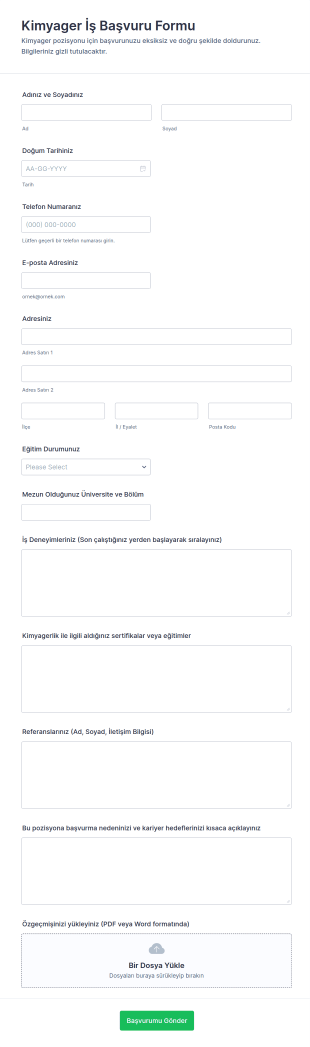
Kimyager İş Başvurusu Formu
Kimyager İş Başvuru Formu, laboratuvar ve üretim kuruluşlarının aday başvurularını online veri toplama ile düzenli biçimde almasına ve Jotform üzerinden form yanıtlarını tek merkezden yönetmesine yardımcı olur.
Go to Category:İş Başvuru Formları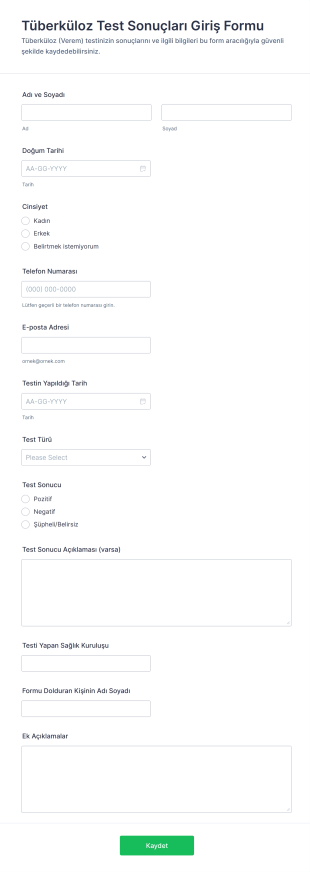
Tüberküloz Test Sonuçları Giriş Formu
Tüberküloz Test Sonuçları Giriş Formu ile test sonuçlarını ve ilgili bilgileri online olarak kaydedin, veri toplama sürecini standartlaştırın ve Jotform üzerinden form yanıtlarını kolayca takip edin.
Go to Category:Sağlık Formları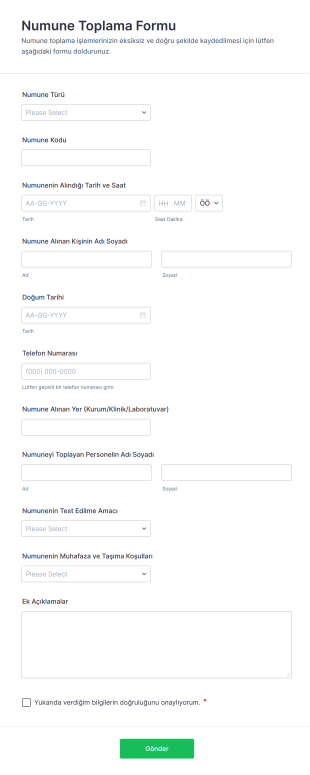
Numune Toplama Formu
Numune Toplama Formu, laboratuvarlar ve klinikler için numune kayıtlarını online form üzerinden veri toplama ile düzenli biçimde yönetmeye yardımcı olur ve form yanıtlarını Jotform’da tek merkezde toplar.
Go to Category:Laboratory Forms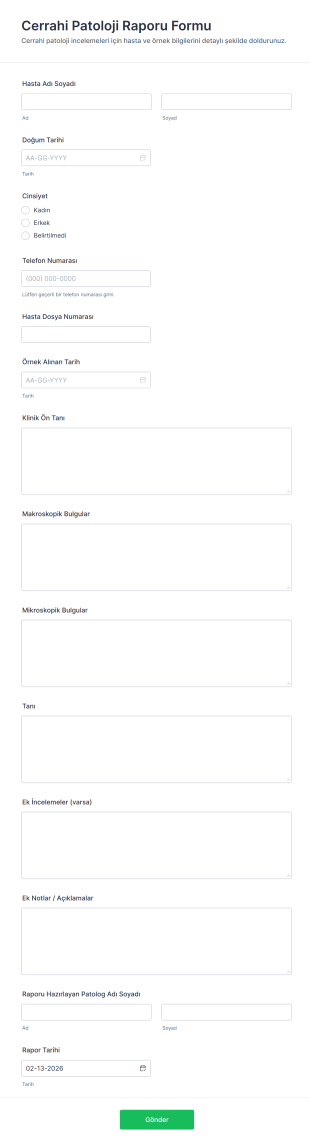
Cerrahi Patoloji Raporu Formu
Cerrahi Patoloji Raporu Formu, patoloji laboratuvarları ve sağlık kuruluşlarının raporlamayı standartlaştırmasına, veri toplama sürecini düzenlemesine ve form gönderimlerini Jotform üzerinden takip etmesine yardımcı olur.
Go to Category:Sağlık FormlarıLaboratory Forms Hakkında
Laboratory forms are structured documents used to record, track, and manage lab activities, samples, tests, and compliance processes. They help labs collect consistent information for sample intake, experiment documentation, equipment use, results reporting, and safety procedures in a clear and organized way. Laboratory forms are commonly used in research labs, clinical labs, educational labs, manufacturing QA labs, and environmental testing settings. Typical use cases include sample submission, chain of custody documentation, test request forms, lab result reporting, equipment logs, and safety incident reporting. By standardizing lab workflows, laboratory forms reduce errors, improve traceability, and support quality and regulatory requirements.
With Jotform, laboratory forms can be created quickly using a no-code, drag-and-drop Form Builder and customized for different lab workflows. Conditional logic can show different fields based on test type, sample category, or urgency, while file upload fields can collect supporting documents such as protocols or reference files. Submissions are stored in Jotform Tables so authorized teams can track samples, monitor turnaround, and maintain searchable records. Automated notifications help labs route submissions to the right team members and respond faster when urgent or nonconforming cases occur.
Use Cases of Laboratory Forms
Laboratory forms support sample handling, testing operations, and documentation across research and quality workflows. Below are common ways these forms are used and the problems they help solve.
Olası Kullanım Senaryoları:
- Örnek yanıt ve kabul talepleri
- Lab test talep ve önceliklendirme formları
- Gözetim zinciri ve numune transfer belgeleri
- Lab sonuç raporlaması ve onay iş akışları
- Ekipman kullanım ve bakım kayıtları
- Güvenlik, olay ve uygunsuzluk raporlaması
Problem Çözme Noktaları:
- Numuneler, testler ve sonuçlar için izlenebilirliği iyileştirin
- Numune alımı ve test talepleri sırasında eksik bilgileri azaltın
- Kalite kontrol ve uyumluluk belgelerini destekleyin
- Laboratuvarların iş yükünü, tamamlanma süresini ve istisnaları takip etmesine yardımcı olun
Olası Sahipler ve Kullanıcılar:
- Laboratuvar teknisyenleri ve laboratuvar yöneticileri
- Numune gönderen araştırmacılar ve öğrenciler
- Kalite güvence ve uyumluluk ekipleri
- Klinik veya tanı personeli (uygun olduğunda)
- Güvenlik görevlileri ve laboratuvar koordinatörleri
Oluşturma Yöntemlerinin Farkları:
- Numune gönderimi ve kabul formları, numune tanımlayıcılarına, toplama detaylarına, saklama koşullarına, talep edilen analizlere ve öncelik veya tamamlanma süresi ihtiyaçlarına odaklanır.
- Laboratuvar test ve sonuç formları, test yöntemlerini, ölçüm alanlarını, kalite kontrollerini, inceleyici onaylarını ve raporlama formatı gerekliliklerini vurgular.
- Laboratuvar ekipmanı ve uyumluluk formları, ekipman kimliklerini, kalibrasyon veya bakım durumunu, kullanım kayıtlarını, güvenlik kontrollerini ve sorun oluştuğunda olay belgelerini önceliklendirir.
How to Create a Laboratory Form
Creating a laboratory form with Jotform helps you capture lab data in a consistent format and keep lab workflows traceable from intake to reporting.
1. Şablon Seçin veya Sıfırdan Başlayın
Çalışma Alanım sayfanızda "Oluştur" butonuna tıklayın ve "Form"u seçin. Bir talep veya kayıt şablonuyla başlayabilir ve laboratuvar iş akışları için özelleştirebilirsiniz. Klasik Form, detaylı yanıtlar için iyi çalışırken, Kart Form kullanıcıları adım adım yönlendirebilir ve eksik girişleri azaltabilir.
2. Add Core Lab Context and Identification Fields
"Eleman Ekle" menüsünü kullanarak gönderen bilgilerini, laboratuvar bölümünü, numune kimliğini, test türünü, tarih/saati ve gerekli referans veya proje tanımlayıcılarını toplayın. Açılır menüler numune kategorilerini ve test yöntemlerini standartlaştırmaya yardımcı olur.
3. Build Sections Based on Lab Workflow
Örnek alım detaylarını (toplama yöntemi, miktar, depolama sıcaklığı), test talebi alanlarını (yöntem, tamamlanma süresi) ve raporlama gereksinimlerini (birimler, başarılı/başarısız kriterleri) ekleyin. Ekipman kayıtları için ekipman kimliği, kullanım süresi ve durum notlarını ekleyin.
4. Use Conditional Logic for Different Tests and Priorities
Koşullu mantık, farklı test türleri veya numune kategorileri için farklı bölümleri ve acil veya düzenleyici vakalar için ek alanları gösterebilir. Örneğin, "Klinik" seçilirse, gerekli hasta tanımlayıcılarını veya onay alanlarını gösterin (uygulanabilir olduğu şekilde). "Acil" seçilirse, eskalasyon ve bildirim alanlarını gösterin.
5. Add Supporting Documentation and Attachments
Protokoller, referans belgeler, fotoğraflar veya cihaz çıktı dosyaları için dosya yükleme alanlarını kullanın. Bu, izlenebilirliği artırır ve gereksiz iletişimi azaltır.
6. Publish, Test, and Track Submissions in Jotform Tables
Formu yayınlamadan önce ön izleyin ve test edin. Dahili olarak veya onaylanmış gönderenlerle paylaşın. Yanıtlar Jotform Tablolar'da saklanır ve ekipler burada numune kimliği, test türü, öncelik ve duruma göre filtreleme yapabilir.
Sıkça Sorulan Sorular
1. What are laboratory forms?
Laboratory forms are documents or online forms used to manage lab workflows such as sample intake, test requests, results reporting, equipment logs, and safety documentation.
2. Why are laboratory forms important?
They standardize data collection, improve traceability, reduce errors, and support quality and compliance requirements.
3. What information is typically included in laboratory forms?
Common fields include sample identifiers, test type, collection details, requested analyses, results, reviewer notes, and equipment or safety details when relevant.
4. Who uses laboratory forms?
Lab technicians, researchers, students, QA teams, and lab managers use laboratory forms depending on the workflow.
5. Are laboratory forms only for research labs?
No. They’re also used in clinical labs, educational labs, environmental testing, and manufacturing QA settings.
6. Can laboratory forms be completed online?
Yes. Online forms make it easier to submit requests, track samples, and store records centrally for review.
7. How do laboratory forms help with traceability?
They capture standardized identifiers, chain of custody details, and a record of actions taken from sample intake through results reporting.
8. Can laboratory forms be customized for different tests or departments?
Yes. Labs can tailor fields and conditional logic based on sample type, test method, urgency, and reporting requirements.