
Top 8 AI tools for teachers
The administrative side of teaching — from lesson planning and grading to the endless internal and parent emails — can easily take over your life. Modern AI software for teachers can help.
Purpose-built AI for education tools handle the heavy lifting of routine tasks — like designing lessons, creating quizzes, grading work, and more — so you can focus on what actually matters: connecting with your students. Whether you need to automate paperwork, draft emails, or personalize reading assignments, the right tech can make a huge difference.
In this post, I’ll take you through the best AI tools for teachers to help you find the best education software to streamline your classroom workflow.


What to look for when choosing AI tools for teachers
Before diving in, let’s talk about the must-have features and criteria for teacher AI tools. When I tested these platforms, I evaluated them based on
- Ease of use: You’re busy, so any tools you add to your workflow should be intuitive and easy to use, with minimal setup and no learning curve.
- Compatibility with existing workflows: Does the tool integrate with Google Classroom, Canvas, or other learning management system (LMS) platforms and educational technology (edtech)?
- Time savings: The primary goal is efficiency. Does the tool genuinely save time on repetitive tasks like planning, grading, and providing feedback?
- Personalization features: Can the tool adapt content for different reading levels, languages, or learning needs?
- Affordability: Education budgets are notoriously tight, so AI teaching tools free of charge, with generous free tiers, or with educator discounts are essential.
- Privacy and data security: Protecting student data is non-negotiable. I only looked at AI tools that comply with both FERPA and COPPA guidelines.
8 AI tools for teachers: A quick comparison table
For a quick rundown on the tools I picked and the key features, use cases, and pricing for each, you can reference this comparison table.
| Tool | Key features | Best for | Limitations | Plans/pricing |
|---|---|---|---|---|
 Jotform AI Agents |
|
No-code automation of registrations, feedback, quizzes, personalized student support, and more |
May require institutional approval for broader use cases |
|
 MagicSchool |
|
Everyday planning |
Requires meticulous human oversight |
|
 Brisk Teaching |
|
Grading and workflow |
Highly reliant on the Google ecosystem |
|
 Canva Magic Studio |
|
Visuals and design |
Requires teacher verification (school email/ID) to access the free Education account |
|
 SchoolAI |
|
Student usage |
Risk of students becoming overly reliant on the AI for answers without careful teacher monitoring |
|
 Eduaide |
|
Instructional design |
The large number of specific tools and prompts may overwhelm new users or necessitate dedicated training |
|
 Wayground (formerly Quizizz) |
|
Assessments |
AI-generated wrong answers can sometimes be too obvious |
|
 Curipod |
|
Classroom engagement |
Requires all students to have a device and reliable internet |
|
The best AI tools for teachers
Read on below for an in-depth look at each tool based on real, hands-on testing.
1. Jotform AI Agents and AI features: Best for no-code automation
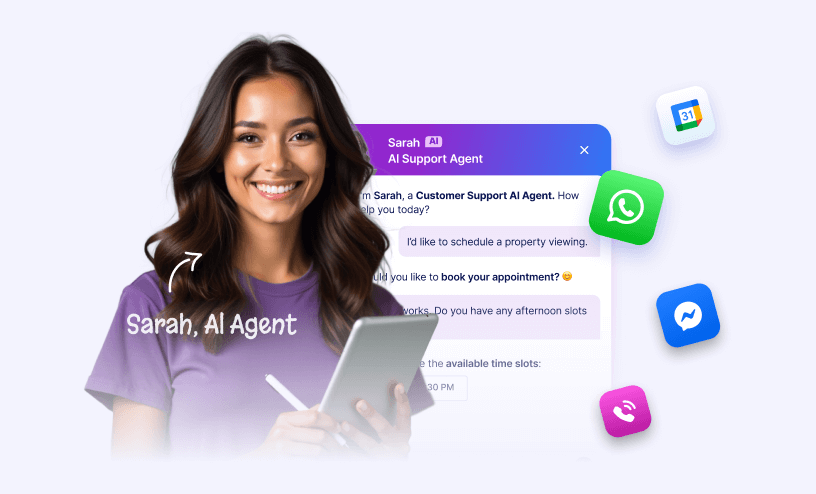
Jotform has long been a staple for data collection, but the introduction of Jotform AI Agents makes it a powerful AI classroom tool. What are AI agents? They’re autonomous tools capable of performing complex tasks — like scheduling, drafting emails, or generating presentations — without constant user input or babysitting.
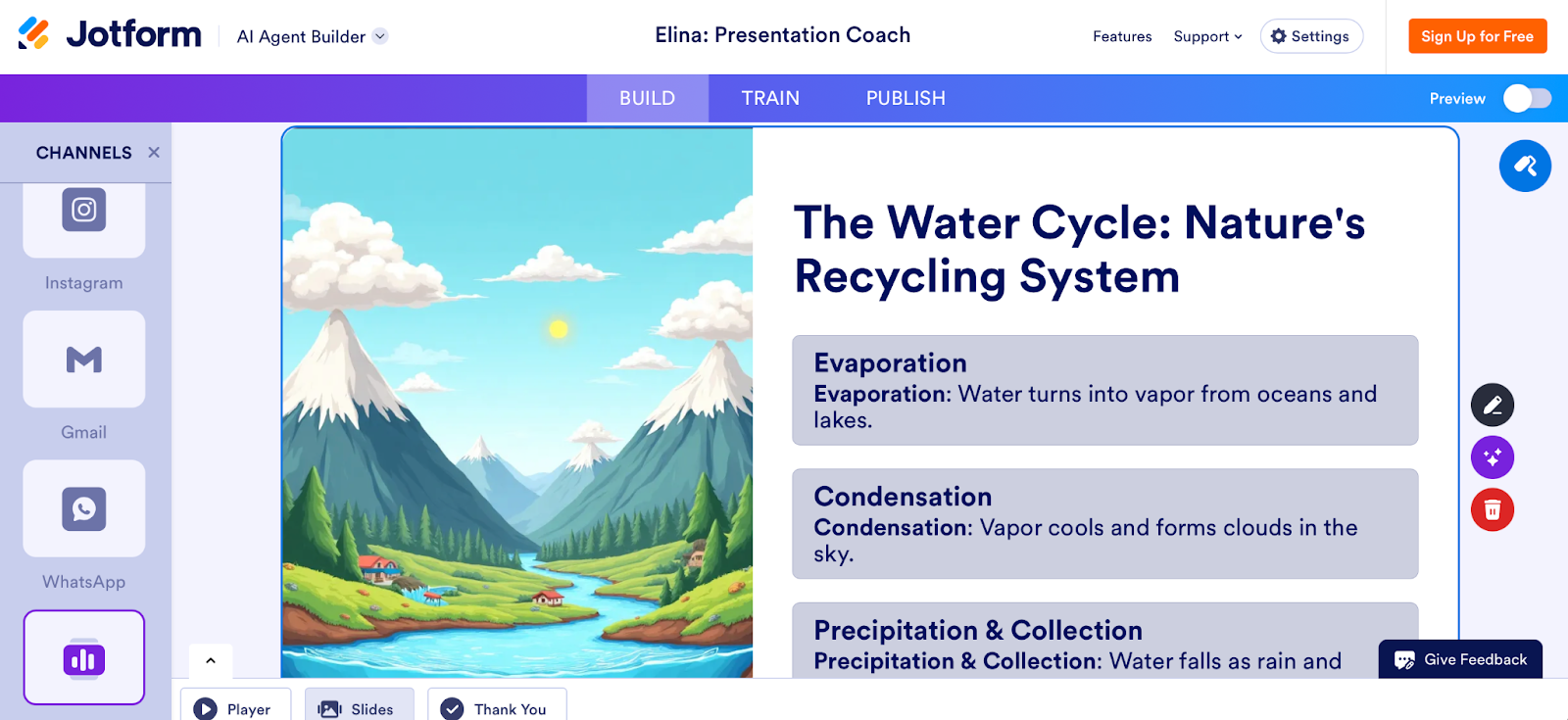
When I tested Jotform AI Agents, I started with the AI Presentation Agent. I entered a prompt about the water cycle and asked it to create a slide deck aimed at seventh graders. Within moments, the agent produced a structured presentation with relevant headers and bullet points. It’s like having a teaching assistant to draft slides for you.
I also set up a Homework Help AI Agent template. The setup process was super straightforward, with zero coding knowledge required. You can even customize the agent’s tone, to be encouraging for students, for example, which is a nice touch for maintaining a supportive classroom environment.
- Use cases:
- Automating administrative tasks: Use an agent to handle permission slips, parent inquiries, or equipment requests.
- Interactive assessments: Deploy a Quiz AI Agent that engages students in a conversational assessment rather than a static form.
- Key features and benefits:
- Presentation Agent: I was particularly impressed by the Presentation Agent. You can simply upload a topic or an outline, and the agent generates a full slide deck with text and images. It’s a game-changing presentation tool for teachers who need to create visual aids on the fly.
- Education templates: Jotform offers a ton of pre-built templates for educators, like the Quiz Manager AI Agent, Homework Submission AI Agent, and Teacher Evaluation AI Agent.
- No-code automation: You can build workflows that automatically route student requests, approvals, or grading feedback based on the data collected by the agent.
- Personal Study Planning AI Agent: Helps students build study plans and organize their study tasks and schedule.
- Boost student engagement: Interactive, conversational agents mimic natural conversation and keep students more engaged than static forms or emails.
- Limitations:
- Institutional data policies may require review before deploying agents that handle sensitive student information.
- Plans/pricing:
- Jotform offers a free plan that includes up to five agents and 100 monthly conversations. The Bronze plan starts at $34 per month for 25 agents and up to 1,000 monthly conversations.
- Jotform also offers a 50 percent discount on all plans for educators and educational institutions.
2. MagicSchool: Best for everyday planning
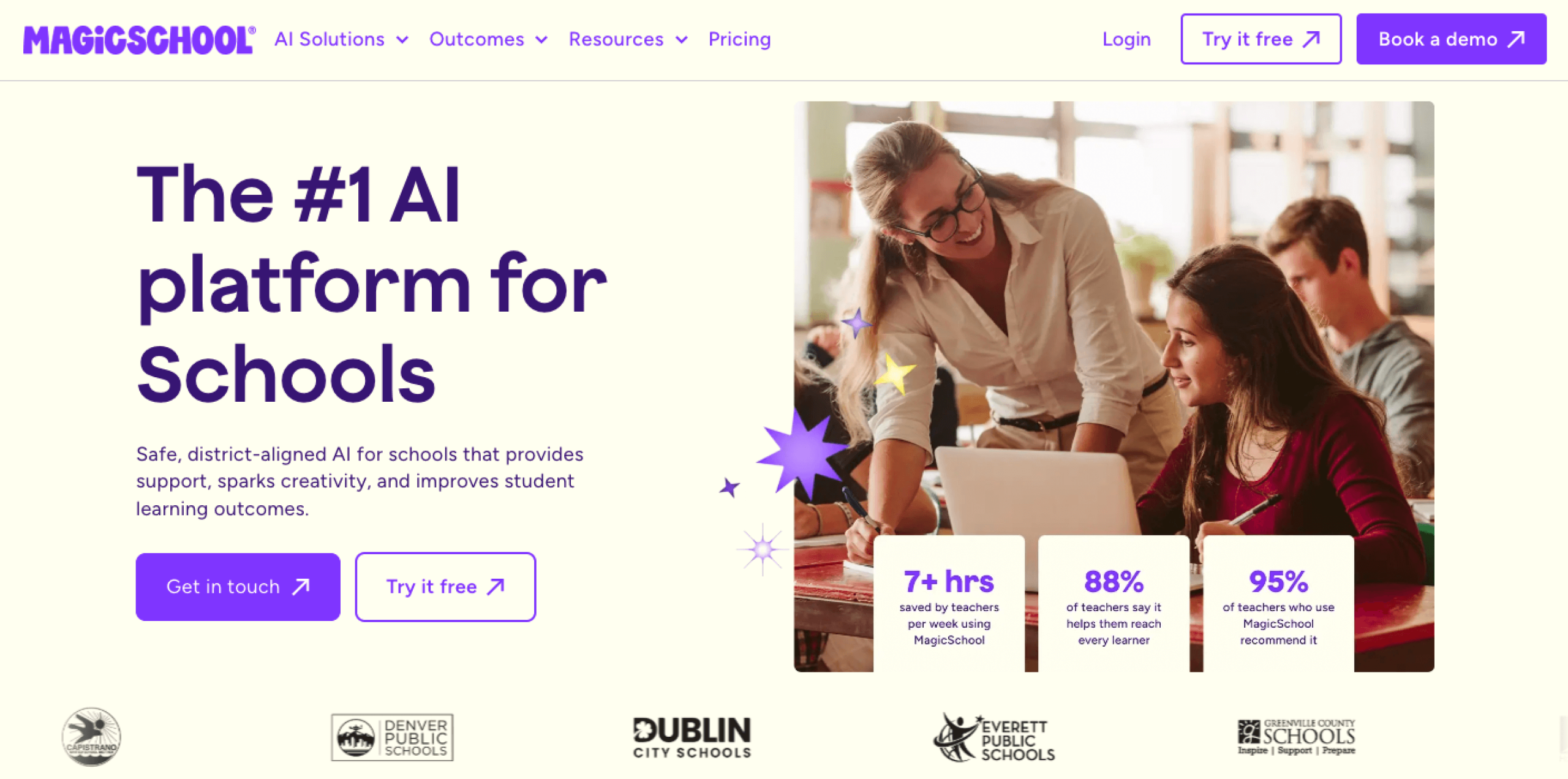
MagicSchool is a broad platform designed specifically for educators. With a suite of over 80 AI tools for teachers and more than 50 for student use, you can consider this your one-stop shop for pedagogical needs, from writing IEPs to generating emails to parents.
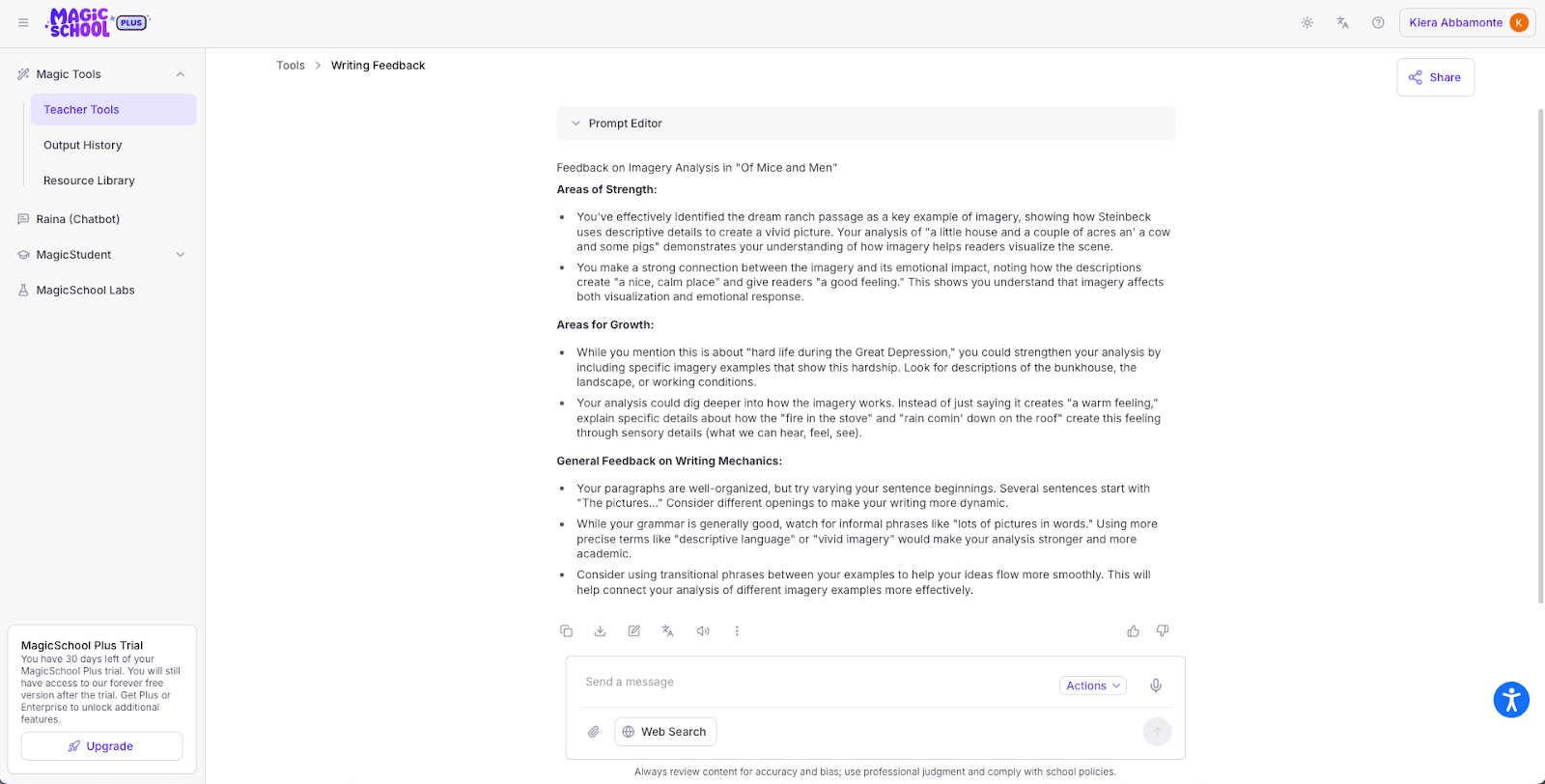
I used MagicSchool to build a lesson plan on the American Revolution targeted at eighth graders. The interface was clean and easy to navigate. I selected the Lesson Plan Generator, entered my standards and topic, and within seconds I had a full plan with objectives, activities, and an assessment.
I also tested the student chatbot (configured with safety guardrails) to see how it would handle a student asking for answers. It successfully guided me toward the answer without giving it away — a crucial feat for student use.
- Use cases:
- Differentiation: Quickly rewrite a text at three different reading levels for a diverse class.
- Special education: Draft IEP goals and progress reports based on teacher observations.
- Key features and benefits:
- Comprehensive content generation: You can instantly create standards-aligned lesson plans, rubrics, and assignments, tailored by grade level and subject.
- Student chatbot: This feature allows teachers to create a safe, walled-garden AI chat interface for students — great for guiding research or tutoring.
- Pedagogical tools: MagicSchool offers tools for almost every need, including rubric generators, lesson plan builders, and even a “text leveler” to adjust reading difficulty.
- Differentiation at scale: MagicSchool can be used to generate leveled texts and assignments, making it easier to support diverse learning needs.
- Chrome extension: The extension brings MagicSchool’s capabilities directly into your browser, making it easy to use alongside other online assessment tools.
- Limitations:
- The sheer number of tools can be overwhelming at first.
- Content requires human verification to ensure factual accuracy.
- Plans/pricing:
- MagicSchool’s free plan has 80-plus AI tools for teachers, 50-plus AI tools for students, and Raina chatbot access. Paid plans with unlimited usage and advanced features start at $8.33 per user per month.
3. Brisk Teaching: Best for grading and workflow
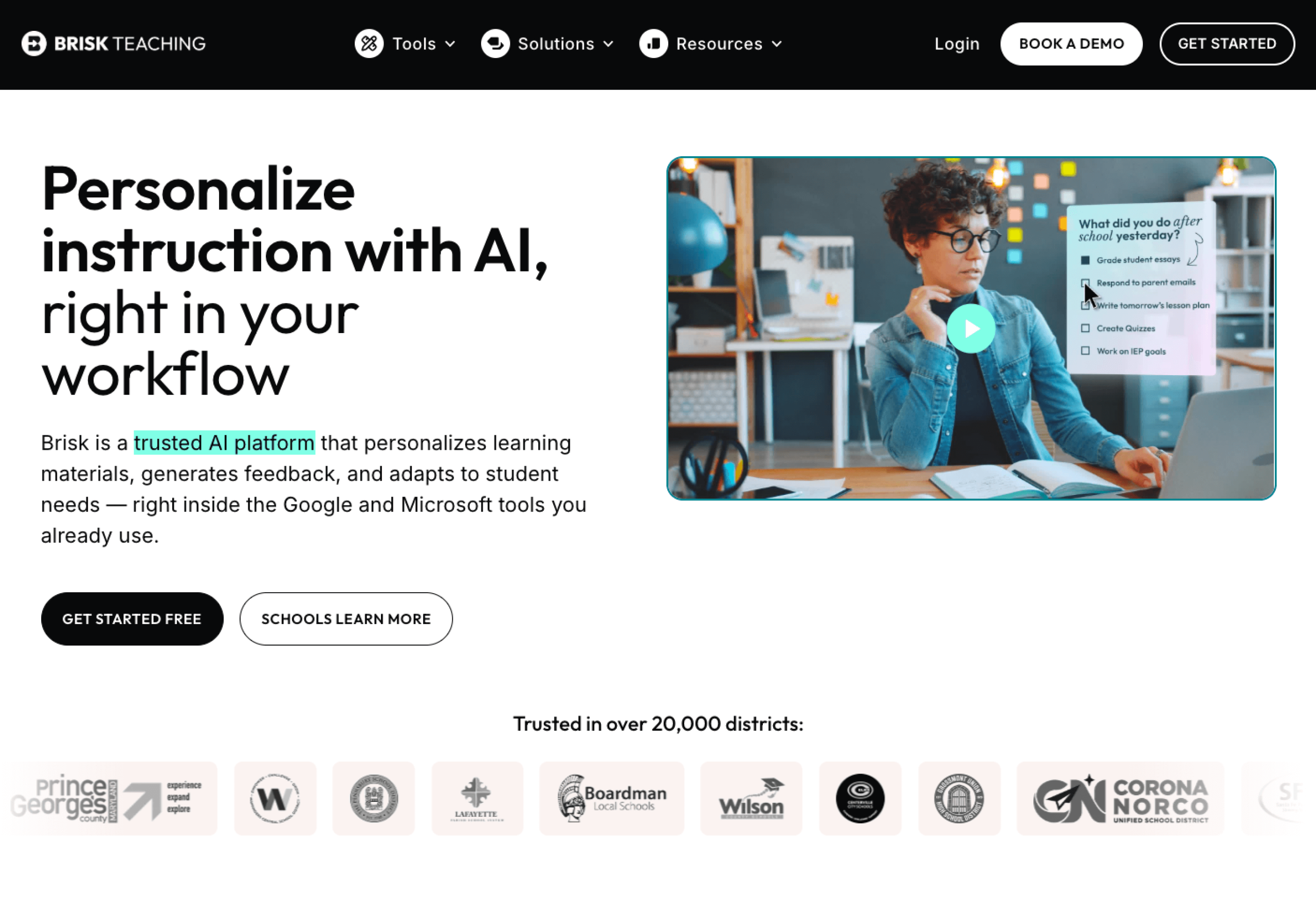
Brisk Teaching is a Chrome extension that integrates seamlessly into Google Workspace, including Google Docs, Slides, and Classroom. It’s designed to be a co-pilot that lives where teachers already work.
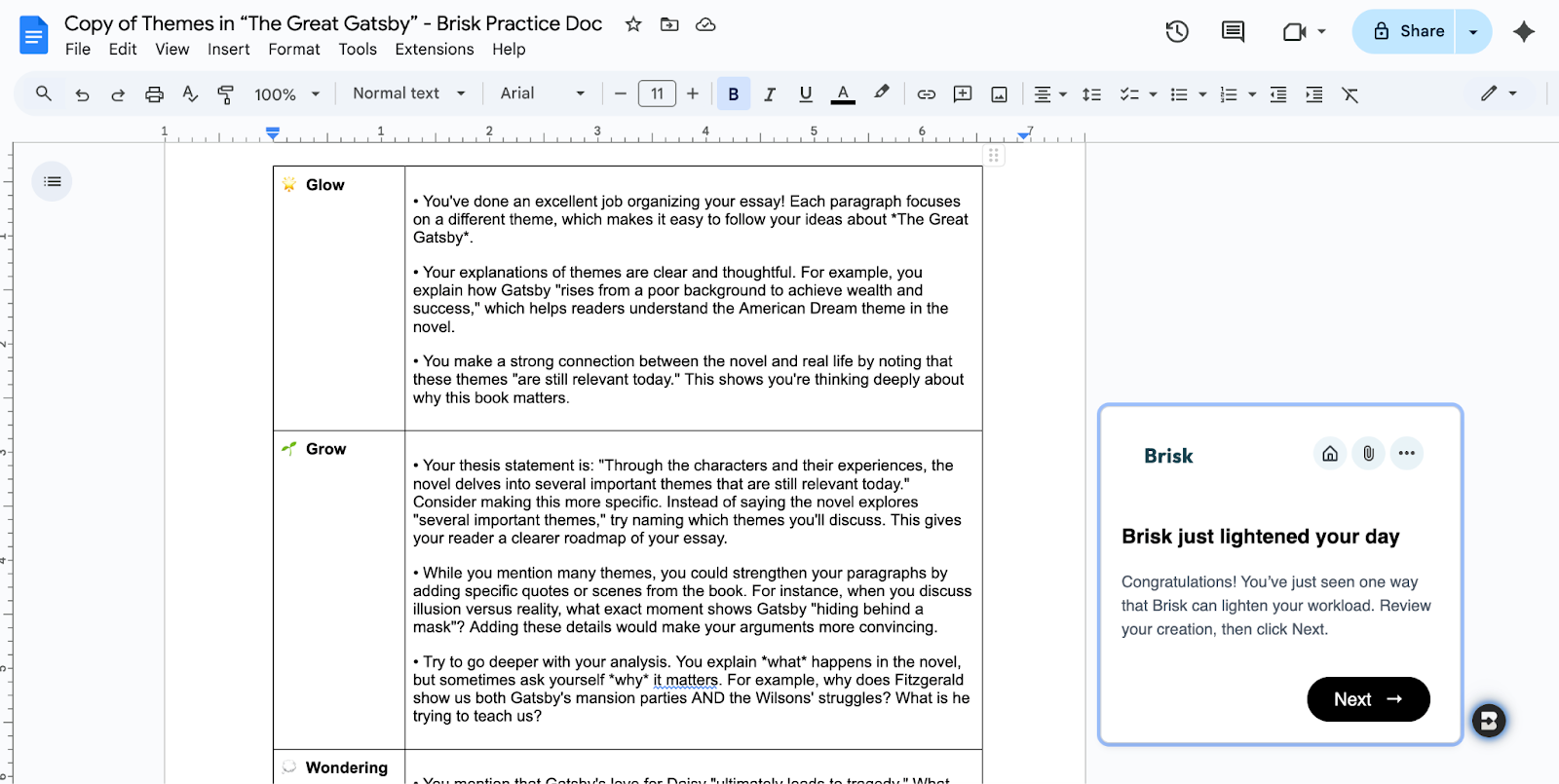
After installing the extension, I opened a sample essay in Google Docs and clicked the Brisk overlay. I asked it to give feedback based on the “glow and grow” framework. Brisk’s generated comments were both constructive and specific.
I also asked it to convert an article about climate change into a quiz, and it automatically populated a Google Form with relevant questions.
- Use cases:
- Grading: Rapidly provide formative feedback on student writing.
- Resource creation: Instantly create a slide deck or quiz from dense educational text.
- Key features and benefits:
- Feedback generator: This is the standout feature. Brisk can read a student’s Google Doc and generate “glow and grow” feedback instantly.
- AI writing detection: Brisk includes a feature to analyze the version history of a document to detect potential AI plagiarism.
- Curriculum creation: You can turn a news article or a YouTube video into a Google Slide deck or a quiz with one click.
- One-click presentation maker: Instantly converts written text (essays, articles, video transcripts, etc.) into a fully designed Google Slides presentation.
- Google Workspace integration: A Chrome extension, Brisk works directly inside Google Workspace, including Google Docs, Slides, and Classroom.
- Limitations:
- Heavily reliant on the Google ecosystem, so it’s less useful for Microsoft-based schools.
- The AI detection, while helpful, isn’t foolproof.
- Plans/pricing:
- Brisk’s free forever plan for educators includes a standard AI LLM (with usage limits), 23-plus create tools, three feedback styles, and more. Custom paid plans available for schools and districts add turbo AI LLM and additional create tools and feedback styles with no usage limits.
4. Canva Magic Studio: Best for visuals and design
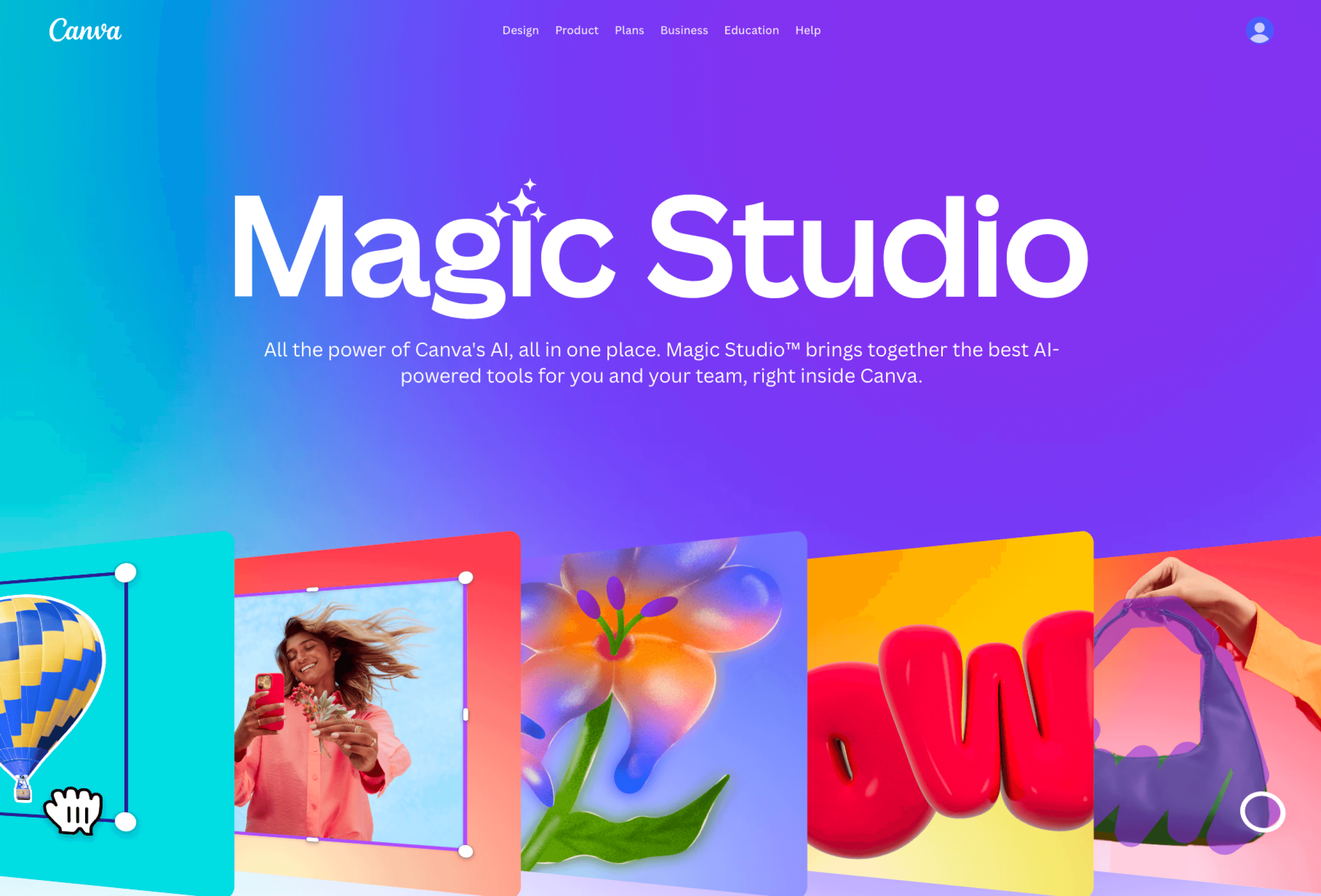
Canva has long been a favorite for design, and its Magic Studio suite offers powerful AI capabilities. That — along with its 100 percent free forever plan for educators — makes it one of the best AI for teachers when it comes to visual content creation.
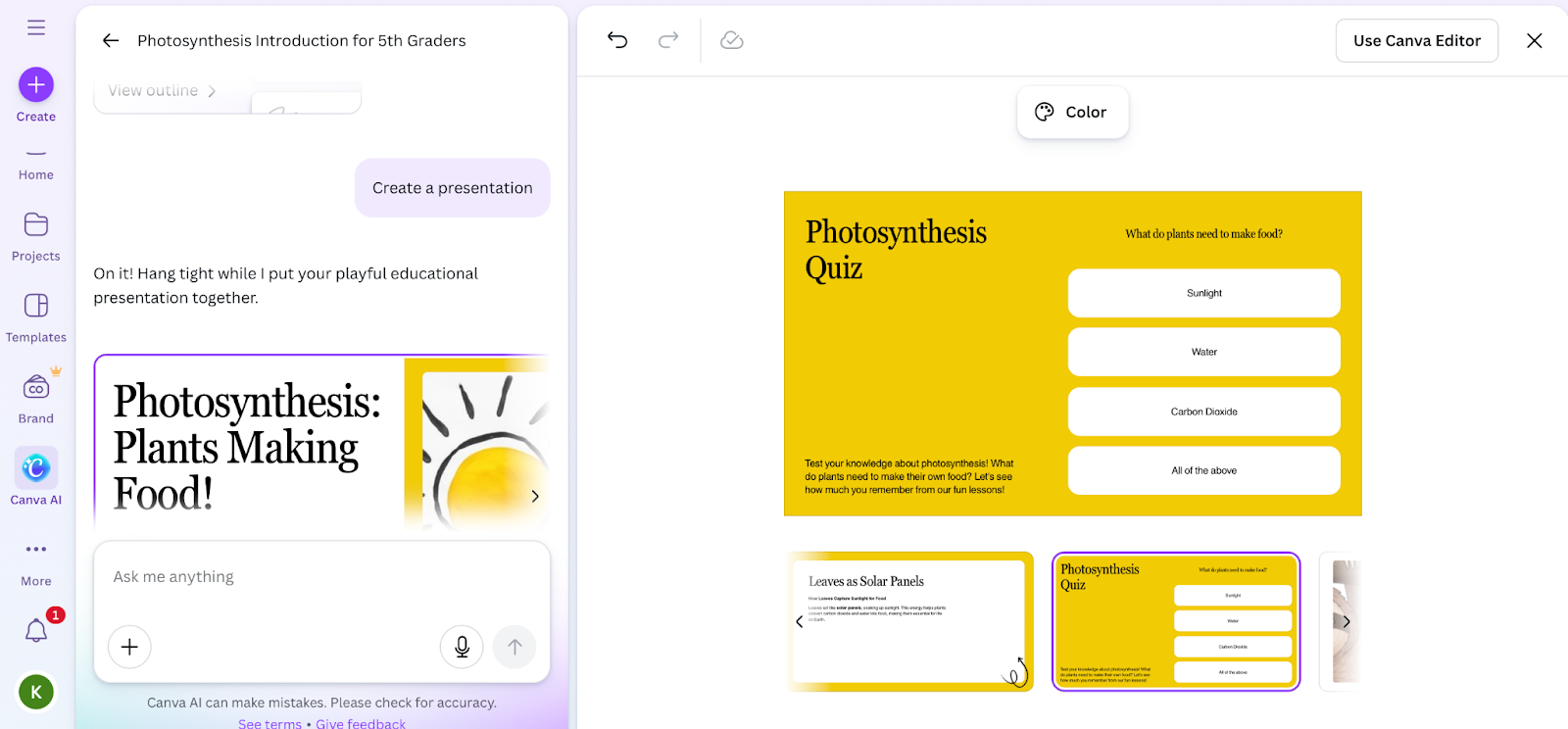
I tested Magic Design for Presentations. I typed “Introduction to photosynthesis for fifth grade” and selected a playful style. Canva generated four slide deck design options with consistent fonts, colors, and relevant imagery. While you’ll probably need to tweak the text to align more specifically with your curriculum, the design work — which, let’s be honest, usually takes the longest — was done instantly.
- Use cases:
- Visual aids: Create engaging slide decks that capture student attention.
- Classroom decor: Design posters and anchor charts tailored to current lessons.
- Key features and benefits:
- Magic Design: You can upload a photo, document, or type a prompt, and Canva will generate a finished design, whether it’s a poster or a presentation.
- Magic Write: This is Canva’s text generation tool, useful for drafting newsletters or presentation copy directly on the slide.
- Magic Switch: Instantly resize and reformat content (e.g., transform a whiteboard brainstorm into a formal document).
- Interactive teaching tools: Add interactivity — like animation, live polls, and quizzes — to your lessons.
- Bulk creation: While not strictly generative AI, this feature allows teachers to create certificates or personalized notes for an entire class in minutes.
- Limitations:
- The “Magic” (read: AI) features can sometimes prioritize aesthetics over content density — it’s a design tool at heart.
- Plans/pricing:
- Canva Education is 100 percent free for K-12 teachers, students, schools, and districts. This includes 25-plus AI tools, thousands of templates, LMS integrations, and more.
5. SchoolAI: Best for student usage
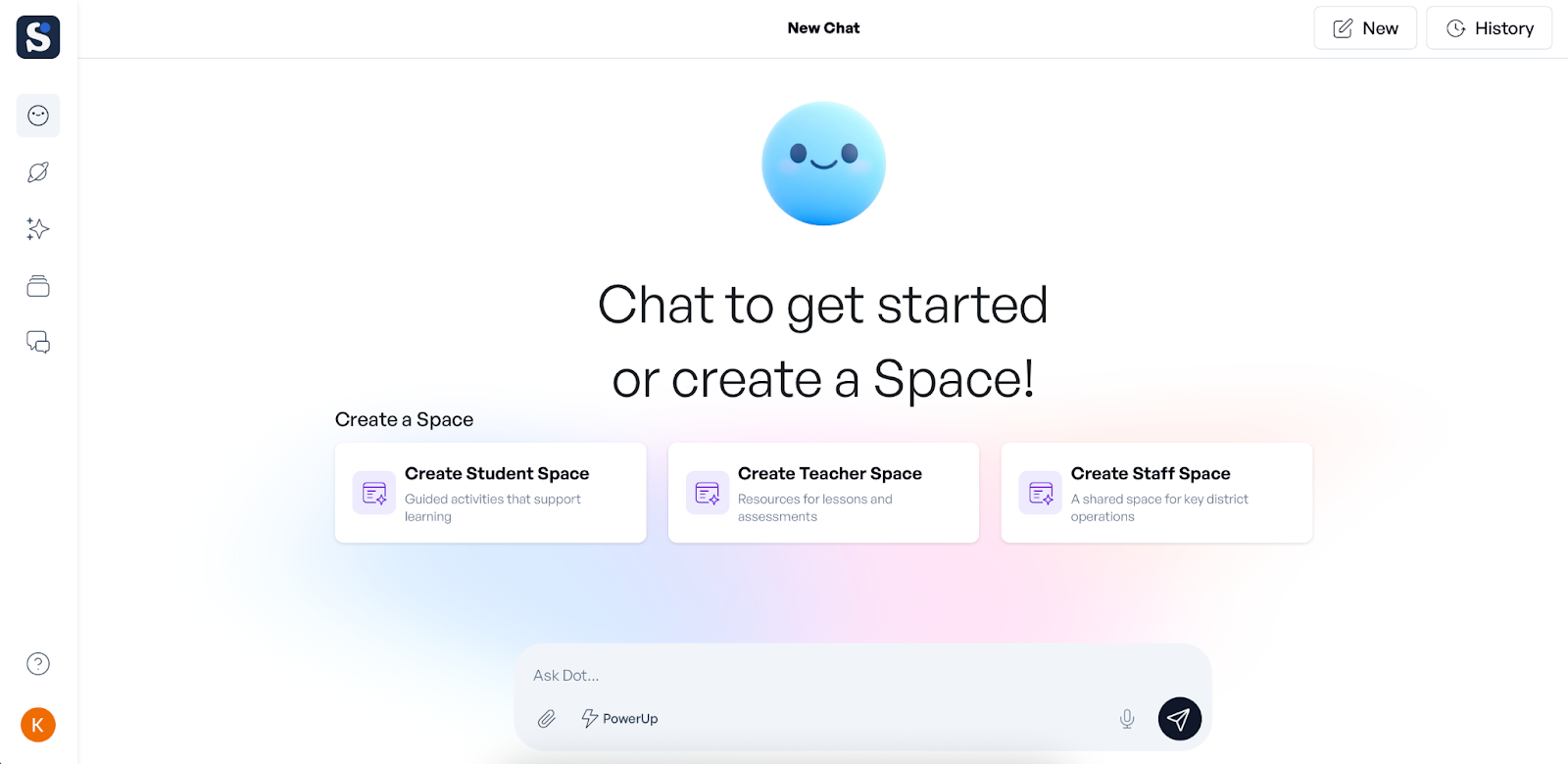
SchoolAI focuses on creating safe, monitored “Spaces” where students can interact with AI. Teachers can oversee these interactions in real-time via the dashboard, making it a great entry point for student-facing AI.
I set up a Space for a science lesson and asked the AI to act as a Mars Rover engineer and answer student questions about the planet’s surface. As I tested the student view, the AI kept strictly to the persona.
And on the teacher side, I could see a real-time feed of the conversation. This visibility is a game-changer for maintaining transparency and managing class-wide learning. It’s like listening in on every student’s thought process simultaneously.
- Use cases:
- Simulations: Allow students to interview historical figures or fictional characters from literature.
- Tutoring: Create a “Math Buddy” Space to help students solve problems without giving them the answers.
- Key features and benefits:
- Spaces: These are customizable chat interfaces where you set the parameters. For example, you can create a Space where students chat with Abraham Lincoln.
- Insight dashboard: Teachers can see real-time analytics on student engagement and identify misconceptions as they happen in the chat.
- Controls: Set strict guardrails to ensure the AI is always appropriate and on-topic.
- Automatic grading: SchoolAI grades assessments automatically and instantly, saving you hours of grading time.
- Resource creation: Generate standards-aligned quizzes, reading passages, activities, and more, specifically mapped to your state or district-wide standards.
- Limitations:
- Requires students to have and be on devices.
- Some advanced analytics are reserved for school-wide plans.
- Plans/pricing:
- SchoolAI’s free plan grants access to 200,000 premade Spaces and resources, as well as the teacher insights dashboard. Contact SchoolAI for information on custom school- and district-wide plans.
6. Eduaide: Best for instructional design
Eduaide is a comprehensive lesson-planning assistant that boasts over 100 resource types. It’s a tool built for teachers by teachers and distinguishes itself with a focus on high-quality instructional design and gamification.
I tested the tool’s gamification features using the Jeopardy board generator and “fractions” as the topic. Eduaide generated a ready-to-use Jeopardy-style board with column headers, points, and questions/answers.
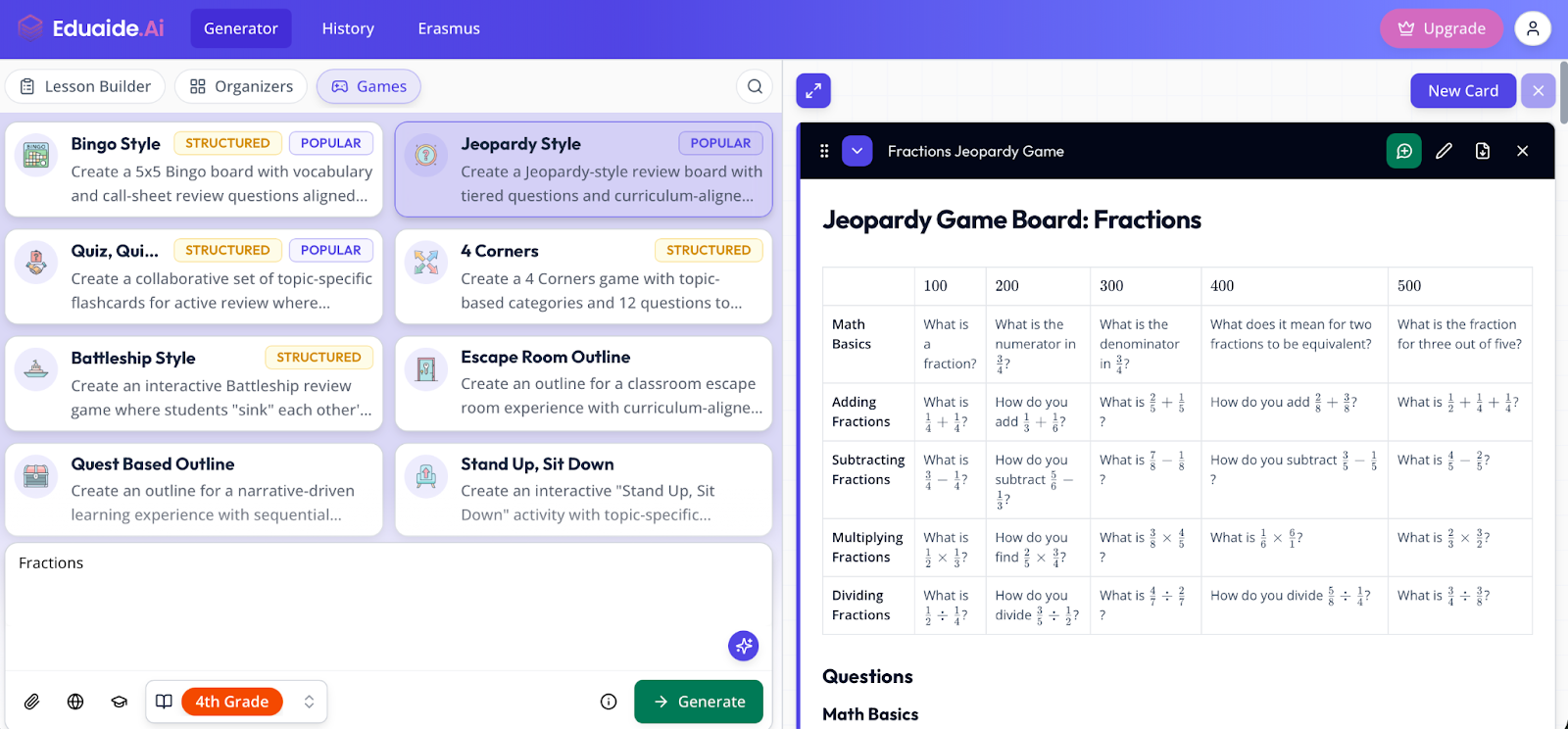
I also tested the syllabus generator, which created a professional-looking course outline in seconds. The interface is clean and showcases the huge library of resources available.
- Use cases:
- Lesson planning: Create a full week’s worth of materials in one sitting.
- Engagement: Inject fun into dry topics with gamification.
- Key features and benefits:
- Resource generator: From “Prior Knowledge Activation” activities to “Exit Tickets,” Eduaide covers the entire lesson arc.
- Gamification: I found unique tools for creating escape room storylines and Jeopardy-style trivia, which are excellent for engagement.
- Feedback bot: Eduaide includes a built-in tool to help draft feedback on student work.
- AI Assistant: “Erasmus” can help you refine AI-generated content, connect multiple Eduaide tools, and even provide pedagogical advice.
- Remediation and enrichment: Eduaide automatically creates remediation assignments for struggling learners and extension activities for advanced students.
- Limitations:
- The focus is heavily on text-based resources — it generates fewer visuals than other tools (like Canva or Curipod).
- Multilingual support is offered but may not be as developed as more specialized translation tools.
- Plans/pricing:
- Eduaide’s free plan includes the limited generation of graphic organizers, educational games, and high-quality instructional materials. Paid plans start at $5.99 per month for unlimited generation, Erasmus AI Assistant, and more.
7. Wayground (formerly Quizizz): Best for assessments
Most educators know Quizizz — the platform rebranded to Wayground to reflect its broader feature-set beyond quizzes. It has a new name, but it’s still one of the best online assessment tools — and it’s now supercharged with AI.
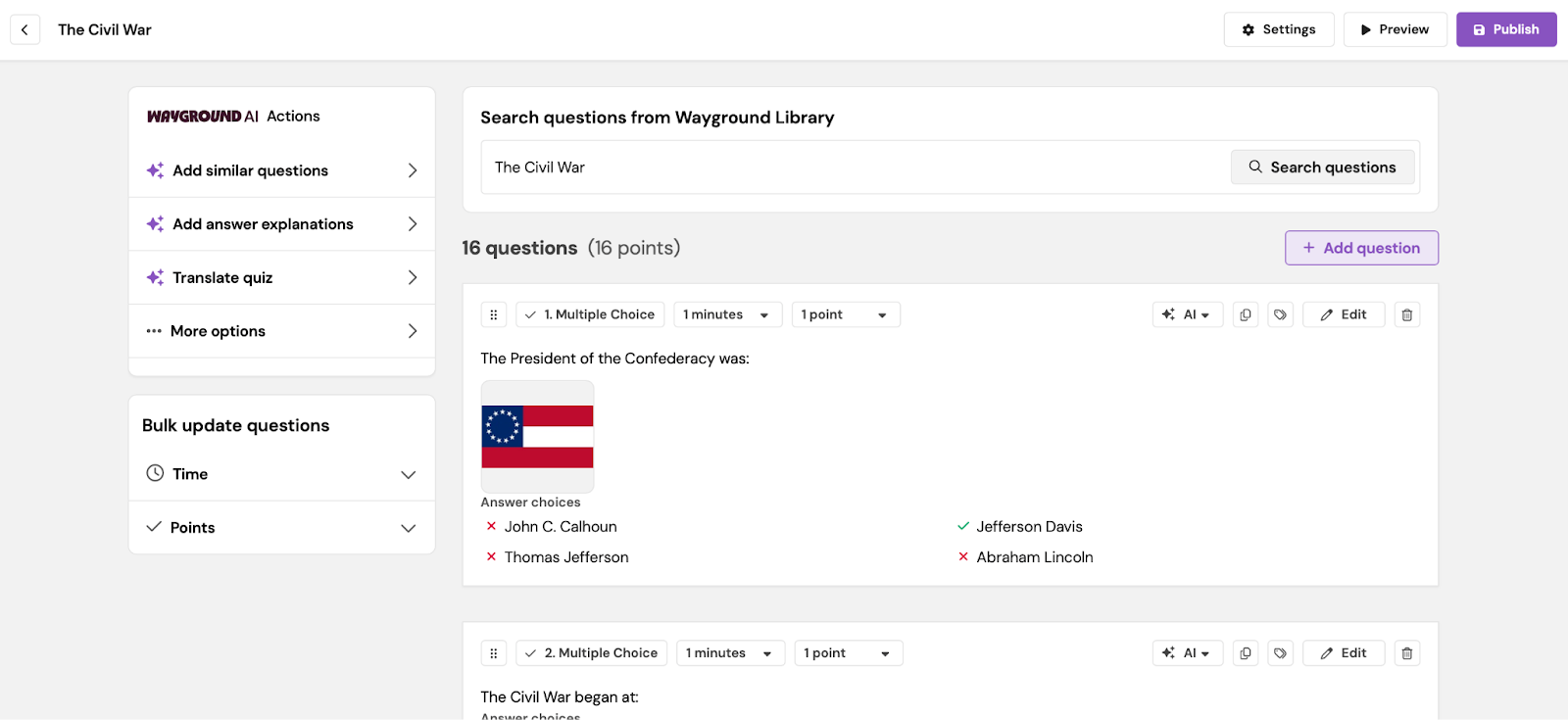
I tested the “Upload Document” feature by uploading a sample PDF about the Civil War. Wayground analyzed the text and proposed 15 multiple-choice questions. You can easily edit the questions, but I found most were ready to use from the get-go.
Then, I previewed the quiz as a student and found the gamified elements (leaderboards, memes, power-ups) super engaging — effectively disguising a test as a game.
- Use cases:
- Formative assessment: Create quick “do now” or exit ticket activities to gauge understanding.
- Homework: Assign self-paced quizzes that students actually enjoy completing.
- Key features and benefits:
- AI question generation: Upload a PDF, paste a URL, or simply type a topic, and Wayground will generate a gamified quiz automatically.
- Adaptive quizzes: The platform can adapt the difficulty of questions based on student performance — a key feature for differentiation.
- Question banks: Save individual questions to reuse later.
- Interactive lessons: Beyond quizzes, you can create slides with interactive questions, too, allowing for real-time and in-context understanding checks.
- Gamified assessments: Boost student motivation and participation with gamified assessments that use leaderboards and memes.
- Limitations:
- The gamification aspect may sometimes be distracting for students who are easily overstimulated.
- The free plan for individual teachers is less generous than some, limiting things like storage and question types and lacking several more advanced features.
- Plans/pricing:
- Wayground’s free plan provides limited access to the resource library and storage for up to 20 resources. Custom school and district plans offer unlimited access to question types, storage, and premium resources, differentiation, and more.
8. Curipod: Best for classroom engagement
Curipod is an AI-powered interactive presentation tool. It’s designed to spark curiosity (hence the name) and get students talking.
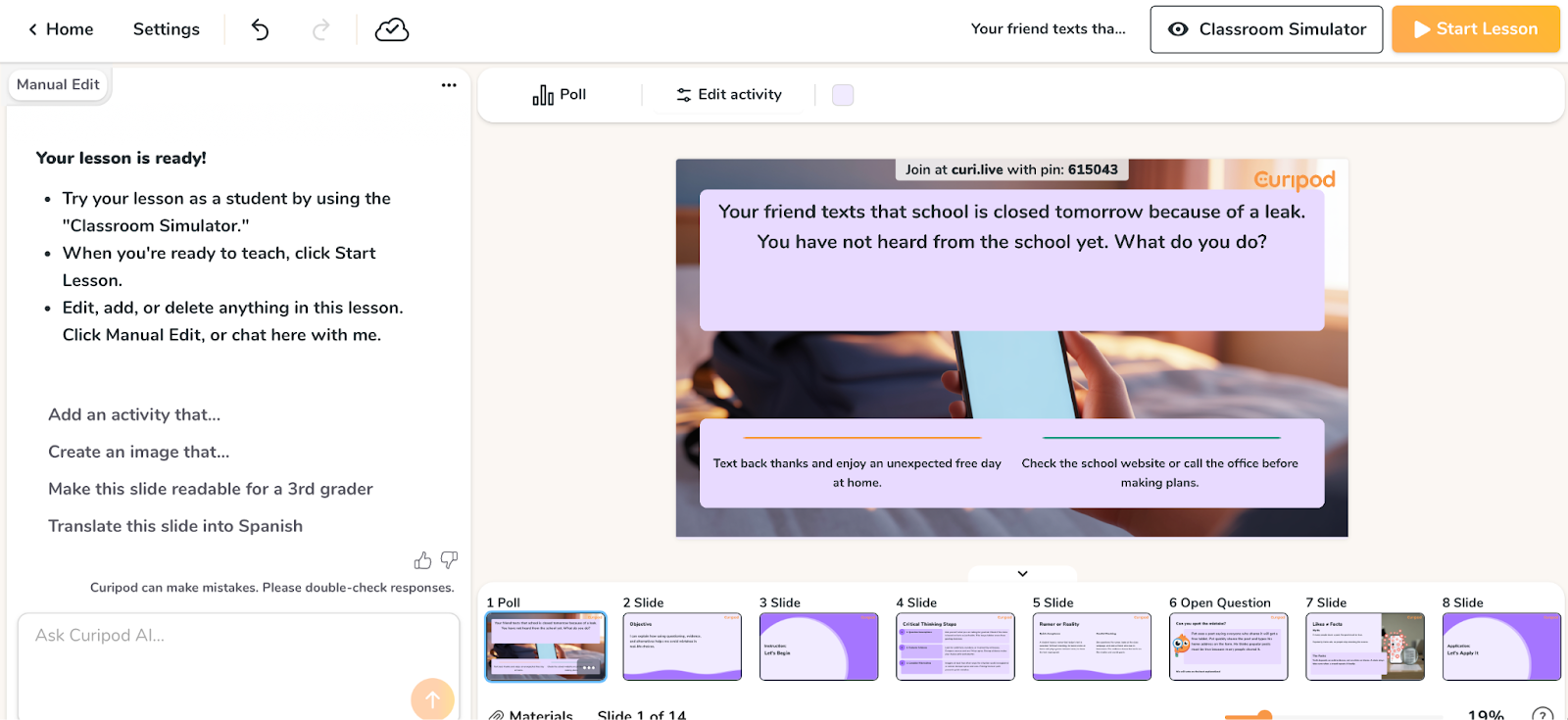
When I told Curipod to create a lesson on critical thinking for sixth graders, it generated a deck including a poll asking students to vote on an ethical dilemma, followed by a word cloud for them to submit related adjectives.
The lesson flowed really well. I particularly liked the drawing slide, where students could sketch their ideas — a great feature for visual learners. Even the AI feedback on open-ended questions was surprisingly nuanced.
- Use cases:
- Class discussions: Use polls and word clouds to visualize student opinion instantly.
- Review sessions: Interactive slides keep the energy high during test prep.
- Key features and benefits:
- AI lesson generator: You type a topic, and Curipod builds a slide deck complete with polls, word clouds, open-ended questions, and drawing activities.
- Interactive slides: Students join via a code on their devices and interact with the slides in real time.
- AI feedback: The tool can provide instant, automated feedback on students’ written responses based on a rubric you provide.
- Automated moderation: Curipod automatically filters out inappropriate responses and generates post-lesson reports on each student’s engagement and level of understanding.
- Anonymous participation: Display student answers anonymously to encourage shy or reluctant students to participate.
- Limitations:
- Requires all students to have — and be on — devices to get the full experience.
- Not as visually customizable as most.
- Plans/pricing:
- Curipod has a free plan available for teachers with limited access to AI-powered curriculum generation, student engagement tools, and interactivity. Custom school and district plans offer unlimited usage with standards and curriculum alignments, customizable AI feedback, and more.
How to choose the right AI tool for your classroom
With so many AI tools for education available, choosing the right one — or ones — for you can be overwhelming. It depends on your needs, the tools you already have at your disposal, your (or your school’s) budget, and more.
Here’s a quick guide to the tools above:
- To stop drowning in paperwork: Start with Jotform AI Agents. The ability to automate permissions, surveys, and basic communication will take away significant mental load.
- To generate lesson materials — fast: MagicSchool or Eduaide are your best bets. They act as on-demand instructional coaches.
- To grade essays: Brisk Teaching is unrivaled for its workflow integration in Google Workspace.
- To engage a bored class: Wayground or Curipod will inject energy into the room immediately.
- To foster student creativity: Canva Magic Studio (and its generous free plan for teachers) empowers both you and your students to create professional-grade visuals.
Your next steps
The edtech landscape is shifting all the time — and, right now, AI is in the driver’s seat. Tools like the ones I’ve listed above can’t replace teachers, but they can free up valuable bandwidth to focus on the most human parts of teaching. By handling routine tasks like grading, communication, and organization, AI allows you to spend more time and energy connecting with your students.
The key is to adopt these tools gradually and thoughtfully, balancing automation with your own personal touch. Then you can watch as your classroom workflow transforms from overwhelmed to optimized.
All the tools featured here offer a free plan or trial in at least some limited way. Pick one that solves your most immediate pain point — be it grading, planning, or something else entirely — and see how it works in your classroom.
Ready to streamline your classroom workflow? Get started with Jotform AI Agents today and discover how easy it is to automate administrative tasks, create interactive presentations, and build personalized student support systems—all without writing a single line of code.
This article is for educators, instructional designers, school administrators, and anyone who wants to explore the best AI tools for enhancing teaching efficiency, personalizing student learning, and streamlining classroom workflows.





































































































Send Comment: