
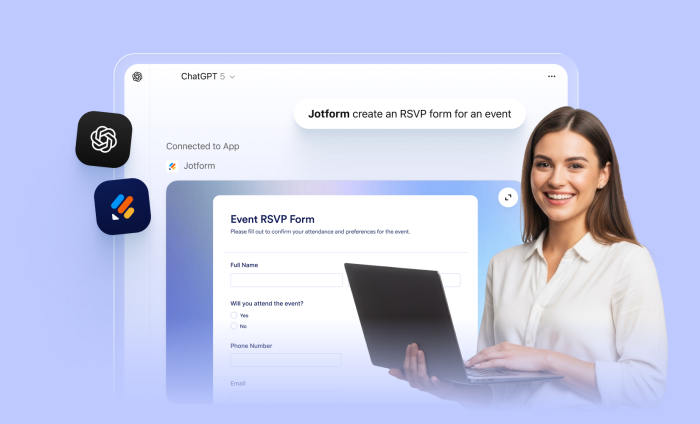

People use ChatGPT to get things done. They ask questions, brainstorm, plan workflows, manage tasks, and look for faster ways to work with their data.
Now, Jotform is part of that conversation.
The Jotform ChatGPT App brings form creation, editing, and data visualizations directly into the conversation. You can create and modify forms, find existing ones, and work with your submissions using conversational language, directly in ChatGPT.
Instead of switching between tabs and tools, ChatGPT users can stay focused and continue working in a single conversational flow while interacting with real forms and real data.
Built within ChatGPT’s evolving Apps and Connectors ecosystem, the Jotform ChatGPT App offers a seamless in-chat experience, a vast improvement over simple text output.
What you can do with the Jotform ChatGPT App
The app is designed to support real workflows, not just one-off prompts or actions. Each capability builds upon Jotform’s existing form and data infrastructure while using conversation as the primary interface for getting work done.
This means you can handle all the basics of building a form in ChatGPT, making it an easy AI-assisted experience.
Create forms from a prompt
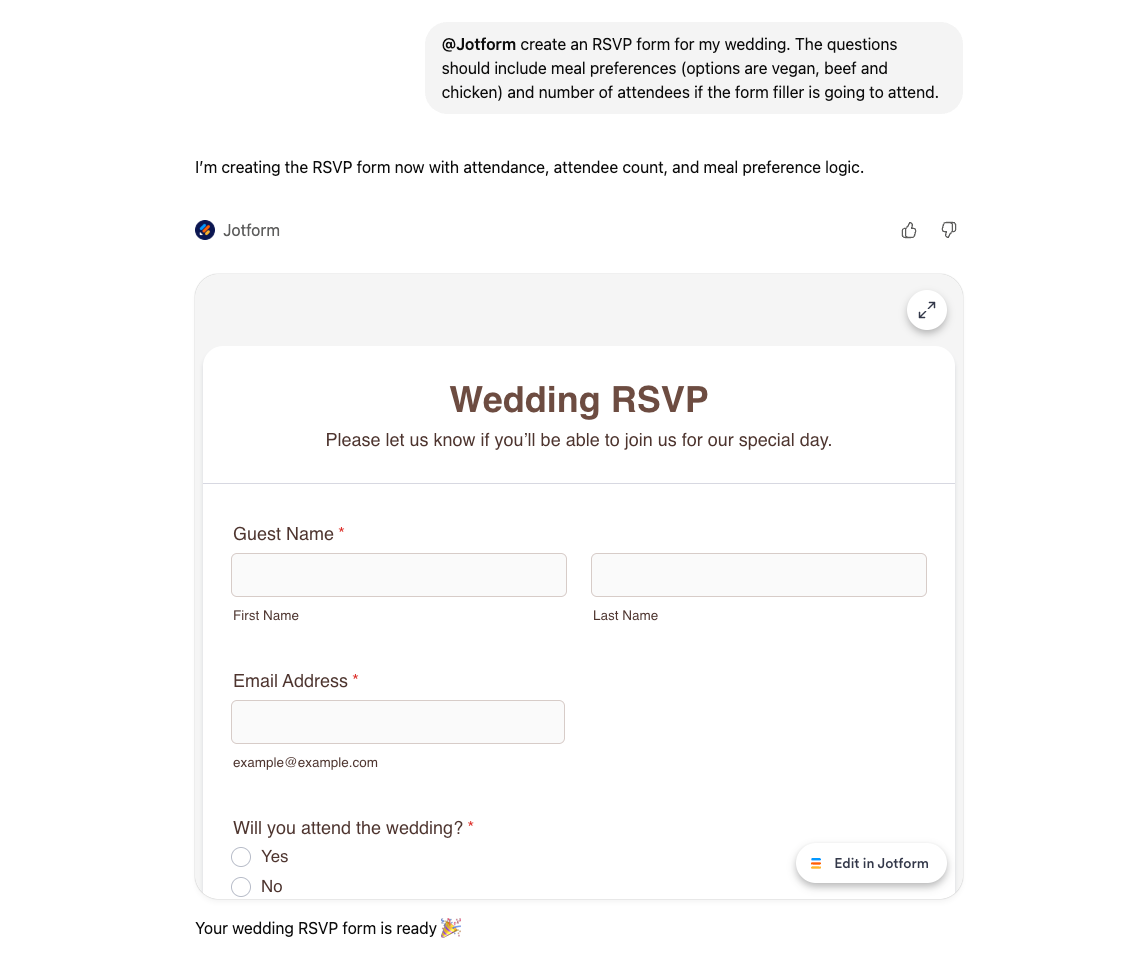
Just describe the form you need, and the Jotform ChatGPT App creates it in the background. This includes common use cases such as quizzes, event registrations, or RSVP-style forms.
While the form is being created, ChatGPT shows a short loading state and then displays a form preview.
Edit and design forms through conversation
Once a form is created, you can continue refining it by asking ChatGPT to:
- Add or remove fields
- Rewrite questions
- Reorder sections
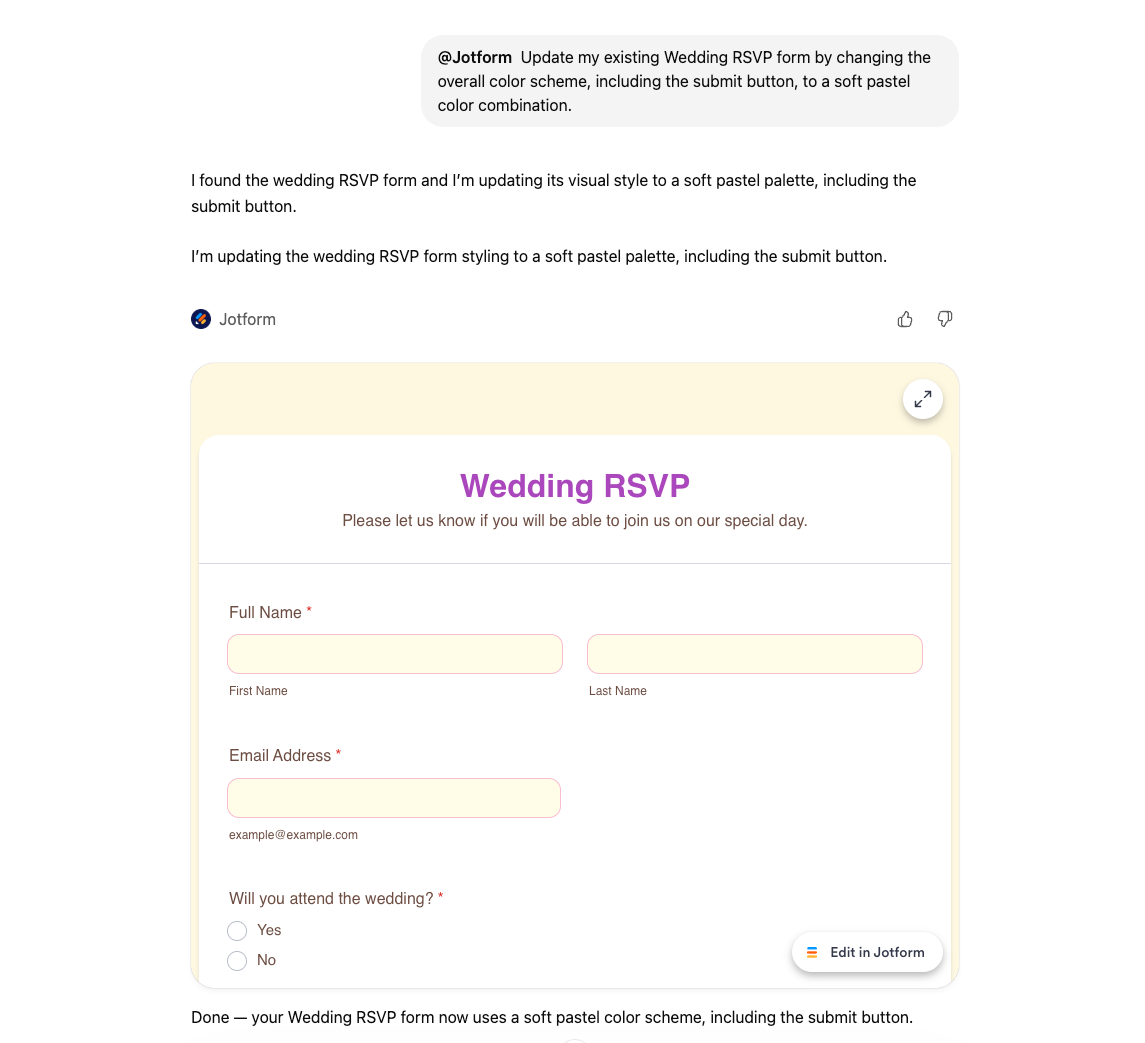
- Make design-related changes, such as adjusting the background or layout
All edits rely on Jotform’s existing create and edit capabilities.
List your forms (with filters)
If you already have a Jotform account, the Jotform ChatGPT App makes it easier to find what you’re looking for. Instead of navigating a dashboard, you can ask ChatGPT to show your forms or focus only on specific types, such as quizzes or RSVP forms. This is especially helpful for users who manage a large number of forms.
View and filter submissions
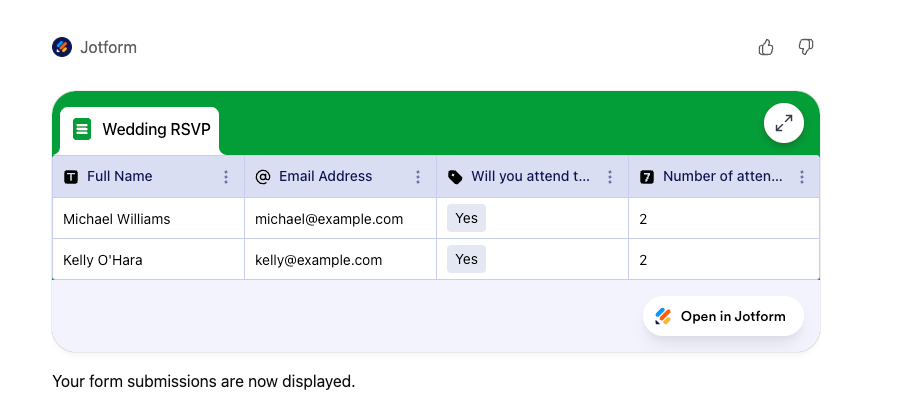
Submissions are where the Jotform ChatGPT App becomes especially useful. You can retrieve submissions for a specific form, apply filters based on conditions, and ask targeted questions about responses.
For example:
- Who answered the first question correctly?
- Show all participants in a quiz
- Filter submissions based on specific answers
Submissions are presented in a clean, table-style view designed to be easy to scan.
Summarize results and identify data trends
Once submission data is available, ChatGPT can help you understand what it all means.
Simply prompt GPT to calculate averages, review individual responses, or summarize results based on selected questions. Because the data already lives in Jotform, the app focuses on helping you understand and use that data effectively, without exporting files or switching between tools.
You can use GPT as your intelligent assistant and have it help you by identifying trends and surfacing actionable recommendations based on your form data.
Using the Jotform ChatGPT App in three easy steps
Step 1: Connect Jotform to ChatGPT
Log in to ChatGPT and mention Jotform in the chat. You’ll be prompted to connect your account to start working with your forms.
Step 2: Create and refine your form in chat
Prompt ChatGPT to generate a form, then keep chatting to add, remove, or reorder fields, rewrite questions, update the theme and more.
Step 3: Analyze submissions and improve outcomes
List forms, pull submissions, filter responses, then ask ChatGPT to summarize insights, spot trends, and recommend improvements based on your real data.
Need help getting started? Check out our guide on how to enable and use the Jotform ChatGPT App to get started faster and make the most of your forms.
Data privacy blurb?
As a reminder, all form submission data is managed and maintained within our platform, and Jotform doesn’t train any AI model with customer data. The Jotform ChatGPT app data is handled by ChatGPT, and handled according to ChatGPT user’s privacy settings.
A closer look at the experience
In ChatGPT, the Jotform ChatGPT App presents a neat form preview and/or form builder interface, along with a table-style view for submission results.
Form submission data is retrieved through Jotform’s existing systems in the background, while the interface prioritizes readability and ease of use.
A smarter way to work with forms inside ChatGPT
The Jotform ChatGPT App isn’t just about creating forms faster. It’s about meeting you where you are, so you can more easily create and edit conversationally.
By keeping form creation, editing, and submission insights inside the same conversation, the app helps reduce context switching and makes both forms and form data easier to access and understand.
Being part of the ChatGPT app ecosystem also makes Jotform easier to discover when users realize they need a form. Instead of searching for tools, users can simply describe what they want and start working immediately.
If you have access to the Jotform ChatGPT App, you can begin with simple, natural prompts like:
- “Create a basic event registration form.”
- “List my forms.”
- “List my quizzes.”
- “Show all attendees for my quiz.”
- “Who answered the first question correctly?”
- “Calculate the class average.”
This conversational approach turns everyday questions into practical workflows, all within ChatGPT.






































































































Send Comment: