This ready-to-use app comes with a product inventory list via Jotform Tables, as well as forms for adding vendors or products and collecting product requests. You’ll be able to access, share, and download the app from any smartphone, tablet, or computer.
Make modifications to your Vendor App in just a few clicks with our drag-and-drop interface. Feel free to create and add new forms, upload your company branding, and change the app icon, name, and splash page for a more personalized look and feel. When it’s ready, you can share your app with others by sending a link that can be opened on any device. Make vendor management a breeze!
Related templates
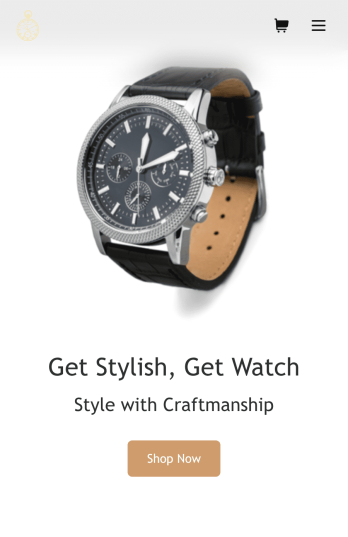
Watch Selling App
Wondering how to sell watches online? Look no further with Jotform’s free Watch Selling App. You can make your own custom app and share it instantly with your customers to start making sales. This app is downloadable to both Android and iOS devices and your customers will love how easy it is to use. Every order placed through your app will be stored in your Jotform account for centralized access.Time flies when you’re having fun — customize your Watch Selling App to add a personal touch to your online store. Our drag-and-drop no-code app builder makes it easy and intuitive to change up the look and feel, with no previous coding experience required. Add your business’ logo, change up the formatting, and list all the different kinds of watches you offer. You can even integrate your custom Watch Selling App with payment processors like Square, Stripe, or Apple Pay to sell watches online with ease.
Go to Category:Apparel Selling Apps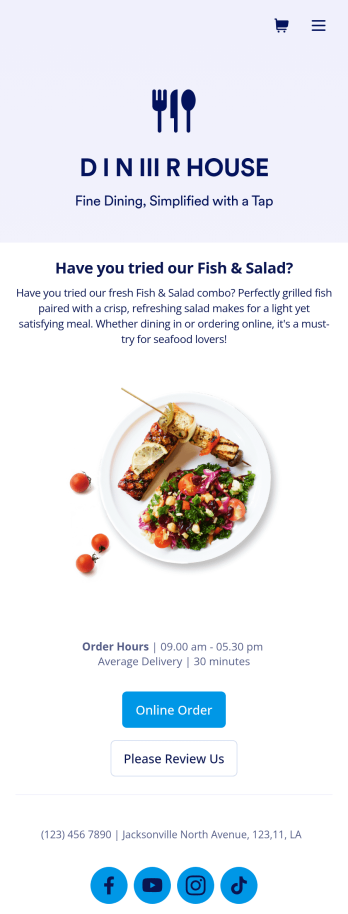
Food Delivery App
A food delivery app is used by food delivery services to communicate with customers, and drivers, while also providing an enhanced customer experience. This template is ideal for restaurants, food trucks, or anyone who may deliver the food ordered by their customers. Wondering how to sell food deliveries online? Whether you've got a restaurant, diner, or small cafe, our Food Delivery App is the perfect way to take online delivery orders and payments. This app template comes readymade with a product list where customers can view your menu and input their delivery address and payment information. You can even showcase signature and seasonal dishes, run promotional campaigns, and gather feedback. Customers can open and download your app on any smartphone, tablet, or computer.Want to make this Food Delivery App your own? Our drag-and-drop interface allows you to add forms, change fonts and colors, upload your logo and thumbnail images for menu items, and completely customize the look of your app icon — with no coding necessary. After that, simply share the link on your website or social media and you’re off and running. Start taking online delivery orders today to sell food deliveries online with this free Food Delivery App!Please refer to our article for further tips on creating a food ordering and delivery app.
Go to Category:Delivery Apps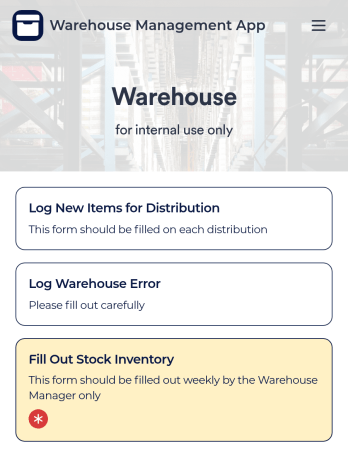
Warehouse Management App
A Warehouse Management App is used by businesses to keep track of new warehouse inventory. With this fully-customizable app, you can record item names, descriptions, quantities, model and serial numbers, as well as account and payment details from the distributor and receiving company. An easy-to-read stock inventory list is stored securely in your online account and can be accessed and downloaded on any device.Want to customize this Warehouse Management App to match your company’s branding? Our drag-and-drop interface makes it easy to add forms, upload your logo, change fonts and colors, create a custom app icon, and more — no coding necessary. When you’re done, employees can download your app on any smartphone, tablet, or desktop for future use. Keep a bird’s eye view on your warehouse inventory with this Warehouse Management App.
Go to Category:Management Apps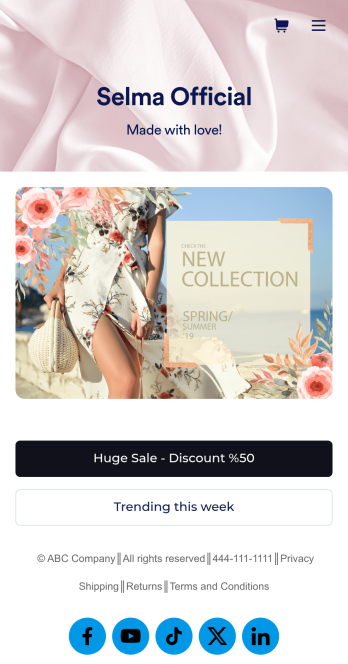
Ecommerce App Template
An e-commerce app is used by stores to sell e-commerce products online. This ready-made E-commerce App allows customers to purchase products from your catalog, input their shipping and billing information, and pay either by card or through PayPal. There is a separate form for showcasing weekly sales and marked-down goods. Orders and payments are instantly synced to your secure Jotform account, and can be accessed from any device.Want to personalize this app template to match your store’s branding? No coding necessary — just use our drag-and-drop form builder to add or swap out form elements, choose fonts and colors, upload thumbnail images of your products, set prices and discounts, and more. You can also customize your splash page with images of your newest products. After you’re done, you can share your app on your website or social media with a link, where it can be downloaded on any smartphone, tablet, or desktop. Stop wondering how to sell e-commerce products online and start doing it today with this E-commerce App from Jotform.
Go to Category:Apparel Selling Apps
Furniture Store App
Create a one-stop shop for your furniture store with this free Furniture Store App from Jotform. Need to know how to sell furniture online? Customers can download this app onto any device and order furniture, request quotes for custom furniture, or inquire about home renovations. You can also collect customer feedback, list your store’s contact information, and link to your social media accounts.Fully customize this Furniture Store App to match your store’s branding with Jotform’s drag-and-drop app builder. You can do things like edit form fields and checklist items, create new pages, add buttons and links, choose fonts and colors, and upload your logo — all without any coding. Want to accept payments directly through your app? Just add any of our 100+ payment integrations and start taking down payments right away. Make ordering furniture a breeze with this easy-to-share Furniture Store App.
Go to Category:E-commerce Apps
Flower Ordering App
As a florist, you’re a pro at making beautiful bouquets and flower arrangements — but are you wondering how to sell flowers online? With our free Flower Order App, you can easily make your flower shop’s very own app too! This ready-to-use app template includes an order form and feedback form, so you can easily store and share all your forms in one place. Customers can open your app from any device, place orders or leave reviews, and even download your app to their smartphone, tablet, or computer for future use.You’re already familiar with custom orders, so why not customize your Flower Ordering App too? No coding necessary — simply drag and drop to add more forms, change the background or splash screen, upload images or a new icon, update the app name or text, and more. When you’re satisfied with your app’s design, just share the link on your website or social media to start collecting orders from customers. Watch your business bloom with a custom Flower Ordering App that makes it easy to manage your forms, sell flowers online, track orders, and promote your shop all in one place.
Go to Category:E-commerce Apps