

Spice up your forms today by adding an image on it. It has just got easier with new options. We have just added a new Image Wizard which makes it both easy to add images to your forms. You can now upload images or use one of the existing images from your gallery to use on any of the forms.
Here are some screenshots from the Image element on Form Builder:
Enter an image URL, upload it or choose a previously uploaded one.
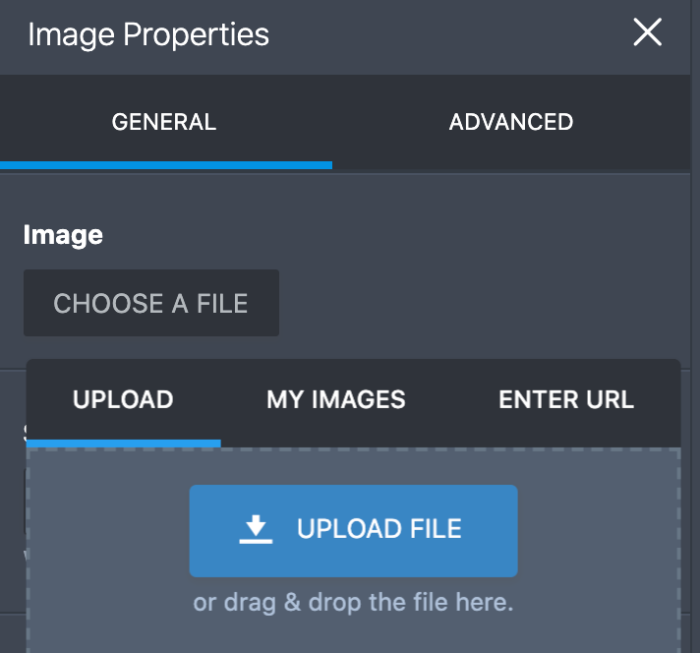
Upload your images right on the wizard to use on your form

You can use the same images on all of your forms

When you need to change the image, click on the image in Form Builder and open Properties.














Send Comment:
18 Comments:
December 8, 2018
Hello,
I wanted the option of taking a picture with tablet while filling the Jotform.
Thanks,
Kiran
October 8, 2018
I need a form that from a list of names, automatically renames new photos in a cell phone. Is it possible to do in a easy way?
October 27, 2016
how do you get the image to appear without pixelation? RGB?
April 12, 2014
I can't seem to add an image, I click Upload Image File and then "next" but it keeps saying that I have to select an option (even if i did) please help. Thanks!
November 20, 2011
Is it possible to have two or more images in the same box?
August 10, 2011
How can I put an image behind the whole form? (html)
April 14, 2011
I have a form with an image that, even though I choose "center" under the alignment options, it doesn't center the image. It just left-justifies it. Is this possibly because the css for the div it's in has a float-left property?
December 15, 2010
I have added Images just fine. However when I went on several different machines to view the form. It seems that some browsers have a hard time loading the image (and never load it). Is there a way I can upload the images so that all browsers can see it. What the most compatible way to upload a image?
October 19, 2010
Was able to get direction on how to add images to form. It was a breeze. Successfully added personal logo to form in just a few clicks. I love the user-friendlyness of jotform
October 15, 2010
I`m New IN Jotform And Want Do Some site Jotform SendMail And Thanks
October 15, 2010
I`m New IN Jotform And Want Do Some site Jotform SendMail And Thanks
September 28, 2010
Teia: Sorry about that. I unsuspended your account and whitelisted your existing forms. The login form caused your account to be suspected as phishing.
September 28, 2010
I was sooo happy with my form, I created a cool image and was just about to upload, checked on my site, it was looking so pro and gorgeous, then.......... PPOOOOFFF! GONE!
Form not found
This form is disabled.
I cannot figure out why? going through the terms I cant see how I have breached any of the terms, could you please help me out with this?
September 17, 2010
Just added an image. I have to say, this really is the easiest form builder ever. I've had a web site for years, but no form as I had no idea how to deal with CGI code. Delighted to have found Jotform!!
September 17, 2010
danmc1956 : The wizard icon button is already fixed. Thanks for letting us know.
September 14, 2010
I went to Power Tools and clicked on Image. It added the Jotform image. When I click on the icon in the top right of the image for Wizard, nothing happens? I would like to upload an image from my computer...can I do that?
September 7, 2010
On the Form Builder, add an "Image" field to you form. It is under Power Tools on the left side.
September 7, 2010
Just went to the Jotform site and logged in to my account... could not find the image wizard... where is it?