
Kanban metrics are essential key performance indicators that help Agile teams measure workflow efficiency, identify bottlenecks, and drive continuous improvement. Key metrics include lead time, cycle time, throughput, WIP limits, flow efficiency, cumulative flow diagrams, and blocker clustering.
Kanban, a well-known agile framework, allows teams to manage workflow effectively and efficiently through attention to specific metrics. Kanban metrics provide insight into team performance and offer a data-driven approach to continuous improvement. The goal is to identify and eliminate bottlenecks, enhance productivity, deliver high-quality work, and reduce lead times.
In this article, we’ll discuss the importance of kanban metrics, explore the most essential kanban metrics to track for agile success, and consider how to use kanban metrics to improve workflow.
What is kanban?
Kanban is a visual workflow management method that uses kanban boards to track the progress of project action items and kanban metrics to measure effectiveness. Originated in late 1940s Japan to help Toyota improve its manufacturing processes, the kanban system allows teams to organize their workflows and coordinate teams and departments effectively.
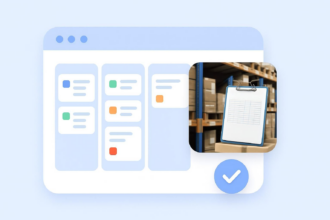
The central feature of the kanban method is the kanban board. Once teams know how to use a kanban board, they can clearly visualize their workflows. Kanban boards allow anyone on a team to understand project status at a glance. While kanban works well across many industries and business processes, one use case is the manufacturing industry, which uses a basic kanban formula to determine when to buy more inventory.
Why tracking metrics is essential
Tracking metrics with the kanban method is essential for improving efficiency, reducing bottlenecks, and making data-driven decisions because it provides critical insights into workflow performance. Workflow performance metrics clearly indicate how productive and efficient a process is and highlight areas for improvement, while data-backed insights point the way to better decision-making.
Analyzing standard kanban metrics such as lead time, cycle time, throughput, and flow efficiency help teams uncover problem areas, streamline processes, and boost productivity and performance for continuous improvement. (We’ll talk more about specific kanban metrics to track later in this article.)
Agile metrics, including those used in kanban, are imperative for understanding issues before they become project roadblocks.
The importance of kanban metrics
Let’s examine a few reasons kanban metrics are important:
Kanban metrics provide objective insights into team performance.
Kanban metrics like lead time, cycle time, work in progress (WIP), and throughput allow you to track team progress, measure productivity, identify bottlenecks, and discover opportunities to improve and optimize processes, with the goal of boosting overall performance. When you have visibility into your workflow, you gain data for continuous improvement.
Tracking kanban metrics supports continuous improvement and agile transformation.
Objective, quantifiable data is essential for continuous improvement. By tracking kanban metrics, teams can discover workflow inefficiencies, address operational challenges, and make necessary enhancements, fostering a cycle of continuous improvement and agile transformation.
Data-driven decision-making is necessary to optimize workflow efficiency.
Tracking kanban metrics provides data that allows teams to identify patterns, measure process efficiency, understand active time for task completion, and monitor other key performance indicators (KPIs). Workflow analysis and decision-making based on objective data enables your organization to improve processes and make other changes that lead to enhanced performance.
Common challenges teams face without proper kanban metric tracking include
- Decreased visibility into workflow
- Challenges identifying bottlenecks
- Inefficient processes
- Focusing on the wrong aspects of workflow
- Misalignment with organizational goals
- Shortage of data for implementing continuous improvement
- Difficulty meeting project goals and demonstrating progress to stakeholders
What are kanban metrics?
Kanban metrics are KPIs used to track and measure work in a kanban visual approach to agile project management. Key kanban metrics include cycle time, lead time, throughput, WIP, and flow efficiency, among others. Tracking these metrics provides insight into workflow performance and enables continuous improvement, a core principle of agile methodology.
In practice, kanban metrics help teams use objective, quantifiable data to improve how work flows through their system. This data enables teams to identify bottlenecks, measure productivity, understand and improve workflow, and make data-driven decisions that optimize for continuous improvement.
The benefits of kanban produced by monitoring metrics and implementing the resulting insights include reduced waste, increased focus, improved productivity, more predictable workflows and delivery, and greater customer satisfaction. Teams also benefit from faster, more confident decision-making driven by reliable data.
Key kanban metrics to track
Now that we know what kanban metrics are and why they’re important, let’s explore key kanban metrics to track.
1. Lead time
Lead time is the total time it takes for a task to move from request to delivery, including waiting time and active work. It reflects overall workflow efficiency, helping managers identify opportunities for better planning and resource allocation.
Teams can reduce lead time by minimizing waste, automating processes where relevant, eliminating nonessential steps, and limiting WIP to prevent bottlenecks and otherwise continuously improve operations.
2. Cycle time
Cycle time is the duration a task spends in progress. It’s a subset of lead time and comprises only the active time it takes to complete a task once work has begun, starting when the task moves to the active workflow stage. The difference between cycle time and lead time is that, unlike lead time, cycle time does not include waiting time or hold time.
Shorter cycle times indicate that tasks are moving through the workflow more quickly and consistently, making it easier to forecast completion dates, which leads to a more predictable, efficient workflow.
3. Throughput
Throughput is the number of tasks or work items completed within a specific time frame, such as one day or one week. It measures a team’s output during that time frame and is an essential metric for understanding team capacity and productivity.
Tracking throughput shows teams how much work they can realistically complete within a given time, helping them identify potential bottlenecks, plan more accurately, and maximize workflows.
4. WIP limits
WIP is the number of tasks currently in the active or in-progress stage in a kanban system. WIP limits refer to the maximum number of tasks allowed in each stage of a workflow. WIP limits improve efficiency by restricting the amount of WIP during a specific time frame, which in turn helps prevent bottlenecks and increase productivity.
Enforcing WIP limits improves flow efficiency by balancing the workload, preventing multitasking, avoiding bottlenecks, and improving throughput to ensure workflow stays on schedule.
5. Flow efficiency
Flow efficiency indicates how much time is spent on actual work versus time spent waiting, which helps uncover workflow inefficiencies.
Teams can improve flow efficiency by minimizing handoffs between team members, decreasing wait times, eliminating bottlenecks, breaking down large tasks into more manageable components, removing unnecessary steps or tasks in the workflow process, improving communication and collaboration, and limiting WIP.
6. Cumulative Flow Diagram (CFD)
A CFD is a visual representation of workflow stability that tracks the flow of tasks through stages of the kanban process in real time. Each differently colored band on the diagram represents a different stage or column of the workflow, such as to-do, in-progress, or done.
You can use a CFD to interpret and identify process issues. The CFD shows the number of tasks in each stage represented by the thickness of the colored bands, allowing teams to visualize and understand where potential inefficiencies exist in the workflow.
The team may then decide there is overpopulation in one section leading to bottlenecks and other problem areas. For example, you might discover by reviewing the CFD that tasks are piling up more in the testing stage than in other areas, indicating that more resources need to be allocated to that stage or that that stage needs to be streamlined. Alternatively, narrow bands in your CFD might reveal that tasks are moving along quickly, indicating extra capacity.
7. Blocker clustering
Blocker clustering analyzes the frequency and duration of obstacles that prevent tasks from moving forward in the workflow. By tracking blockers, teams can identify patterns and trends in workflow disruptions. With a clearer understanding of what causes delays, they can create solutions to minimize their impact.
Methods for resolving common blockers in kanban workflows include identifying blockers in daily stand-up meetings and brainstorming solutions, using swimlanes on your kanban boards to track blockers, grouping blockers with similar causes together to uncover recurring problems and allowing the team to address them collectively, pinpointing blockers that have the greatest impact on workflow and handling them first, and, based on your blocker clustering analysis, putting preventive measures in place to prevent tasks from being blocked before they begin.
How to use kanban metrics to improve workflow
The kanban metrics previously outlined will allow you and your team to implement continuous improvement.
You can do this by
- Using cycle time, lead time, and throughput to identify and correct bottlenecks and inefficiencies, as well as uncover other opportunities for improvement
- Setting WIP limits on the number of tasks in each workflow stage to mitigate overload, decrease wait times, and improve efficiency
- Using CFDs to understand workflow issues and identify areas where work accumulates so you can streamline and improve them
- Making data-driven decisions based on tracking metrics in order to simplify processes and improve productivity
- Using flow efficiency metrics to identify areas for optimization and increased efficiency by uncovering where work is delayed or stuck
- Using blocker clustering to analyze and resolve recurring patterns in work disruptions
Real-world examples where tracking kanban metrics generates better project outcomes
- Spanish fast fashion retailer Zara uses kanban for store operations to separate workflows into stages and to improve decision-making, resulting in increased efficiency and more time for staff to focus on creative tasks.
- Animation and film studio Pixar uses kanban boards to manage workflows across departments, including concept art, modeling, and production management.
- Digital music, podcast, and video streaming service Spotify’s IT Operations team used kanban to achieve shorter lead times, increased task completion, and better collaboration between departments.
- Travel guide publisher and online travel resource Lonely Planet used kanban, along with scrum, to reduce workload and increase productivity by 25 percent.
- Beverage company Coca-Cola uses kanban to ensure consistency in production and distribution processes.
- Google uses kanban to manage software development workflows across its product portfolio, helping teams prioritize tasks, track bugs, ensure relevant feature rollouts, and more.
- Chemical manufacturer Schlenk used kanban to foster transparency in project management and to identify and address process bottlenecks.
Manage kanban workflows with Jotform Boards
Jotform Boards offer a kanban-style task management solution designed to help teams stay organized and productive. The intuitive drag-and-drop kanban interface allows for effortless organization and tracking, providing a clear visual representation of each step in the workflow. Teams can view and manage tasks in real time for seamless project movement across workflow stages for reduced bottlenecks and improved efficiency. With its multiple customization and collaboration options, it’s the perfect tool to help your team manage tasks efficiently from anywhere.
And kanban isn’t just for large organizations; kanban board examples also include those for personal projects, such as personal knowledge management and goal planning.
Combine your kanban process with Jotform Boards today to enhance the power of your workflows, automate data collection and, streamline task management.
This article is for Agile practitioners, project managers, product owners, and team leaders who use Kanban to track performance, improve workflow efficiency, reduce bottlenecks, and make data-driven decisions that support continuous improvement and predictable delivery.






















Send Comment: