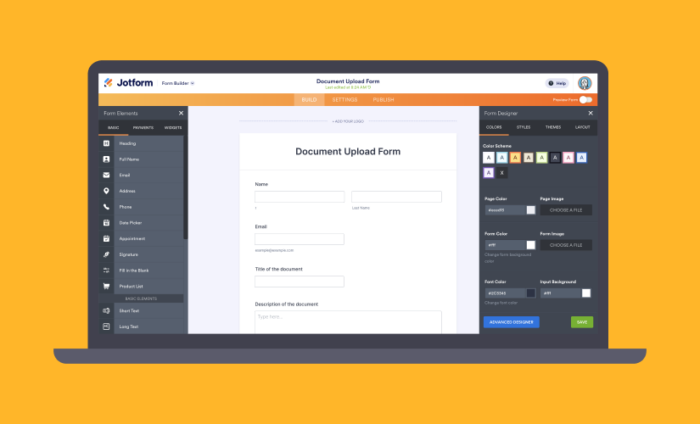

Over the years, My Forms page became more and more cluttered. We have just released a more clean and modern look. We hope that you will like it. Please feel free to share your comments below.
Using new Inbox feature, you can quickly review your recently received submissions without leaving the page.

Checkboxes allow you to select many forms at once and do many things such as organizing them on folders.

Organize your forms in folders and view folder contents without scrolling down on the page.

A better New Form Wizard lets you create forms quickly.

Using Form Templates.

You can also perform many actions without leaving the My Forms page.
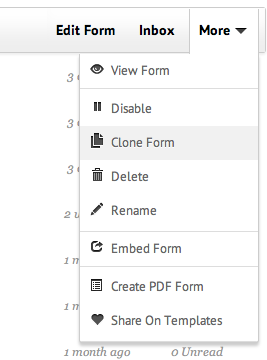
We are also releasing a new top navigation for Jotform site. You can easily login to your account from top navigation.

See your account stats.

How do you use My Forms page? Do you have any suggestions to improve the new look? Please share them in the comments below.











Send Comment:
18 Comments:
June 21, 2013
I have just create a account and I don't have this look at all !! :(
December 8, 2012
Possible to explain to me one I did not understand when he finished page does not want to open I do not know why
December 6, 2012
There seems to be a problem with the account details that are displayed when you click on the head in the top right corner. The SSL submission count is cut off at the bottom. I see the bar, but not the count below it. In FireFox(17) this happens on the MyForms page, but not any of the support pages. With IE8, it happens in all cases that I tried.
December 5, 2012
why are my submissions not being emailed to me?
December 2, 2012
Love it!
Great job guys!December 1, 2012
Interface looks great. Folders are good to have. One thing though... When you select a folder, and edit a form in that folder, when you go back to myForms, you are in the top level. I think it would be better to go back to the folder you were in before you started doing your edit (or viewing submissions).
November 30, 2012
The new interface looks great. Much appreciated.
November 29, 2012
thanks
November 28, 2012
There is a printing problem when printing a form. It sends two pages which overprint on one page and another page with the contents of the page. (I clicked the printer icon on my "Copyfast Printing Prospects" page.) And it prints some other stuff on the bottom such as "Welcome to the NEW MY FORMS", etc. These items overprint the contents of my last field on the form "Contact Notes."
November 24, 2012
Its great thank you in advance,
Dear.November 24, 2012
Is there any way to see all the recent forms together rather than just one at a time?
November 24, 2012
احلى الاصدقاء
November 23, 2012
scusa avette qualche video ??
November 23, 2012
come funziona avette un video grazie
November 23, 2012
Well deserved!
November 23, 2012
I don't know what the name of technology behind your system but i can tell, the result is very satisfied. Keep up the good work Jotform, you guys are amazing.
November 23, 2012
Really you make it very good and easy
November 23, 2012
Cool