
Key takeaways
- A visual management board is a centralized system that helps teams track tasks, priorities, and performance using visual cues instead of text-heavy reports.
- Visual management boards improve accountability, alignment, and decision-making by making project status and bottlenecks immediately visible to everyone.
If you’ve ever sat in on a management meeting, you might have seen a myriad of different methods to display and manage the often-overwhelming cascade of data involved in a single project, let alone an entire company.
While many of those methods are effective, few match the simplicity of a visual management board. Whether digital or physical, it helps teams stay aligned by making priorities, ownership, and progress visible in one place, so issues surface early and small problems don’t turn into delays. Here’s what a visual management board is and how it works.
What is a visual management board
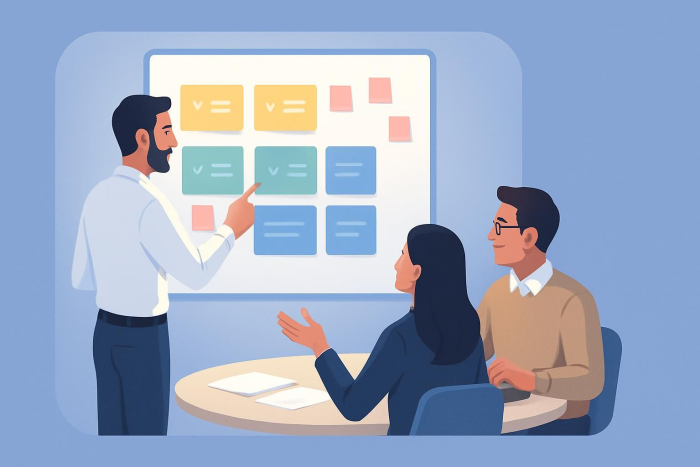
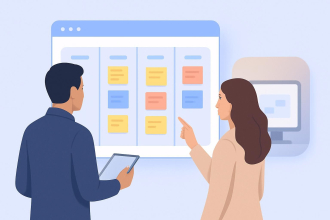
A visual management board is a tool used to collect, organize, and display operational data so teams can instantly understand progress, priorities, and problems. It works by translating work status into visual cues that reduce the need for explanations or meetings.
 Jotform Boards
Track Tasks with Jotform Boards Instantly
At its core, the concept is simple: A visual management board offers a straightforward method to collect data and then display that information for the whole team to follow.
A visual management board can be as low-tech as a corkboard with sticky notes, or as advanced as a live digital dashboard that pulls in updates automatically from tools like Jotform. No matter the format, the goal is the same: organize priorities and key data in a clear, top-down view so everyone can instantly see what’s on track, what’s stuck, and what’s at risk.
That “at-a-glance” design matters because our brains can recognize images in as little as 13 milliseconds and since people typically read only about 20% of on-page text in real-world scanning behavior, relying on visual cues helps teams surface bottlenecks faster, with less explaining and fewer status meetings.
7 types of visual management boards
Visual management boards are essential tools that help teams visualize workflows, track progress, and identify areas for improvement. They serve as visual aids to communicate information clearly and efficiently, fostering collaboration and enhancing productivity. Here are the 7 common types of visual management boards:
1. Performance boards
Performance boards display key performance indicators (KPIs) and metrics that help teams track their progress toward goals. These boards often include:
- Productivity metrics
- Quality performance indicators
- Safety statistics
- Customer satisfaction scores
2. Project management boards
Used to oversee project timelines, tasks, and deliverables, these boards ensure that teams stay on track. Common elements include:
- Task lists and assignments
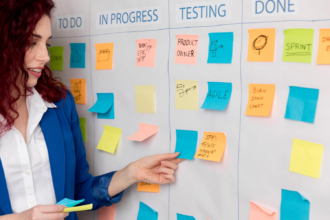
- Progress tracking (To Do, In Progress, Done)
- Deadlines and milestones
- Risk assessments
Try Jotform’s Project Management Board Template to manage your projects effectively without missing any timelines!
3. Kanban boards
A kanban board is a workflow visualization tool designed to improve efficiency in task management. It typically consists of:
- Columns representing different workflow stages (Backlog, In Progress, Review, Done)
- Task cards that move through stages
- Work-in-progress (WIP) limits to avoid bottlenecks
4. 5S boards
These boards support workplace organization using the 5S methodology (Sort, Set in Order, Shine, Standardize, Sustain). They typically include:
- Visual guides for workstation organization
- Cleaning schedules and responsibilities
- Standard operating procedures (SOPs)
- Continuous improvement suggestions
5. Safety Boards
Safety boards focus on workplace health and safety, ensuring employees know risks and safety protocols. Key elements include:
- Incident reports and safety statistics
- Emergency procedures and contacts
- Personal protective equipment (PPE) guidelines
- Training schedules
6. Daily huddle boards
These boards facilitate quick team meetings and daily stand-ups, providing an overview of ongoing work and priorities. Common sections include:
- Key issues and concerns
- Team objectives for the day
- Resource allocation updates
- Lessons learned from previous days
7. Problem-solving boards
Designed to identify and resolve operational challenges, problem-solving boards often include:
- Root cause analysis tools (e.g., 5 Whys, Fishbone Diagram)
- Action plans and owner assignments
- Issue tracking and resolution status
- Continuous improvement initiatives
How to use a visual management board
To be effective, a visual management board should make status, meaning, and next steps obvious at a glance. The strongest boards follow a few consistent rules.
1. Make status immediately understandable
Design the board so anyone, from new hires to leadership, can understand it quickly. Use clear labels and simple visual signals so the current state of work is easy to spot without extra explanation.
2. Ensure universal access
A board only works if the right people can see it. For physical boards, place them in a shared space. For digital boards, make access simple and ensure your team knows where to find it and how to use it.
3. Standardize indicators and metrics
Pick a consistent set of status labels and apply them everywhere, for example Completed, In progress, and Overdue. Standardization reduces confusion and makes changes in performance easier to spot over time.
What to include on your visual management board
What you track depends on whether the board is built for a specific project or for the wider business.
- Project boards typically break work into steps from start to finish, helping teams track tasks, owners, and progress through completion.
- Company-wide boards focus on high-level visibility, such as profit goals, department metrics, safety performance, or daily operational tasks.
If you’re introducing visual management for the first time, consider starting with an idea board. It gives employees a clear place to suggest improvements, and it builds early buy-in by making people part of the process.
How to automate data collection to build a visual management board
Jotform Boards is a visual workflow management tool that turns form submissions into real-time, trackable boards. It helps teams automate task assignments, monitor progress visually, and collaborate without manual updates.With Jotform’s intuitive platform, you can automate task assignments, set up notifications, and track progress visually, enhancing team collaboration and project tracking without manual updates. Because data flows automatically from forms into boards, teams spend less time updating systems and more time acting on insights.
By streamlining workflows and ensuring automatic updates, Jotform Boards helps teams stay aligned and organized. The platform’s flexibility enables businesses to maintain up-to-date visibility, making it easier to manage complex projects and workflows while reducing manual data entry efforts.
FAQs about visual management boards
The 1-3-10 rule means information should be understood in 1 second for status, 3 seconds for meaning, and 10 seconds for action.
A VMB board (Visual Management Board) displays tasks, metrics, or workflows using visual cues like columns, cards, and color coding.
Visual control boards are used to monitor work status, enforce standards, and surface problems early. They improve accountability and reduce delays by making information visible at a glance.
This article is for operations managers, project leaders, and cross-functional teams, and anyone who wants to use visual management boards to track work, improve alignment, and make project status and bottlenecks instantly visible.
















Send Comment: