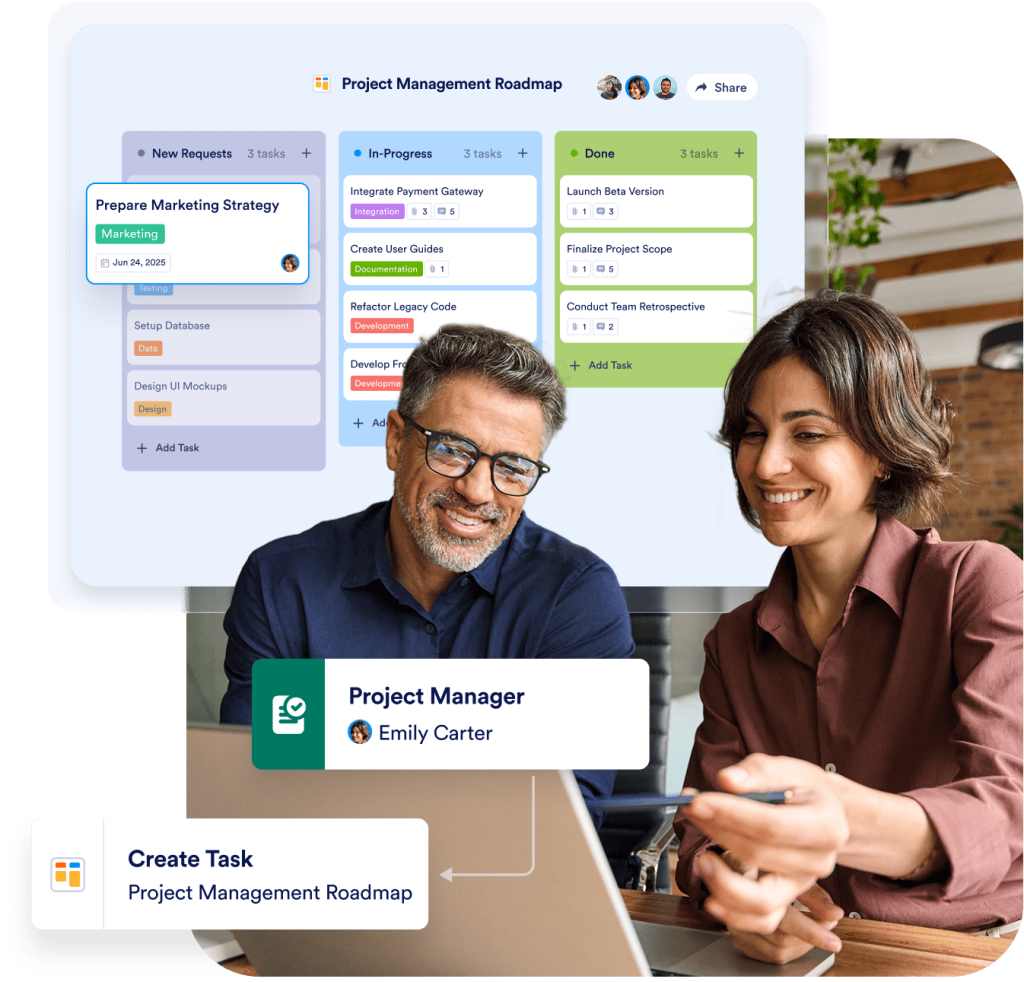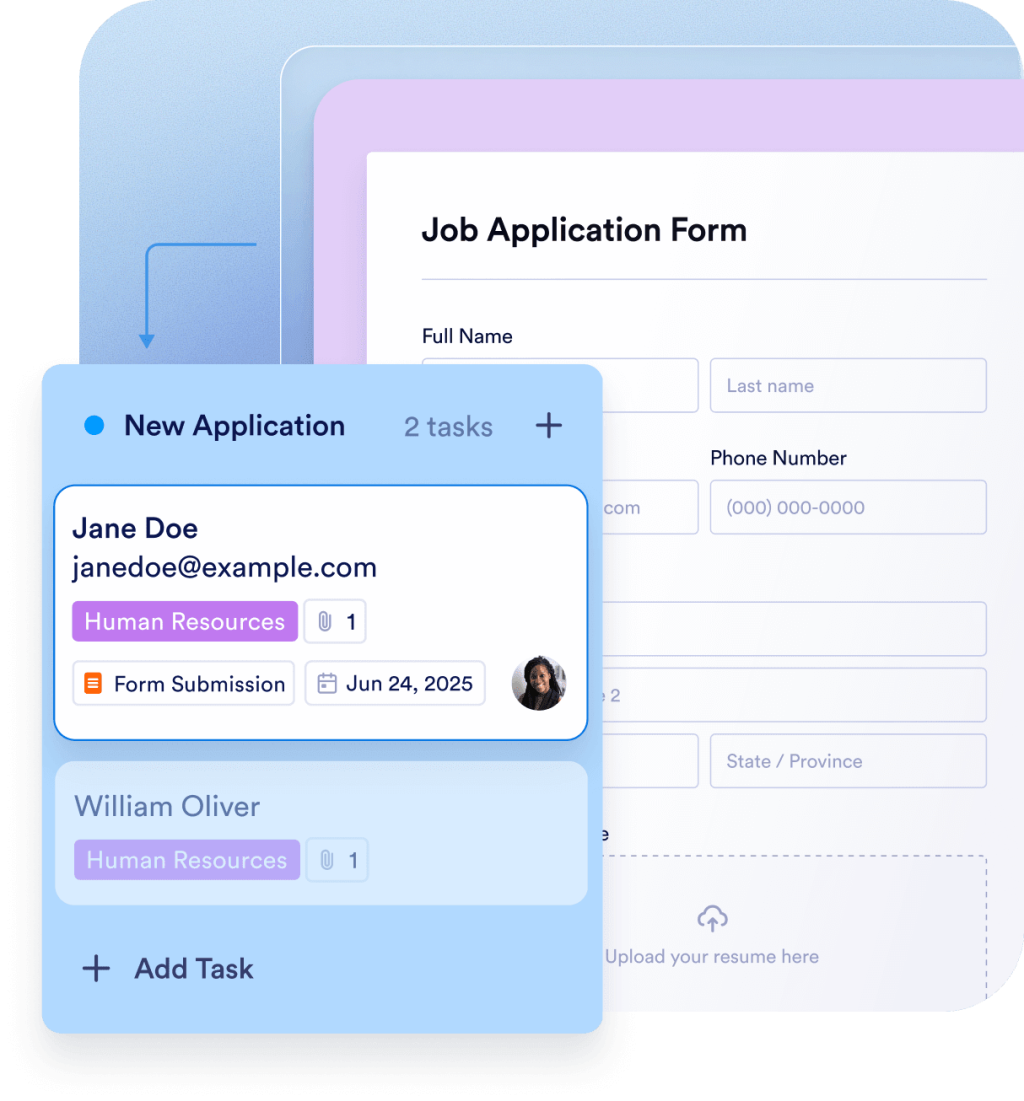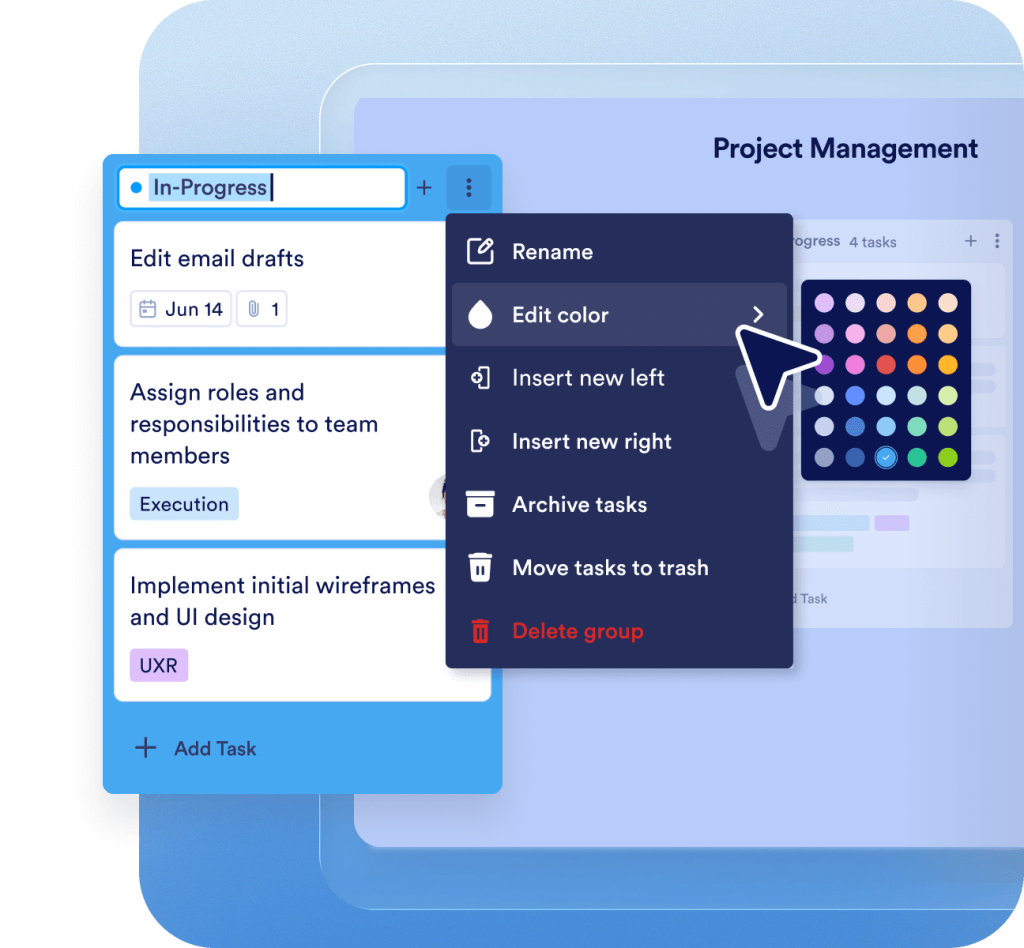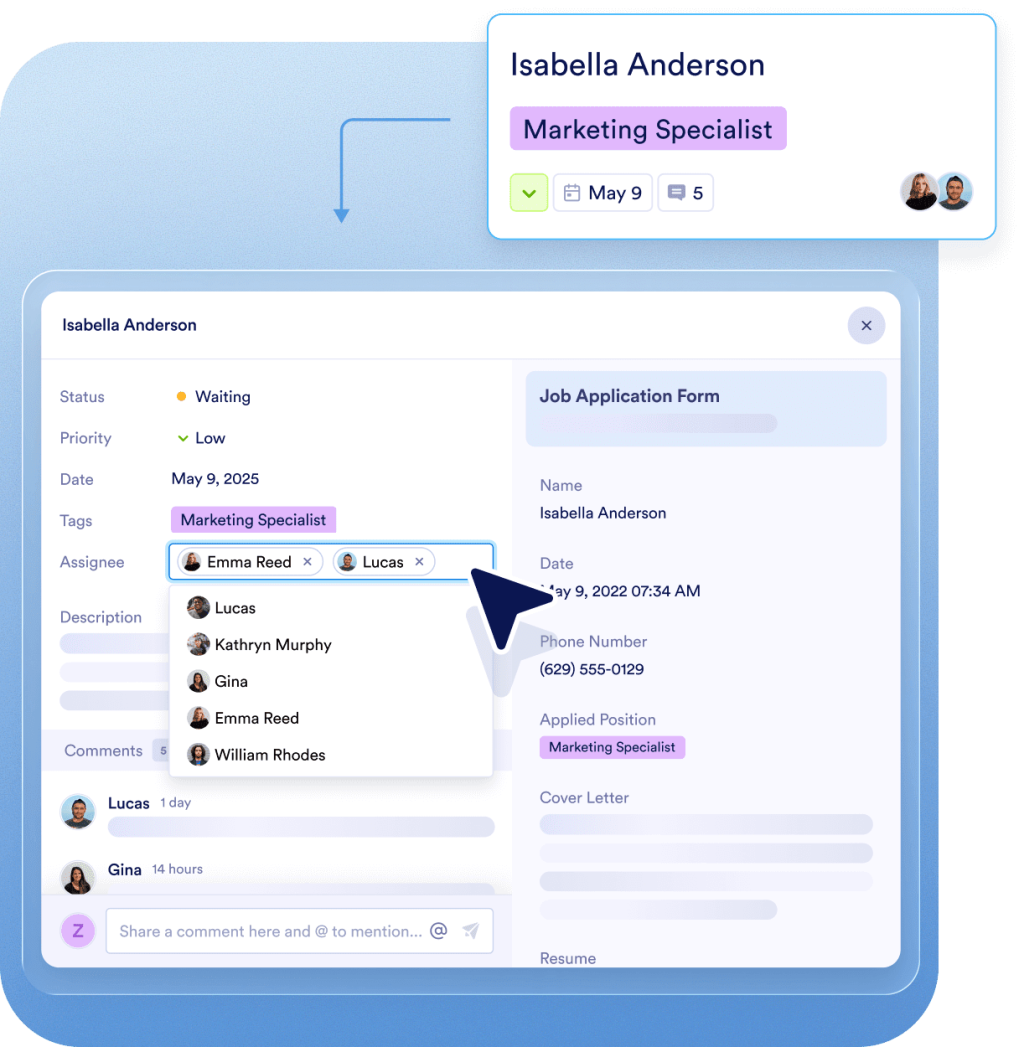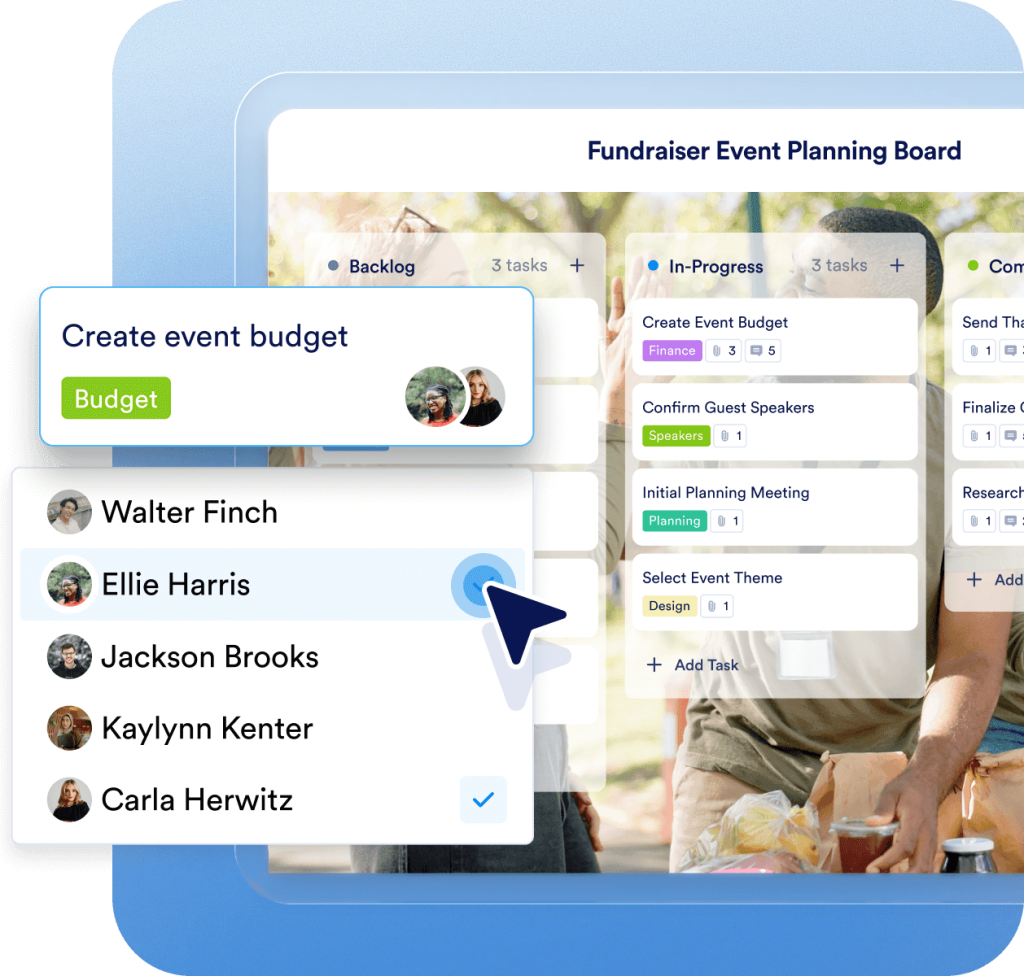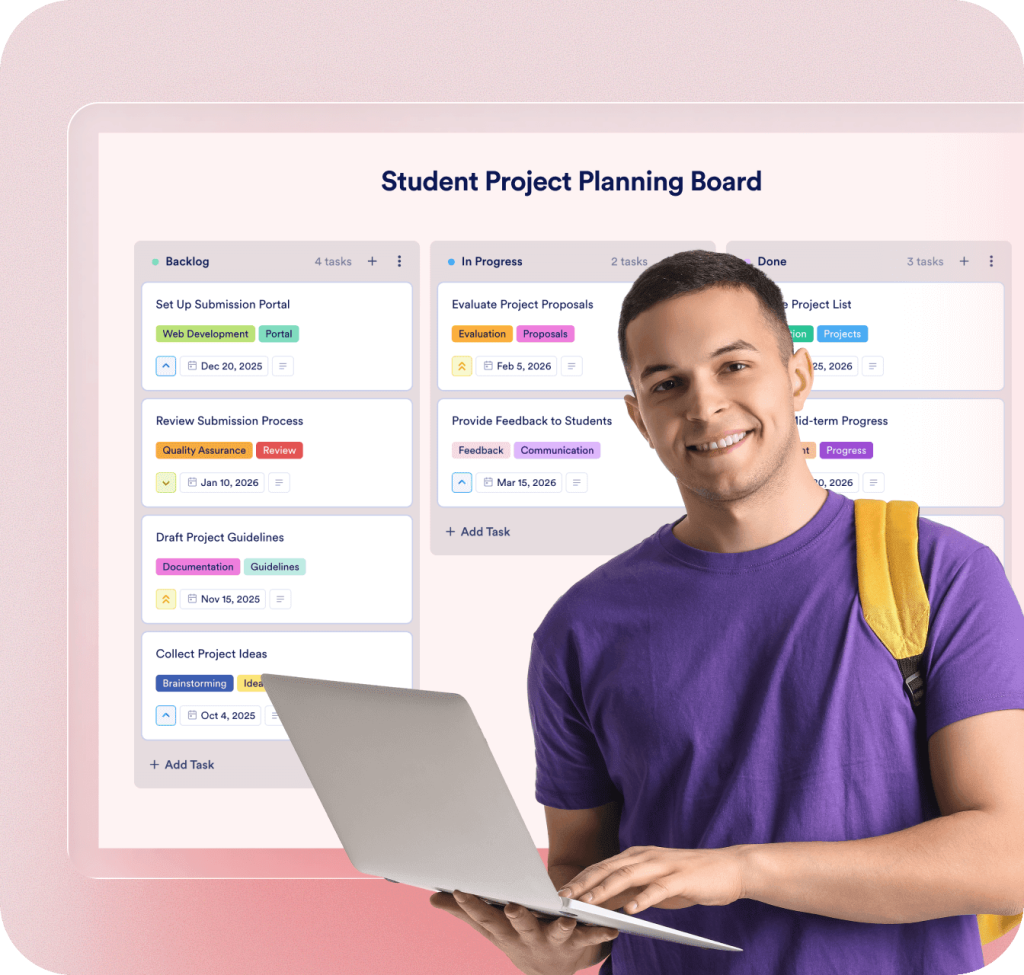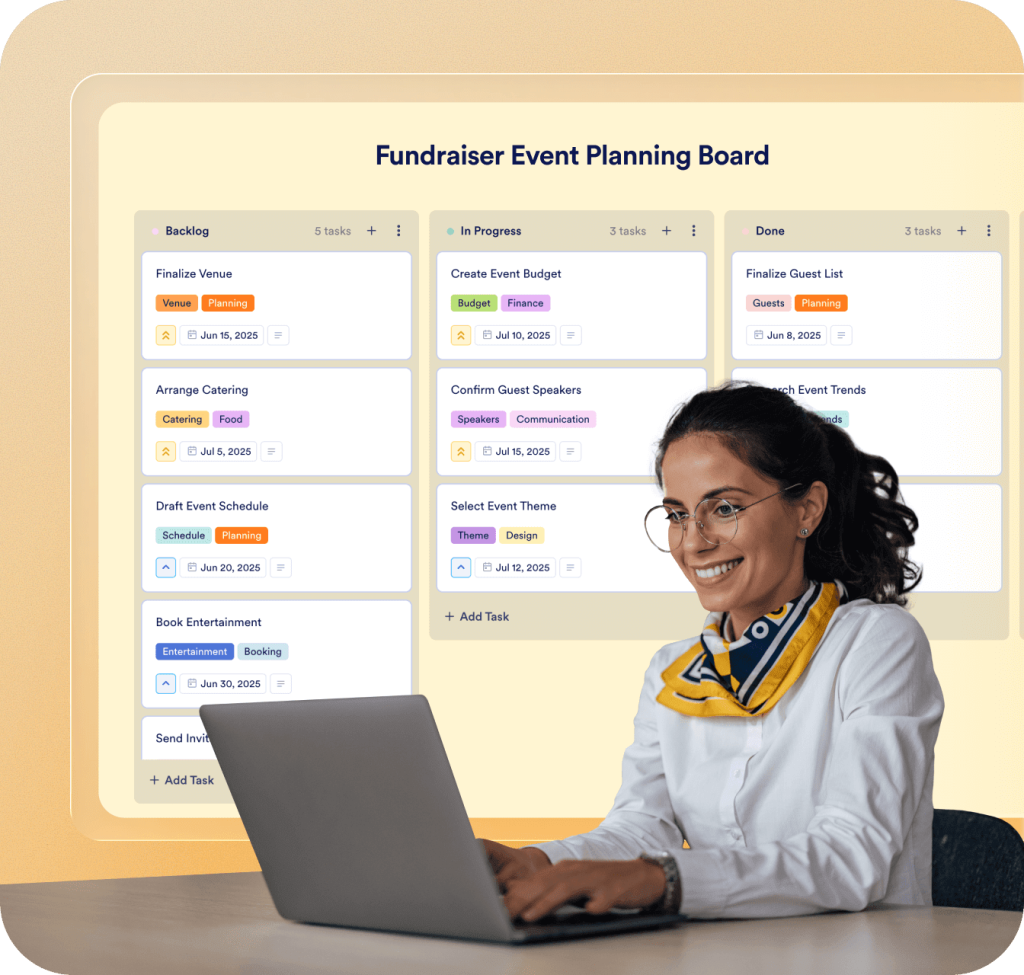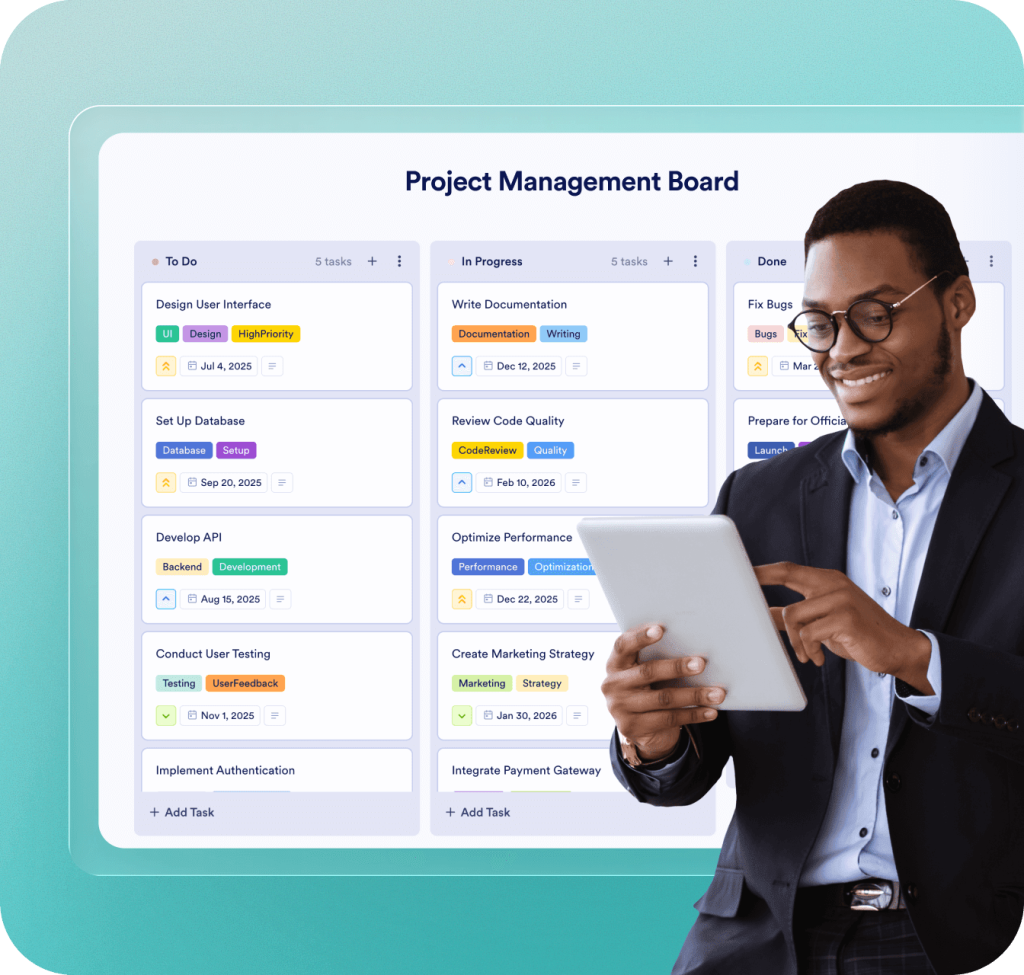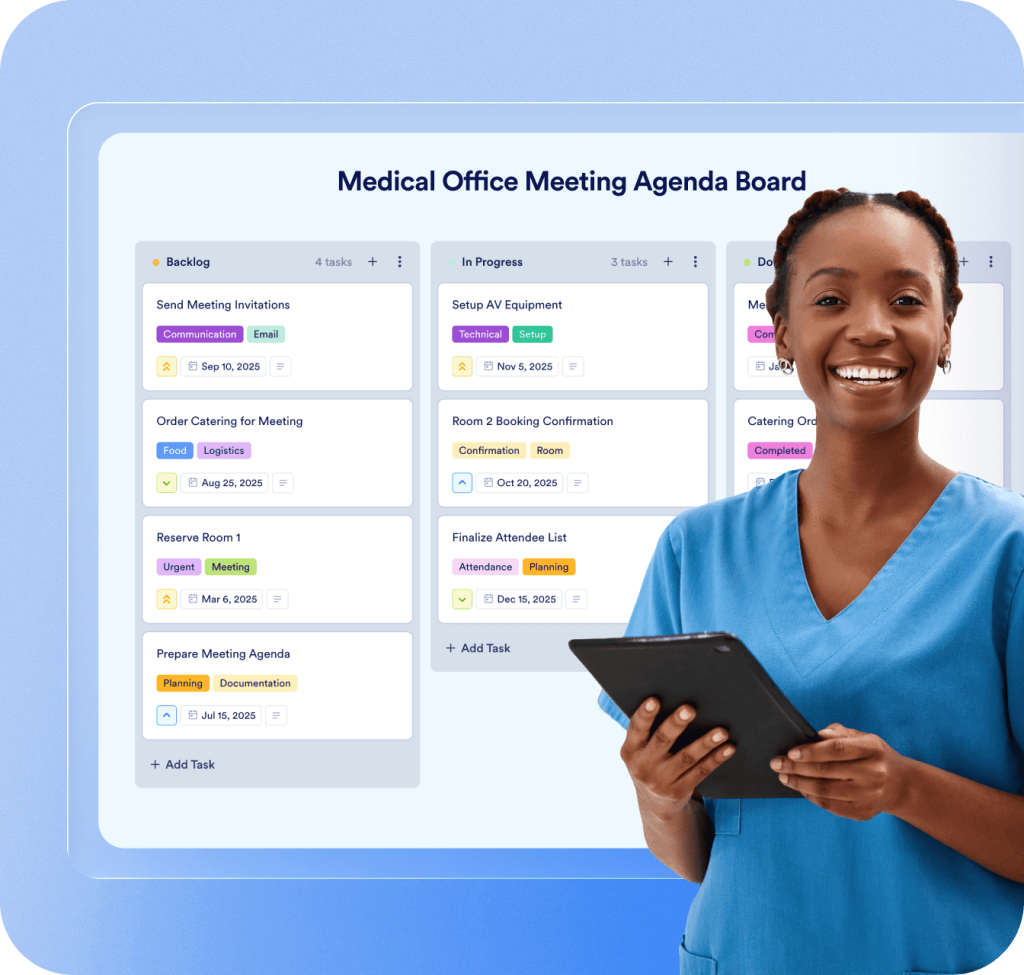
# Streamline task management | Jotform Boards for Enterprise Introducing Jotform Boards # Capture & Resolve Every Customer Request Combine powerful forms and tailored task management to ensure nothing falls through the cracks. Turn submission data, AI Agent conversations, and Workflow steps into tasks with Jotform Boards. [Contact Sales](https://www.jotform.com/enterprise/contact-sales/) ![Image 1: Introducing Jotform Boards](https://cdn.jotfor.ms/image/r/aHR0cHM6Ly9jZG4uam90Zm9yLm1zL3AvZW50ZXJwcmlzZS12Mi9hc3NldHMvaW1nLW1pbi9ib2FyZHMvYm9hcmRzLWhlcm8ucG5nP3Y9MS4wLjE=/boards-hero.png?w=1024&t=1) ![Image 2: Respond to every customer](https://cdn.jotfor.ms/image/r/aHR0cHM6Ly9jZG4uam90Zm9yLm1zL3AvZW50ZXJwcmlzZS12Mi9hc3NldHMvaW1nLW1pbi9ib2FyZHMvcmVzcG9uZC5wbmc/dj0xLjAuMQ==/respond.png?w=1024&t=1) ## Respond to every customer ![Image 3: Respond to every customer](https://cdn.jotfor.ms/image/r/aHR0cHM6Ly9jZG4uam90Zm9yLm1zL3AvZW50ZXJwcmlzZS12Mi9hc3NldHMvaW1nLW1pbi9ib2FyZHMvcmVzcG9uZC5wbmc/dj0xLjAuMQ==/respond.png?w=40&t=1) Seamlessly capture customer feedback and assign related tasks with Jotform Boards. Pull action items directly from submission data, AI Agent conversations, or Workflows for faster follow-up and streamlined task management. [Contact Sales](https://www.jotform.com/enterprise/contact-sales/) ![Image 4: Turn form submissions into tasks](https://cdn.jotfor.ms/image/r/aHR0cHM6Ly9jZG4uam90Zm9yLm1zL3AvZW50ZXJwcmlzZS12Mi9hc3NldHMvaW1nLW1pbi9ib2FyZHMvdHVybi5wbmc/dj0xLjAuMQ==/turn.png?w=40&t=1) ## Turn form submissions into tasks ![Image 5: Turn form submissions into tasks](https://cdn.jotfor.ms/image/r/aHR0cHM6Ly9jZG4uam90Zm9yLm1zL3AvZW50ZXJwcmlzZS12Mi9hc3NldHMvaW1nLW1pbi9ib2FyZHMvdHVybi5wbmc/dj0xLjAuMQ==/turn.png?w=40&t=1) Automatically flow form submission data to your board to create tasks. Monitor progress at a glance or click on tasks for a detailed view. [Contact Sales](https://www.jotform.com/enterprise/contact-sales/) ![Image 6: Trigger tasks from AI Agent conversations](https://cdn.jotfor.ms/image/r/aHR0cHM6Ly9jZG4uam90Zm9yLm1zL3AvZW50ZXJwcmlzZS12Mi9hc3NldHMvaW1nLW1pbi9ib2FyZHMvdHJpZ2dlci5wbmc/dj0xLjMuMQ==/trigger.png?w=40&t=1) ## Trigger tasks from AI Agent conversations ![Image 7: Trigger tasks from AI Agent conversations](https://cdn.jotfor.ms/image/r/aHR0cHM6Ly9jZG4uam90Zm9yLm1zL3AvZW50ZXJwcmlzZS12Mi9hc3NldHMvaW1nLW1pbi9ib2FyZHMvdHJpZ2dlci5wbmc/dj0xLjMuMQ==/trigger.png?w=40&t=1) Train Jotform AI Agents to create tasks from conversations with customers. Automatically route customer requests as tasks. Assign tasks to team members to deliver a more personalized experience. [Contact Sales](https://www.jotform.com/enterprise/contact-sales/) ![Image 8: Create tasks from Workflows](https://cdn.jotfor.ms/image/r/aHR0cHM6Ly9jZG4uam90Zm9yLm1zL3AvZW50ZXJwcmlzZS12Mi9hc3NldHMvaW1nLW1pbi9ib2FyZHMvY3JlYXRlLnBuZz92PTEuMC4x/create.png?w=40&t=1) ## Create tasks from Workflows ![Image 9: Create tasks from Workflows](https://cdn.jotfor.ms/image/r/aHR0cHM6Ly9jZG4uam90Zm9yLm1zL3AvZW50ZXJwcmlzZS12Mi9hc3NldHMvaW1nLW1pbi9ib2FyZHMvY3JlYXRlLnBuZz92PTEuMC4x/create.png?w=40&t=1) Create tasks within existing Workflows and route to-dos to specific boards for individual or team tasks. Enable project managers to view tasks in a dedicated board without leaving the Enterprise platform. [Contact Sales](https://www.jotform.com/enterprise/contact-sales/) ![Image 10: Visualize to-dos and deadlines](https://cdn.jotfor.ms/image/r/aHR0cHM6Ly9jZG4uam90Zm9yLm1zL3AvZW50ZXJwcmlzZS12Mi9hc3NldHMvaW1nLW1pbi9ib2FyZHMvdmlzdWFsaXplLnBuZz92PTEuMC4x/visualize.png?w=40&t=1) ## Visualize to-dos and deadlines ![Image 11: Visualize to-dos and deadlines](https://cdn.jotfor.ms/image/r/aHR0cHM6Ly9jZG4uam90Zm9yLm1zL3AvZW50ZXJwcmlzZS12Mi9hc3NldHMvaW1nLW1pbi9ib2FyZHMvdmlzdWFsaXplLnBuZz92PTEuMC4x/visualize.png?w=40&t=1) Map your path to success with Jotform Boards. Bring teams and tasks together to enhance communication, manage requests, and meet deadlines. Monitor workloads to balance resources. [Contact Sales](https://www.jotform.com/enterprise/contact-sales/) ![Image 12: Customize boards to match team processes](https://cdn.jotfor.ms/image/r/aHR0cHM6Ly9jZG4uam90Zm9yLm1zL3AvZW50ZXJwcmlzZS12Mi9hc3NldHMvaW1nLW1pbi9ib2FyZHMvY3VzdG9taXplLnBuZz92PTEuMS4x/customize.png?w=40&t=1) ## Customize boards to match team processes ![Image 13: Customize boards to match team processes](https://cdn.jotfor.ms/image/r/aHR0cHM6Ly9jZG4uam90Zm9yLm1zL3AvZW50ZXJwcmlzZS12Mi9hc3NldHMvaW1nLW1pbi9ib2FyZHMvY3VzdG9taXplLnBuZz92PTEuMS4x/customize.png?w=40&t=1) Customize boards to suit your organization’s unique processes. Specify task stages with Groups, map forms and fields, and tailor card displays, background colors and images. [Contact Sales](https://www.jotform.com/enterprise/contact-sales/) ![Image 14: Streamline task management](https://cdn.jotfor.ms/image/r/aHR0cHM6Ly9jZG4uam90Zm9yLm1zL3AvZW50ZXJwcmlzZS12Mi9hc3NldHMvaW1nLW1pbi9ib2FyZHMvc3RyZWFtbGluZS5wbmc/dj0xLjIuMQ==/streamline.png?w=40&t=1) ## Streamline task management ![Image 15: Streamline task management](https://cdn.jotfor.ms/image/r/aHR0cHM6Ly9jZG4uam90Zm9yLm1zL3AvZW50ZXJwcmlzZS12Mi9hc3NldHMvaW1nLW1pbi9ib2FyZHMvc3RyZWFtbGluZS5wbmc/dj0xLjIuMQ==/streamline.png?w=40&t=1) Centralize submission data, AI Agent conversations, and task management all within your Jotform Enterprise platform. Eliminate unnecessary integrations and costs with Jotform Boards. [Contact Sales](https://www.jotform.com/enterprise/contact-sales/) ![Image 16: Collaborate on projects and tasks](https://cdn.jotfor.ms/image/r/aHR0cHM6Ly9jZG4uam90Zm9yLm1zL3AvZW50ZXJwcmlzZS12Mi9hc3NldHMvaW1nLW1pbi9ib2FyZHMvY29sbGFib3JhdGUucG5nP3Y9MS4wLjE=/collaborate.png?w=40&t=1) ## Collaborate on projects and tasks ![Image 17: Collaborate on projects and tasks](https://cdn.jotfor.ms/image/r/aHR0cHM6Ly9jZG4uam90Zm9yLm1zL3AvZW50ZXJwcmlzZS12Mi9hc3NldHMvaW1nLW1pbi9ib2FyZHMvY29sbGFib3JhdGUucG5nP3Y9MS4wLjE=/collaborate.png?w=40&t=1) Share boards with teams and colleagues, assign tasks to members and monitor activity in real time. See who is actively working on a task and any changes they make for enhanced collaboration. [Contact Sales](https://www.jotform.com/enterprise/contact-sales/) ## Streamlines task management for multiple industries See all the ways Jotform Boards can support your organization. Explore 1,000+ ready-made board templates to gain inspiration and get started. Easily customize templates by changing task fields, card displays, colors, and more. ### **Healthcare** ![Image 18: Healthcare](https://cdn.jotfor.ms/image/r/aHR0cHM6Ly9jZG4uam90Zm9yLm1zL3AvZW50ZXJwcmlzZS12Mi9hc3NldHMvaW1nLW1pbi9ib2FyZHMvYmVuZWZpdHMvaGVhbHRoY2FyZS5wbmc/dj0xLjAuMQ==/healthcare.png?w=40&t=1) Secure your data with HIPAA-enabled solutions, streamline patient services, and share real-time updates. [View board templates](https://www.jotform.com/board-templates/category/healthcare-wellness) ### **Education** ![Image 19: Education](https://cdn.jotfor.ms/image/r/aHR0cHM6Ly9jZG4uam90Zm9yLm1zL3AvZW50ZXJwcmlzZS12Mi9hc3NldHMvaW1nLW1pbi9ib2FyZHMvYmVuZWZpdHMvZWR1Y2F0aW9uLnBuZz92PTEuMC4x/education.png?w=40&t=1) Unite your institution and better serve students by using Boards to manage your classroom and administrative tasks. [View board templates](https://www.jotform.com/board-templates/category/education-training) ### **Nonprofit** ![Image 20: Nonprofit](https://cdn.jotfor.ms/image/r/aHR0cHM6Ly9jZG4uam90Zm9yLm1zL3AvZW50ZXJwcmlzZS12Mi9hc3NldHMvaW1nLW1pbi9ib2FyZHMvYmVuZWZpdHMvbm9ucHJvZml0LnBuZz92PTEuMC4x/nonprofit.png?w=40&t=1) Use Boards to manage fundraising campaigns, track donor outreach, and streamline collaboration. [View board templates](https://www.jotform.com/board-templates/category/nonprofit-community) ### **Business** ![Image 21: Business](https://cdn.jotfor.ms/image/r/aHR0cHM6Ly9jZG4uam90Zm9yLm1zL3AvZW50ZXJwcmlzZS12Mi9hc3NldHMvaW1nLW1pbi9ib2FyZHMvYmVuZWZpdHMvYnVzaW5lc3MucG5nP3Y9MS4wLjE=/business.png?w=40&t=1) Seamlessly collaborate across departments to fulfill requests without endless email exchanges. Bring your business to Jotform Boards. [View board templates](https://www.jotform.com/board-templates/) ## FAQs about Jotform Boards * ### What are Jotform Boards? Jotform Boards are customizable, visual representations of tasks. Jotform Boards build upon Jotform’s suite of form-building and workplace productivity tools that help teams automate routine tasks so they can focus on more strategic and meaningful work. * ### How can I use Jotform Boards? Jotform Boards can be used to manage projects and tasks for organizations, teams, and individuals. * ### How can I organize my tasks on Jotform Boards? You can customize your Board as needed. Group tasks according to stages of a process or other method. You can search and filter your tasks by due date, assignee, priority, tag, or mapped field. * ### How can I use Jotform Boards with Forms? You can create a board from a form to link the two assets together. Then, map the form fields to create tasks that will populate on your board. Every time a form is submitted, a new task will automatically populate in your board. * ### How can I use Jotform Boards with Jotform AI Agents? Jotform AI Agents can be trained to create a task on your board based on specific interactions with that agent. Within the AI Agent Builder, choose Train, and then click Tools in the left menu. Then, select the Create Task in Board option. * ### How can I use Jotform Boards with Workflows? Create tasks within your existing Workflows and route them to a single board — or to multiple boards for cross-functional teamwork. You can add multiple tasks within a single workflow, create tasks conditionally, or create tasks simultaneously on multiple boards. * ### What types of tasks can I manage with Jotform Boards? Jotform Boards are ideal for a variety of tasks, including ensuring that every customer request you receive is captured and answered. Here are some examples: Manufacturers can create tasks based on requests for custom orders and assign them to the appropriate department for fulfillment and shipping. Nonprofits can create follow-up tasks for membership and fundraising teams to send thank-you gifts after an individual makes a donation. School district administrators can assign tasks to teacher leaders as new curriculum materials are adopted and need to be added to professional development plans. Healthcare providers can create tasks for administrative staff to request labs, blood work, or specialist referrals when patients need additional evaluation or follow-up care. Organizations can route tasks within or between departments to streamline project management and enhance communication. * ### What are the unique benefits of Jotform Boards? Jotform Boards allow organizations to securely collect information and assign and manage related tasks from a single platform. From a customer’s first interaction to a successful purchase and beyond, organizations can leverage Jotform Boards to deliver seamless experiences for customers and staff alike. * ### Why should I use Jotform Boards for my team’s tasks? Jotform Boards help teams balance workloads and resources with a visual representation of tasks. With advanced search and filtering features, teams can easily see assignees and the status of each task. Teams can also view activity history and monitor task actions in real time, enhancing communication and collaboration. View More