Proper capitalization demonstrates attention to detail and makes the content more readable and polished. Capitalizing the initial letter of field values in your notification or autoresponder email enhances the overall appearance and professionalism of your communication.
To capitalize the first letter of a field value
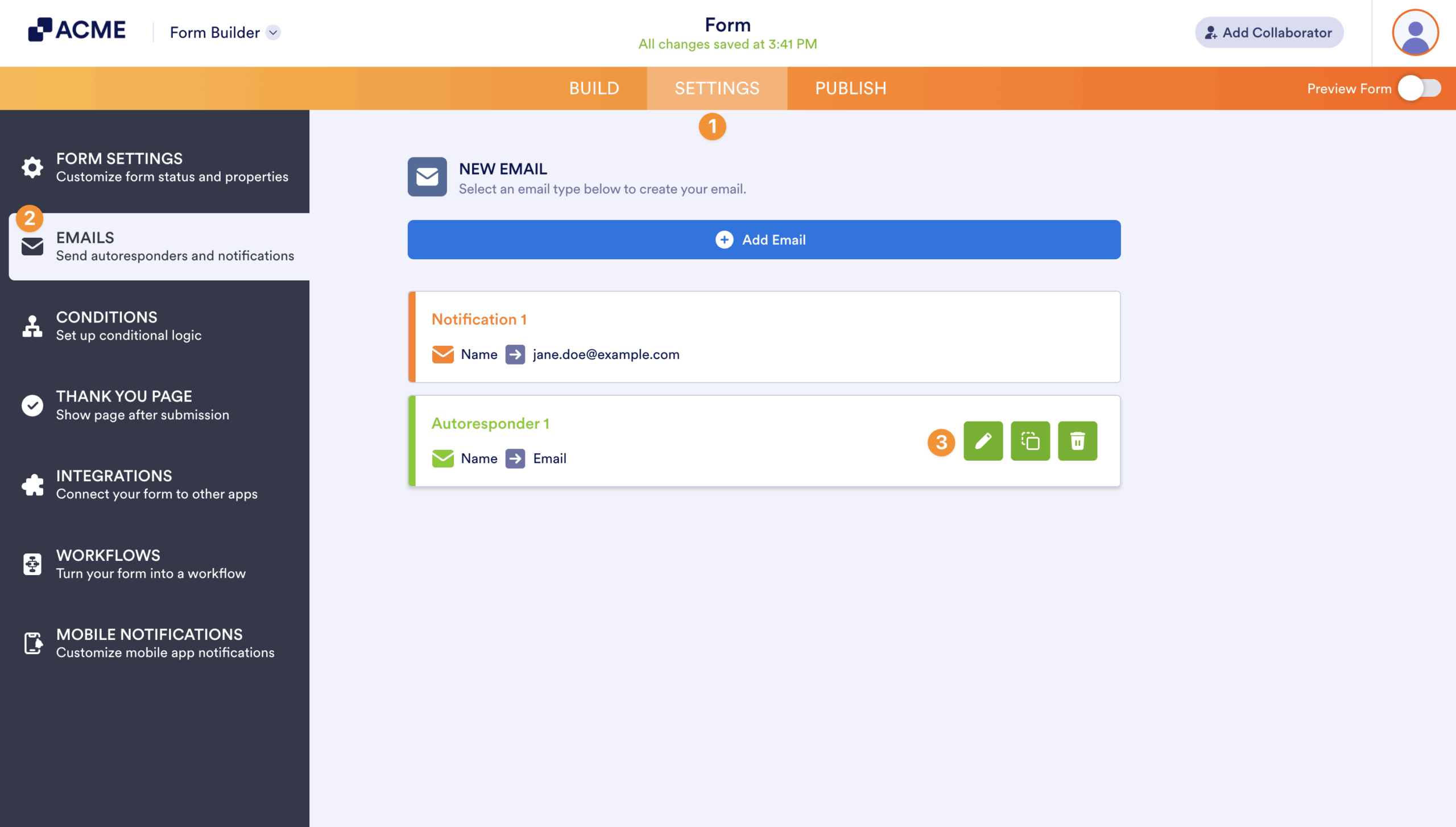
- In the Form Builder, go to Settings at the top.
- Select Emails on the left.
- Edit or create your email alert.
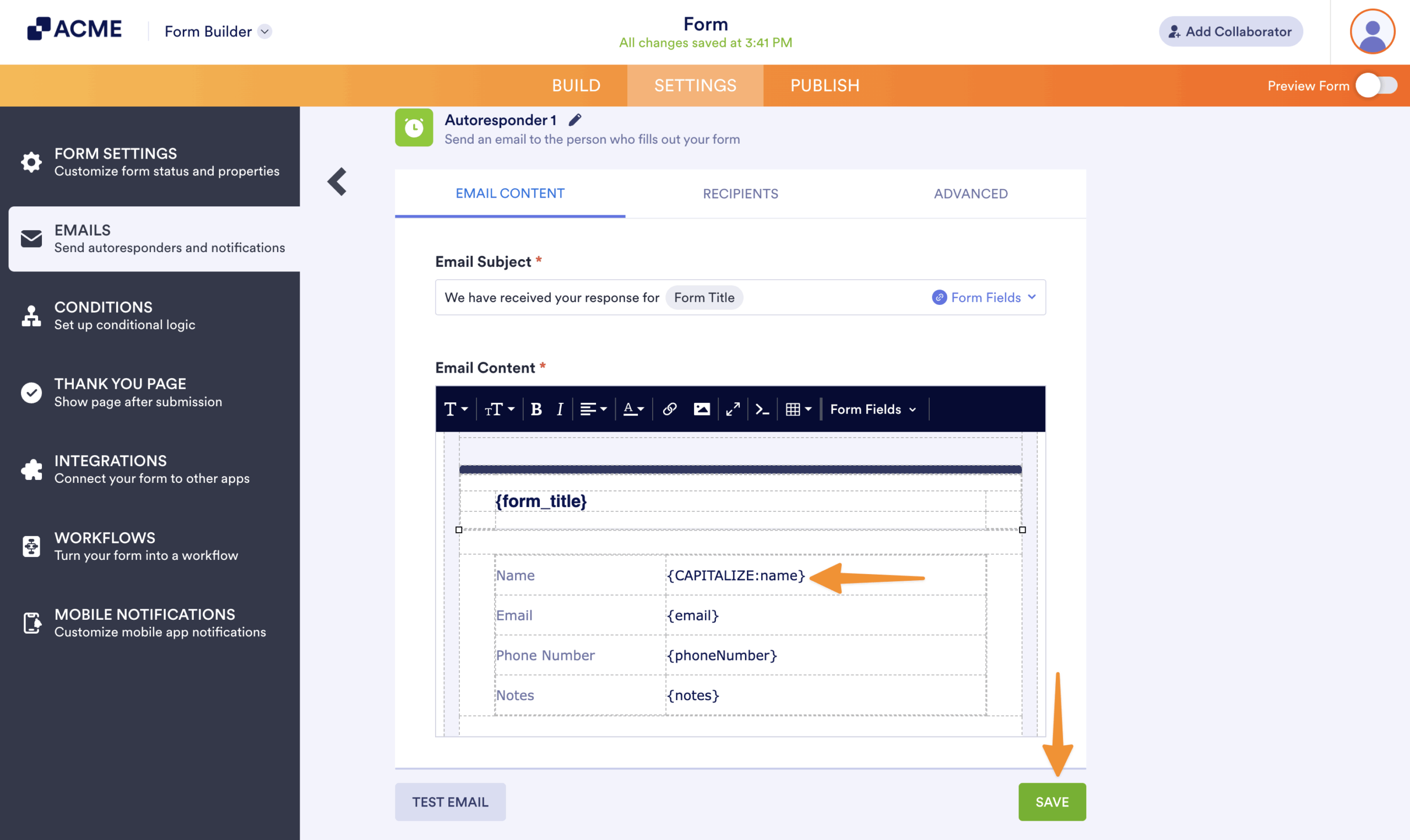
- In the editor, locate the unique name of the field you want to capitalize and append CAPITALIZE: (e.g., {CAPITALIZE:name}).
- Once you’re done, select Save at the bottom.
By applying consistent capitalization rules, your emails maintain a uniform style. This consistency reflects positively on your brand or organization.

Send Comment: