Security and privacy are top priorities when it comes to form building and data collection—that’s why the platform follows strict industry standards and regulations, including GDPR and HIPAA.
There’s also an option to enable Form Encryption, which adds an extra layer of protection for sensitive information. This feature uses end-to-end encryption, meaning your form data is securely encrypted the moment someone fills out and submits it, keeping everything private and protected.
Once you turn on Form Encryption, a few features in the Form Builder will no longer be available—this helps keep your encrypted data as secure as possible. Here’s a quick look at which features are affected:
Enabling Form Encryption in the Form Builder
If you’re ready to add an extra layer of protection to your form data, you can easily turn on Form Encryption. Here’s a quick how-to:
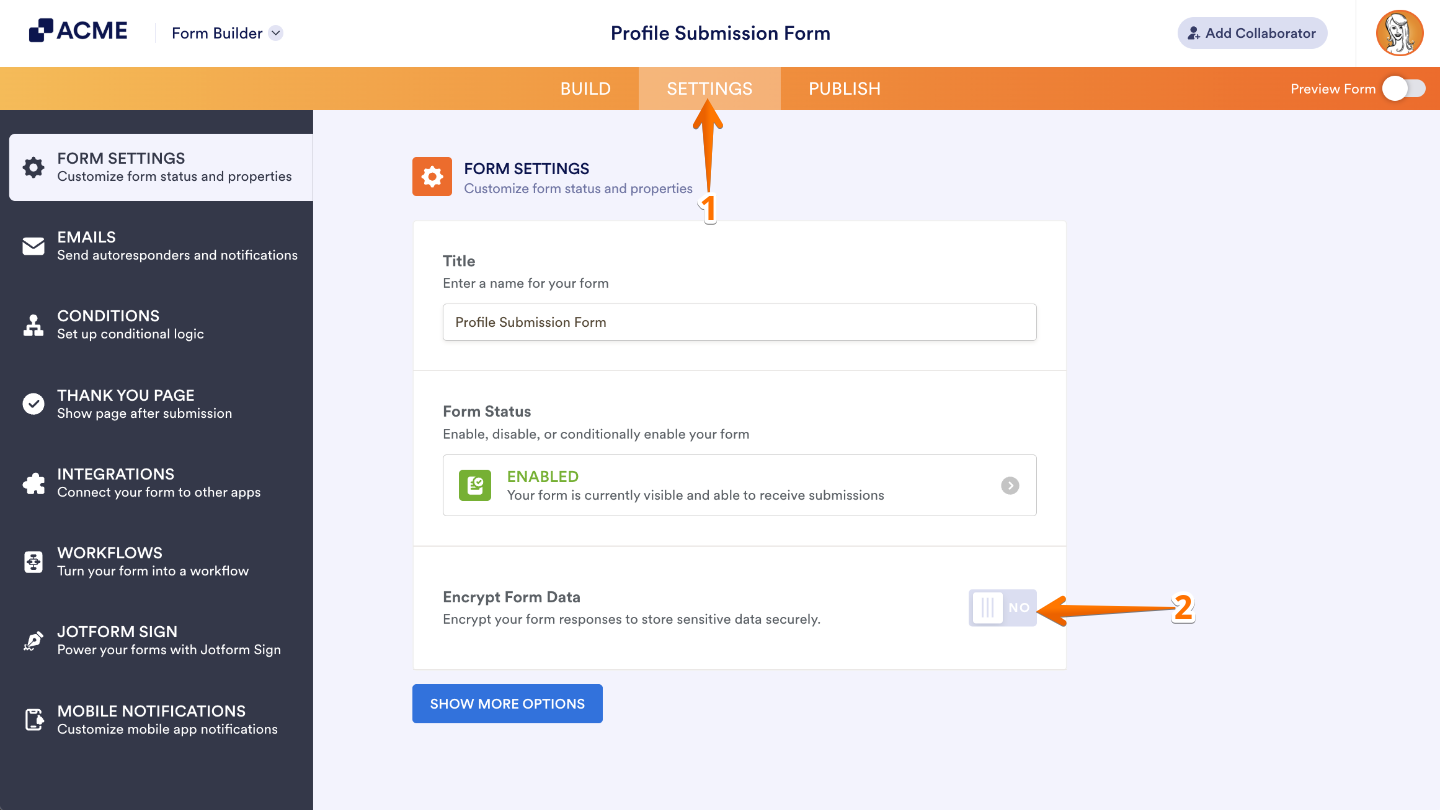
- In Form Builder, in the orange navigation bar at the top of the page, click on Settings.
- Then, toggle on the Encrypt Form Data.
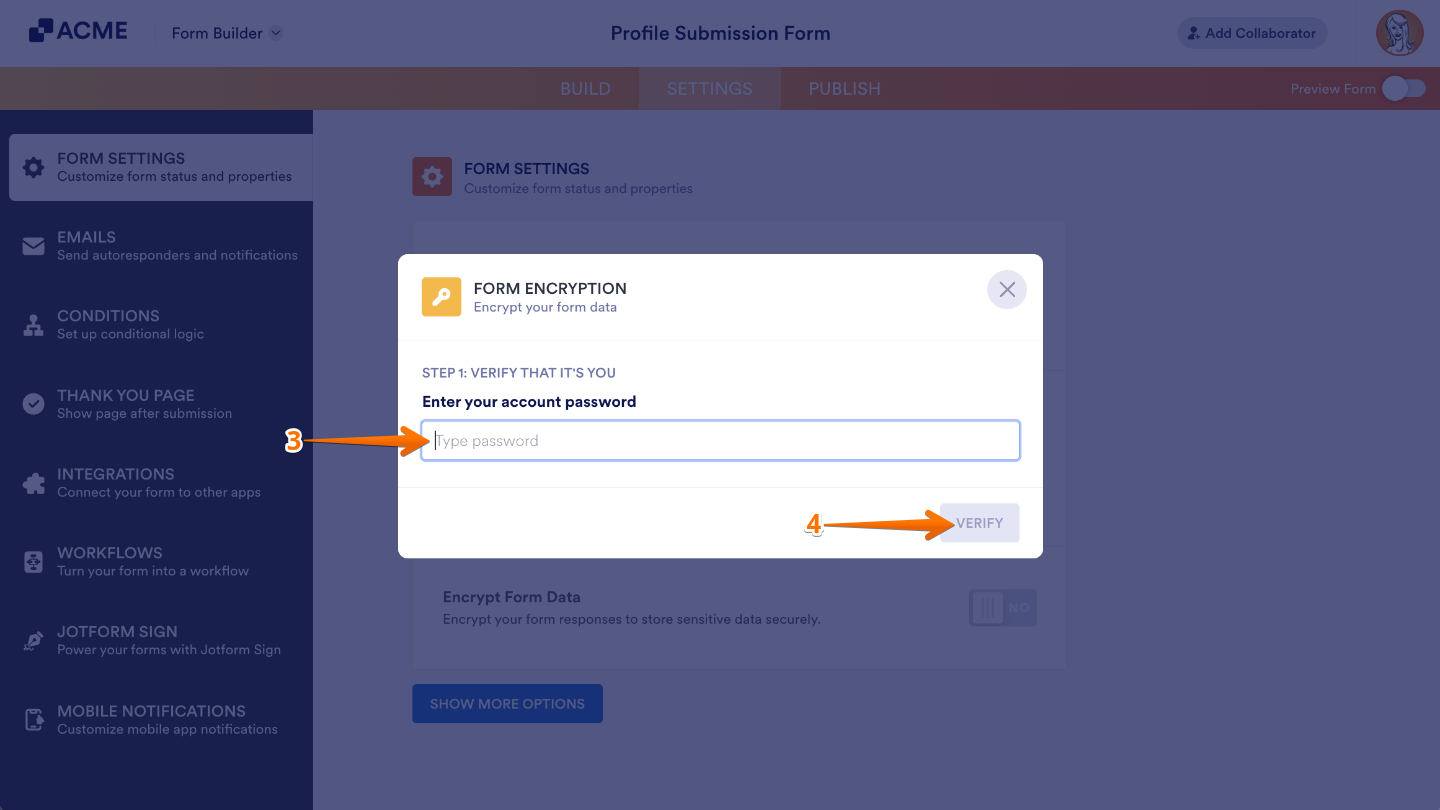
- In the Form Encryption window that comes up, enter your account password in the provided field.
- Once done, click on Verify.
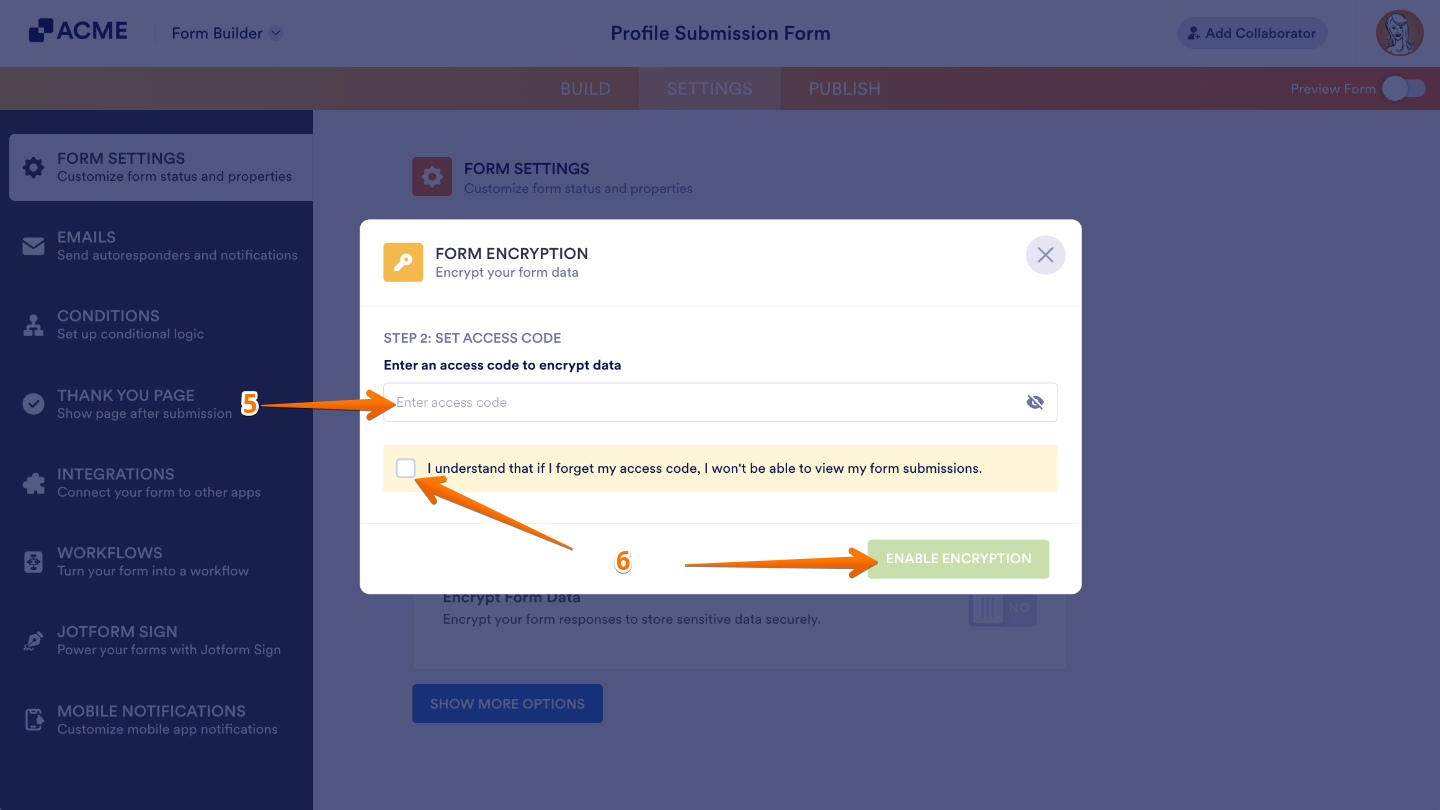
- Next, enter an access code for the form in the provided field. It must be between 8 and 16 characters long.
Notes
- The form encryption access code is for individual forms. You must create a new access code if you enable Form Encryption on your other forms.
- You cannot reset your access code, so ensure to remember it. Otherwise, your form data is considered lost.
- After that, check the Confirmation Checkbox. Then, click on Enable Encryption.
Decrypting Form to Access Submissions
You can easily decrypt your encrypted form data right from Tables or Inbox. You’ll only need to do this once—unless you’re using a new browser or device. Here’s how to decrypt your data and view your submissions securely:
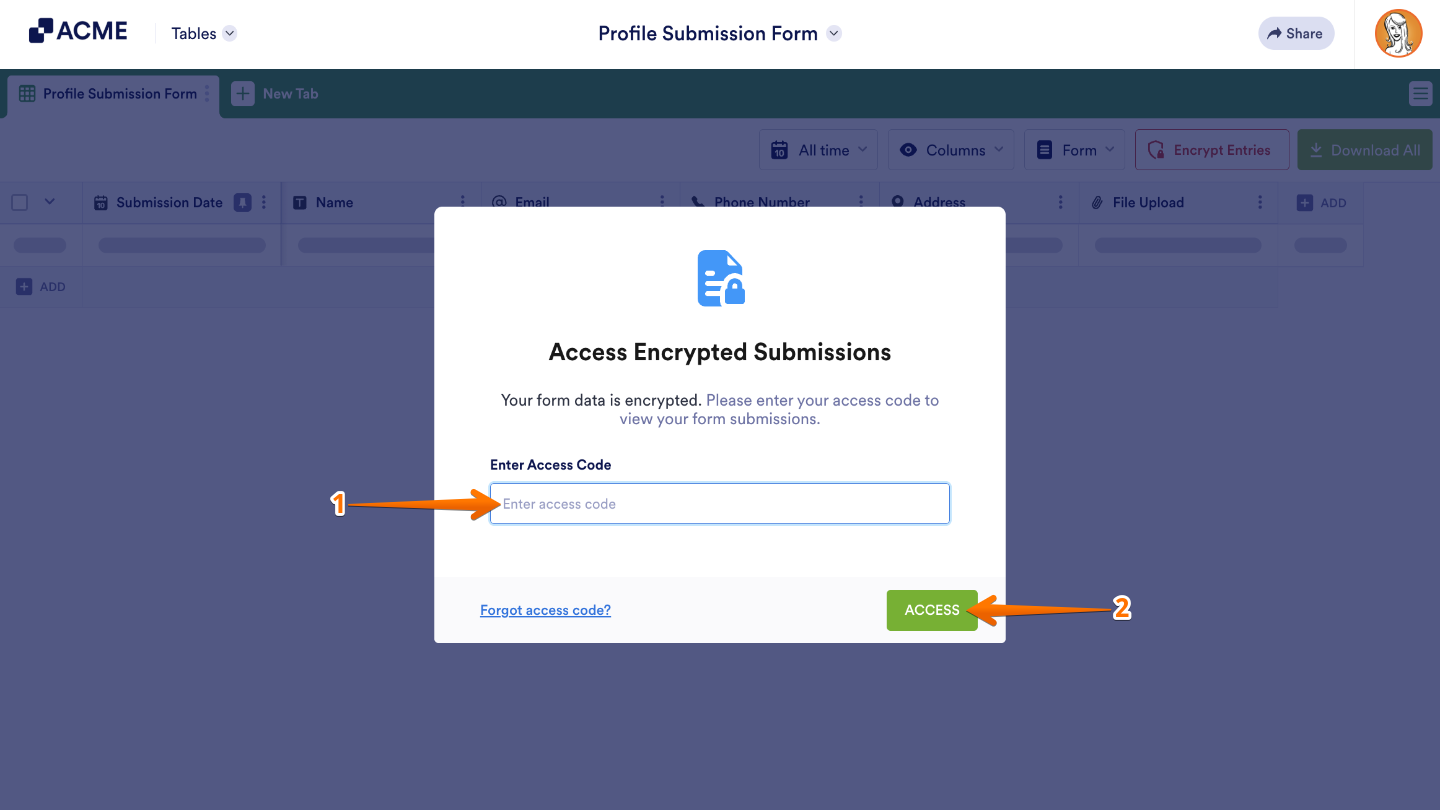
- Go to your Form Submission Table. Then, in the Access Encrypted Submissions window that comes up, enter your access code in the field provided.
- Once you’re done, click on Access.
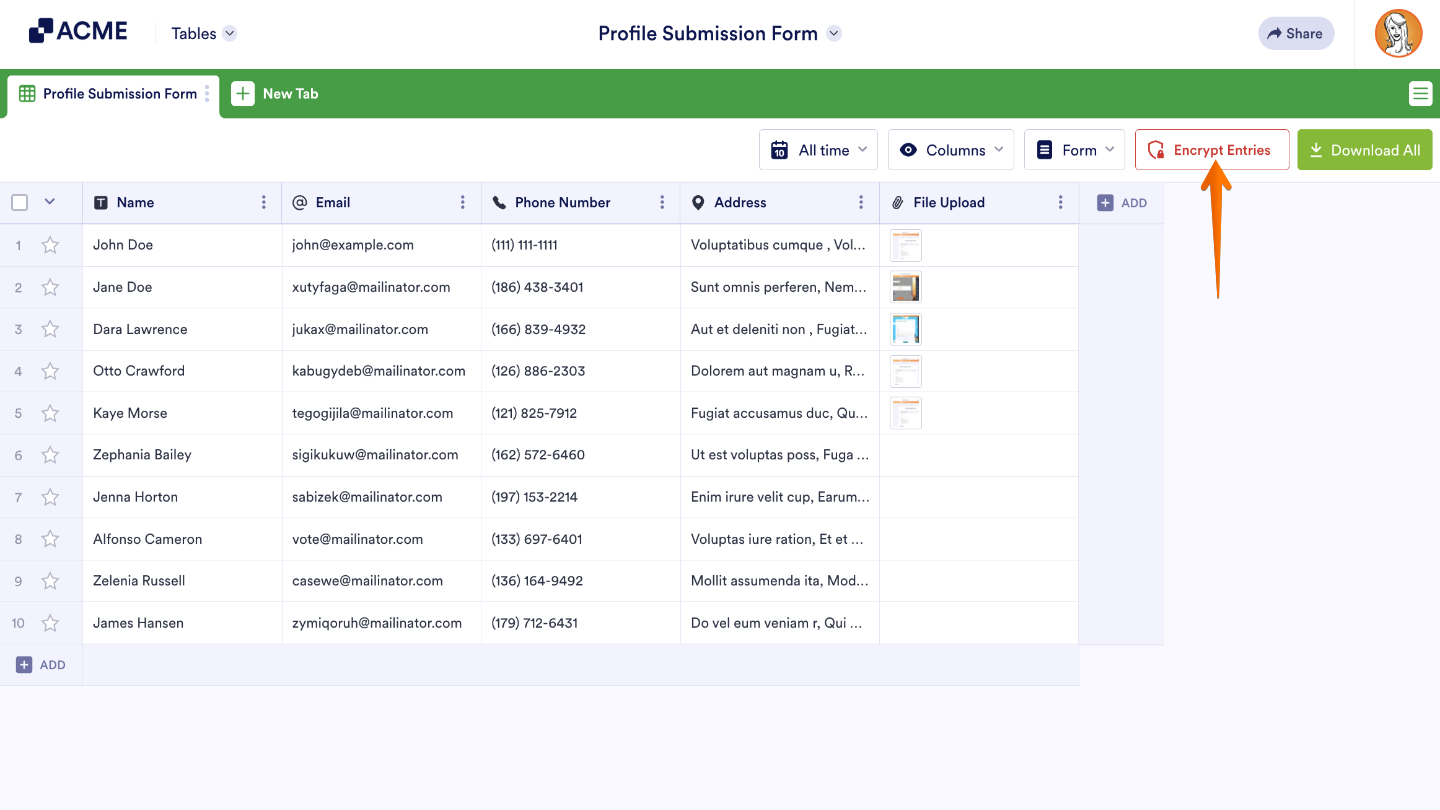
If you want to keep your data extra secure before closing the page, you can easily re-encrypt it. Just click the Encrypt Entries button, and your submissions will be safely locked up again.
What Happens if You Forget Your Access Code?
Encrypted Forms use end-to-end encryption, which keeps your data completely private—even from the platform. Your access code is securely encrypted, so we don’t have a way to recover it if it’s lost. To make sure you can always access your data, we recommend saving your access code somewhere safe or choosing one that’s easy for you to remember.
If you have any questions, feedback, or suggestions, feel free to leave a comment below—we’d love to hear from you.

Send Comment: